
31 Photos and videos


myinc retweeted

May 28
Every Shopify seller wants an AI agent running their store.
99% never make it past the setup.
Because the hard part was never the code. Hermes already handles that for you.
The hard part is everything before that: installing the harness, connecting Shopify, configuring the skill, figuring out how to actually run it.
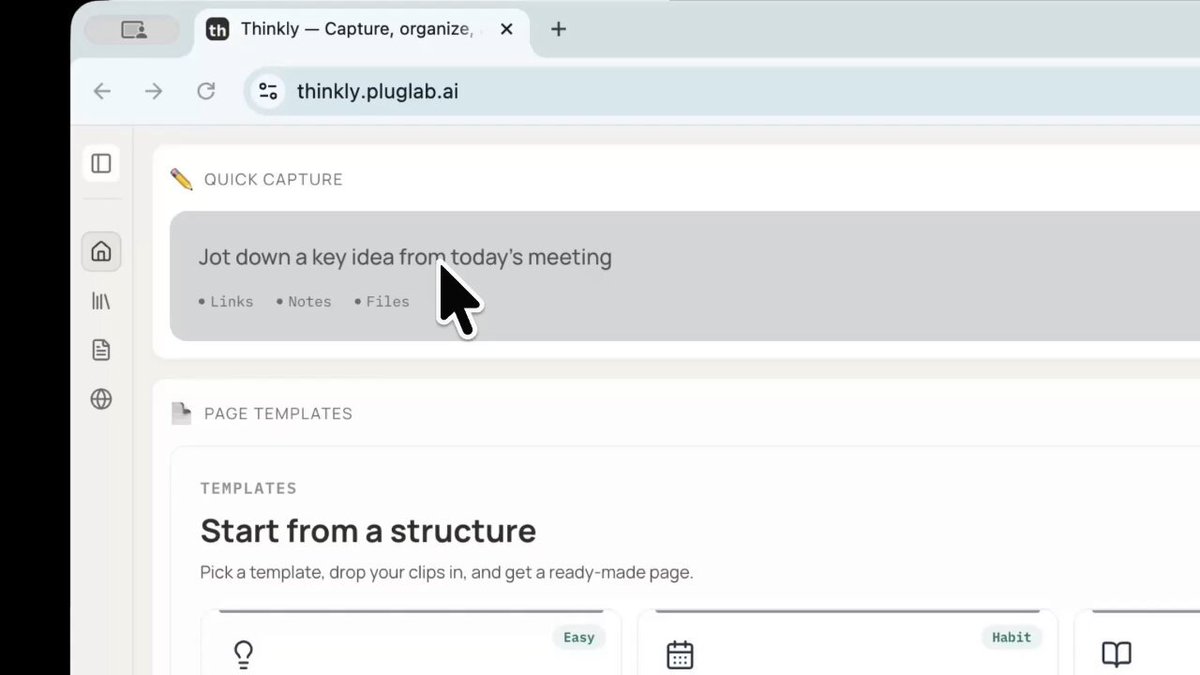
So we put Hermes inside Thinkly with the Shopify skill already wired up. You sign up and just type what you want.
"Restock the green caps. Recover this week's abandoned carts."
Done. Nothing to install.
May 1

Shopify is the all-in-one commerce platform powering millions of businesses worldwide
Thank you to the @Shopify team for building their own official Hermes Agent skill enabling your agent to manage products, orders, inventory, and fulfillments from any channel.
1
1
5
113
myinc retweeted
May 14
solo founders are 38% of seven-figure businesses in 2026 (per Grey Journal).
most of us are working hard to be in that 38%. shipping daily. burning tokens. ship more, repeat.
token usage going up. mental clarity going down.
here's what i've realized: we've been adding more AI tools, not an Executive Assistant to use them.
we need an Executive Assistant.
someone who:
- knows your business as well as you do
- remembers what you decided weeks ago
- drafts in your voice
- flags things before you ask
- runs your week so you can think
an executive assistant doesn't write code. she organizes everything that makes the code worth writing.
because here's the truth nobody talks about:
solo founding is lonely. not "i wish i had a friend" lonely.
"i wish someone knew the context before i had to explain it" lonely.
every decision sits on you.
every "should i do X or Y" sits on you.
that's the gap an Executive Assistant fills.
stop adding more AI tools.
hire your first Executive Assistant.
we're building Thinkly for exactly this.
1
1
3
45
myinc retweeted
May 14
$5,000/month for a human executive assistant.
$0 to start with one that remembers everything.
set her up once. she runs your week.
1
1
3
51
myinc retweeted
May 13
in 2026 you can pick your Executive Assistant like a video game character.
8 to choose from. all capable. 1 click. yours forever.
pick the one you'd actually want to see every day.
i picked Jia. she reads what i save and drafts before i ask.
thinkly.pluglab.ai
1
2
4
51
myinc retweeted
May 8
who are you picking?
thinkly lets you choose your own ai executive assistant. she remembers every conversation, drafts your emails, and handles your work before you ask.
8 characters. each one learns your style.
1
1
4
80
myinc retweeted
May 7
You've had the perfect answer in chatgpt, claude, or gemini and lost it. i know you have.
Meet Jia.
She auto-saves every ai conversation across all three. fully searchable.
Your ai work partner who never forgets.
1
2
4
166

Reading a lot is step one.
Turning what you read into something usable is step two.
That's exactly why we built Thinkly. Paste your sources, pick a template, get a structured document. In under a minute.

Haha, uh, I guess one thing I would recommend to young founders is read a lot
Like, read *A LOT* just learn about the world. If you like to read it's not a waste of time. It might be the best use of time.
1
1
2
51
myinc retweeted
Apr 23
If you use Claude, ChatGPT, or Gemini every day, you've probably hit this moment.
Your conversation gets too long. The AI compresses it. The details you spent hours building are gone.
LLMs have context limits. Your work shouldn't.
That's why we built @trythinkly. Capture your sources. Organize them. Turn them into a structured document you can keep, share, and come back to.
New feature dropping next week. Stay tuned.
1
2
3
59
myinc retweeted

Apr 16
@karpathy said "Obsidian is the IDE, the LLM is the programmer, the wiki is the codebase."
@garrytan built GBrain, 17,000 pages of personal knowledge.
I loved this idea. But I wanted it without the setup.
So I built Thinkly: paste any AI chat, and the wiki builds itself.
If you want your OpenClaw or Hermes Agent to be able to have perfect total recall of all 10,000 markdown files, GBrain is here to help.
It's exactly my OpenClaw/Hermes Agent setup. MIT-licensed open source. Hope it helps you build your mini-AGI.
github.com/garrytan/gbrain
2
5
9
841
myinc retweeted
Apr 13
No Obsidian. No scripts. No terminal.
Karpathy described a system that dumps sources and compiles knowledge.
Thinkly does exactly that.
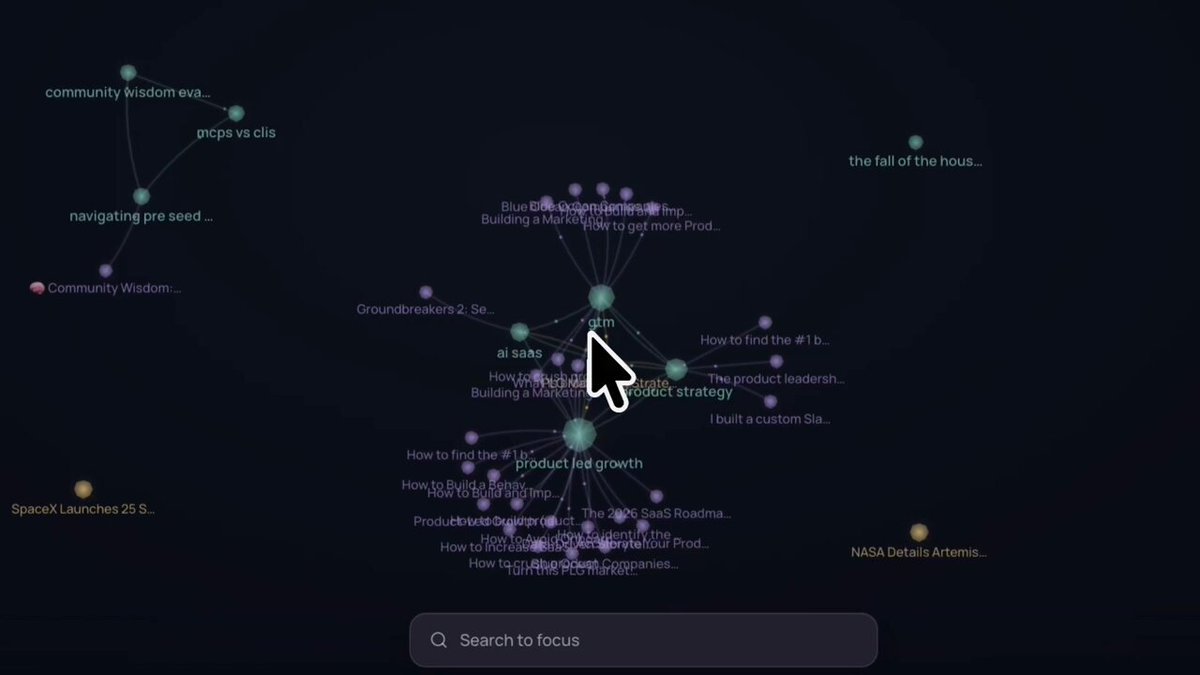
Articles, AI chats, YouTube links, research notes. It organizes everything and maps the connections for you.
This is my test second brain.
Took me 2 minutes.
1
1
5
72
myinc retweeted

Apr 10
Notion for organizing. ChatGPT for writing.
I was switching between both every single day.
Then I found one app that does it all.
Dump your articles, ChatGPT chats, Claude threads, YouTube links, notes.
Pick a template. Hit publish.
2
1
5
25
myinc retweeted
Apr 9
"Less into manipulating code, more into manipulating knowledge."
— @karpathy
We've been working on this exact problem for months.
It started with a frustration we couldn't shake. Every day we had 15 tabs open. ChatGPT conversations, Claude threads, articles, YouTube videos, random notes. All scattered. All useful. All forgotten within 48 hours.
AI made us faster at finding information. But nobody solved what happens after. The notes pile up. The bookmarks rot. The insights from last week's Claude session? Gone.
We tried Notion. We tried Obsidian. We tried bookmarking everything. Nothing stuck because the organizing part always fell on us. And we never got around to it.
So we started building. Not another AI chatbot. Not another note-taking app. We wanted one thing: dump your sources, get something publishable back.
After months of prototyping, breaking things, and rebuilding, we made Thinkly.
Here's what it actually does: Thinkly turns your scattered sources into publish-ready documents. You dump everything in, pick a template, and hit publish. That's it.
No folders. No tagging. No "I'll organize this later." You dump it, Thinkly compiles it.
This is how it works:
Step 1: Dump everything you've got. Articles, ChatGPT conversations, Claude threads, YouTube videos, notes. Paste them all in. Don't have sources yet? Just tell Thinkly the topic and AutoClip gathers them for you.
Step 2: Thinkly organizes your clips. Tags appear. Structure forms. You see connections you didn't notice when they were in separate tabs.
Step 3: Pick a template. Knowledge Base, Research Brief, Blog Post. Hit "Turn into..." and Thinkly compiles everything into a structured, readable page.
Step 4: Hit Publish. A clean, shareable page with everything organized. Send it to your team, post it on Twitter, or keep it for yourself.
All of this takes about 5 minutes.
Who is it for? If you're the kind of person who has 20 ChatGPT tabs open right now, Thinkly is for you. Researchers, writers, founders, PKM nerds, anyone who consumes more information than they can organize.
Karpathy described a system where you dump sources and LLMs compile them into structured knowledge. He uses Obsidian, LLM agents, and custom scripts. Thinkly does the same thing without the scripts. Plus publish.
We care deeply about this problem and we've just opened the doors. It's free to try. Here's a demo showing exactly how it works.
Apr 2

LLM Knowledge Bases
Something I'm finding very useful recently: using LLMs to build personal knowledge bases for various topics of research interest. In this way, a large fraction of my recent token throughput is going less into manipulating code, and more into manipulating knowledge (stored as markdown and images). The latest LLMs are quite good at it. So:
Data ingest:
I index source documents (articles, papers, repos, datasets, images, etc.) into a raw/ directory, then I use an LLM to incrementally "compile" a wiki, which is just a collection of .md files in a directory structure. The wiki includes summaries of all the data in raw/, backlinks, and then it categorizes data into concepts, writes articles for them, and links them all. To convert web articles into .md files I like to use the Obsidian Web Clipper extension, and then I also use a hotkey to download all the related images to local so that my LLM can easily reference them.
IDE:
I use Obsidian as the IDE "frontend" where I can view the raw data, the the compiled wiki, and the derived visualizations. Important to note that the LLM writes and maintains all of the data of the wiki, I rarely touch it directly. I've played with a few Obsidian plugins to render and view data in other ways (e.g. Marp for slides).
Q&A:
Where things get interesting is that once your wiki is big enough (e.g. mine on some recent research is ~100 articles and ~400K words), you can ask your LLM agent all kinds of complex questions against the wiki, and it will go off, research the answers, etc. I thought I had to reach for fancy RAG, but the LLM has been pretty good about auto-maintaining index files and brief summaries of all the documents and it reads all the important related data fairly easily at this ~small scale.
Output:
Instead of getting answers in text/terminal, I like to have it render markdown files for me, or slide shows (Marp format), or matplotlib images, all of which I then view again in Obsidian. You can imagine many other visual output formats depending on the query. Often, I end up "filing" the outputs back into the wiki to enhance it for further queries. So my own explorations and queries always "add up" in the knowledge base.
Linting:
I've run some LLM "health checks" over the wiki to e.g. find inconsistent data, impute missing data (with web searchers), find interesting connections for new article candidates, etc., to incrementally clean up the wiki and enhance its overall data integrity. The LLMs are quite good at suggesting further questions to ask and look into.
Extra tools:
I find myself developing additional tools to process the data, e.g. I vibe coded a small and naive search engine over the wiki, which I both use directly (in a web ui), but more often I want to hand it off to an LLM via CLI as a tool for larger queries.
Further explorations:
As the repo grows, the natural desire is to also think about synthetic data generation finetuning to have your LLM "know" the data in its weights instead of just context windows.
TLDR: raw data from a given number of sources is collected, then compiled by an LLM into a .md wiki, then operated on by various CLIs by the LLM to do Q&A and to incrementally enhance the wiki, and all of it viewable in Obsidian. You rarely ever write or edit the wiki manually, it's the domain of the LLM. I think there is room here for an incredible new product instead of a hacky collection of scripts.
3
3
11
524
myinc retweeted
Apr 9
Claude just launched Managed Agents.
$0.08/hr to run AI agents at scale.
No servers. No container management. No months of setup.
Notion, Asana, Rakuten, and Sentry are already using it.
I organized 10 sources into one breakdown. What it is, how it works, pricing, limitations, and what it means for developers.
Full breakdown in reply.

Introducing Claude Managed Agents: everything you need to build and deploy agents at scale.
It pairs an agent harness tuned for performance with production infrastructure, so you can go from prototype to launch in days.
Now in public beta on the Claude Platform.
2
1
9
186