
Auckland Developer / IT Professional
Joined April 2009
- Tweets 4,584
- Following 886
- Followers 281
- Likes 134
146 Photos and videos












Haven’t used it yet. But this looks like a great philosophy to add to AI agents. Don’t reach for the new library if it’s a built in function, already in a library you use, or could be written as a very short function.

A dev got so frustrated watching his AI agent write 500 lines for a 5-line problem that he built a fix.
He called it Ponytail. Named after the guy every team has - long ponytail, oval glasses, been there longer than the version control. You show him fifty lines; he looks at them, says nothing, and replaces them with one.
Now your agent does the same. Before writing anything, it looks for a reason not to.
80-94% less code. 47-77% cheaper. 3-6x faster.
The best code is the code you never wrote.
GitHub Repo: github.com/DietrichGebert/po…

42

Jun 13
This is something that needs to be considered. RoNS are costly items so the government is making a decision to spend money on this over other options. So surely they would be wanting to sell it to people. If just the interest cost makes each trip $11 then reason for priority?
Jun 12

the other issue is the cost. $1.77b. That's $80m a year in interest. For 7m vehicles a year to save 2.5 minutes each.
That's $11 per trip and a time value of a massive $268 per vehicle/hr saved.
We need to be assessing rail and shipping projects on equal footing with road
14
Alexander Neilson retweeted

Jun 12
As it wasn't an official sponsor of the FIFA World Cup, Levi's was asked to hide its logo on Levi's Stadium (Santa Clara, California).
And they did it in the smartest way possible. #WorldCup #FIFAWorldCup #Levis


135
1,020
25,441
2,712,568
More than a model of civility this most starkly aligns with the current event with Dr Brash telling Dr Cullen the morning of the announcement being made.
Jun 9

Michael Cullen’s statement on Don Brash’s candidacy - a model of civility: Michael’s statement at the time - beehive.govt.nz/release/gove…
21
Alexander Neilson retweeted

Jun 6
Peter Phillips' wedding day is a chance to bring out the story of how when he captained Gordonstoun at rugby he was greeted by Inverness ref Colin Baillie at the coin toss with the words: "would you like tails ,...or granny?"
26
199
2,910
188,190
Does this mean those camera shots down the caucus corridors when a leadership spill is alleged will now get all the reporters banned from parliament? If shooting from a valid place and capturing someone transiting where they aren’t allowed gets you a ban.

This is ridiculous. Maybe the @TaxpayersUnion should be focussing on this rather than Grant Robertson’s very gently expressed concerns about NZ First’s silly gender identity bill.
stuff.co.nz/politics/3609880…
2
5
157
I always assume someone misspoke in these situations. (Easy assumption being @JordNZ confirmed it was TU press release *about* an OIA but not a TU OIA) but as written it does appear to be claimed.

What's most interesting about "SuitandTie9999" denials on being linked to the Taxpayers Union & Jamie Ross is that Jordan Williams just confirmed the OIA in question IS a Taxpayers Union OIA
And Suit and Tie confirmed the OIA was one he personally filed.
rnz.co.nz/news/national/3679…

48
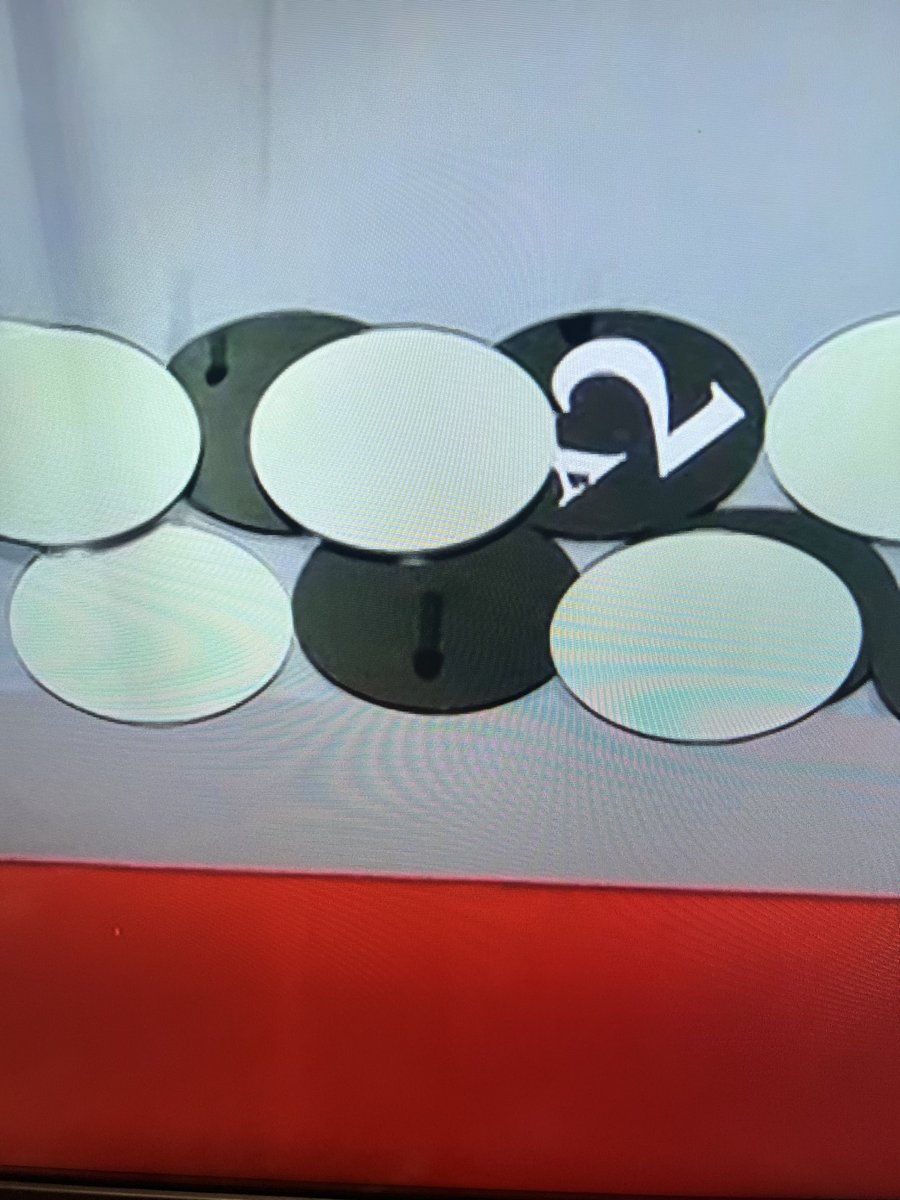
Can anyone help me identify which piece of production or studio equipment is being reflected in these counters on Tipping Point NZ?

1
27
Looks like it’s reflections of the “pins” inside the tipping point machine that the counters bounce off as they fall down.
21
May 31
It seems our politicians have indicated that benefits need to significantly increase. How are we expecting beneficiaries to live on $372.55 in Wellington when our politicians have assessed they need $1,000 per week for a place to stay in town?
May 29

1 bedrooms in Wellington average about $500 a week. Half of the $1000 MPs can claim. There are no checks. It’s high trust for the most untrusted profession.
Throw them all in a hostel. Buy a motel. They can all live there.
35
May 30
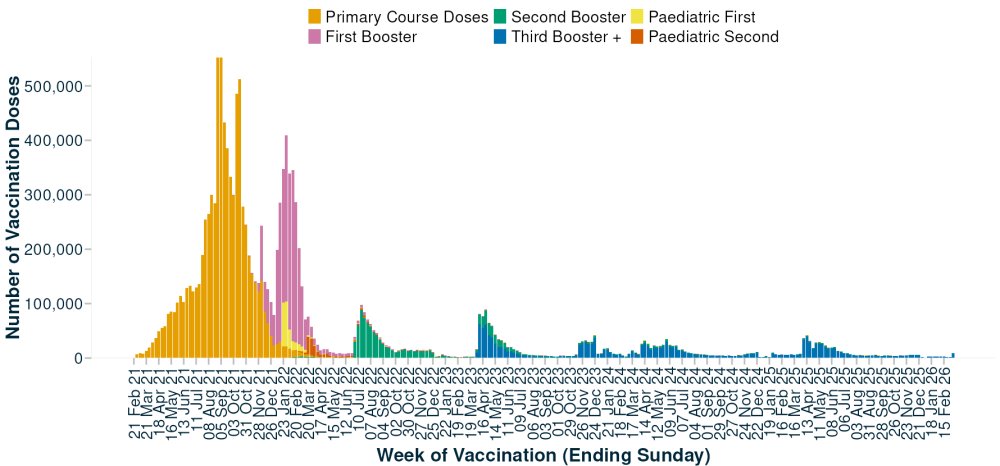
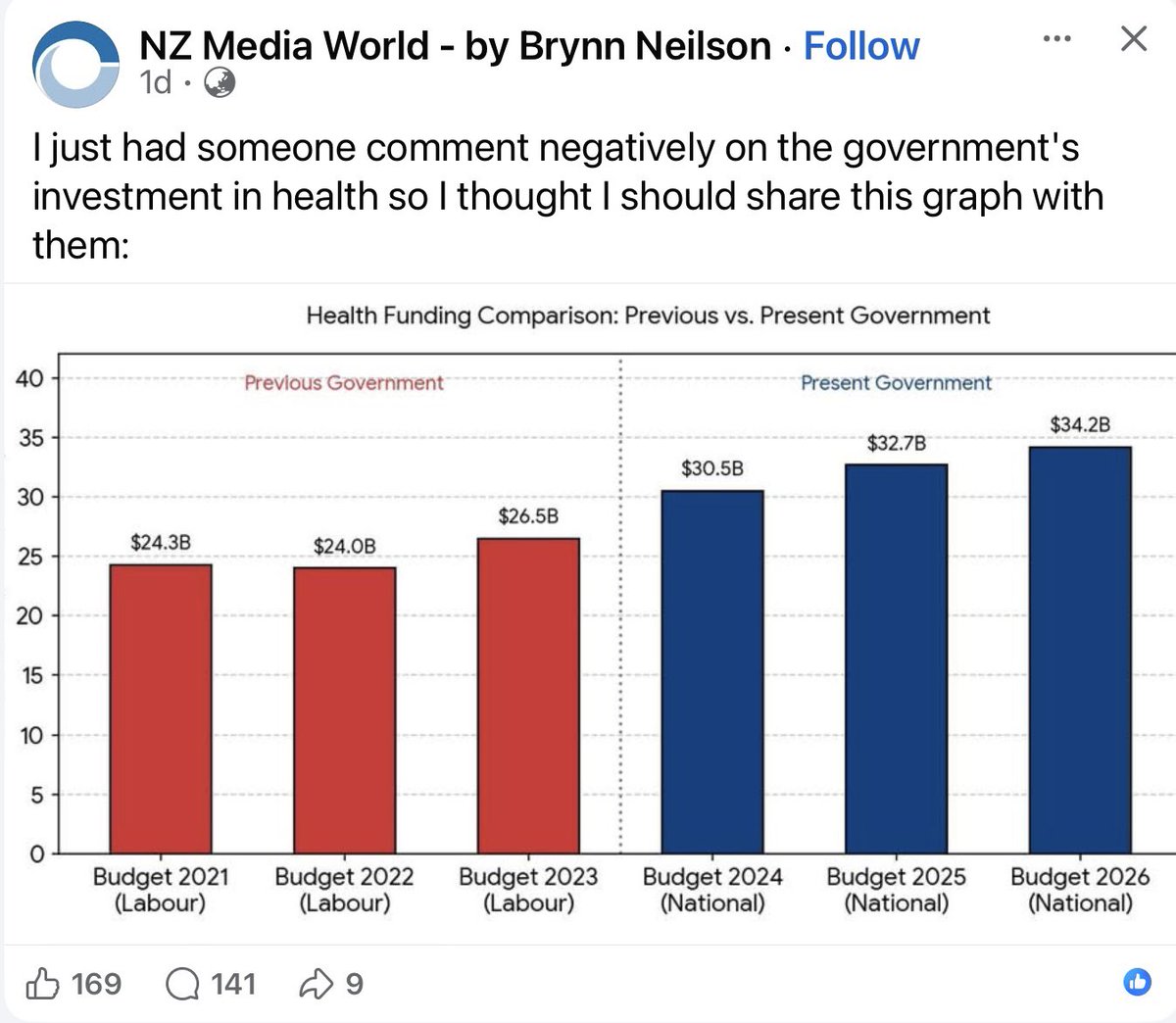
I get very interested when I see graphs like this start half way through a governments period. I wonder if the graph looks any different if it started with 2018 budget or even the start of the previous national government.

1
56
May 21
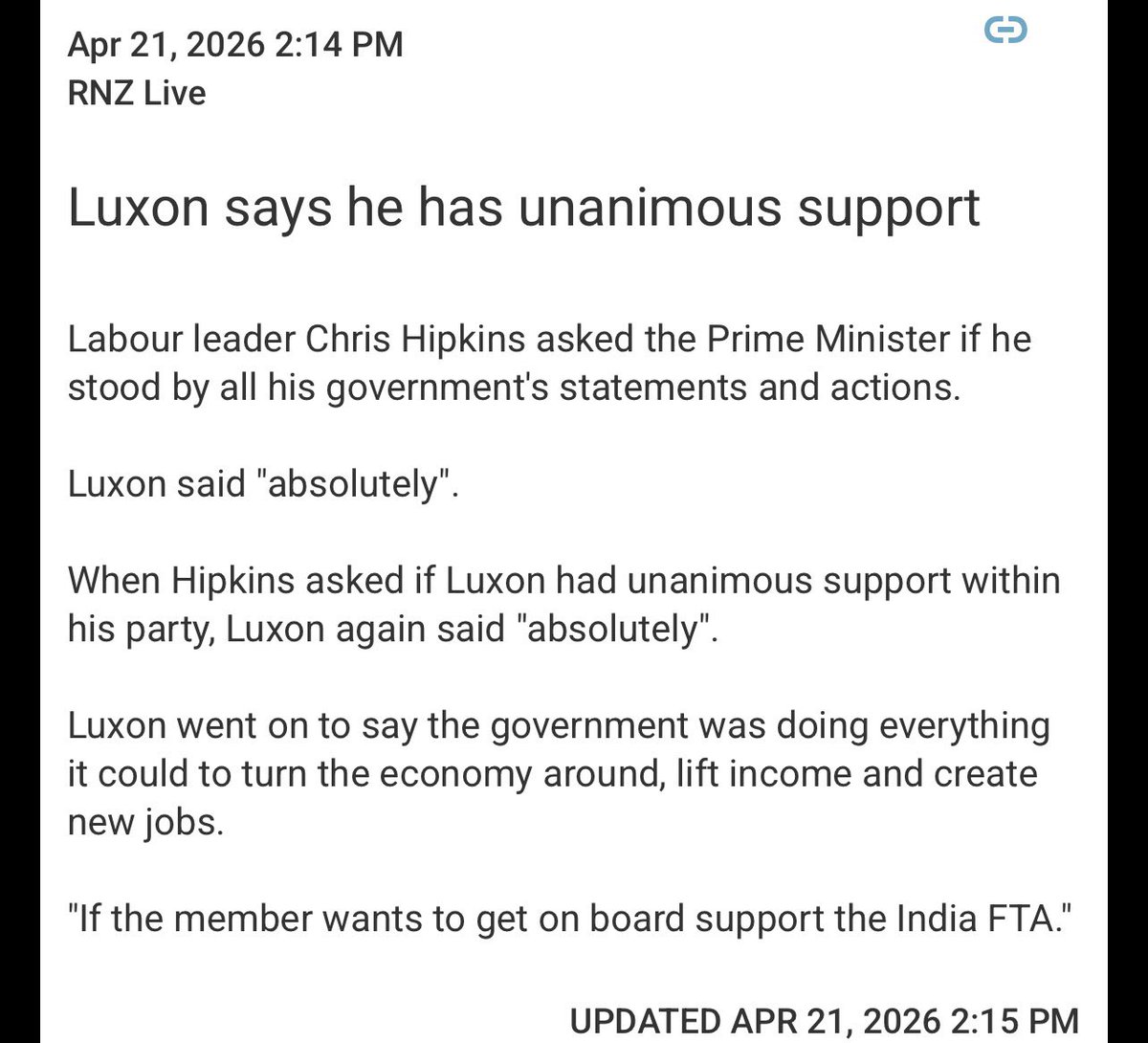
I wonder if Keegan will enjoy this being applied to every other unanimous vote in the house while NZFirst wasn’t in parliament.

.@nzfirst are the only party currently in Parliament that didn't vote for this nonsense, so when other parties now try take credit for defining sex in law remember their TRUE colours.
NZ First brought this bill forward, NZ First ever voted for nonsense.
rnz.co.nz/news/political/457…
37
May 19
I keep thinking for any new @jetlagthegame seasons with trains involved then when a delay happens for the train the stars need to look at something and go "that explains it" and then a motion graphic "zooms in" on a line that says "operated by Deutsche Bahn"
45
These people in a few years. “Why doesn’t my area get enough funding”

oh noooo it sure would be a shame if roughly 121,000 people living a predominantly conservative area refused to be counted in the census and accidentally eliminated a conservative electoral riding
1
57
Do we think it might be enough to encourage @LEGO_Group to update the age range to something more accepting? Maybe just slip a one in there and give David another hundred years to enjoy Lego products. ;)



2
84

Apr 30
Some super cool nerdy information in this post.
Apr 30

I recently got this portable triple monitor setup. It works fine on macOS and Windows, but it turns out the Linux driver was extremely unstable as well as very CPU intensive
Obviously, this nerdsniped me into reversing it and making a better one. In doing so, I managed to figure out some device internals/quirks that I could leverage to make optimizations that none of the vendor drivers for any platform could do :)
Turns out that one of the screens (the leftmost one) presents as a standard USB-C DisplayPort (DP Alt Mode) screen, which means it has more than enough bandwidth available for uncompressed efficient video
For the other two screens, the device presents as a USB 2.0 Hub, with a USB device that is handled by a custom userspace helper application
Turns out that what essentially happens is that it's streaming JPEG encoded data (with a custom header, however) for every frame presented on the two other screens. To be specific, two JPEG:s per frame, one for the upper half and one for the lower half, for each screen
On both macOS, Windows and Linux, it was always sending JPEG:s with a resolution of 1920x544 for each half, with an adaptive quality setting from 98 to 70. The reason being both the fact that JPEG encoding is relatively expensive, as well as the fact that it's only able to use a bandwidth of 30MB/s in total
As a side effect of this, the actual frame rate you're getting on each of the USB screens is generally more around 25-30 than anything near 60
I wasn't all that concerned with the frame rate for my purposes though, and even though JPEG is technically using lossy compression, I wouldn't even really have noticed that in general use
What I did notice, however, is the CPU usage required for all that JPEG encoding, and I wanted to minimize that as much as possible
The vendors Linux driver was using 2-3 CPU cores continuously on full blast, and even then it was frequently either crashing or slowing down to a crawl
I was able to get the worst case CPU usage down to a factor of about 5 (i.e. about 60% of a single CPU), and for the cases where the screens are mostly static, terminals and such, the CPU usage was only 1-3% of a single CPU
Besides the obvious stuff, such as parallelizing the JPEG encoding etc, I thought it was pretty wasteful to send full frames in cases where the actual changes from the previous frame were small
Since the packet header contained what seemed to correspond to the width, height and x/y coordinates of where the JPEG should be rendered, I thought it would be possible for me to send a JPEG with just the part that was different from the previous frame
That method, however, ended up getting very strange results where it seemed to loop parts of previous frames on the parts of the screen that were not being updated
After making a test program that rendered a simple animation against a static background with a low FPS (FPS as in the frames actually sent to the device per second), I could see that it seemed to repeat previous frames with a cycle of 3
I.e. if I try to animate a box by painting over the previous frames box as well as the part where I'm placing the slightly moved box, instead of a smooth animation I would see the box I painted as well as part of the box from 3 frames back
By this observation, I could deduce that the device internally uses three framebuffer slots, and by mirroring this with three "shadow buffers" in my custom userspace driver I could minimize the work required for each frame
First off, I would compare my new frame N with frame N-3 in order to see the minimum rectangular area that would patch up frame N-3 to become my new frame N
While doing so I would also compute a very simple hash of frame N and compare it with the hash of frame N-1, since if frame N and frame N-1 are the same I can just skip presenting that frame (I still need to send a periodic heartbeat in order for the screen to not turn off, but I don't need to send a new frame unless something has actually changed)
So instead of encoding and sending two 1920x544 JPEGs for each frame on each screen, I would generally be encoding and sending far less, which allows me to use far less CPU and be a lot more responsive especially for coding and "office work" in general
As a bonus, I also got a lot more intimately familiar with the EVDI subsystem in Linux (EVDI = Extensible Virtual Display Interface), which turns out to be quite useful in the context of my QVM and GRAFIT projects that I've mentioned from time to time in other posts ;)

2
50
Apr 25
Why isn’t it John Trump?

Next time, if you want to fool anybody other than your idiot supporters, move the clouds.

1
2
60
Apr 22
Nothing says the disruptions and rumblings are behind you like picking a fight inside the coalition. nzherald.co.nz/nz/politics/c…
26
Apr 22
Why would price increases on an internationally traded commodity ever be a risk? It’s not like some country is going to suddenly attack another and cause a disruption to international supply.
Apr 21

Wow.
Turns out that Luxon’s big plan to double down on fossil fuels with a LNG fossil gas import terminal didn’t even include modelling of international price spikes.
Clueless or reckless?
28