
Principal Product Manager Lead @ #Microsoft #OneNote. From Mexico, living in WA. #WindowsInsiders #Microsoft365Insiders
Joined April 2018
- Tweets 591
- Following 165
- Followers 817
- Likes 311
69 Photos and videos



Apr 29
Copilot in OneNote now understands images, tables, todo items and more of what is in your notes. See more details in our blog, give it a try and let us know how it helps you or what else is missing. techcommunity.microsoft.com/…
52
Apr 14
Do you have a lot of knowledge stored in OneNote? Bring a whole notebook into a Copilot Notebook along with other content to turn it into insights and more!
Apr 14

You wrote it down for a reason, now Copilot Notebooks can use your OneNote to help you move forward.
133
Apr 6
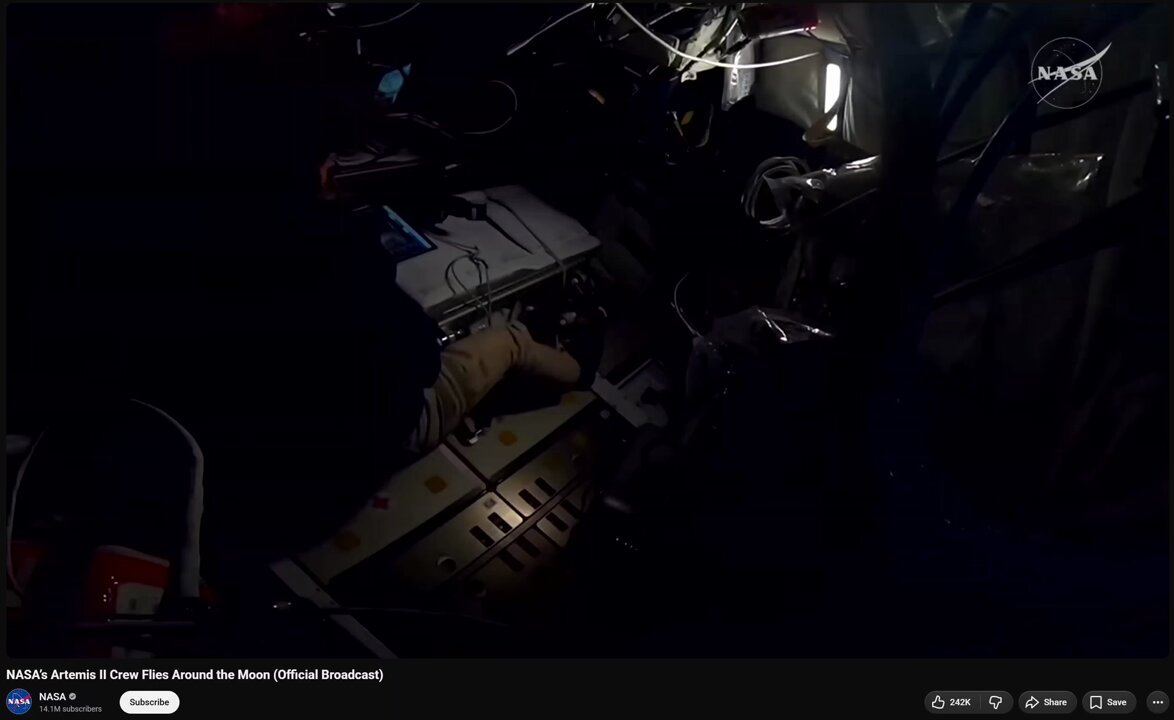
OneNote - Take notes from anywhere... even from Space 🚀
So cool to hear NASA’s Artemis II Crew uses #OneNote to capture their notes📔
1
4
307
Apr 13
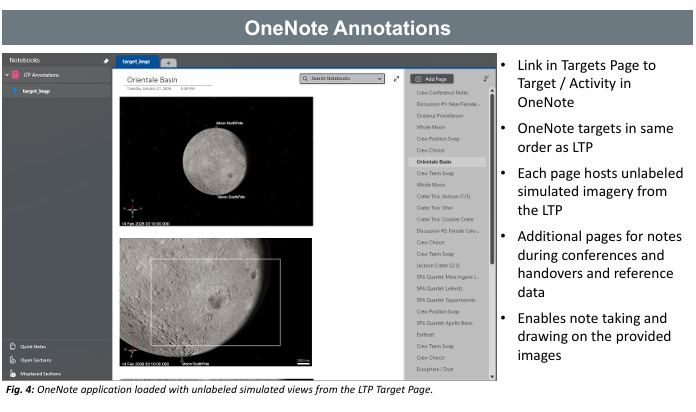
#OneNote Enables note taking and drawing on images... of the moon!🌛 Some more details on how the crew used the app to capture. From: ntrs.nasa.gov/api/citations/…
ALT Screenshot showing OneNote annotations from the Artemis II Crew with the OneNote app showing a notebook with many pages including one showing photos of the moon
103
Mar 26
#CopilotNotebooks keeps getting better. Check out our blog for the functionality recently enabled for Frontier customers and coming soon for broader availability. techcommunity.microsoft.com/…
1
57
Mar 13
The refreshed #CopilotNotebooks experience is now available. Read more on our blog and let us know what you think!
techcommunity.microsoft.com/…
3
108
19 May 2025
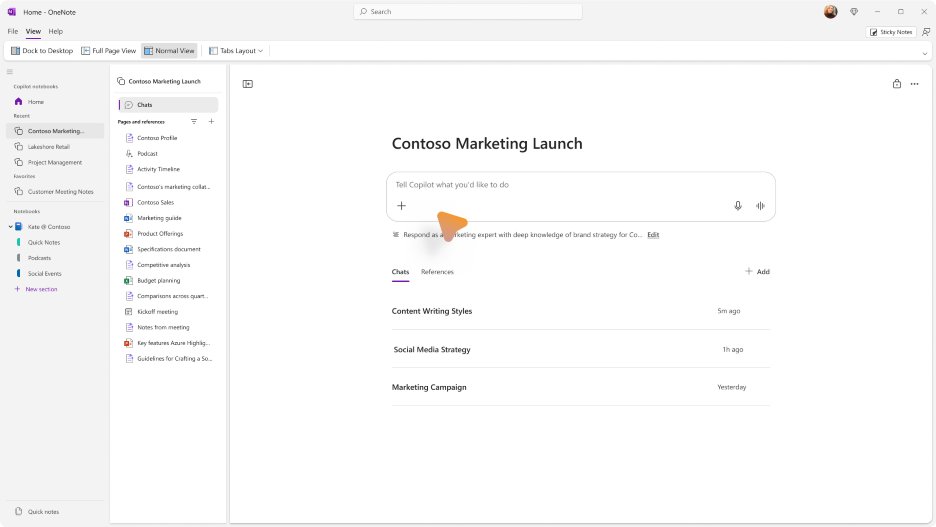
#CopilotNotebooks coming to @msonenote soon! Bringing this powerful context-aware experience directly into your note-taking workflow.
Notebooks let you collect heterogeneous info—docs, notes, Copilot Pages, and more—and use AI to reason over that context effortlessly.
ALT Screenshot of the OneNote on Windows app showing the new Copilot Notebooks section on top of other existing Notebooks
1
1
206
19 May 2025
Read more about #CopilotNotebooks and other improvements rolling out to the Microsoft 365 Copilot app here techcommunity.microsoft.com/…
1
72
8 May 2025
When we enabled vertical tabs (notebooks and sections on the side) in @msonenote we got a lot of feedback about the leftover space above the canvas. We've made an improvement and moved the search box down to recover that space! More details on our blog techcommunity.microsoft.com/…
3
235
6 May 2025
Go paperless and print to @msonenote instead! Recently improved with support for Windows Protected Print (WPP) mode and working on ARM devices too! Check out more details on our blog techcommunity.microsoft.com/…
2
130
1 May 2025
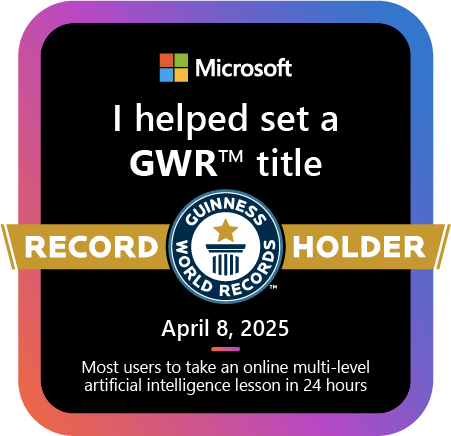
I helped set a Guinness World Record! Thanks @MicrosoftLearn for the #AISkillsFest that made it easy to continue my journey of learning more about AI.
ALT Badge showing Microsoft logo with text: I helped set a GWR (trademark) title. Guinness World Records Holder. April 8, 2025. Most users to take an online multi-level artificial intelligence lesson in 24 hours.
1
93
14 Apr 2025
What is your favorite little-known @msonenote feature?techcommunity.microsoft.com/…
2
5
128
18 Mar 2025
Did you know about all these features in @msonenote ? Which one is your favorite? Any other hidden gems others should know about #OneNote ?
7 Mar 2025

🧐 OneNote has some seriously underrated features. From Web Clipper to version history (yes, you can undo that oops!), these tricks will change how you use it!
Check them out in our latest blog: msft.it/6011qym0V
#Microsoft365 #OneNote #OneNoteHacks 📝✨
1
106
21 Feb 2025
Capture your notes in #OneNote and leverage Copilot to quickly suggest action items, topics for discussion and more from your past notes. Including handwritten ones!
18 Feb 2025
Meetings don’t have to be a nightmare!⏳ With Copilot, you can set up invites, craft agendas, and capture notes – all in seconds. Less time planning, more time doing.
Learn how Copilot can streamline your meetings in our latest blog: msft.it/6012Uazoe
#Microsoft365 #MicrosoftCopilot
2
129
21 Feb 2025
Capture your meeting notes in #OneNote. With meeting details, you can pull in the info from the meeting (including agenda and AI-generated notes if available) and you can capture your personal notes next to the meeting notes to keep all your notes organized in one spot.
18 Feb 2025
Meetings don’t have to be a nightmare!⏳ With Copilot, you can set up invites, craft agendas, and capture notes – all in seconds. Less time planning, more time doing.
Learn how Copilot can streamline your meetings in our latest blog: msft.it/6012Uazoe
#Microsoft365 #MicrosoftCopilot
1
71
Analy Otero Diaz retweeted

19 Feb 2025
Your digital notebook for everything. Keep your notes, ideas, and plans all in one place with OneNote: msft.it/6017Ua5Fd
24
16
95
15,972
28 Oct 2024
Bringing Copilot directly into your workflow in #OneNote with quick actions now available on our Windows app for #Microsoft365Insiders . Try it and let us know what you think!
25 Oct 2024

We are making it easier than ever to leverage Copilot in OneNote. Check out our new quick actions! What are you hoping to see next with Copilot in OneNote?
techcommunity.microsoft.com/…
1
101
22 Oct 2024
#OneNote Mac and iPad customers. Copilot is coming your way! Currently available for Insiders with Microsoft 365 Copilot.
21 Oct 2024
Ready to level up your OneNote game? Copilot is here for commercial customers on iPad and Mac, making work tasks faster and boosting creativity. From summarizing meetings to brainstorming business ideas, Copilot’s got your back. msft.it/6012WDwP8 🎉#MicrosoftCopilot
1
143
6 Sep 2024
Are you on the new #OneNote app on Windows or still using OneNote for Windows 10? Reminder: OneNote for Windows 10 will be reaching end of support next year. Make the switch now 📓
6 Sep 2024
📢Poll Time!
The transition to OneNote on Windows is coming soon!
Have you made the switch from the old OneNote on Windows 10?
Learn how to switch now: msft.it/6010mE316 #OneNote
1
109
15 Jul 2024
Now rolling out on the @msonenote app on Windows! If you don't see them yet (and Loop components are available for you in general) be patient. This is a gradual rollout.
15 Jul 2024
.@MicrosoftLoop components are now available on our OneNote for Windows app! Don't have the app? Download it today or experience all the new features on Windows. Check out our blog for more details: msft.it/6013Y52YF
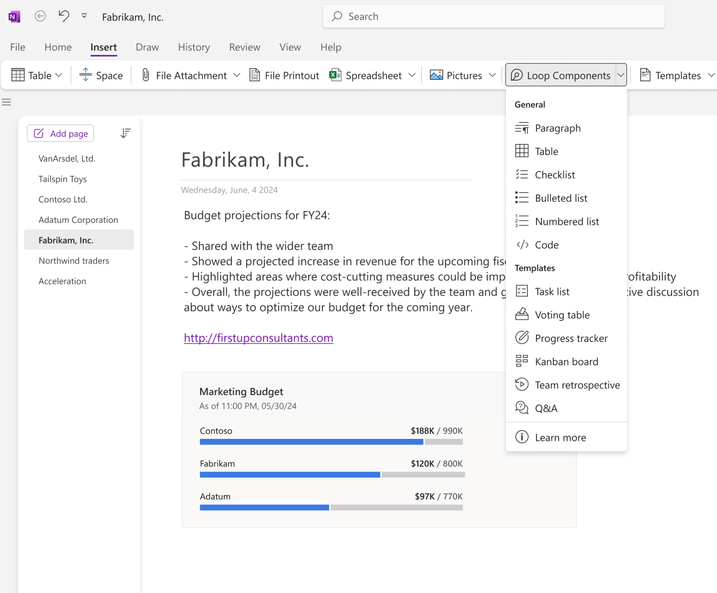
ALT Image shows a dropdown menu of Loop components available on the OneNote for Windows app.
1
10
1,020