
Thank you for the update! Excited to use! #CopilotNotebooks @Microsoft
1
13

Jun 12
@Microsoft365 Proposal for Microsoft 365 Copilot Notebooks:
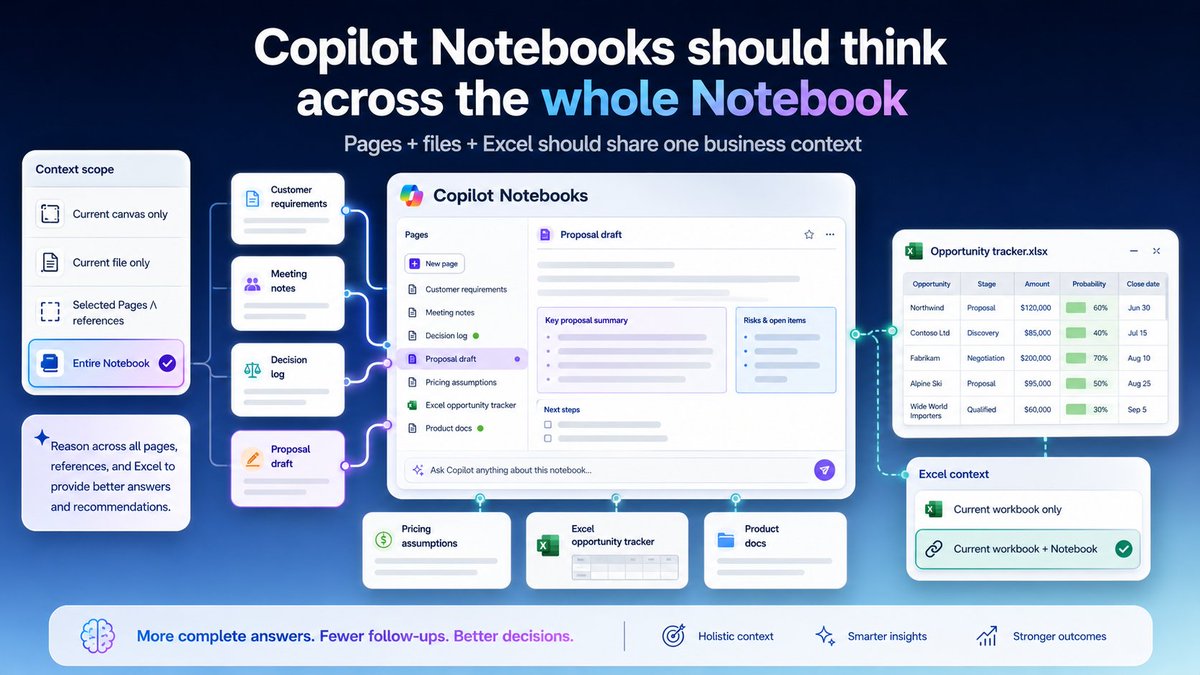
Copilot Notebooks already have a powerful concept: bringing files, Copilot Pages, meeting notes, links, and other references into one scoped workspace so Copilot can answer based on curated business context.
The improvement I would like to see has two parts.
First, when a Notebook contains multiple Copilot Pages, Copilot should make it clear and reliable that it can reason across those Pages—not only the single Page currently open on the canvas.
For example, if I create a Notebook for a customer proposal or sales follow-up, I may manage the work across several Pages:
- customer requirements
- meeting notes
- decision log
- proposal draft
- pricing assumptions
- next actions
I may also add referenced files such as product documents, past proposals, and an Excel opportunity tracker.
In this situation, some questions cannot be answered accurately from one open Page alone.
For example:
- What did the customer ask for?
- Which concerns were raised in previous meetings?
- Are the proposal draft and decision log consistent?
- What should be updated before the next customer meeting?
- Does the Excel opportunity tracker reflect the latest notes across the Notebook?
- Which Page or file was used as the source?
The issue is not that Copilot should automatically access everything in the organization.
The issue is that multiple Pages inside the same Notebook may represent one business context, and Copilot often needs those Pages together to answer accurately.
Second, when I open an Excel workbook that is managed as a Notebook reference, Copilot in Excel should optionally be able to use the same Notebook context.
Copilot in Excel focusing on the current workbook makes sense for editing cells, tables, formulas, and charts.
But if the workbook is part of a Notebook, the user may need Excel Copilot to understand the broader Notebook context: customer requirements, meeting notes, decision logs, proposal drafts, related files, and Copilot Pages.
A useful improvement would be a reference scope selector in Notebook chat, such as:
- Current canvas only
- Current file only
- Selected Pages / references
- Entire Notebook
And when working in Excel:
- Current workbook only
- Current workbook selected Notebook references
- Current workbook entire Notebook context
This would preserve user control and permissions while making Copilot Notebooks much more practical for real business workflows.
Especially for sales follow-ups, customer proposals, project tracking, meeting follow-ups, onboarding, and cross-document validation, users often need Copilot to reason across the Notebook context—not just one open Page or one open workbook.
Copilot Notebooks could become a serious business workspace if Pages, files, and Office app Copilots shared a more consistent, user-selectable context layer.
#Microsoft365Copilot #CopilotNotebooks #CopilotPages
cc @Copilot
1
69

Copilot、使い方が変わってきた。
Notebooksで
「集める→考える→作る」
が1カ所で回るように。
Chat中心から
ワークスペース型AIにシフトしてるのが面白い。
#Copilot #AI活用
#Microsoft365Copilot #CopilotNotebooks
techcommunity.microsoft.com/…
4
29
1,909

Jun 5
notebookLMでGoogleDrive上のファイルをいじっても参照してくれるのと同じように
CopilotNotebooksはOnedrive上のファイルを編集しても参照してくれるのがいいね
3
262

May 30
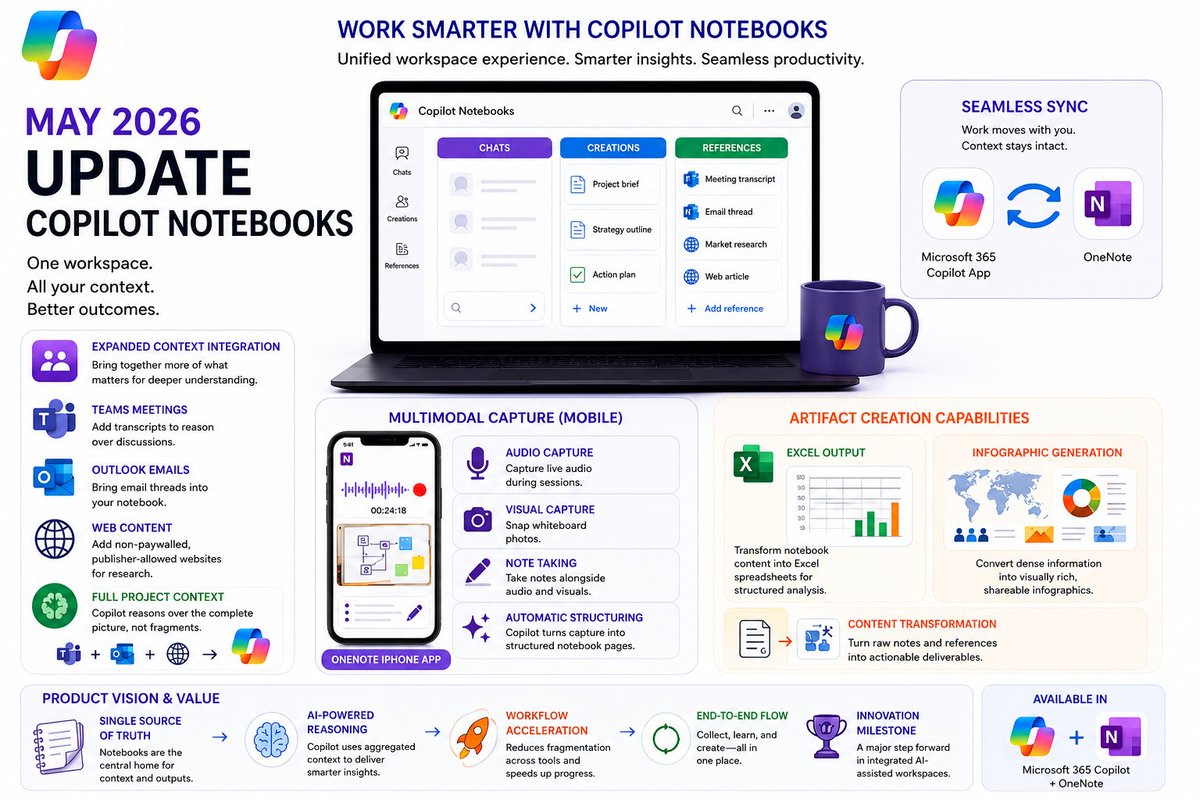
Copilot Notebooks helps fix a major office problem: scattered information. Instead of constantly switching between meetings, emails, internet research, and different notes, it brings all your work together into one place.
#MicrosoftCopilot #CopilotNotebooks #Microsoft365 #AI
3
47

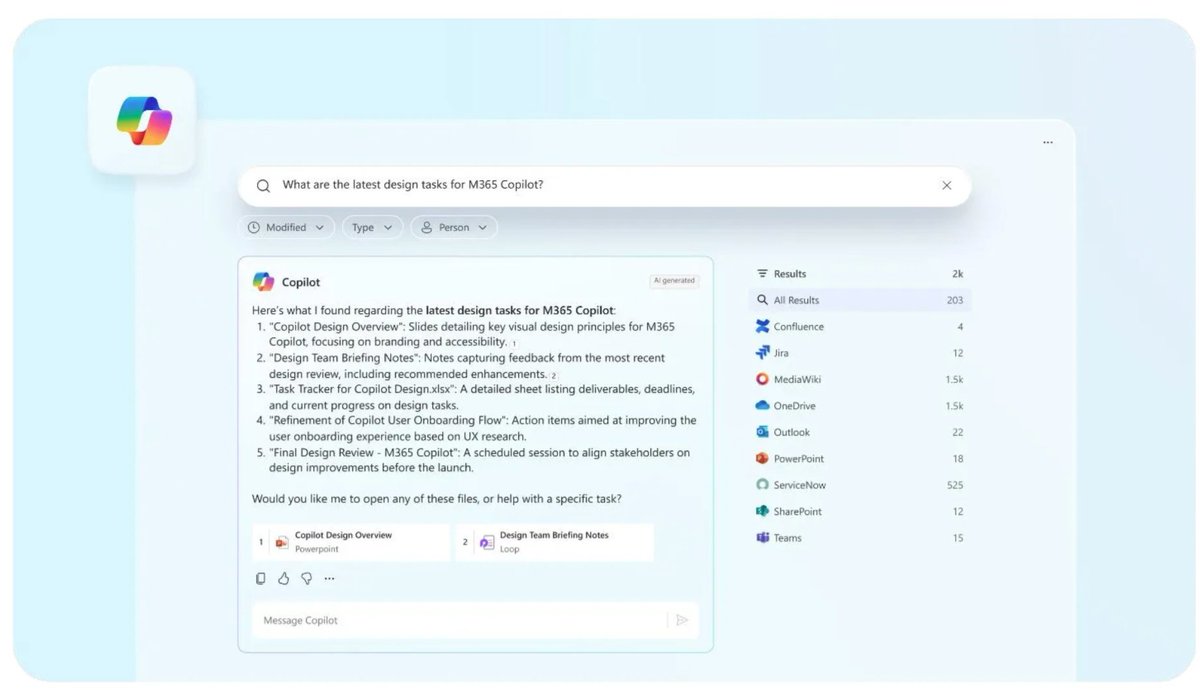
📔Big Notebooks glow-up in Microsoft 365 Copilot (May 2026)!
Fresh streamlined design, richer grounding from across M365, super-easy mobile capture, and new ways to turn all that project context into polished deliverables in one place.
Project work just got way more organized.
Game changer for teams!
#CopilotNotebooks #Copilot
1
5
34
3,432

May 26
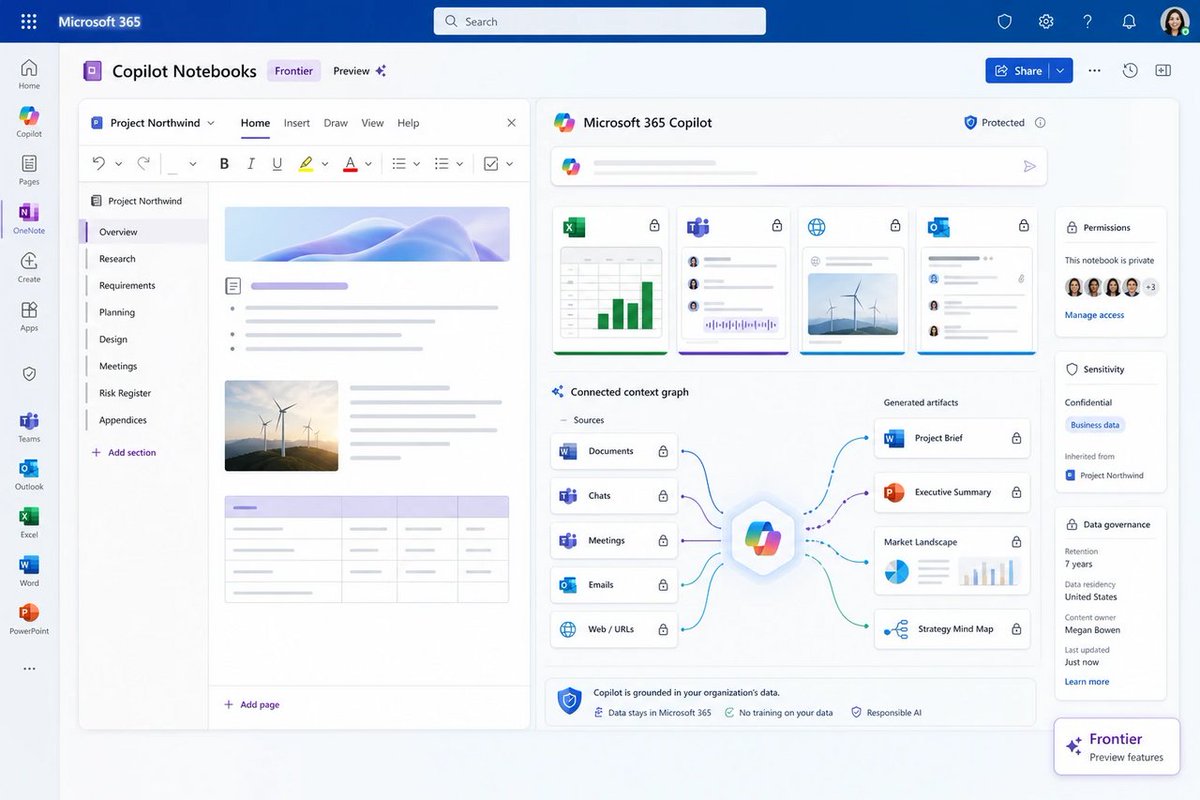
🤖 Copilot Notebooks in May 2026: now it “remembers” your Excel, Teams, Outlook, and OneNote… because why search when we can ask a robot. Still, this is the bet: notebooks as the new work hub.
windowsforum.com/threads/mic…
#CopilotNotebooks #Microsoft365Copilot #EnterpriseAiGovernance
2
42

Apr 28
You join a project.
Docs everywhere. Meeting tomorrow. 😅
Go-to move: Copilot Notebooks.
Drop the files in one place and let Copilot summarize what matters, surface open questions, and connect the dots.
Less catching up, more clarity: msft.it/6019vHPab
Watch now: msft.it/6010vHPaj
#Microsoft365 #Copilot #FutureOfWork #CopilotNotebooks
2
7
77
6,507

Power Hour: 🚀 Curious about Copilot Notebooks? Check out our demo and discover awesome use cases that will supercharge your productivity!
🌟✨ Let’s dive into the future of contextual AI chats! 📝💡
#CopilotNotebooks #TechDemo #ProductivityHacks
youtube.com/live/2FDzKFLRV_k…
1
4
242
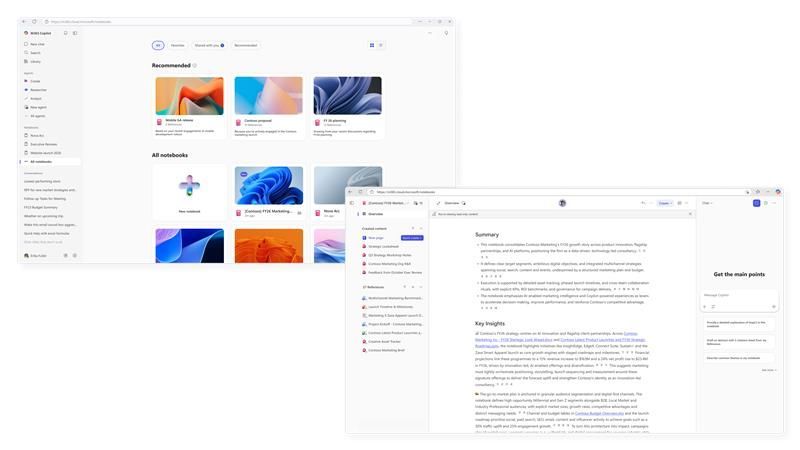
📓 Copilot Notebooks just got a big upgrade! New layout, more file types, Audio Overviews & team sharing! 🙌🤖
#MicrosoftCopilot #CopilotNotebooks #Microsoft365
techcommunity.microsoft.com/…
2
1
34
2,087

Mar 13
The refreshed #CopilotNotebooks experience is now available. Read more on our blog and let us know what you think!
techcommunity.microsoft.com/…
3
108

Mar 13
By Usama Jawad - Microsoft just gave Copilot Notebooks a major makeover, and the new layout plus AI tools could seriously change how you organize projects. #CopilotNotebooks #Microsoft neowin.net/news/copilot-note…
1
2
653

Mar 12
Meet the updated Copilot Notebooks experience: Your home for understanding work, projects, and more
#Copilot #AI #CopilotNotebooks #Microsoft365
techcommunity.microsoft.com/…
3
65
Mar 12
⭐️ Your work doesn't happen in a single chat. It spans months, files, meetings, and decisions. Meet the updated Copilot Notebooks experience, a persistent AI workspace that grows with your project.
🎧 Audio Overviews. Flashcards. Shared notebooks. All grounded in your content.
Learn more: 🔗 msft.it/6019QlMrc
#Microsoft365 #CopilotNotebooks
11
13
146
11,328
Feb 23
By @ziks_99 - Microsoft launches AI-powered insights for Copilot Notebooks. Get instant summaries and skip the manual synthesis. Full rollout ends mid-March. #Microsoft #CopilotNotebooks neowin.net/news/new-ai-power…
11
704
25 Jul 2025
If Copilot Notebooks had one magic power — what would you wish it to be? 🪄
Make your wish 👇 #CopilotNotebooks #FeedbackFriday
11
1
11
2,309

1 Jul 2025
2
125

25 Jun 2025
🎥 Just shared on YouTube 👉 🚀 Microsoft's BIGGEST Education AI Announcements from ISTE 2025! Mike Tholfsen reveals game-changing Copilot features that will transform your classroom.
⏰ TIMESTAMPS:
00:00 Welcome & Microsoft's exciting ISTE announcements
00:32 FREE Copilot Chat for students 13 (launching July 2025)
02:48 NEW Teach Module - Your AI lesson planning assistant
07:29 Study Guides in Copilot Notebooks for personalized learning
11:16 Learning Zone app for Copilot PCs - AI without internet!
12:48 Learning Accelerators get major updates
13:03 Game-changing LMS integration updates
🎯 IN THIS VIDEO:
Learn how Microsoft 365 Copilot's education-specific features will save you hours while creating personalized, standards-aligned content for your students.
✅ KEY TAKEAWAYS:
M365 Education Copilot Chat now FREE for teens 13 with enterprise data protection
Teach module creates lesson plans aligned to standards from 35 countries
AI-generated study guides with interactive flashcards and quizzes
Learning Zone brings AI lesson creation offline on Copilot PCs
Seamless integration with Canvas, Schoology, and other LMS platforms
AI feedback suggestions to streamline grading
Speaker Progress now supports 15 languages
🎙️ PREFER AUDIO? WANT SHOW NOTES?
Listen to the full podcast episode: coolcatteacher.com/e906?utm_…
💡 TRY THIS:
Sign up for Copilot Chat today and explore how AI can support your students' learning journey while maintaining data privacy and security.
🔔 SUBSCRIBE for weekly classroom-tested edtech tips that actually save time!
📧 NEWSLETTER: Get Vicki's weekly EdTech digest: coolcatteacher.com/newslette…
🏷️ TAGS: #MicrosoftEducation #CopilotForEducation #ISTE2025 #AIinEducation #EdTech #10MinuteTeacher #TeachModule #CopilotNotebooks #LearningAccelerators #EducationTechnology #K12Tech #TeacherProductivity #ISTELive youtube.com/watch?v=haMZj5s-…
1
4
2,119
14 Jun 2025
By @ziks_99 - Microsoft has announced the availability of Microsoft 365 Copilot Notebooks in OneNote for Windows as an Insider preview for Enterprise customers. #Microsoft #CopilotNotebooks neowin.net/news/microsoft-36…
1
1
3
731