
Native Android Developer | DM Me For Freelancing Project | Kotlin | Jetpack Compose | MVVM | Helping App Developers | Content Writer | Learning KMP
Joined December 2023
- Tweets 178
- Following 180
- Followers 42
- Likes 249
43 Photos and videos
Pinned Tweet

4 Nov 2025
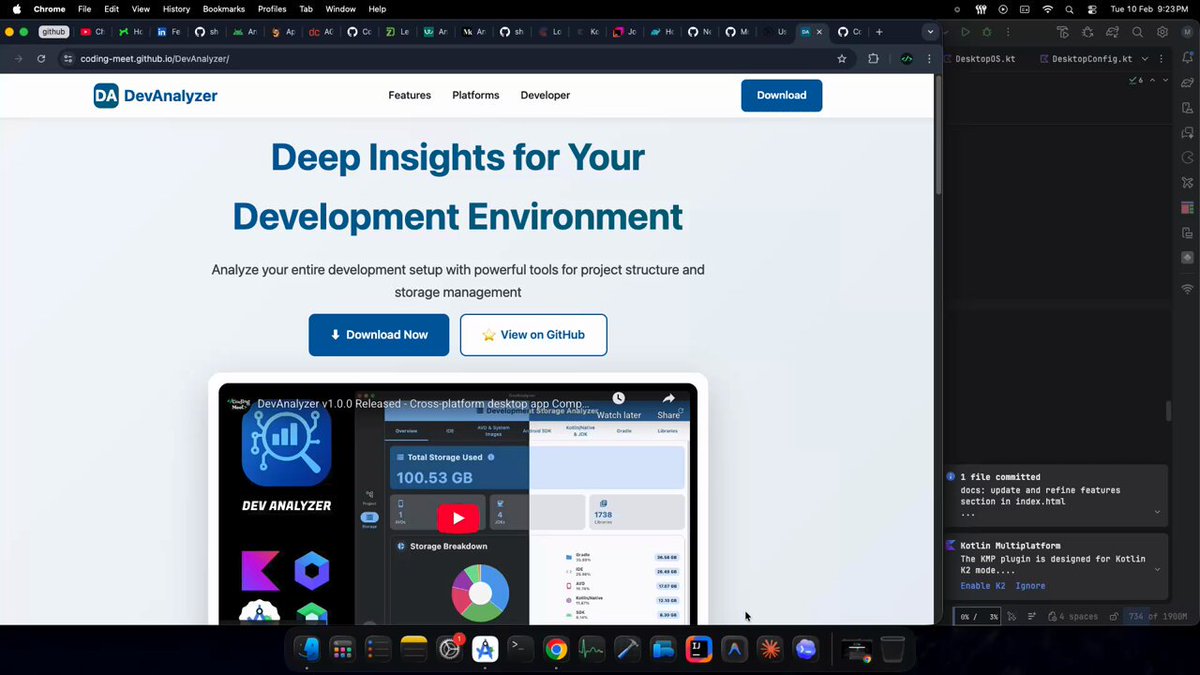
🎉 DevAnalyzer v1.0.0 Released!
Release: github.com/Coding-Meet/DevAn…
Github: github.com/Coding-Meet/DevAn…
Youtube video: youtu.be/c3t1SIKSBBk?si=qpk3…
#Kotlin #ComposeMultiplatform #AndroidDev #KMP #DeveloperTools #DevAnalyzer #CodingMeet
1
1
210
Jun 6
Can anyone share good Kotlin Multiplatform project links?
I'm specifically looking for KMP projects with native Android and iOS UI (not Compose Multiplatform). Open-source GitHub repositories would be greatly appreciated. 🙌
#KMP #KotlinMultiplatform #MobileDevelopment
1
1
60
Jun 1
🚀 Building a landing page for my app and looking for inspiration!
Share your favorite Android, iOS, macOS, SaaS, or indie app website below 👇
Looking for clean designs, great animations, and unique ideas.
60
May 31
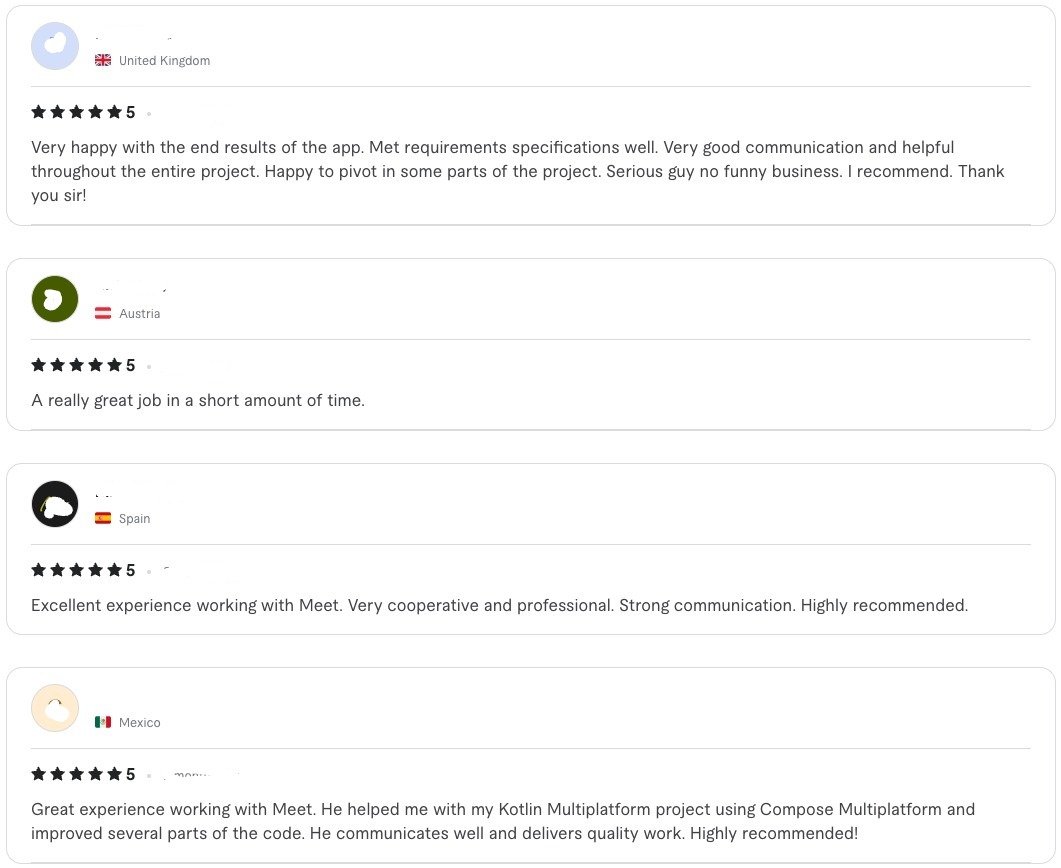
🎉 New 5⭐ Reviews on @fiverr!
Grateful for the trust of my clients and excited to keep delivering high-quality Android and Kotlin Multiplatform solutions. Thank you for the amazing feedback and support! 🚀
#Fiverr #AndroidDeveloper #Kotlin #KMP #JetpackCompose #Freelancer
53
May 19
Building a notarized macOS app in Swift with a 3-day trial and license key activation, distributed from my website (not the Mac App Store).
Best platform for license generation and verification: Gumroad, Paddle, or Lemon Squeezy?
1
2
93
May 16
Answer?
May 7

I’m mainly a mobile developer building Android & iOS apps.
But now I’m realizing everything cannot be inside a mobile app. Some things are just better on web or desktop because of:
>larger screen
>keyboard support
>easier workflows
>better admin/dashboard experience
So I want to ask web developers something.
For building things like:
>product websites
>landing pages
>authentication
>subscriptions/payments
>dashboards/admin panels
>blogs/docs
>SaaS products
what stack do you actually prefer for production?
I know the basics:
HTML, CSS, JavaScript, React, Node.js
At first every framework looks good 😄
But later I keep hearing things like:
>SEO/indexing issues
>website ranking problems
>hydration issues
>security concerns
>performance problems
>scaling complexity
>dependency chaos
So I want to know what developers are genuinely using long term and why.
What do you currently use for:
>Framework → React / Next.js?
>Styling → Tailwind / Material UI / ShadCN / custom CSS?
>Design tool → Figma?
>Database → PostgreSQL / MongoDB / Firebase / Supabase?
>Auth → Clerk / Auth.js / Firebase Auth / custom?
>Subscription & payments → Stripe / RevenueCat / Paddle / Razorpay?
>Backend → Node.js / Supabase / Firebase?
>Hosting → Vercel / Cloudflare / AWS / DigitalOcean?
Also curious:
>Which AI tools do you use daily for vibe coding?
>Do you fully trust AI-generated code or always review/debug it yourself?
>For AI integration in websites/apps, which provider do you recommend for:
good performance
lower cost for starters
easy integration
production scalability
If you started again today from scratch, what stack would you choose for a modern production-ready website/app?
11
May 7
I’m mainly a mobile developer building Android & iOS apps.
But now I’m realizing everything cannot be inside a mobile app. Some things are just better on web or desktop because of:
>larger screen
>keyboard support
>easier workflows
>better admin/dashboard experience
So I want to ask web developers something.
For building things like:
>product websites
>landing pages
>authentication
>subscriptions/payments
>dashboards/admin panels
>blogs/docs
>SaaS products
what stack do you actually prefer for production?
I know the basics:
HTML, CSS, JavaScript, React, Node.js
At first every framework looks good 😄
But later I keep hearing things like:
>SEO/indexing issues
>website ranking problems
>hydration issues
>security concerns
>performance problems
>scaling complexity
>dependency chaos
So I want to know what developers are genuinely using long term and why.
What do you currently use for:
>Framework → React / Next.js?
>Styling → Tailwind / Material UI / ShadCN / custom CSS?
>Design tool → Figma?
>Database → PostgreSQL / MongoDB / Firebase / Supabase?
>Auth → Clerk / Auth.js / Firebase Auth / custom?
>Subscription & payments → Stripe / RevenueCat / Paddle / Razorpay?
>Backend → Node.js / Supabase / Firebase?
>Hosting → Vercel / Cloudflare / AWS / DigitalOcean?
Also curious:
>Which AI tools do you use daily for vibe coding?
>Do you fully trust AI-generated code or always review/debug it yourself?
>For AI integration in websites/apps, which provider do you recommend for:
good performance
lower cost for starters
easy integration
production scalability
If you started again today from scratch, what stack would you choose for a modern production-ready website/app?
1
1
111
May 2
Before AI tools, remember how we used to build things?
Open one of your old projects today.
Look at the source code and just think:
“Every line… every file name… I wrote this.”
That feeling hits different.
Back then:
writing 100–200 lines was normal
structuring folders took time
naming things properly needed effort
Now:
a small feature → ChatGPT / Claude / Gemini
sometimes even basic code → AI 😄
and when AI is not there → “oh this will take time…”
I don’t even know if I should say this or not…
but open one of your old projects today and look at it again.
That moment hits different.
Not saying AI is bad — it’s powerful.
But that shift is real.
Kya se kya ho gaya.
2
57
May 1
If you’re a developer, one common mistake is judging a project just by its README or overview and assuming it’s “easy.”
Real learning starts when you:
→ clone the project
→ try to run it
→ and it doesn’t work
Instead of skipping it:
figure out what’s wrong
check configs, env setup, dependencies
fix it step by step
Once it runs:
explore the code
understand the architecture
see how features are actually implemented
In your free time, if you find any useful project with source code, don’t just read it. Download it, run it, and dig into how it works internally.
That’s where real growth happens.
1
61
Apr 29
Tech market and jobs feel rough right now — I’m also struggling with it.
Thinking to start some side products around things I already share for free (on Medium, GitHub, YouTube, website), like:
Paid articles / deep dives
Premium code snippets / cool animations
Full app source code / templates
Maybe helping validate or build your app ideas too
Would you buy/use something like this? 👇
Poll:
1. Yes — premium source code/templates
2. Yes — paid articles & code snippets
3. More interested in help building app ideas
4. No, I prefer free resources only
Comment if there’s something you’d actually pay for that would be useful.
54
Apr 29
Hey everyone 👋
I need some guidance regarding payments & taxation.
Currently, I’m receiving international payments via @Revolut (clients directly send me money). I’m not using the Revolut app or website since it's not officially available in India yet — but payments are working fine this way (low fees fast transfers 💸).
Now the issue is:
For GST filing / income tax, I need proper transaction details / statements (like who paid, amount, date, etc.).
Since I don’t have access to Revolut dashboard or account statements:
👉 How can I get a proper transaction record?
👉 Is there any alternative way to track or generate this?
👉 Has anyone faced this situation?
Would really appreciate if someone can share their experience or solution 🙏
Thanks in advance!
1
1
203
Apr 28
Android devs — curious what navigation library you’re using in production Compose apps these days?
Jetpack Navigation (Nav2)
Navigation 3
Decompose
Voyager
Something else?
If you’ve used one in production:
Any issues you ran into?
Did you migrate from one library to another? Why?
If you switched, was it because of scale, deep links, testing, KMP, back stack pain, etc?
Would love to hear real-world experience, not just feature comparisons.
11
18
2,307
Apr 25
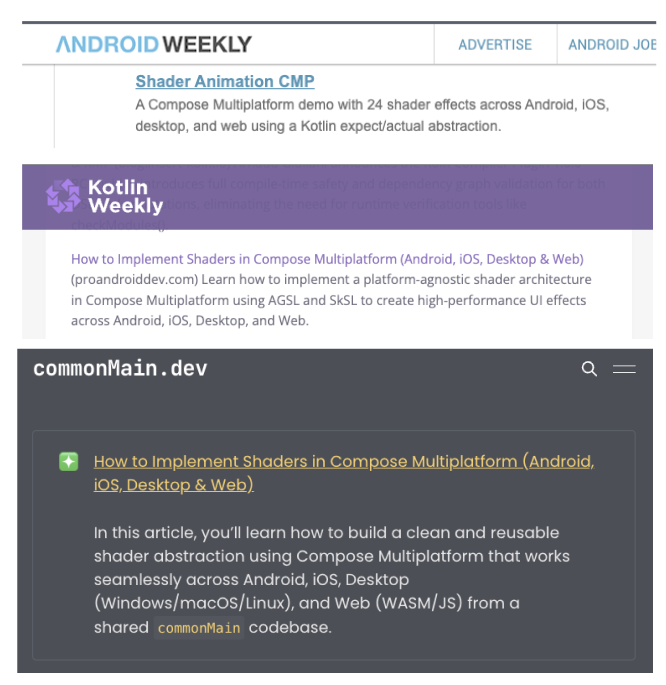
Grateful to see my article and GitHub project featured in @proandroiddev @androidweekly , Kotlin Weekly, and @commonMain • The Kotlin Multiplatform Newsletter 🙌
🔗 Android Weekly: androidweekly.net/issues/iss…
🔗 Kotlin Weekly: mailchi.mp/kotlinweekly/kotl…
🔗 commonMain: commonmain.dev/kotlin-multip…
📖 Article: How to Implement Shaders in Compose Multiplatform (Android, iOS, Desktop & Web)
medium.com/@meet26/how-to-im…
🎮 Live Demo: coding-meet.github.io/Shader…
💻 Source Code: github.com/Coding-Meet/Shade…
Would love your feedback and thoughts
2
11
725
Apr 19
A few weeks ago, one of my old clients came back with a new task.
I had worked with him before, and overall the experience was good — but there was one major issue again this time…
👉 He doesn’t share the code.
All work had to be done via screen sharing (AnyDesk / TeamViewer).
And honestly, it was painful:
Screen resolution mismatch (Mac ↔ Mac, still issues)
Laggy scrolling and delayed typing (5–6 seconds delay!)
Hard to navigate across files
High-contrast theme (my eyes were done in 10 minutes 😅)
Even with a good internet connection on both sides, the experience was frustrating.
I requested multiple times:
“Can you share the code? It’ll be much faster and cleaner.”
But the answer was always:
“Sorry, I can’t share the code.”
Later, the reason came out:
He had shared code once before, and someone resold it.
Fair concern 👍
But here’s the reality:
➡️ Not every developer is the same
➡️ Trust is required on both sides
➡️ Without code access, quality work becomes difficult
Also, being very honest —
Sometimes you can already guess from the structure that the code isn’t something anyone would even want to reuse or resell (old fragments, XML everywhere, no proper structure).
I even shared my work (Fiverr, GitHub, YouTube, Medium) to build trust.
He appreciated it — but still didn’t share the code.
We tried another screen-sharing tool… same issues.
Eventually, communication stopped — and I dropped the project.
💡 My takeaway:
If there’s no trust → don’t force the project
Your time and focus are valuable
Bad workflow = bad output (no matter your skills)
Also realized:
Even if you invest in premium tools like AnyDesk or TeamViewer, they don’t solve real workflow problems like lag, visibility, or control.
And for occasional clients like this (once in 1–2 months), paying for premium doesn’t make practical sense.
Curious to hear from other developers 👇
How do you handle clients who refuse to share code but expect full support?
#AndroidDevelopment #Freelancing #DevelopersLife #RemoteWork #SoftwareDevelopment #ClientExperience #Coding #JetpackCompose #Kotlin #Tech
1
2
128
Apr 12
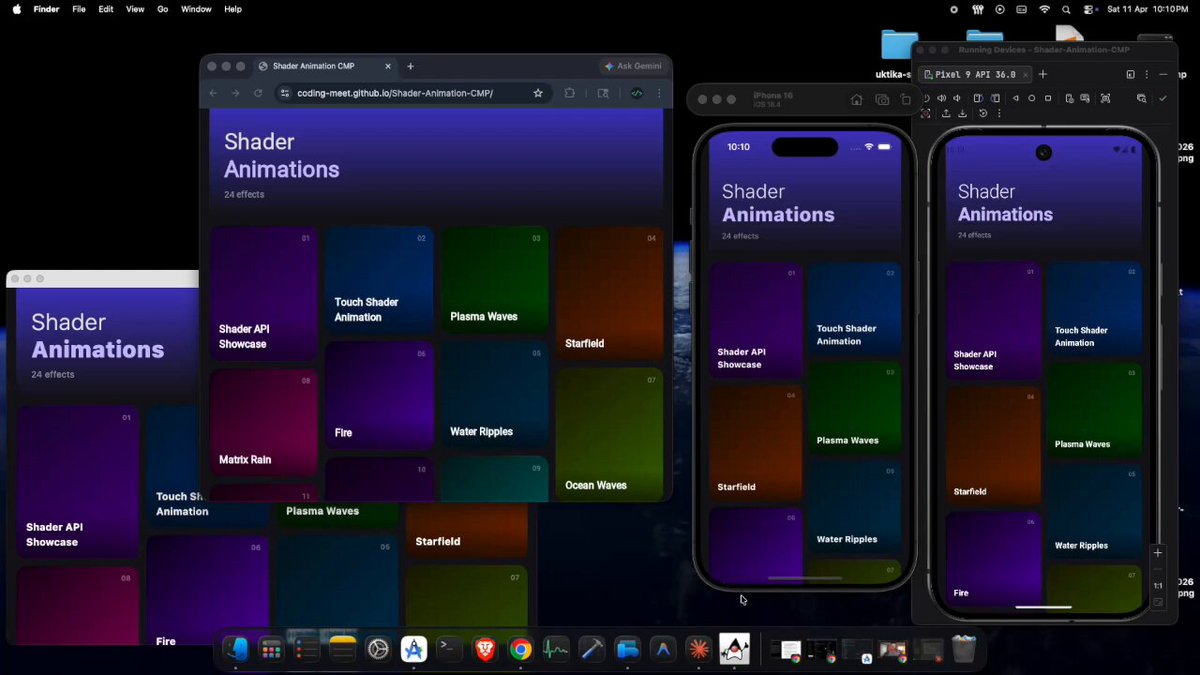
🚀 Just published a deep dive on cross-platform shaders in Compose Multiplatform!
👉 medium.com/@meet26/how-to-im…
Learn how to implement shaders that work across:
Android • iOS • Desktop (Windows/macOS/Linux) • Web (WASM/JS)
✨ What you’ll learn:
• AGSL (Android) SkSL (others) with one unified shader code
• expect/actual based architecture
• ShaderProvider for handling uniforms (time, resolution, colors)
• drawBehind (background) vs graphicsLayer (post-processing)
• Safe fallback for Android < API 33
🎨 Includes 23 animated shader screens
🌐 Live Demo:
coding-meet.github.io/Shader…
🎥 Demo Video:
github.com/user-attachments/…
📦 Source Code:
github.com/Coding-Meet/Shade…
If you're building modern UI with Compose Multiplatform, this will help you implement shaders cleanly across all platforms 💡
#AndroidDev #Kotlin #KotlinMultiplatform #ComposeMultiplatform #JetpackCompose #iOSDev #WebDev #Shaders #GraphicsProgramming #OpenGL #Skia #AGSL #SkSL #IndieDev #MobileDevelopment
1
77
Mar 30
I have a Mac Mini M4 (16GB RAM, 256GB SSD) and as a mobile developer, I was facing a serious storage issue 😅
We often need multiple emulators, and all of them get stored in the same SSD… which quickly fills up. So I started exploring:
👉 Is it possible to move Android Emulator (AVD) to another drive or external SSD?
Good news — YES, it is possible 🚀
Here’s the approach I tried:
Steps 👇
Open Android Studio → Device Manager
Create a new device (or use an existing one)
Click on the 3-dot menu → “Show on Disk”
You’ll find two files:
device_name.avd (folder)
device_name.ini (file)
Move (cut, NOT copy ❗) the device_name.avd folder to your external SSD or another drive
Then open device_name.ini and update the path
Old:
path=/Users/yourname/.android/avd/Pixel_9.avd
New:
path=/Volumes/YourDrive/avd/Pixel_9.avd
Save it ✅
Important Notes ⚠️
Don’t copy — always move the folder
Android Studio doesn’t provide direct option to create AVD on external storage (as far as I explored)
So first create emulator in default location → then move it
This small trick saved me a LOT of storage 🙌
Especially useful if you are working with multiple devices or testing setups.
Hope this helps someone facing the same issue 🚀
#AndroidDev #AndroidStudio #Emulator #MacMini #Developers #Kotlin #JetpackCompose #Productivity
1
77
Mar 26
If you’re a developer or designer, this is something from my personal experience that might help you 👨💻🎨
Back in college, during practical exams, there was one thing we always had to do —
take screenshots of our work.
At that time, I used to think:
“Why do we even need this?” 😅
But today, that small habit is helping me a LOT.
Now whenever I build or design something, I always:
• Take proper screenshots
• Use mobile/laptop mockups
• Sometimes record a short video
It only takes 5–10 minutes, but the value it gives later is huge 🚀
Why it matters 👇
• Helps build a strong portfolio
• Makes it easier to show work to clients
• Builds trust when selling services
• Useful for job applications
• Great for social media content
⚠️ Especially developers — we often skip this step.
Even I used to ignore it. But trust me, it matters a lot.
So my simple recommendation:
👉 Whenever you complete a project, don’t skip this step
👉 Capture it properly (screenshots mockups video)
Future you will thank you 💯
#Developers #Designers #Freelancing #Portfolio #UIUX #AndroidDev #Productivity #CareerGrowth
31
Mar 24
🚨 Android Studio / Gradle Not Downloading? (Real Fix)
Few days ago I faced a weird issue…
👉 Android Studio SDK, Gradle, libraries NOT downloading
👉 But normal websites were loading perfectly 🤯
So I thought:
“Network issue nahi hai…”
Tried everything:
❌ Invalidate cache
❌ Restart Android Studio
❌ Restart laptop
Still NOT working 😤
💡 Then I noticed something interesting…
When I switched to another mobile hotspot → ✅ EVERYTHING WORKED
That means:
👉 Issue was NOT Android Studio
👉 Issue was NOT internet speed
👉 It was DNS problem (ISP / hotspot)
🔥 Final Fix (worked instantly)
Changed DNS to:
1.1.1.1
8.8.8.8
And BOOM 💥
Everything started working 🚀
🧠 Lesson:
Sometimes:
👉 Websites load fine
👉 But developer tools fail (Gradle, SDK, APIs)
Because they depend on proper DNS resolution.
✅ If you face similar issue:
Change DNS (1.1.1.1 / 8.8.8.8)
Or try different network / hotspot
Disable proxy in Android Studio
⏱ Took me 2–3 hours to debug this 😅
Hope this saves your time!
#AndroidStudio #Gradle #AndroidDev #Debugging #Developers #DNS
31