7 Photos and videos





Figma Hunt 🏹 retweeted

23 Dec 2024
Coming Soon to Supa Palette: Hue Shifting!
With a simple and functional UI, you’ll soon be able to create hue shifts effortlessly.
Why hue shifting?
✨ It makes palettes more balanced, visually interesting, and functional.
✨ Enhances aesthetic appeal and clarity in your designs.
This essential feature will be available to all Supa Palette users in just a few days! Check out this sneak peek 👇
3
2
51
1,925
Figma Hunt 🏹 retweeted

24 Nov 2024
4 fantastic Figma AI-driven plugins for UX/UI designers
4
23
183
7,615
Figma Hunt 🏹 retweeted

29 Nov 2024
MATE for Figma
New use case unlocked: Skewing.
Just ask MATE to skew it. Done.
MATE is available now (launch discount!):
figma.com/community/plugin/1…
@Figma @FigmaTuts @figpluginweekly @FigmaHunt
1
2
429
Figma Hunt 🏹 retweeted

29 Nov 2024
This stunning search field animation was created using the Figma Motion plugin. Feel free to copy, modify it, and explore how it works!🔥
figma.com/design/tGnslZ8X4eX…
@figma @FigmaPlugins
3
3
942
Figma Hunt 🏹 retweeted

19 Oct 2024
Figma's Layers with Thumbnails. #figma @figma @FigmaPlugins @FigmaHunt
figma.com/community/plugin/1…
1
3
31
1,508
Figma Hunt 🏹 retweeted

27 Nov 2024
This is how the Figma design team does silent design critiques in Figma
Why silent?
To give introvert designers a chance to share their ideas!
@taamannae shows how to do a silent design crit in @figma 👇
8 Nov 2024

What if you could sneak peek into the Figma files of top companies for free?
Companies like Slack, Figma, Wealthfront, Plaid, Lattice, Tome, Hex, and Vaia!
Sneak Peek is back with a new season featuring 17 top product designers who will give you in depth design project walkthroughs in Figma🤯
Here's the all star line up of companies and designers featured in season 2:
1. @andrewgosine will show you Information architecture, Accessibility design projects for @SlackHQ
2. @maxvoltar, @natashatenggoro, @kly_cl, @taamannae will show you how AI design, Growth design, Icon design, Redesign projects for @figma
3. @angelsteger, Khai Pham, Tim Opsahl, Megan Pluskis will show you Growth design, Brand design, Content design projects for @Wealthfront
4. @johnbai will show you Fintech design, Mobile design projects for @Plaid
5. @andreaacrouch, Carrie Noonan will show you Enterprise design, Design systems, Design sprint projects for @LatticeHQ
6. @zach__johnston will show you AI design, Growth design projects for @magicaltome
7. @AdamStorr, @benkolde, Sara Kim will show you Enterprise design, AI design projects for @_hex_tech
8. @derlukasg will show you AI design, Design systems projects for @StudySmarterDE
Join 14,000 designers and binge watch Sneak Peek at sneakpeek.design
3
38
497
53,347

Figma Hunt 🏹 retweeted

12 Nov 2024
Just submitted my new @figma plugin for approval. It helps you create gradients from photographs
18
23
564
32,740
Figma Hunt 🏹 retweeted

26 Nov 2024
Making pricing responsive in Figma ⚡︎

1
10
1,673
Figma Hunt 🏹 retweeted

27 Nov 2024
Moving with purpose achieves focus, and all complexity fades away.
Open-source component illustrations, made in Figma.
14
28
639
44,028
Figma Hunt 🏹 retweeted

27 Nov 2024
BIG update for data.to.design
👉 Connect your CMS to #Figma 😱
Or any content database! With the new "Connect to your API" feature, you'll have direct access to your CMS right in Figma so you can instantly fill designs with real content 😉 (Available for Team plan)
1
5
12
1,454

Figma Hunt 🏹 retweeted

11 Nov 2024
I created so many design systems this year and kept creating the same tokens over and over. So, I’m creating this tiny @figma plugin to solve the 'blank canvas' problem. Here small test demo to create color and text tokens 🛠️
16
63
700
49,589
Figma Hunt 🏹 retweeted
26 Nov 2024
How started vs Ready to ship 👀

14
42
601
67,021

Figma Hunt 🏹 retweeted

27 Nov 2024
Made something fun with @figma's plugin api — What if you could spawn a tank and blast through layers to clean up the canvas! ✨
7
5
62
5,707
Figma Hunt 🏹 retweeted
26 Nov 2024
Mark your calendars: December 2, 2024. 🚀
One of the biggest updates I’ve ever worked on is coming. Packed with new features, a redesigned UI, and much more.
1
4
36
1,799

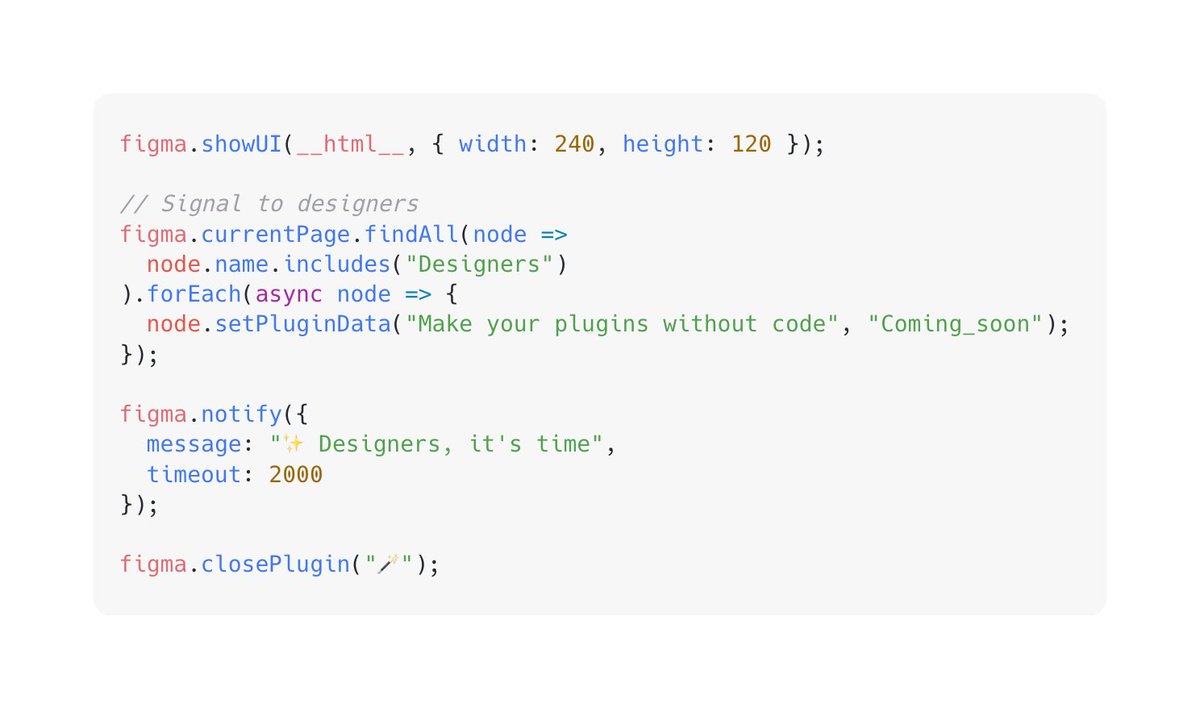
🙌Meet Artifig: A Figma Plugin to Generate Figma Plugins
Do you use @figma and ever feel like this:
- Your mind is bursting with plugin ideas, but you can't bring them to life because you don't know how to code?
- You want to focus on design, but repetitive tasks keep slowing you down?
- You dream of creating custom tools for your team, but lack the time or resources?
I’ve been there too. That’s why I created Artifig.
figma.com/community/plugin/1…
✨ What is Artifig?
Artifig is an AI-powered Figma plugin that empowers anyone to build their own Figma plugins using just natural language. No coding needed—simply describe what you want, and watch as your idea transforms into a fully functional, real-time plugin.
🚀 Redefining Figma Plugin Development
The core philosophy of Artifig is simple: Designers often have countless ideas and creative visions, but many of them remain unrealized due to a lack of technical skills. We believe designers shouldn’t be limited by their inability to code. You should focus on creating, not be held back by technical barriers or repetitive tasks. Artifig takes you directly from "description" to "implementation."
🛠️ How Does It Work?
1. Describe Your Needs: Tell Artifig what you want, like “Create a skew transformation tool for objects, supporting horizontal and vertical skew with real-time preview functionality.”
2. Generate and Run the Plugin: Artifig instantly generates the plugin and runs it right within Figma. For example, the generated plugin can apply skew transformations to objects, precisely controlled via matrix transformations, with an intuitive user experience.
3. Optimize and Iteration: Need adjustments? Simply describe them, and Artifig will Iterating the plugin step by step.
4. Share Your Creations: Publish your plugins to the Artifig community, or remix plugins shared by others to build on their ideas.
No learning curve. No complex steps. It’s as simple as that.
🌟 Key Features
- Zero Barrier to Entry: No coding experience needed—any Figma user can create plugins effortlessly.
- Multilingual Support: Works in multiple languages, including English, Chinese, French, Japanese, and German.
- What-You-See-Is-What-You-Get: Generated plugins run in real-time, so you can quickly validate and refine your ideas.
- Open and Flexible: The generated plugin code is 100% yours—modify it, distribute it, even use it commercially.
- Global Community: Share your plugins, explore others’ creations, and publish your plugins to the Figma community.
🎯 Why is Artifig a Game-Changer?
1. No More Repetitive Work
Let AI handle the tedious, time-consuming tasks: batch renaming layers, auto-aligning elements, or applying styles in bulk.
All you need to do is say, “Import a PDF and arrange each image on the canvas with 20px spacing.”
2. Quickly Bring Ideas to Life
From color contrast checks to data imports and custom components, all your “what if we could” ideas can now become plugins.
Just one natural language description, and Artifig makes it happen.
3. Custom Tools for Your Team
Build tailored tools for your team, creating unique solutions to streamline your workflow.
4. Not Just a Tool, But a Learning Experience
Artifig explains the logic behind the code it generates, helping you understand Figma APIs and JavaScript. Today, you’re a designer; tomorrow, you could also be a design engineer.
🧑🚀👩🏻💻🥷🏻 Who is Artifig For?
- Beginners: No development experience needed—just describe your ideas and let Artifig do the rest.
- Experts: Save time and focus on high-value tasks while Artifig handles the repetitive work.
- Learners: Use Artifig as a bridge to deepen your understanding of development.
- Teams: Build custom tools to enhance collaboration and efficiency.
🎉 Ready to Get Started?
I believe designers’ time and focus should be spent on creating, not on wrestling with complex tools. Artifig is the first step toward realizing this vision.
Try Artifig now and experience an unprecedented flow of creativity!
8
28
247
21,224
Figma Hunt 🏹 retweeted

30 Oct 2024
Huge thanks to @Figma for partnering with us to host a Dev Meetup as part of #GitHubUniverse! 🙌 It was an awesome opportunity to meet developers using both @GitHub and @Figma as part of their workflows and share a bit of GitHub Copilot magic 🪄🧙.

ALT GitHub and Figma teams at the Dev Meetup event
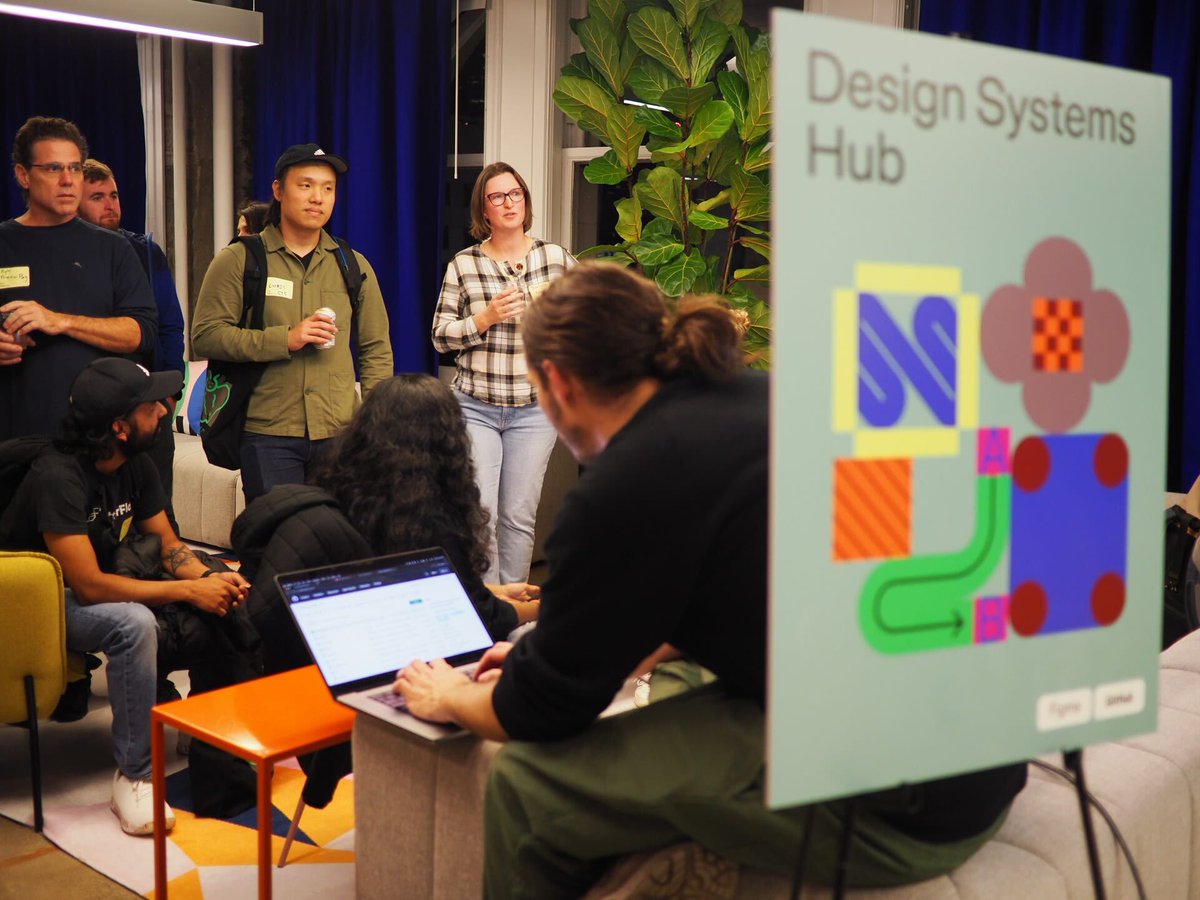
ALT Design systems demo station at Dev Meetup event

1
7
44
9,438