
TVM Intune PowerShell uɐᴉlɐɹʇsn∀ #SanAntonioSpurs
Joined October 2024
- Tweets 847
- Following 300
- Followers 30
- Likes 177
61 Photos and videos





Jan 8
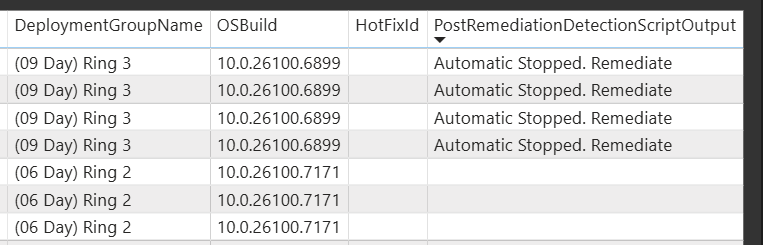
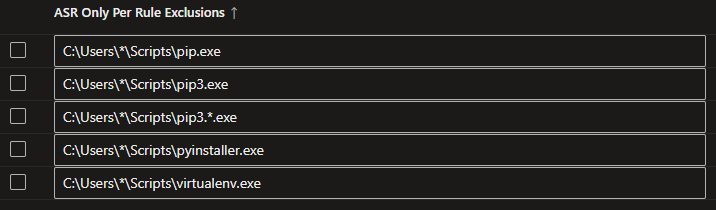
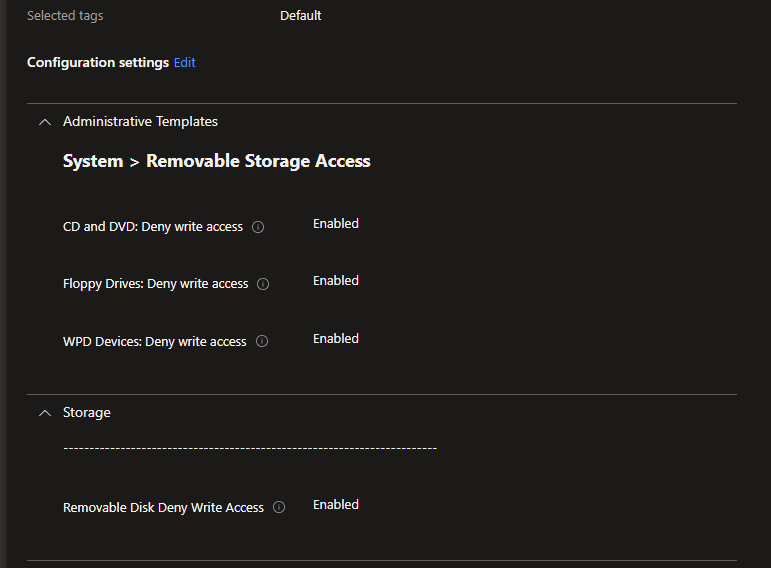
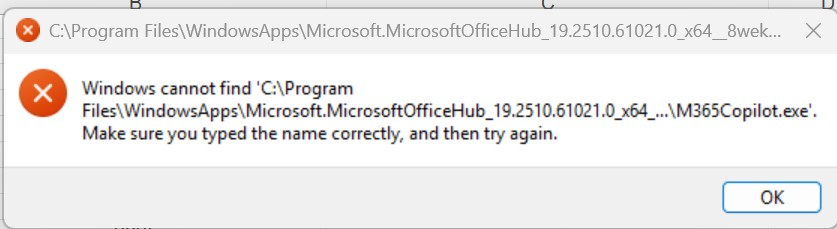
@MSFTSecSuppTeam @msftsecurity is there anybody that can explain how AppControl can be made simpler if all the bootstrap exes that come from the Microsoft AppStore (Web) are signed by a Microsoft Certificate???
3
59
Jun 2
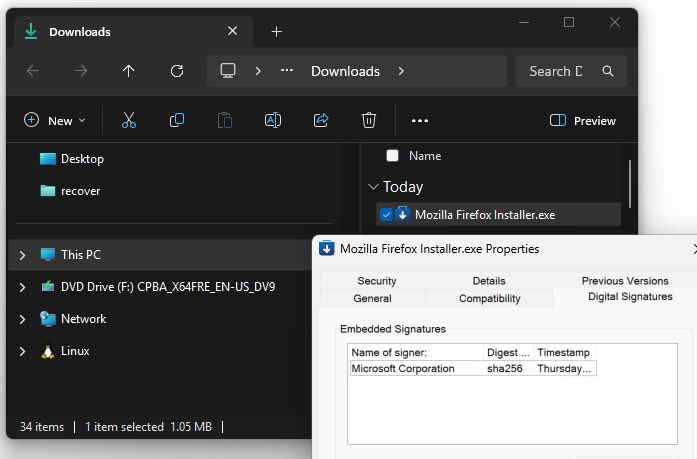
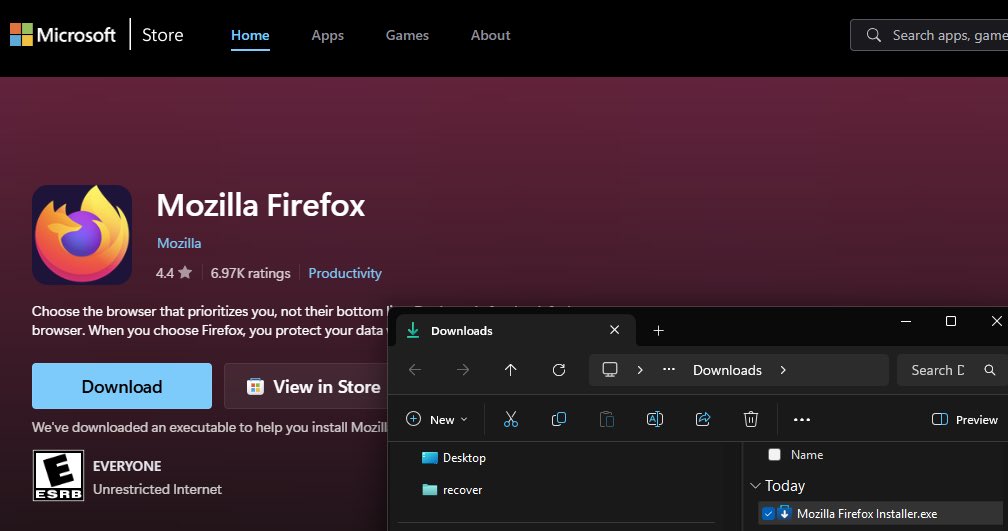
This response seems wrong. An example is the Firefox bootstrap signed by Microsoft.
I trust Microsoft but not Mozilla. I don’t want staff installing that browser.
Staff can install it because of this Microsoft trust
15
Roy Trenneman retweeted

May 26
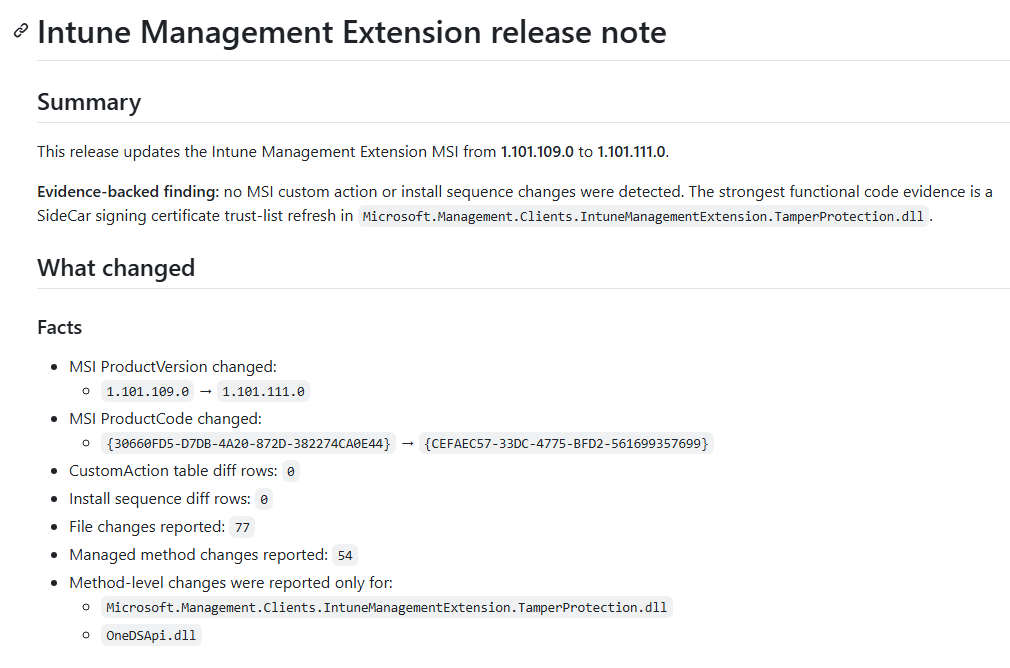
Intune Management Extension: Release Notes.
When something changes in Intune, we usually get a “What’s new” update or a roadmap update. But what happens when the local IME changes?
That part is a big black box... And with the IME being responsible for much more than most people think. Win32 apps, scripts, remediations, reporting, APv2-related pieces, that list will only keep growing.
So I wanted my own Intune Management Extension Release Notes :) @IntuneSuppTeam :P
Every time a new IME version appears, an automation flow compares the MSI, custom actions, payload files, DLLs, and changed methods to determine what actually changed in the SideCar/IME agent.
#Intune #MSIntune #Windows11
patchmypc.com/blog/intune-ma…
1
22
100
7,284
Roy Trenneman retweeted
May 19
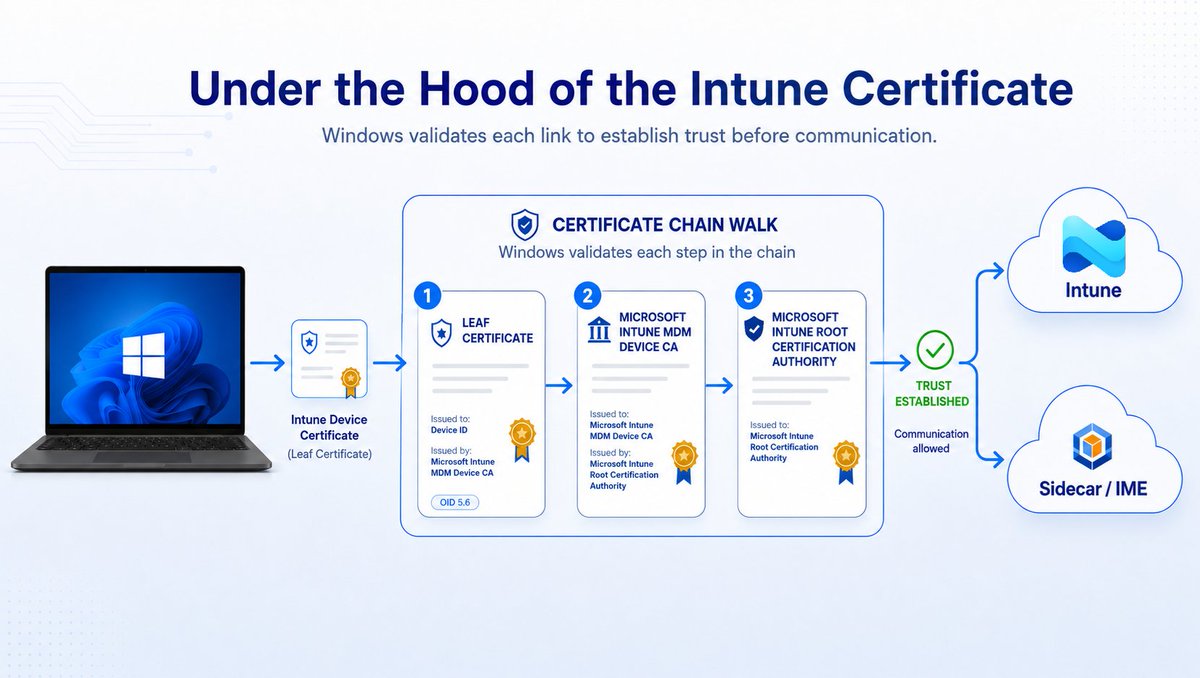
Under the Hood of the Intune Certificate
The Intune certificate matters more than most people think. That Certificate keeps the policy sync alive and is also needed for IME communication, which means apps and scripts depend on it as well.
But when the certificate or its chain breaks, things can get funny. The device can still show a recent last check-in, while it is no longer able to receive the latest policies, apps, or scripts.
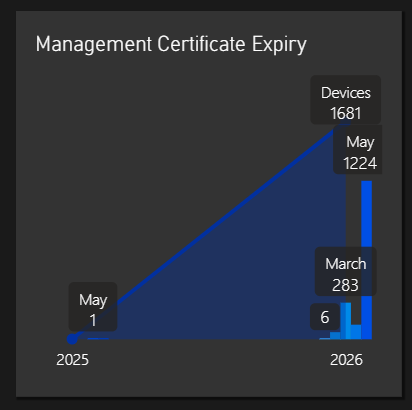
In this webinar, we will explain what the Intune MDM device certificate does, what changed with the Intune Intermediate certificate renewal, why some devices may have missed it, and how to find devices that still appear healthy but may not be.
But hey, it is all fine because the last check-in still moved… right?
Register here: patchmypc.com/events/intune-…
#Intune #MSIntune
4
21
66
5,430
Roy Trenneman retweeted

May 5
We have released a new report in #Autopatch to help you evaluate the patching vulnerability risk in your estate, along with some new guidance for how quickly to take patches. #WindowsUpdate techcommunity.microsoft.com/…
2
17
51
4,357

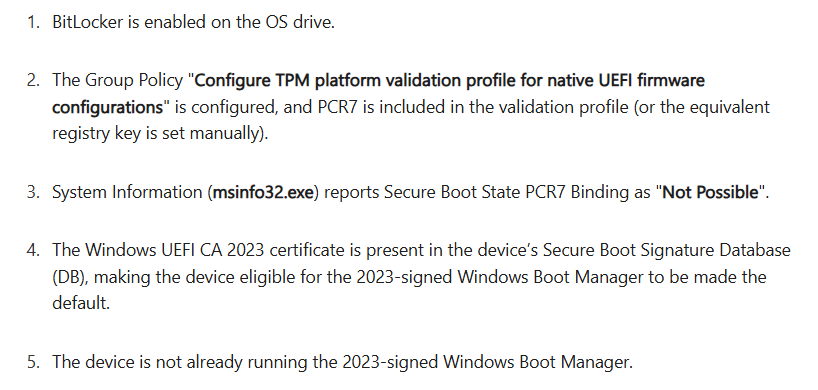
PSA: Known issue with April's LCU for basically everything.
In a _very_ specific scenario (see below), users are going to get a BitLocker recovery prompt after updating.
Link below is for one KB, but the story is the same everywhere.
support.microsoft.com/en-us/…
3
19
47
5,770
Roy Trenneman retweeted
Apr 9
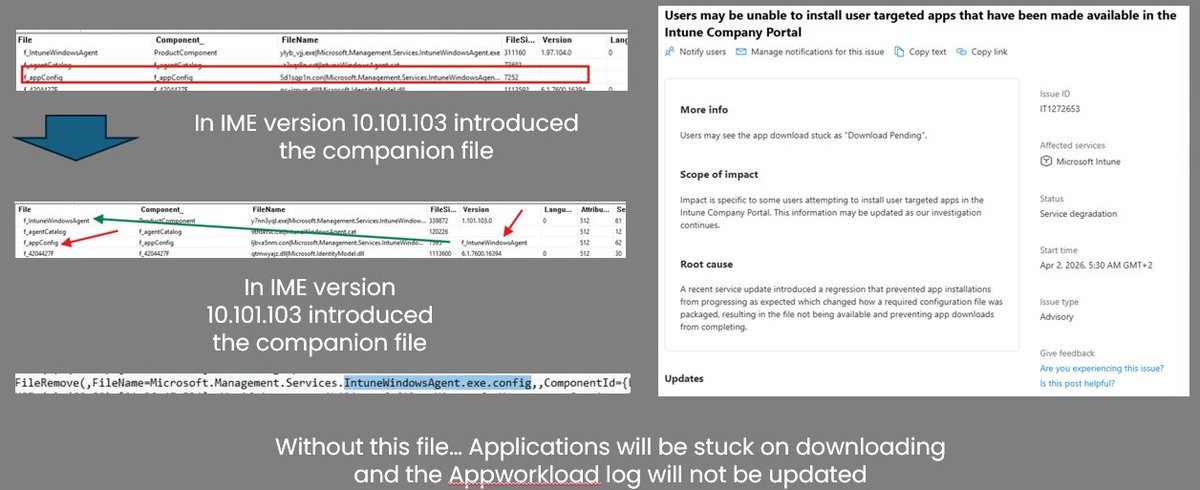
Do you want to know what happened during incident *IT1272653*?
Let me share what happened. By the time the incident appeared, I already had a pretty good idea what caused it. The message about a required configuration file being unavailable pointed straight back to the same IntuneWindowsAgent.exe.config I had been looking at earlier.
Only this time, the problem was not that the config stayed behind. This time, it was removed during the IME upgrade :)
Read the full @PatchMyPC story here:
patchmypc.com/blog/the-story…
#Intune #MSIntune #Windows11
4
11
27
3,269
Roy Trenneman retweeted

Mar 23
6
24
1,679
Roy Trenneman retweeted
Mar 18
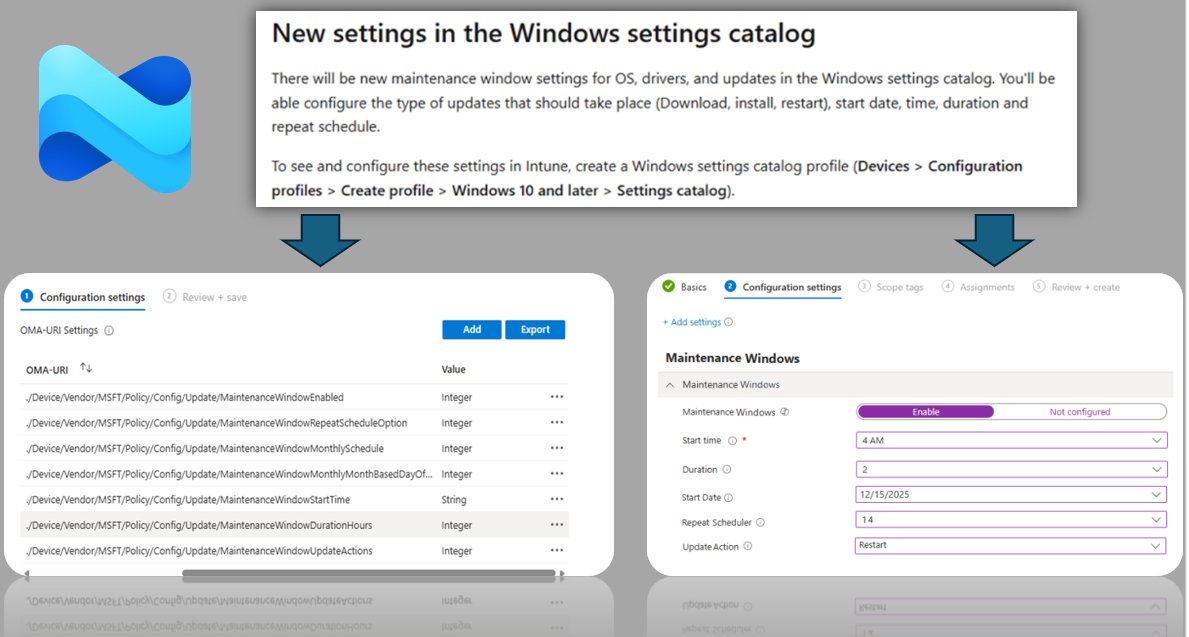
Maintenance Window Settings for OS, Drivers, and Updates
This new Settings Catalog policy lets you decide when update work is allowed to run for OS, drivers, and firmware, instead of only trying to avoid restarts during active hours.
And even though the Settings Catalog entry is not there yet, you can already configure it with the Update CaSP.
I had a look at what it does, how it works, and why it is more than just active hours.
patchmypc.com/blog/windows-u…
#Intune #WindowsUpdates #Windows11 #MSIntune
4
48
199
34,406
Roy Trenneman retweeted

Feb 27
I'm not 100% sure how they count Microsoft Defender Antimalware for compliance (like is passive mode OK?)
I often do custom compliance scripts which might work better here using this:
Get-CimInstance -Namespace "root\SecurityCenter2" -ClassName AntivirusProduct
1
7
721
Roy Trenneman retweeted

Feb 10
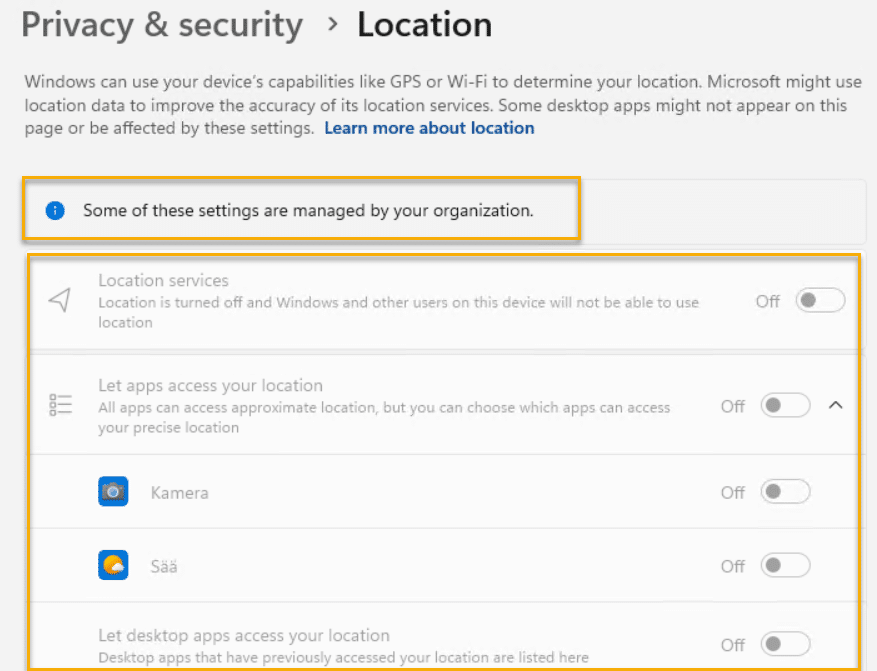
Blog post: Location Services is grayed out? msendpointmgr.com/2026/02/10…
8
28
2,492
Roy Trenneman retweeted

Feb 7
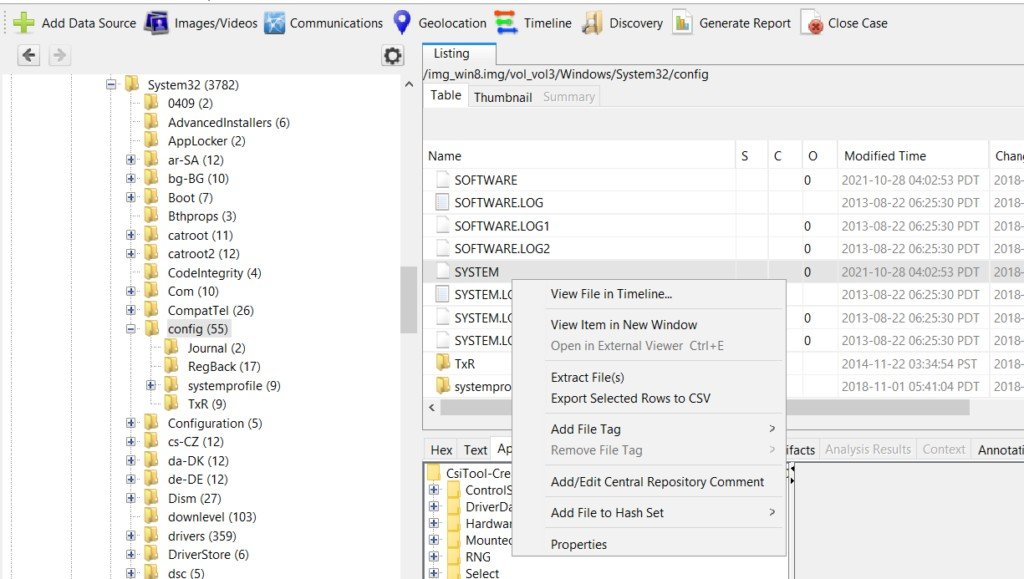
For those of you starting in Windows Registry forensics, we created a guide focusing on understanding core hives and acquiring registry data safely for evidence analysis
hackers-arise.com/digital-fo…
@three_cube @DI0256 @_aircorridor
#DFIR #blueteam
1
72
327
18,115
Roy Trenneman retweeted

Feb 6
New blog post just dropped — perfect timing for a Friday deep dive!
Demystifying how Managed Installers are configured … In Part 3 we break down how ConfigMgr and Intune actually implement it under the hood.
If you like practical, real-world details (and fewer surprises in your policies), this one’s for you 👇
appcontrol.ai/post/appcontro…
Grab a coffee (or something stronger), enjoy the Friday read, and let me know what you think!
9
17
872
Roy Trenneman retweeted

Feb 1
📢 Just pushed version 3.3 of my Intune Registry Management script!
What's new: Dual logging - output goes to both Intune portal AND a local log file for complete audit trail.
Inspired by @MMelkersen's approach to logging 🙏
Still the only PowerShell script you need to manage registry on Windows devices using Microsoft Intune Remediations.
🔗 GitHub repo: github.com/imabdk/Intune-Reg…
#Intune #PowerShell #Microsoft365 #EndpointManagement
18
84
4,488
Roy Trenneman retweeted

Jan 28
Most admins found the Secure Boot policy in #Intune 👀
That’s not the issue. It’s what happens after you assign it.
Error 65000. “Not applicable.” Or nothing at all.
@Mister_MDM found something interesting hiding in the #MSIntune portal. Let's dive in ➡️ bit.ly/4ajfc5C
#PowerShell #Windows #PatchMyPC
1
7
10
1,257
Roy Trenneman retweeted

Jan 23
8
20
94
11,959
Roy Trenneman retweeted

Jan 24
Microsoft confirms it accidentally caused apps like Notepad and Snipping Tool to crash on Windows 11 and has rolled out an emergency server-side fix.
Recently, users noticed they could no longer open apps such as Notepad, Snipping Tool, and some third-party apps on Windows 11 due to error 0x803F8001.
Microsoft says the issue was not caused by a Windows 11 update, but by a server-side problem with the Microsoft Store.
The company has confirmed that the issue is now fully resolved, and no action is required from users.
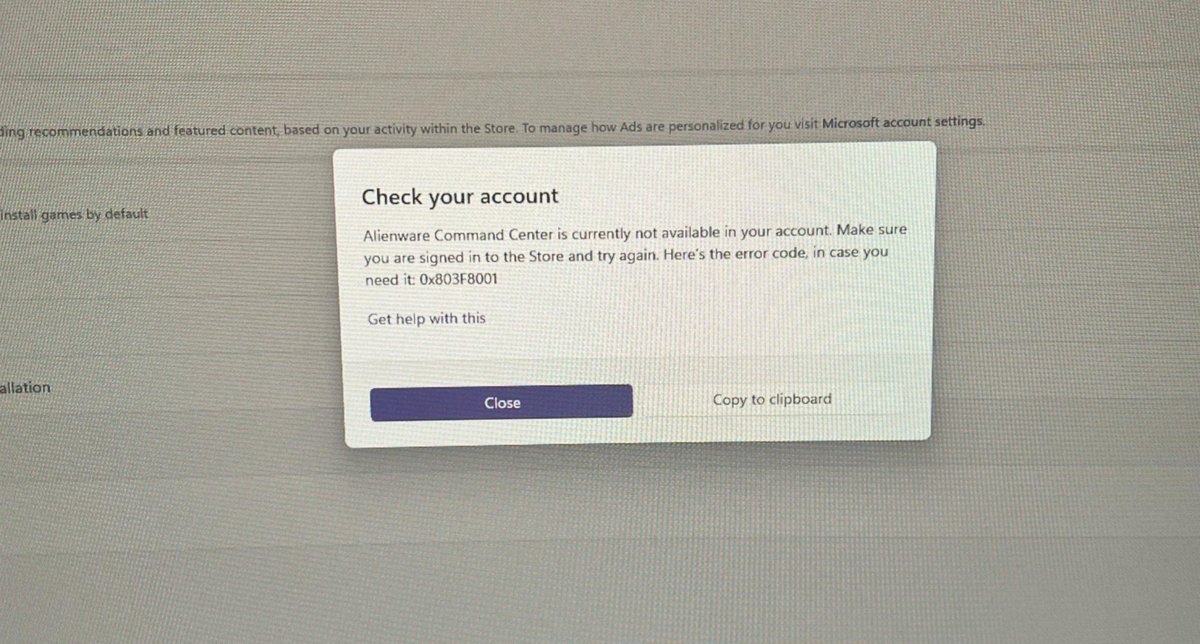
ALT Third-party app won't open on Windows 11 (Image credit: Reddit /r/Alienware)
37
41
255
20,071
Roy Trenneman retweeted
Jan 25
Blog post: Managing Windows 11 languages and region settings (Part 1) msendpointmgr.com/2024/06/09…

5
11
1,084
Roy Trenneman retweeted
Jan 25
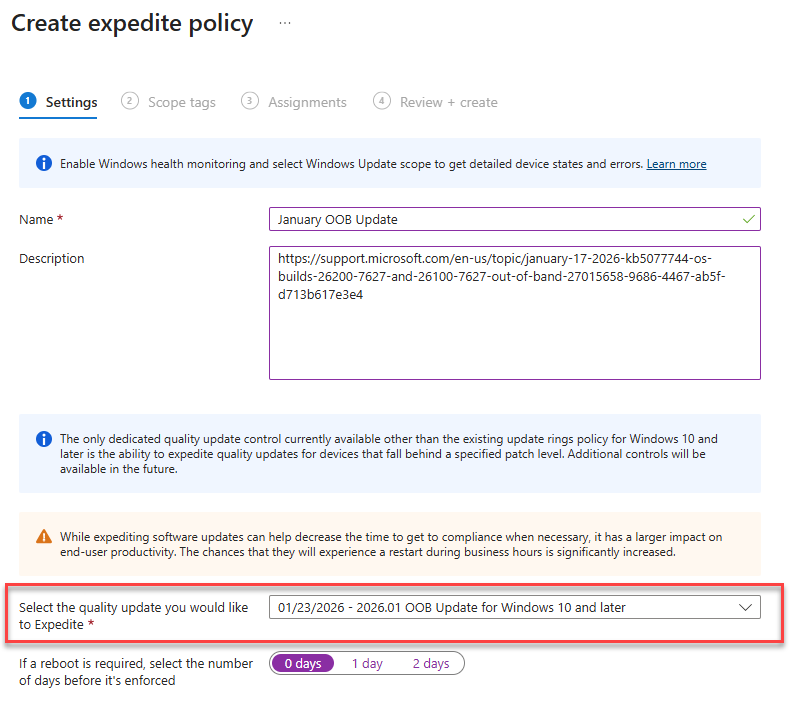
Microsoft is rolling out a second emergency update for Windows 11 in less than 10 days after the January 2026 Update caused major issues.
The Patch Tuesday update broke the Outlook Classic app and is causing issues with Sleep mode (S3). We've also verified a bug where customization in File Explorer is broken if you use desktop.ini. It also resets the desktop background.
Previously, Microsoft told users to remove the January 2026 Update (KB5074109), which fixed up to 100 security issues.
Now, Microsoft says the emergency update (KB5078127) is rolling out, and it installs automatically. You don't have to uninstall the Patch Tuesday update anymore.
The second out-of-band Windows 11 update advances PCs to Build 26200.7628 (25H2) and 26100.7628 (24H2).
Microsoft is in damage control mode, but what happened to Windows 11 suddenly?

ALT Windows 11
48
59
403
25,795
Roy Trenneman retweeted
Jan 25
Breaking: Microsoft is investigating reports of some systems failing to boot after the Windows 11 January 2026 Update.
"Microsoft has received a limited number of reports of an issue in which devices are failing to boot with stop code 'UNMOUNTABLE_BOOT_VOLUME', after installing the January 2026 Windows security update," Microsoft said.
Microsoft is still investigating if the issue is caused by a Windows update.
The company asked users to submit feedback to help with the investigation.
Previously, Microsoft asked users to remove the January 2026 Update if Outlook did not work. Earlier today, Microsoft released a second emergency update for Windows 11 to fix underlying issues.
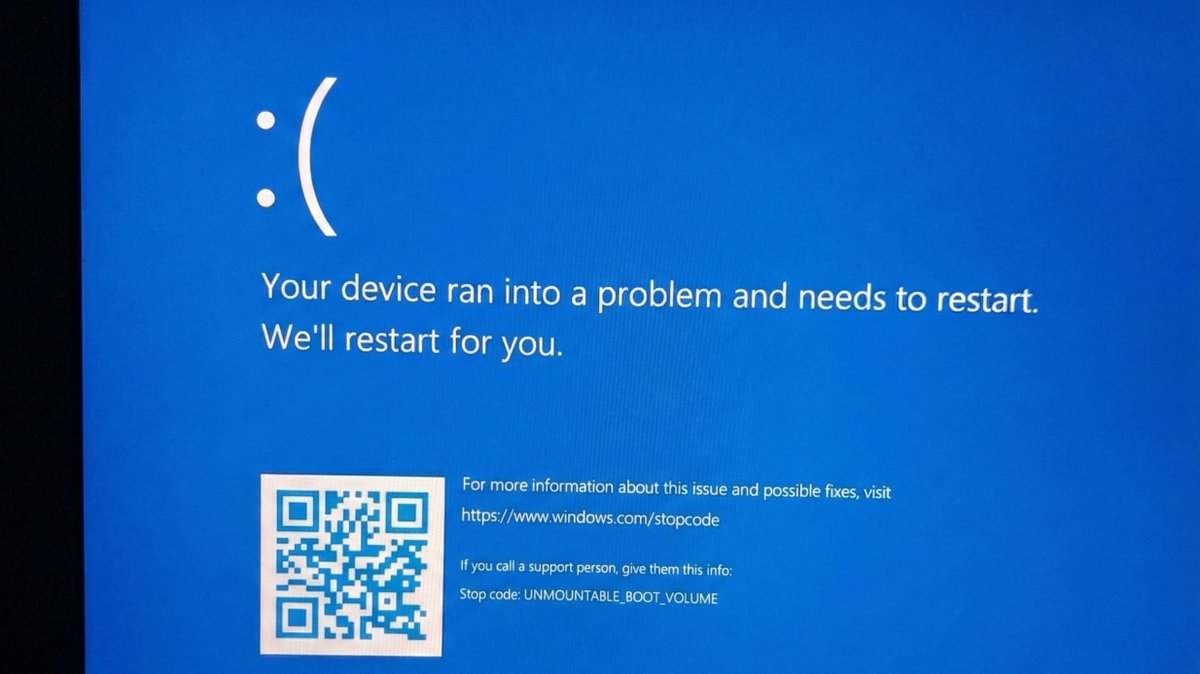
ALT Windows 11 crashed with BSOD
253
311
2,133
912,407