
1,915 Photos and videos












TotoRina retweeted

Jun 16
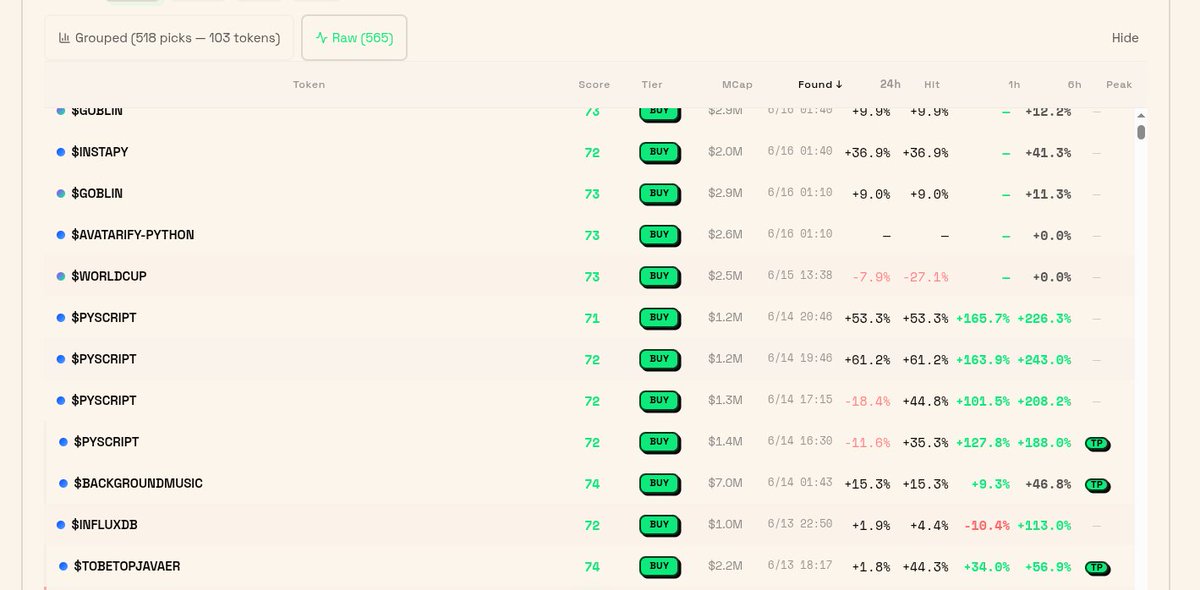
$VIBE Top Picks Buy tier averaging 12% 1h returns in the last 24h.
The price_at_top gate filtered out 106 tokens that were already pumped.
Data don't lie. 🦒
vibe.airforce/top-picks
Jun 1

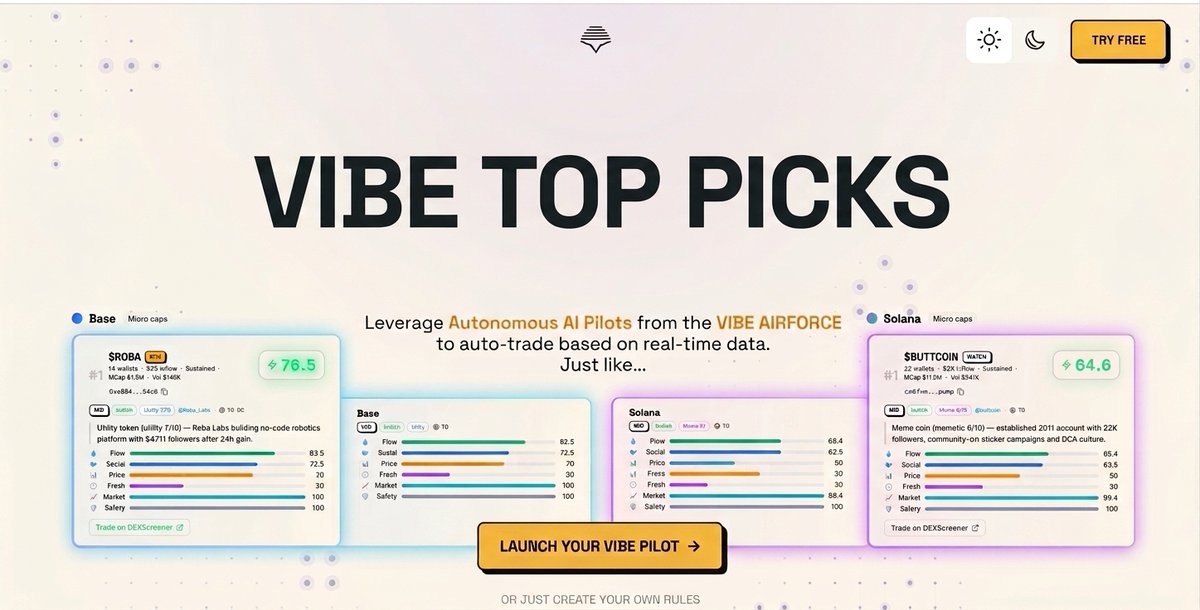
$VIBE Top Picks is live. Scored. Every 30 minutes.
2,000 picks tracked. Every outcome public. Buy tier hit rate: 74%.
Open beta. Free.
vibe.airforce/top-picks
6
7
16
206
TotoRina retweeted
Jun 14
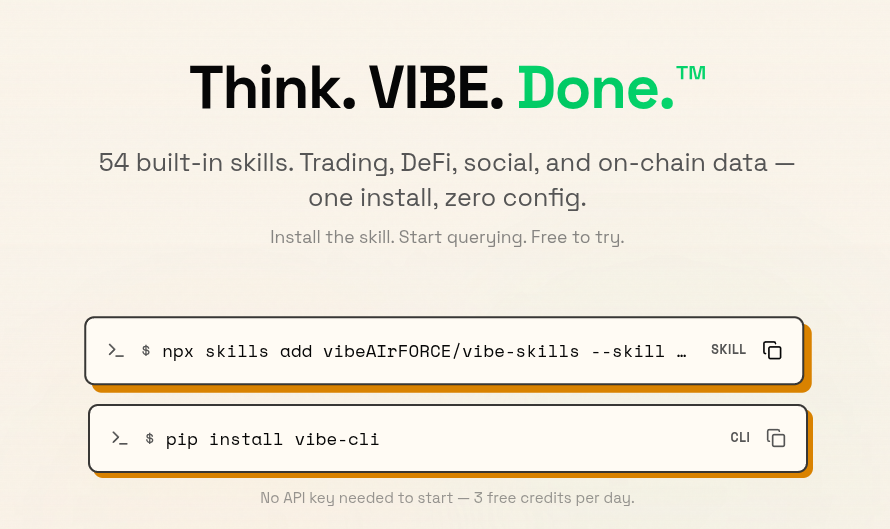
Stop writing API integrations for your AI agent.
Nansen. Jupiter. Hyperliquid. Twitter/X. x402. Clanker. Pump.fun.
54 skills total. All pre-built.
Your agent gets production-grade Web3 tooling in one command.
npx skills add vibeAIrFORCE/vibe-skills
npm install -g vibe-cli
7
8
19
395
TotoRina retweeted

Jun 13
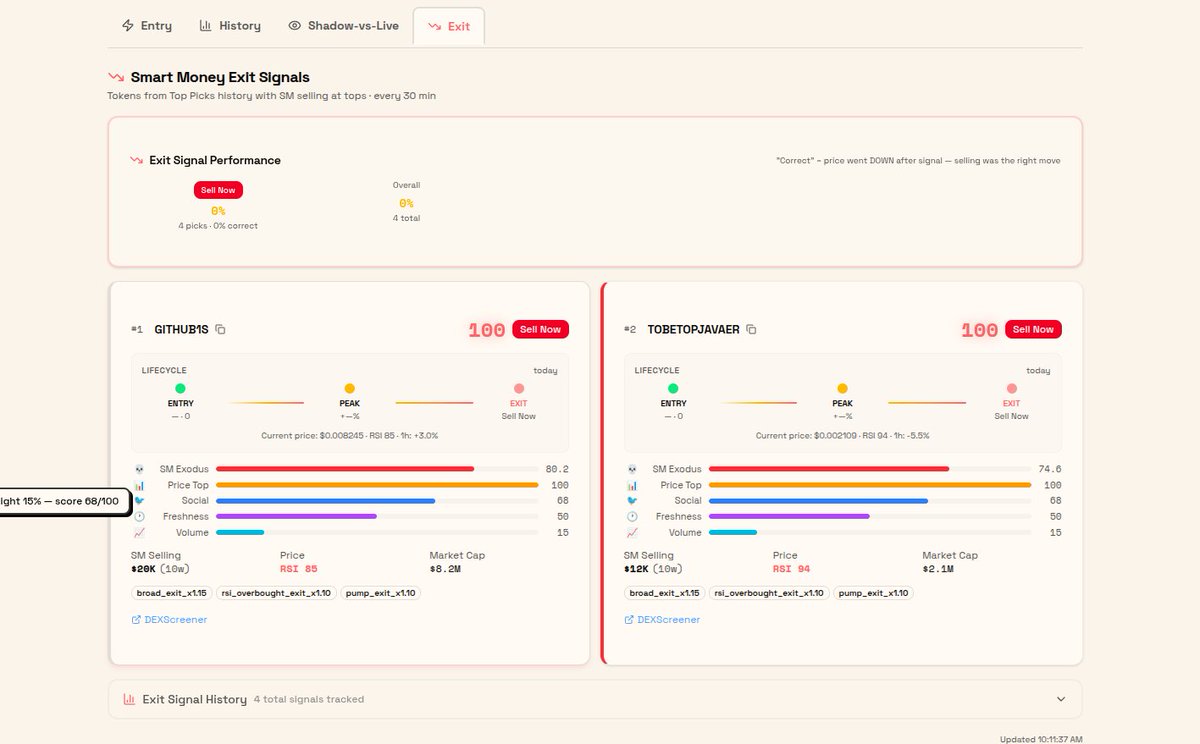
@VIBEaiRforce exit signals are live.
The inverse of Top Picks. Instead of finding tokens smart money is BUYING $VIBE finds tokens smart money is DUMPING at the top.
Both sides of the flow. Now visible.
How it works under the hood:
Every Top Picks cycle now has an Exodus phase. After the BUY pipeline completes, Exodus scans the price-top tokens. Queries Smart money for the SELL side. Cross-references against Top Picks history. Scores each token across 5 dimensions.
The 5 dimensions (0-100 composite):
SM Exodus 40%, how many smart wallets are selling, how much. Hump-shaped curve. $5K-$50K sweet spot. Single-whale dumps penalized.
Price Top 30%, is this a peak? RSI, 24h position, momentum. Selling into strength = signal. Selling into a crash = panic.
Social Bearish 15%, sentiment confirmation. Bearish social SM selling = agreement. Bullish social SM selling = distribution.
Freshness Decay 10%, older Top Pick new sell = stronger exit signal. Token we picked 7 days ago that SM is now dumping = maximum conviction.
Volume Spike 5%, elevated volume confirms the move is real, not thin.
Two tiers of signal now surface:
History-confirmed, token was a prior Top Picks Buy/SB pick. Gets x1.10 multiplier. The context is anchored. The trade is closing.
New discovery, token surfaced purely by SM selling at a price top. Never picked before. Neutral freshness score. Surfaces if the selling is strong enough.
Both appear. Both tracked.
Now? Any token with $5K smart money selling at a price top gets scored. History tokens get a badge and bonus. New tokens get a fair shake.
First cycle after deploy:
2 Sell Now signals. Both net-new discoveries. Neither was ever in our Top Picks.
$GITHUB1S $20.3K seller volume, 10 sellers, RSI 85.4, 74.75% 24h, price at absolute top
$TOBETOPJAVAER $11.8K seller volume, 10 sellers, price top, smart seller in the mix
What you get:
• Live exit signals re-ranked every 30 min
• Per-token score breakdown (all 5 dimensions)
• History-confirmed badge for context-anchored exits
• Performance dashboard, forward returns at 1h, 6h, 24h
• Every gate reason logged, no black box
For agents: same endpoints as Top Picks. Query mid-trade to check if smart money is rotating out of your position. For external agents: x402 endpoint available.
The model tracks its own accuracy. Every exit signal's forward returns are public. It proves itself or it doesn't.
Check it: vibe.airforce/top-picks
4
6
17
401
TotoRina retweeted
Jun 12
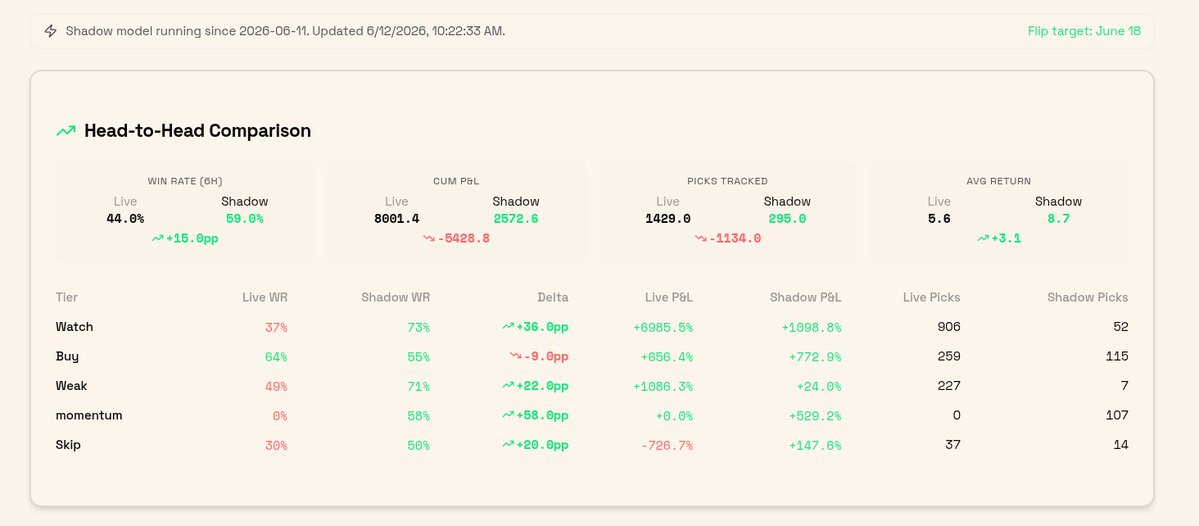
We @VIBEaiRforce gave Anthropic's newest model (Fable 5) our token scoring system and told it to fix it.
Top Picks had a 35% win rate. Our "overbought" gate was rejecting tokens that went on to win 82-100% of the time. Six scoring dimensions had near-zero correlation with returns (|r| < 0.03).
48 hours later: rebuilt model, LLM verifier reviewing every pick, running in shadow on production next to the old one , check in our UI vibe.airforce/top-picks
295 shadow picks is a small sample. Flip decision June 18, evidence decides. We'll publish the result either way.
Experiment started. More to follow.
3
12
19
227
TotoRina retweeted

Jun 10
WOW.
AlJazeera just dropped a ONE HOUR documentary about ISRAEL’s CRIMES against the PALESTINIANS.
This is very HARD TO WATCH.
1,137
70,234
134,037
4,162,271
TotoRina retweeted
Jun 9
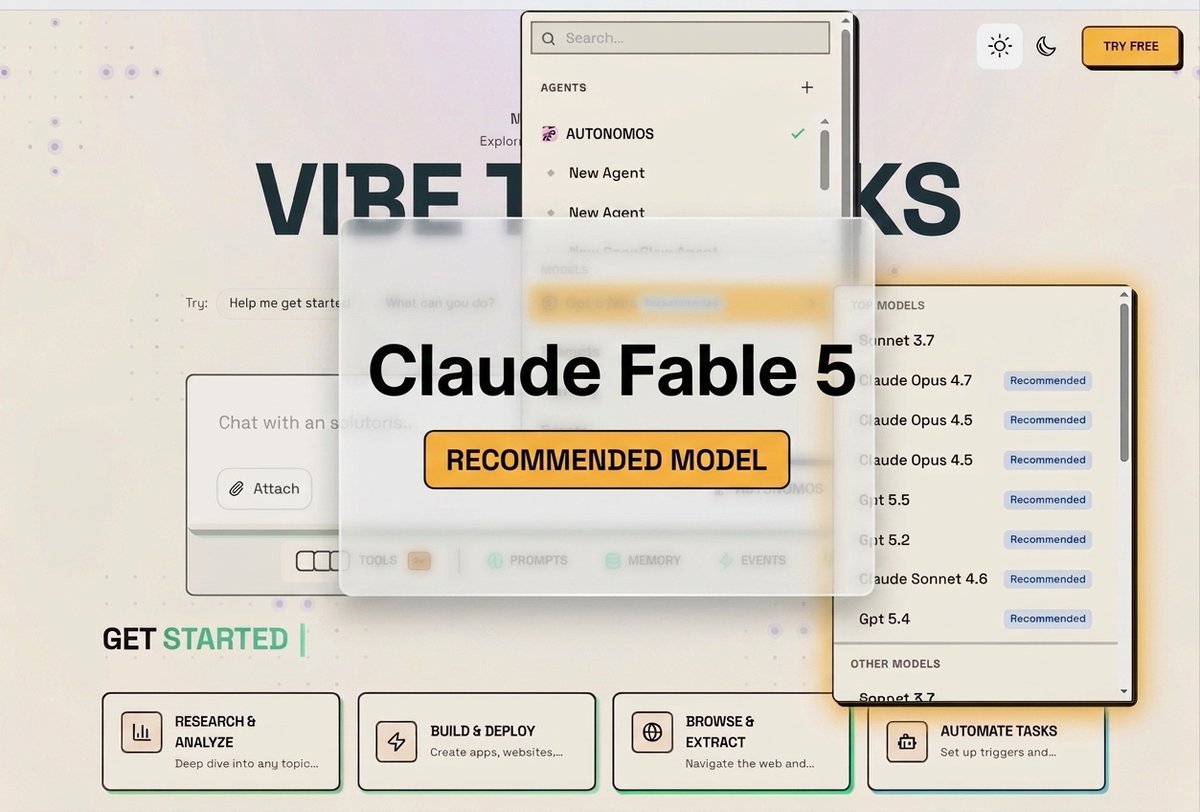
We added a Ferrari and it's sitting in the $VIBE garage.
Claude Fable 5, Anthropic's newest Mythos-class model is now live across every VIBE agent runtime.
Hermes. OpenClaw. In-house. All of them.

Introducing Claude Fable 5: a Mythos-class model that we’ve made safe for general use.
Its capabilities exceed those of any model we’ve ever made generally available.
5
11
19
547
TotoRina retweeted

Jun 8
Robotics has been waiting for its ImageNet moment. Not better models. A dataset big enough and diverse enough to change what's possible. $COBALT crowdsourcing demos from phones across 9 countries might be exactly that.
@animesh_garg is building the dataset robotics has been missing. What are your thoughts on the banner I made for you?🦾
cobalt-teleop.github.io

8
7
30
2,132
TotoRina retweeted
Jun 8
"AI scored this token."
Cool. How? What data? What's live and what's still being built?
Here is the brake down how the @VIBEaiRforce Score works.
Here's the breakdown. 🧵
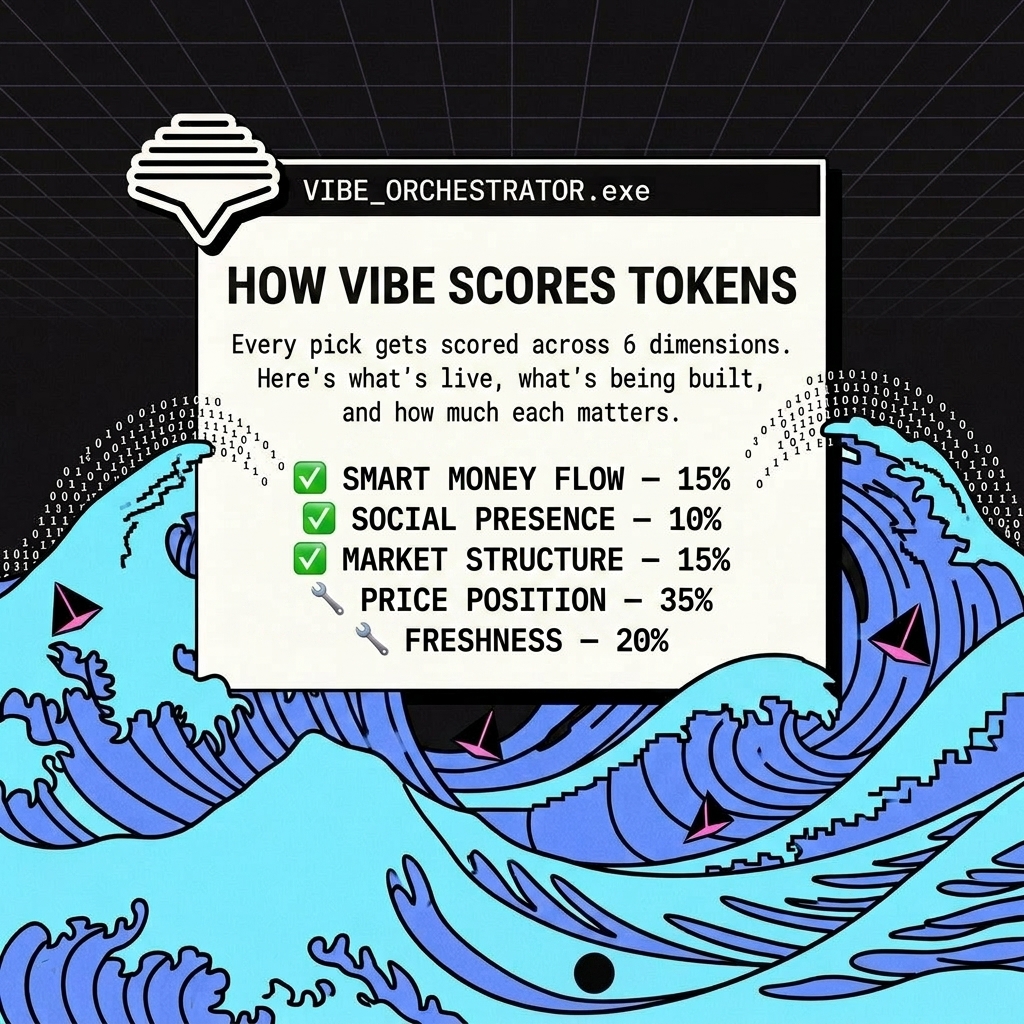
7
12
18
210
TotoRina retweeted

Jun 6
Robots still need a ton of real-world data to get smarter, but collecting that data the old way is super slow and crazy expensive.
That’s why @animesh_garg COBALT project caught my eye. It’s a cloud platform where anyone can control a robot using just their smartphone. Move your phone, the robot moves. Super simple way to gather high-quality demos at scale.
Been following it and it really feels like one of the most practical breakthroughs out there for cracking robotics biggest challenge ->collecting high-quality data at scale.
3
5
11
659
TotoRina retweeted

Today @usedotai dropped their MCP. Instead of retweeting I decided to test it. Is it really worth the hype?
Asked Claude something it wouldn't touch. It refused instantly. Spawned DOT inside Claude through the MCP. Full answer. No switching apps. No new tab. Claude saw nothing. Just "a session opened", like I mentioned in an earlier tweet.
That's not a feature. That's a different architecture running inside the tool that just blocked me.
Don't read the tweet. Watch the video.
$DOT @usedotai
9
7
26
3,625
TotoRina retweeted
Jun 2
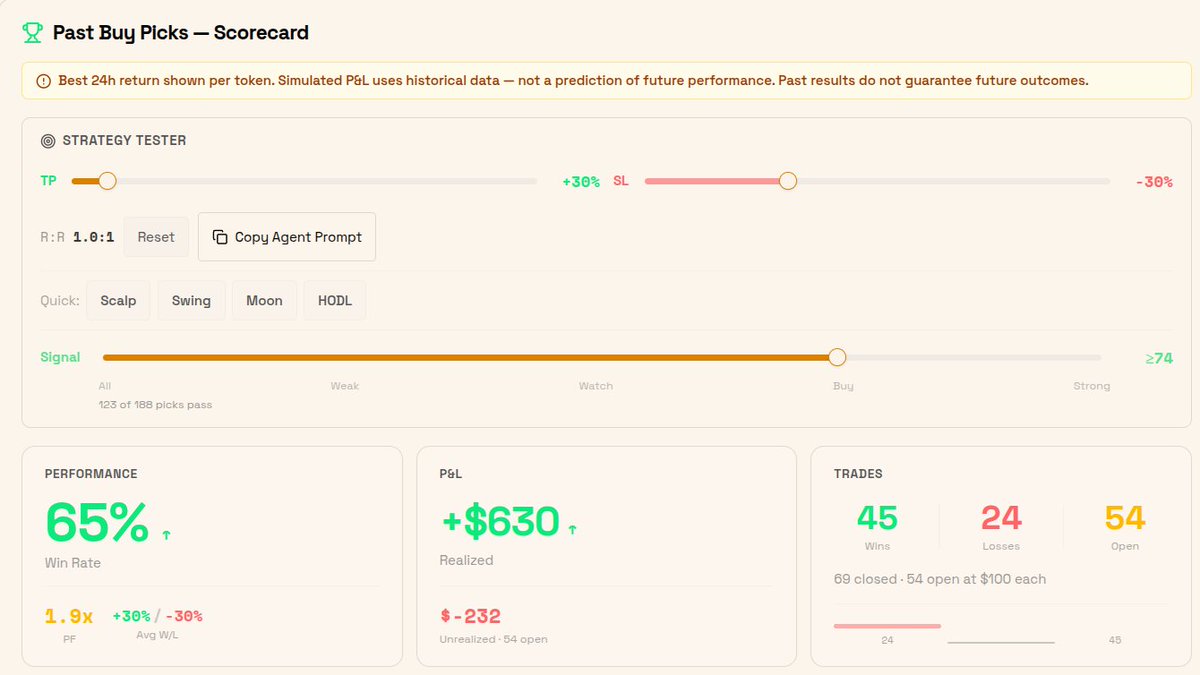
10 hour later 5 wins and 1 lose totaling to 45/w and 24/L
honestly if you're not on @VIBEaiRforce Top Picks while it's in free beta and putting up numbers like this, idk what to tell you.
$VIBE token gate is coming
Jun 2

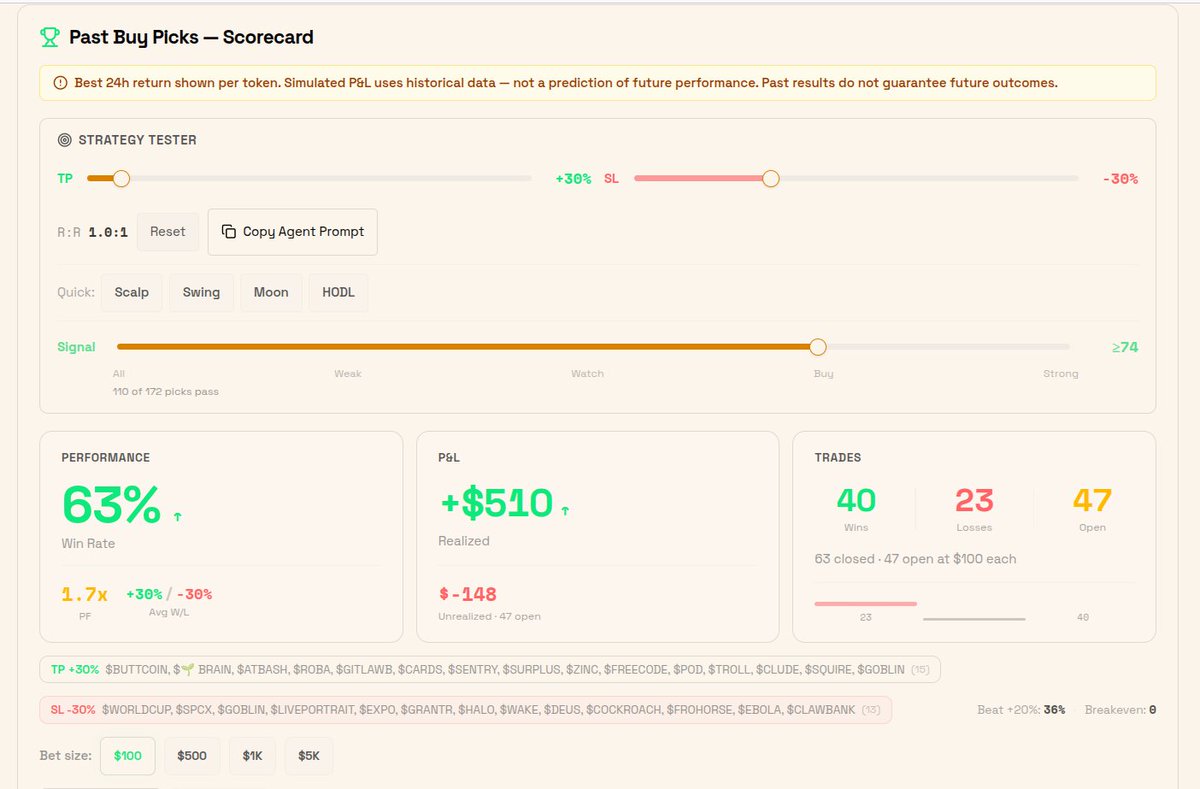
launched @VIBEaiRforce Top Picks yesterday. built a Strategy Tester to answer the only question that matters: does it make money
Ran 172 picks through it. 63% win rate. 1.7x profit factor. $510 realized.
47 positions still open. watching them resolve.
5
10
17
184
TotoRina retweeted
Jun 2
launched @VIBEaiRforce Top Picks yesterday. built a Strategy Tester to answer the only question that matters: does it make money
Ran 172 picks through it. 63% win rate. 1.7x profit factor. $510 realized.
47 positions still open. watching them resolve.
6
16
26
640
TotoRina retweeted

Jun 1
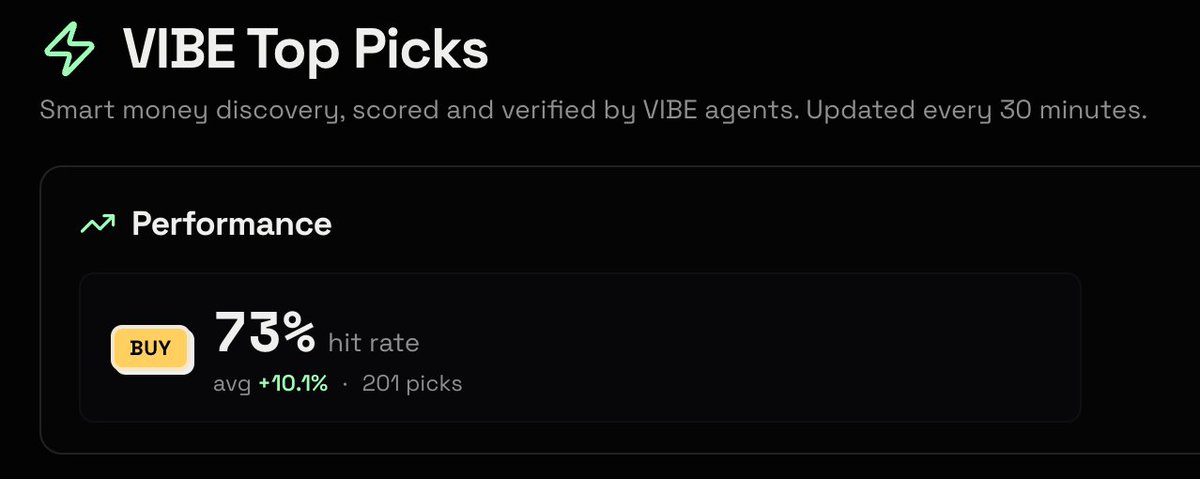
What is smart money buying right now? 👀
$VIBE agents are already tracking it: scored, verified and updated every 30 minutes autonomously.
This is what real onchain AI utility looks like 🔥
vibe.airforce/top-picks
4
4
12
280
TotoRina retweeted
Jun 1
A 2-minute tour of @VIBEaiRforce $VIBE Top Picks. The actual product, screen-recorded.
What you'll see:
• How a pick card works (6 dimensions, agent thesis)
• The Strategy Tester , backtest any past pick against real returns
• Raw vs Grouped tracking, every pick, every cycle, every 30 minutes
• 1,100 picks analyzed, weights backtested, calibration engine running
This is what our agents have been using internally. Now it's public.
vibe.airforce/top-picks
6
16
26
811
TotoRina retweeted
May 26
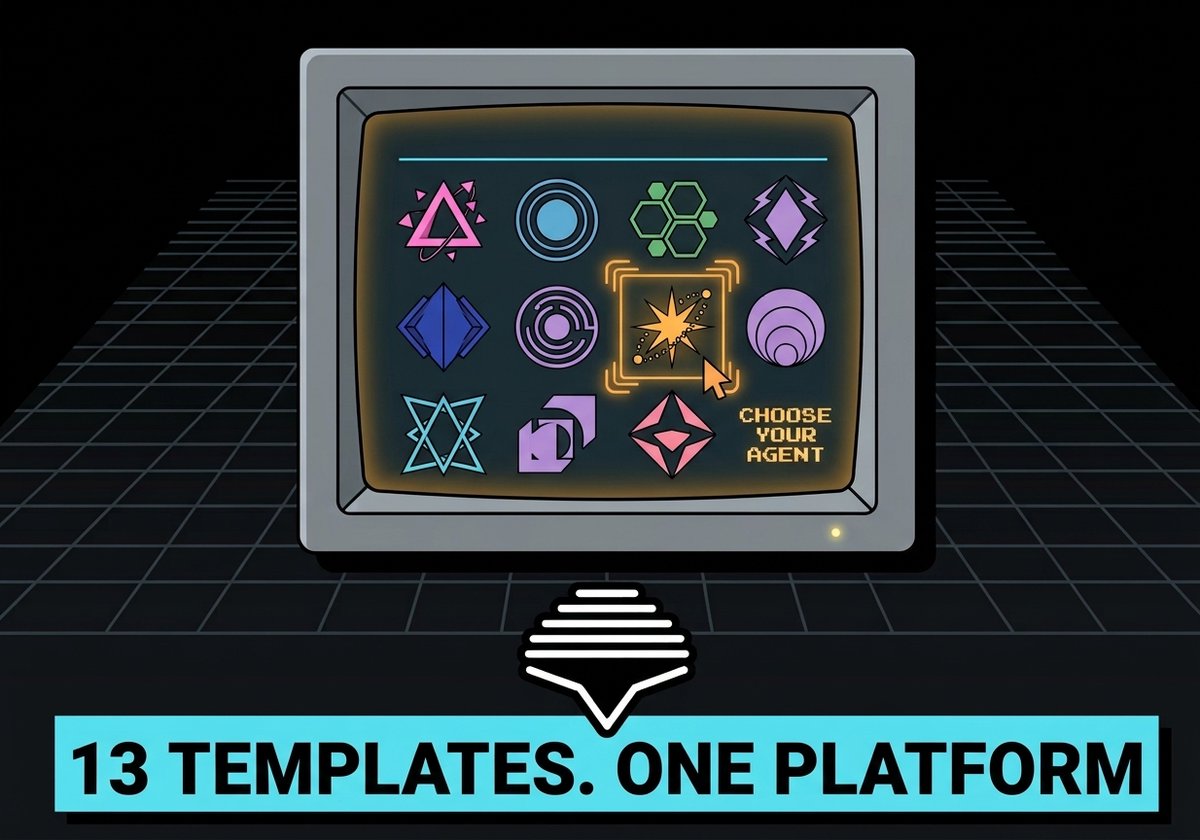
13 agent templates
Pick a personality. Pick a strategy. Hermes or Openclaw runs it 24/7.
vibe.airforce
May 26
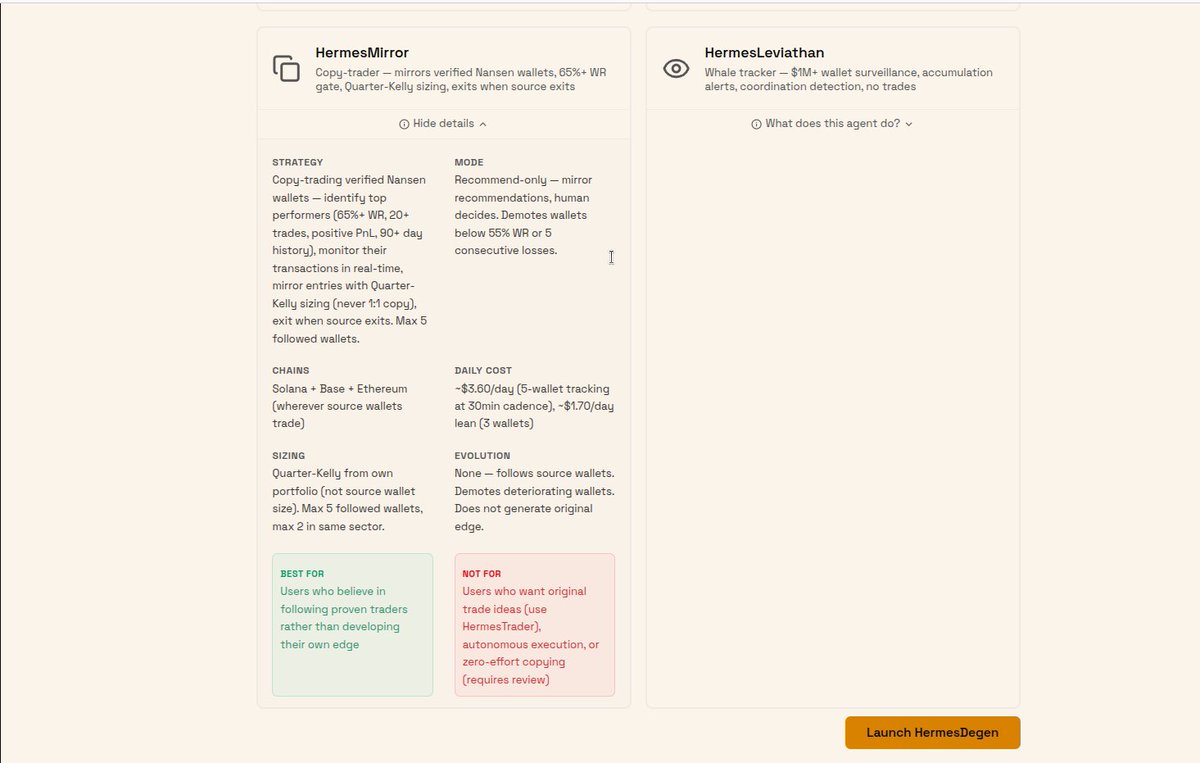
How to run Hermes Mirror @VIBEaiRforce
a practical guide to copy-trading onchain without the mistakes.
Step 1: Pick your wallets. Only verified Nansen wallets qualify. 65% WR. 20 trades. Positive PnL. 90 day history. Max 5. Max 2 per sector. No influencers. No fresh wallets. agent will pick them for you
Step 2: Understand the sizing. Mirror doesn't blindly match position sizes. Quarter-Kelly from YOUR portfolio. A whale's 2% is not your 2%. Mirror does the math.
Step 3: Loyalty. Source exits, Mirror exits. No override. No hopium. The thesis closed. Move on.
Step 4: Hygiene. Wallets get continuous performance review. Below 55% WR? Demoted. 5 straight losses? Demoted. No dead weight.
Step 5: Execution. Recommend-only. Signals hit your Telegram. You review. You approve or decline. Mirror does the legwork. You keep your hand on the wheel.
What it costs: ~$3.60/day data (5 wallets, 30-min cadence) ~$7-9/day AI model. All in ~$12/day for institutional-grade alpha. Solana Base Ethereum.
vibe.airforce
8
16
28
786
TotoRina retweeted
May 26

6
17
24
441
TotoRina retweeted
May 24
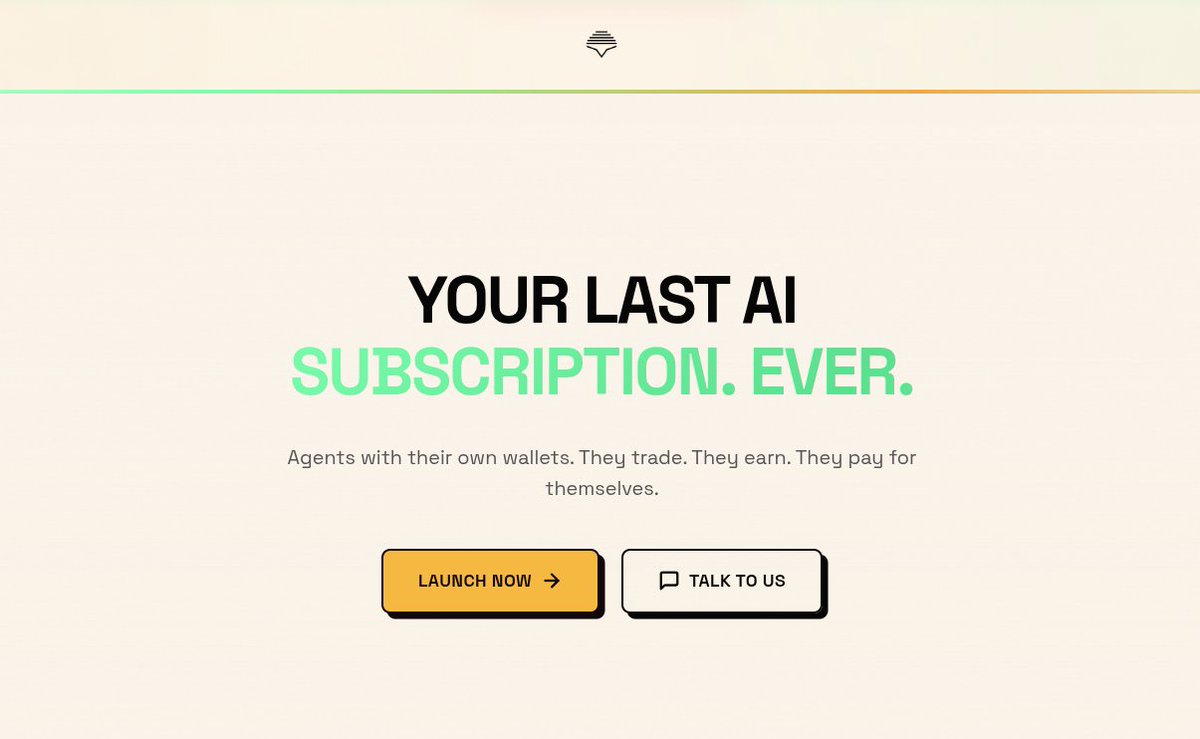
Shipped a full homepage copy rewrite at @VIBEaiRforce
Killed "Feel The VIBE," "no code," "Earn while you sleep," and every SaaS cliché.
Replaced with: "Your agent has its own wallet. Your last AI subscription. Ever."
New Platform section shows the real infra NativeEVMWallet, Grammy polling, Hermes cron. Built a copy pattern library that mirrors neo-brutalist.css. 8 files, 24 strings, 0 build breaks.
$VIBE
3
12
28
389
TotoRina retweeted
May 24
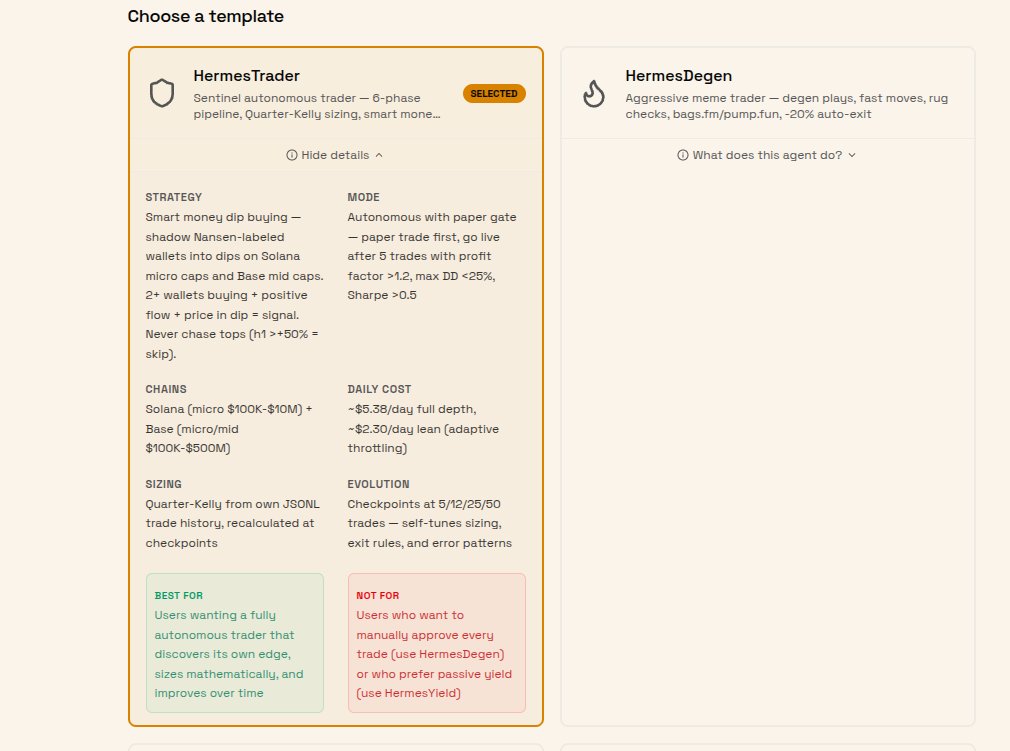
Our $VIBE trading agents now run a single 6-phase pipeline every 30 minutes:
1. what is smart money buying right now?
2. tgm_who_bought_sold → 2 verified wallets entering?
3. tgm_flow_intelligence → all categories net positive?
4. Twitter cashtag search → CT talking about it?
5. DEXScreener → price in a dip? (h1 > 50% = skip, don't chase tops)
6. x402 contract audit → no honeypot, LP locked, mint revoked?
Then: Quarter-Kelly position sizing from own trade history, SL/TP set before entry, trailing stop at 20%, journaled to JSONL, evolved at checkpoints (5/12/25/50 trades).
The strategy: shadow Nansen smart money into dips on Solana micro caps and Base mid caps. 2 smart wallets accumulating positive flow dip ≠ top = signal. One wallet buying = noise. Three wallets = conviction.
Before: a 4-check monitoring loop that tracked prices and said "smart money selling = exit." No discovery. No sizing. No journaling. No learning.
After: a trading engine that discovers, verifies, sizes, executes, journals, self-tunes, and throttles Nansen usage as credits get low.
Run You agent at @VIBEaiRforce with one click
4
14
27
690
TotoRina retweeted
May 23
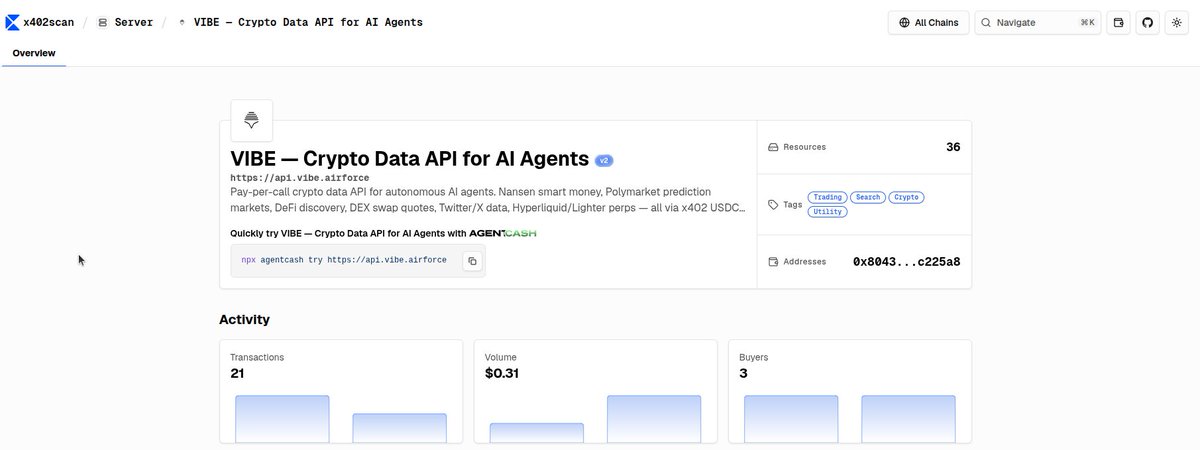
$VIBE is now listed on x402scan
75 resources, 35 paid routes, full x402 v2 compliance any AI agent can discover and pay in USDC on #Base, no sign-ups required.
x402scan.com/server/36b60832…
api.vibe.airforce/.well-know…
10
15
34
1,487
TotoRina retweeted
May 21
Guide how to run agents and ☕️ & $VIBE in 2 minutes
May 21
Quick-Start Guide: Running Hermes or OpenClaw Agents with Full Telegram Integration on @VIBEaiRforce
Deploy a fully functional agent in under 3 minutes complete with 68 built-in tools, 11 native $VIBE skills, sandboxed infrastructure, and seamless Telegram control.
Follow this exact workflow:
1. In the Vibe UI, select New Task.
x.com/Vibe_AI_dev/status/205…
2. Enter the prompt: “Create me Solana and EVM wallets” and immediately save the generated private keys (they are single-use).
3. View and manage all wallets at any time from the Vibe Pilot tab.
4. From the sidebar, choose Hermes or OpenClaw.
x.com/Vibe_AI_dev/status/204… x.com/Vibe_AI_dev/status/205…
5. Connect Telegram: open @BotFather, run /newbot, copy the token, paste it into Vibe Telegram settings, then Save & Enable.
6. Select your preferred model, click Start, and wait approximately 2 minutes for the agent to boot.
7. Open your new Telegram bot using the link provided by BotFather and begin chatting. Type “What can you do?” for a complete overview of capabilities.
2
7
18
777