132 Photos and videos









Kader ⴽⴷⴻⵔ 🇩🇿 retweeted

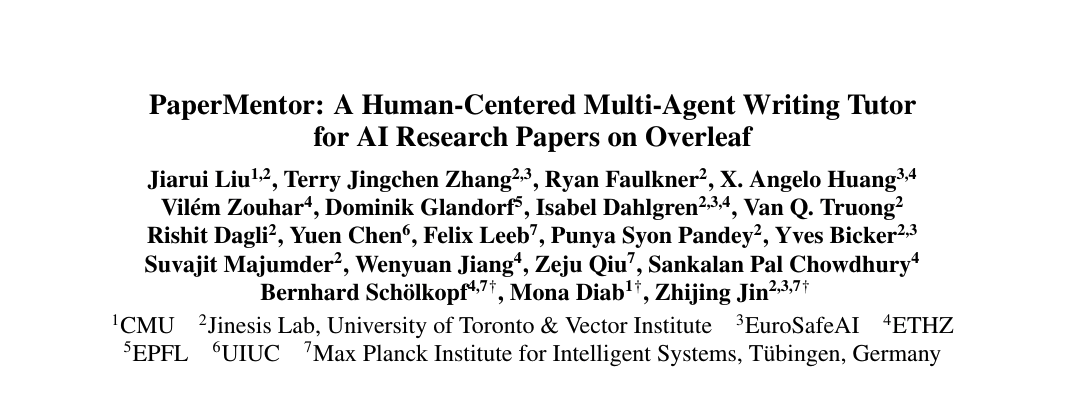
PaperMentor: a tutor for writing AI research papers!
It doesn't write papers for you, it leaves comments to help you learn to write better papers.
Accepted at ACL.
Link to paper, code and demo in quoted post below:
Jun 10

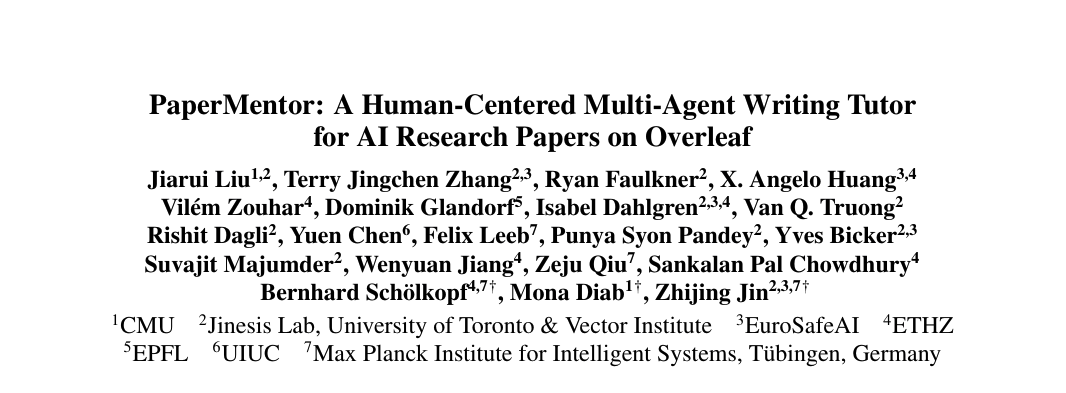
Excited to share that our work 📝 "PaperMentor: A Human-Centered Multi-Agent Writing Tutor for AI Research Papers on Overleaf" has been accepted to #ACL2026 Demo!
Most AI writing tools either fix grammar or simulate peer review with a score. Neither gives drafting-stage, text-anchored feedback on narrative, structure and presentation.
PaperMentor comments rather than rewrites: It is a human-centered, multi-agent writing tutor that delivers expert-level, actionable feedback as native inline comments right inside Overleaf, while leaving every revision to you.
It pairs a curated library of 40 expert skill files (distilled from senior researchers' writing advice) with 12 specialized agents covering methods, results, formatting, terminology, venue norms and more.
In a user study, 90.6% of comments were rated actionable and PaperMentor significantly outperformed a GPT-5.2 baseline without the skill library on both validity and actionability.
Anyone can extend or contribute to the skill library with simple text edits!
📝 Arxiv link: arxiv.org/abs/2606.08857
🔗 Live demo: overleafmentor.ai.toronto.ed…
💻 Code with skill library: github.com/jiarui-liu/overle…
🧵 How it works below 👇
1
13
72
6,781
Kader ⴽⴷⴻⵔ 🇩🇿 retweeted

Jun 10
Excited to share that our work 📝 "PaperMentor: A Human-Centered Multi-Agent Writing Tutor for AI Research Papers on Overleaf" has been accepted to #ACL2026 Demo!
Most AI writing tools either fix grammar or simulate peer review with a score. Neither gives drafting-stage, text-anchored feedback on narrative, structure and presentation.
PaperMentor comments rather than rewrites: It is a human-centered, multi-agent writing tutor that delivers expert-level, actionable feedback as native inline comments right inside Overleaf, while leaving every revision to you.
It pairs a curated library of 40 expert skill files (distilled from senior researchers' writing advice) with 12 specialized agents covering methods, results, formatting, terminology, venue norms and more.
In a user study, 90.6% of comments were rated actionable and PaperMentor significantly outperformed a GPT-5.2 baseline without the skill library on both validity and actionability.
Anyone can extend or contribute to the skill library with simple text edits!
📝 Arxiv link: arxiv.org/abs/2606.08857
🔗 Live demo: overleafmentor.ai.toronto.ed…
💻 Code with skill library: github.com/jiarui-liu/overle…
🧵 How it works below 👇
3
25
114
15,160
Kader ⴽⴷⴻⵔ 🇩🇿 retweeted

Jun 6
MAKALEN HAZIR AMA HANGİ DERGİYE GÖNDERECEĞİNİ BİLMİYOR MUSUN?
Papernity Artık 3 saniyede makalene 0 uygun dergiyi buluyor, üstelik ders notlarınla normal insan gibi sohbet edebiliyorsun.
Papernity’le akademik hayat hiç bu kadar kolay olmamıştı.
14
95
481
31,281
Kader ⴽⴷⴻⵔ 🇩🇿 retweeted

May 30
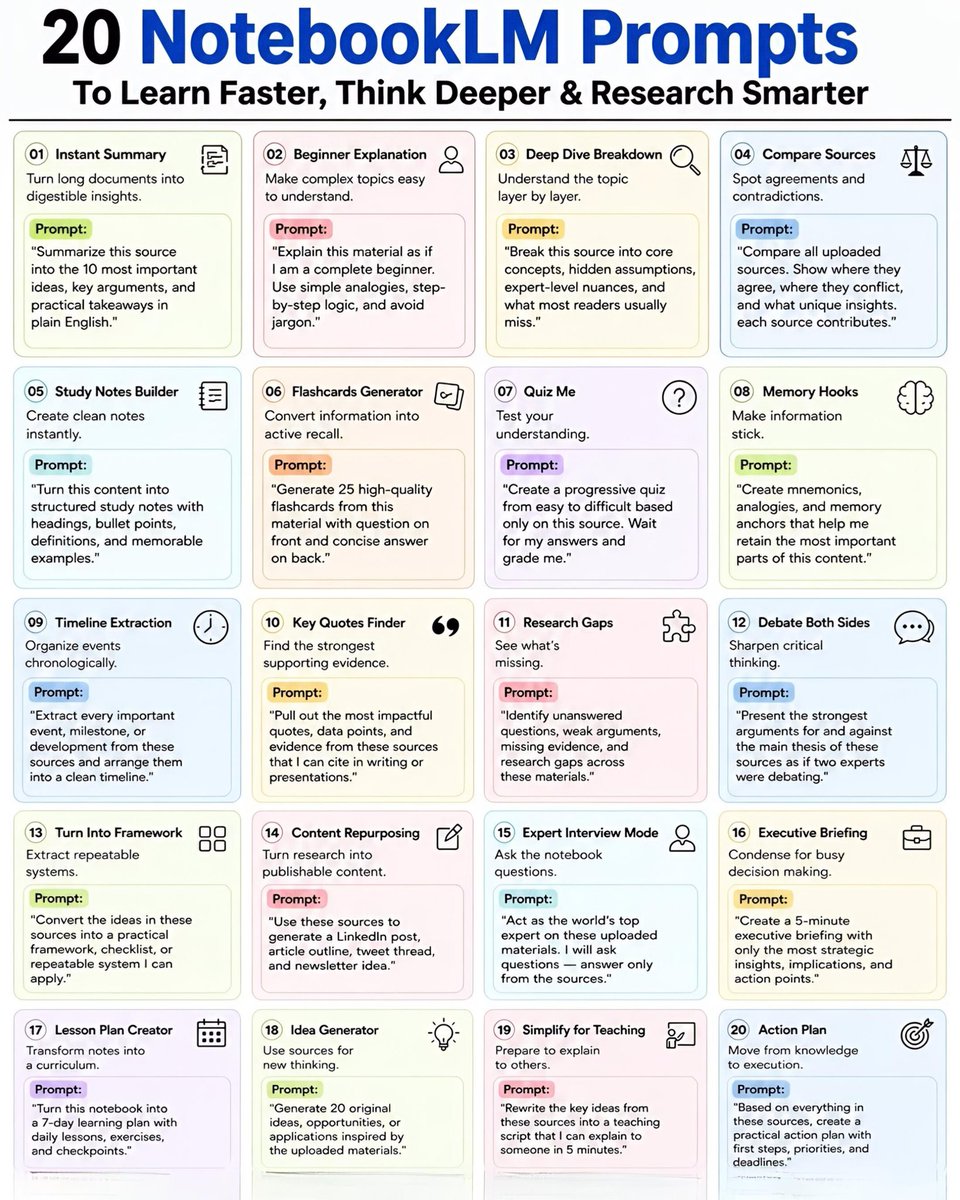
20 NotebookLM Prompts
To Learn Faster, Think Deeper & Research Smarter
01. Instant Summary
Turn long documents into digestible insights.
👉 Prompt:
“Summarize this source into the 10 most important ideas, key arguments, and practical takeaways in plain English.”
02. Beginner Explanation
Make complex topics easy to understand.
👉 Prompt:
“Explain this material as if I am a complete beginner. Use simple analogies, step-by-step logic, and avoid jargon.”
03. Deep Dive Breakdown
Understand the topic layer by layer.
👉 Prompt:
“Break this source into core concepts, hidden assumptions, expert-level nuances, and what most readers usually miss.”
04. Compare Sources
Spot agreements and contradictions.
👉 Prompt:
“Compare all uploaded sources. Show where they agree, where they conflict, and what unique insights each source contributes.”
05. Study Notes Builder
Create clean notes instantly.
👉 Prompt:
“Turn this content into structured study notes with headings, bullet points, definitions, and memorable examples.”
06. Flashcards Generator
Convert information into active recall.
👉 Prompt:
“Generate 25 high-quality flashcards from this material with question on front and concise answer on back.”
07. Quiz Me
Test your understanding.
👉 Prompt:
“Create a progressive quiz from easy to difficult based only on this source. Wait for my answers and grade me.”
08. Memory Hooks
Make information stick.
👉 Prompt:
“Create mnemonics, analogies, and memory anchors that help me retain the most important parts of this content.”
09. Timeline Extraction
Organize events chronologically.
👉 Prompt:
“Extract every important event, milestone, or development from these sources and arrange them into a clean timeline.”
10. Key Quotes Finder
Find the strongest supporting evidence.
👉 Prompt:
“Pull out the most impactful quotes, data points, and evidence from these sources that I can cite in writing or presentations.”
11. Research Gaps
See what’s missing.
👉 Prompt:
“Identify unanswered questions, weak arguments, missing evidence, and research gaps across these materials.”
12. Debate Both Sides
Sharpen critical thinking.
👉 Prompt:
“Present the strongest arguments for and against the main thesis of these sources as if two experts were debating.”
13. Turn Into Framework
Extract repeatable systems.
👉 Prompt:
“Convert the ideas in these sources into a practical framework, checklist, or repeatable system I can apply.”
14. Content Repurposing
Turn research into publishable content.
👉 Prompt:
“Use these sources to generate a LinkedIn post, article outline, tweet thread, and newsletter idea.”
15. Expert Interview Mode
Ask the notebook questions.
👉 Prompt:
“Act as the world’s top expert on these uploaded materials. I will ask questions answer only from the sources.”
16. Executive Briefing
Condense for busy decision making.
👉 Prompt:
“Create a 5-minute executive briefing with only the most strategic insights, implications, and action points.”
17. Lesson Plan Creator
Transform notes into a curriculum.
👉 Prompt:
“Turn this notebook into a 7-day learning plan with daily lessons, exercises, and checkpoints.”
18. Idea Generator
Use sources for new thinking.
👉 Prompt:
“Generate 20 original ideas, opportunities, or applications inspired by the uploaded materials.”
19. Simplify for Teaching
Prepare to explain to others.
👉 Prompt:
“Rewrite the key ideas from these sources into a teaching script that I can explain to someone in 5 minutes.”
20. Action Plan
Move from knowledge to execution.
👉 Prompt:
“Based on everything in these sources, create a practical action plan with first steps, priorities, and deadlines.”
❤️ Like
🔁 Retweet
🔖 Bookmark
Follow @Tech_by_Shweta for more such posts
20
132
428
13,523
Kader ⴽⴷⴻⵔ 🇩🇿 retweeted

I just finished creating a guide that connects NotebookLM Antigravity
Spent 67 hours creating this system that turns your knowledge base into an AI agent that actually takes action
BONUS: Complete guide for building 10 workflows copy-paste prompts
Like & Comment "FREE" and I'll DM it to you as fast as i can
1,581
216
2,066
132,923
Kader ⴽⴷⴻⵔ 🇩🇿 retweeted

May 8
The creator of Claude Code teaches more about vibe-coding in 30 minutes than most tutorials do in hours.
Save this - it'll change how you build forever.
13
152
852
121,341
Kader ⴽⴷⴻⵔ 🇩🇿 retweeted

May 3
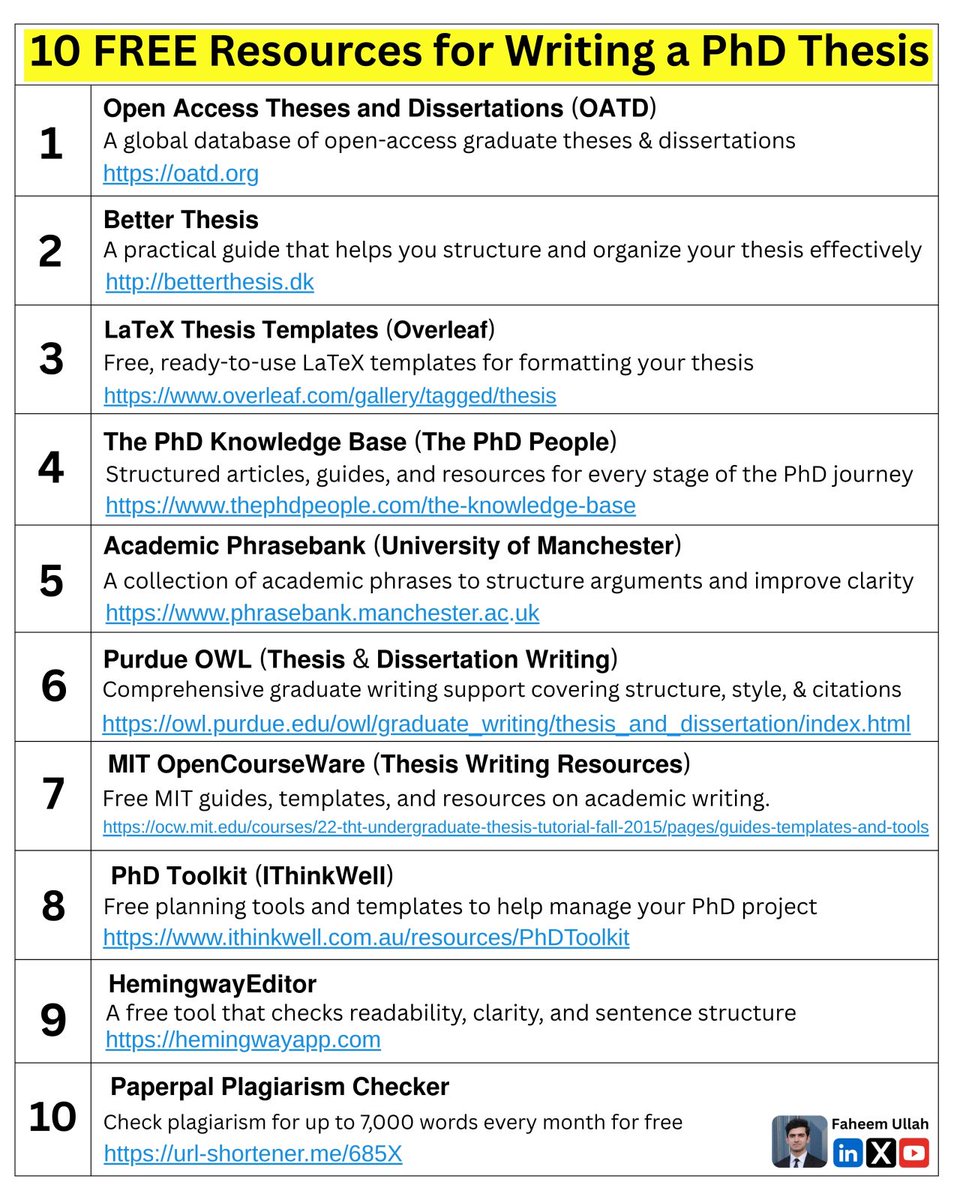
10 FREE Resources for Writing a PhD Thesis
𝟭. 𝗢𝗽𝗲𝗻 𝗔𝗰𝗰𝗲𝘀𝘀 𝗧𝗵𝗲𝘀𝗲𝘀 𝗮𝗻𝗱 𝗗𝗶𝘀𝘀𝗲𝗿𝘁𝗮𝘁𝗶𝗼𝗻𝘀 (𝗢𝗔𝗧𝗗)
↳ A global database of open-access graduate theses & dissertations
oatd.org
𝟮. 𝗕𝗲𝘁𝘁𝗲𝗿 𝗧𝗵𝗲𝘀𝗶𝘀
↳ A practical guide that helps you structure and organize your thesis effectively.
betterthesis.dk
𝟯. 𝗟𝗮𝗧𝗲𝗫 𝗧𝗵𝗲𝘀𝗶𝘀 𝗧𝗲𝗺𝗽𝗹𝗮𝘁𝗲𝘀 (𝗢𝘃𝗲𝗿𝗹𝗲𝗮𝗳)
↳ Free, ready-to-use LaTeX templates for formatting your thesis
lnkd.in/dZZiPxP6
𝟰. 𝗧𝗵𝗲 𝗣𝗵𝗗 𝗞𝗻𝗼𝘄𝗹𝗲𝗱𝗴𝗲 𝗕𝗮𝘀𝗲 (𝗧𝗵𝗲 𝗣𝗵𝗗 𝗣𝗲𝗼𝗽𝗹𝗲)
↳ Structured articles, guides, and resources for every stage of the PhD journey.
lnkd.in/dN4rtNcx
𝟱. 𝗔𝗰𝗮𝗱𝗲𝗺𝗶𝗰 𝗣𝗵𝗿𝗮𝘀𝗲𝗯𝗮𝗻𝗸 (𝗨𝗻𝗶𝘃𝗲𝗿𝘀𝗶𝘁𝘆 𝗼𝗳 𝗠𝗮𝗻𝗰𝗵𝗲𝘀𝘁𝗲𝗿)
↳ A collection of academic phrases to structure arguments and improve clarity.
lnkd.in/dd_WPYq2
𝟲. 𝗣𝘂𝗿𝗱𝘂𝗲 𝗢𝗪𝗟 (𝗧𝗵𝗲𝘀𝗶𝘀 & 𝗗𝗶𝘀𝘀𝗲𝗿𝘁𝗮𝘁𝗶𝗼𝗻 𝗪𝗿𝗶𝘁𝗶𝗻𝗴)
↳ Comprehensive graduate writing support covering structure, style, and citations.
lnkd.in/dgWH2azB
𝟳. 𝗠𝗜𝗧 𝗢𝗽𝗲𝗻𝗖𝗼𝘂𝗿𝘀𝗲𝗪𝗮𝗿𝗲 (𝗧𝗵𝗲𝘀𝗶𝘀 𝗪𝗿𝗶𝘁𝗶𝗻𝗴 𝗥𝗲𝘀𝗼𝘂𝗿𝗰𝗲𝘀)
↳ Free MIT guides, templates, and resources on academic writing.
lnkd.in/dKuqvbYs
𝟴. 𝗣𝗵𝗗 𝗧𝗼𝗼𝗹𝗸𝗶𝘁 (𝗜𝗧𝗵𝗶𝗻𝗸𝗪𝗲𝗹𝗹)
↳ Free planning tools and templates to help manage your PhD project.
lnkd.in/dapEZt9B
𝟵. 𝗛𝗲𝗺𝗶𝗻𝗴𝘄𝗮𝘆 𝗘𝗱𝗶𝘁𝗼𝗿
↳ A free tool that checks readability, clarity, and sentence structure.
hemingwayapp.com
𝟭𝟬. 𝗣𝗮𝗽𝗲𝗿𝗽𝗮𝗹 𝗣𝗹𝗮𝗴𝗶𝗮𝗿𝗶𝘀𝗺 𝗖𝗵𝗲𝗰𝗸𝗲𝗿
↳ Check up to 7,000 words every month for free against research papers & web sources.
bit.ly/3ZriVHI
72
214
8,589

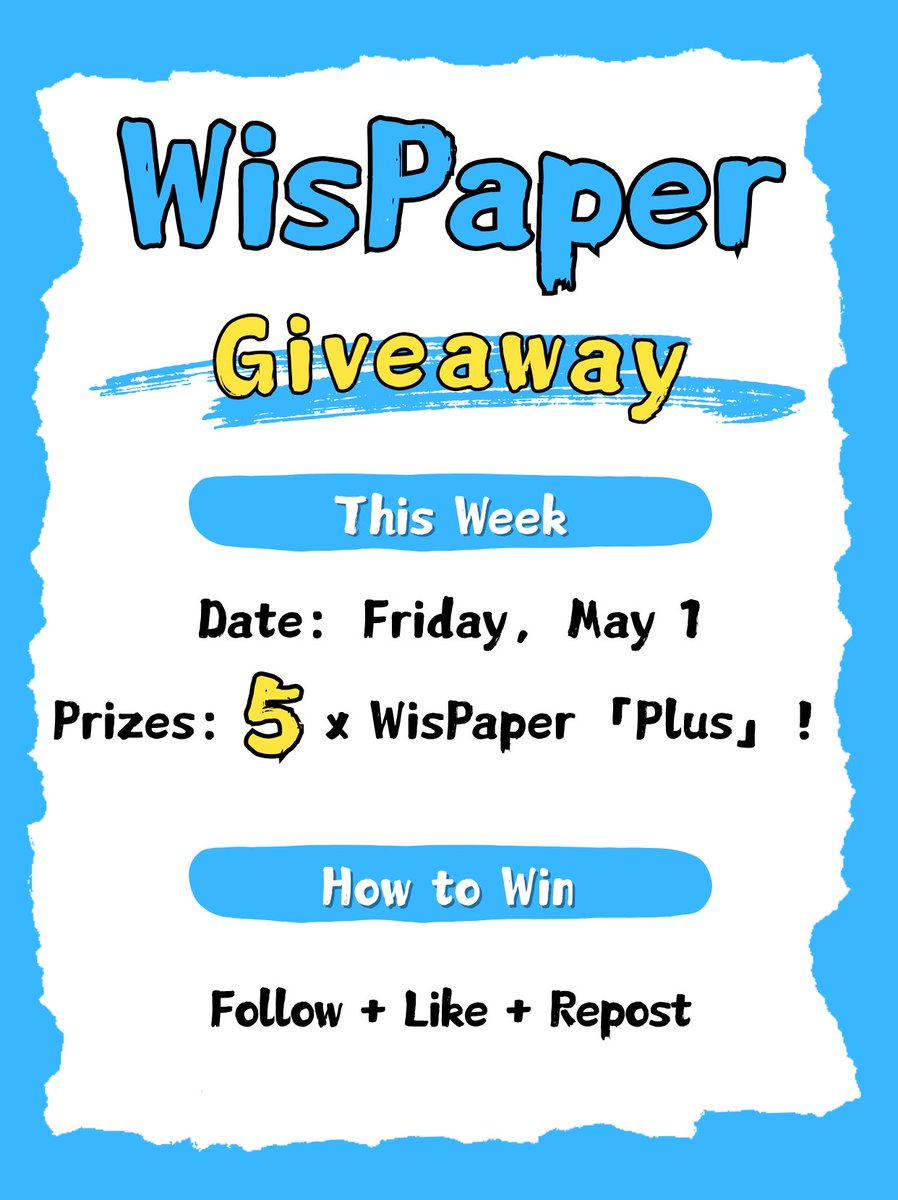
New WisPaper Giveaway on X! 🎉
We deeply appreciate all the continuous love and support we have received. To show our gratitude, we’re giving away 5 WisPaper Plus subscriptions to 5 lucky winners. 🎁
How to enter 👇👇👇
Follow Like Repost
Your encouragement and feedback continue to inspire us, and we’re excited to give back to every loyal user.
Winners will be announced on May 1st. Good luck! 🍀
#WisPaper #AcademicAI #ResearchTools #Giveaway #ScholarLife
1
1
1
73
Kader ⴽⴷⴻⵔ 🇩🇿 retweeted

May 1
Subí 10 papers a NotebookLM.
Me devolvió el análisis que me habría costado una semana.
Le pedí esto:
El prompt exacto:
"Actúa como mi asistente de investigación. Para cada paper, identifica: la pregunta de investigación, el marco teórico, las fortalezas y debilidades metodológicas, la contribución al campo y las limitaciones. Después, compáralos entre sí mostrando contradicciones, lagunas metodológicas y teóricas. Dame una tabla de evaluación crítica y una síntesis escrita."
Resultado: un análisis que normalmente toma días, listo en minutos.
Pero hay un segundo prompt que pocos conocen.
Este organiza toda la literatura por temas y cronología:
"Actúa como mi asistente de mapeo bibliográfico. Extrae de cada paper: año, problema central, teoría usada, métodos y hallazgos. Crea una línea de tiempo mostrando cómo ha evolucionado la investigación. Luego agrupa los papers por temas y escribe una síntesis narrativa que explique qué tendencias emergen y qué huecos quedan por investigar."
Dos prompts.
Una herramienta gratuita.
El trabajo de una semana convertido en una tarde.
La clave: sube papers de calidad. Si la fuente es mala, el análisis también lo será.
¿Usas NotebookLM en tu flujo de trabajo? ¿O tienes otra herramienta para investigación académica?

19
394
2,188
110,844
Kader ⴽⴷⴻⵔ 🇩🇿 retweeted

May 1
Stop summarising papers as your lit review strategy.
Summaries tell you what exists, not what's missing.
Find the research gap with this strategy instead:
👇
6
90
449
28,987
Kader ⴽⴷⴻⵔ 🇩🇿 retweeted

This is very cool. Zotero now offers a Read Aloud feature.
Click on the "Headphone" button and it will start reading papers aloud for you.
You can select difference voices.
And if you press H or U on your keyboard, it will highlight or underline the last sentence you heard.
1
15
121
8,554
Kader ⴽⴷⴻⵔ 🇩🇿 retweeted

Apr 29
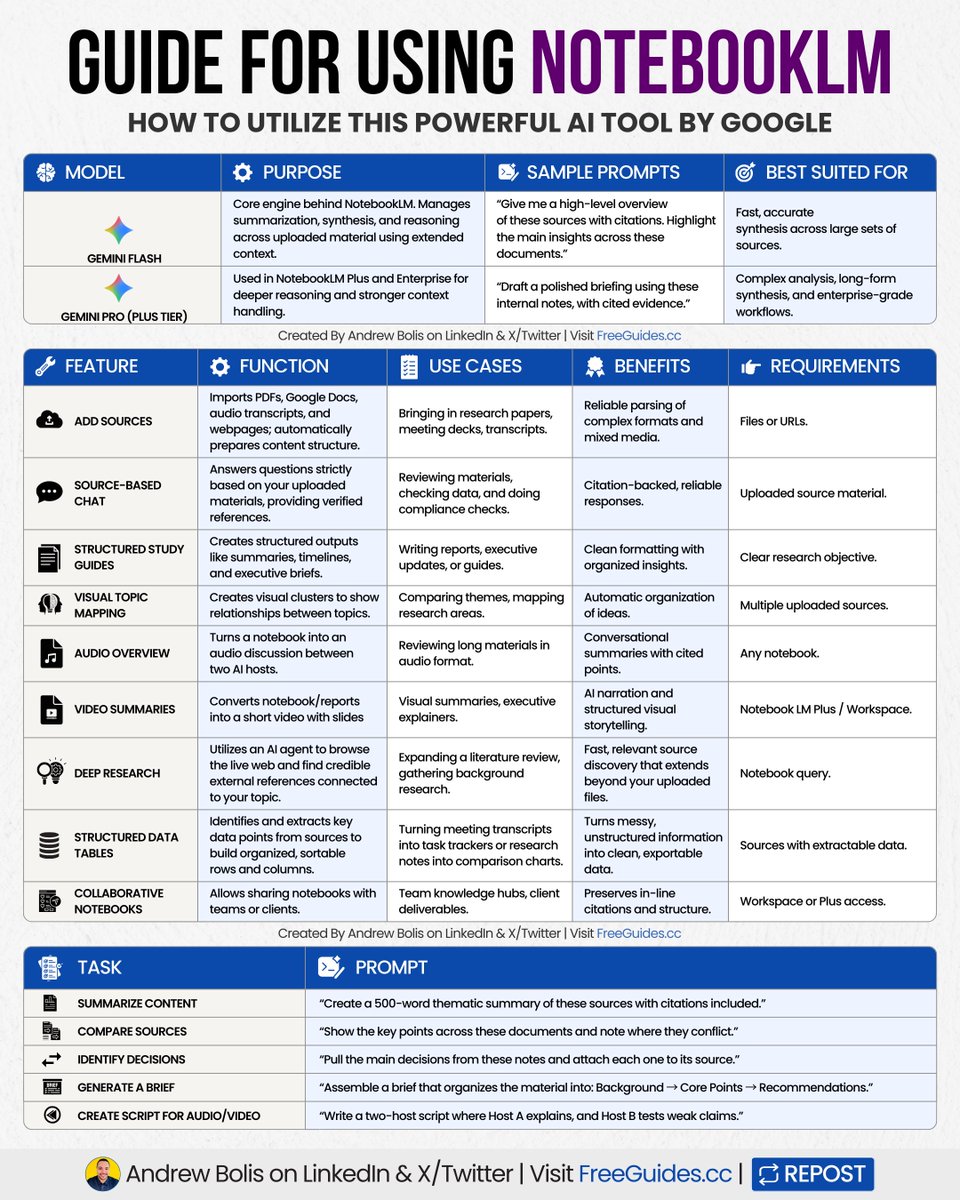
Most people upload a file and hope AI “figures it out.”
It won’t … unless you build a system around it.
NotebookLM uses Gemini’s large context window.
It turns scattered files into a connected, cited research brain.
Here’s the workflow power users follow:
[ 🔖 bookmark this post for later ]
✨ Gemini Flash
• Core engine powering NotebookLM.
• Fast, accurate synthesis across large sets of sources.
Sample prompt:
“Highlight the main key insights across these docs.”
✨ Gemini Pro (Plus Tier)
• Used for deeper reasoning and context handling.
• Best for complex briefs and enterprise workflows.
Sample prompt:
“Draft a polished briefing using these internal docs, with cited evidence.”
1️⃣ Add Sources
• Import PDFs, Docs, transcripts, and webpages.
• Structure, tables, and images stay intact.
2️⃣ Source-Based Chat
• Respond only using your uploaded content.
• Ideal for reviews, validation, and checks.
3️⃣ Structured Study Guides
• Generates summaries, timelines, and briefs.
• Helpful for organizing large material sets.
4️⃣ Visual Topic Mapping
• Creates visuals to show relationships between topics.
• Useful for comparing topics or themes.
5️⃣ Audio Overview
• Converts notebooks into spoken recaps.
• Great for reviewing long content on the go.
6️⃣ Video Summaries
• Creates short narrated videos with slides.
• Perfect for updates or training.
7️⃣ Deep Research
• Find credible references for your topic.
• Expands research with relevant material.
8️⃣ Structured Data Tables
• Extracts key data points into organized, sortable rows.
• Turns messy, unstructured info into clean, exportable data.
9️⃣ Collaborative Notebooks
• Share notebooks with teams or clients.
• Structure and citations stay intact.
Copy-Paste These Power Prompts:
► Summarize Content
“Create a 500-word thematic summary with citations.”
► Compare Sources
“Show key points across these documents and note conflicts.”
► Identify Decisions
“List main decisions and attach each one to its source.”
► Generate a Brief
“Assemble a brief that organizes the material into: Background → Core Points → Recommendations.”
► Create Script for Audio/Video
“Write a two-host script and test weak claims.”
Workflows You Can Build:
Research Review:
➟ Add papers into a notebook
➟ Produce a briefing from all sources
➟ Use chat for targeted questions
➟ Create audio for on-the-go review
Shared Knowledge Base:
➟ Add all project documents
➟ Build an onboarding study guide
➟ Share the notebook with your team
➟ Auto-update when new files are added
Content Analysis & Creation:
➟ Add competitor material
➟ Generate a comparison summary
➟ Build a mind map of themes
➟ Export slides for presentations
Build the system once and turn raw files into insights fast.
Save this guide and test it on your next deep-work task.
📌 Learn 30 free AI tools in 30 days: bit.ly/48woPL4
👉 Follow me @AndrewBolis for more and 🔄 Repost this to help others use AI
28
41
169
14,816
Kader ⴽⴷⴻⵔ 🇩🇿 retweeted

Apr 24
ガチで有益です。
NotebookLMの中に
「10人の専門家が集まる円卓会議」を
作る方法を紹介します。
営業、マーケ、エンジニア、コンサル…
10職種の思考法をストックして
課題を投げるだけで、
全員が同時にアドバイスをくれる。
「最強の円卓会議」の作り方を
リプ欄で解説します👇
24
135
1,475
417,861
Kader ⴽⴷⴻⵔ 🇩🇿 retweeted

Apr 24
Mo sources mo problems? Not anymore:
Rolling out now, NotebookLM can auto-label & categorize sources (when you have 5 ), so you can spend less time scrolling and more time thinking/learning/philosophizing, etc.
Rename, reorganize, & personalize (emojis!) to your ❤️'s content.
149
389
3,548
490,960
Kader ⴽⴷⴻⵔ 🇩🇿 retweeted

Quizzes & Flashcards in @NotebookLM got a big upgrade based on YOUR feedback.
Now you (and your students) can:
✅ Save your progress & pick up where you left off
✅ Shuffle or delete cards
✅ Track what you’ve mastered vs what needs review
Give it a try: notebooklm.google.com
11
53
230
63,265
Kader ⴽⴷⴻⵔ 🇩🇿 retweeted
Apr 24
Want to generate novel research ideas from your notes?
Obsidian Bases are a solution. Here is how:
effortlessacademic.com/disco…
1
3
53
4,659
Kader ⴽⴷⴻⵔ 🇩🇿 retweeted

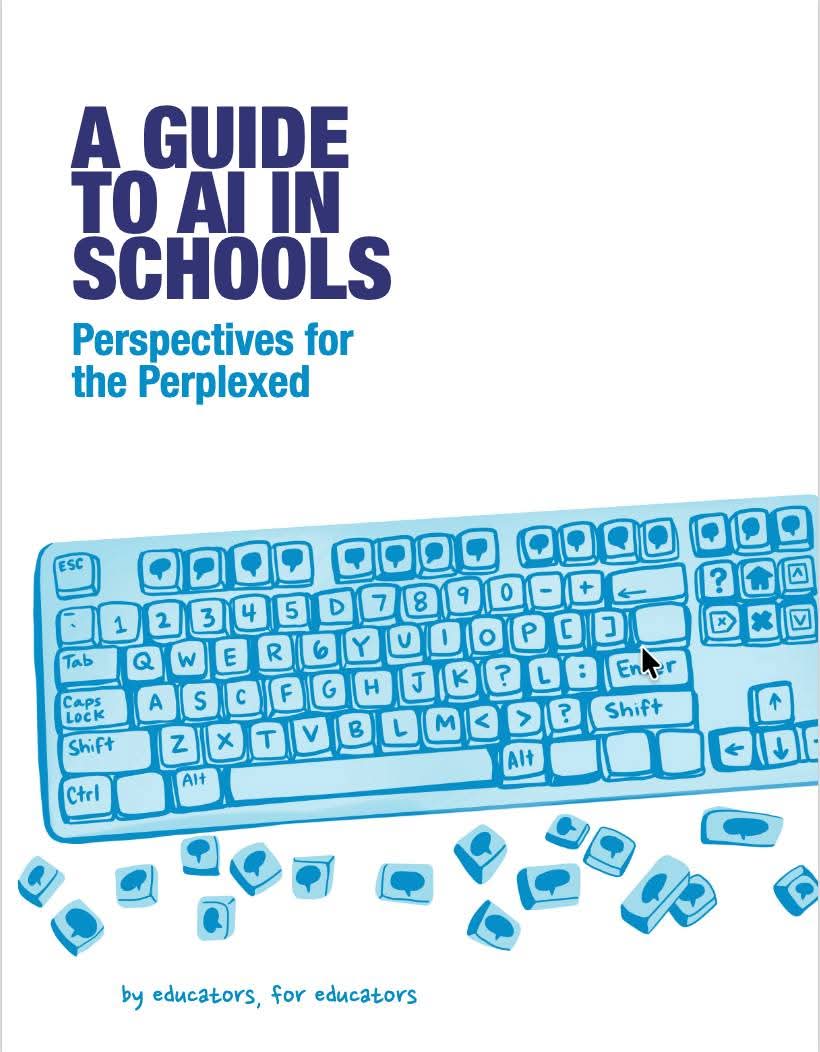
An important guide to help you better integrate AI in your teaching!
👉tsl.mit.edu/wp-content/uploa…
15
42
2,241
Kader ⴽⴷⴻⵔ 🇩🇿 retweeted

Apr 21
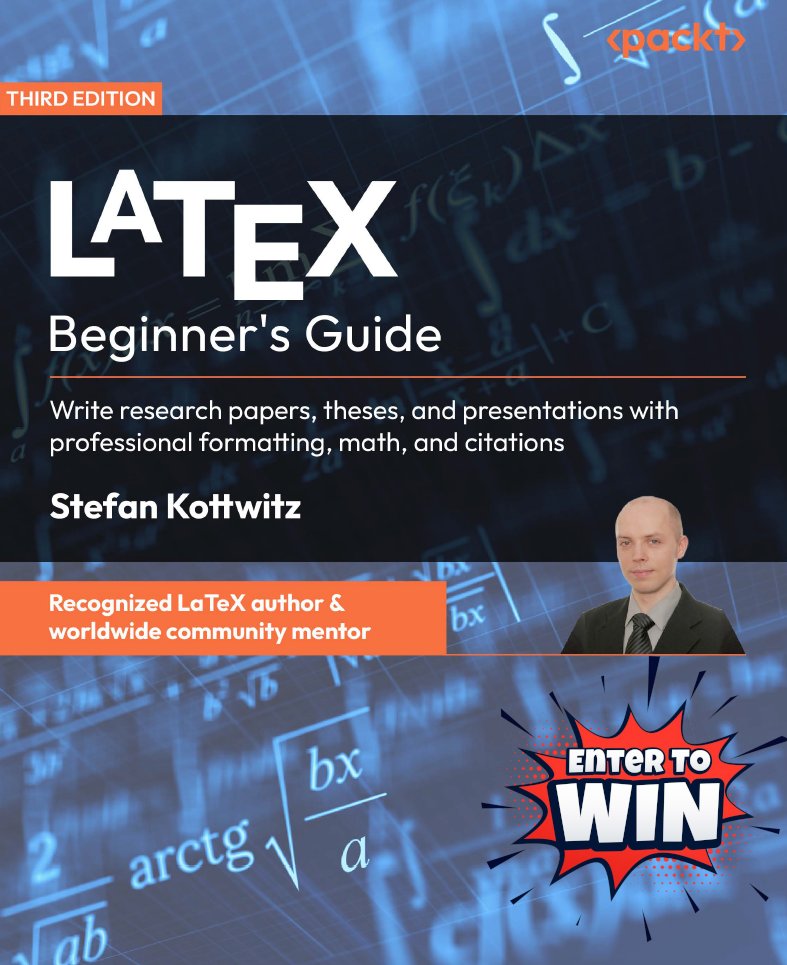
Giveaway! Win the LaTeX Beginner’s Guide (2026 edition)
• Follow
• Repost
• Reply with one short comment:
– Why LaTeX?
– What’s great?
– What’s frustrating?
– Favorite package?
– TikZ or drawing tool?
– ...
1 print copy (US/UK/Canada). 48h.
Many replies? I’ll add 2 eBooks!
13
23
112
8,219
Kader ⴽⴷⴻⵔ 🇩🇿 retweeted
Apr 21
If your Zotero isn't linked to Obsidian, your best insights get forgotten.
Here's how to connect them & retain ideas for decades:
effortlessacademic.com/conne…
1
24
196
12,745
Kader ⴽⴷⴻⵔ 🇩🇿 retweeted

Apr 17
I cancelled my Grammarly subscription.
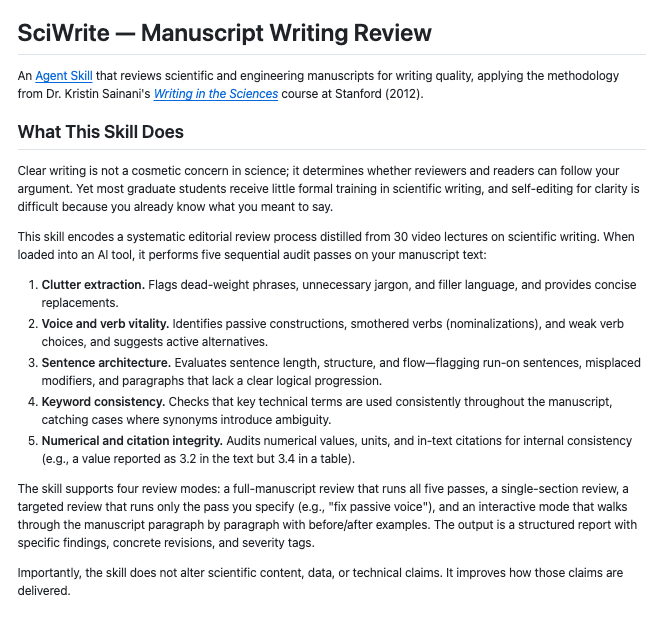
SciWrite does something Grammarly literally cannot.
It doesn't just catch grammar. it audits the architecture of your writing the way a senior editor would.
5 passes:
→ Clutter: flags dead-weight phrases, gives cleaner replacements
→ Voice: kills passive constructions and nominalizations
→ Structure: reviews sentence length, flow, paragraph logic
→ Consistency: catches keyword drift across your whole manuscript
→ Integrity: cross-references numbers and citations between text and tables
works in Claude.ai, Claude Code, ChatGPT, Cowork.
one skill file. paste once. use everywhere.
github.com/labarba/sciwrite
8
64
332
25,750