
26 Oct 2021

Let's kick off Tech Tuesday with another #APSQuickTip. Make a COPY of those VIEW ONLY documents. @GoogleForEdu No need to request access.
@EdTechAPS @APSLZone1 @APSLZ4 @APSLZ3
@apsITguy @TechnicallyTina @GustafsonKarn
@SethHoover30
youtube.com/watch?v=cvmJQXl0…
2

12 Oct 2021
#APSTechTuesday we have another #EdTechQuickTips on Google Vs Chrome Accounts. #APSEdTech
@GoogleForEdu
youtu.be/p_ecAVHKatc
2
6
#APSTechTuesday we have another #EdTechQuickTips on Google Vs Chrome Accounts. #APSEdTech please share @GoogleForEdu peeps! @EdTechAPS @DitchThatTxtbk @JakeMillerTech @ericcurts @ShakeUpLearning @eduprotocols @mrshowell24 @apsitjen @teacher2teacher youtu.be/p_ecAVHKatc
8
20
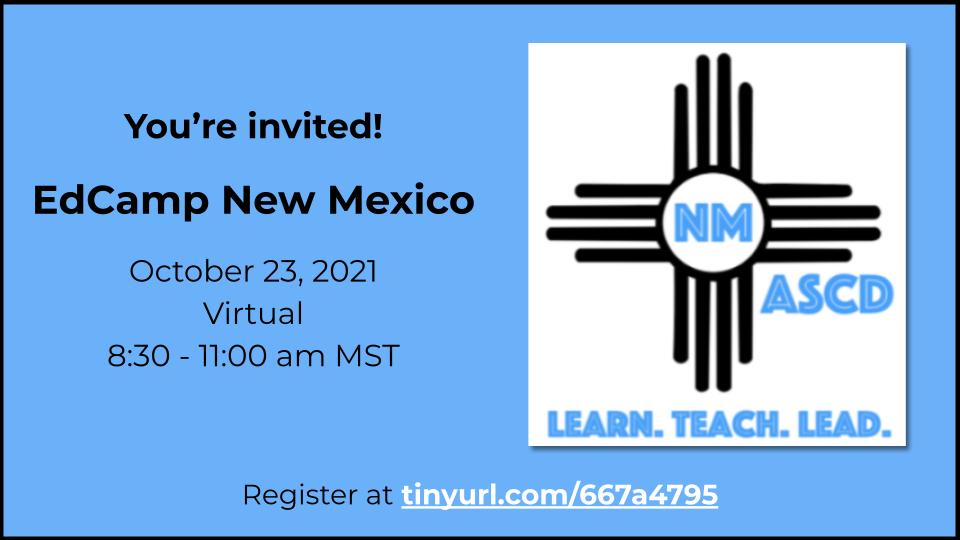
@janeamenicucci and @aqlobo I can't wait to see what fun stuff I can learn at @EdCamp_NM ...I miss learning from colleagues and they do a great job. Consider registering! @EdTechAPS #505innovators #APSTechTuesday

👀Pssst... have you registered yet?!? We'll be virtual on Saturday and in person Sunday for ☕ and collaboration. Oh, and did we say give-aways?!? 💥 @EdCamp_NM #NMASCD
tinyurl.com/667a4795
2
4
16 Mar 2021
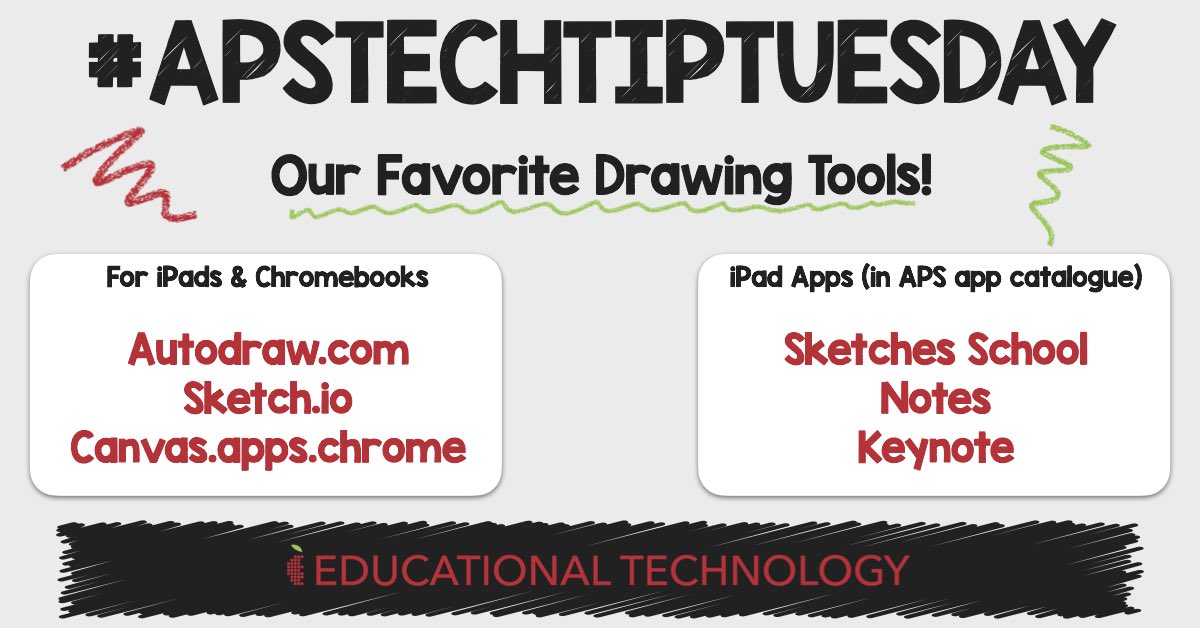
✍️It’s #APSTechTipTuesday! Give your students the option to draw using their Chromebook or iPad with these web-based (and iPad apps) tools! Drawing can really increase creative expression and communication! Give these tools a try! #APSTechTuesday @ABQschools
6
15
9 Mar 2021
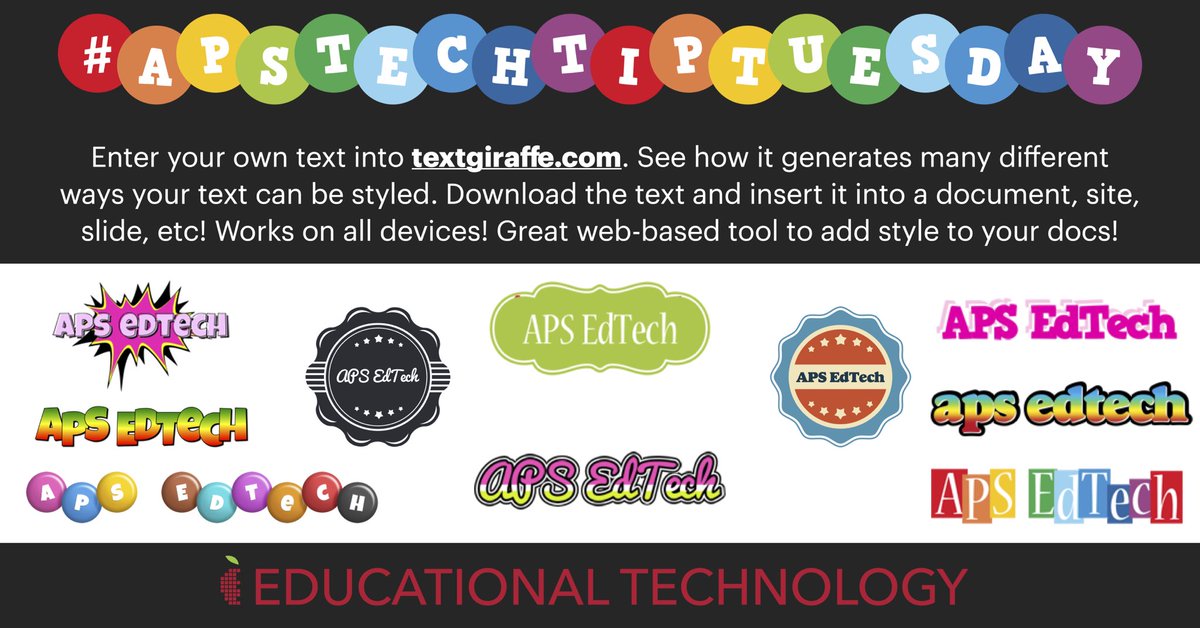
🌟Today’s #APSTechTipTuesday is all about styling your text with our favorite text generator, textgiraffe.com! @ABQschools #APSTechTuesday
2
12
2 Feb 2021
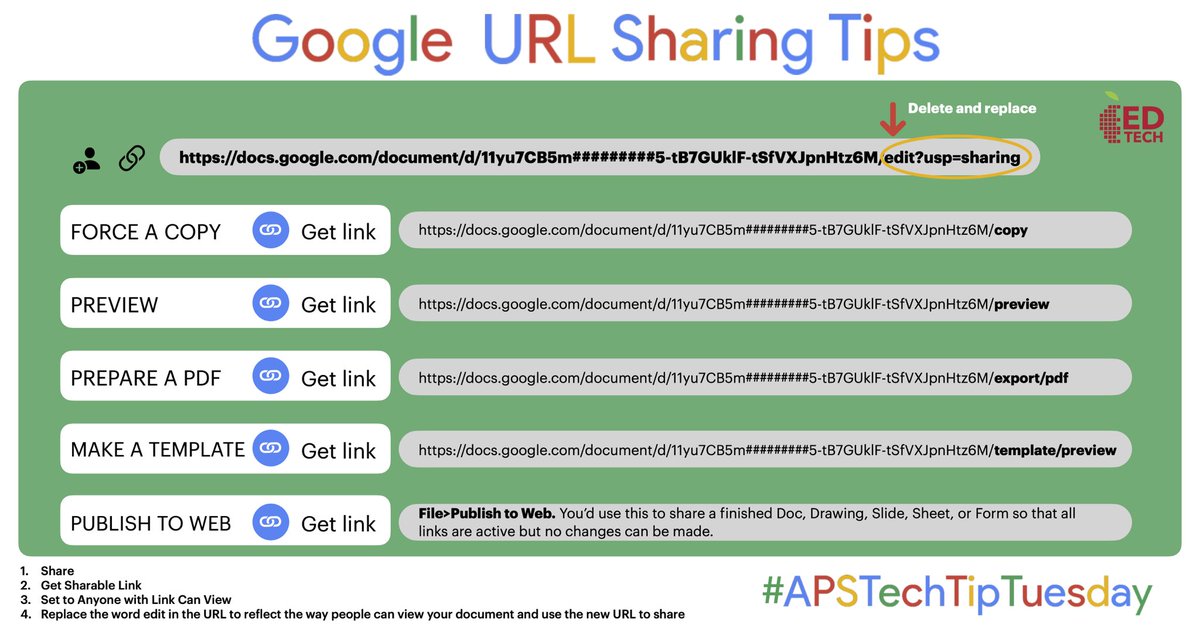
Changing the end URL in Google files changes the way people can interact with them! Here’s some tricks for #APSTechTipTuesday! #APSEdTech @ABQschools #APSTechTuesday
Download PDF: rb.gy/1tklbw
9
19
12 Jan 2021
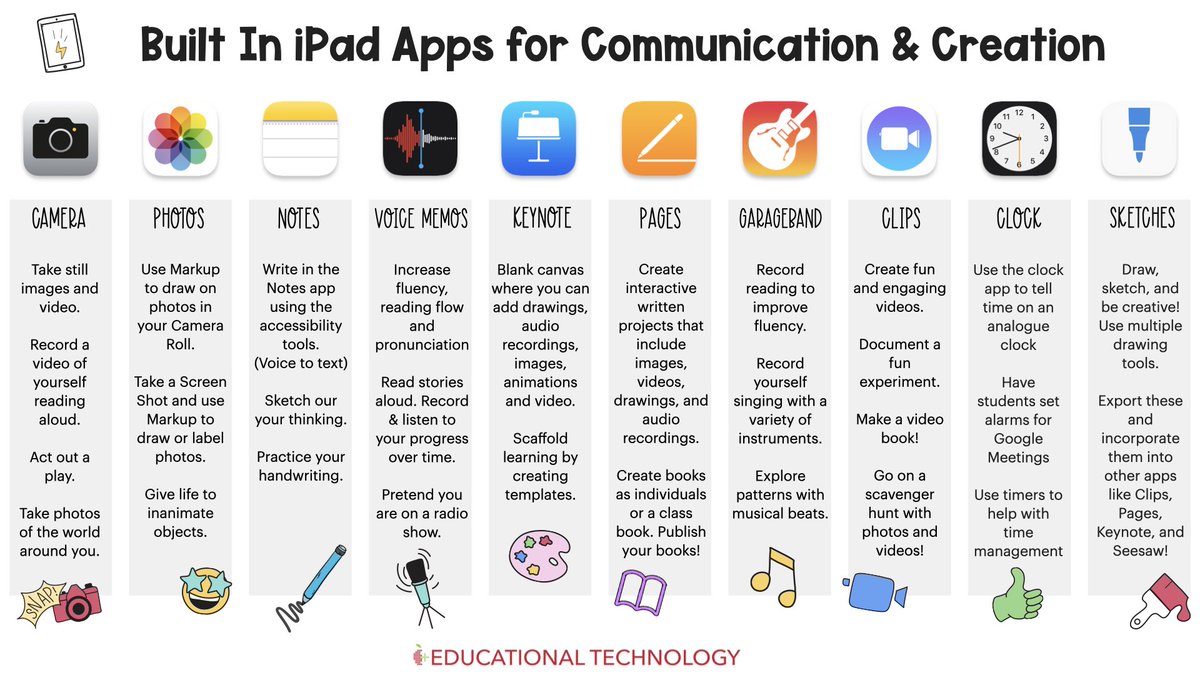
🗣 PreK-2!! Explore these awesome built-in apps on your iPad to increase creativity and communication! #APSTechTuesday #APSTechTipTuesday @ABQschools @AppleEDU
7
17
5 Jan 2021
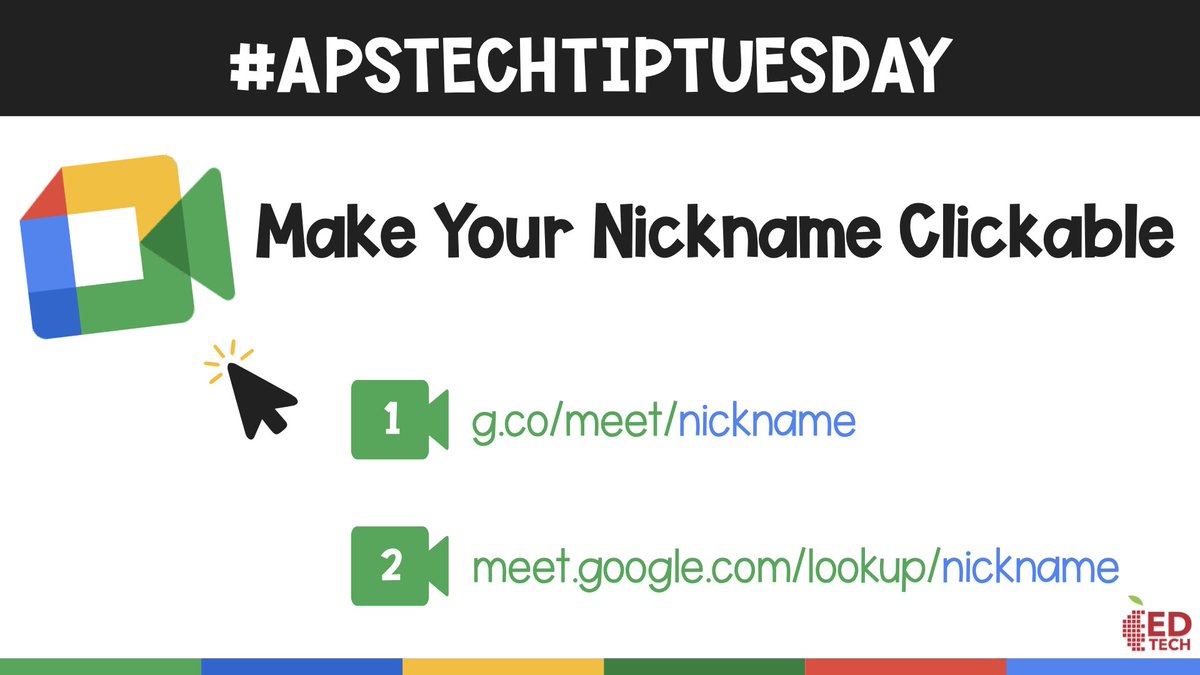
Welcome back, APS!! 🔗 Here’s a tip for #APSTechTipTuesday! Create a clickable URL for your Google Meet when using a nickname. Students click on the link rather than typing in the nickname! #APSTechTuesday @ABQschools
3
9
17 Nov 2020
Happy #APSTechTipTuesday! Did you know you can type in a short URL to create a new Google file? Check it out! #APSTechTuesday #APSEdTech #505Innovators @ABQschools
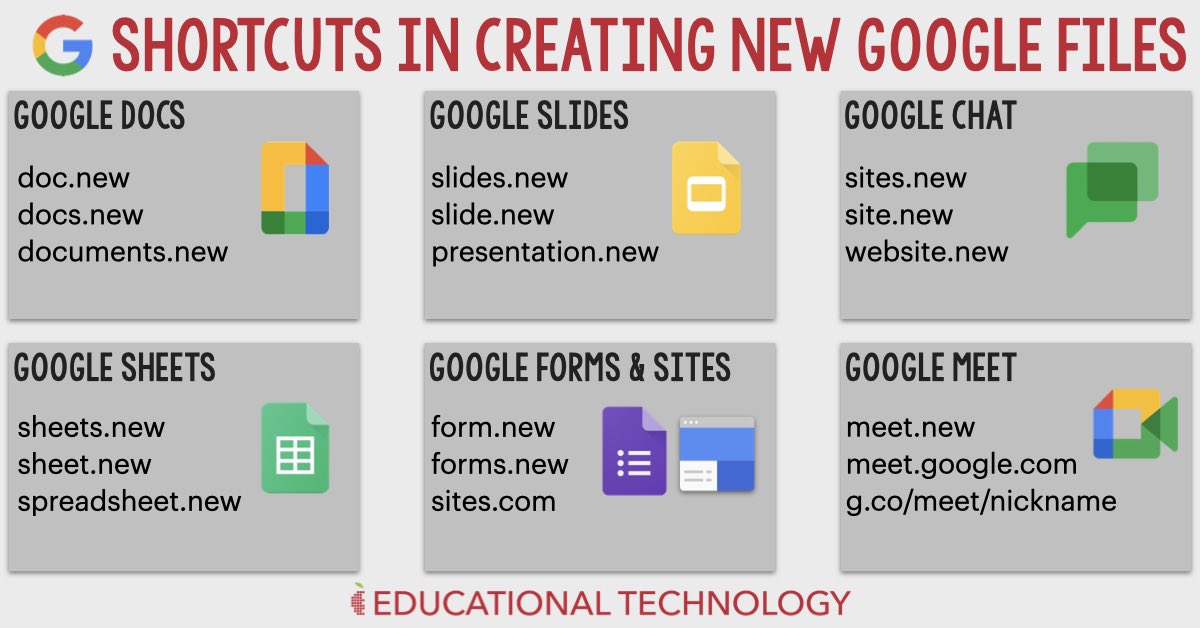
1
3
7
27 Oct 2020
If you accidentally close a tab in your web browser, try using this keyboard shortcut to reopen the tab! #APSTechTipTuesday #APSTechTuesday @ABQschools
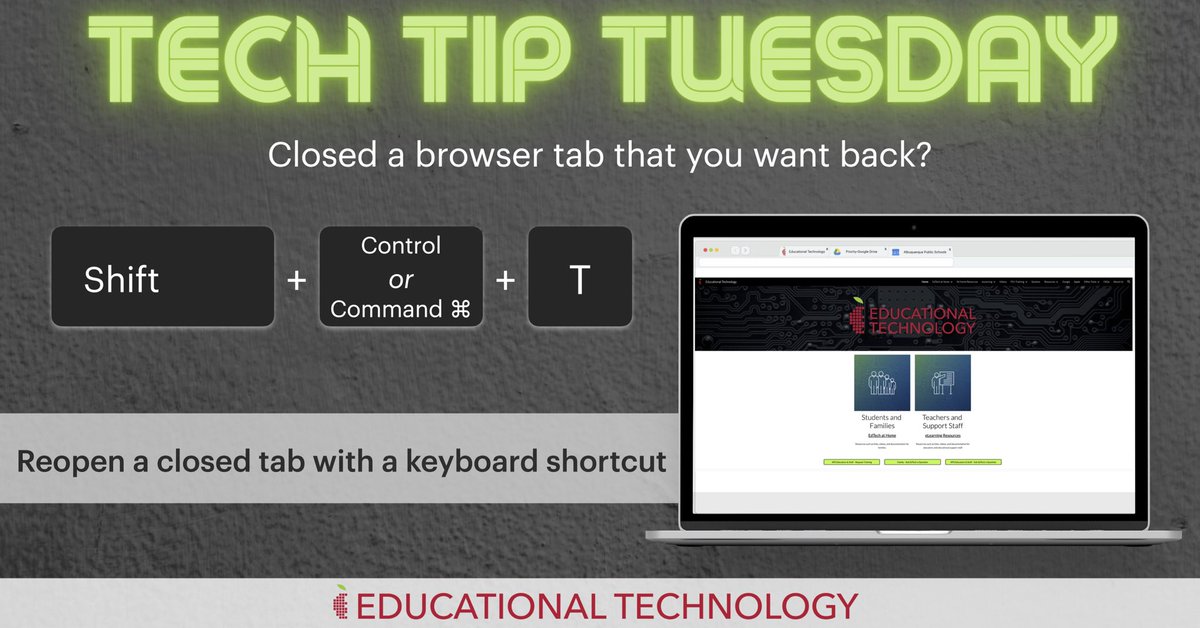
1
20 Oct 2020
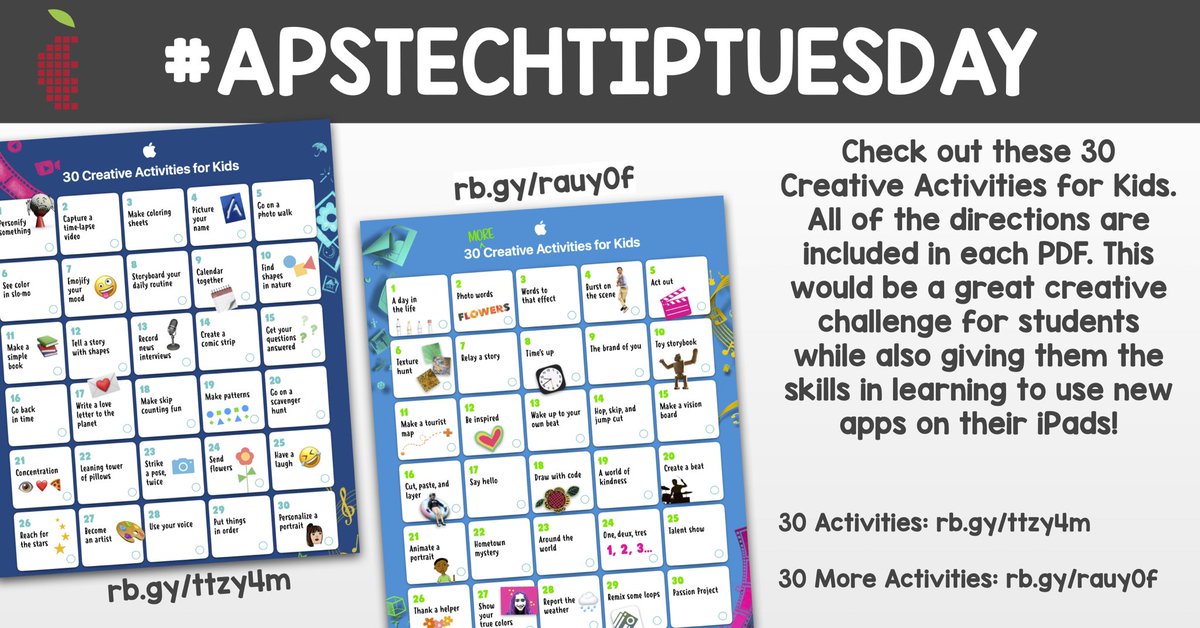
#APSTechTipTuesday check out these awesome creative activities for students. All directions are included in these PDF guides. #APSTechTuesday @ABQschools
30 Creative Activities: rb.gy/ttzy4m
30 More: rb.gy/rauy0f
5
13 Oct 2020
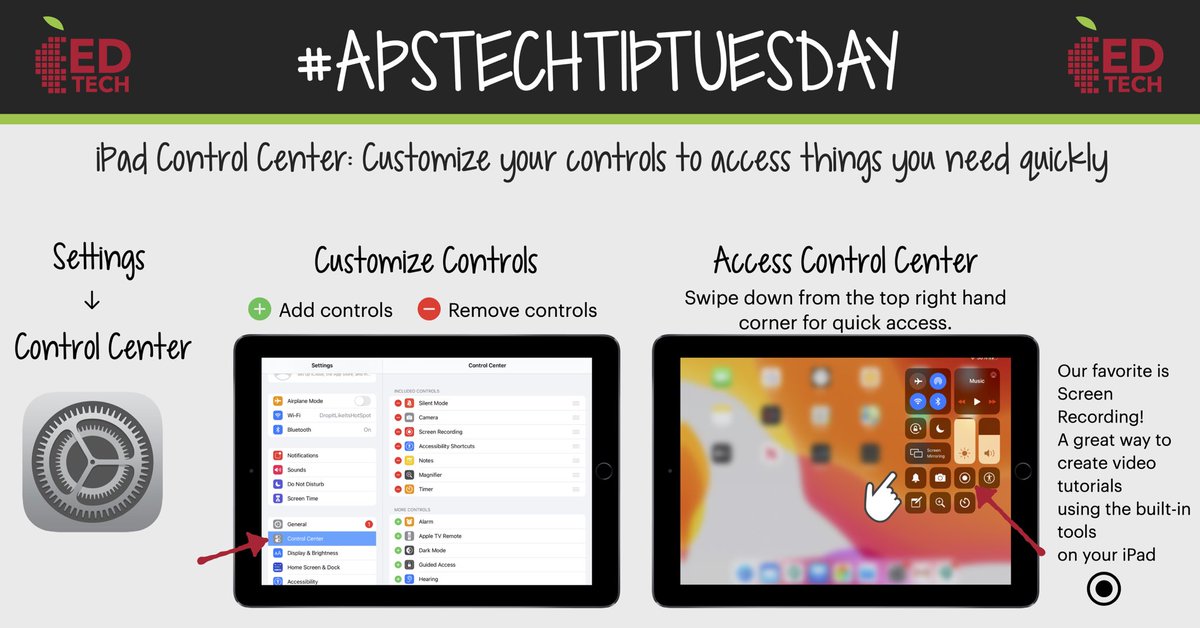
📱 #APSTechTipTuesday is all about customizing the Control Center. Our favorite in the Control Center is Screen Recording. A simple and effective way to create a lesson or tutorial that’s built into your iPad, no additional app required. #APSTechTuesday @ABQschools
3
13 Oct 2020
🌟🌟 An amazing curation of Jamboard templates! Check it out!! wke.lt/w/s/D4Dqct #APSTechTuesday @ABQschools
2
10
6 Oct 2020
🌟 Did you know you can reorder your app icons in the Google Apps Launcher? @ABQschools #TechTipTuesday #APSTechTuesday
5
11
29 Sep 2020
💥 Here’s a #TechTipTuesday to create an interactive or annotable worksheet in Google Slides! @ABQschools #APSTechTuesday
1
4
7
22 Sep 2020
Here’s a fun tip to increase student engagement in live learning sessions! classroomscreen.com is a free, web based platform thats brings teacher tools together in one place! Give it a try! If you’ve been using it, share your ideas with us! #APSTechTuesday #APSTechTipTuesday
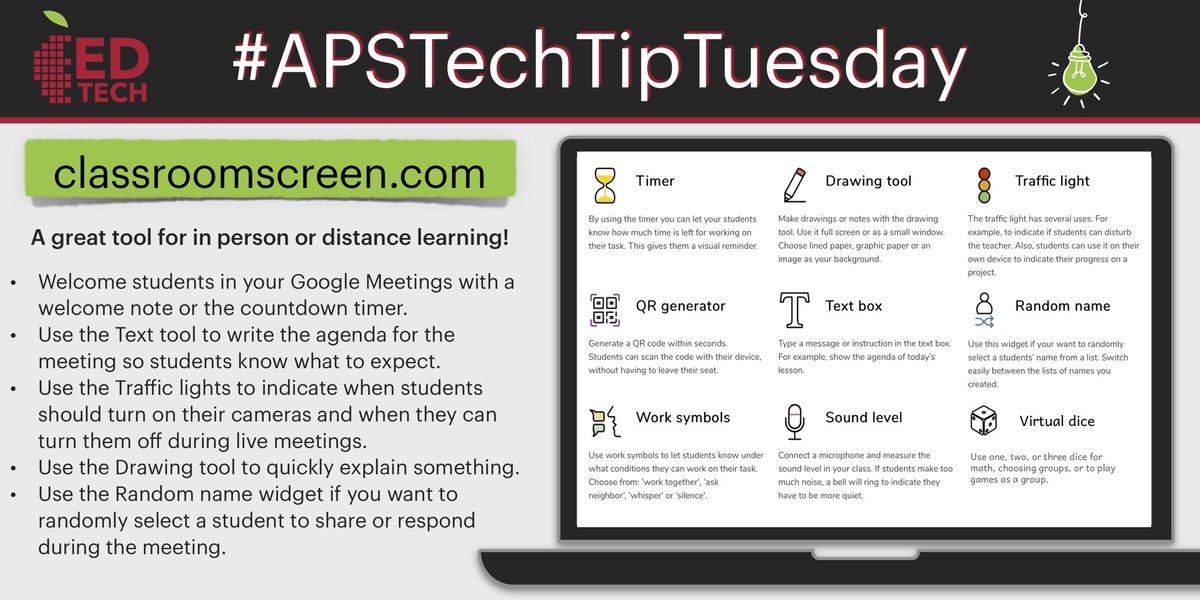
ALT A great tool for in person or distance learning! * Welcome students in your Google Meetings with a welcome note or the countdown timer. * Use the Text tool to write the agenda for the meeting so students know what to expect. * Use the Traffic lights to indicate when students should turn on their cameras and when they can turn them off during live meetings. * Use the Drawing tool to quickly explain something. * Use the Random name widget if you want to randomly select a student to share or respond during the meeting.
1
5
12
11 May 2020
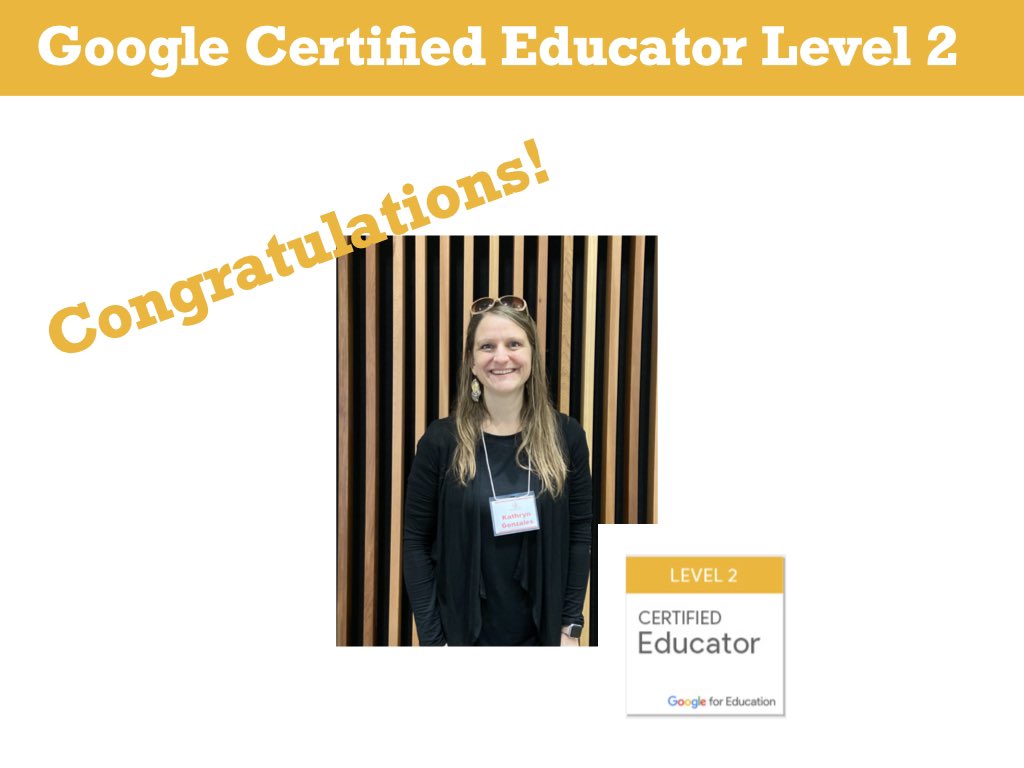
Shoutout and Congratulations to Kathryn Gonzales on being a Google Certified Educator Level 2 @MsKCtech @GoogleForEdu @APSalvarado @ABQschools #APSTechTuesday #APSEdTech #APSDigitalInnovator
1
15
11 May 2020
Shoutout and Congratulations to Danielle Smiles on being a Google Certified Educator Level 1 & 2 @SmilesTeacher11 @GoogleForEdu @tres_school @ABQschools #APSTechTuesday #APSEdTech
1
1
17

31 Mar 2020
✨Curated all in one place from all of the EDU partners...AMAZING!
wideopenschool.org @CommonSense #bettertogether #APSTechTuesday @ABQschools
3
8