
Most developers overlook this powerful SwiftUI feature. Learn how @Entry can simplify your app architecture and improve your workflow.
🚀 Mentoring:
rebeloper.com
#SwiftUI #iOSDevelopment #SwiftProgramming #AppleDeveloper #CodeTips
72

Jun 12
📅 SwiftUI-Lernreihe #46 – Sternzeichen-Finder
In diesem Beispiel verwenden wir ein Textfeld, einen Button und eine Switch-Anweisung, um anhand der Benutzereingabe das Sternzeichen zu bestimmen.
Ein einfaches Projekt zum Üben von Benutzerinteraktion und Zustandsverwaltung in SwiftUI.
//
// ZodiacSignFinderView.swift
// PlayCode
//
// Created by Tufan Cakir on 12.06.26.
//
import SwiftUI
struct ZodiacSignFinderView: View {
@State private var month = ""
@State private var result = ""
var body: some View {
VStack(spacing: 20) {
TextField(
"Monat eingeben",
text: $month
)
.textFieldStyle(.roundedBorder)
Button("Bestimmen") {
switch month.lowercased() {
case "januar":
result = "Steinbock"
case "februar":
result = "Wassermann"
case "märz":
result = "Fische"
default:
result = "Nicht hinterlegt"
}
}
Text(result)
.font(.title)
}
.padding()
}
}
#Preview {
ZodiacSignFinderView()
}
Welche SwiftUI-Themen würdet ihr gerne als Nächstes sehen?
#TufanCakir #Swift #SwiftUI #iOS #iOSDevelopment #Code #Programming #Xcode #LearnToCode #AppleDeveloper
10
Jun 12
🎂 SwiftUI Learning Series #44 – Birthday Countdown
In diesem Beispiel berechnen wir die verbleibenden Tage bis zu einem Geburtstag mit Calendar und DateComponents.
Perfekt für Countdown-Apps, Event-Tracker oder persönliche Erinnerungen.
//
// BirthdayCountdownView.swift
// PlayCode
//
// Created by Tufan Cakir on 12.06.26.
//
import SwiftUI
struct BirthdayCountdownView: View {
// Beispiel-Geburtstag
let birthday = Calendar.current.date(
from: DateComponents(
year: 2027,
month: 3,
day: 15
)
)!
var daysLeft: Int {
// Berechnet die Differenz zwischen heute und Geburtstag
Calendar.current.dateComponents(
[.day],
from: Date(),
to: birthday
).day ?? 0
}
var body: some View {
VStack(spacing: 20) {
Text("🎂")
.font(.system(size: 100))
Text("Noch \(daysLeft) Tage")
.font(.largeTitle)
}
}
}
#Preview {
BirthdayCountdownView()
}
Welche SwiftUI-Themen würdet ihr gerne als Nächstes sehen?
#TufanCakir #Swift #SwiftUI #iOS #iOSDevelopment #Code #Programming #Xcode #LearnToCode #AppleDeveloper
8

Jun 12
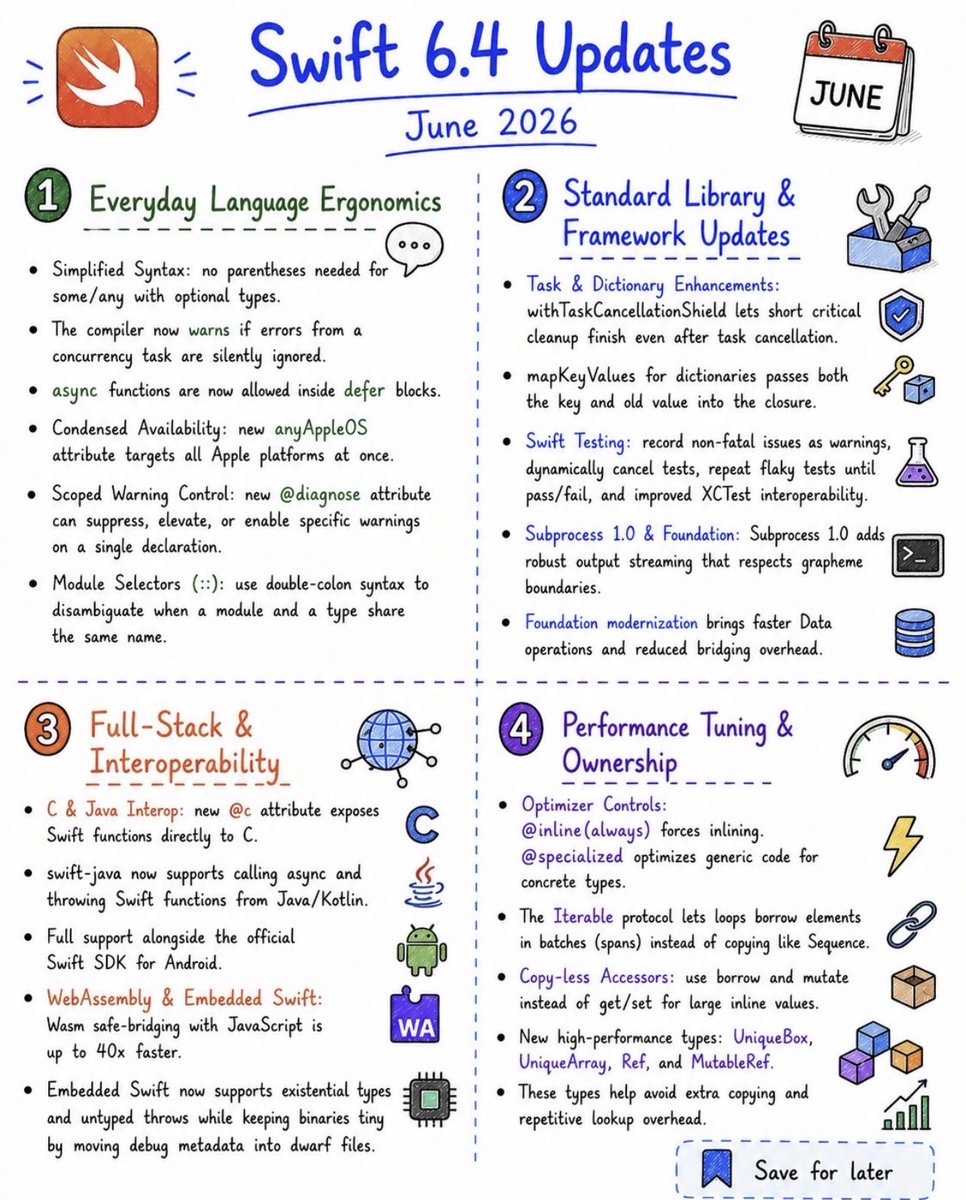
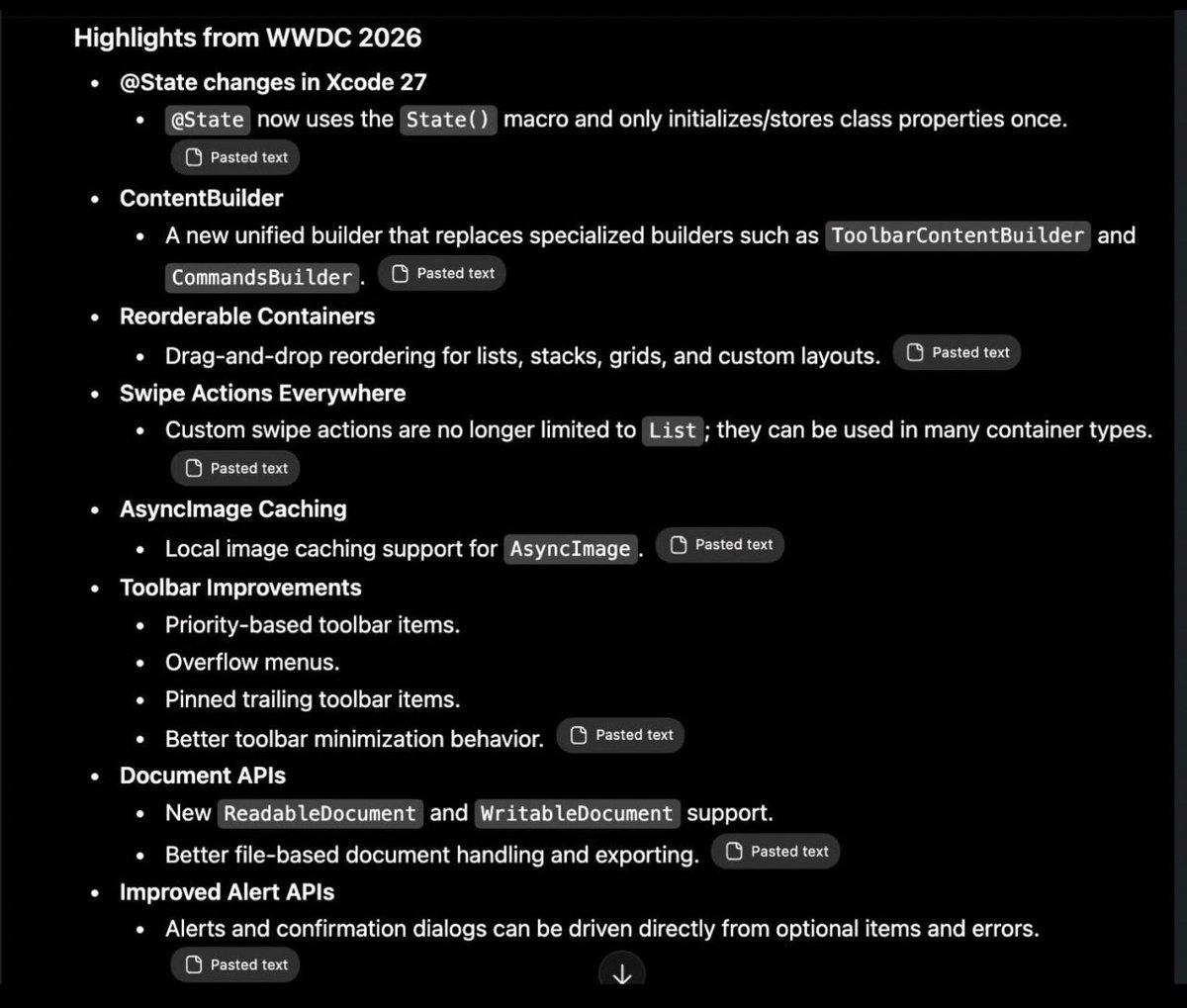
WWDC 2026 – Swift Highlights
Every new Swift update from WWDC26, introduced with Swift 6.4, in one place.
Really loving the simplified syntax changes and the performance tuning improvements this year.
Excited to explore these updates and see how they shape the next generation of Apple platform development.
Highlights —
• Async defer now supports await, making cleanup in async code much cleaner.
• New iteration APIs improve performance and flexibility when working with collections.
• Enhanced concurrency with stronger safety checks and optimizations.
• New Foundation Models framework enables on-device AI experiences in apps.
• SwiftUI gains improvements across navigation, state management, and performance.
Save it for later, and share it with your developer friends.
#WWDC26 #Swift #iOSDev #SwiftUI #AppleDeveloper
25
Most SwiftUI developers aren’t using @Entry to its full potential. Here’s a quick look at one of SwiftUI’s most underrated features.
🚀 Mentoring & Courses:
rebeloper.com
#SwiftUI #iOSDevelopment #AppleDeveloper #SwiftTips #MobileDev
1
1
58

Jun 11
🎬 SwiftUI Learning Series #43 – Favorite Movies
Heute zeige ich, wie man mit SwiftUI eine einfache Liste für Lieblingsfilme erstellt.
📚 Was man dabei lernt:
✅ @State verwenden
✅ Listen mit List erstellen
✅ Elemente mit ForEach anzeigen
✅ Daten über TextField hinzufügen
✅ Einträge per Swipe löschen
✅ NavigationStack nutzen
//
// FavoriteMoviesView.swift
// PlayCode
//
// Created by Tufan Cakir on 11.06.26.
//
import SwiftUI
struct FavoriteMoviesView: View {
@State private var movies: [String] = []
@State private var newMovie = ""
var body: some View {
NavigationStack {
VStack {
HStack {
TextField("Filmname", text: $newMovie)
.textFieldStyle(.roundedBorder)
Button("Add") {
// Nur hinzufügen, wenn Text vorhanden ist
if !newMovie.isEmpty {
movies.append(newMovie)
newMovie = ""
}
}
}
.padding()
List {
ForEach(movies, id: \.self) { movie in
Text(movie)
}
.onDelete { indexSet in
// Filme per Swipe löschen
movies.remove(atOffsets: indexSet)
}
}
}
.navigationTitle("Filme")
}
}
}
#Preview {
FavoriteMoviesView()
}
Welche SwiftUI-Themen würdet ihr gerne als Nächstes sehen?
#TufanCakir #Swift #SwiftUI #iOS #iOSDevelopment #Code #Programming #Xcode #LearnToCode #AppleDeveloper
11
Jun 11
💰 SwiftUI Learning Series #42 – Wages Calculator
In diesem Beispiel lernen wir:
• @State für Benutzereingaben
• Arbeiten mit mehreren TextFields
• String-zu-Double-Konvertierung
• Berechnete Properties
• Dynamische UI-Aktualisierung
//
// WagesCalculatorView.swift
// PlayCode
//
// Created by Tufan Cakir on 11.06.26.
//
import SwiftUI
struct WagesCalculatorView: View {
@State private var hours = ""
@State private var hourlyRate = ""
var salary: Double {
let h = Double(hours) ?? 0
let rate = Double(hourlyRate) ?? 0
return h * rate
}
var body: some View {
VStack(spacing: 20) {
Text("Lohn Rechner")
.font(.largeTitle)
TextField("Stunden", text: $hours)
.keyboardType(.decimalPad)
.textFieldStyle(.roundedBorder)
TextField("Stundenlohn €", text: $hourlyRate)
.keyboardType(.decimalPad)
.textFieldStyle(.roundedBorder)
Text("Verdient: €\(salary, specifier: "%.2f")")
.font(.title)
}
.padding()
}
}
#Preview {
WagesCalculatorView()
}
Welche SwiftUI-Themen würdet ihr gerne als Nächstes sehen?
#TufanCakir #Swift #SwiftUI #iOS #iOSDevelopment #Code #Programming #Xcode #LearnToCode #AppleDeveloper
12
Jun 11
🌡️ SwiftUI Learning Series #40 – Temperature Converter
In diesem Beispiel lernen wir:
• @State für Benutzereingaben
• TextField mit Zahlenwerten
• String-zu-Double-Konvertierung
• Berechnete Properties
• Dynamische Aktualisierung der UI
//
// TemperatureConverterView.swift
// PlayCode
//
// Created by Tufan Cakir on 11.06.26.
//
import SwiftUI
struct TemperatureConverterView: View {
@State private var celsius = ""
var fahrenheit: Double {
let c = Double(celsius) ?? 0
return c * 9 / 5 32
}
var body: some View {
VStack(spacing: 20) {
Text("Temperatur")
.font(.largeTitle)
TextField("Celsius", text: $celsius)
.keyboardType(.decimalPad)
.textFieldStyle(.roundedBorder)
Text("Fahrenheit: \(fahrenheit, specifier: "%.1f") °F")
.font(.title)
}
.padding()
}
}
#Preview {
TemperatureConverterView()
}
Welche SwiftUI-Themen würdet ihr gerne als Nächstes sehen?
#TufanCakir #Swift #SwiftUI #iOS #iOSDevelopment #Code #Programming #Xcode #LearnToCode #AppleDeveloper
13
Jun 11
🪙 SwiftUI Learning Series #39 – Coin Toss
In diesem Beispiel lernen wir:
• @State für dynamische Werte
• Button-Aktionen
• Zufallswerte mit Bool.random()
• UI-Updates in Echtzeit
//
// CoinTossView.swift
// PlayCode
//
// Created by Tufan Cakir on 11.06.26.
//
import SwiftUI
struct CoinTossView: View {
@State private var result = "🪙"
var body: some View {
VStack(spacing: 20) {
Text("Münzwurf")
.font(.largeTitle)
Text(result)
.font(.system(size: 100))
Button("Werfen") {
// Bool.random() gibt zufällig true oder false zurück
result = Bool.random() ? "Kopf" : "Zahl"
}
.buttonStyle(.borderedProminent)
}
}
}
#Preview {
CoinTossView()
}
Welche SwiftUI-Themen würdet ihr gerne als Nächstes sehen?
#TufanCakir #Swift #SwiftUI #iOS #iOSDevelopment #Code #Programming #Xcode #LearnToCode #AppleDeveloper
32


Jun 11
🍏 One of my favorite WWDC traditions.
Apple’s annual appreciation video celebrating developers and the apps we build.
This year’s edition featuring Erick the Architect is definitely going on repeat. 🎶
youtu.be/hx-JzOCNBbM?si=5HyC…
#WWDC26 #AppleDeveloper #ApplePark #Developers
77

Jun 11
It’s insane, on my M4 iPad Pro and M1 MacBook Air I was accepted for Apple Intelligence within 10-30 minutes
1
113

Jun 11
Yes if not sooner tf. Been waiting over 2 if not 3 days now. Also sent an email to @apple @AppleSupport @appledeveloper
1
22

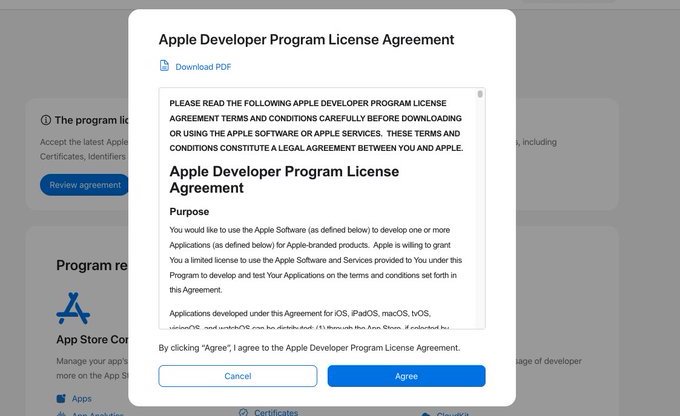
🚨 iOS Geliştiriciler için önemli:
📝 Apple Developer Program License Agreement güncellendi. 24 Haziran 2026’ya kadar kabul etmeyi unutmayın arkadaşlar.
developer.apple.com/account/
Certificates ➡️ Identifiers & Profiles
#iOSDev #AppleDeveloper #iOS #WWDC26
1
60

Jun 10
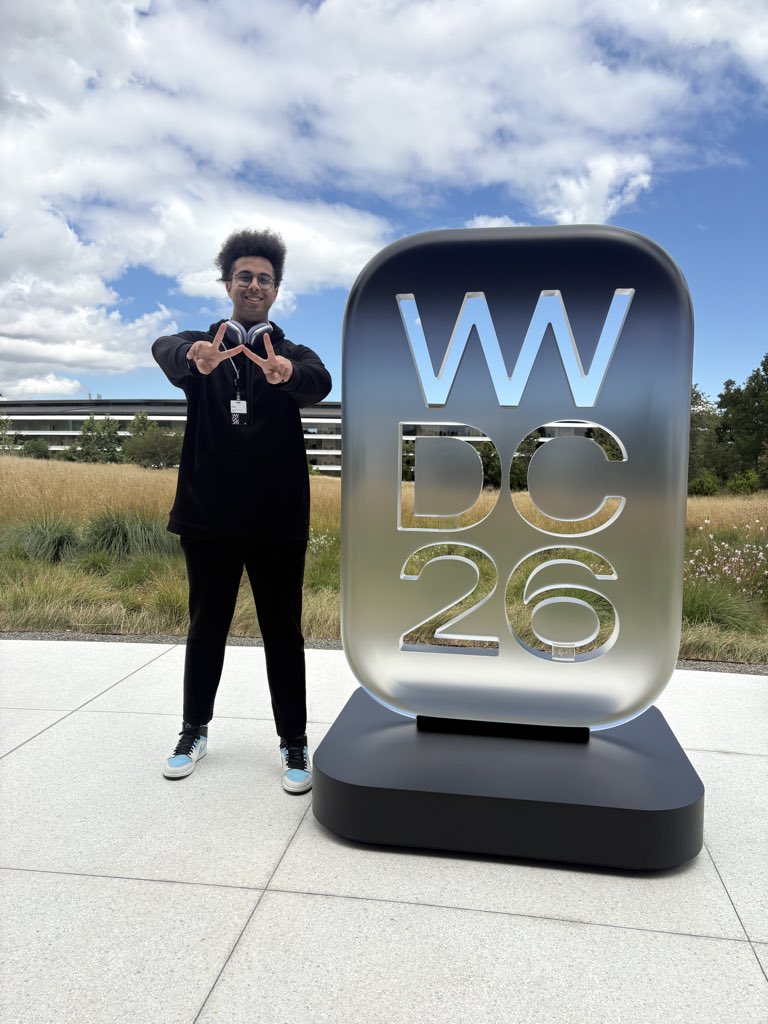
Thank you @Apple for absolutely everything! Its the best birthday I could ever have!
#wwdc26 #wwdc #appledeveloper #apple #swiftstudentchallenge
35

Jun 10
Can't decide which one of the 100s of WWDC 2026 sessions to watch?
We've put together a list from our community recommendations to help you out!
Comment below which sessions you've found the most interesting 👇
kod.eco/dus62
#wwdc2026 #appledeveloper #iosdev #kodeco
2
4
709
Jun 10
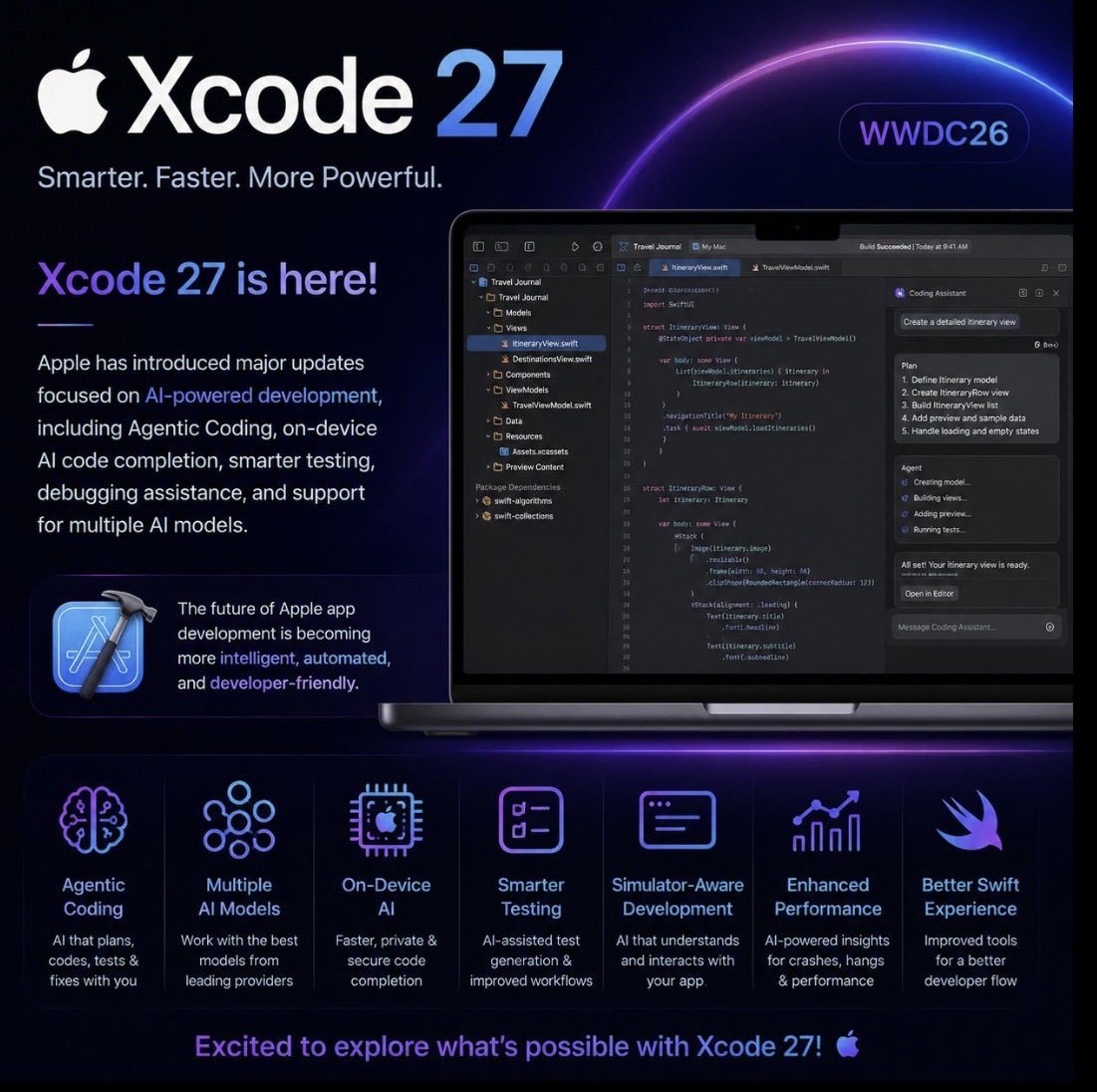
Xcode 27 is here!
Apple has introduced major updates focused on AI-powered development, including Agentic Coding, on-device AI code completion, smarter testing, debugging assistance, and support for multiple AI models.
The future of Apple app development is becoming more intelligent, automated, and developer-friendly.
Excited to explore what’s possible with Xcode 27!
#WWDC26 #Xcode27 #Swift #iOSDev #AppleDeveloper #VgdTechnologies
34

Jun 10
Swift Surat WWDC26 Watch Party was a fantastic evening of learning, networking, and celebrating innovation together.
Thank you to everyone who joined and made it memorable! 💙 #SwiftSurat #WWDC26 #AppleDeveloper #DeveloperCommunity
1
7
301