
Did you know that the #SitecoreAI #XMCloud lets you autoassign roles with your identity provider?
You can now automatically assign @Sitecore roles to your team members through your identity provider using both #SAML and #OpenID #Connect
Read more here: linkedin.com/posts/martin-mi…

1
1
3
60


I learned how to assign textures today, a win for my blender learning arc. Turns out importing a model doesn't autoassign them 🥲. This Friday's thumbnail is going to test multiple skills of mine, can't wait lol 👹

1
6
56

Mar 8
everytime i autoassign someone to be in the development department and renga shows up i actually get so emotional over how kind he is and how much he wants to help his friends grow until i remember that this is a gameplay feature and i need to like. be calm
1
47
910

11 Dec 2025
Did you know that the #SitecoreAI #XMCloud lets you autoassign roles with your identity provider?
You can now automatically assign @Sitecore roles to your team members through your identity provider using both #SAML and #OpenID #Connect
Read more here: linkedin.com/posts/martin-mi…

3
4
67

7 Jul 2025
Autoassign sucks ass and does not ever give you anything good. Whenever possible I try to tailor my deck to my uma but a lot of the strongest cards are pretty much good for any uma
1
2
49
22 May 2025
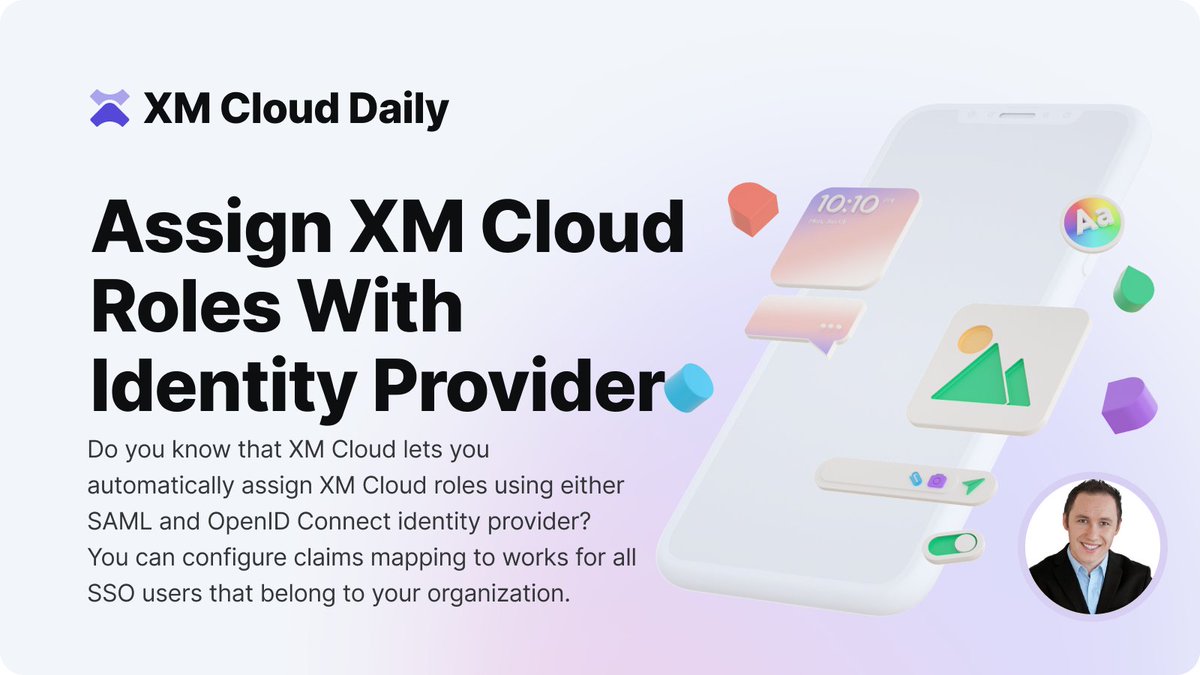
Did you know that the @Sitecore #XM #Cloud lets you autoassign roles using your identity provider?
You can now automatically assign XM Cloud roles to your team members through your identity provider using both #SAML and #OpenID #Connect!
Read more here: linkedin.com/posts/martin-mi…
2
8
87

23 Apr 2025
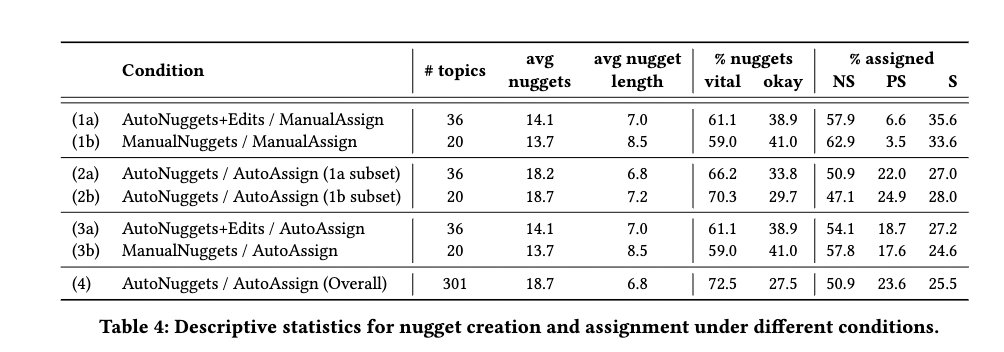
Conditions mixing 👩💻& 🤖 effort:
Nugget Creation Options:
1) ManualNuggets: 👩💻craft nuggets from scratch.
2) AutoNuggets Edits: 👩💻refine 🤖 draft nuggets.
3) AutoNuggets: 🤖 generate nuggets automatically.
Assignment Options:
A) ManualAssign: 👩💻 assigns
B) AutoAssign: 🤖 assigns
1
2
128

5 Apr 2025
"GINGER: Grounded Information Nugget-Based Generation of Responses" with @weronika_laj has been accepted at #sigir2025 as a short paper. Ours was the top performing AG run at TREC RAG'24 under the AutoNuggets/AutoAssign condition. Preprint: arxiv.org/abs/2503.18174
2
27
781

30 Jan 2025
They autoassign
It be cool if you were assigned yellow capped night heron
You tweet at night
MAGA heron 😀
1
4
46

5 Jan 2025
Like why are we using conflicting systems that autogenerate a delivery date range, autoassign a delivery date that isn’t in that range, autotext you conflicting updates at hours you can’t talk to a human, offer a chatbot that can’t reschedule for you,
1
6
132

9 May 2024
I set up my assignments in my Google Classroom at the beginning of the week so they autoassign every day. I don’t have to worry about it the rest of the week.
1
230

26 Mar 2024
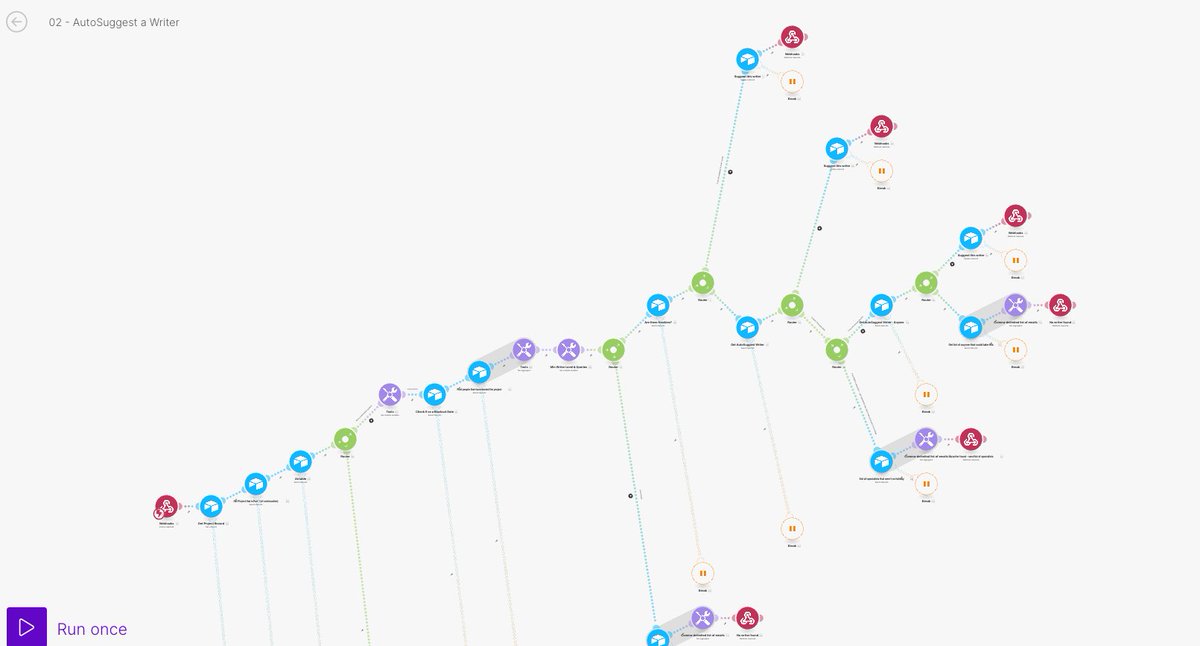
Here's how we automate project distribution for a 60-person writing team (something our client's team originally thought was impossible, now they love it)
(This is relevant for sales teams as well - to auto-distribute leads)
We've tested this over the course of months in our client's business, and it outperforms the humans in ACCURACY by 30% (and obviously is much faster).
They continue to love and use it years later
Here's how to do it
To rank/distribute projects accurately, we needed to take into consideration:
-basic airtable setup - projects, team assigned to each project, when the project was due, when it was submitted, size of project, quality mistakes found & their severity, and the log of the past attempts to assign a project to a given person (and whether or not they accepted and how long it took)
-topic/project type preferences for each writer (ie: some project types require a specialist, while some can be done by anyone)
-planned holiday/sick time for the writer
-planned holiday/sick time for the quality/proofreading team (when the QA team is lower in capacity, more projects are biased to go towards expert writers)
Once you have all that tracked, you can calculate:
-"timeliness" (based on a "lateness factor" - ie: a score based on how large the project was, how long the freelancer had to do it, and when they submitted it in relation to the deadline..late isnt always late)
-"receptivity" (ie: how quickly they say yes to projects and how often they say yes)
-"quality" - the average number of errors & severity of those errors found in past projects (link in the comments to a recent youtube video where I go over how to track this)
-estimated capacity (if on holiday capacity is zero, otherwise we estimate current capacity based on past output, whether projects were submitted with errors or late, and whether the writer accepted a lot of projects or denied some - all of which we use as signals to either estimate that their actual capacity is slightly greater or less than previous output - ie: if they did things on time and well, we think they can handle more work...if they deny lots of projects and submit late or with mistakes, we think they are overloaded, and this estimated capacity is therefore constantly adjusting)
-all of the above is tracked in Airtable on a rolling 14 day basis, so the algorithm is constantly adjusting to account for variances in individual schedule, motivation, etc
Then, we have 3 relevant Make scenarios to assign any given project
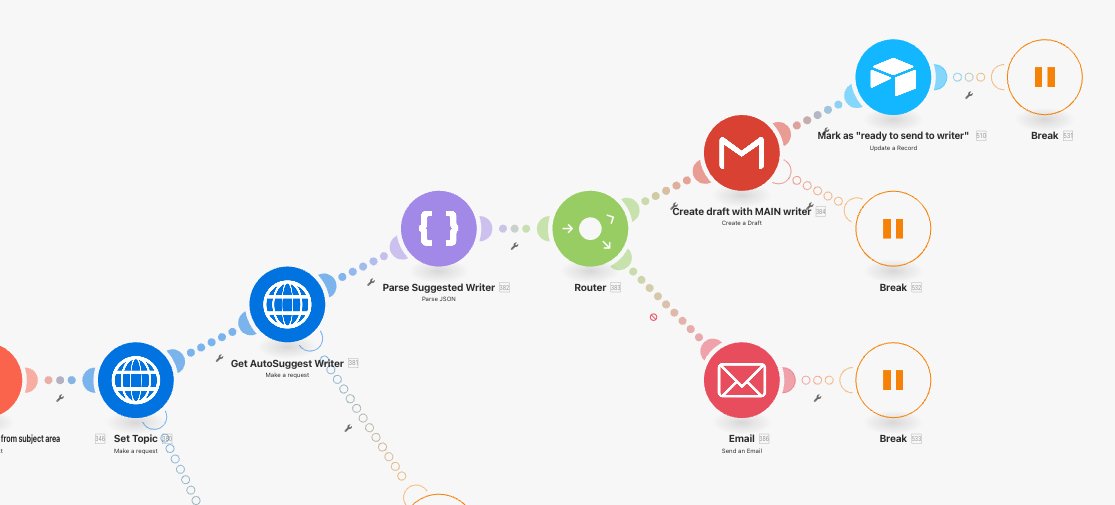
Part 1: Onboarding automation
-gets the project details
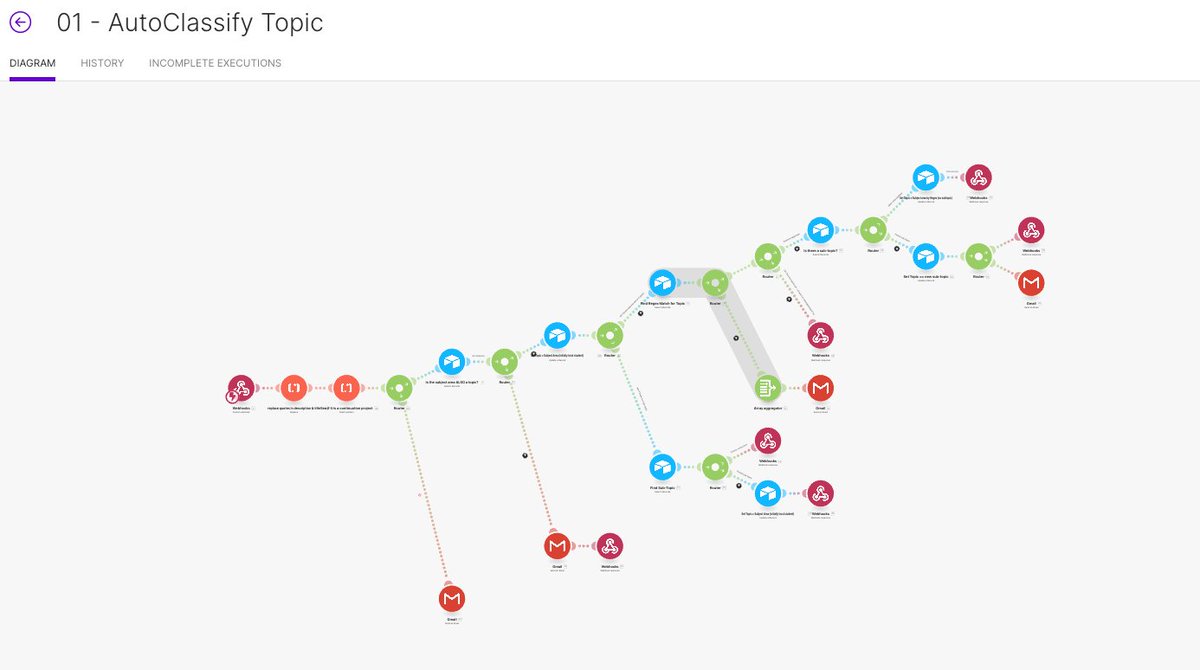
-pass information into the "set topic" to classify the project based on the text (so we know which subset of writers is relevant)
-when the topic is returned, pass to the "autoassign writer(s)" scenario
-once a writer is determined, create a draft email (so that the suggested writer can always be changed
Part 2: Determine topic
-this part was added later, as the team told us that some writers had far better quality on some topics (and were faster) than others
Part 3: Autosuggest a writer
-there are 3 different levels of writer - noobies, mid-level writers, and experts. First, we need to find which level is required (ie: if it's a large project or with a tight timeline, then it must go to an expert writer...if it's an easy project & long timeline, and there is at least one noobie available then it must go there to make sure the beginners are trained up)
-once we get the writer level, we determine whether the topic narrows the list at all
-find the highest ranked writer (ie: we just pick the first record, sorted by the auto-suggest score)
-...that we think has availability (ie: where the workload for the project does not make them exceed their estimated capacity)
-If we can't find anyone that we estimate has the availability to do the work, then return a list of the top 5 ranked people so the project can be sent to all of them at once
And that's how you automate project distribution (btw our client scaled to 100 projects per day with this system)
Happy automating
11
1,265


2 Apr 2023
#EDITMODEFM #REALISM #FACEPACK is out!
1000 faces, no duplicates, includes the config for #AutoAssign #GO #GOLD #VAMOS
mediafire.com/file/ljn6rob22…
Put in your #graphics>#faces folder and #Auto #Assign will work instantaneously! #FMEDITMODE

1
2
5
764
29 Mar 2023
Very close to releasing the mega pack of 1000 faces that can be used for #autoassign of #newgens with config included! #EDITMODEFM #NEWGEN #FACEPACK




1
1
12
1,362

13 Mar 2023
No i dont get autoassign. I hv to pay for it on Indigo. 150 for window/isle and 99 for middle. Its in the workfkow, u hv to choose and pay.
1
1
289