
A marketing agency owner once told me something that stuck with me.
Every time they signed a new client, the same routine started:
Create a project.
Create a Google Drive folder.
Create a Google Doc.
Assign team members.
Set deadlines.
Set up onboarding tasks.
Update client records.
Nothing difficult.
Just repetitive.
And when you’re onboarding multiple clients every month, those small tasks add up fast.
So instead of adding more manual work, we used ClickUp to build a smarter process.
Now, when a new client is marked as Won:
✅ ClickUp automatically creates the client project
✅ ClickUp automatically generates the onboarding tasks
✅ ClickUp automatically assigns the right team members
✅ ClickUp automatically creates a Google Drive folder
✅ ClickUp automatically generates a Google Doc
✅ ClickUp automatically fills the workflow with the client’s information
What used to take several minutes now happens automatically.
That’s why I always say:
Most people see ClickUp as a project management tool.
I see it as an operations system.
When it’s set up properly, ClickUp doesn’t just help you manage work, it helps do the work behind the scenes.
And that’s where the real power is.
#ClickUp #ClickUpAutomation #MarketingOperations #AgencySystems #BusinessAutomation


1
2
15
547
I used to think productivity was about working harder.
More effort. More reminders. More checking in. More manual follow-up.
Then I learned something that changed how I see operations completely:
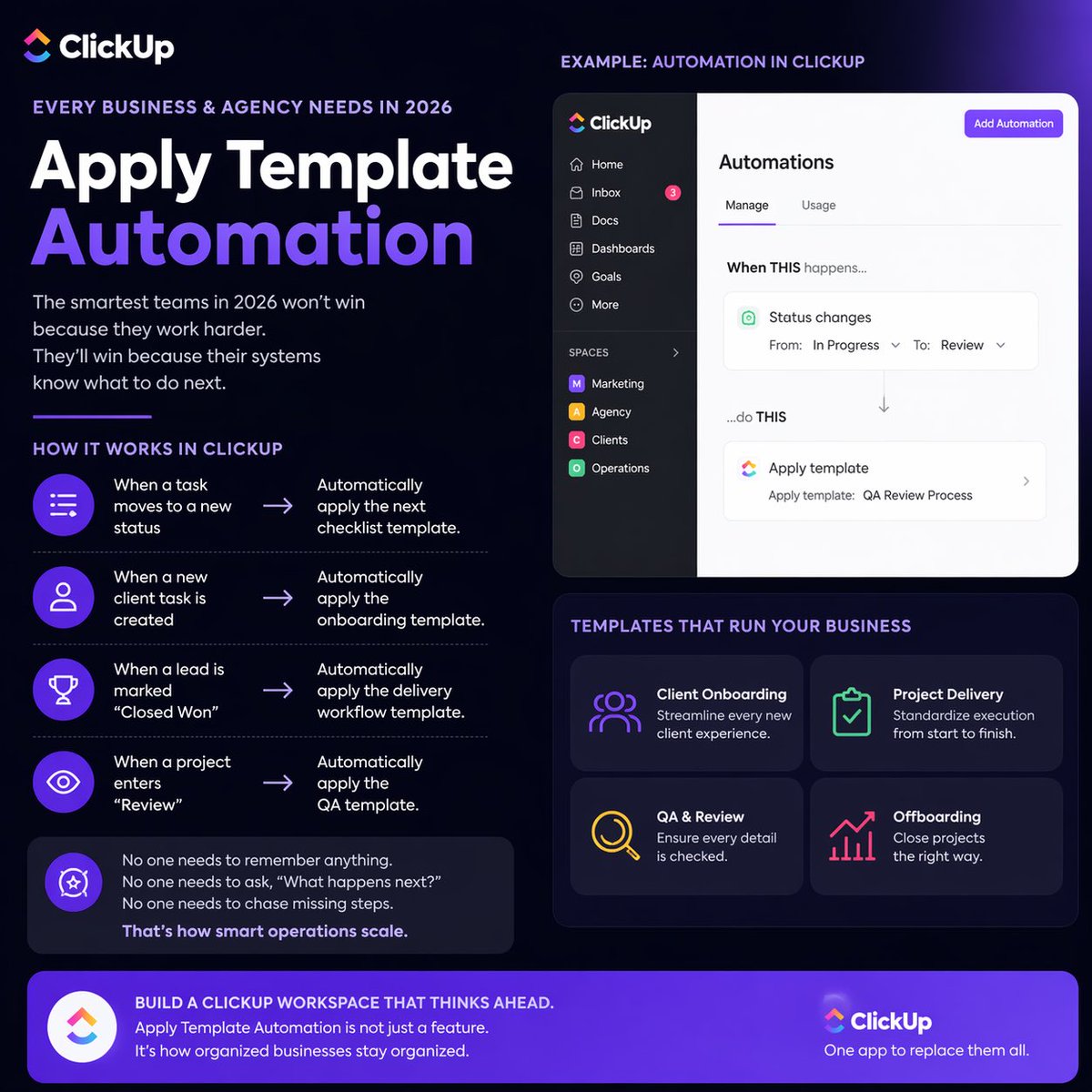
The smartest teams in 2026 will not win because they work harder.
They’ll win because their systems know what to do next.
One of the most underrated features every business, founder, and agency needs in ClickUp is this: Apply Template Automation.
Simple examples inside ClickUp:
When a task moves to a new status → automatically apply the next checklist template.
When a new client task is created → automatically apply the onboarding template.
When a lead is marked “Closed Won” → automatically apply the delivery workflow template.
When a project enters “Review” → automatically apply the QA template.
No one needs to remember anything.
No one needs to ask, “What happens next?”
No one needs to chase missing steps.
That’s how smart operations scale inside ClickUp.
Most businesses don’t have a people problem.
They have a process problem.
They rely too much on memory when they should rely on systems.
They depend on talent when they should also depend on workflows.
In 2026, the teams that grow faster will be the ones using ClickUp automations to remove friction, reduce repeated decisions, and automate repeatable actions.
Sometimes the biggest upgrade is not hiring more people.
It’s building a ClickUp workspace that thinks ahead.
Apply Template Automation in ClickUp is not just a feature.
It’s how organized businesses stay organized.
#ClickUp #ClickUpExpert #ClickUpAutomation #BusinessSystems #WorkflowAutomation #OperationsManagement #ProjectManagement #AgencyGrowth #Productivity #BusinessOperations #RemoteWork #SystemsThinking #DigitalOperations #AutomationStrategy
1
2
14
914

25 Mar 2024
How to make business process automation visual and practical - an example with ClickUp
#AutomationStrategy #BusinessEfficiency #StreamlineProcesses #EnhancedValue #ClickUpAutomation #CustomerExperience #EmailNotifications #DocumentStorage #NurtureSequences #BusinessSuccess
80