
Jun 2
Going forward with CommandBox #CFML, here's the available JDKs that I will be testing and configuring in the server.json files:
openjdk11: Lucee 5, CF2016, CF2018 & CF2021
openjdk17: CF2023
openjdk21: Lucee 6, Lucee 7 & CF2025
1
19
May 30
This is what I enjoying see when I use CommandBox to unit test seven (7) different #ColdFusion platforms (ARC 2016/2018/2021/2023/2025, Lucee #CFML 5.4.8 and #BoxLang 1.13).
"Verified - your changes work correctly across all engines."
Phew!
1
42

May 22
There’s a gap between “we’re exploring open source” and “we’re ready for a full enterprise subscription.”
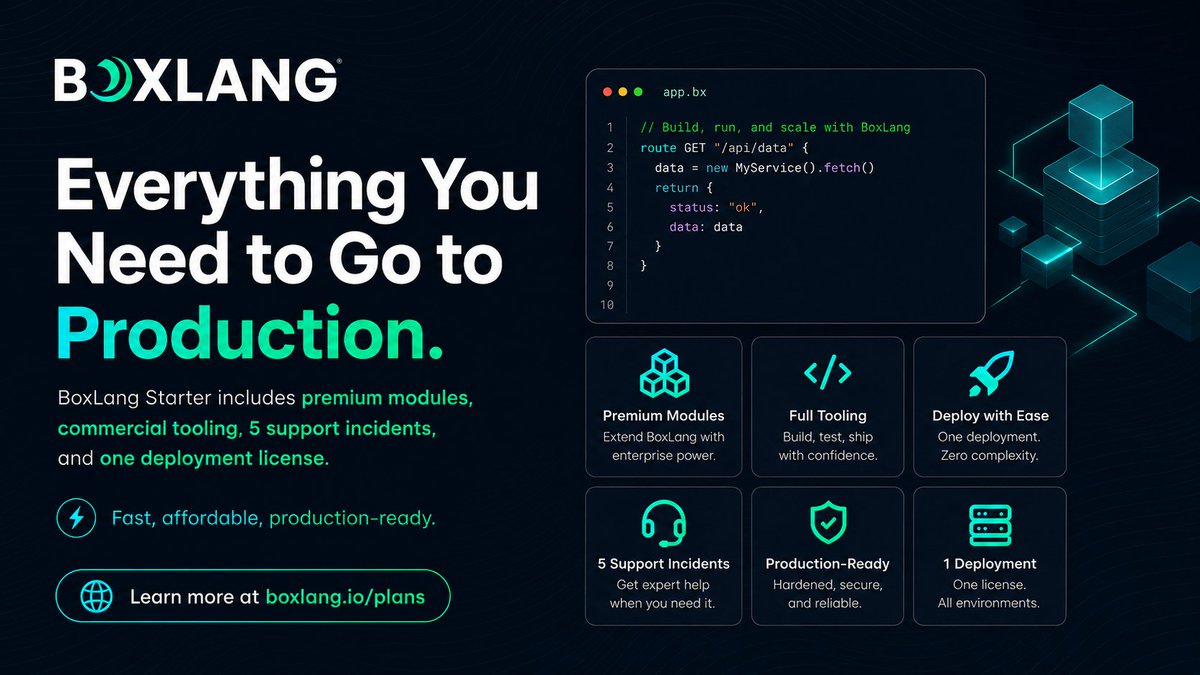
That’s where BoxLang Starter comes in.
A simple, production-ready starting point with commercial licensing, premium modules, full tooling, 5 support incidents, and one deployment — all for $749/year.
Start small. Go live. Scale later.
Explore BoxLang Starter: boxlang.io/plans
#BoxLang #CFML #Java #OpenSource #Modernization #DeveloperTools #SoftwareDevelopment #OrtusSolutions #CommandBox #ColdFusion
1
44

May 14
5/ Not a rejection of Ortus tooling — keep using CommandBox / WireBox / TestBox in your own apps.
Not done either. Foundation, not finished room.
If you've ever wanted to land a PR on Wheels itself, adapters / DI / the package loader are all good first stops.
1
11
May 14
1/ Why: 260 PRs in ~15 weeks doesn't fit against three external version matrices.
WireBox → wheelsdi (in-house DI)
TestBox → WheelsTest (in-house BDD)
CommandBox → LuCLI (covered in last week's post)
Either the coupling loosened or the cadence slowed. We chose the cadence.
1
13

May 12
Where to Find ColdFusion Developers in 2026 (And How to Keep Them)
Hiring CF developers in 2026 can feel like scouting Rangers in the wild. The talent exists. You just need the right trail map.
👉 Coffee Call: Want a quick, 15-minute plan to improve hiring for your CF team? ? We’ll help you pick the best sourcing path and the fastest way to make a great hire stick. Give us a call teratech.com/coldfusion-coff…
A lot of teams make the same mistake: They only search where everyone else searches and then say “the well is dry.”
Here’s the good news. CF work attracts people who like systems that run. Payments. Claims. Logistics. All that ancient code that still makes money. That is a burden worth carrying for the right dev.
Part 1: Where to find CF developers.
Start with places where CF people already gather (but not the Prancing Pony!):
1. CFML Slack and community groups: The CFML Slack has working devs, leads, and long-time builders. Show up with a clear role, a clear pay range, and a real problem to solve. That gets you farther than vague “full-stack ninja” posts.
2. Conferences and meetups: Into the Box, CF Summit, and local user groups still matter. They are where you meet people who care about craft and community. Unexpected allies show up when you show up.
3. GitHub and real code: Search CFML and BoxLang repos. Look for steady contributors, not just stars. Then reach out with one specific reason you liked their work.
4. LinkedIn, but with better filters: Search for ColdFusion, CFML, ColdBox, CommandBox, and Lucee. Then look for people who talk about upgrades, security, and delivery. That usually means they have lived through Helm’s Deep and are battle-ready.
5. Agencies and partner teams: If you need speed and coverage, a CF agency gives you a fellowship, not a lone wizard. It also reduces the bus factor on day one.
6. Your own app: Your best candidates already work near your system. They are support engineers, QA leads, analysts, and ops people who know the workflows and want to level up. Even small CF teams can change everything.
Part 2: How to keep CF developers.
Hiring is only step one. Keeping good people is the bigger quest.
1. Give them a clean runway: A new CF dev wants to ship something real in week one. Set up local dev, a staging path, and a short runbook.
2. Modernize the workflow before you modernize the CF app: Add version control discipline, repeatable deployments, and monitoring. Then tackle bigger refactors. It makes the long road ahead feel doable.
3. Make CF upgrades a habit: Plan small upgrade steps. Patch on schedule. Keep third-party libraries current. Mordor thrives on old unpatched servers.
4. Spread knowledge on purpose: Rotate ownership. Pair on risky work. Record short walkthroughs. A strong CF fellowship should hold up when someone takes a vacation.
5. Give them problems worth solving: Good CF devs like impact. Performance wins. Security wins. Cleanups that make the next change easier. That is where mithril gets forged.
6. Pay fairly and respect focus time: This sounds obvious but it also gets ignored. Protect deep work blocks and keep meetings small.
Here’s a simple hiring script that works.
Use plain words. Say what matters. Keep it human.
1. Here is what the CF app does.
2. Here is what hurts today.
3. Here is what success looks like in 90 days.
4. Here is how we ship changes.
5. Here is what we will fix in the workflow.
If you say those five things clearly, you filter for grown-ups. Gandalf would approve. Now fly, you fools!
🌟Onward!
In the next issue of the CF Alive Newsletter, we’ll learn how to battle the burnout Balrog that inevitably haunts all CF teams.
P.S. If your CF app depends on one tired hero and hiring feels stuck, it might be time for a smarter plan with an expert CF agency. Send us a message teratech.com/contact/?utm_so… or DM and TeraTech’s ColdFusion team will help you get back on track with your CF app.

1
62

May 12
🔥 Into The Box 2026 was HUGE! Here are our top 10 announcements from the conference 👇
1️⃣ MatchBox: A Rust-powered VM for BoxLang targeting WASM, ESP32, native binaries & JavaScript
2️⃣ BoxLang Starter Plan: Commercial licensing premium modules for just $749/year
3️⃣ ColdBox 8.1 & cbMCP: AI Routing, MCP with 40 tools, virtual threading & BoxLang Prime
4️⃣ BX-CLI — A pure BoxLang-powered CommandBox with zero Lucee dependency
5️⃣ Multi-Runtime Power – BoxLang now runs everywhere: AWS Lambda, Google Cloud, Spring Boot, and even Desktop! 🌐
6️⃣ bx-ai v3.1 — 15 providers, class agents, RAG, audio, MCP, parallel pipelines, Image Modality Previews
7️⃣ TestBox 7 – Featuring "TestBox RUN," a new streaming test IDE with visual stack traces and VSCode integration.
8️⃣ Florida International University Partnership — 100 students contributing to BoxLang runtimes every semester
9️⃣ CBGenesis – A new BoxLang-native path to jumpstart apps with built-in security, admin dashboards, and SSO. 🚀
🔟 Production Success – From the SBA to financial systems managing $4.1B in assets, BoxLang is proving its power in the wild. 🏆
Full recap 👉 ortussolutions.com/blog/ever…
1
2
87
May 11
Wheels 4.0 day-to-day workflow, full list:
wheels new myapp
cd myapp
wheels start
wheels test run
No Docker. No CommandBox. Full test suite in ~60s. Same stack as CI.
Cross-engine matrix via Docker when you need it.
1
6
May 11
Into The Box 2026 was more than a conference recap.
It was a clear signal of where the CFML and BoxLang ecosystem is heading next.
We’ve published a complete overview of everything announced at ITB 2026, including:
-BoxLang’s momentum since 1.0
-Real customer modernization stories from government, travel, finance, and enterprise systems
-BoxLang AI and agentic development updates
-ColdBox 8 and native BoxLang support
-Modern application templates
-CommandBox, BX-CLI, TestBox, CBWire, ContentBox, and ecosystem updates
-Our @FIU partnership to help train the next generation of BoxLang developers
The core message is simple:
Modernization does not have to start with throwing everything away.
For organizations with years of ColdFusion, Lucee, and CFML investment, BoxLang offers a practical path forward: preserve what works, modernize what matters, and prepare your applications for cloud, AI, and the next decade of development.
Read the full recap here:
ortussolutions.com/blog/ever…
#BoxLang #CFML #ColdFusion #Lucee #ColdBox #OrtusSolutions #IntoTheBox2026 #SoftwareModernization #Java #AI #DevOps
2
3
50
May 11
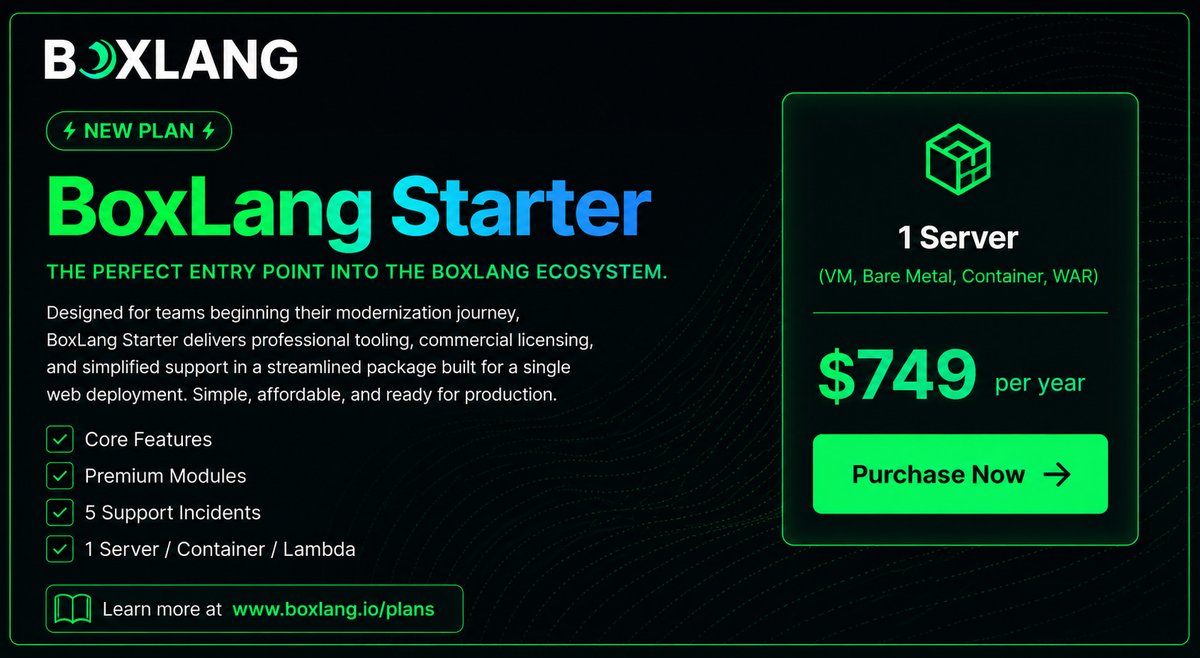
🎉 Introducing the BoxLang Starter Plan — commercial licensing, premium tooling, and real support for a single deployment. 🚀
✅ All Core BoxLang Features
✅ Full Premium Modules library (AI, PDF, Redis, LDAP, CSV, & more)
✅ 5 support incidents / year with language engineers
✅ 1 server, container, or Lambda deployment of your choice
✅ CommandBox PRO included
✅ CFML transpiler feature scanner formatter included
The fastest path from evaluation to production. 💚
👉 ortussolutions.com/blog/intr…
4
85

May 1
I've posted the slides from my talk today at Into The Box, on "Getting started With BoxLang as an alternative CFML engine" carehart.org/presentations/#… #coldfusion #lucee #boxlang #commandbox
1
1
79
Apr 29
CommandBox and ForgeBox: The Modern CF Developer’s Delivery Toolkit
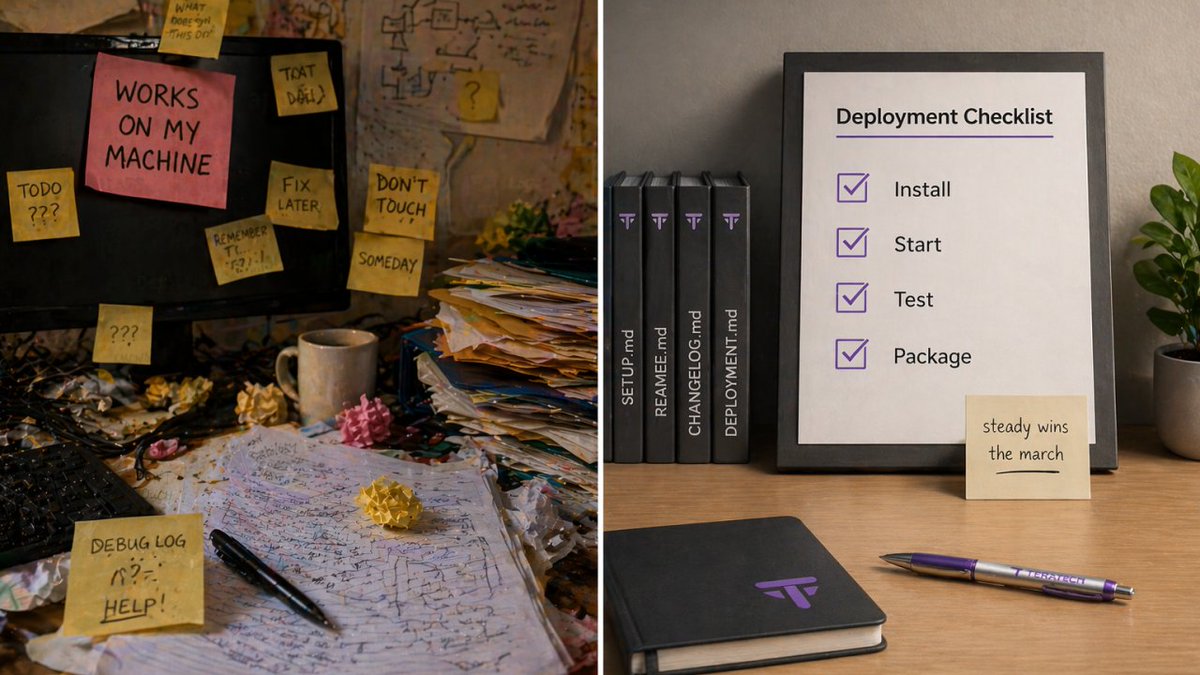
ColdFusion teams ship code. They also ship stress. CommandBox and ForgeBox help you ship the first one while cutting down the second. They turn “works on my machine” into “works on every machine,” and they do it without a big platform rewrite. Keep watch. Small tooling upgrades often save the most time.
👉 Coffee Call: want a 15-minute gut check for your ColdFusion app? TeraTech does quick coffee calls teratech.com/coldfusion-coff… that turn into a short action plan your team can ship.
The problem this toolkit solves
Most CF delivery pain comes from the same places. The build varies by laptop. Environments drift. Dependencies live in random folders. Deployments rely on tribal knowledge and one tired hero. That is not a burden worth carrying.
CommandBox and ForgeBox give you a shared baseline. They help you standardize how you run CF locally, how you manage packages, and how you move code from dev to production with fewer surprises.
What CommandBox is, in plain English
CommandBox is a command line tool made for CFML work. It helps you spin up servers fast, manage environments, and automate the boring parts of delivery. It gives you a consistent way to run your app locally, even when your team has different operating systems and different habits. It makes the path forward clearer.
What ForgeBox is, in plain English
ForgeBox is the package registry that CommandBox talks to. It is where your CF packages live. It lets you install, pin, and update dependencies the same way across the team.
Think of ForgeBox as the armory. You do not want everyone forging their own swords in the parking lot.
The delivery wins you get fast
Here are the quick wins most CF teams feel first:
1. Repeatable local environments Developers can start the app the same way, with the same settings. That keeps your code reviews sane.
2. Dependency management you can trust Pin versions. Upgrade on purpose. Stop guessing what is installed where. No shortcuts through the mountains.
3. Config as code Capture settings in files that can be reviewed, versioned, and applied consistently. The darkness before dawn often looks like config drift.
4. Automation hooks CommandBox scripts help teams run tasks the same way. That includes builds, smoke tests, and packaging.
5. Cleaner onboarding A new dev should not need a week of Slack archaeology. With the right scripts, they get started in an afternoon. Unexpected allies show up fast when onboarding stops being a mess.
A practical setup pattern
This is a simple pattern that works for many teams:
1. Use CommandBox to standardize local servers and task scripts.
2. Use ForgeBox packages for dependencies, pinned to versions.
3. Store your server config in the repo in a reviewable form.
4. Add a build script that runs tests and produces a deploy artifact.
5. Add a deployment step that can run the same way in staging and production.
You want a fellowship plan, not a solo sprint.
Common pitfalls
Teams usually get stuck in the same places.
1. They install packages without pinning versions.
2. They mix local config changes with production config changes.
3. They skip a staging run and go straight to production.
4. They never write down the runbook.
Keep watch for these early. They are easy to fix when you see them.
Where this fits for CIOs
This is not just developer convenience. It is a risk reduction. A standardized delivery pipeline lowers outages, speeds up recovery, and makes audits less painful. It also reduces the bus factor. That is a win you can explain without jargon.
CommandBox and ForgeBox help CF teams modernize delivery without a rewrite crusade. You get consistency, faster onboarding, fewer surprises, and better control of change. Steady wins the march.
🌟Onward!
In the next issue of the CF Alive newsletter, we’ll tackle Mental Health Awareness Month, looking at a journey nearly every ColdFusion hobbit and wizard will face at least once during their career.
P.S. If your CF app ships with hand-made steps and mystery dependencies, it might be time for a delivery tune-up. Send us a message or DM and TeraTech’s ColdFusion team will map a clean CommandBox and ForgeBox setup you can roll out with confidence.
1
136
Apr 26
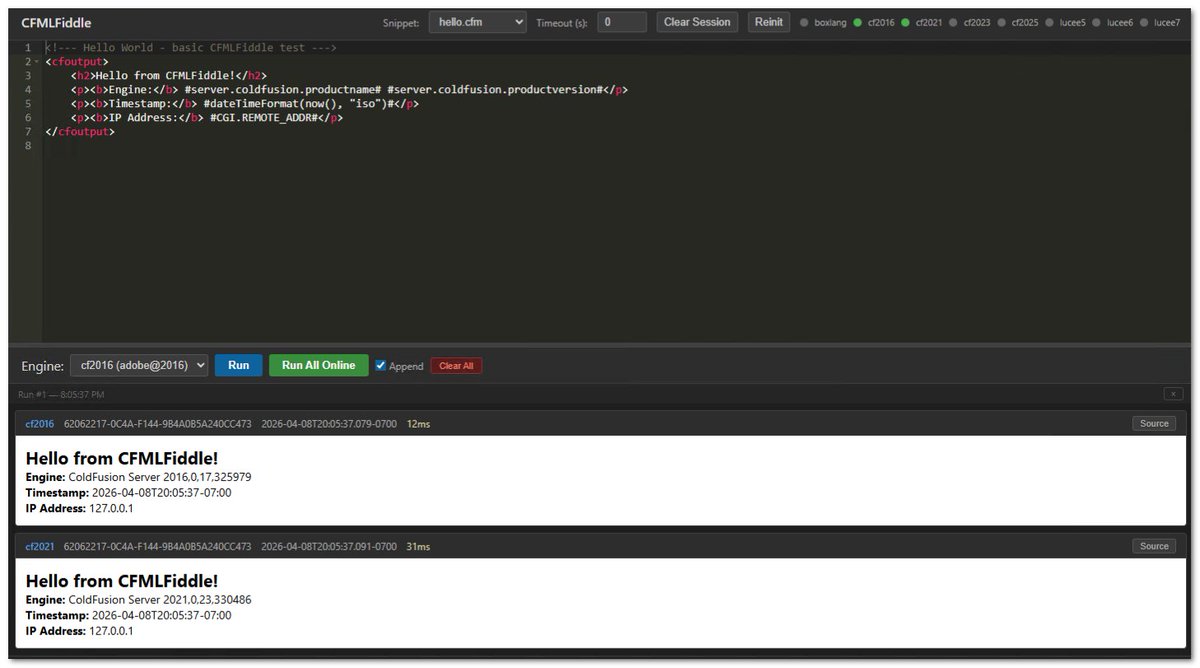
Looking for a playpit, I just open-sourced a multi-platform fiddle that leverages CommandBox. I use this to test as I develop cross-platform compatible CFML (as there are some "nuances" between the platforms.)
Check out cfmlFiddle.com/
1
23
Apr 26
I presented at Adobe's 30th anniversary CF Summit in Las Vegas last year. Lots of AI feature topics for this year's summit in June.
There's 3 different CFML Java platforms with recent releases: Adobe (commercial) and open-source Lucee & BoxLang. Check out something called CommandBox CLI to start any server version on-the-fly. (Claude Code can help you here if you require any assistance.)
Syntax now resembles JavaScript. Tags like CFIF, CFInclude & CFLoop are still supported, but there are many ways to iterate over any array, struct or query.
1
59
Apr 23
Containerizing ColdFusion Safely: A Practical Migration Path
If you are a CIO, container migration is a risk and cost move. Keep watch, because you own the outcome. Done well, it reduces configuration drift, shortens recovery time, and makes deployments repeatable. Done poorly, it adds new failure modes and a long cleanup bill. Container work can feel like a long road ahead. A phased plan keeps the pace steady.
Containers can give ColdFusion teams faster, repeatable deployments and cleaner environments. They also reward discipline around configuration, secrets, and rollout sequencing. Here’s a practical, phased path that keeps the work predictable and keeps surprises out of production.
👉 Coffee Call: considering containers for a ColdFusion app? TeraTech offers 15-minute coffee calls teratech.com/coldfusion-coff… to review your starting point, risks, and the first migration step your team can ship.
Phase 0: Define “safe” in two numbers
1. Recovery time objective (RTO): the maximum acceptable downtime.
2. Recovery point objective (RPO): the maximum acceptable data loss.
Then note the constraints that shape the design.
1. Regulated requirements and data residency
2. Hosting model (on premises, cloud, hybrid)
3. Web server and proxy topology (Internet Information Services, Apache HTTP Server, reverse proxy)
Phase 1: Get the basics right
1. Choose a base image strategy with clear ownership.
2. Pin Java and ColdFusion versions so environments match.
3. Treat configuration as code (cfconfig works well here).
4. Inject secrets at runtime from a vault or managed secret store.
That baseline gives you mithril armor before the first battle.
Phase 2: Start small and prove it works
Pick a small win that still teaches you the truth.
1. Choose an internal app, a single service, or a non-critical workload.
2. Build the image and run it locally.
3. Add a health endpoint and smoke test the core flows.
Keep the first app small and repeatable. Even small teams can change everything. Treat it as a test: compact, repeatable, and enough to reach the next checkpoint.
Phase 3: Add guardrails before scaling
1. Put the ColdFusion Administrator behind strict network controls.
2. Use explicit volume mounts for uploads and writable paths.
3. Emit structured logs with correlation identifiers and redaction for tokens and personally identifiable information.
4. Scan images and dependencies in the build pipeline, and patch base images on a schedule.
Treat the Administrator like the gates of Minas Tirith. It stays behind defenses.
Phase 4: Test, monitor, and rehearse recovery
1. Mirror production routing.
2. Load test with realistic traffic.
3. Confirm logs, metrics, and alerts tell a clear story.
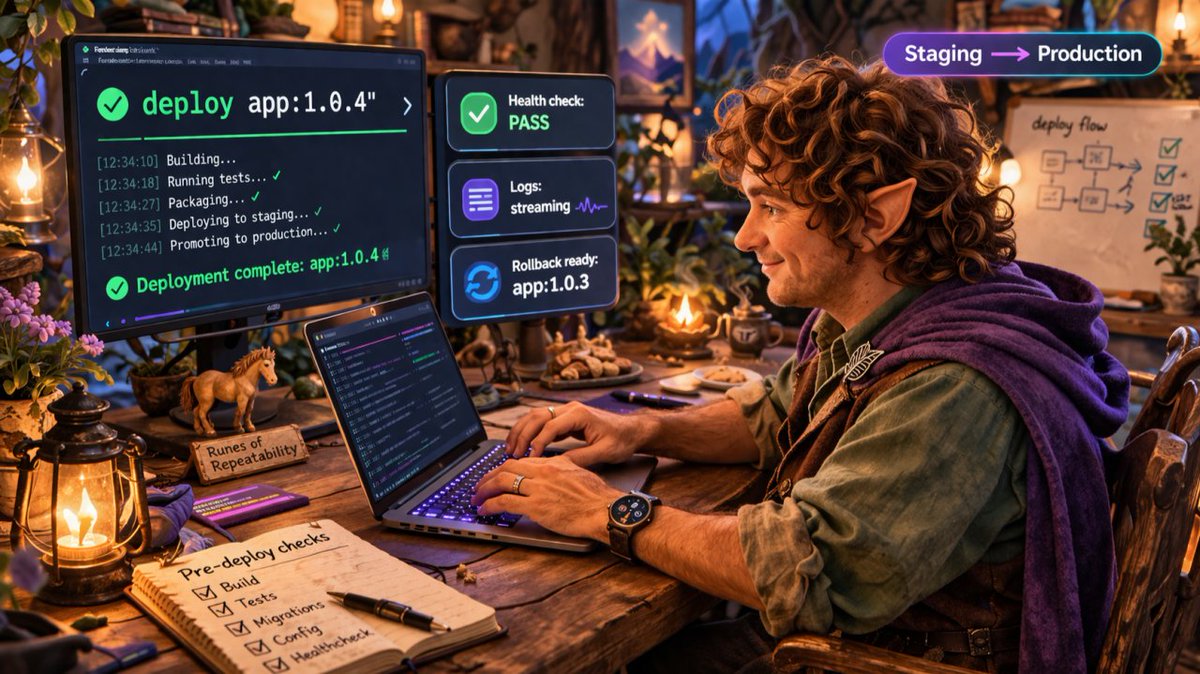
4. Practice rollback from staging using the same steps you expect in production.
This phase is your Helm’s Deep rehearsal.
Phase 5: Expand safely in production
1. Start with one node, one service, or a small slice of traffic.
2. Validate a post-deploy checklist.
3. Watch metrics and error rates.
4. Expand when signals stay healthy.
Slow and steady wins the march.
First-week plan
1. Pick a candidate app.
2. Export platform settings.
3. Draft the Dockerfile and local compose stack.
4. Add health checks and smoke tests.
5. Wire up a monitoring baseline.
6. Write a short rollback runbook.
A staged rollout plus strong guardrails turns containerization into a steady migration instead of a leap of faith.
🌟Onward!
In the next issue of the CF Alive Newsletter, we’ll delve into the world of the modern developer’s delivery toolkit, exploring CommandBox and ForgeBox.
P.S. If your CF app depends on manual server setup and fragile configuration, it might be time for a safe container migration path. Send us a message or DM and TeraTech’s ColdFusion team will map the phases, capture the settings, and guide your first cutover.
1
61
Apr 21
Even the smallest CFer can change the course of the future. Into the Box 2026 is happening April 29 - May 1 in Washington DC and if you're a #ColdFusion developer, this event is worth the journey. The fellowship is assembling.
Theme this year is Modernization in Motion - and honestly that's exactly where the CF world is right now. Not sitting still, not going backward. Moving.
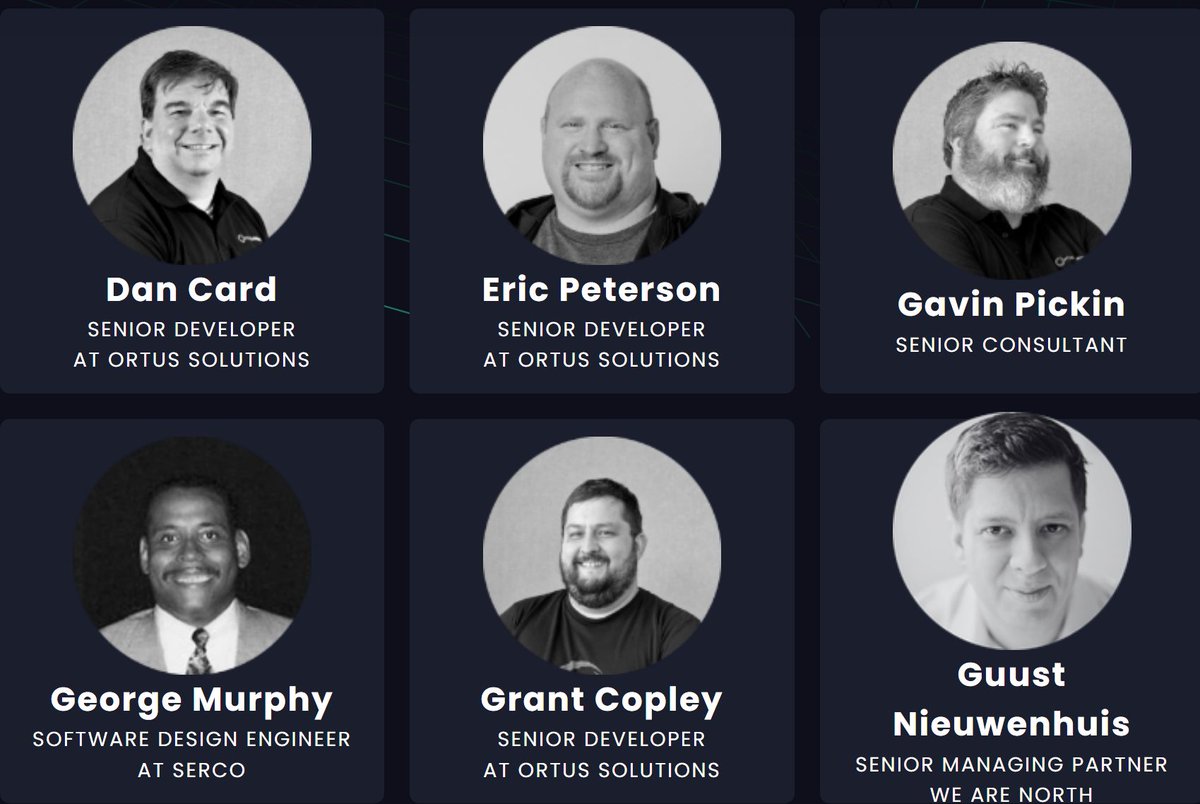
Topics on the agenda include AI, APIs, WebAssembly, microservices, cloud-native apps, real-time UIs, security, and DevOps. Speakers include Brad Wood, Luis Majano, Charlie Arehart, Gavin Pickin, and a full crew of Ortus Solutions engineers plus community folks from orgs like University of Virginia, Serco, and Western National Group.
The Ortus ecosystem - BoxLang, ColdBox, CommandBox, TestBox and about 20 other "box" tools - is front and center. If you've been wondering whether to modernize your CF apps or how to get started, this is where you get real answers from people who've actually done it.
I've been going to CF conferences since... well, let's just say it was a different age of the world. Into the Box consistently delivers the kind of hallway conversations and hands-on sessions that actually move the needle when you get home. Not all those who wander into legacy CF codebases are lost - but a map helps.
Thanks Alex Ventura, Annette Liskey, Bill Reese, Brad Wood @bdw429s, Charlie Arehart @carehart, Curt Gratz @gratzc, Dan Card @DanJCard, Eric Peterson @_elpete, George “Gavin” Pickin @gpickin, George Murphy @murpg, Grant Copley, Guust Nieuwenhuis @Lagaffe, Jacob Beers, Jaime Ramirez , Javier Quintero @xavikintero, Jon Clausen @jclausen, Kevin Wright, Luis Majano @lmajano, Michael Rigsby, Scott Steinbeck @uniquetrio2000, Uma Ghotikar @umaghotikar for speaking at ITB 2026!
Who's going?
2
5
238
Apr 17
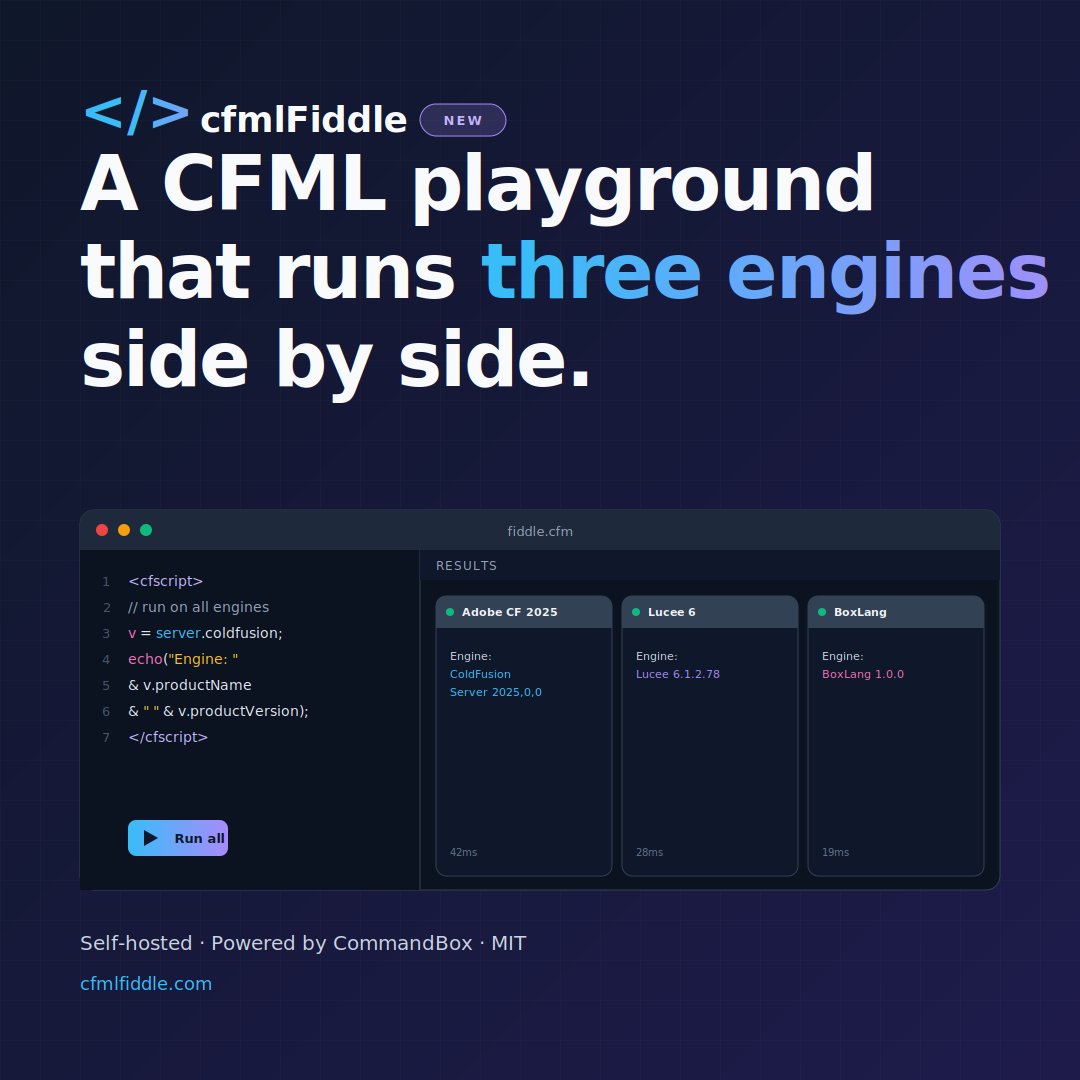
If you work with @ColdFusion, @lucee_server or @TryBoxLang, I’d love for you to check out cfmlFiddle and share your feedback.
#CFML #CommandBox

I built a local #CFML playground that runs 10 engines at once... cfmlFiddle.
Run Adobe ColdFusion Lucee BoxLang side by side.
Self-hosted - Powered by CommandBox - MIT
1
59

Apr 10
I was using #ColdFusion to determine if other CommandBox servers were online. (This is for my CFMLFiddle project.)
An API request to check 8 hosts using #cfml cfHttp() was taking ~12 seconds. Switching the process to use java․net․Socket․connect() reduced it down to 41-97 ms.
3
63
Mar 31
The Wizardry of 3-2-1 Backups with ColdFusion Scheduled Tasks (Part 2): Administrator Settings, Databases, Restore Tests, and Recovery Targets
Welcome to Part 2 of our two-part series on 3-2-1 backups for production ColdFusion applications. Part 1 laid the foundation with source control and file-system backups. Part 2 covers the parts that determine whether a restore feels routine or catastrophic.
👉 A Quick Coffee Call: want a 15-minute disaster recovery gut check focused on ColdFusion settings, database backups, and restore testing? Book a coffee call teratech.com/coldfusion-coff… and we’ll help you map what to capture and how to rehearse the restore.
ColdFusion server settings: the part most forget
A rebuild without ColdFusion settings turns into hours of rework and guesswork. Settings deserve the same discipline as code.
Back up these ColdFusion Administrator areas:
1. Data sources
2. Mail server settings
3. Scheduled tasks
4. Cache settings
5. Custom tag paths
6. Mappings
7. Security settings and sandbox configurations
Config files worth capturing:
* neo-datasource.xml
* neo-scheduled.xml
* neo-mail.xml
* neo-cacheconfig.xml
* jvm.config
* server.xml (when using the built-in web server)
* The cfusion/lib/ directory (in many environments this matters)
The gold standard: export ColdFusion configuration as code
The most robust approach is configuration export that becomes portable and repeatable.
Two practical options:
1. cfconfig (a CommandBox tool) to export an environment to a portable JavaScript Object Notation file you can store in source control.
2. The ColdFusion Administrator programming interface for scripted exports of data sources and scheduled tasks into files that your team can track and review.
Add this to your routine:
1. Export settings on a schedule
2. Store exports in source control
3. Tag exports alongside releases
Database backups: pick a strategy that matches your recovery goals
Start with two targets:
* Recovery Point Objective: how much data loss your business can tolerate
* Recovery Time Objective: how quickly the application must return
Those targets determine the design.
A practical approach for Microsoft SQL Server:
1. Automated backups using SQL Server Agent jobs
2. Full backups weekly
3. Differential backups daily
4. Transaction log backups every 15 to 60 minutes for tighter recovery points
5. Optional: @Ola Hallengren’s maintenance solution to standardize scripts and scheduling
6. Copy backups to off-site storage with a synchronization tool
Common targets:
1. Local storage for faster restores
2. Secondary storage on a different host or network storage
3. Offsite object storage with versioning and immutability
Scheduled tasks: protect the scheduler itself
Scheduled tasks often run the routines you depend on for key app batch processes including backups, rotations, and health checks.
Treat scheduled tasks as configuration:
1. Export scheduled tasks regularly
2. Store the export with the environment configuration
3. Re-import as part of your rebuild steps
Restore tests: the step that turns backups into recovery
A restore test gives the backup meaning.
A monthly restore drill can look like this:
1. Spin up a disposable environment
2. Restore the database to a new instance
3. Restore file system artifacts (uploads and any needed directories)
4. Apply ColdFusion configuration export
5. Boot the application and run a small smoke test
6. Record the steps in a runbook with screenshots and command examples
A practical mid-market stack recommendation
For a typical mid-market ColdFusion application:
1. Git for application code and tagged releases
2. cfconfig for ColdFusion settings export into source control
3. Microsoft SQL Server backups scheduled and standardized (with transaction logs as needed)
4. Encrypted file system backups via a reliable backup tool
5. Weekly infrastructure snapshots for faster rebuilds
A strong plan restores predictability: code is versioned, file system artifacts are captured, ColdFusion settings are exportable, databases have scheduled backups aligned to recovery targets, and restore drills keep the team practiced.
🌟Onward!
In the next issue of the CF Alive Newsletter, we’ll explore the realm of Database Disaster Recovery for ColdFusion apps. Because sometimes, 3-2-1’s corollary is 1-2-3… uh oh!
P.S. If your CF app rebuild would stall at “where were the ColdFusion settings again,” it might be time for a disaster recovery tune-up. Send us a message teratech.com/contact/?utm_so… or DM and TeraTech’s ColdFusion team will help you capture settings, automate backups, and rehearse restores until recovery feels routine.
1
71