
May 11
Open Command Prompt on Windows in seconds 💻
Use Search or Run to launch it — including how to open it as administrator 👇
#WindowsTips #CMD #commandprompt
3
164

There are several things I am doing today that I did not do at the end of 2025.
1. Today I speak “into” my computer, both at home and for work more than I type on keyboards. I use @superwhisper but there are many others like it
2. I have 2 apps that share a split screen on my computers by default (1) @Obsidian that is my 2nd #Brain that is shared between me & my #Coding / #AI assistant & (2) a Terminal with multiple Tabs open each for a specific role. I use #Ghostty at home on my #Mac & #CommandPrompt at work on #Windows
3. I rely on #Agents to “Do things” for me now instead of just asking questions! And for that I have found @openclaw to be invaluable in that role. I also supplement with @AnthropicAI #ClaudeCode in my terminal to communicate with my Agents in conversations & issuing #Bash commands working in concert with my multiple agents.
These are just 3 ways my life experiences & workflows are different in 2026 so far… what are yours? Read up more at adotob.com/ada on personal family agents you can also implement with #OpenClaw as an example & openclaw is just the start and it’s #OpenSource imagine all the things what will be built on that pattern 🧐
1
1
4
346

Feb 19
Windows 7 won’t boot?💻⚠️
Use Command Prompt repair to fix startup issues and get your PC running again step-by-step.
👉Full guide:devicemag.com/win7-command-p…
#Windows7 #PCFix #BootError #CommandPrompt #WindowsTips #TechHelp #ComputerRepair #ITSupport
5
34
90

It's time to come out - our prompts are prompting the prompts!!
We were 'hallucinating' about this a couple of months ago...
#AI #ReversePrompting #ReverseAI #CommandPrompt
7
12
1,640

10 Nov 2025
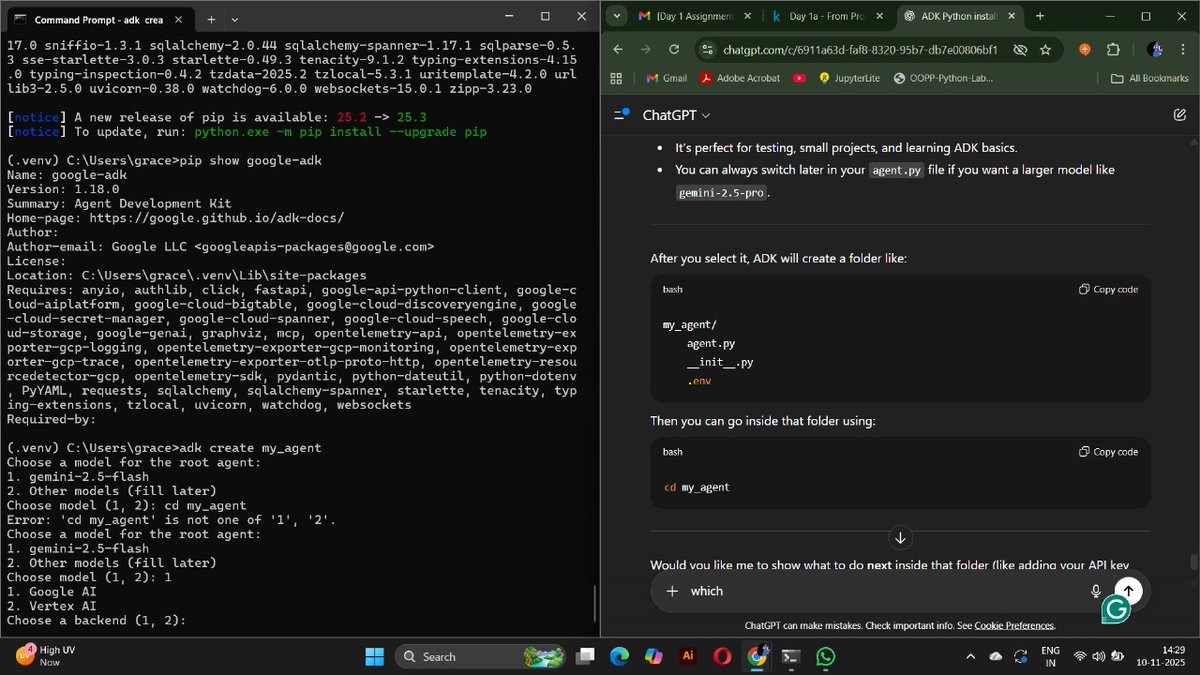
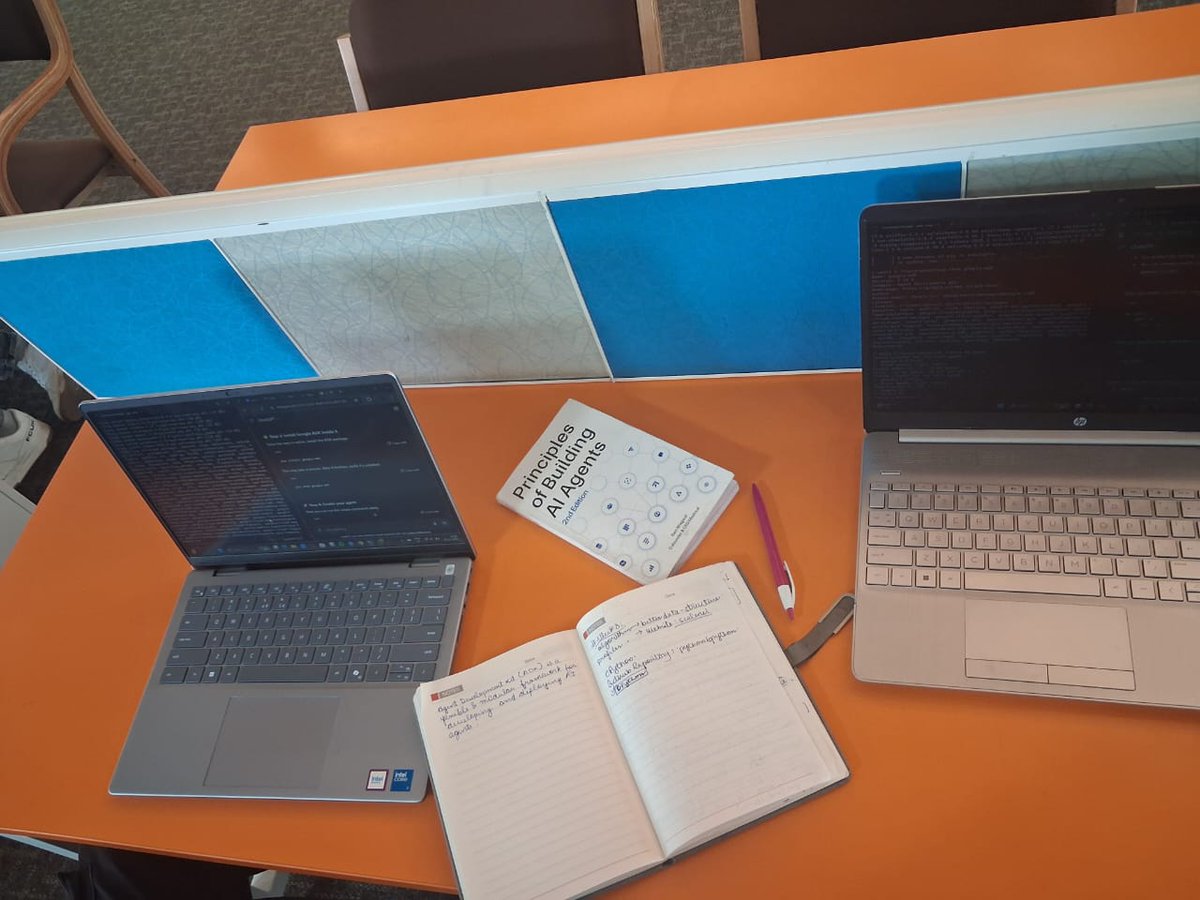
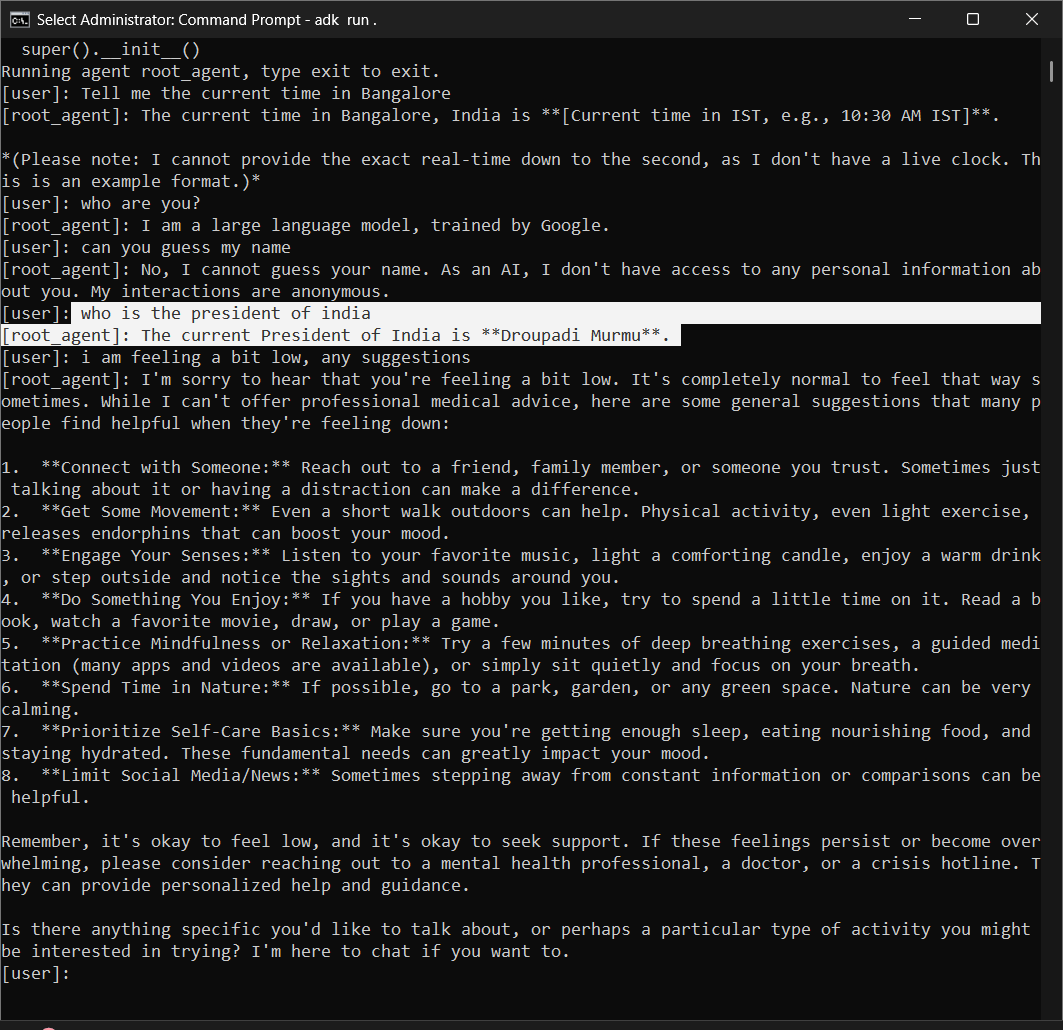
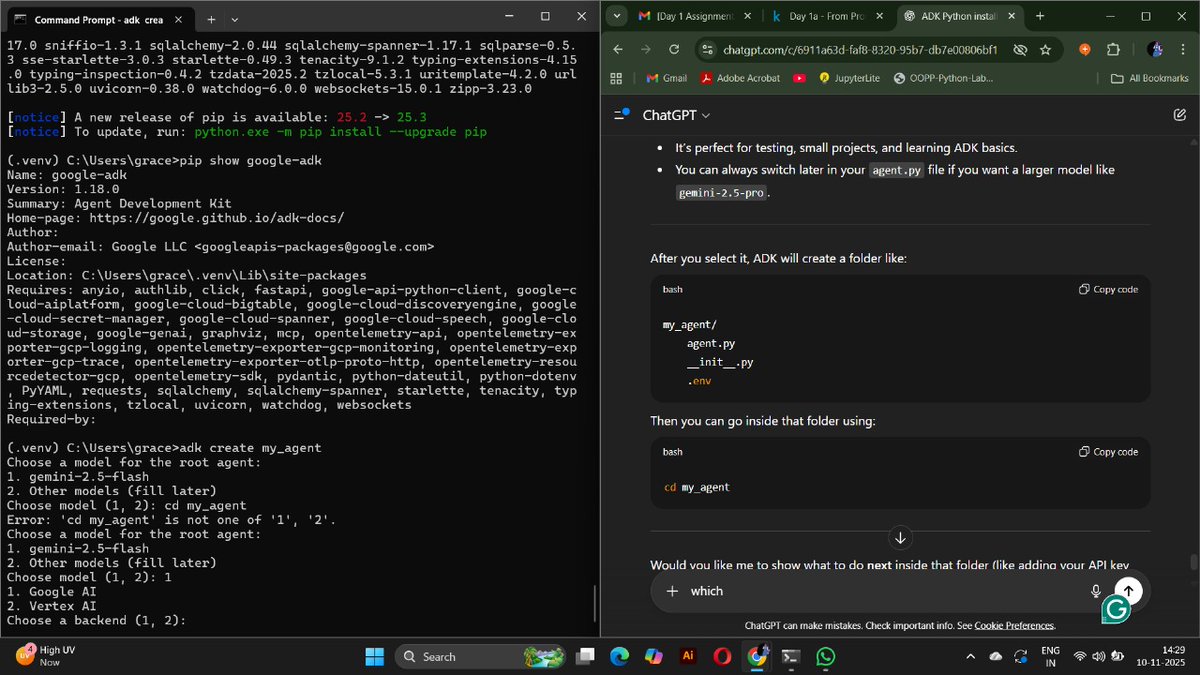
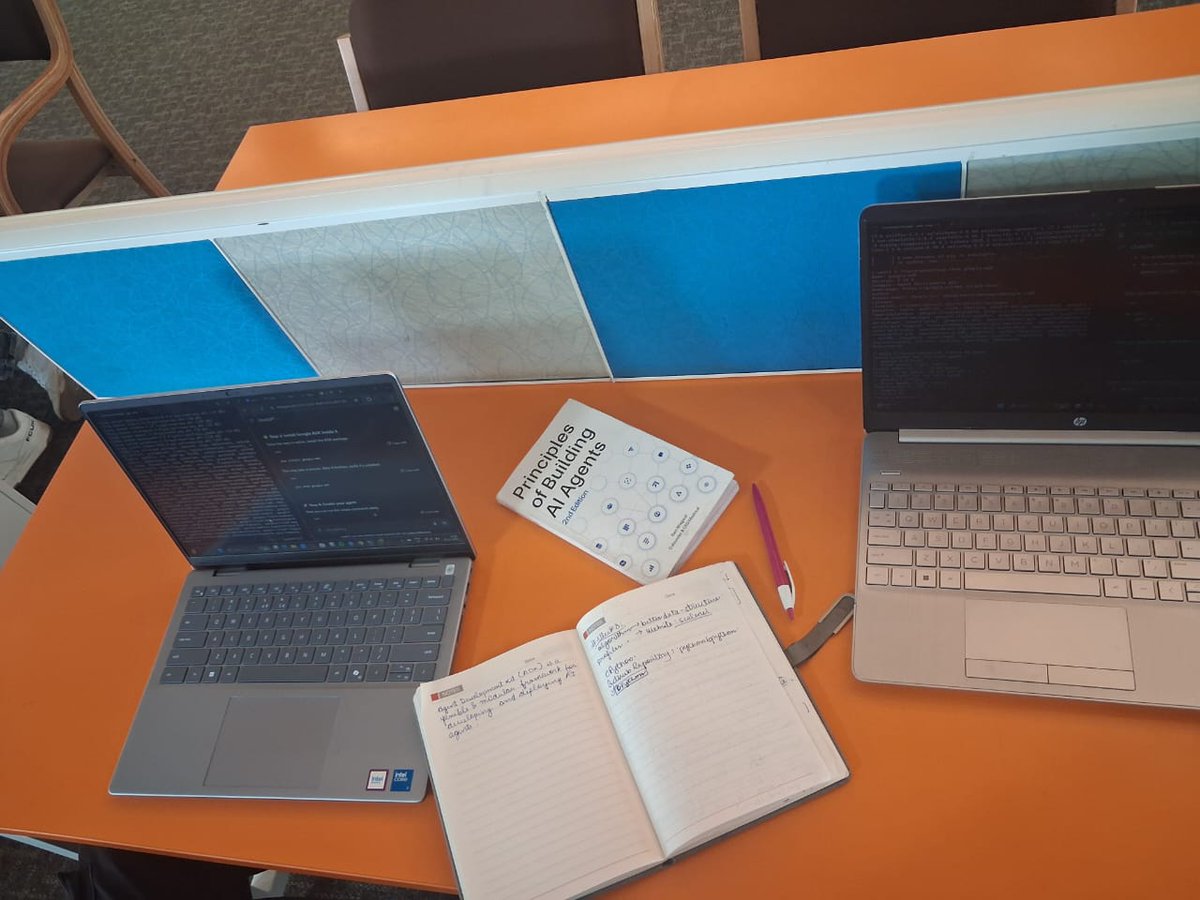
Trained my own #LLMModel using #AgentDevelopmentKit, @kaggle & #CommandPrompt — setup guided by #ChatGPT
#Gemini 1.5 @Google for backend → generated my own #APIKeys on #GoogleAIStudio!
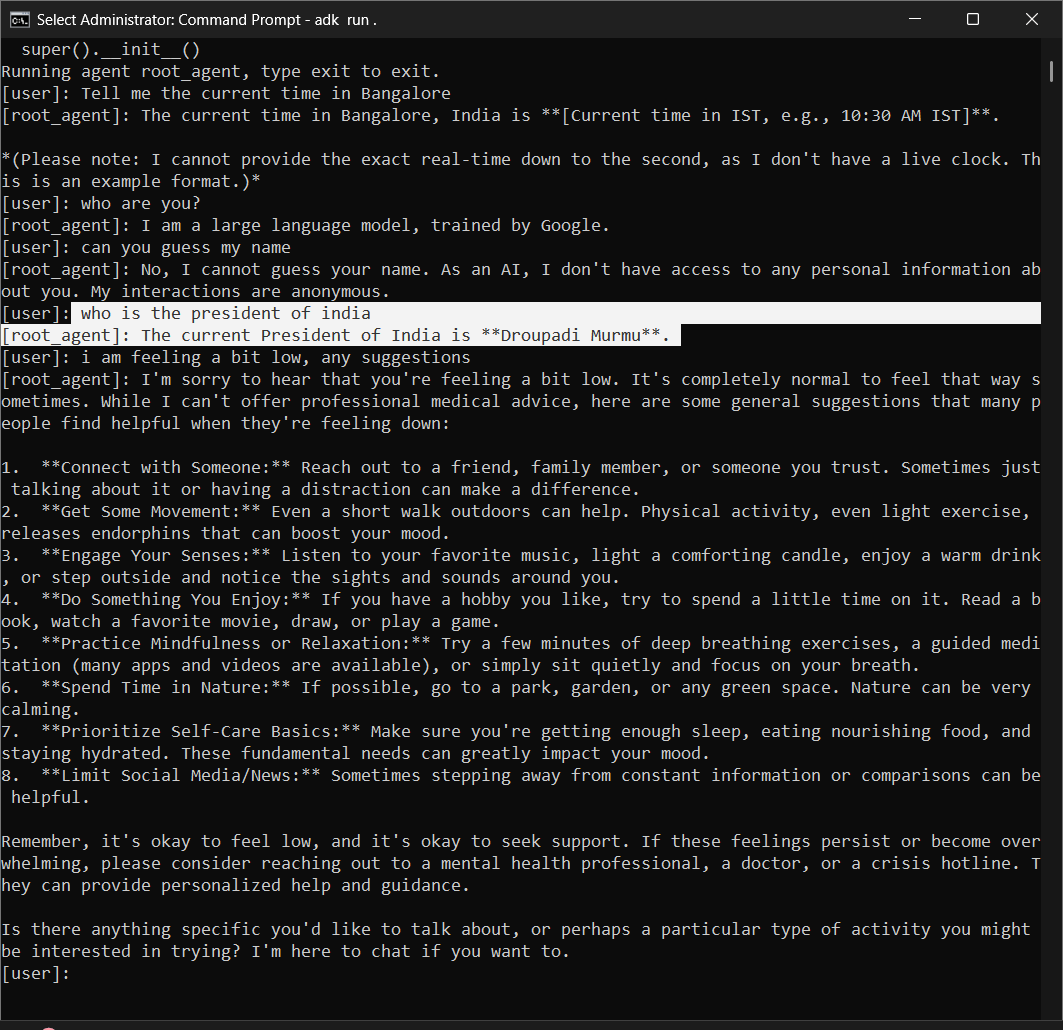
Then came the moment to ask a Q.
It answered ~
& I literally jumped in my college library

1
4
138

10 Nov 2025
Trained my own #LLMModel using #AgentDevelopmentKit, @kaggle & #CommandPrompt — setup guided by #ChatGPT
#Gemini 1.5 @Google for backend → generated my own #APIKeys on #GoogleAIStudio!
Then came the moment to ask a Q.
It answered ~
& I literally jumped in my college library

3
174

5 Nov 2025
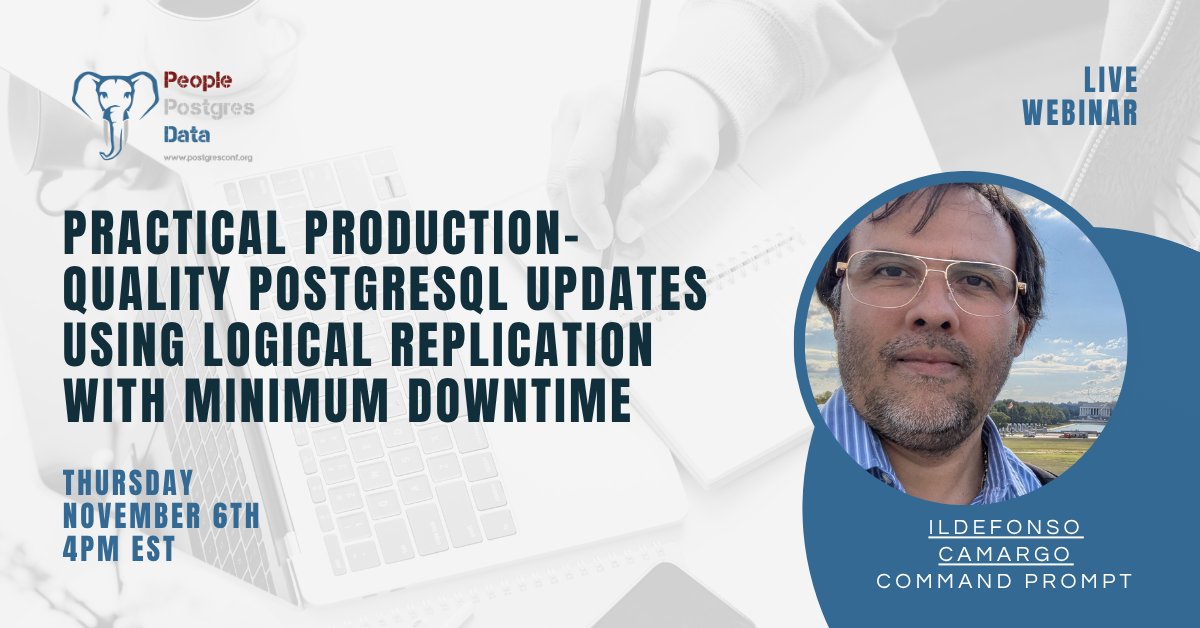
Upgrade PostgreSQL with minimal downtime using logical replication. Join our live tutorial with Jose Ildefonso Camargo (@CommandPrompt CIO)
📅 Nov 6, 4 pm EST
💻 Hands-on walkthrough
🆓 Free registration
postgresconf.org/conferences…
#PostgreSQL
2
168

10 Oct 2025
3
4
282

Think about intelligent AI finality of transaction and you can't leave out @HeyElsaAI as well as @wardenprotocol .
Just give the commandprompt, relax and watch the agent execute your order.
Also observing @trylimitless on wallchain leaderboard.

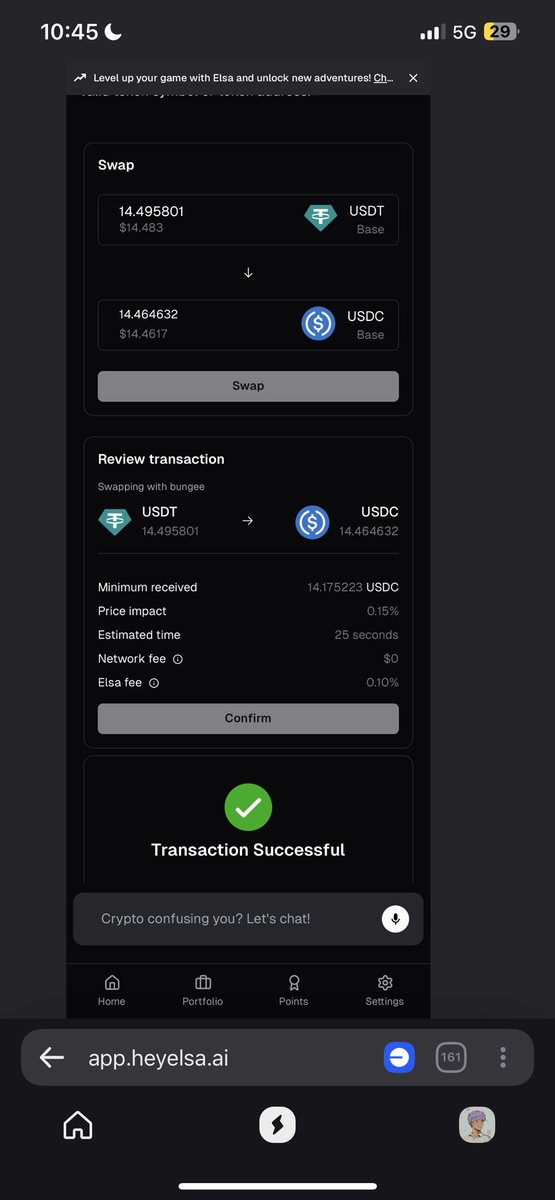
Tried out @HeyElsaAI on @wallchain_xyz NFT mint and swap on Base chain today.
Easy swap between stables and more.
USDT -> USDC with just a single prompt.
No stress , no bridging hassle.
Just type it and let Elsa handle the rest.
#HeyElsa #wallchainquacks
6
6
96

8 Sep 2025
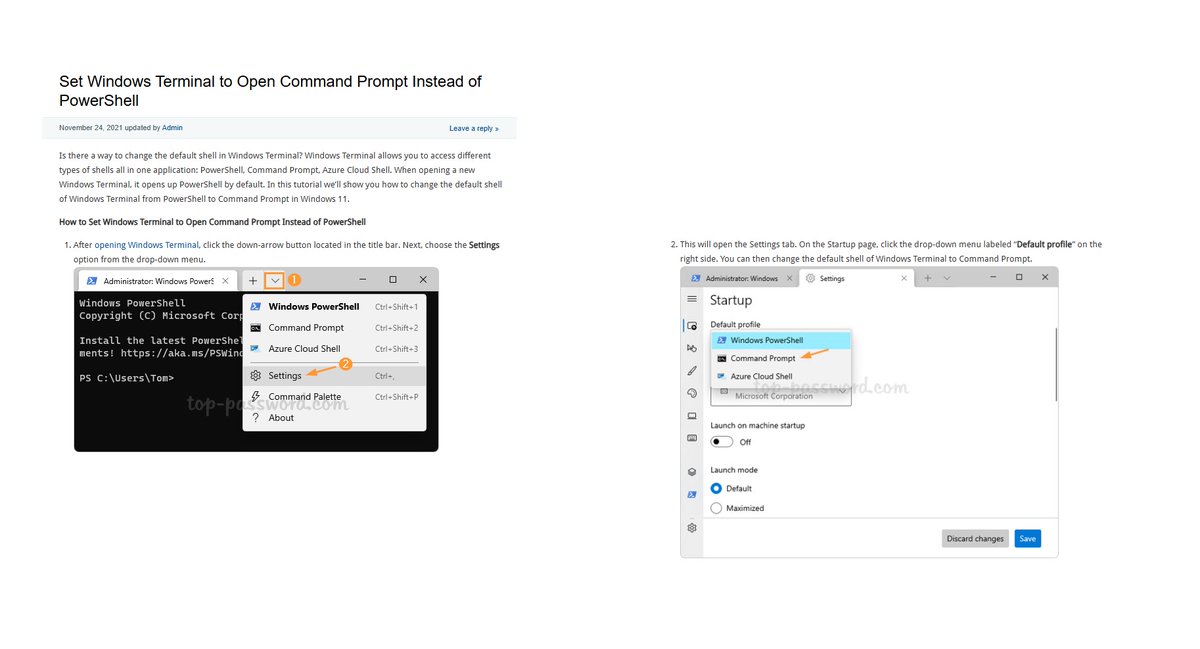
Set Windows Terminal to Open Command Prompt Instead of PowerShell t.ly/6fbFs #Windows11 #CommandPrompt #HowTo
3
109

24 Jun 2025
#TuningTuesday – Let’s Practice!
Don’t forget about this basic command, it’s still one of the most powerful tools in your kit.
Let’s byte into this PING command:
Open Command Prompt on your PC and try these:
•Continuous ping: ping 8.8.8.8 -t
(Runs until you stop it with Ctrl C.)
•Ping with a timeout of 2 seconds: ping 8.8.8.8 -w 2000
•Ping with a 128-byte payload: ping 8.8.8.8 -l 128
•Combined command: ping 8.8.8.8 -t -l 128 -w 2000
Now give it a whirl, try it on a local device or a DNS name.
Prove you practiced below!
Keep it real, drop your results or your favorite ping combos in the replies.
#TuningTuesday #ByteSizeCLI #Windows #CommandPrompt #PracticeWithMe #networkengineer #networking #computersupport #techsupport #engineering #technology
3
9,614

18 Apr 2025
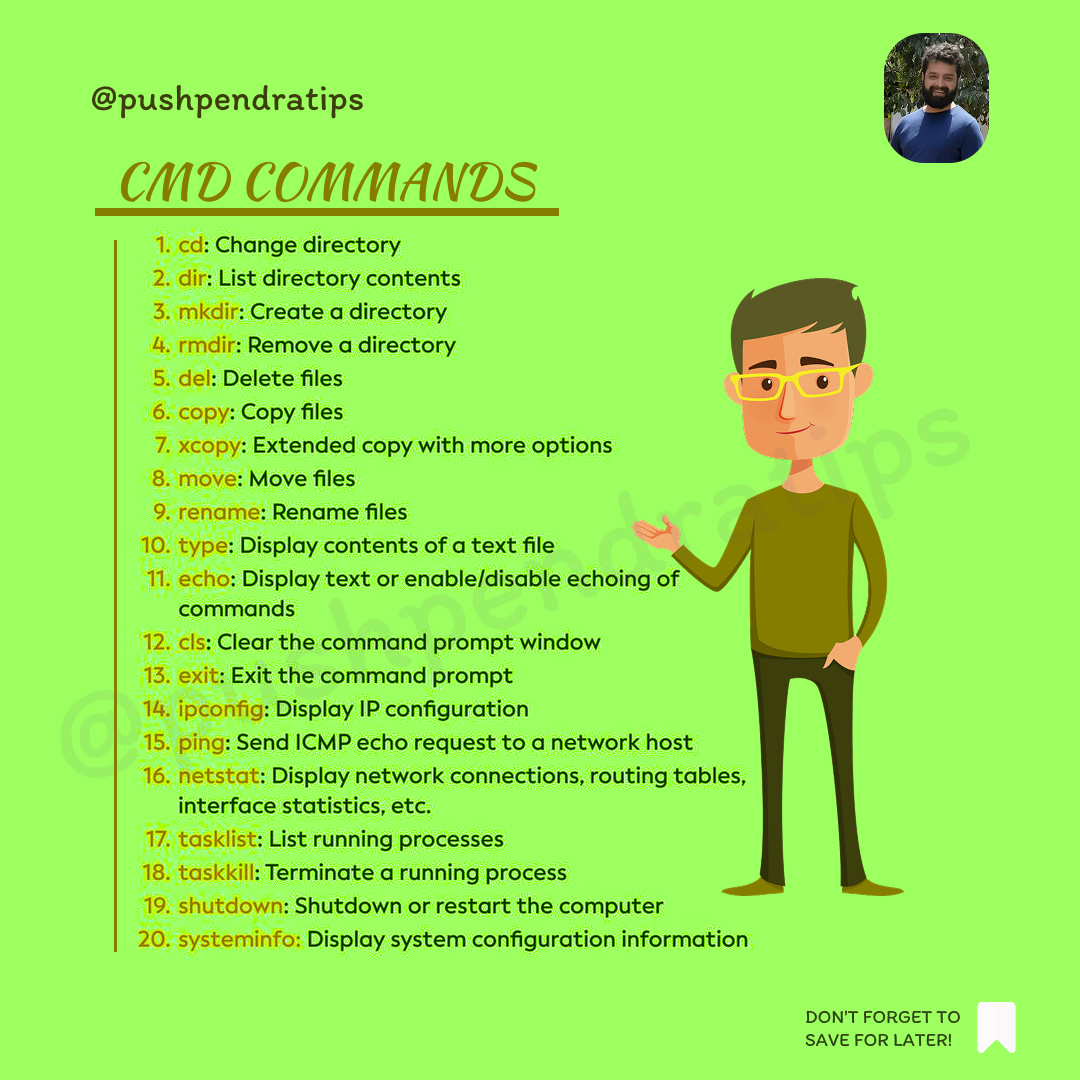
🎯 CMD COMMANDS
#CMDCommands #CommandPrompt #WindowsCMD #CMDTricks #CMDForBeginners #LearnCMD #code #ComputerTips #CMDHacks #TechTutorial #coding #CodingBasics #TerminalCommands #WindowsTips #CommandLineBasics #EthicalHacking #react #HackWithCMD #javascript #node #cmd #api
23
5
36
1,246

3 Dec 2024
seriously y'all my daughters are so TALENTED!
My oldest (She was 14) made this #CommandPrompt series
this one is straight up 🔥
23 Mar 2024

TITLE: knowledge
Minted on: Manifold
listed for: .25ETH
link: rarible.com/token/0xd9e8a0b1…
#CommandPromptSeries #Cryptoart #MyDaughtersArt

1
7
217


5 Nov 2024
Use Win R to open the Run dialog, then type cmd to access Command Prompt quickly. Try ipconfig for network info or ping to troubleshoot connections!
#TechTips #WindowsHacks #CommandPrompt #PCTricks
1
2
23

2
3
26

5 Sep 2024
Will opening a PowerShell console window bring good luck or bad luck?
Source: devhubby.com/thread/how-to-o…
#PowerShell #Windows #CodeNewbie #CommandPrompt
1
6
19

RDBMSのモダンなWebベースの管理クライアント。SQLのシンタックスハイライトやSQL実行結果の表表示などを備えてる。PostgreSQLだけでなくSQLiteやMySQLもサポートする模様。 / “GitHub - commandprompt/pgmanage: Web tool for database management” htn.to/8GgK3zxR6a
8
20
2,295

I feel *super* bad for any techs going to “manual” fix computers … where management can’t be useful enough to get “normal employees” to do prep work.
… like, reboot into SafeMode, and open a CommandPrompt … *before* the tech gets there? 🤷♀️ so we aren’t MORE wasting time?
15
1,023

30 Jun 2024
File Location: C:\Windows\System32\migwiz\replacementmanifests\CommandPrompt-Win8-Replacement. man
2
53