
22 Sep 2025
Aquí comparto mis reglas súper estrictas para Cursor/Claude Code que AUTO-RECHAZAN mal código de Next.js, React o Tailwind:
------
# Frontend Development Rules - React.js, Next.js 15, Tailwind 4
**CRITICAL: These rules are MANDATORY and must be followed in every component and file.**
## NEVER DO THESE (Automatic Code Rejection)
- Never use `<div>` for clickable elements - use `<button>` or `<Link>`
- Never use `<div>` when semantic alternatives exist:
- Navigation menus → `<nav>`
- Page/section headers → `<header>`
- Main content area → `<main>`
- Content sections → `<section>`
- Clickable elements → `<button>` or `<Link>`
- Never use `<img>` - ALWAYS use `next/image` with proper sizing
- Never use `<a>` for internal links - ALWAYS use `next/link`
- Never hardcode colors, spacing, or fonts (no `bg-[#123]`, `p-[24px]`)
- Never use string concatenation for classes - ALWAYS use `cn()` utility
- Never create new components without checking existing ones first
- Never use inline styles or style props
- Never skip alt text on images
- Never use non-semantic HTML when semantic options exist
## MANDATORY IMPORTS & PATTERNS
### Required Imports (Use These First)
```typescript
// ALWAYS import these when needed
import Image from 'next/image' // For ALL images
import Link from 'next/link' // For ALL internal links
import { cn } from '@/lib/utils' // For ALL className logic
```
### Component Header Template (Start Every Component With This)
```typescript
import { cn } from '@/lib/utils'
import Image from 'next/image'
import Link from 'next/link'
// Import existing components from @/components first
// Only create new ones if absolutely necessary
interface ComponentNameProps {
className?: string
// ... other props with proper types
}
export default function ComponentName({
className,
...props
}: ComponentNameProps) {
return (
<semantic-element className={cn(
'base-tailwind-classes',
className
)}>
{/* Content */}
</semantic-element>
)
}
```
## SEMANTIC HTML ENFORCEMENT
### Use This Hierarchy (In Order of Preference)
1. **Semantic elements first**: `<button>`, `<nav>`, `<header>`, `<main>`, `<section>`, `<article>`, `<aside>`, `<footer>`
2. **Interactive elements**: `<Link>`, `<form>`, `<input>`, `<select>`
3. **Content elements**: `<h1-h6>`, `<p>`, `<ul>`, `<ol>`, `<li>`
4. **Generic containers last**: `<div>`, `<span>` (only when no semantic alternative exists)
### Examples of Correct Semantic Usage
```typescript
// Navigation
<nav className={cn('flex items-center gap-4', className)}>
<Link href="/about" className="hover:text-primary">About</Link>
</nav>
// Clickable card
<Link href={`/posts/${slug}`} className={cn('block p-6 rounded-lg border', className)}>
<article>
<h3 className="text-xl font-semibold">{title}</h3>
<p className="text-gray-600">{excerpt}</p>
</article>
</Link>
// Button with action
<button
onClick={handleSubmit}
className={cn('px-4 py-2 bg-primary text-white rounded', className)}
>
Submit
</button>
// Main content area
<main className="container mx-auto px-4">
<header className="mb-8">
<h1 className="text-3xl font-bold">{title}</h1>
</header>
<section className="prose">
{content}
</section>
</main>
```
## TAILWIND & STYLING RULES
### Class Management with `cn` (MANDATORY)
```typescript
// ALWAYS use cn() - never string concatenation
className={cn(
'base-classes',
{
'conditional-class': condition,
'another-class': anotherCondition
},
props.className
)}
// NEVER do this
className={`base-classes ${condition ? 'conditional' : ''} ${props.className}`}
```
### Allowed Tailwind Classes Only
```css
/* Use ONLY these theme values from globals.css */
/* Colors: primary, secondary, accent, gray-50 through gray-900 */
/* Spacing: p-1 through p-12, m-1 through m-12, gap-1 through gap-12 */
/* Typography: text-xs, text-sm, text-base, text-lg, text-xl, text-2xl, etc. */
/* NO arbitrary values: bg-[#123], p-[24px], text-[1.5rem] */
```
## IMAGE & LINK HANDLING
### Images (MANDATORY next/image usage)
```typescript
// ALWAYS do this
<Image
src={imageSrc}
alt={descriptiveAltText} // NEVER empty or generic
width={800} // ALWAYS specify dimensions
height={600}
className="object-cover rounded-lg"
priority={isAboveFold} // For LCP images
/>
// NEVER use <img>
<img src={src} alt={alt} />
```
### Links (MANDATORY next/link usage)
```typescript
// Internal links
<Link href="/about" className="hover:text-primary">
About Us
</Link>
// External links
<a
href="external.com"
target="_blank"
rel="noopener noreferrer"
className="text-blue-600 underline"
>
External Link
</a>
```
## COMPONENT REUSE PROTOCOL
### Before Creating New Components (MANDATORY CHECK)
1. **Search existing components** in `/src/components/`
2. **Check if extension is possible** rather than creating new
3. **Import and reuse** existing components
4. **Only create new** if absolutely necessary
### Component Discovery Pattern
```typescript
// ALWAYS check these imports first
import { Button } from '@/components/Button'
import { Card } from '@/components/Card'
import { Modal } from '@/components/Modal'
// etc.
// Then extend if needed
const CustomButton = ({ variant = 'primary', ...props }) => (
<Button variant={variant} {...props} />
)
```
## CODE REVIEW CHECKLIST
Before submitting any component, verify:
- [ ] Uses semantic HTML elements appropriately
- [ ] Uses `next/image` for all images with proper alt text
- [ ] Uses `next/link` for all internal navigation
- [ ] Uses `cn()` utility for all className logic
- [ ] No hardcoded values (colors, spacing, fonts)
- [ ] Checks existing components before creating new ones
- [ ] Proper TypeScript interfaces
- [ ] Accessible markup with ARIA attributes where needed
- [ ] Responsive design with mobile-first approach
## ENFORCEMENT RULES
**If any of these rules are violated, the code should be immediately refactored:**
1. **Semantic Violations**: Replace `<div>` with proper semantic elements
2. **Import Violations**: Add required imports (`Image`, `Link`, `cn`)
3. **Styling Violations**: Replace hardcoded values with Tailwind utilities
4. **Component Violations**: Check for existing components and reuse
5. **Accessibility Violations**: Add proper ARIA attributes and alt text
---
**Remember: These rules exist to create maintainable, accessible, and performant React applications. Every violation makes the codebase harder to maintain and less accessible to users.**
8
28
235
11,109

17 Aug 2025
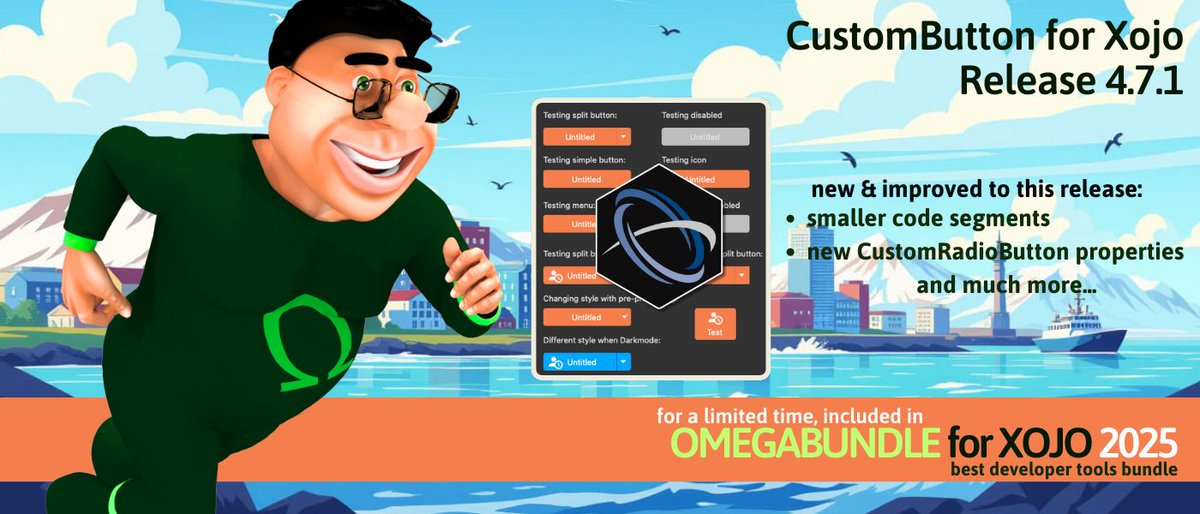
Einhugur CustomButton for Xojo 4.7.1 now available with enhancements for building polished, professional UI for your cross-platform apps on Linux , Windows & macOS. A part of Omegabundle for #Xojo 2025. #macdev #linuxdev #windev bit.ly/4fGCpQo
1
5
104

15 Aug 2025
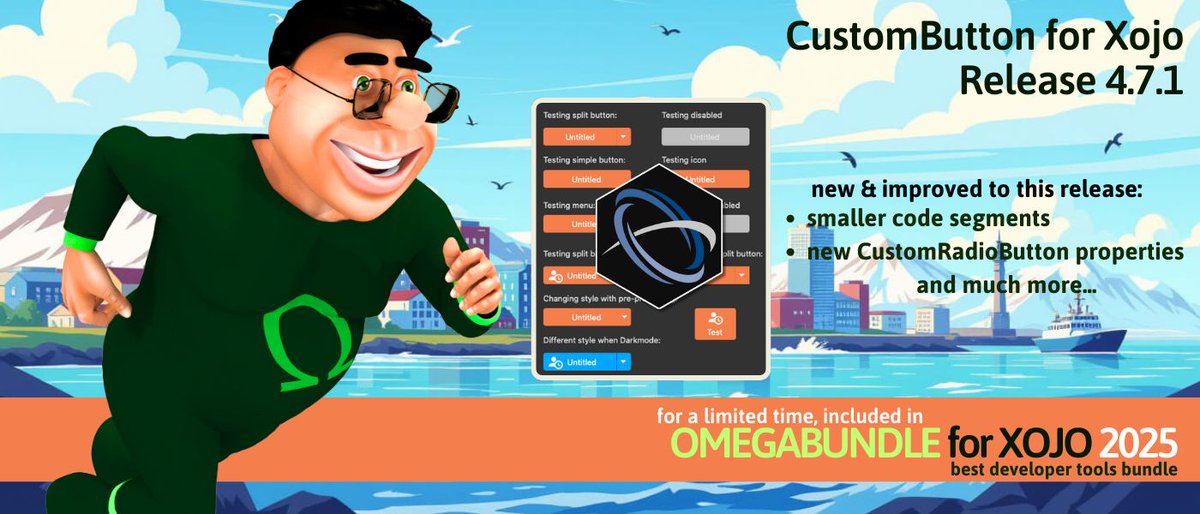
Einhugur CustomButton for Xojo 4.7.1 now available with enhancements for building polished, professional #UI for your cross-platform #apps on #Linux , Windows & macOS. A part of Omegabundle for #Xojo 2025. bit.ly/4fGCpQo
4
35
17 Jul 2025
Einhugur releases CustomButton 4.6 for Xojo user interface plugin. Included in Omegabundle for #Xojo 2025, the ultimate set of add-ons, components and apps for developers building professional applications on macOS, Windows & Linux. #indiedev #macdev bit.ly/46H1bNJ
1
1
8
94
16 Jul 2025
Einhugur releases CustomButton 4.6 for Xojo user interface plugin. Included in Omegabundle for #Xojo 2025, the ultimate set of add-ons, components and apps for #developers building professional applications on macOS, Windows & Linux. @einhugur bit.ly/46H1bNJ
1
6
95

15 Jul 2025
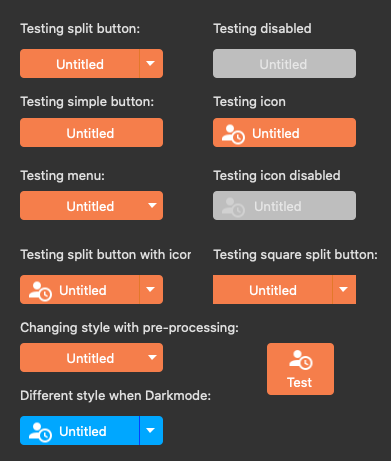
Einhugur Software releases CustomButton Plugin 4.6 for Xojo.
The plugin is to create Custom rendered coloured buttons, checkboxes, radio buttons and switches for all desktop platforms.
More info at einhugur.com
3
48


10 Mar 2025
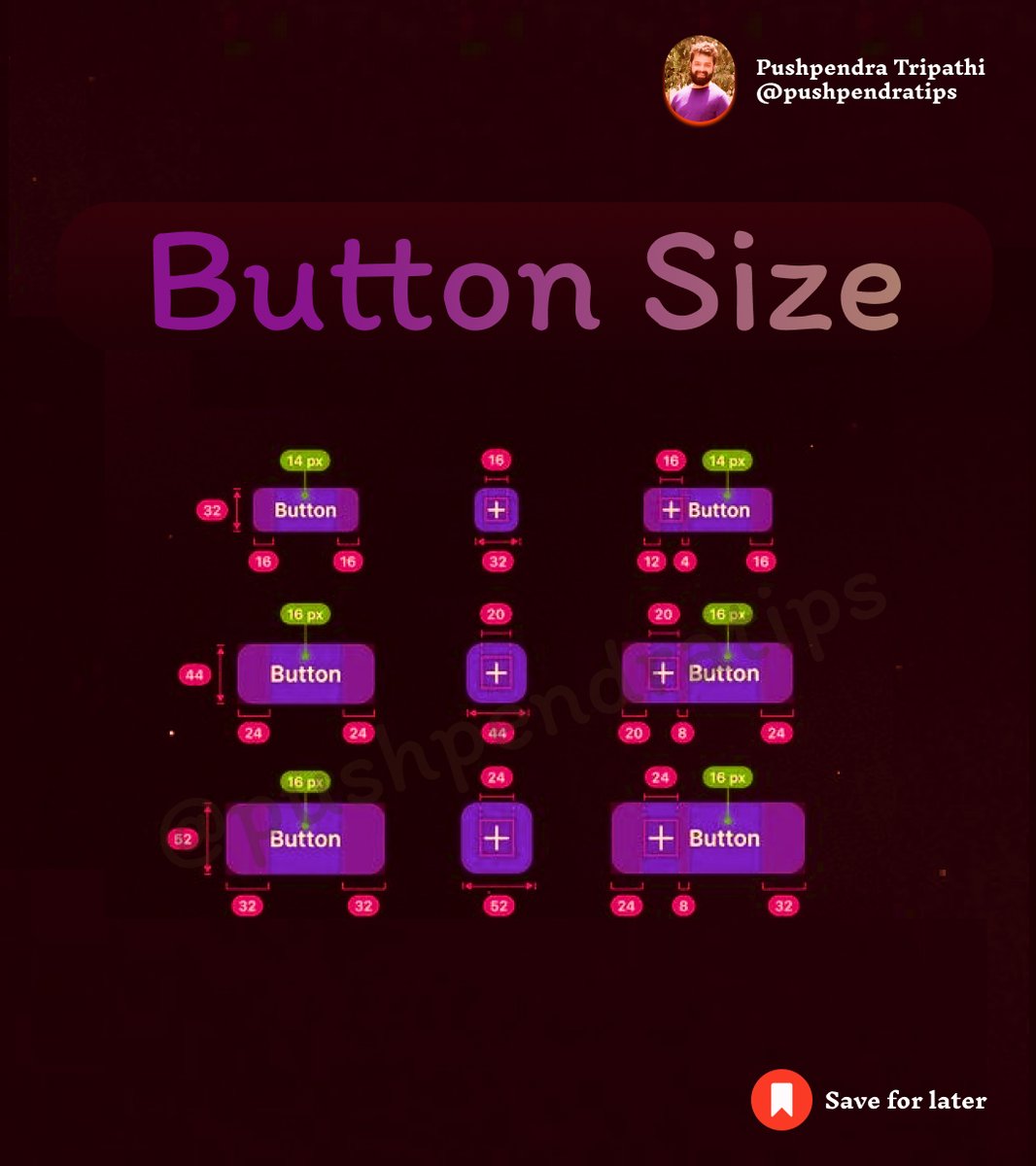
🎯 Button Size
#ButtonSize #HTMLButton #CSSButton #ResponsiveButton #UIButton #BigButton #SmallButton #CSSStyling #CustomButton #BootstrapButton #TailwindButton #ReactButton #NextJSUIButton #html #css #react #javascript
26
16
91
3,610

27 Oct 2024
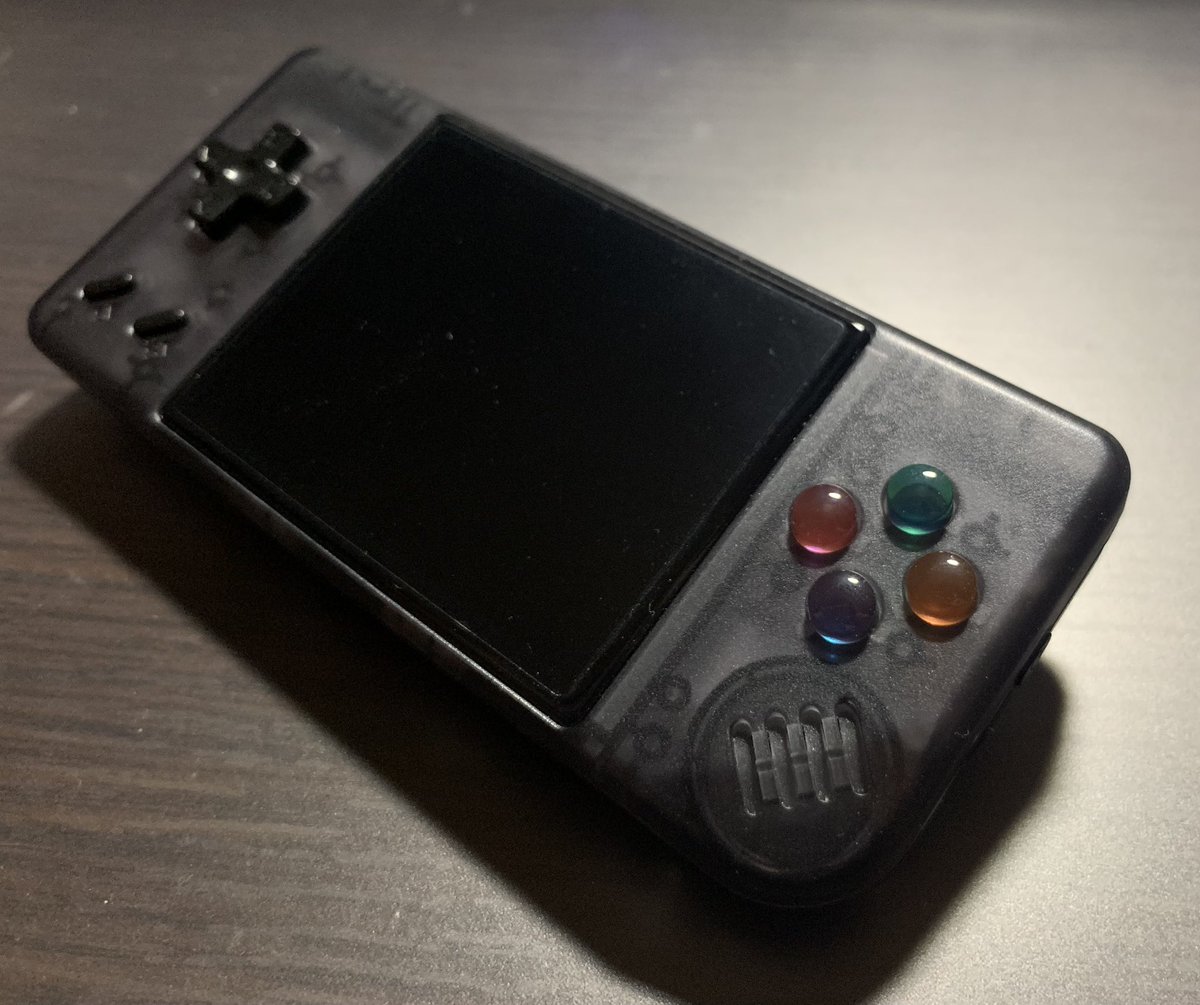
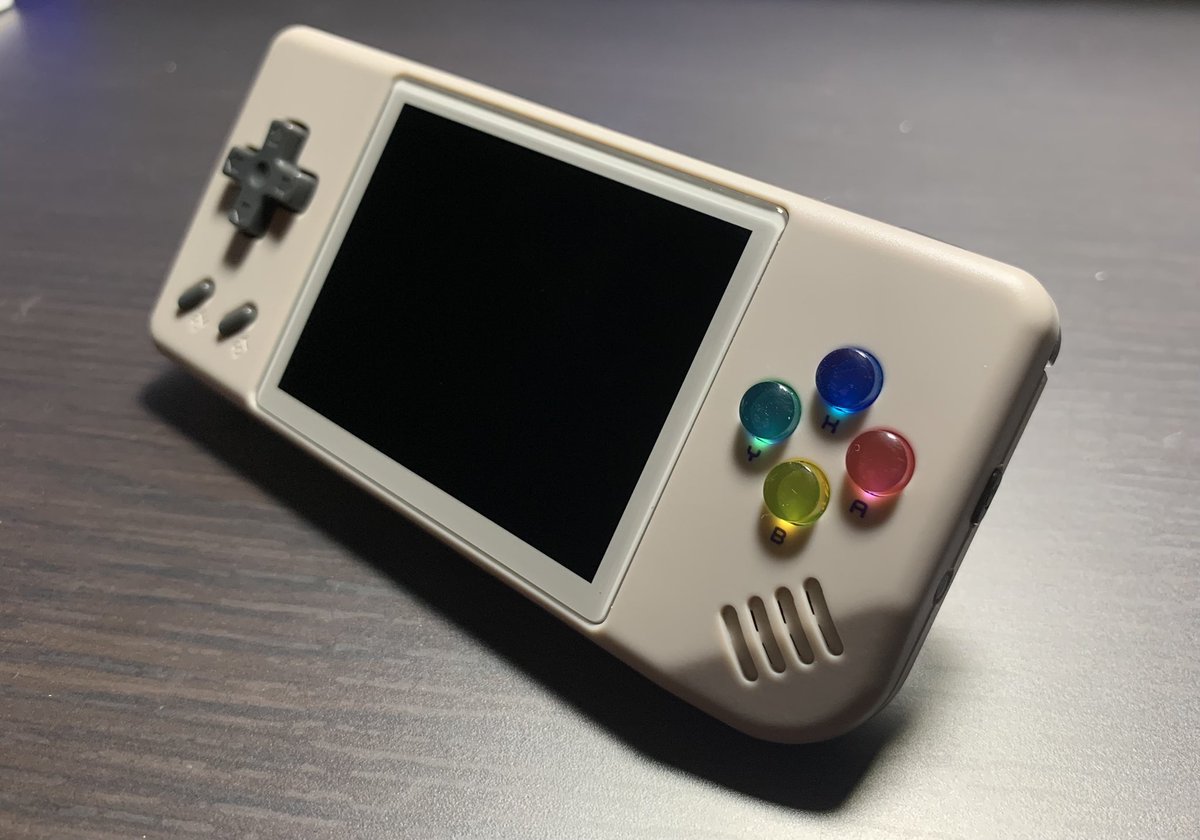
These custom buttons were made in consultation with the creator, VARIOUS-san. If you have an order for custom button production, please consult VARIOUS-san.
#CustomButton #Anbernic #RG28xx #RG35xxPlus #VARIOUSさん

1
2
12
1,619

20 Aug 2024
Want to 💡learn how to 🖱️trigger a #PowerAutomate #Flow from a button in a #ModelDrivenApp using a custom column and a #PowerFX formula? Check it out! 👇👇
📺youtu.be/N7nORoAPDK4
✍d365goddess.com/trigger-powe…
#Automation #LowCode #CustomButton #D365 #Dataverse #D365CE #PowerFX

2
3
233


25 Feb 2024
Druzy 5x Leather Bracelet - Stack it with your own faves! Why not..... Designed by top selling Etsy artist Licky Drake. Complete with sterling silver custombutton. happygolicky.etsy.com/listin… #taylorswiftjewelry #TaylorSwift #ErasTourSydney #ErasTour

ALT Druzy Jewelry, Raw Gemstone Jewelry, 5X Druzy Wrap Bracelet, Boho Jewelry Leather Wrap Bracelet, Boho Druzy Wrap Bracelet, 5x Druzy Bracelet
2
2
107

2 Feb 2024
February is Eating Disorders Awareness Month, a time to foster understanding and support. Let's break the stigma and promote body positivity. Wear a #CustomButton to show your commitment to a compassionate and inclusive world. 💙
wackybuttons.com/button-stor…

7

how do people who use tailwind do anything?? lets say I want a button. I want buttons consistently styled the same way in my application. the usual way would be to go in the css and do `button { .. }` but with tailwind do I have to create a `CustomButton` component??
4
5
409

こちら CustomButton について、UnityEngine.EventSystems の IPointerClickHandlerなどのインターフェースを直接実装していた形から、
UniRx.Triggers の ObservableEventTrigger を使用する実装に書き換えました!

Unityゲーム開発者ギルド Advent Calendar 2023の2日目の記事を執筆・公開しました!
ボタンの個人的な実装アプローチを紹介しています!
【Unity】汎用的に扱えるボタンの個人的な実装アプローチの紹介 qiita.com/Putinu/items/932d2… #Qiita @putinu3より
8
519

21 Nov 2023
1. Not using server-side logger (such as Crashlyitics)
2. Not reviewing your own code before creating a PR
3. Custom styling in Text Widgets vs TextTheme
4. Vague naming (CustomButton, MyAppBar)
5. Not testing edge cases and empty states
2
2
25
2,080
25 Oct 2023
To be a mediocre Flutter developer
follow these 17 tips:
1. Test only on 1 device
2. Never format your code
3. Add business logic to UI files
4. Never log information to console
5. Have Widget classes with 200 lines
6. Combine different navigation strategies
7. Use unpopular & unmaintained packages
8. Never mark immutable variables as "final"
9. Assume all backend data will always be valid
10. Never keep Flutter and packages up to date
11. Name generically: MyApp, CustomButton, x, t
12. Combine different state management packages
13. Never use remote crash logger (like Crashlytics)
14. Assume users will always have stable connection
15. Write boilerplate yourself, never use code generation
16. Navigate files in project view, never using shortcuts/find
17. If you see an exception in the console - close the window
Wanna be an exceptional Flutter developer instead?
Read the tips again and do the opposite.
What else?
12
14
62
13,769
10 Oct 2023
We have updated our CustomButton plugin for Xojo, adding more color properties to the CustomSwitch control.
More info at einhugur.com
1
3
109
9 Aug 2023
We just updated CustomButton control plugin for Xojo to version 4.2.
This version adds some properties to control colors when hovering over buttons.
More info at einhugur.com
1
3
119

28 Jul 2023
o que eu falei de ter interface é que
type Button = {
save: () => Promise<void>
}
// tem que estar tipado, senão n funciona pq eu tenho // que "forçar" que os métodos que eu preciso vão existir
function CustomButton(baseButton: Button): Button {
}
1
2
20