

Apr 29
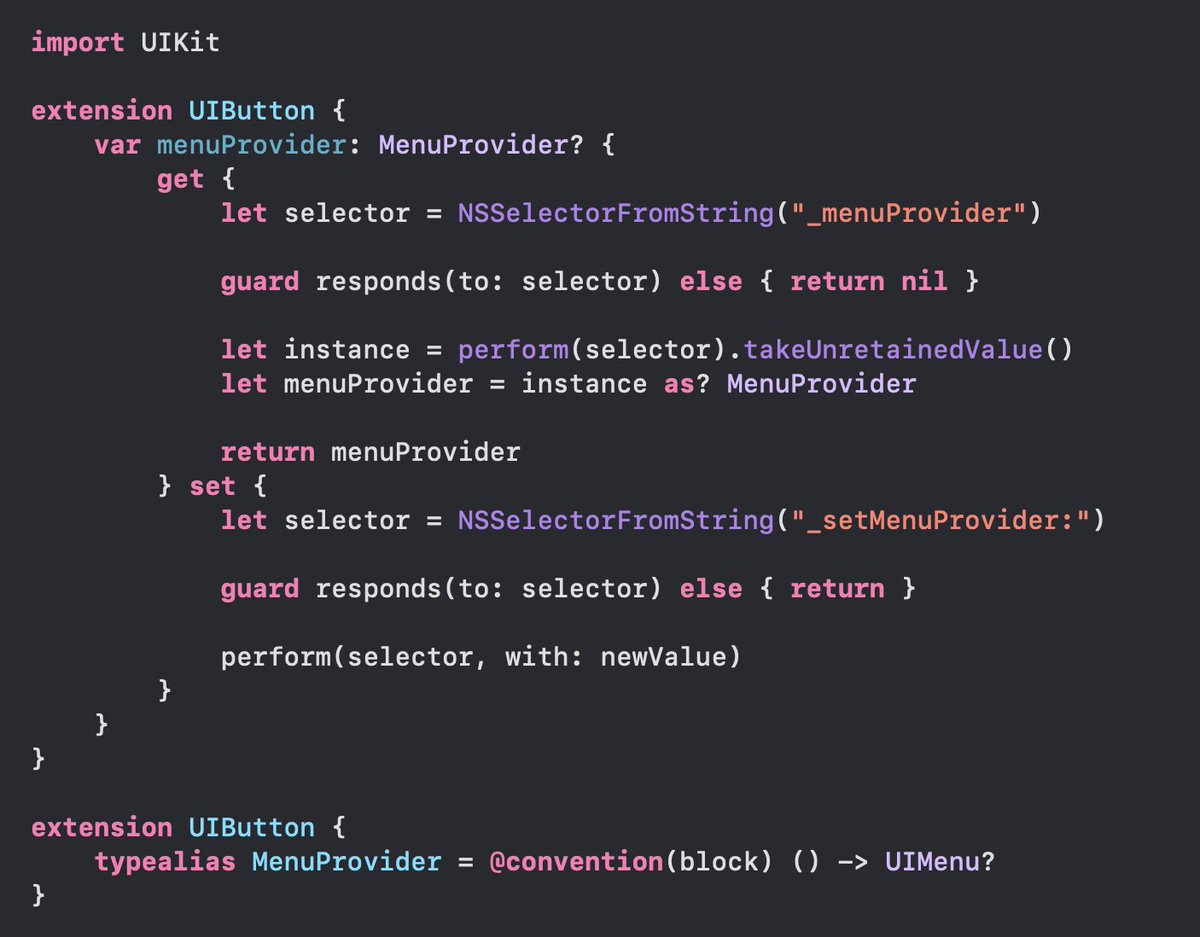
UIButton has a private _menuProvider property which gets called each time the button attempts to present its menu.
Handy for reusable components where the API client can vend their own UIMenu, or even just to present menus that are always up-to-date, regardless of state.
4
5
71
5,598


Apr 27
A public workaround is to use UIControl directly.
Set showsMenuAsPrimaryAction and isContextMenuInteractionEnabled to true, then implement the right delegate methods.
Looks like the new default behavior only applies to UIButton.
👉Example code: gist.github.com/vistar941/2d… (3/4)
3
1
26
1,965

Found an interesting UIKit rendering issue with a UIButton attached to UIMenu. The button’s appearance was still being managed manually with properties like layer.cornerRadius, tintColor, backgroundColor, and setImage.
1
2
65


Mar 17
> 一方で、このパターンには課題もあります。isPending の状態が UIButton の内部に閉じるため、外側のコンポーネントから「今 transition 中かどうか」を知ることができません。
これですが、1つのステート更新を複数のstartTransitionで囲むことができたはず。
kakehashi-dev.hatenablog.com…
2
2
38
7,245


Jan 22
UIButtonのtarget / action方式とかまさしくSmalltalkの精神だし(まだ使う)
message forwardingとかrespondsToSelectorとかも影響受けている気がするよね
1
4
684
UIButtonのConfigurationを一生ちゃんと制御できない病にかかってるんだけど2026年になっても特効薬ができないん??
3
292

16 Dec 2025
it reverted back at some point but it’s still around in UIButton.
2
3
394
15 Dec 2025
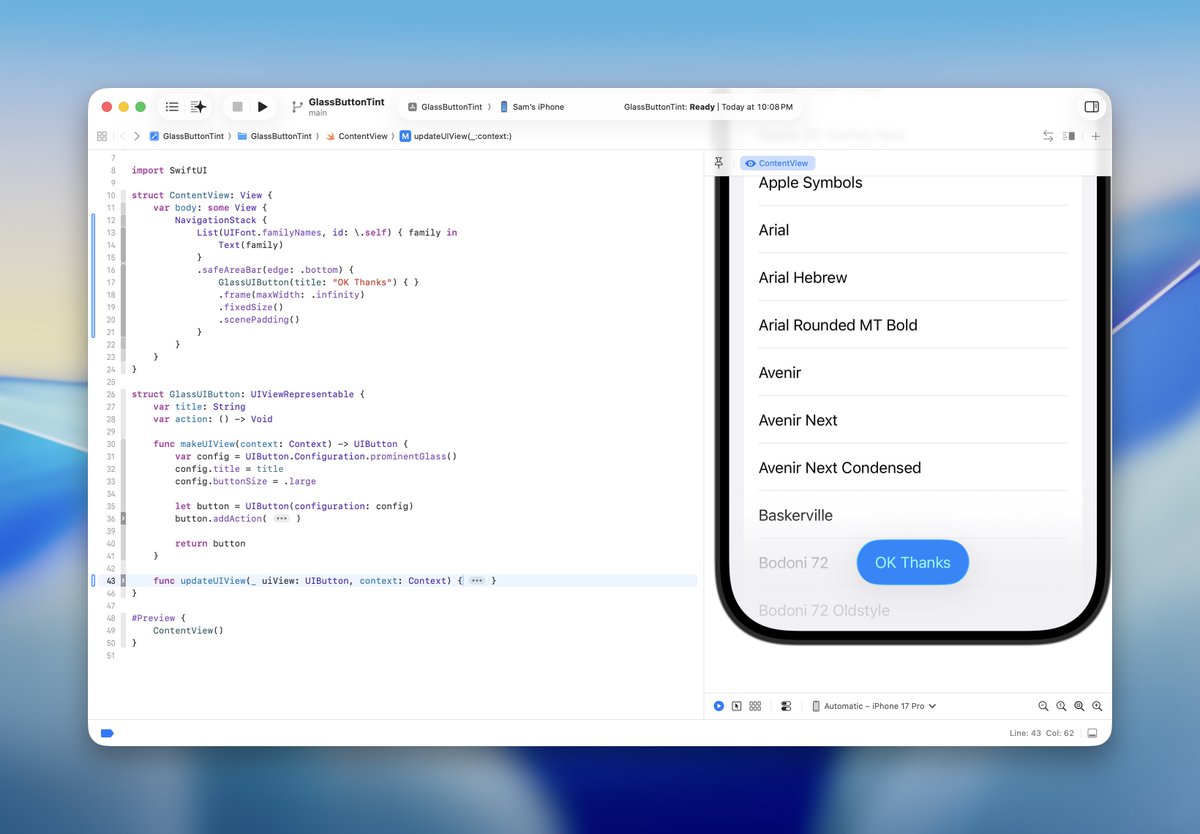
This might be a mismatch between the implementation of UIKit’s prominent glass button configuration versus SwiftUI’s Button? SwiftUI.Button doesn’t actually use UIButton under the hood. UIButton definitely has the vibrant label effect applied- have tested this in my own app.
3
16
1,421

8 Dec 2025
Which CTA drives more engagement? 👀
Exploring a Modern Button Style
#UXDesign #UIDesign #UIUX #WebDesign #ProductDesign #UITrends #UserExperience #DigitalProduct #UIInspiration #WebDesignTips #ProductivityDesign #DesignTips #UIButton #UITips #ChooseAorB
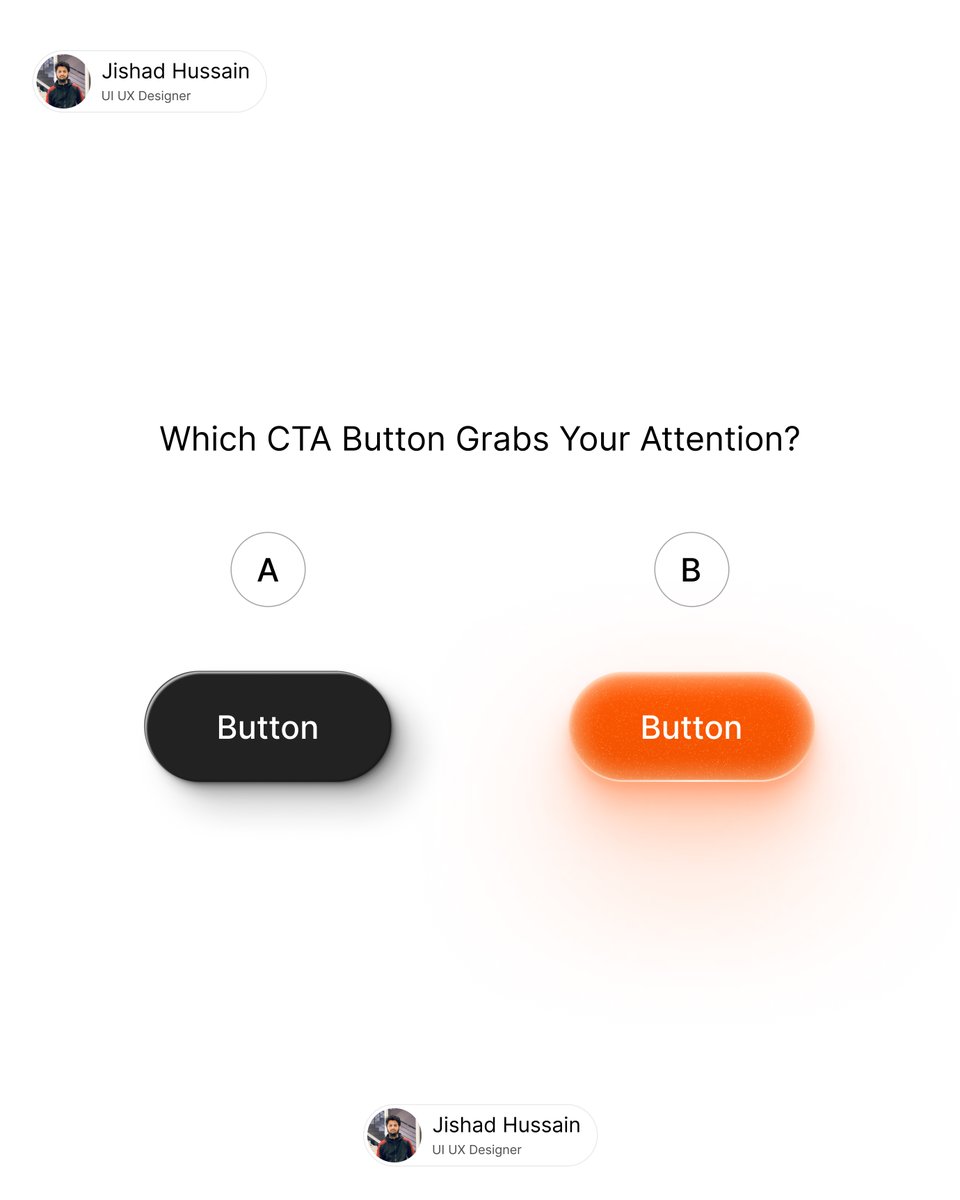
ALT I ran a small UI experiment comparing two styles: A — Clean & Minimal: Elegant, simple, and distraction-free. Perfect for intuitive navigation and a professional, seamless user experience. B — Vibrant & High-Contrast: Bold, colorful, and attention-grabbing. Designed to highlight key actions and drive immediate clicks. Even small UI elements like buttons can significantly influence user behavior, engagement metrics, and overall product performance. Thoughtful button design isn’t just about aesthetics—it’s about creating an intuitive, conversion-focused, and enjoyable digital experience.
3
7
764

3 Dec 2025
ガチャ時間 Season5(ブルーアーカイブ)
(20:30から開始予定です)
youtube.com/live/bJhdn50kxLU… @YouTubeより
私はアイドルマリーを引きます。そのために10連のUIButtonをタップし、紫封筒を登場させます。

4
4
2,973

3 Dec 2025
The IAS docs use a LocalScript also under StarterGui so the connection (to the cloned InputAction) is fresh after every character reset. You'll have to use ResetOnSpawn = false ScreenGui if you're writing code outside this paradigm and want the UIButton reference to be static.
2
512
31 Oct 2025
If you don’t mind using Private API, set "showsMenuFromSource" to true via KVC on UIButton.
👈 false (default) true 👉
19 Sep 2025

Hey @SebJVidal , was having a hard time recreating this effect in UIKit, when setting a menu and showsMenuAsPrimaryAction to a UIButton the button morphs into the menu, and I couldn't find any API to disable that. Can you help?
2
7
107
38,380

29 Oct 2025
一些实验后的结论: iOS 26.1 RC 里,UIKit 里的 UIButton UIButton/Configuration/glass(),或者用 UIVisualEffectView UIGlassEffect,都是好的。所以这就解释了 Toolbar 上的 Menu 是正常的。
真不希望一个小小的按钮也得用 UIKit 重写....

19
4,187
15 Oct 2025
Unfortunately there’s no way of doing this with UIButton. Photos is using a UIToolbar here which doesn’t use UIButtons but instead _UIButtonBarButton (which is a UIControl subclass). The animation is a result of calling setToolbarHidden(_:animated:). You’d have to roll your own button and animate a visual effect view’s effect and an image view’s blur radius.
1
43
2,157

15 Oct 2025
Anyone know how to get this show/hide effect on a Liquid Glass UIButton?
4
2
144
15,525