
Jun 4
迂回策としてLakehouse→DataflowGen1で吸い上げ→PBIDでロード(https)とかをわざわざやらないといけない。出来るけど手間が増えててダサい、DataflowGen2ではその仮想テーブル化が出来ないのもダサい、これこのままGen1捨てられないだろMS。
1
66

🚨 𝐁𝐢𝐠 𝐧𝐞𝐰𝐬! 𝐈'𝐦 𝐡𝐞𝐚𝐝𝐢𝐧𝐠 𝐭𝐨 𝐁𝐚𝐫𝐜𝐞𝐥𝐨𝐧𝐚 𝐭𝐡𝐢𝐬 𝐒𝐞𝐩𝐭𝐞𝐦𝐛𝐞𝐫 𝐟𝐨𝐫 𝐅𝐚𝐛𝐂𝐨𝐧 𝐄𝐮𝐫𝐨𝐩𝐞 2026 — 𝐚𝐧𝐝 𝐈'𝐦 𝐛𝐫𝐢𝐧𝐠𝐢𝐧𝐠 𝐚 𝐟𝐮𝐥𝐥 𝐩𝐫𝐞-𝐜𝐨𝐧𝐟𝐞𝐫𝐞𝐧𝐜𝐞 𝐰𝐨𝐫𝐤𝐬𝐡𝐨𝐩 𝐰𝐢𝐭𝐡 𝐦𝐞!
🎓 Mastering Dataflow Gen2 for ETL in Microsoft Fabric
If you're serious about data engineering in Microsoft Fabric, this is the workshop you don't want to miss.
Here's what we're going to tackle:
✅ Building real-world ETL pipelines with Dataflow Gen2
✅ Power Query transformations at scale
✅ CI/CD and Git integration — the new default
✅ Best practices, pitfalls, and patterns you won't find in the docs
Dataflow Gen2 is no longer optional. It's the backbone of data integration in Microsoft Fabric — and now with CI/CD baked in by default, it's time to master it properly.
Come learn hands-on. Ask questions. Leave with skills you can use on Monday morning. 💪
👉 Grab your spot: espc.tech/conference/fabcon-…
See you in Barcelona! 🌊☀️
#MicrosoftFabric #DataflowGen2 #FabConEurope #ETL #DataEngineering #PowerQuery #CICD #FabricCommunity #Barcelona #DataFactory
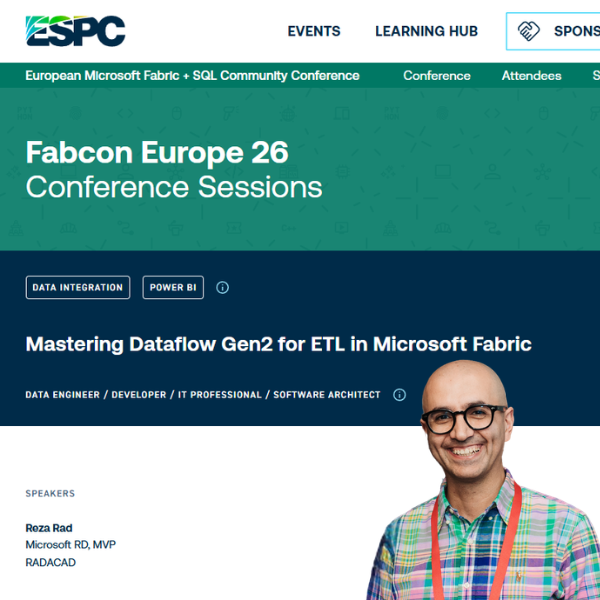
197

🚨 𝐁𝐢𝐠 𝐧𝐞𝐰𝐬! 𝐈'𝐦 𝐡𝐞𝐚𝐝𝐢𝐧𝐠 𝐭𝐨 𝐁𝐚𝐫𝐜𝐞𝐥𝐨𝐧𝐚 𝐭𝐡𝐢𝐬 𝐒𝐞𝐩𝐭𝐞𝐦𝐛𝐞𝐫 𝐟𝐨𝐫 𝐅𝐚𝐛𝐂𝐨𝐧 𝐄𝐮𝐫𝐨𝐩𝐞 2026 — 𝐚𝐧𝐝 𝐈'𝐦 𝐛𝐫𝐢𝐧𝐠𝐢𝐧𝐠 𝐚 𝐟𝐮𝐥𝐥 𝐩𝐫𝐞-𝐜𝐨𝐧𝐟𝐞𝐫𝐞𝐧𝐜𝐞 𝐰𝐨𝐫𝐤𝐬𝐡𝐨𝐩 𝐰𝐢𝐭𝐡 𝐦𝐞!
🎓 Mastering Dataflow Gen2 for ETL in Microsoft Fabric
If you're serious about data engineering in Microsoft Fabric, this is the workshop you don't want to miss.
Here's what we're going to tackle:
✅ Building real-world ETL pipelines with Dataflow Gen2
✅ Power Query transformations at scale
✅ CI/CD and Git integration — the new default
✅ Best practices, pitfalls, and patterns you won't find in the docs
Dataflow Gen2 is no longer optional. It's the backbone of data integration in Microsoft Fabric — and now with CI/CD baked in by default, it's time to master it properly.
Come learn hands-on. Ask questions. Leave with skills you can use on Monday morning. 💪
👉 Grab your spot: espc.tech/conference/fabcon-…
See you in Barcelona! 🌊☀️
#MicrosoftFabric #DataflowGen2 #FabConEurope #ETL #DataEngineering #PowerQuery #CICD #FabricCommunity #Barcelona #DataFactory
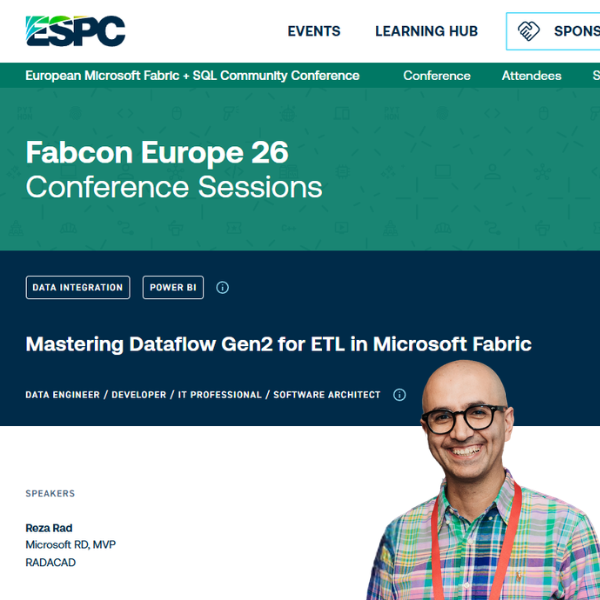
94
What is Dataflow Gen2 CI/CD in Microsoft Fabric
youtube.com/shorts/c5lc9zxJs…
Microsoft Fabric has a new enhanced way of integrating data as part of the Data Factory workload. This enhancement is an addition on top of Dataflow Gen2, which is called Dataflow Gen2 CI/CD. Learn what it is and what its unique features are compared to previous versions.
#MicrosoftFabric #DataflowGen2 #CICD #GitIntegration #DataFactory #PowerQuery #DataEngineering #FabricCommunity #DataAnalyitcs #Analytics #BusinessIntelligence #ETL #PowerBI #RADACAD #Tech
1
139
What is Dataflow Gen2 CI/CD in Microsoft Fabric
youtube.com/shorts/c5lc9zxJs…
Microsoft Fabric has a new enhanced way of integrating data as part of the Data Factory workload. This enhancement is an addition on top of Dataflow Gen2, which is called Dataflow Gen2 CI/CD. Learn what it is and what its unique features are compared to previous versions.
#MicrosoftFabric #DataflowGen2 #CICD #GitIntegration #DataFactory #PowerQuery #DataEngineering #FabricCommunity #DataAnalyitcs #Analytics #BusinessIntelligence #ETL #PowerBI #RADACAD #Tech
248
What is Dataflow Gen2 in Microsoft Fabric
youtube.com/shorts/WEcBAphq0…
There are different ways to integrate data using Microsoft Fabric. In Fabric Data Factory, one of those methods is Dataflow. Dataflow comes in multiple versions. One of them is Dataflow Gen2. This type of Dataflow has some important differences with Dataflow Gen1 in Power BI. Watch this video to learn about those.
#MicrosoftFabric #Dataflow #DataflowGen2 #DataflowGen1 #FabricDataFactory #PowerBI #DataIntegration #ETL #DataEngineering #DataTransformation #BusinessIntelligence #BI #DataAnalytics #Analytics #MicrosoftData #FabricAnalytics #PowerBIDeveloper #DataPipeline #CloudData #MicrosoftCloud #Azure #AzureDataFactory #DataProfessionals #DataLiteracy #TechForBeginners #LearnFabric #LearnPowerBI #RADACAD
1
105
What is Dataflow Gen2 in Microsoft Fabric
youtube.com/shorts/WEcBAphq0…
There are different ways to integrate data using Microsoft Fabric. In Fabric Data Factory, one of those methods is Dataflow. Dataflow comes in multiple versions. One of them is Dataflow Gen2. This type of Dataflow has some important differences with Dataflow Gen1 in Power BI. Watch this video to learn about those.
#MicrosoftFabric #Dataflow #DataflowGen2 #DataflowGen1 #FabricDataFactory #PowerBI #DataIntegration #ETL #DataEngineering #DataTransformation #BusinessIntelligence #BI #DataAnalytics #Analytics #MicrosoftData #FabricAnalytics #PowerBIDeveloper #DataPipeline #CloudData #MicrosoftCloud #Azure #AzureDataFactory #DataProfessionals #DataLiteracy #TechForBeginners #LearnFabric #LearnPowerBI #RADACAD
337

Apr 4
🚨 Microsoft just made it official. Dataflow Gen1 is now Legacy. 🚨
If your organization runs Power BI dataflows — this is not a small update. It's a shift.
🏗️ Gen1 → Power BI Pro
✅ Gen2 → Microsoft Fabric capacity required
⚠️ New licensing. New architecture. A conversation your finance team hasn't had yet. The real issue isn't licensing. It's migration.
⚠️ You can't just upgrade Gen1 → Gen2. It creates a new dataflow ID. Every dataset, report, dashboard connected to it has to be identified and reconnected. Manually. At enterprise scale — that's not a task.
🏗️That's a project. 🏗️
✅But done right? Gen2 is worth it. ✅
→ Direct integration with Fabric Lakehouses, Warehouses, OneLake → Faster performance → Lower capacity consumption → Pipeline CI/CD support → Copilot authoring → Built for AI This isn't just a migration. It's a chance to rebuild your data architecture the right way.
🔧 EPC Group — 500 Fabric implementations. 28 years. On the original Power BI Beta team. G2 Leader 4 consecutive quarters. NPS: 100.
📋 Microsoft's announcement: powerbi.microsoft.com/en-us/…
🏆 Free Gen1 Migration Assessment:
📩 contact@epcgroup.net
📞 (888) 381-9725
🌐 epcgroup.net
#PowerBI #Fabric #DataflowGen2 #MicrosoftFabric #MicrosoftPartner #DataStrategy #AI #BusinessIntelligence #DataEngineering #EnterpriseAI
74

Apr 4
🚨 Microsoft just made it official. Dataflow Gen1 is now Legacy.🚨
If your org runs Power BI dataflows — this is not a small update. It's a shift.
🏗️ Gen1 → Power BI Pro
✅ Gen2 → Microsoft Fabric capacity required
⚠️New licensing. New architecture. A conversation your finance team hasn't had yet.
The real issue isn't licensing. It's migration.
⚠️You can't just upgrade Gen1 → Gen2.
It creates a new dataflow ID. Every dataset, report, dashboard connected to it has to be identified and reconnected. Manually.
At enterprise scale — that's not a task. That's a project. 🏗️
But done right? Gen2 is worth it. ✅
→ Direct integration with Fabric Lakehouses, Warehouses, OneLake → Faster performance → Lower capacity consumption → Pipeline CI/CD support → Copilot authoring → Built for AI
This isn't just a migration. It's a rebuild done right.
🔧EPC Group — 500 Fabric implementations. 28 years. On the original Power BI Beta team.
📋 Microsoft's announcement: powerbi.microsoft.com/en-us/…
🏆Free Gen1 Assessment:
📩 contact@epcgroup.net
📞 (888) 381-9725
🌐 epcgroup.net
#PowerBI #Fabric #DataflowGen2 #MicrosoftFabric #MicrosoftPartner #DataStrategy #AI #BusinessIntelligence #DataEngineering #EnterpriseAI #EPCGroup
51

🚀 #FabConEurope Session: Unlock the power of Dataflow Gen2 with Fabric Data Factory
📢 Speaker: Sid Jayadevan & Jeroen Luitwieler
Learn more 👉 ow.ly/Pfqt50Wj2bo
#Microsoft #FabCon #MicrosoftFabric #DataflowGen2 #DataIntegration #DataTransformation #DataFactory


1
47

3 Sep 2025
🚀 𝗧𝗵𝗿𝗼𝘄𝗯𝗮𝗰𝗸: 𝗠𝗮𝘀𝘁𝗲𝗿 𝗣𝗼𝘄𝗲𝗿 𝗤𝘂𝗲𝗿𝘆: 𝗧𝗿𝗮𝗻𝘀𝗳𝗼𝗿𝗺 𝗗𝗮𝘁𝗮 𝗟𝗶𝗸𝗲 𝗮 𝗣𝗿𝗼! 𝟯 𝗛𝗼𝘂𝗿𝘀
👉 youtube.com/watch?v=T_ch_zoQ…
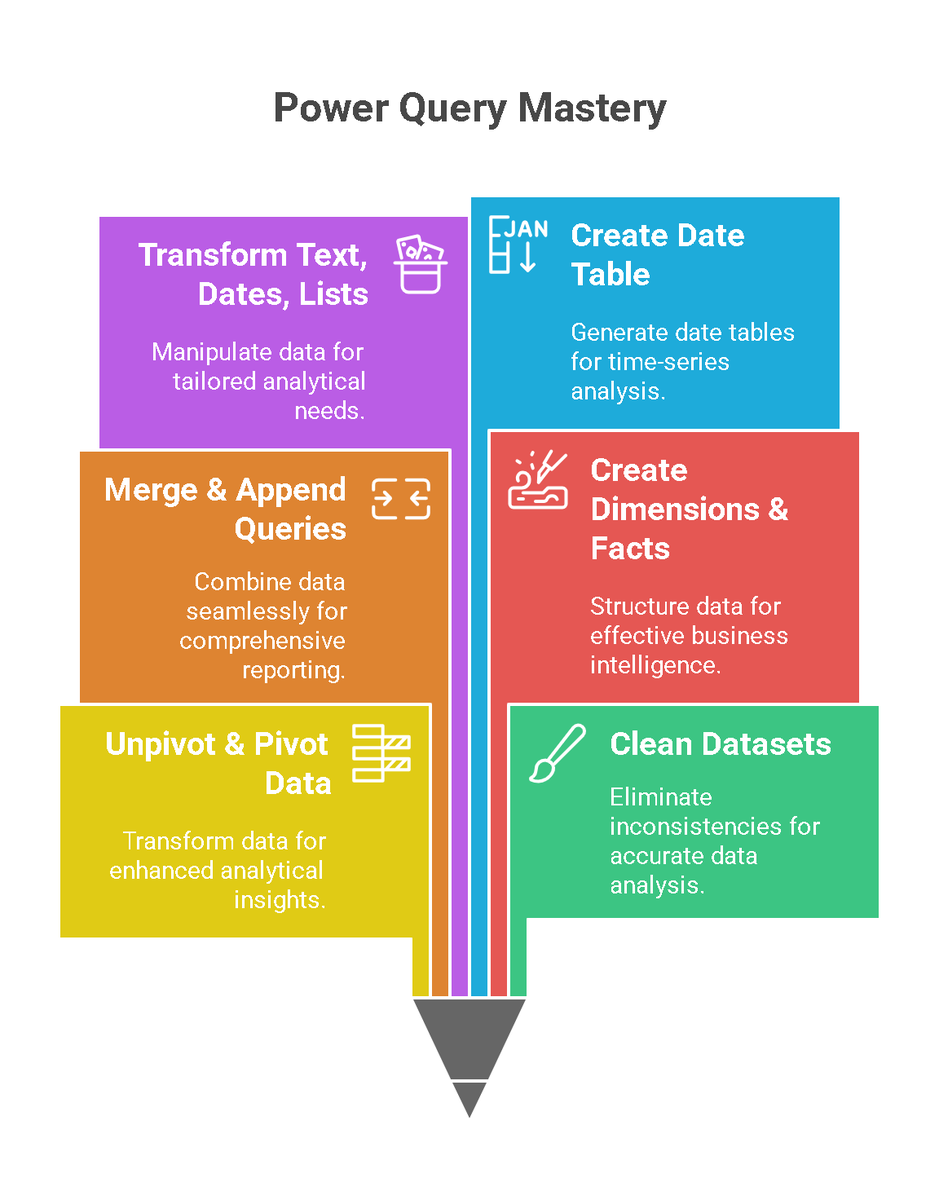
📢 New YouTube Release! Dive into Power Query, the ultimate tool for data transformation in Microsoft Power BI. Whether you're a beginner or aiming for pro-level mastery, this comprehensive 3-hour guide has got you covered!
🔍 Key Features Explored:
✅ Unpivot & Pivot Data for better analysis
✅ Clean datasets: Remove blanks, duplicates, and fill gaps
✅ Merge & Append Queries seamlessly
✅ Create Dimensions and Facts from transactional data
✅ Transform text, dates, and lists with ease
✅ Master M Language for custom functions and automation
...and so much more!
🎥 Highlights Include:
🔹 Split text and get unique values
🔹 Sort comma-separated strings
🔹 Cross join for generating dataset combinations
🔹 Dynamic Date Table creation
🔹 Advanced features like Sub-Category Index & Ranking
📌 Don’t forget to like, share, and comment!
#PowerQuery #MasterPowerQuery #PowerBI #DataTransformation #DataFlowGen2 #MicrosoftFabric #DataAnalytics #LearnWithAmit
1
3
79
🚀 #FabConEurope Session: Unlock the power of Dataflow Gen2 with Fabric Data Factory
📢 Speaker: Sid Jayadevan & Jeroen Luitwieler
Learn more 👉 ow.ly/Pfqt50Wj2bo
#Microsoft #FabCon #MicrosoftFabric #DataflowGen2 #DataIntegration #DataTransformation #DataFactory


46

30 Jun 2025
社内でFabric使ってもらってるけど、コーディングとかセオリー知らない人がdataflowgen2で色々作ってたら大分処理が重くなるケースがよくある
セオリー知ってもらうのもそうだけど、結構すぐ重くなるのも困りもの
31

29 Apr 2025
Por favor participa activamente en esta encuesta #powerbi #spark #dataflowgen2 #dataflow
#sql
linkedin.com/posts/vicente-a…
15
23 Feb 2025
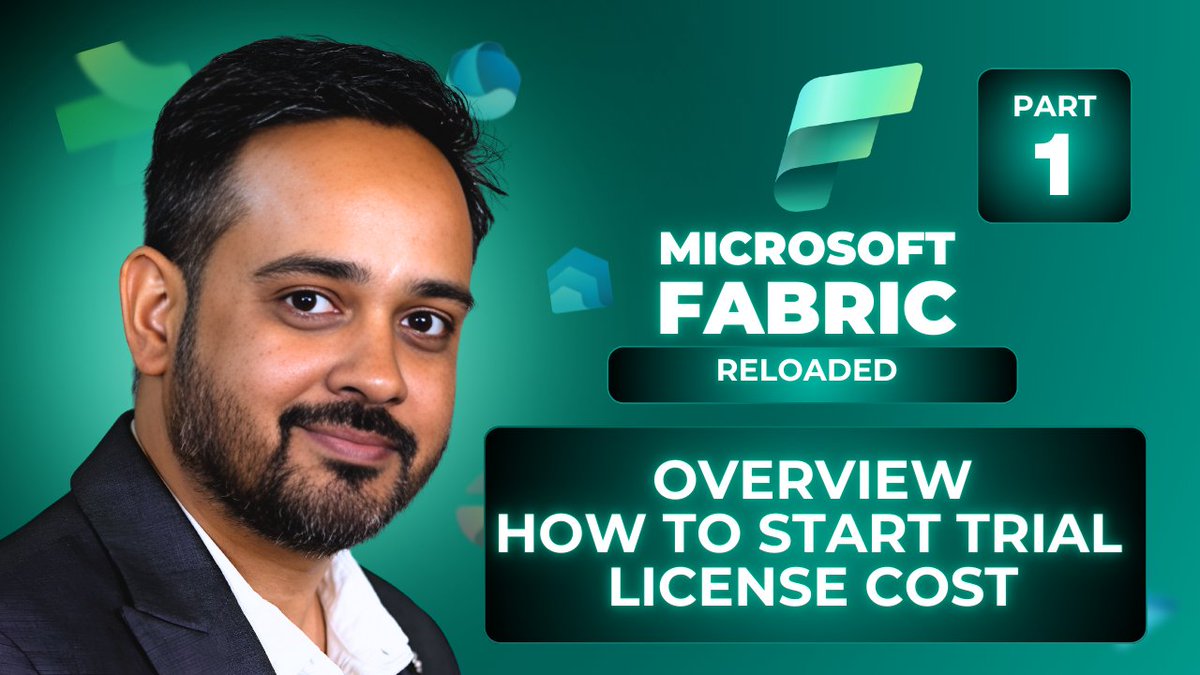
Throwback: This video covers an introduction to Microsoft Fabric, why it's needed, where you can use it, what the cost is, how to get started with the trial, and what the tenant settings are.
youtu.be/q1sSucxApks
Check it out!
#MicrosoftFabric #AmitChandakDA #businessintelligence #Warehouse #DataflowGen2 #DataFactory #OneLake #Intergated #analytics
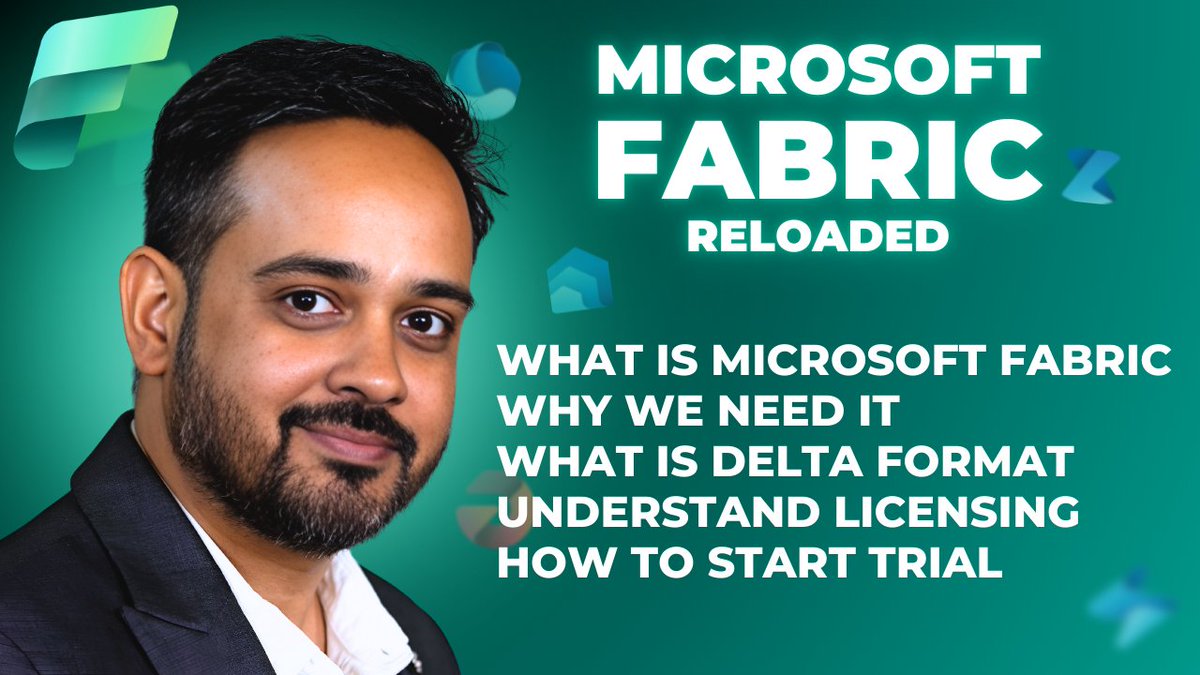
51
24 Jan 2025
I started the Microsoft Fabric video series when it first went into public preview. Since the platform has evolved so quickly, some of my earlier videos have outdated UI references. I’m now refreshing them, starting with my Microsoft Fabric Reloaded video series.
youtube.com/watch?v=q1sSucxA…
Disabled ads to give you an uninterrupted learning experience.
In this updated video, I cover:
An introduction to Microsoft Fabric
Why it’s needed
Pricing details
How to get started with the trial
Tenant settings
Check it out, and let me know what you think!
#MicrosoftFabric #AmitChandakDA #businessintelligence #Warehouse #DataflowGen2 #DataFactory #OneLake #Intergated #analytics
13
288
23 Jan 2025
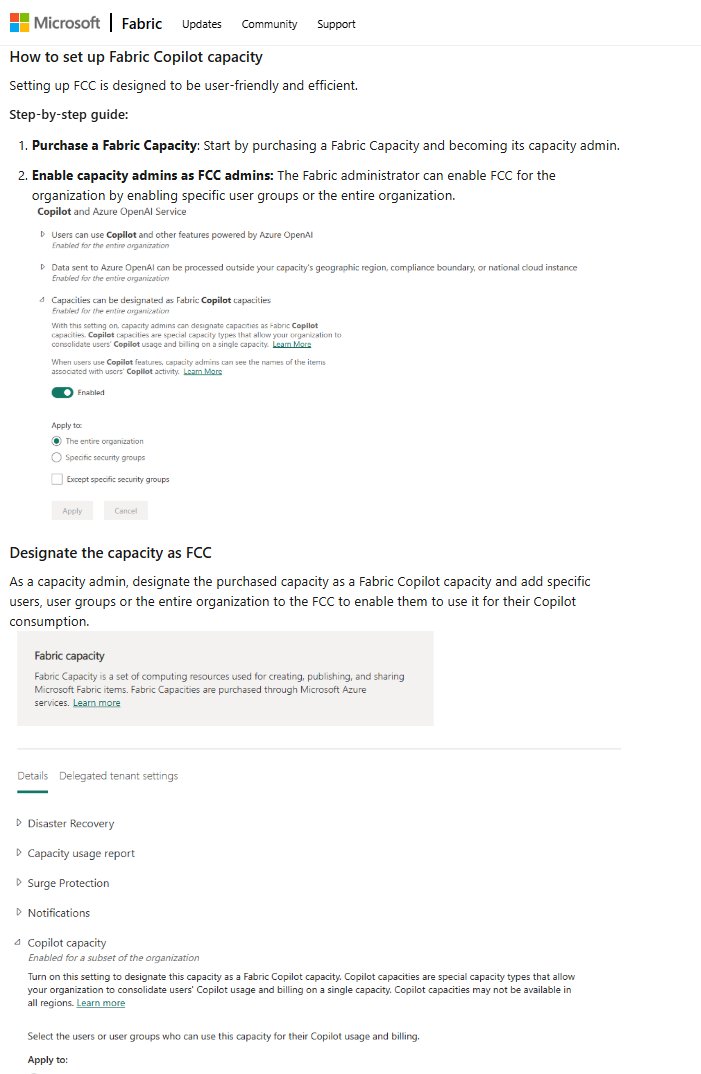
Microsoft Fabric Update: Introducing Fabric Copilot capacity: Democratizing AI usage in Microsoft Fabric- blog.fabric.microsoft.com/en…
#MicrosoftFabric #AmitChandakDA #businessintelligence #Warehouse #DataflowGen2 #DataFactory #OneLake #Intergated #analytics
2
85
23 Jan 2025
I started the Microsoft Fabric video series when it first went into public preview. Since the platform has evolved so quickly, some of my earlier videos have outdated UI references. I’m now refreshing them, starting with my Microsoft Fabric Reloaded video series.
youtube.com/watch?v=q1sSucxA…
Disabled ads to give you an uninterrupted learning experience.
In this updated video, I cover:
An introduction to Microsoft Fabric
Why it’s needed
Pricing details
How to get started with the trial
Tenant settings
Check it out, and let me know what you think!
#MicrosoftFabric #AmitChandakDA #businessintelligence #Warehouse #DataflowGen2 #DataFactory #OneLake #Intergated #analytics
2
7
374
12 Jan 2025
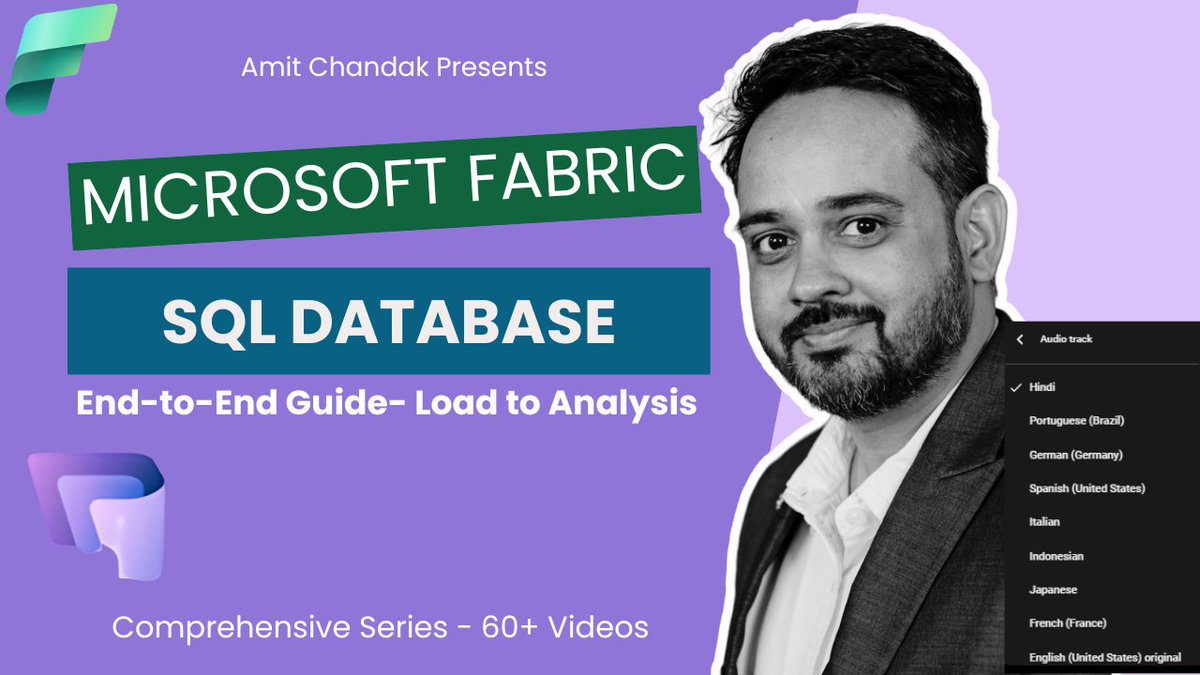
New Blog Alert: Mastering SQL Database in Microsoft Fabric: A Comprehensive End-to-End Guide
Explore Dataflow Gen2, Data Pipelines, Copy Job, Semantic Models, and Power BI Reports
medium.com/@amitchandak/mast…
Are you ready to revolutionize how you handle both transactional (OLTP) and analytical workloads within a single platform? Microsoft Fabric has you covered! In this blog post, we’ll walk you through an end-to-end journey of Microsoft Fabric’s SQL Database, showcasing its seamless data ingestion, near real-time replication, AI integration, and powerful visualization options.
youtube.com/watch?v=4DqWTdo1…
What Is Microsoft Fabric?
Microsoft Fabric is a unified data and analytics platform that brings together data ingestion, transformation, real-time analytics, visualization, and AI-driven application development—all within a single ecosystem. Whether you’re a data engineer, business analyst, or citizen developer, Fabric streamlines your work by eliminating the need for multiple services.
Introducing SQL Database in Microsoft Fabric
Built on the Azure SQL Database Engine, SQL Database in Fabric offers a fully managed, developer-friendly environment for OLTP and analytics. It automatically replicates data into OneLake in Delta Parquet format, making it instantly available for advanced analytics—no extra data movement required. Plus, a complementary SQL analytics endpoint is created for each SQL Database, enabling easy access and reporting across the Fabric ecosystem.
Key Features
Transactional Analytical IntegrationReal-time replication to OneLake in Delta Parquet format.
Automatically handles both operational and analytical workloads with minimal overhead.
Easy Setup and ConnectivityBuilt-in web-based Query Editor, plus integration with SSMS, Visual Studio Code, and GitHub Copilot.
Cross-database queries and connectivity to Lakehouse, Warehouses, Notebooks, and more.
Data Ingestion Methods
Dataflow Gen2: Simplify data prep and transformations for your SQL Database.
Data Pipelines: Automate end-to-end data movement and orchestration.
Copy Job: Move data efficiently from sources like Azure SQL or HTTP endpoints.
T-SQL Scripting: Execute Create, Insert, Update, or Delete queries seamlessly, with near real-time replication.
How to Get Started
Enable SQL Database (Preview) in the Microsoft Fabric Admin Portal.
Create Your SQL Database in a Fabric workspace.
Load Data via Dataflow Gen2, Data Pipelines, or Copy Jobs—whatever suits your workflow best.
Monitor Real-Time Replication to the SQL analytics endpoint.
Build a Semantic Model to create relationships, measures, and more in a user-friendly interface.
Create Power BI Reports directly on top of your SQL analytics endpoint or semantic model.
Hands-On Example Highlights
Step-by-step T-SQL queries that show how quickly data changes replicate to analytics.
Building a date dimension table for robust time intelligence in your reports.
Creating a custom semantic model for a unified view of relationships and measures.
Publishing a Power BI report to visualize your data in real time.
With SQL Database in Microsoft Fabric, you can streamline your operations, harness AI capabilities, and build rich analytical experiences—all without ever leaving a single platform. Whether you’re a seasoned DBA or a Power BI enthusiast, this comprehensive guide will help you unlock the full potential of Fabric.
Ready to dive deeper? Check out the full blog post and video for an in-depth walkthrough, additional scripts, and best practices. If this guide helped you, don’t forget to like and share—it could help someone else master SQL Database in Microsoft Fabric, too!
#MicrosoftFabric #SQLDatabase #DataflowGen2 #DataPipelines #PowerBI #AI #Analytics #SQL #OneLake #AzureSQ
2
88
2 Jan 2025
Throwback- Master Power Query: 3-hour comprehensive guide! Transform Data Like a Pro!
👉 Watch now: youtube.com/watch?v=T_ch_zoQ…
📢 New YouTube Release! Dive into Power Query, the ultimate tool for data transformation in Microsoft Power BI. Whether you're a beginner or aiming for pro-level mastery, this comprehensive 3-hour guide has got you covered!
🔍 Key Features Explored:
✅ Unpivot & Pivot Data for better analysis
✅ Clean datasets: Remove blanks, duplicates, and fill gaps
✅ Merge & Append Queries seamlessly
✅ Create Dimensions and Facts from transactional data
✅ Transform text, dates, and lists with ease
✅ Master M Language for custom functions and automation
...and so much more!
🎥 Highlights Include:
🔹 Split text and get unique values
🔹 Sort comma-separated strings
🔹 Cross join for generating dataset combinations
🔹 Dynamic Date Table creation
🔹 Advanced features like Sub-Category Index & Ranking
💡 Join the Data Revolution: Whether cleaning, shaping, or preparing data, this tutorial empowers you to unlock insights and elevate your analytics game.
📌 Don’t forget to like, share, and comment!
#PowerQuery #MasterPowerQuery #PowerBI #DataTransformation #DataFlowGen2 #MicrosoftFabric #DataAnalytics #LearnWithAmit
It truly has been an incredible journey, and your contributions have been nothing short of exceptional! From organizing 3 In-person 1 Online bootcamps to securing sponsorships and ensuring that every volunteer could perform their roles seamlessly—you’ve been a cornerstone of our success this year. Your dedication and leadership made a real difference, and I’m so grateful to have had you as part of this journey. Here’s to many more milestones together in the future! 🙌🔥
1
2
110