
Jun 10
Some workflows move at the speed of inboxes. Yours doesn't have to. #SmartWaysToFieldwork #FieldOperations #FieldData

9

Jun 10
Getting started with logchief lite has never been simpler. Simple setup. Fast access. Built for everyday logging. Watch the quick setup video to get started.
#Mining #Geology #DataManagement #MiningTechnology #FieldData #Exploration #maxgeo #logchieflite
9
Jun 8
We're headed to #WEFCollectionSystems in Portland (July 8–11). Find us at Booth 554 to see how water teams are fixing their field data workflows — or reach out to set up time with our team. 👋
tinyurl.com/4dv4xjhw
#Stormwater #WaterUtilities #FieldData

20

We continue to be impressed by what the FieldData team is building 🇦🇷🌱
Using AI WhatsApp to turn voice notes from the field into structured operational data for agriculture is a brilliant approach.
@MarcusLaszlo and @fpingham are true founder-market fit 🤖

6
11
1,665

Feb 18
Only 4% of AEC data is structured & defensible.
Most construction site data lives in photos, PDFs, and inboxes, not in decisions.
Structured, geo-located field documentation changes that.
Learn more: sitemarker.com
#ConstructionTech #AEC #CivilEngineering #FieldData

1
3
32

Feb 11
The gap between a physical site and a final decision is often filled with manual fieldwork and "roughly" accurate data. We’re closing that gap.
By integrating geospatial intelligence into your workflow, OEA Consults helps your team move faster, from the first capture to the final action, with 100% data certainty.
Efficiency isn't just about speed; it's about accuracy you can rely on.
#DroneTech #FieldData #Efficiency #Innovation #OEA
1
2
23

¡Live Fedegán-FGN! 🎙️🐄 | 👉¡HOY EN VIVO!👈
Acompañenos en #LosLives de FEDEGAN-FGN junto a Julián Saavedra (FieldData) en un análisis profundo sobre la implementación de la Inteligencia Artificial como herramienta estratégica en la gestión ganadera. Un espacio diseñado para profesionales que buscan optimizar la productividad mediante el uso inteligente de datos.. 🐂
📅 lunes, 9 de febrero 5:00 p. m.
🔗️ En vivo por YouTube:
youtube.com/watch?v=cH8G9KLP…
#ConstruyendoGanaderia

5
26
37
646

3
63

21 Nov 2025
Starting Monday! 🌊 A free online @esa Scope Project workshop bringing the #ScientificCommunity together to tackle key gaps & challenges in #CceanCarbon #research. Join the discussions on #FieldData, #satellites & #modelling:
oceancarbonfromspace2025.esa…
2
5
234

17 Nov 2025
Elasticsearch can easily handle 1TB / 16M rows.
The real problem is how you model index it.
If I was starting from scratch, I’d do it like this:
1. First: clarify workload
Mostly reads? Mostly writes? Analytics or search?
Time based data (logs, events) or static records (users, products)?
Your index design totally depends on this, dont skip this step.
2. Do NOT dump all 1TB into a single index!!
Use time based indices if it is logs/events:
daily / weekly / monthly index like: logs-2025.11.17
This lets you: drop old data, move cold data to cheaper nodes, scale only hot data.
For static data, still split by logical boundaries (region / tenant / type) if needed.
3. Shard design (most noobs mess up here)
Too many shards will kill your cluster faster than too much data.
Target 30–50 GB per shard as a rough rule.
1TB data → around 20–30 primary shards total across all indices is usually fine.
Start simple: maybe 3–5 primary shards per major index, 1 replica.
Watch actual shard sizes and adjust for future indices, not for already created ones.
4. Mapping (this decides performance storage)
Explicit mappings only, do NOT rely on dynamic mapping for everything.
Use:
keyword for exact matches / aggregations
text only for real full text search fields
Turn off things you don’t need: _source only if you really can, doc_values or fielddata only on fields you aggregate/sort on.
Avoid indexing large blobs / descriptions unless you really search them.
5. Hardware / cluster
Prefer SSD, spinning disks gonna hurt you badly at this scale.
Start with 3 data nodes (for HA) if you can:
16–32GB RAM per node
Heap around 50% of RAM but never more than ~30–31GB
Use dedicated master nodes in bigger setups, but for small cluster you can share.
6. Indexing strategy for that initial 1TB load
Use the Bulk API only.
Aim for 5–20 MB per bulk request, tune based on response times.
Multiple parallel bulk workers instead of one gigantic request.
While bulk loading:
Set index.refresh_interval = -1 (disable refresh)
Optionally set number_of_replicas = 0 during load
After load finishes: set replicas back to 1 and refresh_interval to 1s or whatever.
After big import, you can run a forcemerge to reduce segments, but only on read-mostly indices, not on hot write ones.
7. Query design
Use filters (bool filter) for conditions on keyword / numeric / date fields, cause filters are cacheable and much cheaper.
Limit from/size deep pagination, use search_after / scroll for large scans.
Monitor slow logs to see bad queries.
8. Observability
Watch: heap usage, GC, search latency, index latency, queue sizes, shard counts.
If nodes are dying, first check shards and mappings before buying more hardware.
you can design a very solid layout.
But the high level answer:
1TB / 16M rows is not crazy for Elasticsearch
You just need: good mapping, sane shard count, bulk indexing, and time based indices instead of one giant “data” index.
1
2
31
1,532
11 Nov 2025
Satisfying, right? Your field-to-office workflow could feel like this every day. ✨
See how the right platform keeps everything working together.
👉 tinyurl.com/4n6tprs4 #Integration #WorkflowMadeEasy #SaaS #FieldData #Fulcrum
2
2
51

16 Sep 2025
Wuru, GetAleph, Autonoma, Cedalio, Bircle, PatagonAi, Teramot, AnyoneAI, Darwin, Fielddata, Parsed, de las que me acuerdo y no veo en lista.
1
6
1,112

27 Aug 2025
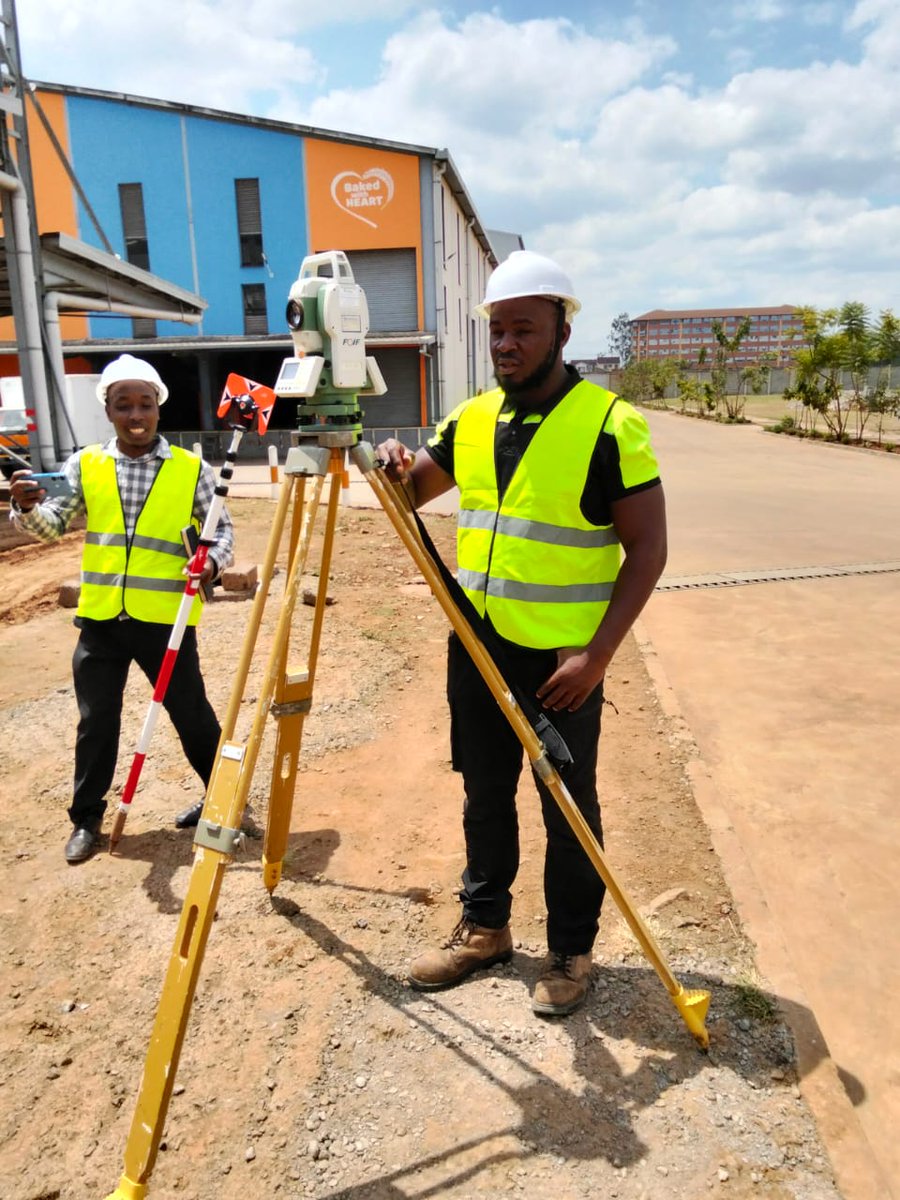
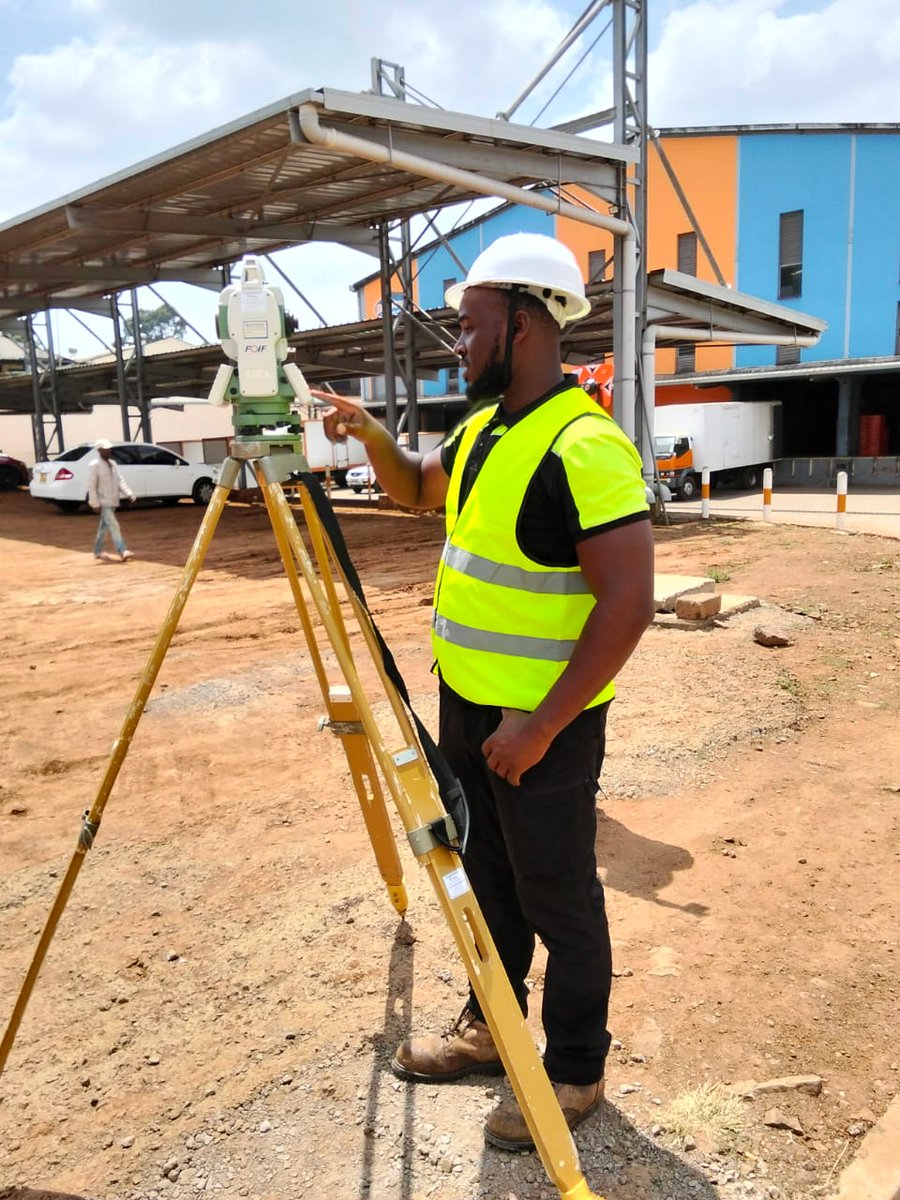
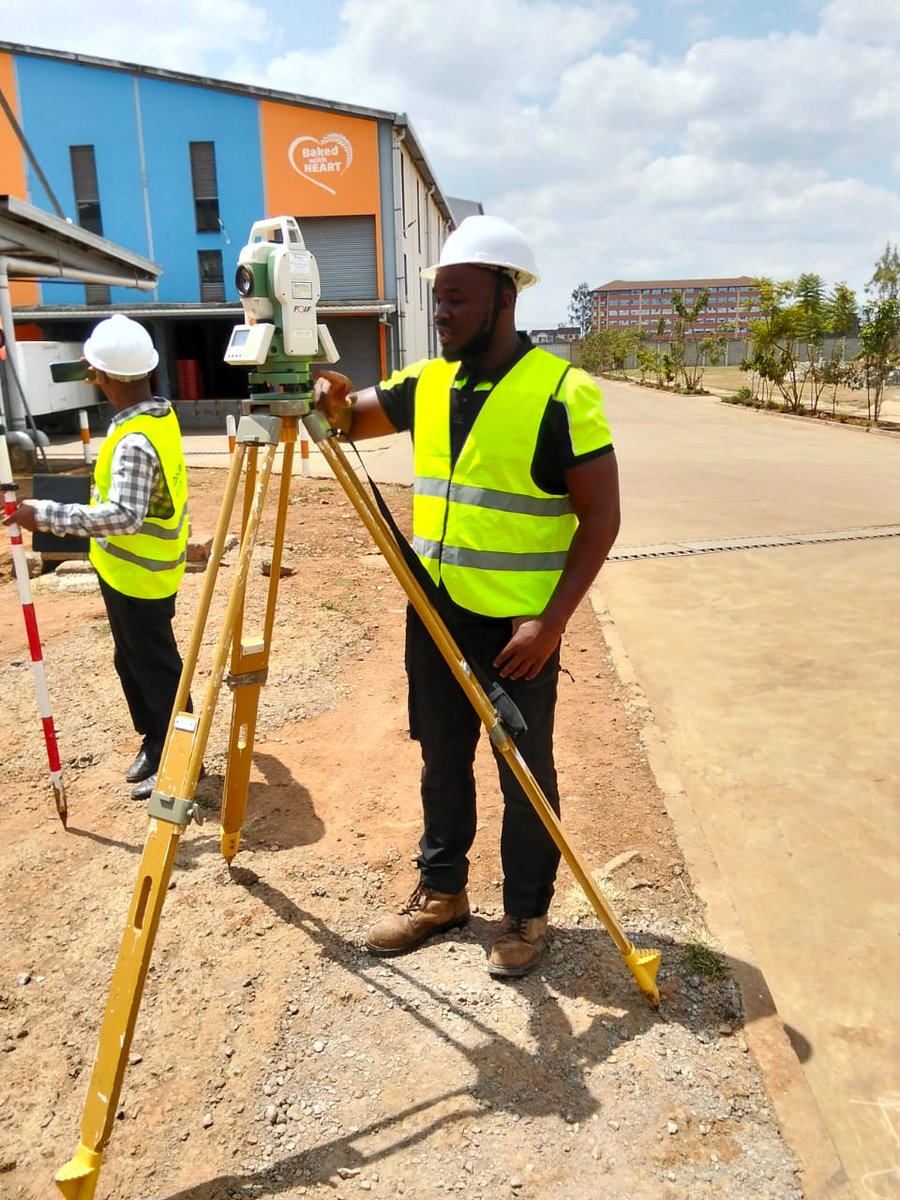
A topographic survey is more than picking!
Most topos are ordered by architects and engineers to be used as a critical ingredient for design. Every time you pick and plot topographic details, you have to think like a design Engineer! Here are a few tips to help in field data collection and topographic design for presentation:
In the field
1️⃣ Establish a stable control network – Always create a robust control network that defines a reliable height datum. Concrete the benchmarks so they outlive the project. Remember, the controls set during picking will also be used during setting out, earthworks, monitoring, and as-built. They can only be densified and extended, not replaced. Position them away from obvious disturbances and ensure intervisibility—at least three visible at any setup when using optical instruments like a Total Station.
2️⃣ Record instrument heights and prism constants (TS) – Topos are primarily about depicting feature elevations, so instrument heights and prism constants must be carefully measured and included in your instrument configuration. Without this, your evaluations will be unreliable.
3️⃣ Input the correct coordinate reference system – Always key in the right CRS depending on project location. We are moving away from older, locally defined datums such as ARC 1960 to globally accepted ones like WGS 84. Remember: ARC 1960 / UTM Zone 37S is not the same as WGS 84 / UTM Zone 37N.
4️⃣ Pick ALL details and uphold the principle of data completeness – Never leave gaps in your dataset. Open manhole covers and pick inverts. Take additional spot heights where sudden elevation changes occur. Extend your coverage slightly beyond the area of interest to avoid edge gaps. Capture culvert inverts and drains—they are essential in modeling flow directions. Think of every omitted point as a potential design problem later.
5️⃣ Supplement survey data with metadata and context – A topo drawing only tells part of the story. Record field notes on soil type, ground cover, obstructions, and surface conditions. Photograph critical features like utilities, retaining walls, or poorly visible drainage lines. Sketch complex areas where geometry may be misinterpreted in CAD. This metadata ensures designers interpret your survey correctly and minimizes costly miscommunication.
#TopographicSurvey #Surveying #FieldData #EngineeringDesign #CivilEngineering #SurveyingTips #GIS #Geospatial #TotalStation #LandSurveying #ControlNetwork #WGS84 #SurveyDesign #ConstructionPlanning #DataAccuracy #LandDevelopment
2
27
96
5,393

7 Aug 2025
🎯 Smart photo stamping in QField 3.7!
Expression-driven templates auto-stamp GPS coordinates, user info & custom data. Every photo tells the full story! 📊📸
#QField #FieldData
buff.ly/V8kqE1F
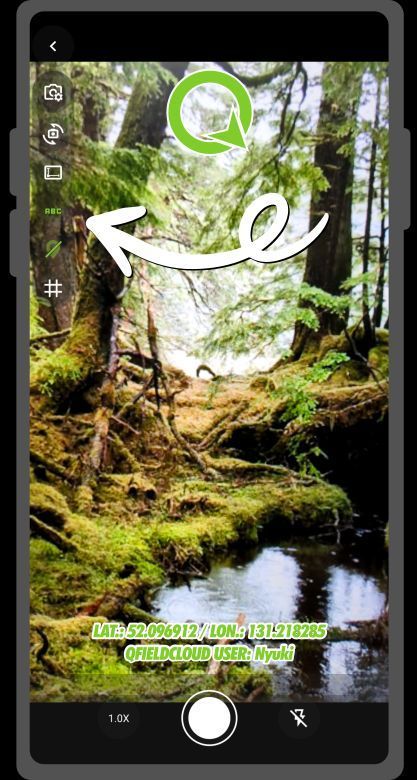
ALT an image of the photo stamping in Qfield 3.7
3
17
1,035

21 Jul 2025
🚨 Big shift for drone ops: Blue sUAS moves under DCMA, unlocking more NDAA-compliant options, faster deployment, and smoother data workflows.
Details 👉 1upaerial.com/2025/07/21/dcm…
#BlueSUAS #DroneOps #NDAACompliant #UAS #FieldData
2
4
60

16 Jul 2025
Field updates shouldn’t get stuck in the field 👷📋
With Galooli's FormsGate, updates & inspections sync instantly with Galooli - digitally and smoothly.
Experience Galooli-grade efficiency here >> galooli.com/get-a-demo/
#Galooli #RemoteOps #DigitalForms #fielddata

1
3
45

8 Jul 2025
Gloves on, focus dialed in! Accurate water quality assessments rely on uncontaminated samples. Our rigorous field methods provide unbiased data for understanding water resources across America.
@usgs #waterquality #waterscience #waterresources #fielddata
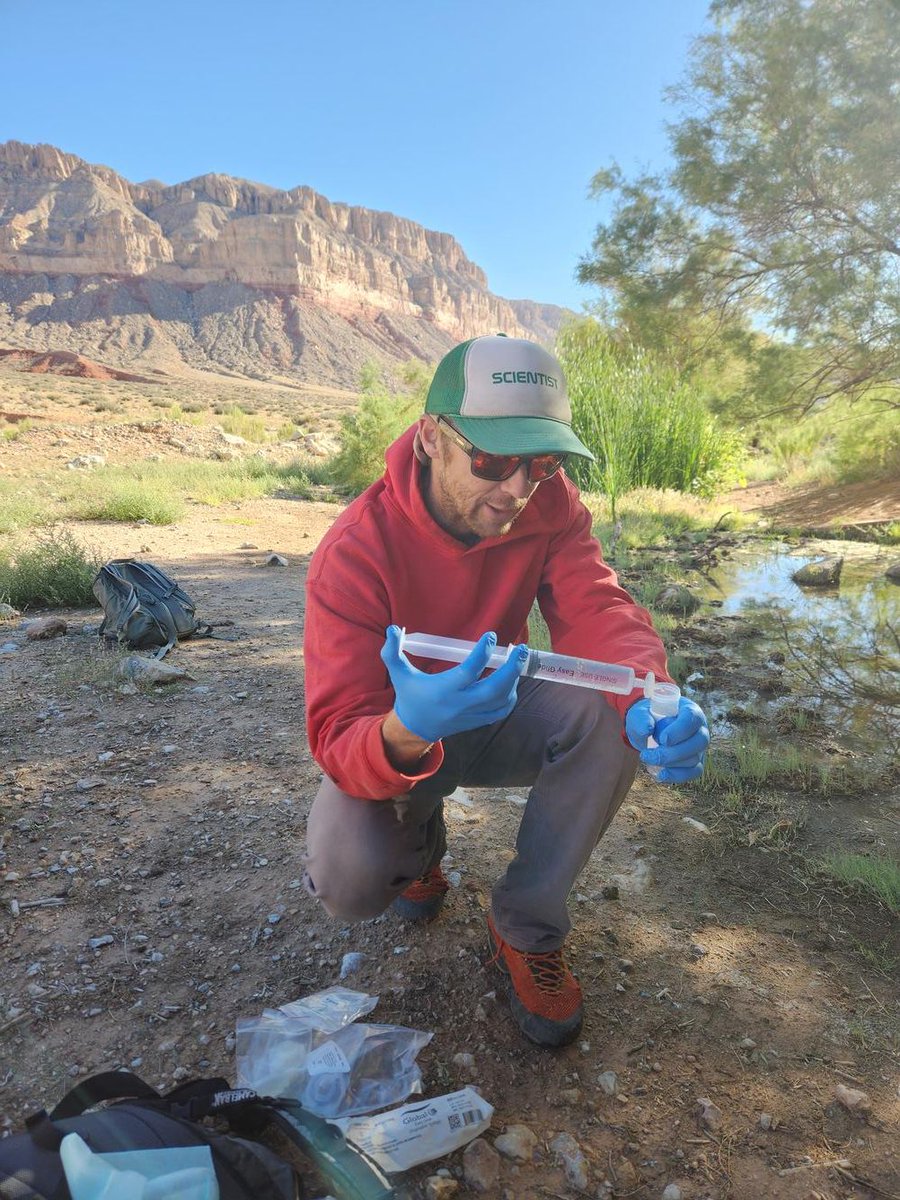
ALT Zach Harrison collects a water quality sample at Willow Spring, AZ. Photo courtesy of Kat Cooney, USGS AZ Water Science Center.
5
101

5 Jul 2025
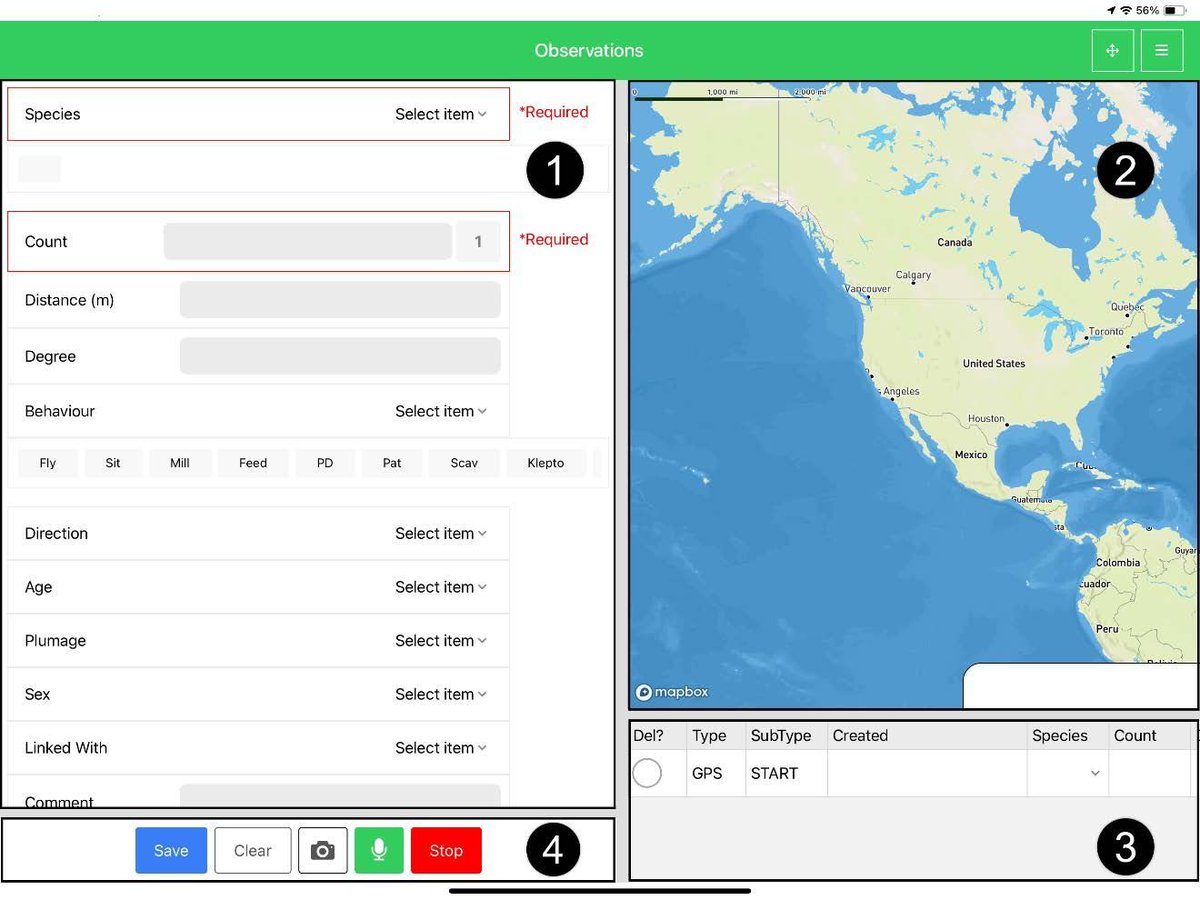
🚨 New Release: SeaScribe 2.8 🌊 The latest version for offshore wildlife surveyors is here!
🗺️ Better map caching
🦅 Custom species list uploads
🐬 Improved stability & bug fixes
bit.ly/4lBL6gr
#WildlifeSurvey #MarineScience #ConservationTech #FieldData

1
3
121

2 Jul 2025
Construction Can’t Afford to “Fix It Later” Anymore.
🎧 Listen to the full episode youtu.be/UrNydw__y0w
@procoretech @novorender
#constructiontech #BIM #digitalconstruction #procore #contech #fielddata #constructioninnovation #rework #buildbetter
2
125

19 Jun 2025
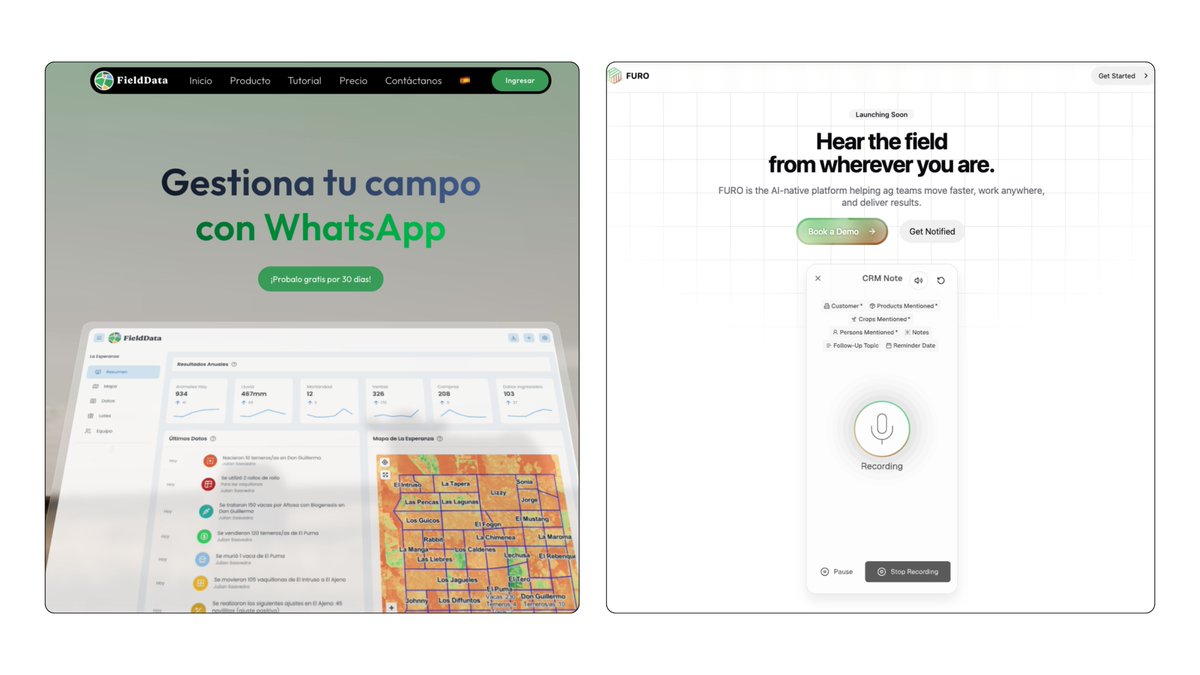
IA 🚜 "IAg"
Del mensaje de voz a la documentación.
FieldData
fielddata.ag/
FURO
furo.ag/
1
12
1,134