
Intelligence is now being commodified via LLMs the only missing part is biodata vault LLMs interoperability.
We provide both via NFT gated filesystems from Sequencing Labs.
biofs.genobank.io/
4

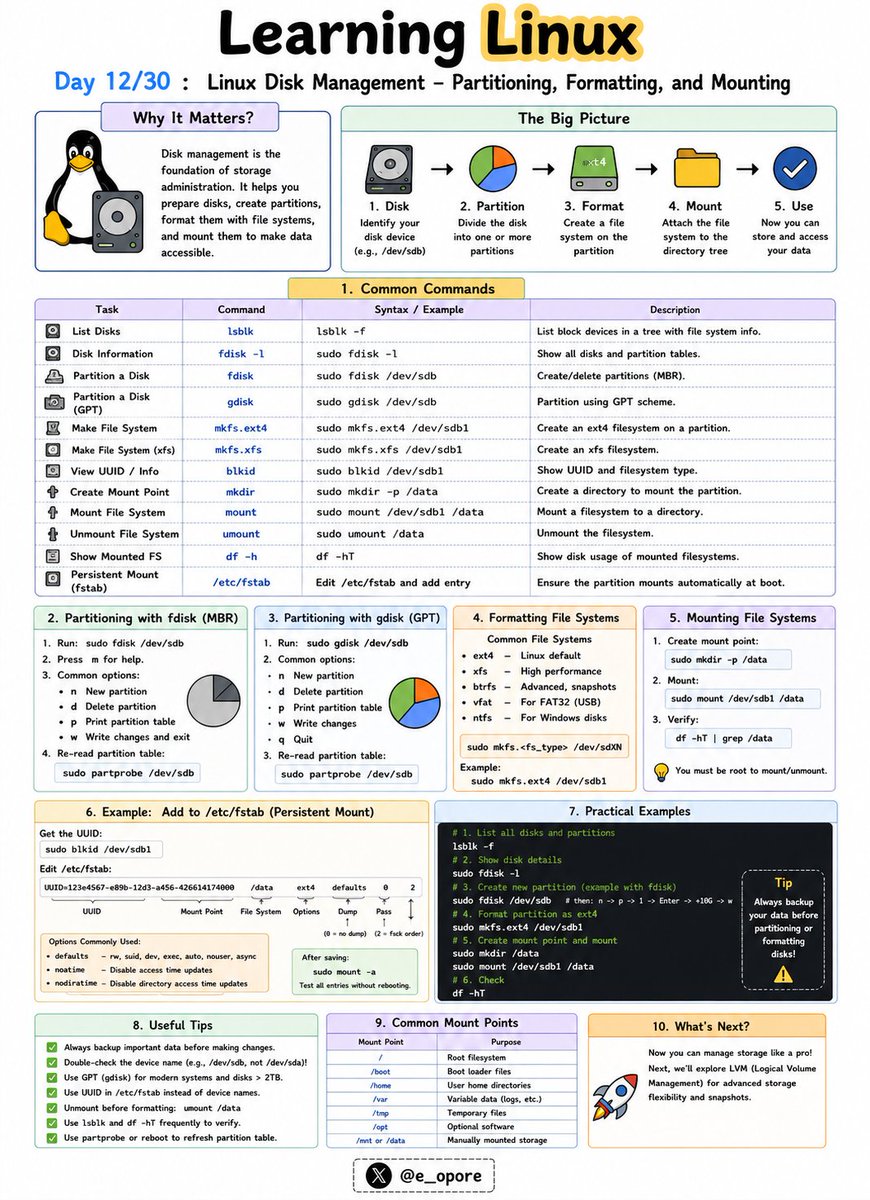
🐧 Day 12/30 — #Linux
Storage management is a fundamental skill for every Linux administrator.
Before a disk can store data, it must be partitioned, formatted with a filesystem, and mounted into the Linux directory structure.
Linux Disk Management – Partitioning, Formatting, and Mounting
Understanding how Linux handles disks helps you manage storage efficiently and avoid data-related issues on servers and workstations.
Key Disk Management Concepts:
→ Partitioning
→ Formatting
→ Mounting
Partitioning Disks
A partition is a logical section of a physical disk.
Partitioning allows a single disk to be divided into multiple independent storage areas.
Common tools:
→ fdisk
→ parted
→ lsblk
Example:
→ sudo fdisk /dev/sdb
Opens the partition manager for a disk.
Viewing Available Disks
→ lsblk
Displays all connected storage devices and partitions.
→ df -h
Shows mounted filesystems and available disk space in a human-readable format.
Formatting Partitions
After creating a partition, it must be formatted with a filesystem.
Common Linux filesystems:
→ ext4
→ xfs
→ btrfs
Example:
→ sudo mkfs.ext4 /dev/sdb1
Formats the partition using the ext4 filesystem.
Mounting Filesystems
Linux accesses storage through mount points.
A partition must be mounted before it can be used.
Example:
→ sudo mount /dev/sdb1 /mnt/data
Makes the partition accessible through the /mnt/data directory.
Viewing Mounted Filesystems
→ mount
Lists currently mounted filesystems.
→ df -h
Displays mounted storage and available space.
Persistent Mounting
To automatically mount a partition during boot, administrators configure:
→ /etc/fstab
This file defines permanent mount settings for disks and partitions.
Why Disk Management Matters:
→ Add new storage to Linux servers
→ Manage application and database data
→ Monitor disk usage effectively
→ Prevent storage-related outages
→ Configure reliable production environments
Mastering partitioning, formatting, and mounting is an essential step toward becoming a skilled Linux administrator, DevOps engineer, or cloud engineer.
🐧 Grab Linux Ebook: codewithdhanian.gumroad.com/…
#Linux #LinuxTutorial #DiskManagement #LinuxCommands #SystemAdministration #DevOps #CloudComputing #OpenSource #Storage #100DaysOfCode
Jun 12

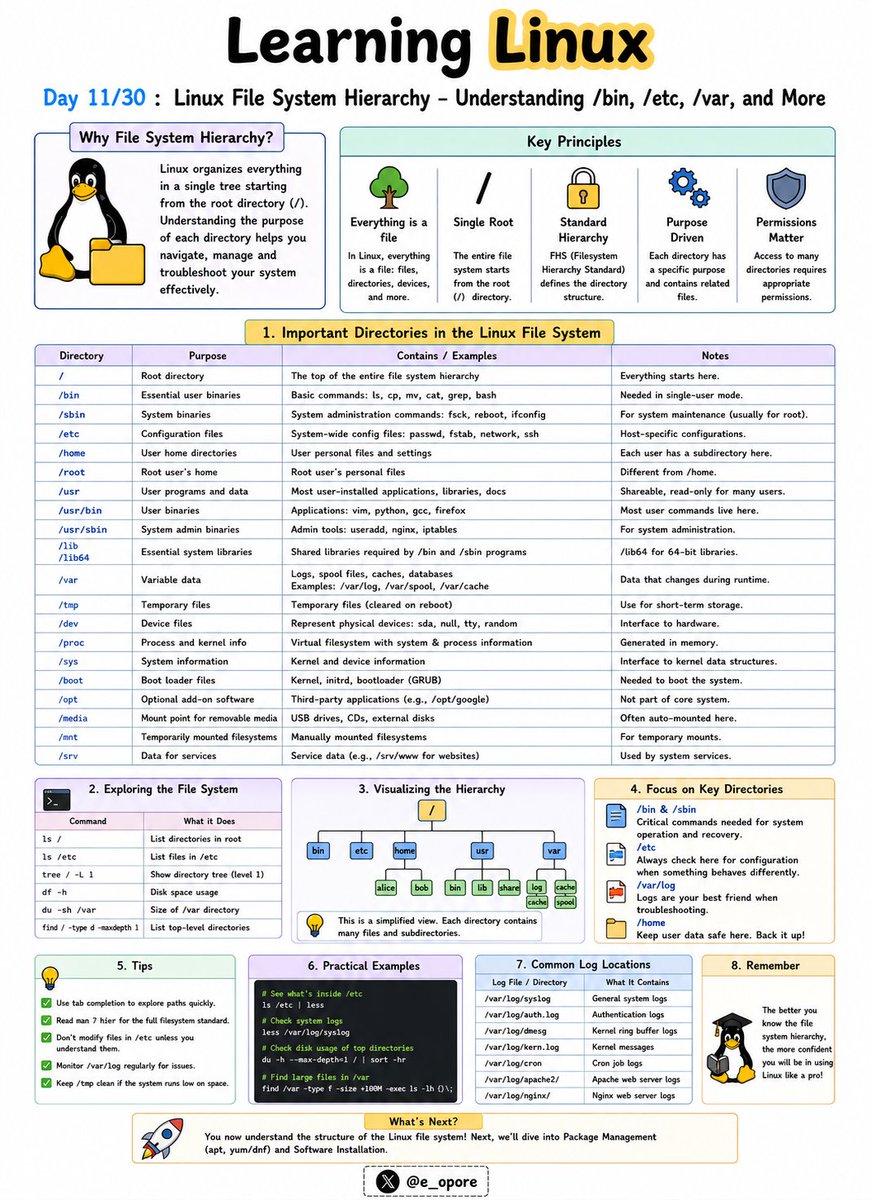
🐧 Day 11/30 — #Linux
Everything in Linux is organized within a single directory tree that starts at the root directory (/).
Understanding the Linux file system hierarchy is essential for navigating, configuring, and troubleshooting Linux systems.
Linux File System Hierarchy – Understanding /bin, /etc, /var, and More
Unlike Windows, Linux does not use drive letters like C: or D:.
Instead, all files and directories exist under a unified hierarchy.
Important Linux Directories:
→ /
The root directory.
Everything on the system starts from here.
→ /bin
Contains essential command-line utilities such as:
→ ls
→ cp
→ mv
→ cat
These commands are required for basic system operation.
→ /etc
Stores system-wide configuration files.
Examples:
→ /etc/passwd
→ /etc/hosts
→ /etc/ssh/
Administrators frequently work in this directory.
→ /home
Contains personal directories for users.
Examples:
→ /home/john
→ /home/admin
This is where user files, documents, and settings are stored.
→ /var
Stores variable data that changes frequently.
Examples:
→ Logs
→ Cache files
→ Mail queues
→ Databases
Important log files are commonly found in:
→ /var/log/
→ /tmp
Stores temporary files created by applications and users.
Files here may be automatically removed by the system.
→ /usr
Contains installed software, libraries, and user applications.
Many programs are stored under:
→ /usr/bin
→ /usr/lib
→ /dev
Contains device files representing hardware components.
Examples:
→ Hard drives
→ USB devices
→ Printers
→ /proc
A virtual filesystem that provides information about running processes and system resources.
Why Understanding the File System Matters:
→ Navigate Linux efficiently
→ Locate configuration files quickly
→ Troubleshoot system issues
→ Manage servers effectively
→ Understand how Linux organizes data
Mastering the Linux file system hierarchy makes it much easier to administer servers, manage applications, and work confidently from the command line.
🐧 Grab Linux Ebook: codewithdhanian.gumroad.com/…
#Linux #LinuxTutorial #LinuxCommands #FileSystem #SystemAdministration #DevOps #CloudComputing #OpenSource #Programming #100DaysOfCode
1
2
26
732
processes and filesystems. This is why they're lightweight — no guest OS overhead, no gigabytes of RAM wasted on redundant system processes.","A container image is your compiled artifact. You build it once, run it anywhere. No more SSH-ing into servers to
1

12h
Your S3 bucket is just an expensive filesystem pretending to be an object store.
ZeroFS flips it: serve S3 buckets as POSIX filesystems over NFS and 9P:
- Compresses and encrypts everything before upload
- Raw block devices over NBD, in the same process
github.com/Barre/ZeroFS
9
__ retweeted

Jun 11
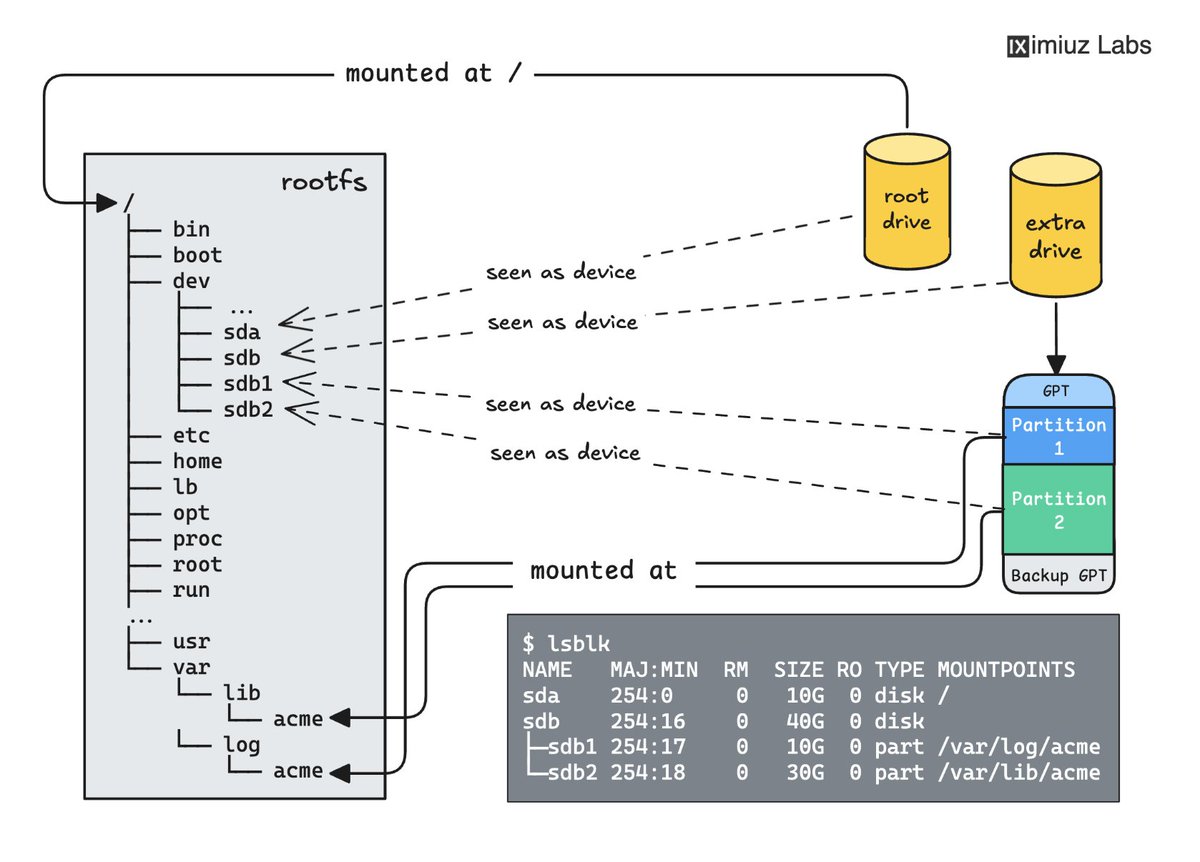
Linux 101: Drives, Partitions, and Mounts
Practice partitioning drives, formatting them with different filesystems, and working with mounts in a series of hands-on challenges:
- Mount a drive with existing data and read its contents labs.iximiuz.com/challenges/…
- Create a GUID Partition Table (GPT) on a blank drive labs.iximiuz.com/challenges/…
- Split a drive into multiple partitions and format them as ext4 and btrfs labs.iximiuz.com/challenges/…
- Mount an existing directory at a new location (bind mount) labs.iximiuz.com/challenges/…
- Make a filesystem mount survive a reboot labs.iximiuz.com/challenges/…
2
67
467
15,777

Jun 13
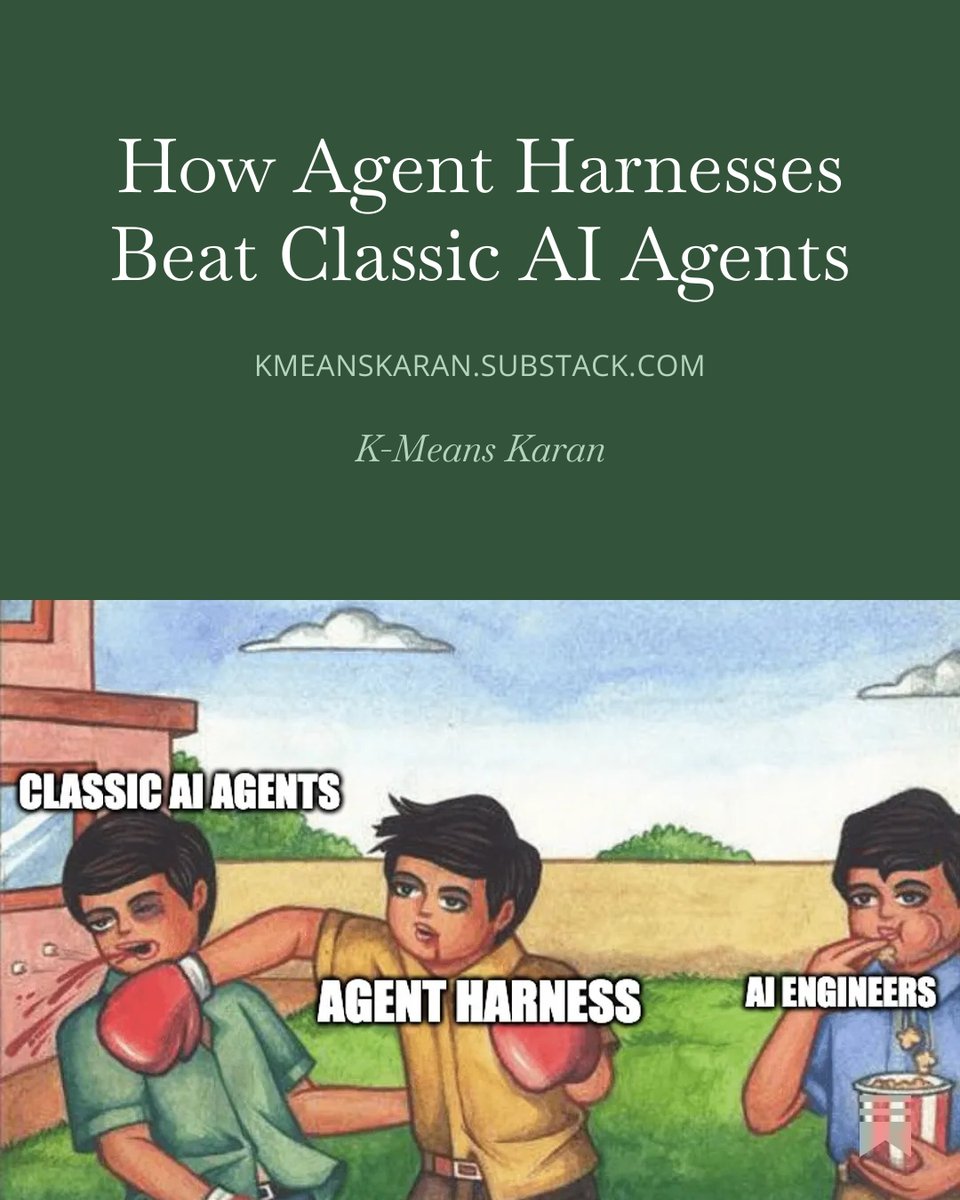
Agent Harness is just a hype or an improvement?
Tomorrow 14 Jun, 10 AM IST on kmeanskaran.substack.com
Explaining different components of Agent Harness over Classic AI agents like:
Planning ➝ Backends and Virtual Filesystems ➝ Context Engineering ➝ Subagents ➝ Memory ➝ Skills ➝ Sandboxes ➝ Human-in-the-loop ➝ Tools
This is an introductory article up next, I am building a one end to end agent harness using @LangChain DeepAgents with complete architecture and deployment on @Railway CI/CD
Stay tune!
Jun 11

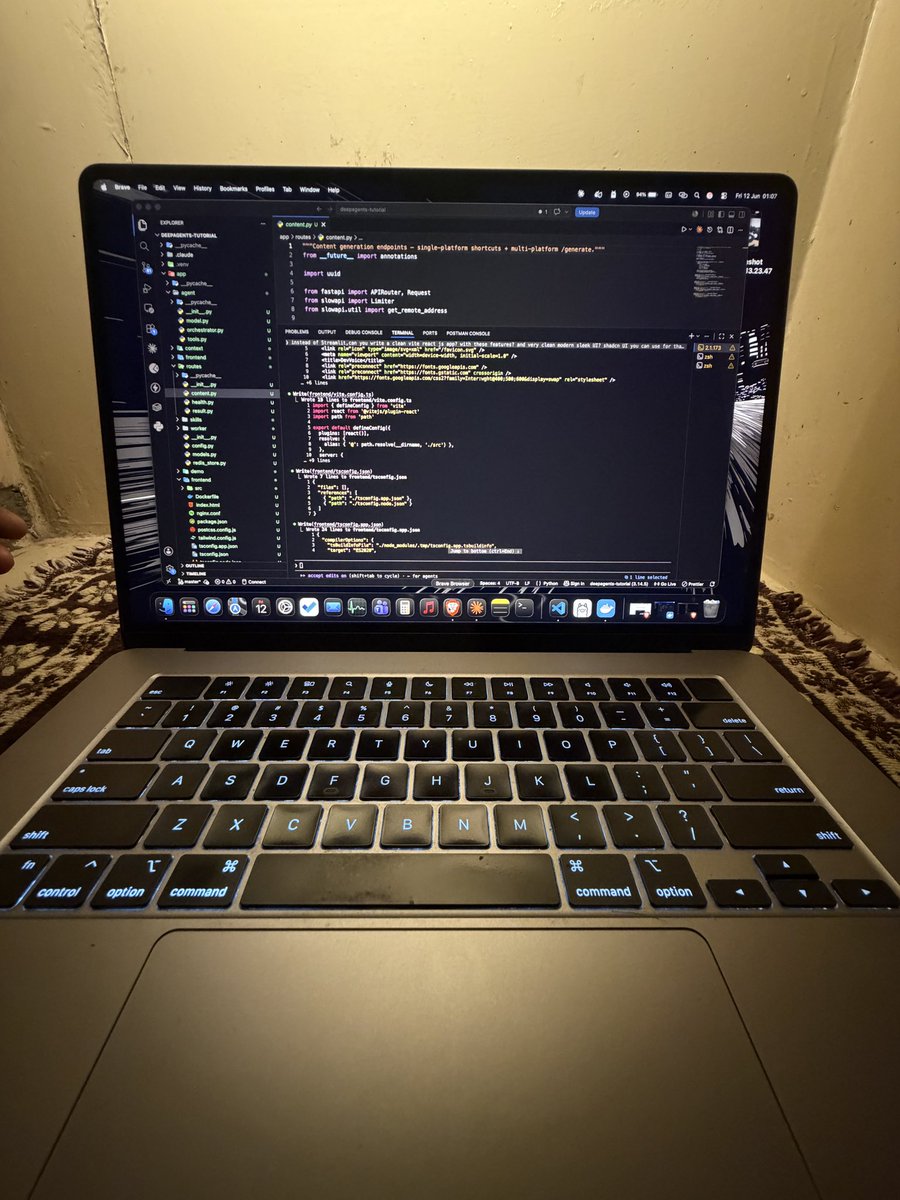
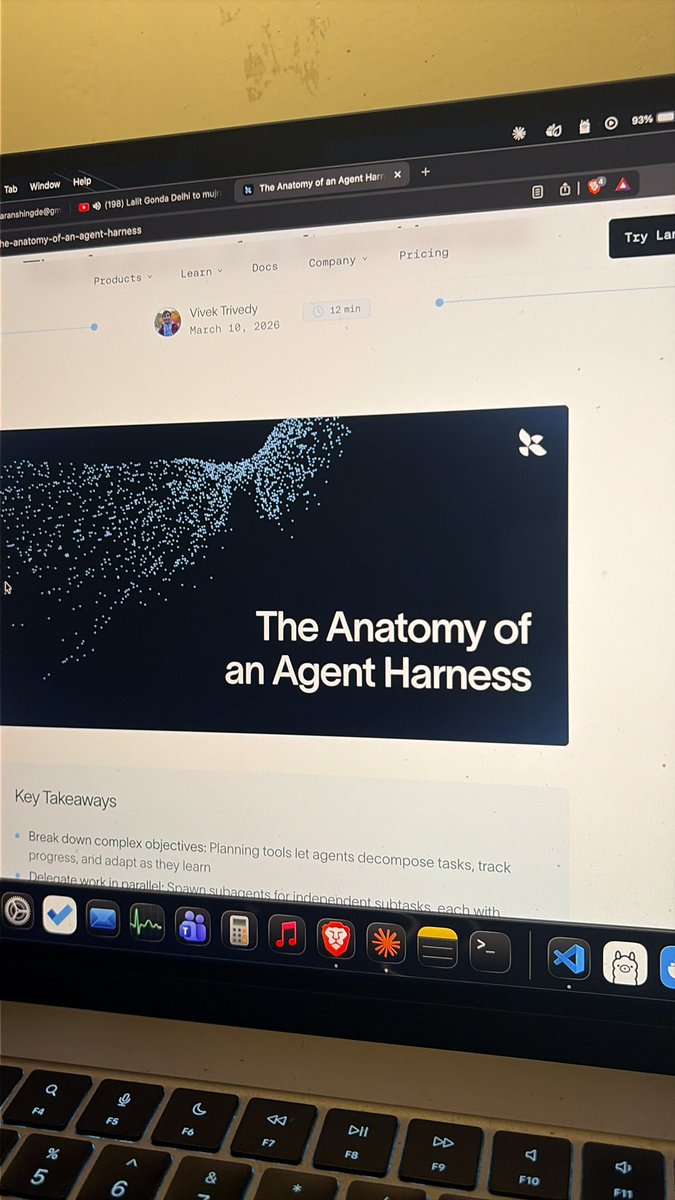
No work today, so I learned about Agent Harness by @LangChain DeepAgents.
Agent Harness is really a game-changer and outperforms classic AI agents in complex tasks.
Most important features are:
- Planning phase before execution
- Subagents run with isolated context
- Skills.md gets stored as knowledge and gets called when relevant
- Memory: a long-term persistent storage
- Human-in-the-loop for confirmation and feedback
- Context management that compresses conversations and offloads large tools
I've used Claude to code the entire project, which has:
- FastAPI Backend
- Celery queue workers
- Redis for tracking worker jobs
- ReactJS for the frontend
- Railway for deploying using CI/CD
Before the weekend, I will share more about the topic and the complete setup for DEPLOYING AGENT HARNESS ON RAILWAY WITH CI/CD.
Read this article: langchain.com/blog/the-anato…
4
2
58
2,697

Jun 13
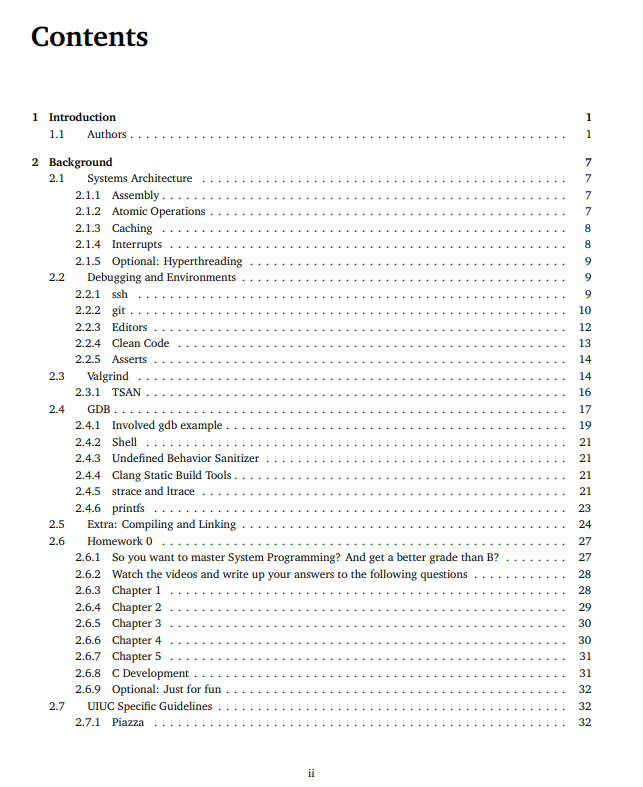
a professor at Illinois got frustrated with existing systems programming textbooks
so he started a wikibook project and had students help write it
it covers C, processes, threads, synchronization, memory allocation, networking, filesystems, scheduling and security
7
117
950
29,527

Jun 13
internals, overlay filesystems, and networking modes. You need exactly three commands: docker build, docker run, docker push. Everything else is optimization you learn when something breaks.
1
5