
These sponsors are hiring:
@mesa_dot_dev: a Senior Systems Engineer in SF or remote in the US, building a new GitHub.
mesadev.notion.site/Senior-S…
@Railway: a Senior Infra Engineer to work on filesystems and storage, remote anywhere.
railway.com/careers/platform…
Chat with them!
1
27

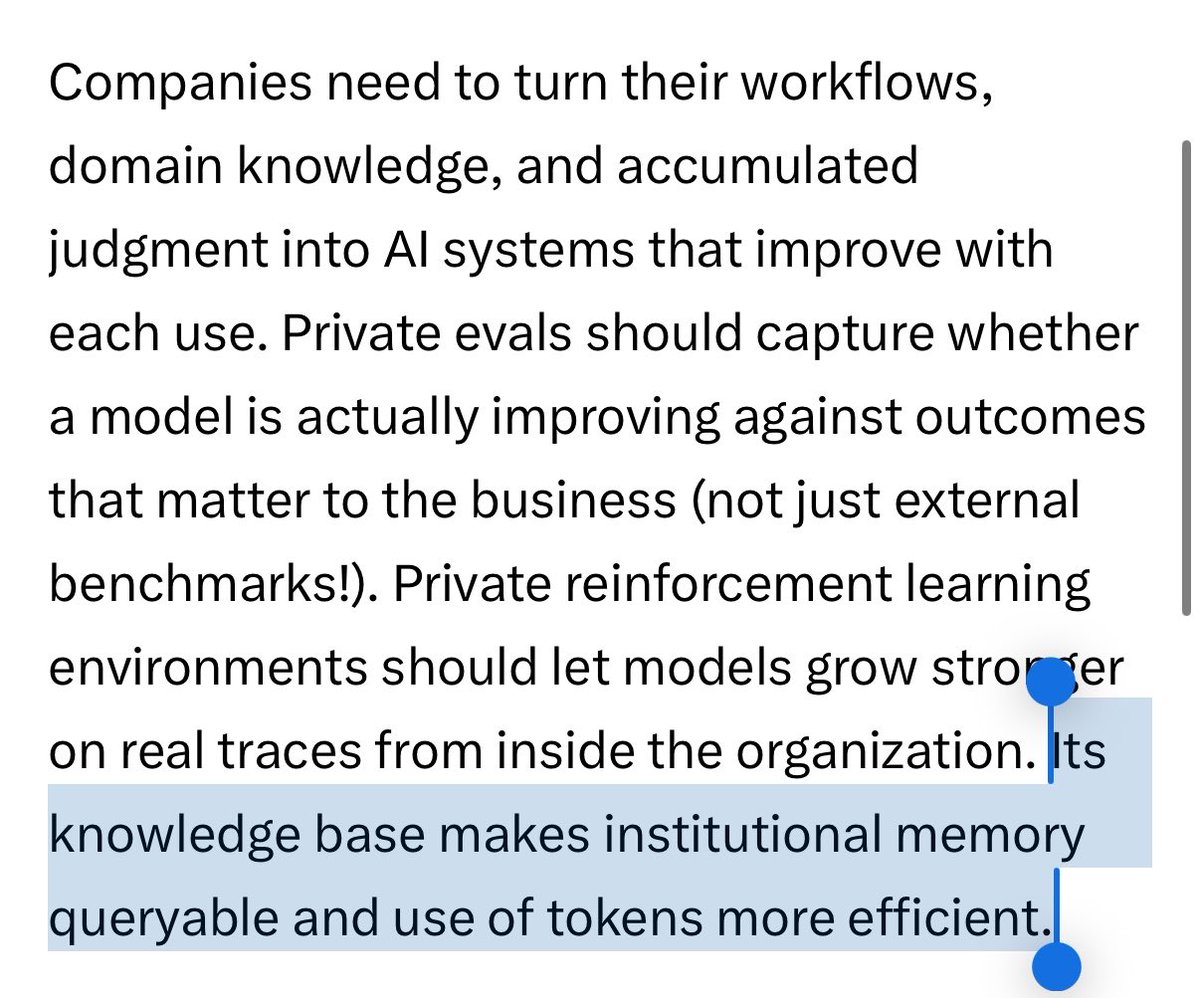
Love this article - Satya talks about building "token capital" - or organisational learning to turn workflows and tasks into AI systems and loops.
Why doesn't it exist today?
This is (and will be) an unsolved problem - requiring great research, infrastructure AND product work. also what we're doing at @supermemory right now. (I personally have been working on this problem for years now!) and i'm glad people are talking about it now!
1/ Research
No one knows the right "winning" architecture to build something like this. There is no right answer. There are no deterministic good benchmarks.
for the AI system has to learn and improve over time - It has to have an understanding of time, how the world evolves and connect the dots just like humans do. It would have to infer or "reason" through knowledge. It has to forget things as well.
This article talked about building evals specific to your org - We believe this is the right way! We have been building a framework to easily evaluate systems on any setup (Git.new/membench) and also a dataset for long horizon organizational data (smfs.ai/research). A lot of our customers have set up evals that matter to them.
It does not matter if it's graph vector etc - customers don't care. This system should be composable to whatever use case the enterprise wants, and something they can build on / amend.
2/ Infrastructure
It's not just about having a huge vector store. Every raw document / item can amount to hundreds or thousands of interconnected knowledge, that's also being dreamt on and new knowledge being evolved from it.
The model that actually makes the learning also can't be too expensive. it can't even be 50% of the main model! Because this model will be looking at everything and choosing what to learn. So there's also a lot of distillation / inference engineering involved there.
At @supermemory we solve these by building our own data systems and a model that is doing the learnings. We have a fact based temporal graph that also ensures that everything is properly attributed and traceable.
3/ Product
For people building on top of supermemory, we have to make it completely hackable and composable for every use case.
Complex organizations have different permissions structures - And different data sources to learn from. Different things to learn.
They also have different ways of bringing it back to the agent - Sometime it will be "implicitly" given, or the agent may "explicitly" look up data.
Maybe you want to give that data as @karpathy LLM wiki (filesystems) style!
For this we have built all permission system and controls into supermemory. It's natively multi tenant, and queryable deterministically (as SQL) at the same time.
You can also use it as a filesystem! We bring the knowledge as needed to the agent . We call it SMFS.ai
------
We are trying to build the best memory and context system for AI so that organizations can build their own token capital!
This is a hard unsolved problem and an important one to solve.

3
3
19
3,546

Intelligence is now being commodified via LLMs the only missing part is biodata vault LLMs interoperability.
We provide both via NFT gated filesystems from Sequencing Labs.
biofs.genobank.io/
4

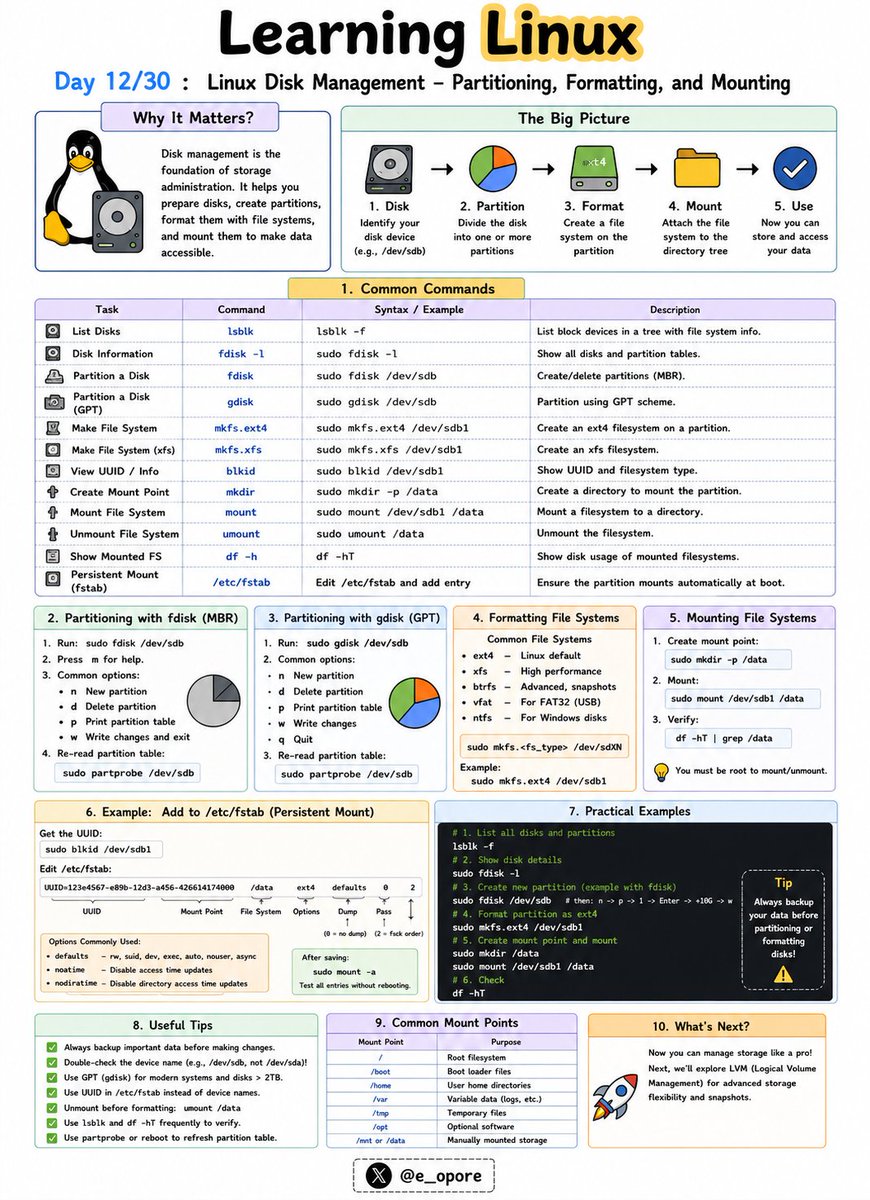
🐧 Day 12/30 — #Linux
Storage management is a fundamental skill for every Linux administrator.
Before a disk can store data, it must be partitioned, formatted with a filesystem, and mounted into the Linux directory structure.
Linux Disk Management – Partitioning, Formatting, and Mounting
Understanding how Linux handles disks helps you manage storage efficiently and avoid data-related issues on servers and workstations.
Key Disk Management Concepts:
→ Partitioning
→ Formatting
→ Mounting
Partitioning Disks
A partition is a logical section of a physical disk.
Partitioning allows a single disk to be divided into multiple independent storage areas.
Common tools:
→ fdisk
→ parted
→ lsblk
Example:
→ sudo fdisk /dev/sdb
Opens the partition manager for a disk.
Viewing Available Disks
→ lsblk
Displays all connected storage devices and partitions.
→ df -h
Shows mounted filesystems and available disk space in a human-readable format.
Formatting Partitions
After creating a partition, it must be formatted with a filesystem.
Common Linux filesystems:
→ ext4
→ xfs
→ btrfs
Example:
→ sudo mkfs.ext4 /dev/sdb1
Formats the partition using the ext4 filesystem.
Mounting Filesystems
Linux accesses storage through mount points.
A partition must be mounted before it can be used.
Example:
→ sudo mount /dev/sdb1 /mnt/data
Makes the partition accessible through the /mnt/data directory.
Viewing Mounted Filesystems
→ mount
Lists currently mounted filesystems.
→ df -h
Displays mounted storage and available space.
Persistent Mounting
To automatically mount a partition during boot, administrators configure:
→ /etc/fstab
This file defines permanent mount settings for disks and partitions.
Why Disk Management Matters:
→ Add new storage to Linux servers
→ Manage application and database data
→ Monitor disk usage effectively
→ Prevent storage-related outages
→ Configure reliable production environments
Mastering partitioning, formatting, and mounting is an essential step toward becoming a skilled Linux administrator, DevOps engineer, or cloud engineer.
🐧 Grab Linux Ebook: codewithdhanian.gumroad.com/…
#Linux #LinuxTutorial #DiskManagement #LinuxCommands #SystemAdministration #DevOps #CloudComputing #OpenSource #Storage #100DaysOfCode
Jun 12

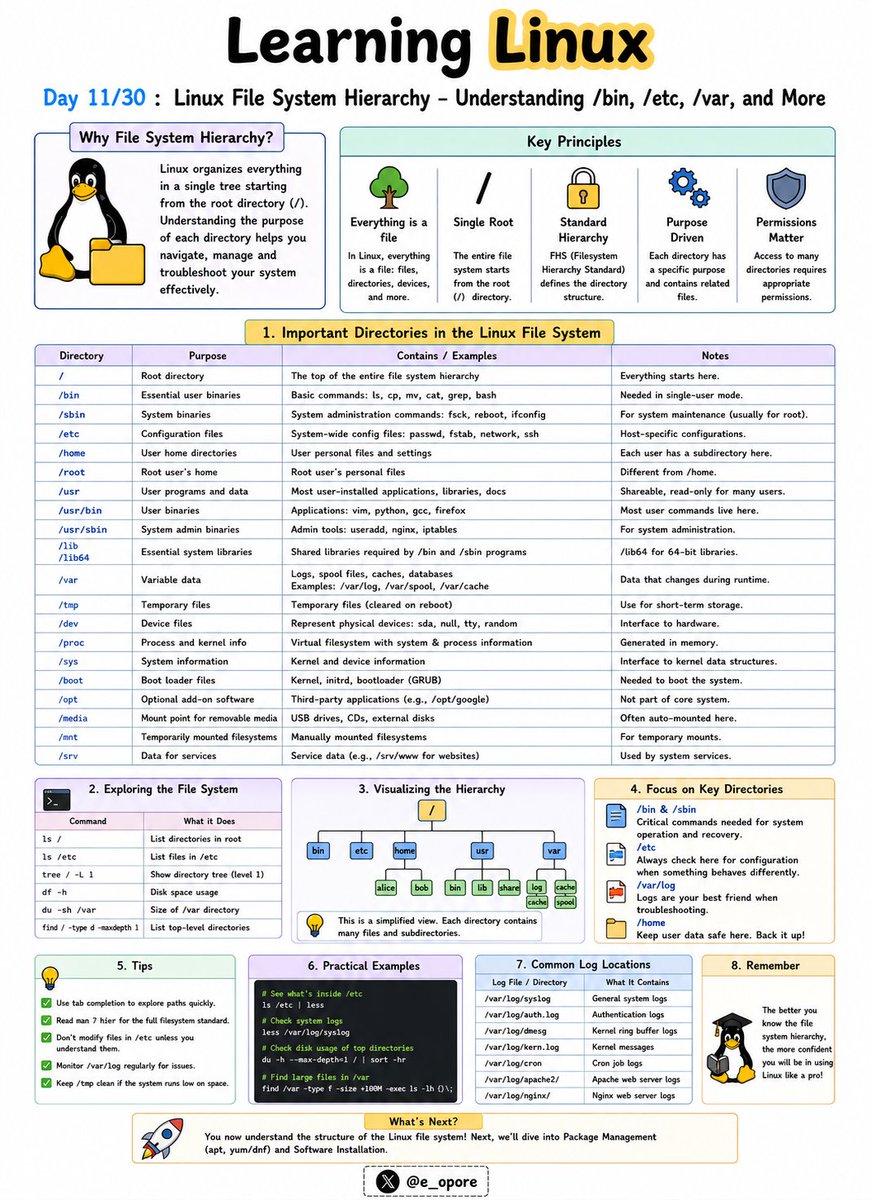
🐧 Day 11/30 — #Linux
Everything in Linux is organized within a single directory tree that starts at the root directory (/).
Understanding the Linux file system hierarchy is essential for navigating, configuring, and troubleshooting Linux systems.
Linux File System Hierarchy – Understanding /bin, /etc, /var, and More
Unlike Windows, Linux does not use drive letters like C: or D:.
Instead, all files and directories exist under a unified hierarchy.
Important Linux Directories:
→ /
The root directory.
Everything on the system starts from here.
→ /bin
Contains essential command-line utilities such as:
→ ls
→ cp
→ mv
→ cat
These commands are required for basic system operation.
→ /etc
Stores system-wide configuration files.
Examples:
→ /etc/passwd
→ /etc/hosts
→ /etc/ssh/
Administrators frequently work in this directory.
→ /home
Contains personal directories for users.
Examples:
→ /home/john
→ /home/admin
This is where user files, documents, and settings are stored.
→ /var
Stores variable data that changes frequently.
Examples:
→ Logs
→ Cache files
→ Mail queues
→ Databases
Important log files are commonly found in:
→ /var/log/
→ /tmp
Stores temporary files created by applications and users.
Files here may be automatically removed by the system.
→ /usr
Contains installed software, libraries, and user applications.
Many programs are stored under:
→ /usr/bin
→ /usr/lib
→ /dev
Contains device files representing hardware components.
Examples:
→ Hard drives
→ USB devices
→ Printers
→ /proc
A virtual filesystem that provides information about running processes and system resources.
Why Understanding the File System Matters:
→ Navigate Linux efficiently
→ Locate configuration files quickly
→ Troubleshoot system issues
→ Manage servers effectively
→ Understand how Linux organizes data
Mastering the Linux file system hierarchy makes it much easier to administer servers, manage applications, and work confidently from the command line.
🐧 Grab Linux Ebook: codewithdhanian.gumroad.com/…
#Linux #LinuxTutorial #LinuxCommands #FileSystem #SystemAdministration #DevOps #CloudComputing #OpenSource #Programming #100DaysOfCode
1
3
37
908
processes and filesystems. This is why they're lightweight — no guest OS overhead, no gigabytes of RAM wasted on redundant system processes.","A container image is your compiled artifact. You build it once, run it anywhere. No more SSH-ing into servers to
1

15h
Your S3 bucket is just an expensive filesystem pretending to be an object store.
ZeroFS flips it: serve S3 buckets as POSIX filesystems over NFS and 9P:
- Compresses and encrypts everything before upload
- Raw block devices over NBD, in the same process
github.com/Barre/ZeroFS
11
__ retweeted

Jun 11
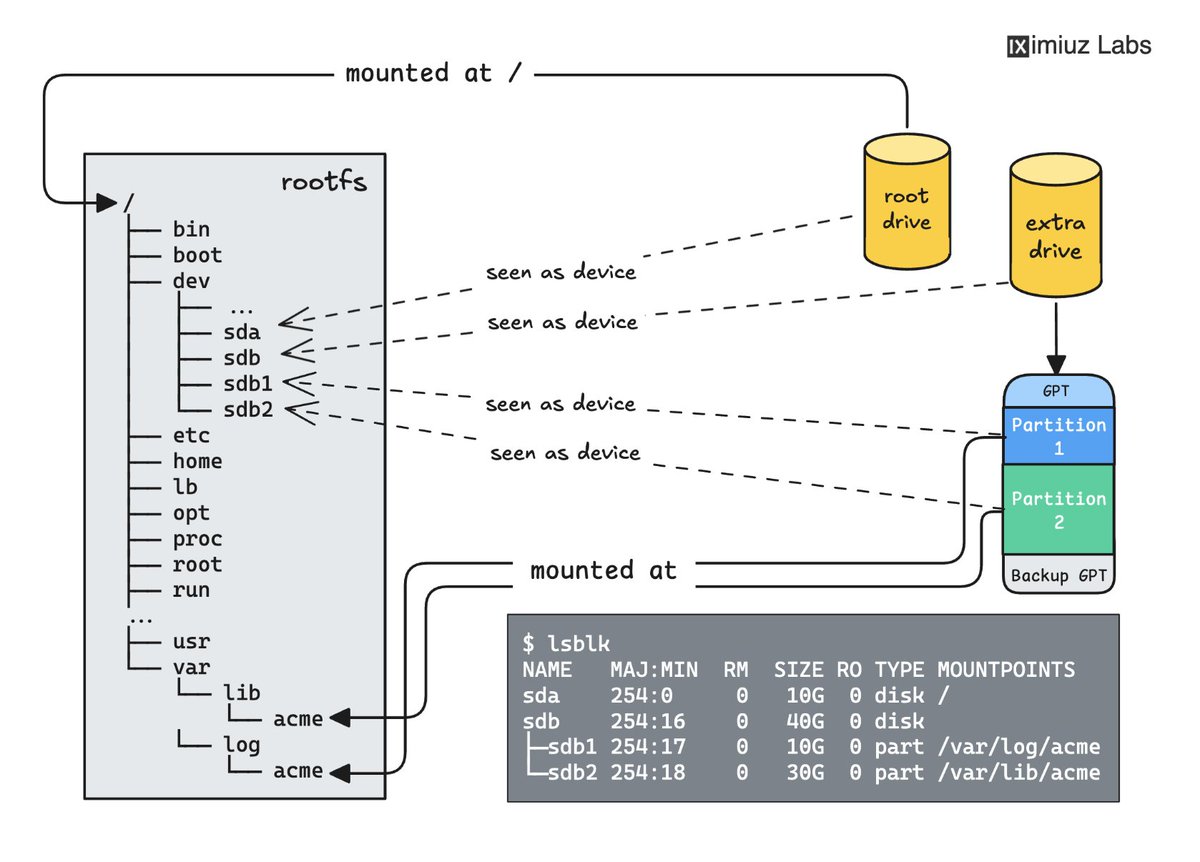
Linux 101: Drives, Partitions, and Mounts
Practice partitioning drives, formatting them with different filesystems, and working with mounts in a series of hands-on challenges:
- Mount a drive with existing data and read its contents labs.iximiuz.com/challenges/…
- Create a GUID Partition Table (GPT) on a blank drive labs.iximiuz.com/challenges/…
- Split a drive into multiple partitions and format them as ext4 and btrfs labs.iximiuz.com/challenges/…
- Mount an existing directory at a new location (bind mount) labs.iximiuz.com/challenges/…
- Make a filesystem mount survive a reboot labs.iximiuz.com/challenges/…
2
67
467
15,801

Jun 13
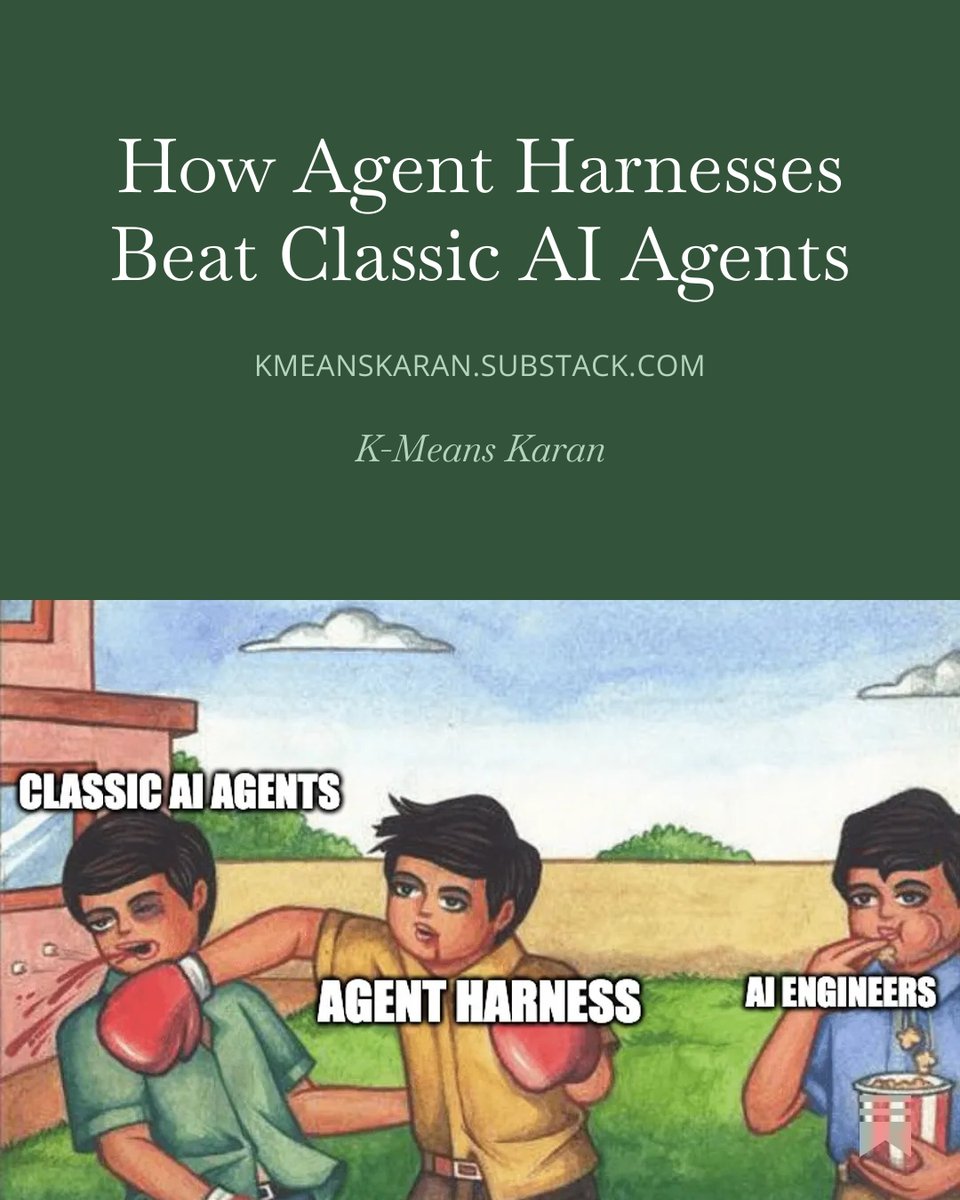
Agent Harness is just a hype or an improvement?
Tomorrow 14 Jun, 10 AM IST on kmeanskaran.substack.com
Explaining different components of Agent Harness over Classic AI agents like:
Planning ➝ Backends and Virtual Filesystems ➝ Context Engineering ➝ Subagents ➝ Memory ➝ Skills ➝ Sandboxes ➝ Human-in-the-loop ➝ Tools
This is an introductory article up next, I am building a one end to end agent harness using @LangChain DeepAgents with complete architecture and deployment on @Railway CI/CD
Stay tune!
Jun 11

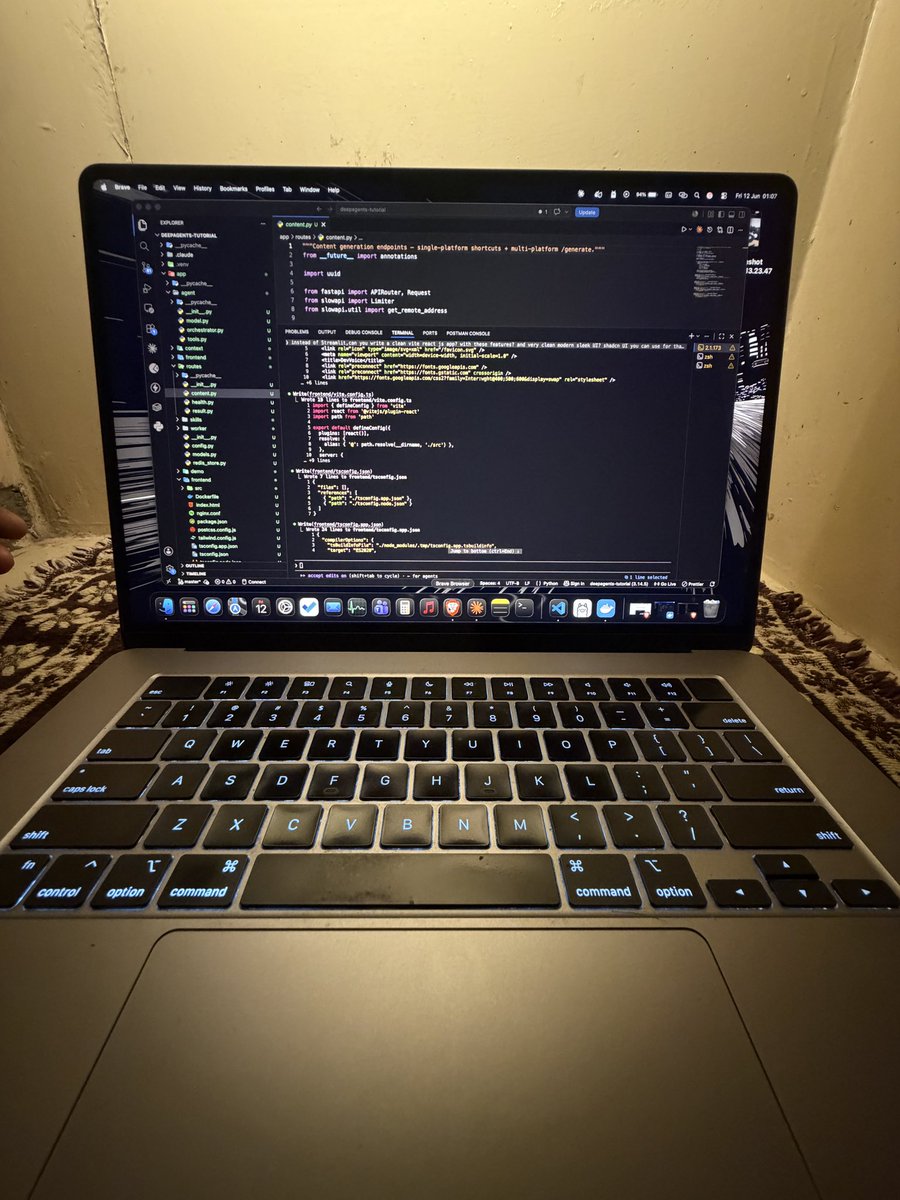
No work today, so I learned about Agent Harness by @LangChain DeepAgents.
Agent Harness is really a game-changer and outperforms classic AI agents in complex tasks.
Most important features are:
- Planning phase before execution
- Subagents run with isolated context
- Skills.md gets stored as knowledge and gets called when relevant
- Memory: a long-term persistent storage
- Human-in-the-loop for confirmation and feedback
- Context management that compresses conversations and offloads large tools
I've used Claude to code the entire project, which has:
- FastAPI Backend
- Celery queue workers
- Redis for tracking worker jobs
- ReactJS for the frontend
- Railway for deploying using CI/CD
Before the weekend, I will share more about the topic and the complete setup for DEPLOYING AGENT HARNESS ON RAILWAY WITH CI/CD.
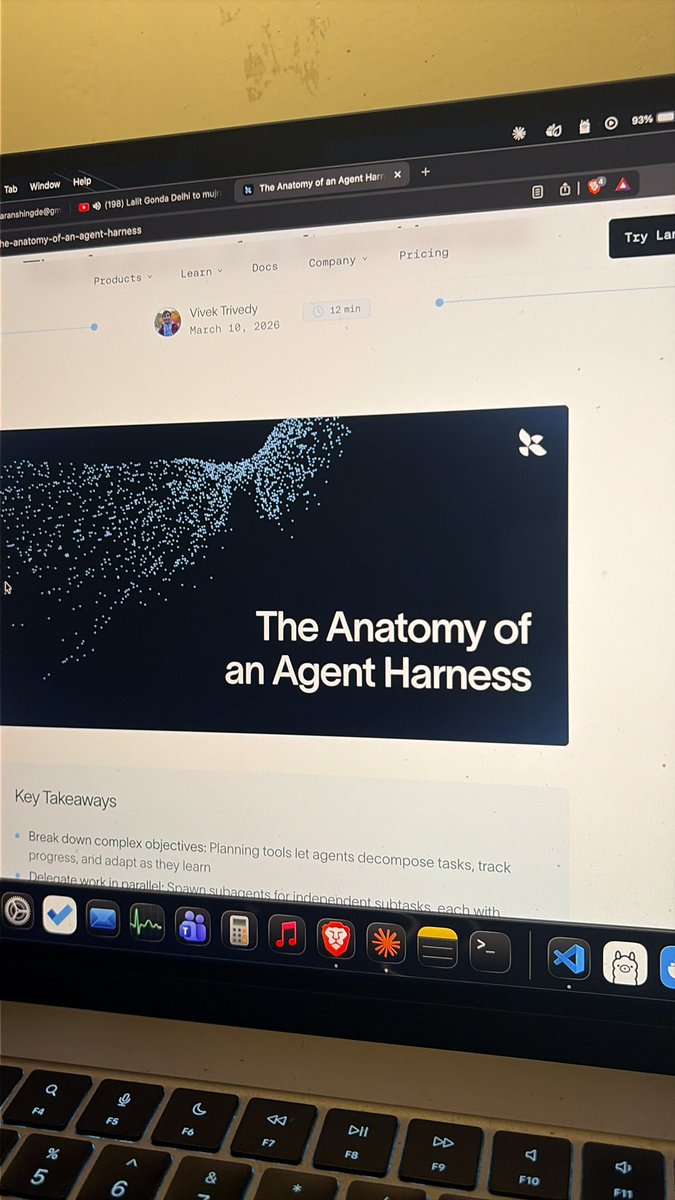
Read this article: langchain.com/blog/the-anato…
5
2
58
2,734

Jun 13
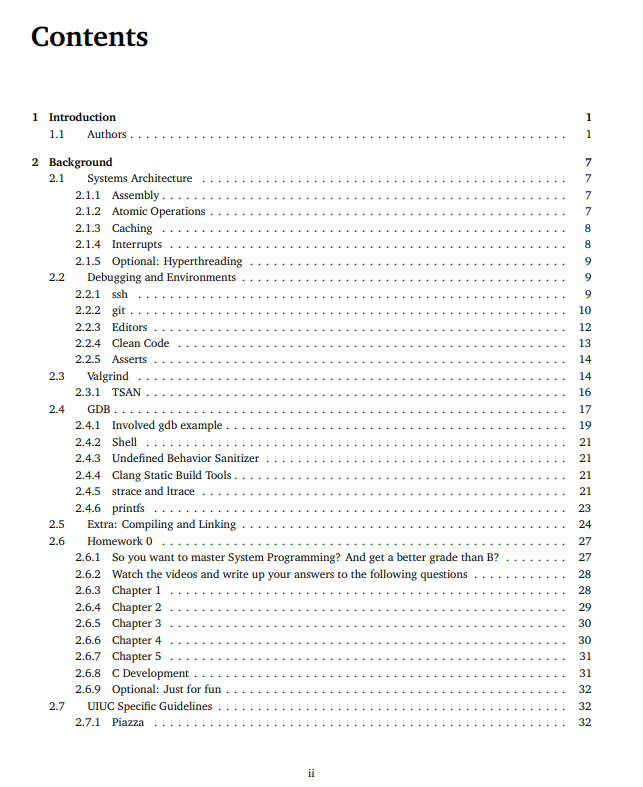
a professor at Illinois got frustrated with existing systems programming textbooks
so he started a wikibook project and had students help write it
it covers C, processes, threads, synchronization, memory allocation, networking, filesystems, scheduling and security
8
122
983
30,301

Jun 13
internals, overlay filesystems, and networking modes. You need exactly three commands: docker build, docker run, docker push. Everything else is optimization you learn when something breaks.
1
5