
Jun 8
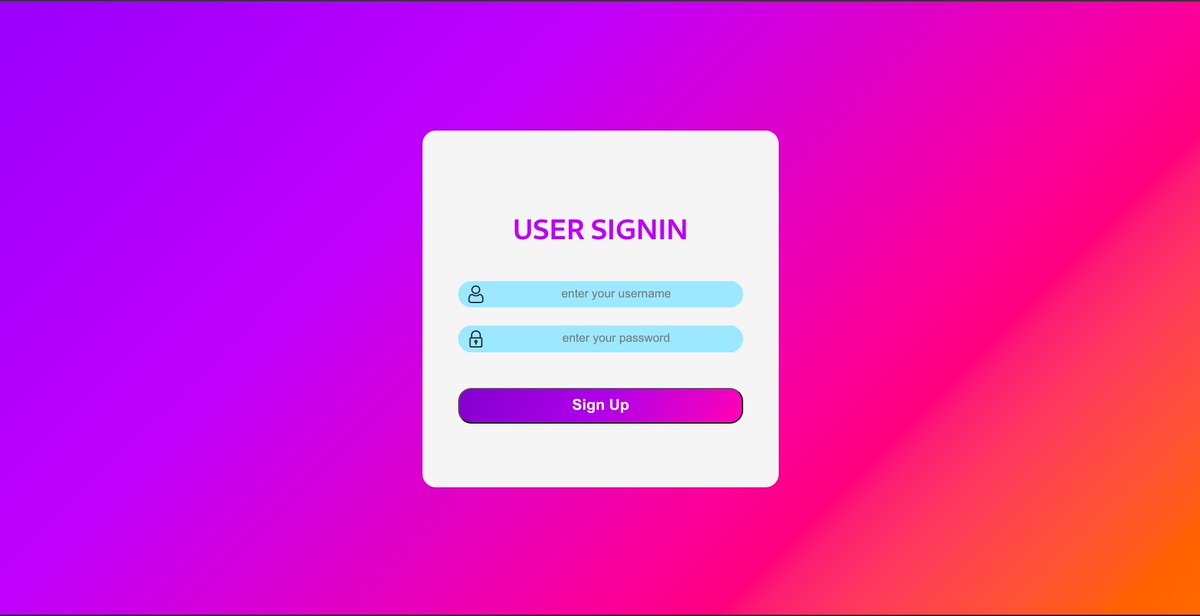
A clean login form = a better user experience 🔐✨
✔️ Modern UI
✔️ Responsive Design
✔️ Smooth UX
Built for simplicity and performance. 🚀
#LoginForm #WebDesign #UIDesign #UXDesign #FrontendDeveloper #UIUX #WebDevelopment
🤖 AI & Automation: 923412636264
16

Replace the default WordPress login screen with a custom, branded experience! 🔥
Perfect for membership sites, client portals, or any project that needs a professional touch.
Try now 👉 wpmet.com/plugin/elementskit…
#WordPress #LoginForm #MembershipSite
3
27

May 22
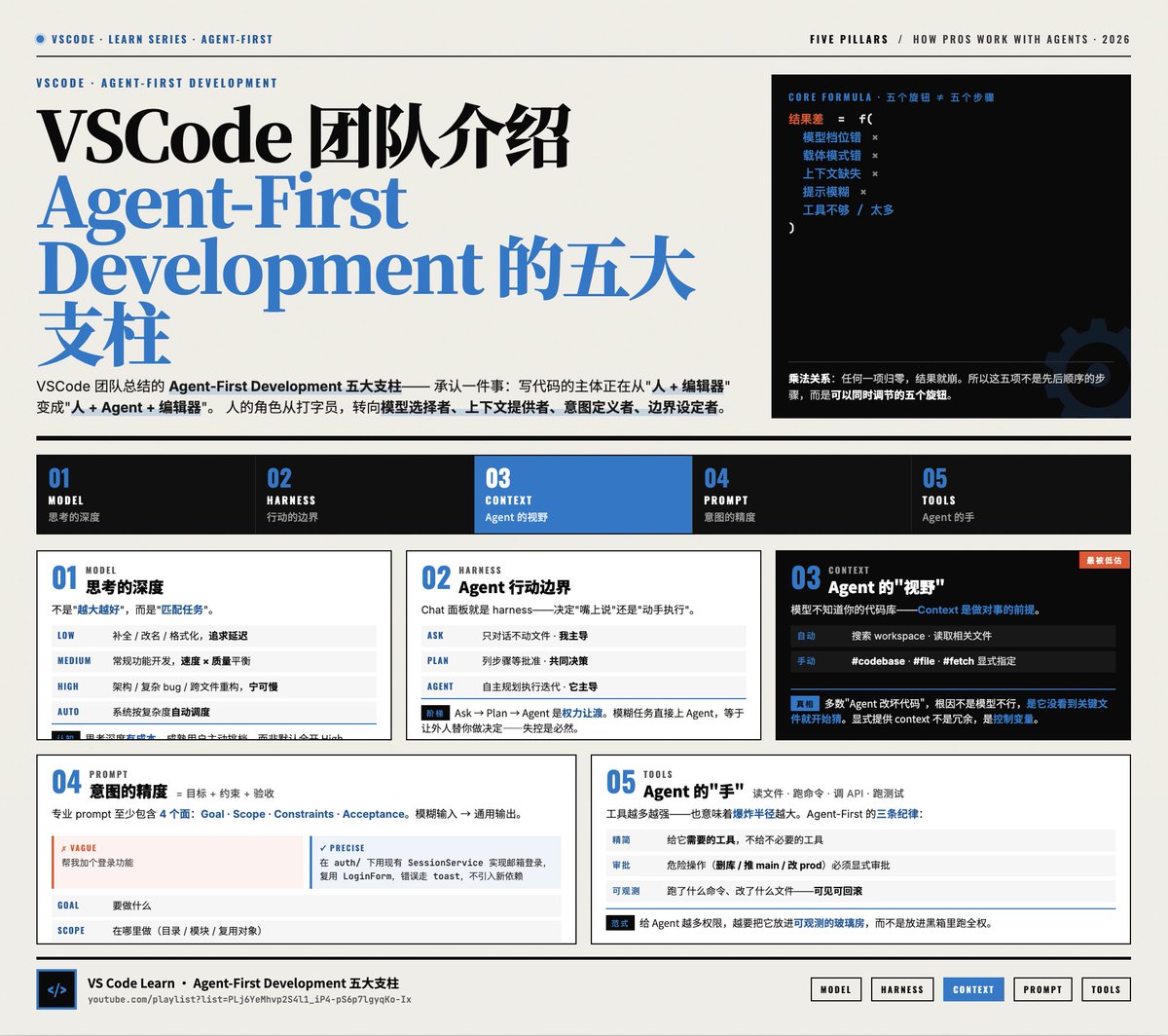
VSCode 团队介绍 Agent-First Development 的五大支柱
1. Model —— 选择思考的深度
模型不是"越大越好",而是"匹配任务"。
Copilot 提供 Low / Medium / High / Auto 四档思考深度:
· Low:补全、改名、格式化等机械任务,追求延迟
· Medium:常规功能开发,平衡速度与质量
· High:架构设计、复杂 bug、跨文件重构,宁可慢也要对
· Auto:让系统按任务复杂度自动调度
真正的认知是:思考深度是有成本的(时间、token、用户耐心)。Agent-First 的成熟用户会主动为任务"挑档位",而不是默认全开 High。
2. Harness —— Agent 的行动边界
Harness 指 Agent 能做什么、不能做什么的运行环境。Copilot Chat 面板就是 harness,它决定了 Agent 是"嘴上说说"还是"动手执行"。
三种模式构成了一个渐进信任阶梯:
· Ask:只对话,不动文件 - 探索、问问题、学习代码
· Plan:列出步骤,等你批准 - 方案讨论、风险大的改动
· Agent:自主规划、执行、迭代 - 方向明确、需要落地的任务
关键洞察:从 Ask → Plan → Agent 是从"我主导"到"它主导"的权力让渡。强行一上来用 Agent 模式做模糊任务,等于让一个不了解情况的人替你做决定——失控是必然结果。
3. Context —— Agent 的"视野"
模型本身不知道你的代码库。Context 是它做对事的前提。
Copilot 获取 context 的方式分两类:
· 自动:搜索 workspace、读取相关文件
· 手动(更可靠):用 # codebase、# file、# fetch 显式指定
这是最容易被低估的一环。多数"Agent 改坏了代码"的案例,根因不是模型不行,而是它根本没看到关键文件就开始猜。显式提供 context 不是冗余,是控制变量。
4. Prompt —— 意图的精度
Prompt = 目标 约束 验收标准。
"帮我加个登录功能" 和 "在 auth/ 目录下用现有的 SessionService 实现邮箱登录,复用 LoginForm 组件,错误信息走 toast,不要引入新依赖" 得到的结果完全不同。
专业用户的 prompt 通常包含:
· 要做什么(goal)
· 在哪里做(scope)
· 不能做什么(constraints)
· 怎么算完成(acceptance)
模糊的输入只能换来通用的输出。
5. Tools —— Agent 的"手"
Tools 是 Agent 实际能调用的能力:读文件、跑命令、搜索、调 API、跑测试……
Tools 越多越强,但也意味着爆炸半径越大。Agent-First 的纪律是:
· 给它需要的工具,不给不必要的工具
· 危险操作(删库、推 main、改 prod 配置)应当显式审批
· 工具链应可观测——Agent 跑了什么命令、改了什么文件,必须可见可回滚
整体框架:五个旋钮,而不是五个步骤
结果差 = f(模型档位错 × 载体模式错 × 上下文缺失 × 提示模糊 × 工具不够/太多)
Agent-First Development 的本质是承认一件事:写代码的主体正在从"人 编辑器"变成"人 Agent 编辑器"。人的角色从"打字员"转向"模型选择者、上下文提供者、意图定义者、边界设定者"。
VS Code Learn 系列视频
youtube.com/playlist?list=PL…
May 21

The @code team released a new Introduction to Agent-First Development series.
It breaks down these 5 pillars behind great agent results 🧵
3
7
33
7,413


May 4
#loginform
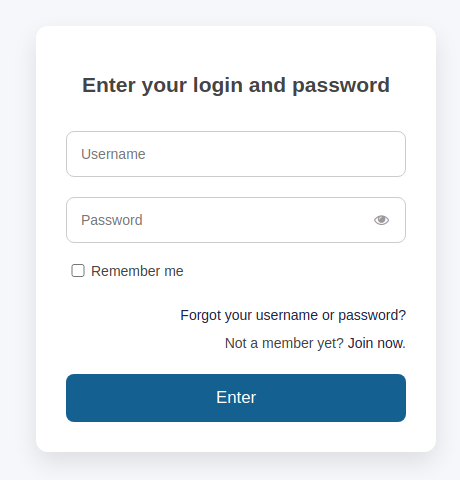
New default design
We have added new 'Default' design template. It features a light style and is compatible with modern design standards.
It will be activated by default in all new accounts; for existing accounts, you can switch it manually on the Design Settings page.
5

Create fully customizable login, registration, and profile forms with #BBForms Users Management! 🙌
Give your users a seamless way to access and manage their accounts.
DEMO: 👇
bbforms.com/add-ons/users/
#WordPressForms #RegistrationForm #LoginForm #ProfileForm
3
18


they call me... loginform bin javascript al fakeanshit

2
20


Mar 19
#Angular introduces Signal Forms in version 21.0, marking a significant shift in how users interact with Angular applications.
The best part? Creating a signal-based form is surprisingly simple.
In just 4 steps, you can build a fully functional signal-based Login Form 👇
👉 Step 1 - Define type
```export interface IUser {
email: string;
password: string;```
}
👉 Step 2 - Create Model
```user : WritableSignal<IUser> = signal({
email: '',
password: ''
})```
👉 Step 3 - Create Signal Form
```loginForm = form(this.userModel,(schema)=>{
required(schema.email,{message:'email is required'});
email(schema.email,{message:'email is not valid'});
required(schema.password,{message:'password is required'});
});```
👉 Step 4 - Use on Template
```<form (submit)="onSubmit($event)">
<label>
Email
<input type="email" [formField]="loginForm.email" />
</label>
@if (loginForm.email().invalid() && loginForm.email().touched()) {
<div class="error">
@for (error of loginForm.email().errors(); track error.kind) {
<span>{{ error.message }}</span>
}
</div>
}
<label>
Password
<input type="password" [formField]="loginForm.password" />
</label>
@if (loginForm.password().invalid() && loginForm.password().touched()) {
<div class="error">
@for (error of loginForm.password().errors(); track error.kind) {
<span>{{ error.message }}</span>
}
</div>
}
<button [disabled]="loginForm().invalid()" type="submit">Login</button>
</form>```
This is it. A signal-based login form has been created.
To learn in depth about Signal forms, models, validations, custom validations, async validations, etc., join India's Largest #Angular Conference, #ngIndia on 11 April.
Tickets - ng-ind.com/home
#ngIndia #nomadcoder #angular
2
3
181

Mar 12
Whether it’s a really simple login form like this one, or a complex website and e-commerce site we have you covered at Vario Designs! Get in touch now to start your journey with us. #variodesigns #loginform #html #webdesign
3

Mar 11
Frontend Auth:
New hook: useTokenRefresh.ts — calculates expiry & silently refreshes 60s early (recursive reschedule)
LoginForm & auth.service now store ankik_expires_at in sessionStorage
ProtectedLayout injects the hook so refresh runs forever while app is open
2
Login Flow Upgrade:
AuthResponseSchema now handles “partial” states (no more crashes if setup incomplete)
LoginForm reads nextStep from backend & auto-redirects: email_verification → /verify-email profile_completion → /complete-profile etc.
Super smooth UX.
20
Robustness: Zod Everywhere
env.ts: Fail-fast env validation - spots missing URLs at startup.
Services (Auth, Parties, Dashboard) schema-validate backend data. Catches API drifts early.
LoginForm: react-hook-form Zod for instant, polished error UX.
8
Frontend (apps/client):
LoginForm: smart redirect based on user status RegisterForm: fixed field mapping so first_name/last_name actually reach the backend
Every error now shows a properly translated toast error (e.g. “User not found” in user’s language)
15
Feb 9
Clean UI doesn’t need JavaScript ✨
This modern, responsive login form is built using pure CSS — clean, smooth, beginner-friendly.
Save & follow for more HTML/CSS UI tips 🚀
📞 923412636264
#PureCSS #LoginForm #HTMLCSS #FrontendDeveloper #WebDesign #UIUX #TechReels
1
7

Jan 22
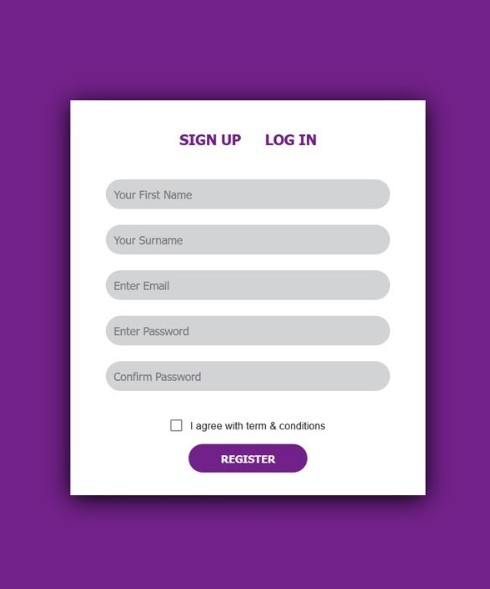
Signup and Login Form
Video: youtu.be/mzzHFYXTMmE
#html #HTML5 #CSS #CSS3 #webdevelopment #webdevelopers #Coding #FrontEndLove #100DaysOfCode #cssfrom #signupform #loginform #javascript
1
34

Jan 21
Day 8 Progress ✅
• Web Dev: Completed Harkirat’s Cohort – Week 5.2
• Built a Login Form 🧩
From concepts to components.
Building things that work. 💻✨
#MissionLevelUp #Day8 #WebDevelopment #Frontend #LoginForm #Consistency #LearningInPublic
43
