
هيكل المشروع
CAF Elit
│
├── 📱 App Entry (CAF_ElitApp.swift)
│ └── ContentView → MainTabView
│
├── 🎨 Views Layer
│ ├── MainTabView (6 tabs)
│ ├── HomeView, MatchesView, LeaguesView
│ ├── NewsView, StandingsView, SettingsView
│ └── Detail Views (Match, Team, Player, League, News)
│
├── 🧩 Components
│ ├── MatchRowView, LiveMatchCard
│ ├── MatchSummaryCard, PlayerCardView
│ └── TeamLogoView
│
├── 📦 Models
│ ├── Match, Team, League, Standing, News
│ ├── Lineup, MatchStatistics, Player
│ └── DTOs (SPLPulseLiveModels, APIResponseModels)
│
├── ⚙️ Services
│ ├── LiveAPIService (Orchestrator)
│ ├── SPLNetworkService (Network)
│ ├── SPLPulseLiveMapper (Mapping)
│ ├── NotificationManager
│ ├── LiveActivityManager
│ ├── SharedDefaults (App Group)
│ └── ThemeManager
│
└── 🔌 Extensions
├── caf wid (Widget Extension)
└── caf fitf (Notification Extension)
2
8
2,252

20 Sep 2025
NotificationManager depends on the SMS Service not Notified Interface
2
284

Dependency Inversion Principle (DIP) means high-level modules shouldn’t depend on low-level modules. Both should depend on abstractions (interfaces).
Ignoring DIP leads to tight coupling and fragile code.
It promotes flexible, maintainable, and testable software.
Let’s see an example from everyday software : a notification system:
// Violates DIP - NotificationManager tightly coupled to SMSService
class SMSService {
void sendSMS(String message) {
System.out.println("Sending SMS: " message);
}
}
class NotificationManager {
private SMSService smsService = new SMSService();
void notifyUser(String message) {
smsService.sendSMS(message);
}
}
Why this is bad:
NotificationManager can only send SMS. Adding Email or Push notifications means changing NotificationManager, breaking open/closed principle and making maintenance hard.
Better design following DIP:
interface Notifier {
void send(String message);
}
class SMSService implements Notifier {
public void send(String message) {
System.out.println("Sending SMS: " message);
}
}
class EmailService implements Notifier {
public void send(String message) {
System.out.println("Sending Email: " message);
}
}
class NotificationManager {
private Notifier notifier;
public NotificationManager(Notifier notifier) {
this.notifier = notifier;
}
void notifyUser(String message) {
notifier.send(message);
}
}
Benefits:
NotificationManager depends on Notifier interface, not concrete classes.
Easily add new notification methods without changing existing code.
Code is cleaner, more flexible, and easier to test.
DIP lets you build scalable and maintainable systems by depending on abstractions ,not on concrete details.
5
16
141
6,269

12 Jan 2024
I finally got my Pixel Watch 2 and Galaxy Z Fold 5 to sync Do Not Disturb mode!
This basic functionality is arbitrarily limited to Pixel phones (and to be fair to Google, Samsung does the same thing requiring a Galaxy phone to sync DND to Galaxy watches) but it's easy to fix.
All you need is an app called DNDSync (it's free, open source, and doesn't require the Internet permission) available on GitHub (link in the comments). The original was made by developer blundens but there's also a forked version by DreadedLama that adds bedtime mode sync functionality.
The app requires some manual setup, though. You have to sideload it on both your phone and watch, enable the app's Notification Listener service on your phone through Settings, manually enable the app's Notification Listener service on your watch through ADB, and then manually grant the app the Write Secure Settings permission on your watch through ADB.
The Notification Listener service is necessary for the app on your phone and watch to toggle DND (using NotificationManager#setInterruptionFilter) as well as to listen to when the Digital Wellbeing app on your phone posts the notification for when bedtime mode is enabled so it can then attempt to enable bedtime mode on your watch; enabling bedtime mode on the watch requires enabling the app's Accessibility Service, so it can pull down the Quick Settings and tap the bedtime mode tile. YMMV on the bedtime mode sync, as it doesn't work on Samsung phones because Samsung has their own version of Digital Wellbeing that this app isn't listening for.
Let me know if this app works for you! Again, I think it's silly that OEMs limit something as basic as DND/bedtime mode syncing to whether you have their phone. Bedtime mode I can somewhat get since not every device has Google's Digital Wellbeing, but Google does already mandate certain features for OEM Wellbeing apps, so they could certaintly standardize how bedtime mode detection works. DND mode being limited is less acceptable since the Watch app on your phone already has the Notification Listener permission and the API to set it is standardized.
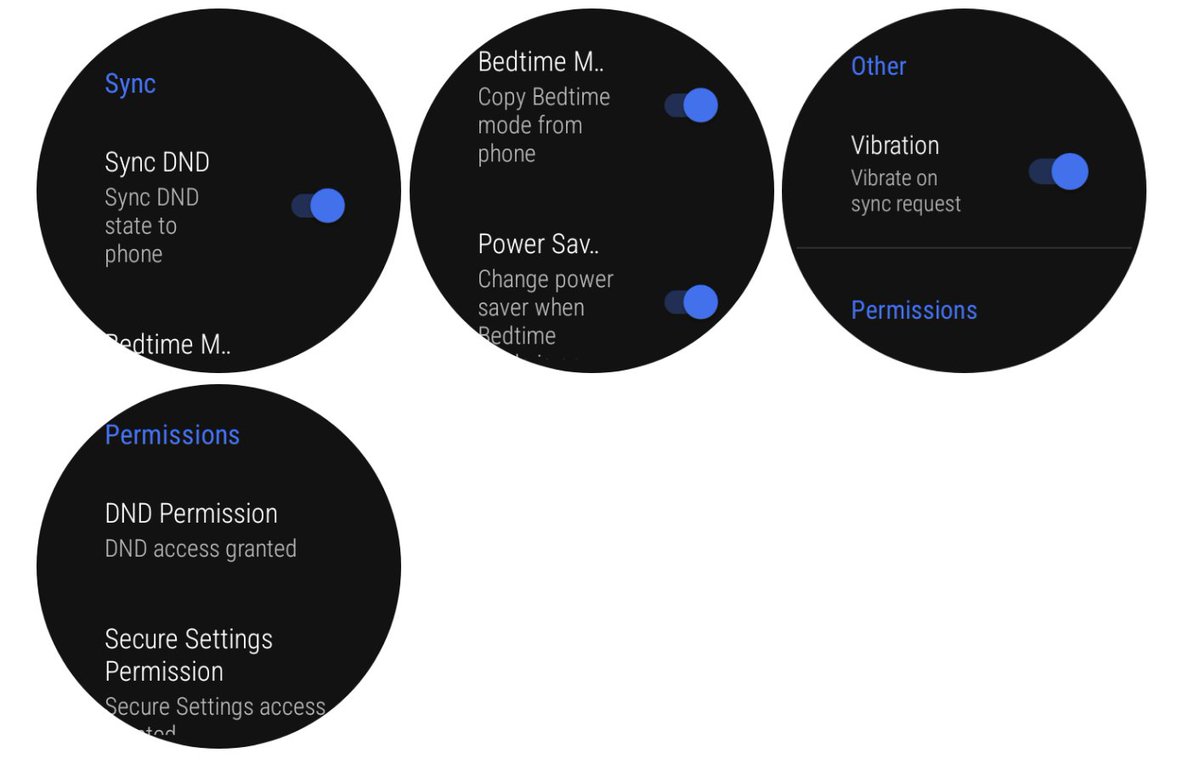
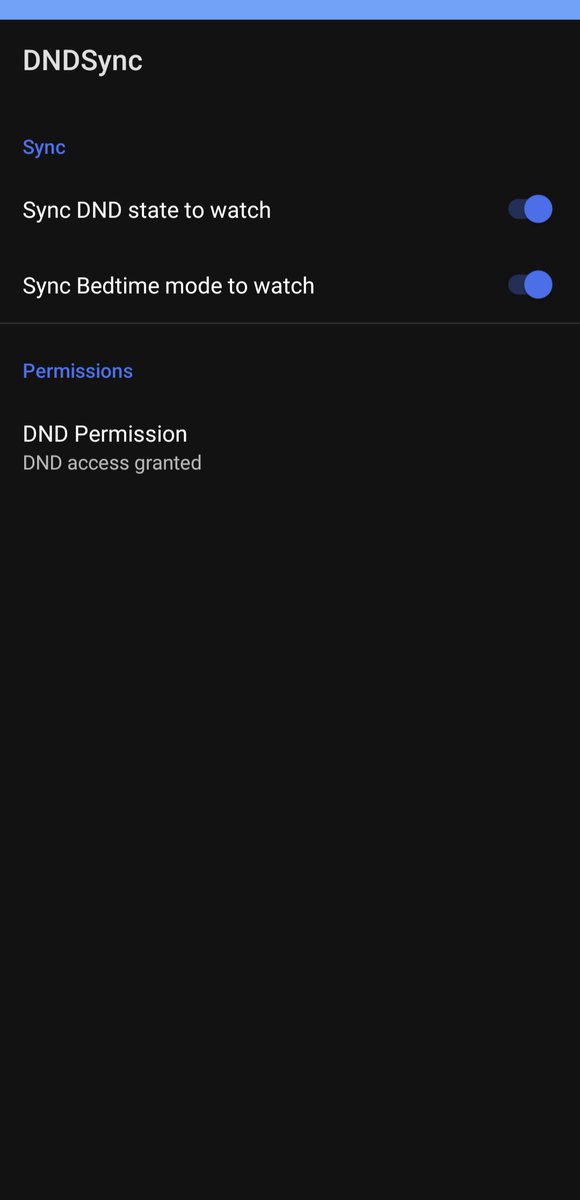
5
7
262
24,744

20 Nov 2023
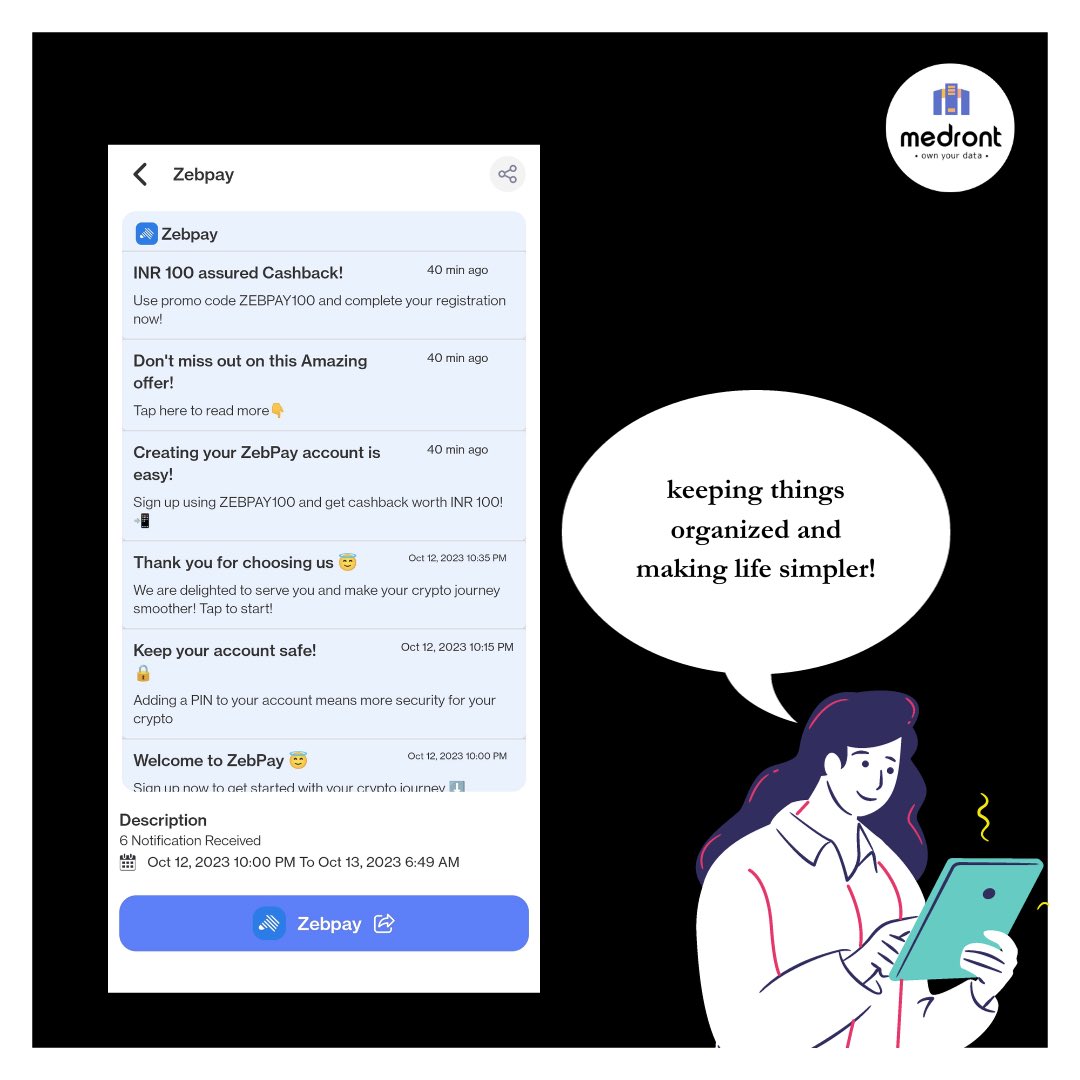
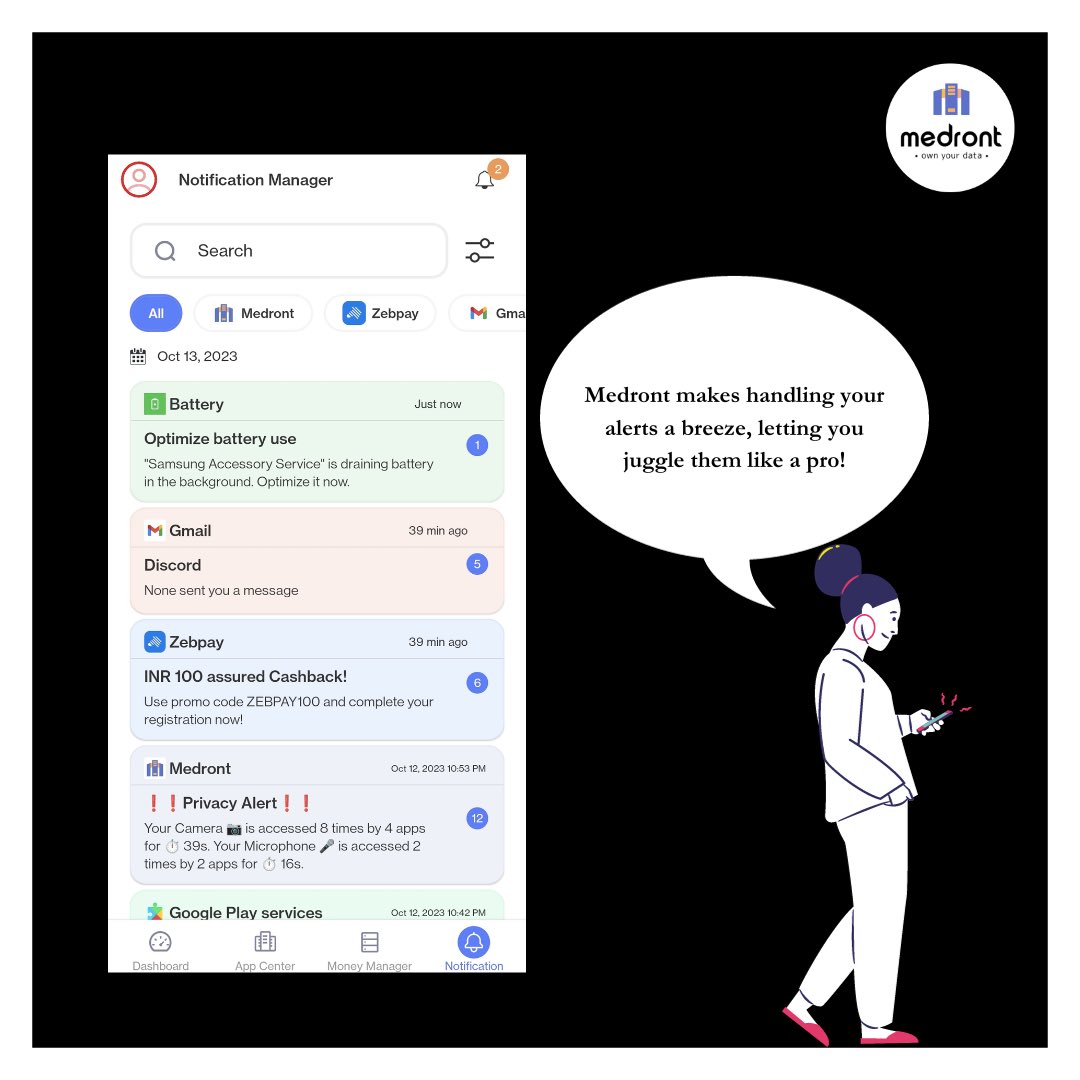
Instagram vs Reality with Medront's Notifications Manager. No need to imagine when you can see it side by side! 📸✨ Swipe left for the movie magic. #Medront #NotificationManager #DigitalLife
1
63

29 Aug 2023
What is the function of notificationManager?
→ Notification Manager is responsible to create a notification channel
→ Notification manager is used to build the notification
1
4
347

27 Apr 2023
Untuk class NotificationManager sama BroadcastReceiver perlu diedit sedikit.
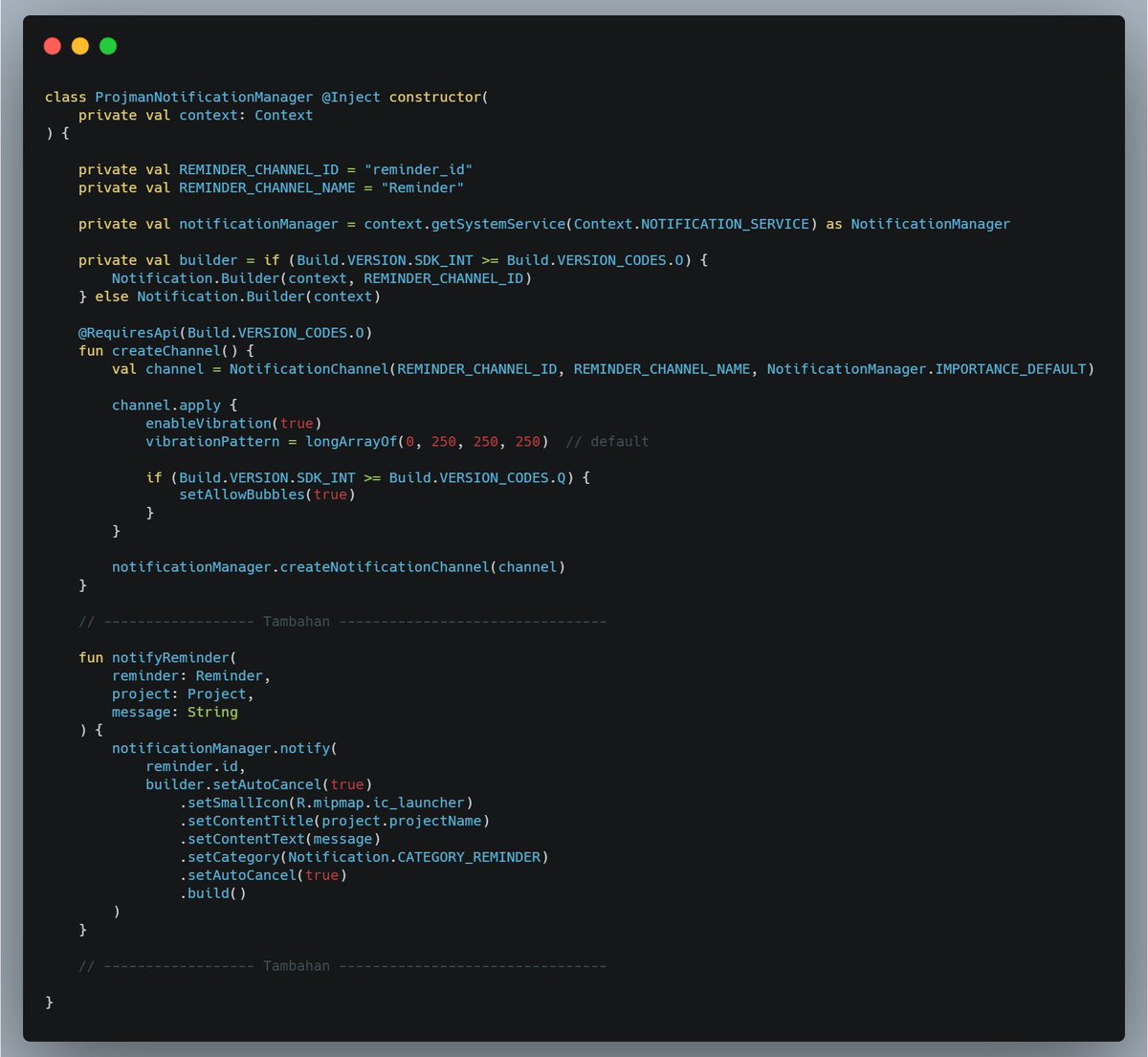
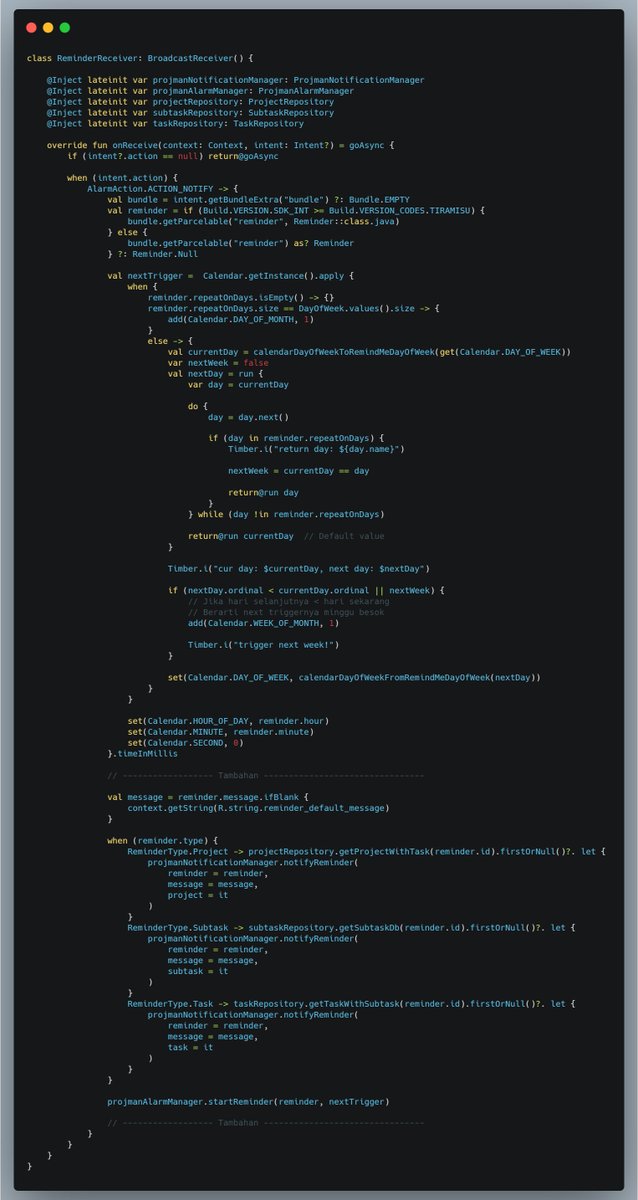
1
2
135
27 Apr 2023
Contoh kode kalo mau bikin fitur pengingat pakai AlarmManager dan NotificationManager, dan bisa nentuin jadwal pengingat antara hari minggu sampai sabtu
Contoh projek:
github.com/kafri8889/Remind-…
1
8
1,197

Saw this tweet a few days ago and thought it was a cool hack for #deepwork mode, so built the same for Android 😄
Took the lazy way out w/ webhooks polling instead of websockets and used Android's NotificationManager getCurrentInterruptionFilter() for processing DND status 🙌

2
14
647

NotificationManager letting you not get caught up in distraction is particularly good
1
2

27 Jul 2022
This thread is saved to your Notion database.
Tags: [Notificationmanager]
8 Jun 2022
NotificationManager service compat change:
"Activity starts coming from broadcast receivers or services in response to notification and notification action clicks will be blocked for UX and performance reasons for previously exempt role holders (browser)."
2
2
43

Find out why using #NotificationManager allows you to have more control over the notifications launched in your #app 📱 By @igorescodro
droidcon.com/2022/05/05/crea…
1
2

23 Mar 2022
NotificationManager is a system service which provides all the functions exposed for notifications api
Anytime you want to send, cancel or update a notification, you need to request an instance of the NotificationManager from the system.
#AndroidDev #100DaysOfCode #WomenWhoCode
1
13

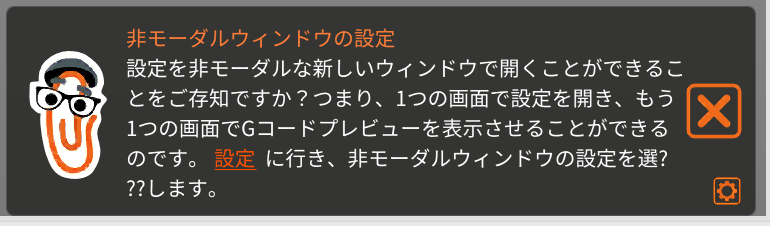
PrusaSlicer起動後に出るヒントが文字化けする問題、元のコードを生かしつつ改行ポイントを調整する修正コードを書いてみたら治った。
最後の「選択」の「択」が文字化けしなくなっている。
想像通り、NotificationManager::HintNotification::count_lines()のUTF-8考慮不足。
github.com/prusa3d/PrusaSlic…

1
6

19 Apr 2021
كيفية تحديد مستوى الإشعار منبثق high او low
11- سوف تتعرف أيضاً على كلاس الإشعار التنفيذي NotificationManager وماهو وظيفته
12 - سوف تتعلم أيصاً كيفية فحص اصدار النسخة
لمشاهدة الفيديو تفضل إلى الرابط التالي
youtube.com/watch?v=Rwo7IL1W…
1
4

8 Dec 2020
NotificationManager使えば通知の内容読めそうな雰囲気があるな。
これとmicro:bitとZipのフルカラーLEDボードを組み合わせれば・・・(ΦωΦ)フフフ…
3

8 Dec 2020
I create channel in getNotification method before calling notificationManager😊
2

26 Jul 2020
Alarmmanagerは、分かってきたけどNotificationmanagerが理解できない。特にActivityを通知から開いた時に戻るボタン押すとバックスタックが表示されてしまうやつ。
2