Jun 10
@OnePlus_Support @oneplus Im facing a serious issue
on my #OnePlus13R running #OxygenOS16 (CPH2691_16.0.7.200). Photos captured with the Camera app are getting automatically deleted without any action from my side. This has resulted in the loss of important memories #oneplusbug
2
1
25

Colour Palette Not Applying in Light Mode on OnePlus 13 (Build .840)
If you’ve been exploring the colour palette options on your OnePlus 13 running Build .840, you might have noticed a puzzling behaviour: while palette selections work perfectly in dark mode, they don’t seem to apply at all in light mode.
Image Comparison
Light Mode:
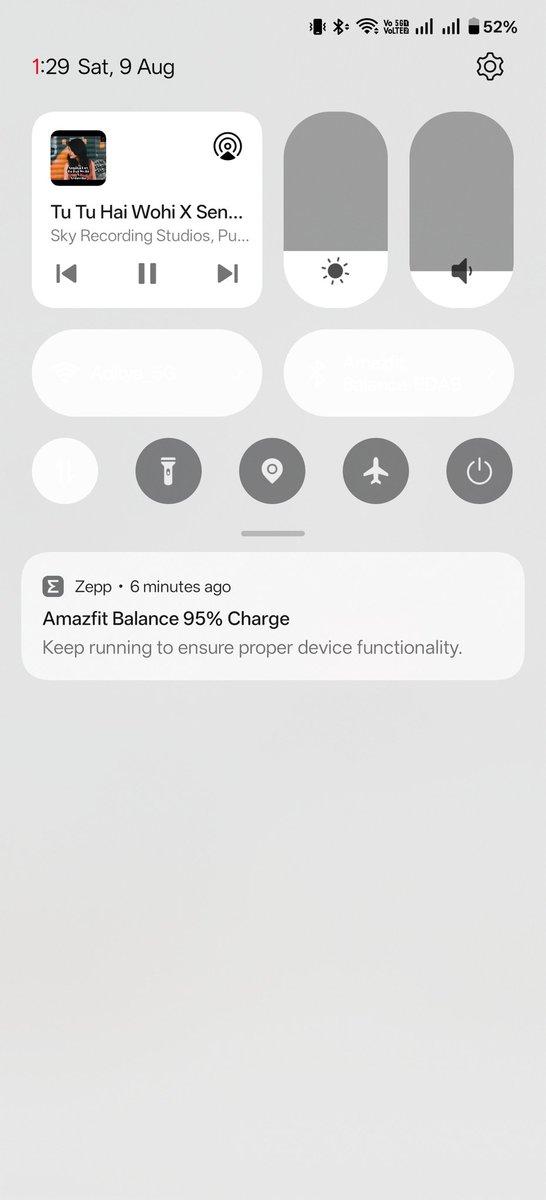
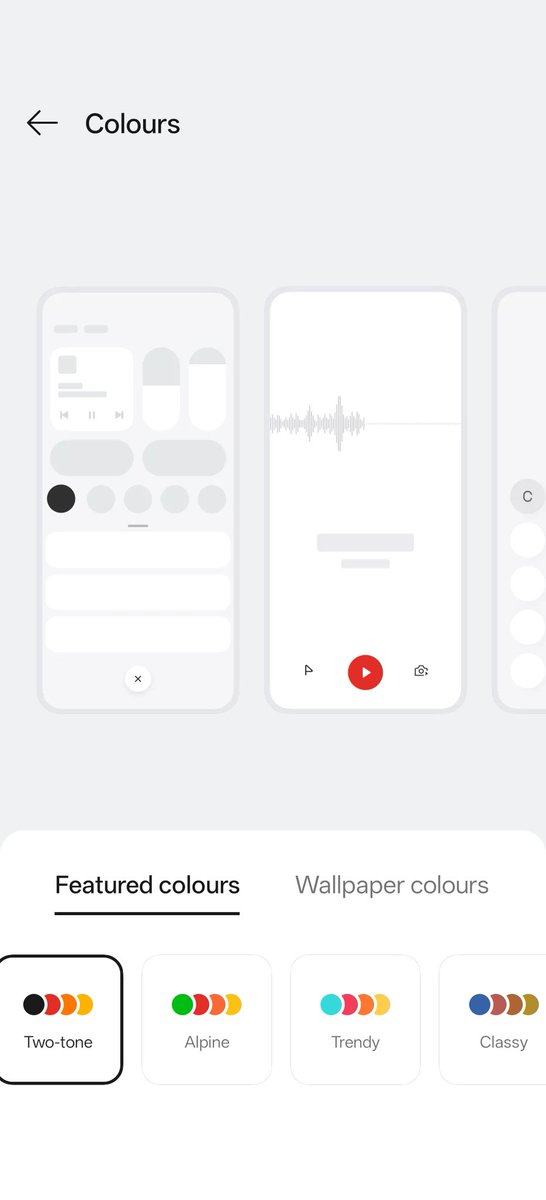
Below, the "Featured colours" palette is switched between "Custom", "Alpine", and "Two-tone". Despite switching, the quick settings panel remains largely unchanged, sticking to default colours.
Dark Mode:
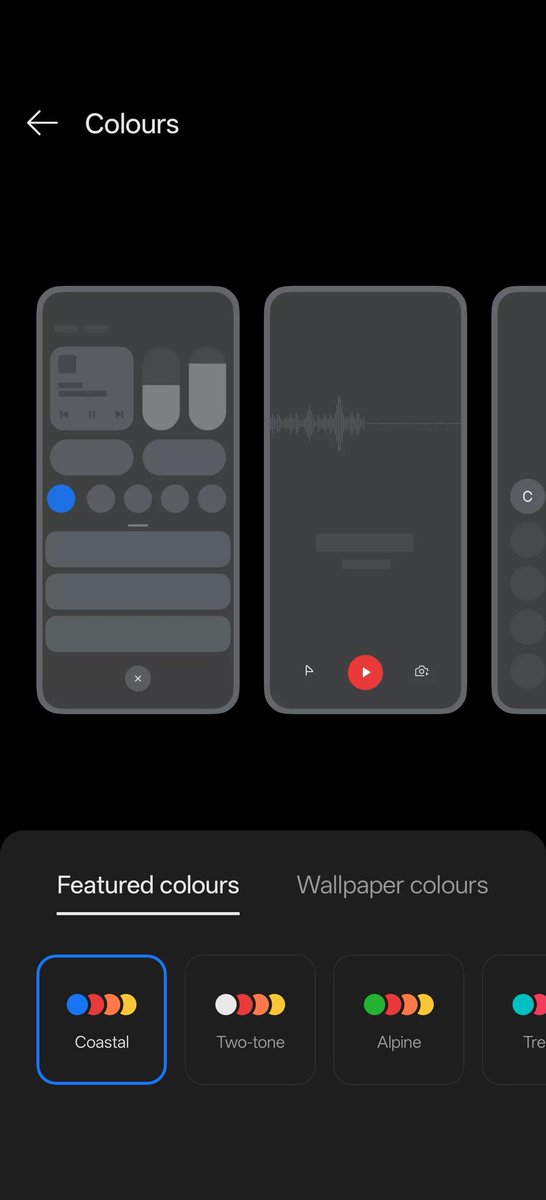
As soon as you change to dark mode and select a palette (here, "Coastal"), the colours update instantly throughout the panel, matching your chosen scheme.
Key Observations
Light Mode: No noticeable effect, regardless of palette selected.
Dark Mode: Palette customizations work exactly as intended; colours are reflected in the interface.
Conclusion
This behaviour suggests the colour palette customization feature on OnePlus 13 (Build .840) is not being enforced in light mode, but works flawlessly in dark mode. Users expecting a consistent visual experience between modes will be disappointed, and OnePlus may need to address this issue in future updates.
@_techibee
@SavageAryan007
@Cartidise
@encoword
@TechWhirlUlt
@Starcommander10
@MicrosoftvApple
@AnirIsland
@AnshuTechblog
@saaaanjjjuuu
#OnePlus13 #ColorPalette #SoftwareBug #LightMode #DarkMode #AndroidIssues #UserExperience #TechCommunity #OxygenOS #Customization #MobileUI #OnePlusBug #Build840 #TechFeedback #AndroidCustomization

5
6
758


22 Apr 2022
Fix your bug regarding camera use while on WhatsApp and autobrightness settings..
#oneplusbug
#OnePlus
1
3

22 Oct 2021
Dear Network,
Requesting everyone not to purchase @OnePlus_IN OnePlus mobiles.
Even though bugs are reported they aren't in a position to consider those bugs.
Don't purchase full of bugs OnePlus mobile. @theyashzauwar
@AkulaRushikesh
#OnePlusBug
1
2

20 Mar 2021
Hello @OnePlus_IN @OnePlusSecurity What type of face lock is this? How can my phone be unlocked with someone else's face, and I haven't even add that person's face to my face lock data. Is this your privacy? #OnePlusBug
4
1
4