
Here is what it breaks down:
Local AI: Run Ollama, LM Studio, or LocalAI right on your machine instead of paying for ChatGPT.
Cloud Storage: Replace Dropbox and Google Drive with Nextcloud or Syncthing so your files never leave your house.
Network Privacy: Complete WireGuard and PiVPN setup guides for secure browsing.
Private Git: Ditch GitHub and self-host your own repos using Gitea or GitLab.
1
1
62

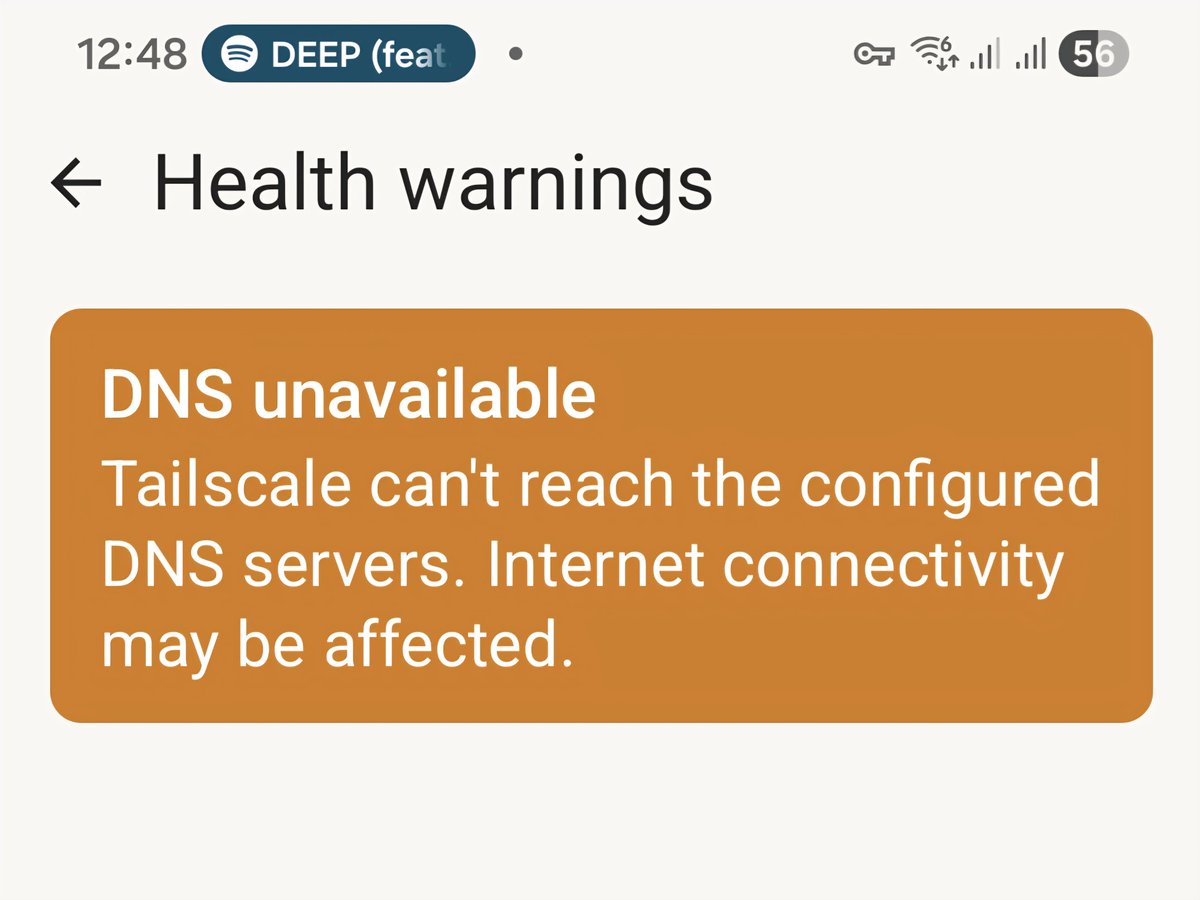
@Tailscale is too unreliable for me.
After 1hour, DNS fails on 4G/5G/other WiFi.
I followed their advice, switched off MagicDNS, set Global DNS to my RaspberryPi 192.168.0.*, then tried its 100.*** address. Routes & Exit advertised etc. It falls over.
#PiVPN worked for years!
2
1
31

Jun 14
I was paying for cloud storage, a password manager, a VPN, and ChatGPT.
Then I found this GitHub repo and started replacing all of them.
It's called Self-Hosting Guide. 19,000 developers have starred it. And it's the closest thing the internet has to a bible for replacing every paid SaaS you use with software running on your own hardware.
Here's what it actually covers:
→ Self-hosted ChatGPT alternatives. Ollama, llama.cpp, LocalAI, GPT4All, LM Studio. Walked through with install steps.
→ Cloud storage to replace Dropbox and Google Drive. Nextcloud, Seafile, ownCloud, Syncthing, MinIO.
→ Full WireGuard setup guides for PiVPN, Unraid, pfSense, OpenWRT, and Home Assistant.
→ Self-hosted Git replacing GitHub. Gitea, GitLab, Gogs, OneDev.
→ Media servers, password managers, smart home automation, video surveillance, podcast hosting.
→ Docker, Kubernetes, Proxmox, Ansible. Every piece of infra you actually need to run this stuff.
→ Hardware breakdowns for Raspberry Pi, NAS builds, and home server upgrades.
→ Linode, DigitalOcean, and bare metal hosting walkthroughs for when you actually want to deploy.
It's not just a curated list. It has install commands, config files, and step-by-step setup guides for every category.
Most people pay hundreds a month for SaaS this repo teaches you to run for the cost of electricity.
19.1K stars. 941 forks. 100% Opensource.

2
18
61
3,551

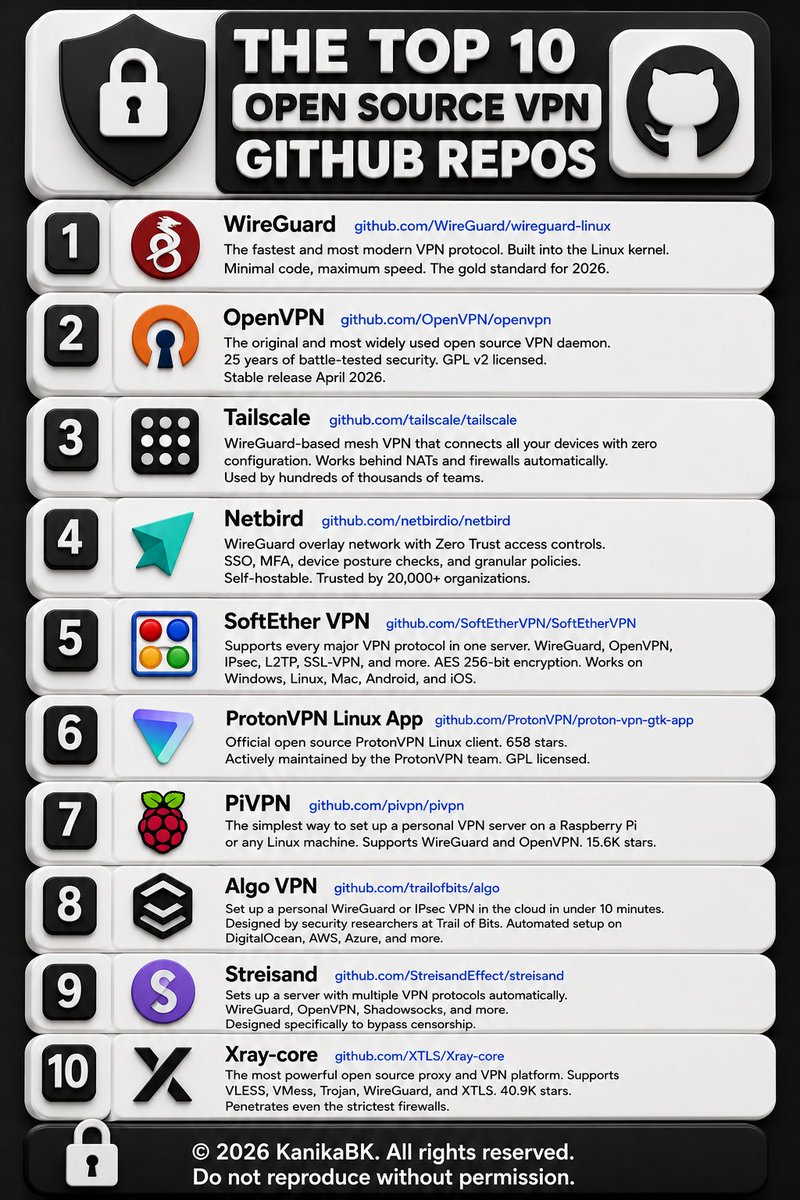
Here are 10 open source VPN GitHub repos worth bookmarking:
1. WireGuard
github.com/WireGuard/wiregua…
The fastest and most modern VPN protocol. Built into the Linux kernel. Minimal code, maximum speed. The gold standard for 2026.
2. OpenVPN
github.com/OpenVPN/openvpn
The original and most widely used open source VPN daemon. 25 years of battle-tested security. GPL v2 licensed. Stable release April 2026.
3. Tailscale
github.com/tailscale/tailsca…
WireGuard-based mesh VPN that connects all your devices with zero configuration. Works behind NATs and firewalls automatically. Used by hundreds of thousands of teams.
4. Netbird
github.com/netbirdio/netbird
WireGuard overlay network with Zero Trust access controls. SSO, MFA, device posture checks, and granular policies. Self-hostable. Trusted by 20,000 organizations.
5. SoftEther VPN
github.com/SoftEtherVPN/Soft…
Supports every major VPN protocol in one server. WireGuard, OpenVPN, IPsec, L2TP, SSL-VPN, and more. AES 256-bit encryption. Works on Windows, Linux, Mac, Android, and iOS.
6. ProtonVPN Linux App
github.com/ProtonVPN/proton-…
Official open source ProtonVPN Linux client. 658 stars. Actively maintained by the ProtonVPN team. GPL licensed.
7. PiVPN
github.com/pivpn/pivpn
The simplest way to set up a personal VPN server on a Raspberry Pi or any Linux machine. Supports WireGuard and OpenVPN. 15.6K stars.
8. Algo VPN
github.com/trailofbits/algo
Set up a personal WireGuard or IPsec VPN in the cloud in under 10 minutes. Designed by security researchers at Trail of Bits. Automated setup on DigitalOcean, AWS, Azure, and more.
9. Streisand
github.com/StreisandEffect/s…
Sets up a server with multiple VPN protocols automatically. WireGuard, OpenVPN, Shadowsocks, and more. Designed specifically to bypass censorship.
10. Xray-core
github.com/XTLS/Xray-core
The most powerful open source proxy and VPN platform. Supports VLESS, VMess, Trojan, WireGuard, and XTLS. 40.9K stars. Penetrates even the strictest firewalls.
9
58
195
12,755


May 7
Nem era. O pivpn foi algo que coloquei pq tinha uma porrada de poder de processamento sobrando depois de usar um Pc no lugar no rpi
1
2
3,150
May 7
Pq eu usaria uma solução que precisa de um cadastro em um site de terceiros se o pivpn é completamente auto hospedado?
2
5
3,610
May 7
Eu queria agradecer ao meu seguidor que indicou o pivpn
2
107
28,629
May 7
mas aí tem que ser um longuíííííssimo prazo para compensar.
E se você aproveitar que tem um monte de poder de processamento extra você vai poder fazer o serviço de vários RPI em um só computador (ex: servidor NAS, de impressão, de escaneamento, pihole, pivpn, jellyfin, apple timemachine etc em um só computador)
2
33
4,389

3/6
Providence's presentation was about “Disruptive Free/Open-Source Technologies to Unleash Internet Freedoms: Raspberry Pi, WireGuard & PiVPN”, where, beyond presenting the state of censorship in the region, he addressed common questions related to VPNs, Censorship tactics,
1
1
2
40

May 1
git clone github.com/pivpn/pivpn.git sudo bash pivpn/auto_install/install.sh
de rien
PS : j'ai 51 ans et c'est pas mon métier, allez mamie au boulot ! 😂
4
162

Apr 22
Eu fiz um servidor em casa com notebook velhão com Ubuntu server, pihole, pivpn e quem acessa minha rede ou meus dispositivos fora da rede com VPN, tem filtro 24/7
4
1,169
Apr 16
forcez un peu les gars :
- un vps a pas cher dans le pays libre de votre choix
- 2 lignes de linux :
git clone github.com/pivpn/pivpn.git sudo bash pivpn/auto_install/install.sh
et t'as ton vpn rien qu'a toi qui balancera rien a personne
6
12
1,842

for privacy
get vps from nokyc (1984.is as example)
host pivpn (wireguard pihole)
although you will be limited by the available locations for those vps providers
2
4
1,271

Mar 11
Better setting VPN sendiri via sewa VPS dengan harga USD3~5/bulan kemudian install wireguard Tailscale.
Bisa tanya sama AI untuk cara setting paling praktisnya. Salah satu paling mudahnya via PiVPN.
@grok tolong bantu jelaskan lebih rinci ya.
5
4
52
4,346

Jan 28
Host your own. Pivpn wireguard.
Test it and tell me what you think.
Oh, and it costs 0.
1
464

Jan 10
Tailscale bottleneck usually comes from relay mode or exit mode bandwidth, have been working completely fine for me. PiVpn with static ip is solid too.
7
1,174

Jan 7
Securing Online Presence with PiVPN and WireGuard on Raspberry Pi
Online privacy and security are more important than ever. Data breaches, tracking, and surveillance make it essential to protect our internet activities. A Virtual Private Network (VPN) helps by encrypting your connection, hiding your IP address, and keeping your browsing private.
PiVPN is a lightweight and easy-to-use solution that allows you to turn a Raspberry Pi into your own personal VPN server. When combined with Pi-hole, it creates a powerful setup for secure, private, and ad-free browsing. PiVPN supports both OpenVPN and WireGuard, but WireGuard stands out due to its modern cryptography, faster speeds, low latency, and quick connection times. It also handles network changes smoothly, making it ideal for mobile users.
With a simple installation, proper port forwarding, and easy client configuration, you can access your home network securely from anywhere. This setup ensures a fast, reliable, and private online experience whether you're at home or on the go.
14
12
23
601


25 Oct 2025
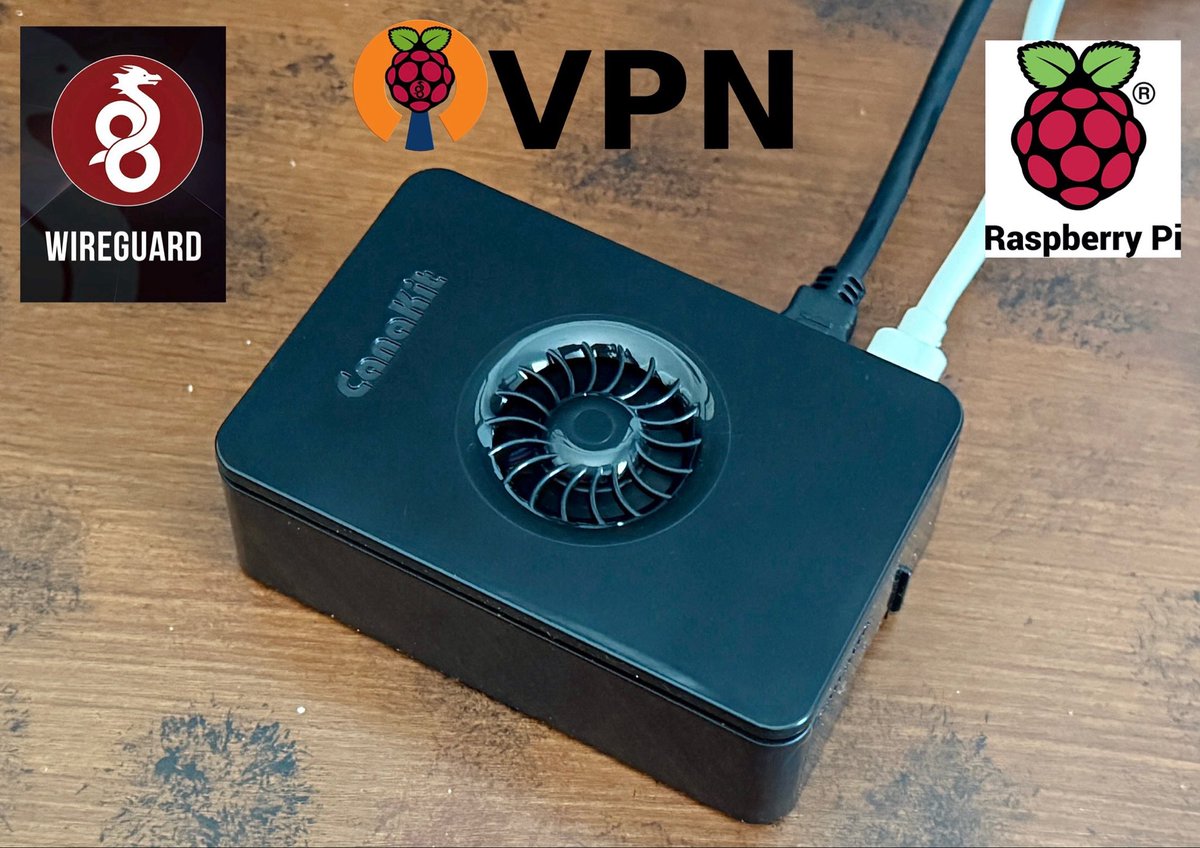
Did you know you can set up and host your own VPN???
Using a @Raspberry_Pi (shown, sitting on my desk at home), the @WireGuardVPN app (iOS, Android, Mac, PC) and PiVPN (a simple setup script for Raspberry Pi or any Linux server), you can create a private VPN in under an hour. Benefits:
• Total control over your data and connection
• Encrypted, modern, and secure protocol
• No monthly subscription fees!
Whether you’re securing your connections, remote access to your home network, or just nerding out 🤓 — this is a cool DIY project! Let me know if interested in this more and I can share what to buy and what to do!
1
2
137