ミジンコ以下の何者か retweeted

May 13
9950X行くならあと1.7万円足して9950X3Dにしよう! ついでにProcessLasso Pro(約0.4万円)も買えば面倒で忌々しいスレッド管理の自動化も捗ります
※ただしEAC導入済みのVRCやFortniteだとAffinityが効かないので諦めの心も必要
4
25
249
36,495

Jun 7
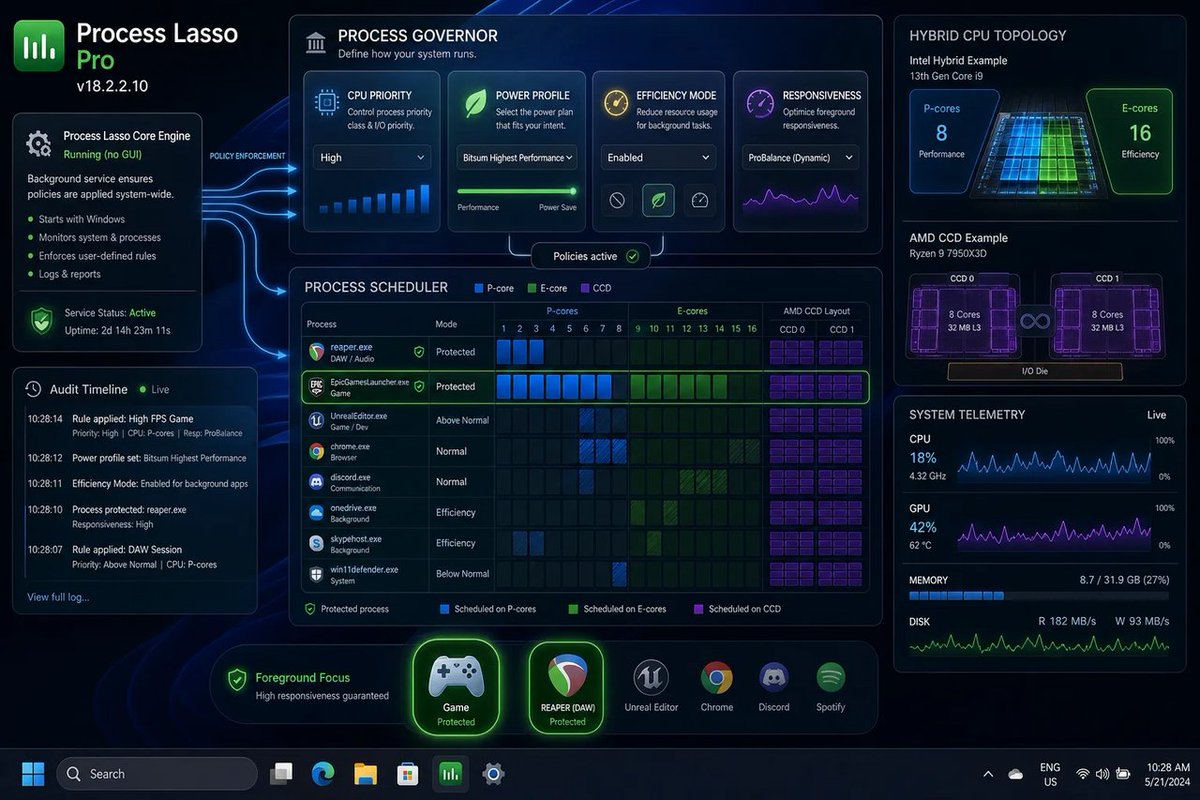
🪟 Process Lasso Pro 18.2.2.10 basically screams: Windows may schedule, but it can’t read your mind. That’s why CPU/power control still needs a babysitter. #Windows #Microsoft #ProcessLasso
windowsforum.com/threads/pro…
#WindowsPerformance #ProcessLasso #CpuSets #HybridCpuTuning
30


Apr 26
「🔍VRChat EAC なぜ」
「🔍VRC FPSゲーじゃない EAC不要」
「🔍EAC Affinity 設定」
「🔍EAC ProcessLasso 効かない」
「🔍VRChat X3D CCD0」
結局Steamの起動OPでX3D onlyにできたけど、スタッターの頻度が増えて9800X3Dには勝てないと判明
EACはDenuvo並に嫌いなアンチチートに格上げ
4
29
329
38,407

Apr 16
Re-open Ubisoft Connect from the System Tray and click inside its window to give it focus. The game should then start normally. If not, repeat the process, but try to re-open Ubisoft Connect more quickly after launching the game.
Disable Overlays- Overlays from applications like Discord, NVIDIA, or Steam can cause crashes. Disable overlay in Discord: Settings > Game Overlay > Turn off Enable Overlay.
Also Watch Dogs 2 does not supports CPU that has more than 16 Cores or 16 Threads. So you have to limit CPU core counts for game process. Using tools like ProcessLasso, you need to go to Options -> CPU -> CPU Affinities. Add process to match "watchdogs2.exe" and keep only P-CORES for it (NO E-cores). Then the games starts and runs smoothly.
1
6
519

Mar 15
赤㌠はProcessLasso愛用者多いね👀

3
272

Mar 14
I am also using a 9950x3d, tell me more about this processlasso wizardry 👀
3
30
8,315

Mar 14
Ok so update,
So upgrading from intel i9 13900k to the amd 9950x3d (with nvidia 4080 founders)
I am very solidly getting 160-210 fps on each map, usually at the 200 range and then it will sometimes dip to the 160ish range (esp with rain etc)
I had to set core affinity in processlasso to just use the 3d core ccd as that jumped my frames from 120-140 to 200 because it reduces the latency caused by the two ccd design (i knew this going in but was fine with it cus i needed the workbench performance also)
V happy overall and will likely have this chip for the next 4/5 years!!
Mar 8

Marathon really got me finally looking at upgrading my intel i9 13900k to an amd 9950x3d 😩
I need them extra frames when skinning runners boi, been feeling the limit of my 13th gen i9 for a good while in gaming tho
14
57
21,165


Feb 11
processlasso is a free program that lets you change priorities permanently and monitor stats. use it if you're worried about that!
1
8
840

ProcessLassoしか勝たん
PriorityもAffinityも自由に設定できるからな
Feb 5

Ryzen 9 9950X3D
このCPUさぁ
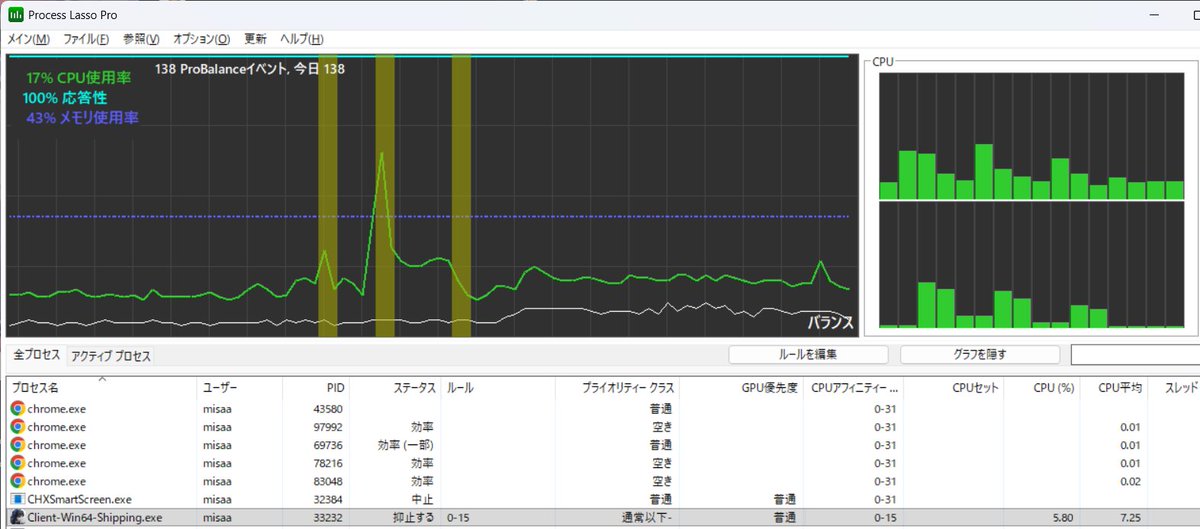
Windowsの起動時間が長すぎるとX3Dスレッドの振り分けが上手く機能しなくなる? Xbox GameBar経由でも非X3Dに振り分けたり、2CCDを跨いだり挙動がよく分からない(build 26100.7623)
・・・で結局「Process Lasso Pro」に課金して見事に解決した(個人的に神アプリ
1
5
978

12 Oct 2025
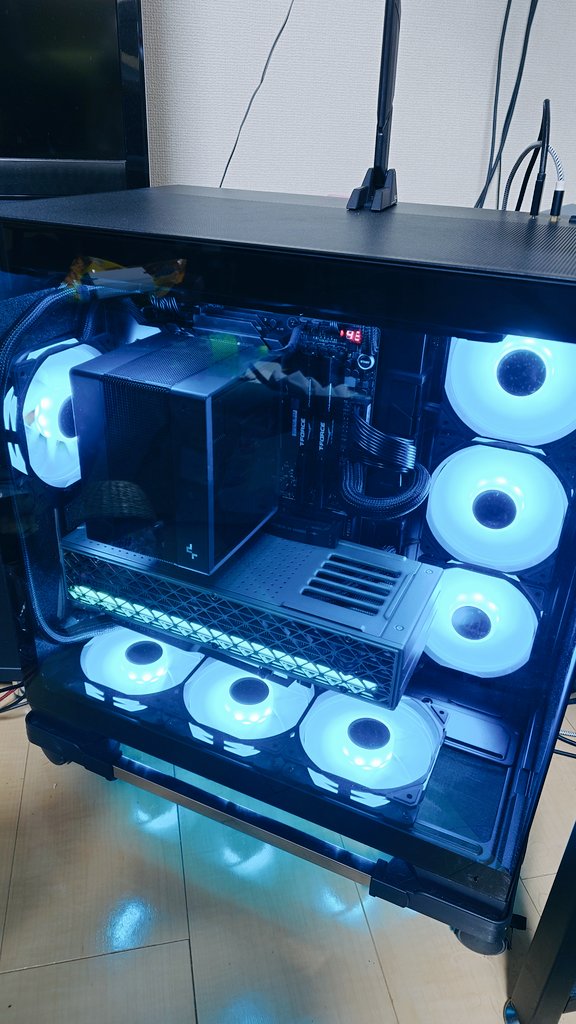
gradeon卿を信じてAMDビルド
ケース:Constellation C8
CPU:Ryzen 9 9950X3D
クーラー:ASSASSIN 4S
GPU:SAPPHIRE NITRO Radeon RX 9070 XT
ファンは120mmを底面3と背面1とCPUクーラー上1つのみ吸気で他は排気。
トータルで吸気5と排気5。
ゲーム中は70℃程度で安定動作。
ProcessLasso必須。
5
14
95
13,166

8 Oct 2025
WindowsでオーディオPC詰めていくならProcesslassoは金払ってでもオススメ
タイマー解像度、コアアフィニティ、コアセットなんかを詰めるとレイテンシが目に見えて下がっていく
レジストリを触ればいいじゃんおじさんは好きにしてどうぞ
15
727



1 Mar 2025
ヘビーなゲームが増えてきた中、俺の古いCPUだとすべてのコアを使い切ってしまうため、Process Lassoを使っていたけど、モンハン買ったのでこれを気にPro版を買った。
bitsum.com/
#ProcessLasso
1
3
532

21 Feb 2025
factorio 最適化されてるゲームで有名だけど バリバリシングルスレッドゲームですねこれは..
9950Xの自動スレッド割り当てはそこしこ優秀だけど
Processlassoで8コア8スレッドだけ割り当てたほうが2割ぐらいベンチスコア高かった
2
244