
May 24
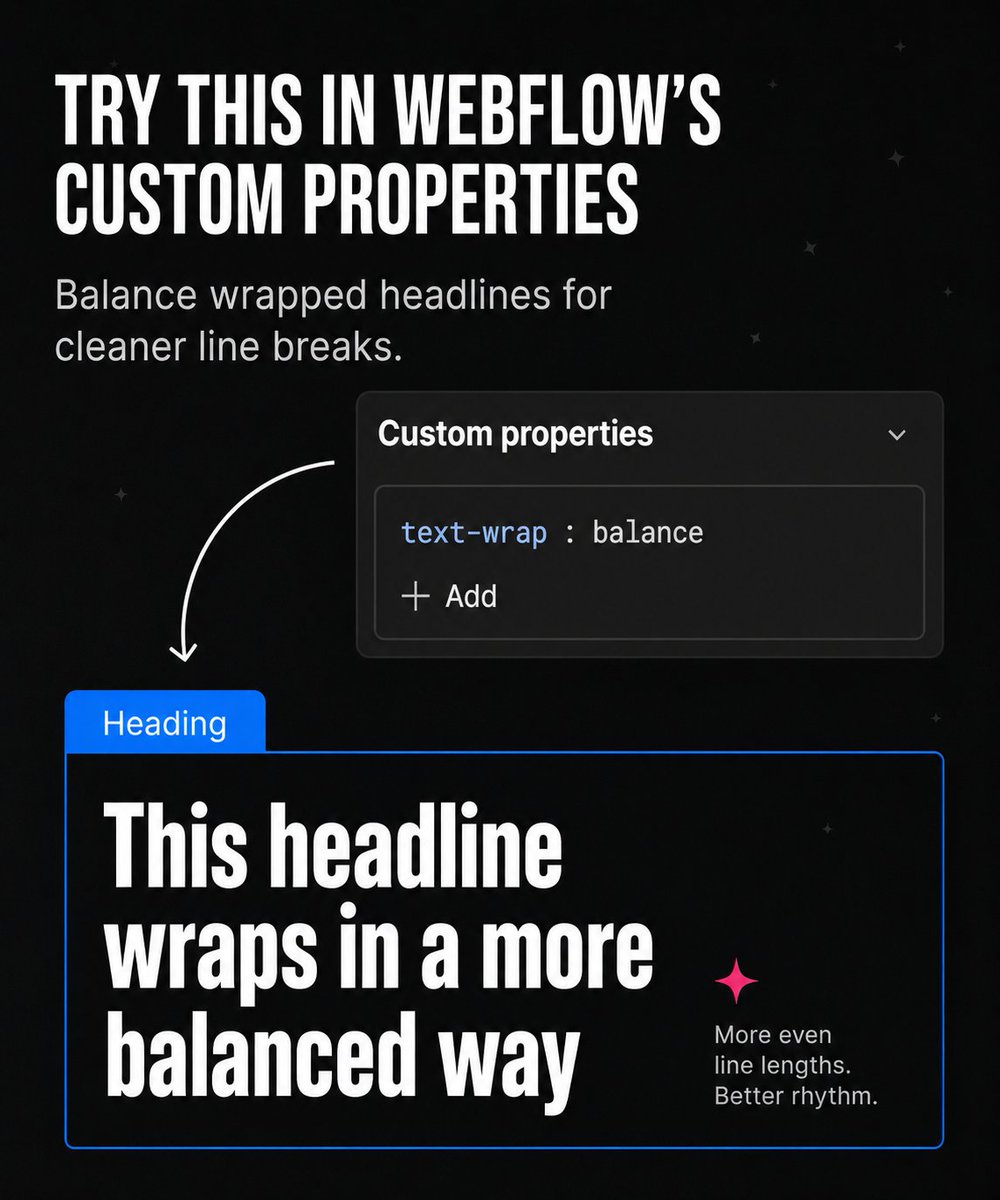
Try this in #webflow custom properties, add it to your headlines to balance out line breaks. #css #webflowtips
1
1
72

Your Webflow site looks great… but still not ranking? 👀
You might be making one of these SEO mistakes.
Swipe for quick fixes ⚡Which one are you guilty of? 👇
#WebflowSEO #WebflowTips #SEOTips #Webflow #WebDesign #DigitalMarketing
1
14

Elemental v4 sticky headers acting up? The usual 'sticky' setting on a header template no longer works. The fix? Either change it to 'fixed' in the element settings or add custom CSS in the header's advanced tab. Simple solutions for a common headache! #WebDesign #WebflowTips
2
69

Mar 24
if your marquee animation runs when it's off-screen, your site has a performance leak.
always make sure to pause the marquee/scroller when out of view.
saves performance and keeps consistency.
Find the GSAP snippet in the comments.
#webflowtips #webflow #gsap
1
65

15 Webflow Design Tips to Improve Website Speed, SEO, and Conversions in 2026
#Webflow #WebDesign #SEO #UXDesign #ConversionOptimization #WebflowTips #DigitalStrategy
sanjaydey.com/webflow-design…

1
5
52

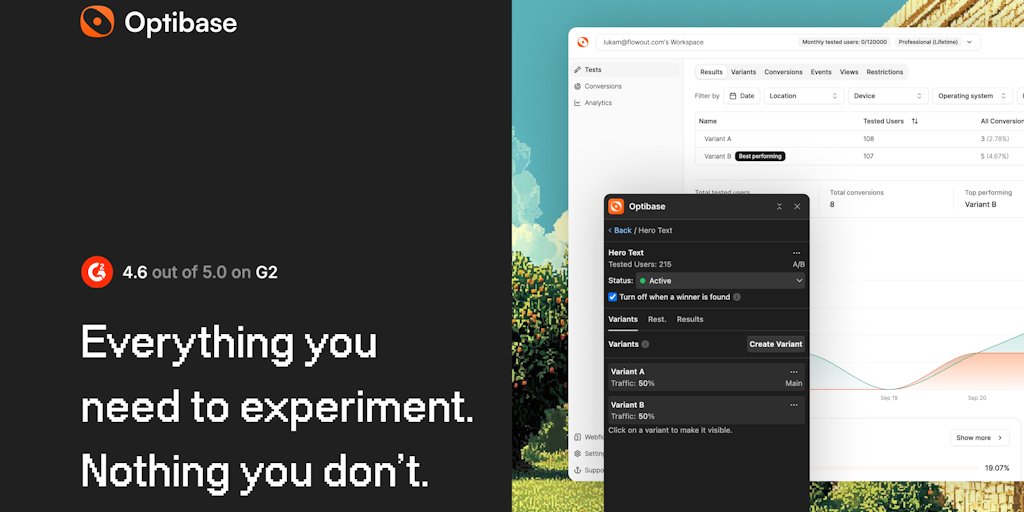
Unlock better conversions in Webflow! 🚀 Optibase is your new no-code A/B testing tool, fully integrated with Webflow Designer. Create variants, track performance, and optimize without ever touching code or leaving the platform. Streamline your workf #NoCode #WebflowTips
1
🚀 Unlock the Full Power of @Webflow for Your Next Project:
✅ Visual Dev Full CMS
✅ Build complex animations without code
✅ Perfect for landing pages, blogs, eCommerce, and client sites
✅ Built-in SEO & hosting
✅ No-code logic with #WebflowLogic
💡 Tip: Use Client-First naming convention to scale faster & stay organized.
👉 Start with their free templates or cloneables to speed up design!
🔗 webflow.com/templates
#NoCode #WebDesign #WebflowTips #UXDesign #Entrepreneur
1
3
20
🚀 Build faster, smarter, and cleaner with Webflow!
🎨 Designer-friendly ✅
🧱 CMS-powered ✅
⚡️ No-code interactions ✅
Here are 3 hidden Webflow gems you should know:
1. 🔁 CMS Filters Pagination
Let users explore your content seamlessly. Combine filters with pagination for clean UX—no custom code needed!
2. ✨ Combo Classes
Deeply customize components without bloating global classes. Keep your styles modular and scalable.
3. 🧩 Webflow Components 2.0 (Symbols Upgrade)
Build reusable, editable components with variable content. Speed up design across pages while keeping brand consistency.
💡 Pro Tip: Use Finsweet’s Webflow hacks (via attributes) to supercharge filters, search, and more.
Your next site isn’t just a site—it’s a system. Build it smarter with #Webflow.
#nocode #webdesign #uxdesign #webdevelopment #webflowtips
2
11
🚀 Speed up your web design workflow with Webflow!
Whether you're a designer, developer, or entrepreneur, here’s how Webflow can transform your process:
🔧 Features you’ll love:
- Visual CMS — update content without touching code
- Flex & Grid — build pixel-perfect layouts responsively
- Interactions — create animations without JavaScript
- Built-in SEO controls — from meta tags to 301 redirects
- Figma to Webflow — faster handoff with new workflows
🎯 Use Cases:
- 🛍️ Ecommerce stores
- 🧑💼 SaaS marketing sites
- 📱 Mobile-first client projects
- 📖 Portfolio & personal branding
- 🏢 Enterprise-ready microsites
💡 Pro Tips:
1️⃣ Use Combo Classes to manage dynamic style variations
2️⃣ Save time with Components & Class-based styling
3️⃣ Enable Client-First or Relume frameworks for scalability
4️⃣ Speed up load times with native asset optimization
5️⃣ Track user behavior with built-in integrations (GA4, HubSpot, etc.)
Want to ship 10x faster & cleaner? Webflow is your no-code secret weapon.
👉 Explore more: webflow.com
#NoCode #WebDesign #WebflowTips #UXDesign #MarketingTools
2
38

Jan 12
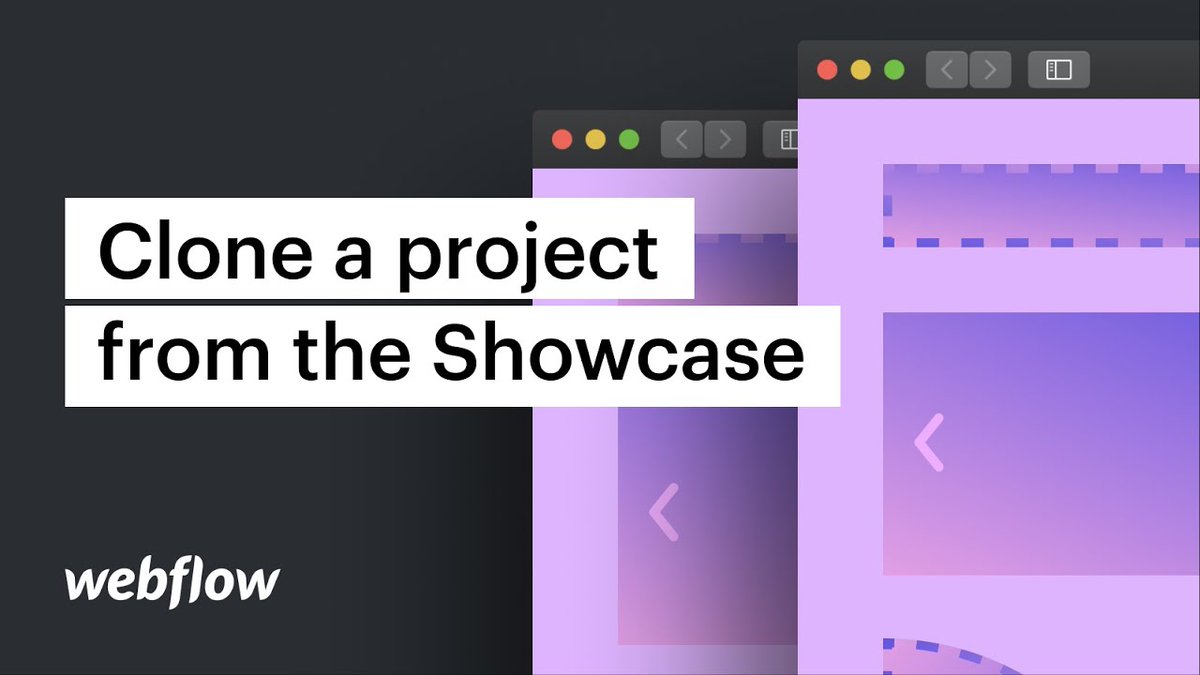
How to Find and Clone Sites in @webflow
One of the most effective ways to improve @webflow skills is by exploring and learning from community-built @cloneable sites.
Reference: youtu.be/x6P0BRHbTwQ
#webflow #webdesigners #webflowtips #webdevelopment #frontenddevelopment
1
1
6

30 Dec 2025
🚀 Exploring Webflow? Here’s how to unlock its full potential!
🛠️ Features You Shouldn’t Miss:
- CMS Collections to manage dynamic content
- Interactions 2.0 for next-level animations
- Logic (beta) to automate workflows
- Webflow Ecommerce – design-first storefronts
- Global Classes for scalable design systems
💡 Use Case Tips:
✔️ Freelancers: Build client sites visually & faster
✔️ Startups: MVP launch with full CMS & no-code logic
✔️ Agencies: Scalable, component-based design for teams
✨ Pro Tips:
✅ Use Client Billing to streamline invoicing
✅ Combine CMS Filters for dynamic portfolios
✅ Customize breakpoints for pixel-perfect responsiveness
✅ Optimize with built-in SEO tools
More at 👉 webflow.com
#NoCode #WebDesign #WebflowTips #UXDesign #FreelanceTech
18
12 Dec 2025
🚀 Unlock the full power of @Webflow! Whether you're a designer, marketer, or founder, here are 5 pro-level features to supercharge your next site:
1. 💡 CMS Collections
Ditch static pages—use dynamic collections to manage blogs, team pages, or case studies. Update content once, reflect everywhere.
2. 🧩 Component Reusability
Use components (formerly Symbols) to maintain design consistency across your site. One edit, global impact.
3. ⚡️Webflow Interactions
No code? No problem. Create scroll-based animations, hover effects, and modals effortlessly.
4. 📈 SEO Made Simple
Add SEO titles, meta descriptions, and alt text directly in Webflow. Bonus: Clean HTML for faster page loads.
5. 🛠 Webflow Logic (Beta)
Automate workflows within your site—like sending a form response to your CMS or triggering visibility changes.
Bonus 🔥: Use Webflow's Figma-to-Webflow plugin to streamline your design handoff.
Improve your web game. Build smarter, not harder.
#WebflowTips #NoCode #UXDesign #WebDesign #FrontendDev
2
22

Quick tip 💡
Adding subtle motion to your hero section can increase user engagement by 30–40%.
Smooth transitions > flashy effects.
#WebflowTips #3DWebDesign
#WebflowChallenge #3dwebsite #3danimations #interactive #WebDevelopment #webdeveloper #herosection
1
1
34
10 Nov 2025
🚀 Unlock the Power of #Webflow: Tips, Tricks & Use Cases
Whether you're a designer, marketer, or founder, @Webflow gives you full control to build pixel-perfect, responsive websites — visually. 💡
Here’s how to get more out of Webflow 👇
🛠️ Real Use Cases:
• Marketing teams launching microsites fast — no dev bottlenecks
• Agencies scaling brand sites with CMS-driven content
• Startups building MVPs and validating ideas visually
⚙️ Pro Tips:
• Use CSS Grid for total layout freedom
• Add site-wide interactions to boost UX (ex: page transitions, on-scroll animations)
• Connect to external tools via @zapier for forms, CMS updates, and more
• Test native responsive breakpoints — i.e. desktop > tablet > mobile — but don’t forget custom ones too!
🔥 Bonus Trick:
Use Webflow’s CMS Collections Dynamic Embeds to create blog layouts that are BOTH beautiful and scalable. No plug-ins. Just clean code.
💬 Tip: Pair it with #Figma for seamless design-to-build workflow!
Build faster with fewer headaches and more control. 🙌
#nocode #uxdesign #webdevelopment #webflowdeveloper #WebflowTips
3
37

7 Nov 2025
Framer vs Webflow — Which one’s your perfect match? 💻
Framer gives you creative speed ⚡, Webflow gives you full control 🧠.
Both are no-code giants, but your choice depends on what you’re building.
Visit MassiveWork :- massivework.co
👇 Comment your favorite tool below!
#Framer #Webflow #NoCode #WebDesign #WebsiteBuilder #FramerVsWebflow #DesignTools #WebDevelopment #FramerTips #WebflowTips #UIDesign #NoCodeTools #WebflowDeveloper #FramerDesigner #BuildWithoutCode #TechCreator #MassiveWork #DesignCommunity #LearnNoCode #FramerReel
1
1
18
6 Nov 2025
🚀 Unlock the full power of @webflow:
💡3 Features You Might Be Overlooking:
1. CMS Collections → Dynamic content without devs
➡️ Perfect for blogs, team pages, case studies
2. Webflow Logic (Beta) → Automate workflows
➡️ Think user signups → CMS updates → emails (no 3rd-party tools)
3. Component Overrides → Design smarter
➡️ Reuse elements with editable content—scale fast without breaking layout
Pro Tip: Combine #WebflowCMS with Logic to personalize content based on form inputs. Game-changing. 🎯
#WebDesign #nocode #WebflowTips #UXDesign #frontend
2
21

5 Nov 2025
Microinteractions aren’t decoration.
They guide attention, confirm actions, and make your product feel intuitive.
#WebflowTips #UIUX #WebDesign #UXStrategy #DigitalDesign #UserExperience
5 Nov 2025

Microinteractions define how users feel a product.
Small, deliberate motions make interactions intuitive and satisfying.
Purpose, clarity, consistency — these are what separate work from craft.
At Neviox, every interaction is intentional.
#UXDesign #InteractionDesign #Neviox
8
67
4 Nov 2025
🚀 Boost Your Web Design Workflow with Webflow! 💡
Whether you're a freelancer, startup, or building a full-scale SaaS, Webflow empowers you to:
✅ Design visually (no-code magic)
✅ Build CMS-powered blogs & content
✅ Create custom animations & interactions
✅ Handle responsive design effortlessly
✅ Launch fast with built-in hosting & SEO tools
📌 Pro tip: Use Webflow’s CMS Collections Logic (beta) to automate dynamic content without third-party tools.
Why wait? Time to build smarter.
👉 webflow.com
#WebDesign #NoCode #UXDesign #WebflowTips #BuildInWebflow
3
83
4 Nov 2025
📷 Build animations in Webflow — no code required!
From hover effects to scroll & page-load animations, these simple tricks make your website feel alive 📷
Which one will you try first? 📷
#1 Hover Effects
#2 Scroll Animations
#3 Page Load Magic
📷 Comment your favorite one!
📷 Follow for more design & Webflow tutorials.
#Webflow #WebflowDesign #WebflowTips #WebDesign #NoCode #NoCodeDesign #WebDeveloper #WebsiteDesign #WebDesignCommunity #DesignInspiration #WebflowDeveloper #LearnWebflow #UIDesign #UXDesign #AnimationDesign #WebflowAnimations #NoCodeMovement #DesignEducation #DesignTips #MadeInWebflow #WebflowExperts #WebflowTutorial #WebflowReel #WebflowIndia #WebflowUSA #WebflowUK #WebflowSingapore
26
29 Oct 2025
🚀 Building better websites, faster?
Here’s why @webflow should be your go-to platform (even if you're not a developer):
✅ No-code Visual Editor
✅ CMS for dynamic content
✅ Logic & Workflows for automation
✅ Fast hosting on AWS
✅ Pixel-perfect responsive design
🔧 Use Case:
👉 Perfect for startups and marketing teams to rapidly prototype and launch pages without dev bottlenecks.
📈 Teams like Dropbox, MURAL & Lattice are already using Webflow to scale faster.
💡 Pro Tip:
Use Webflow’s new Logic feature to automate actions like sending form data to a specific CMS collection — no Zapier required.
#WebDesign #NoCode #WebflowTips #UXDesign #FrontendDevelopment
👉 Start building: webflow.com
2
42