
#LSPPDay15
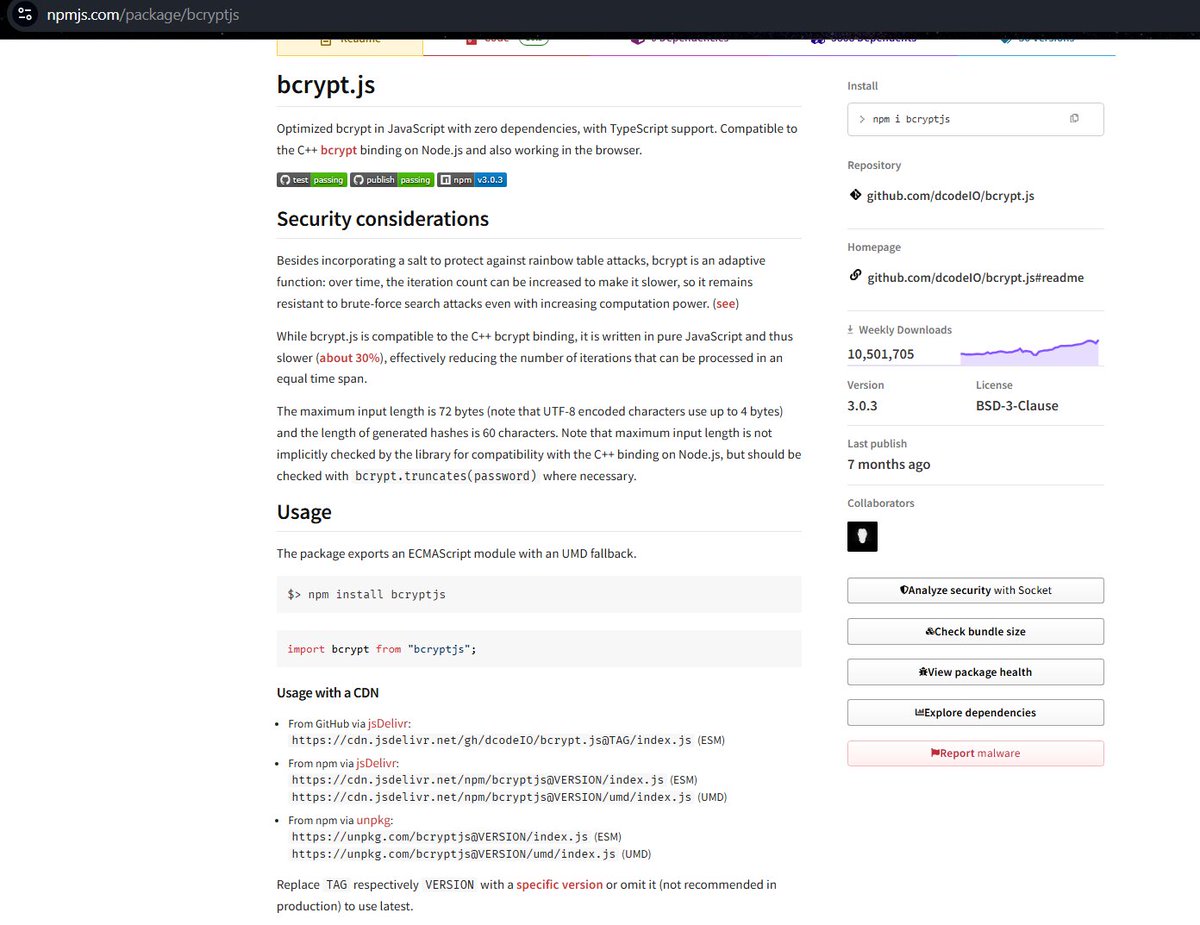
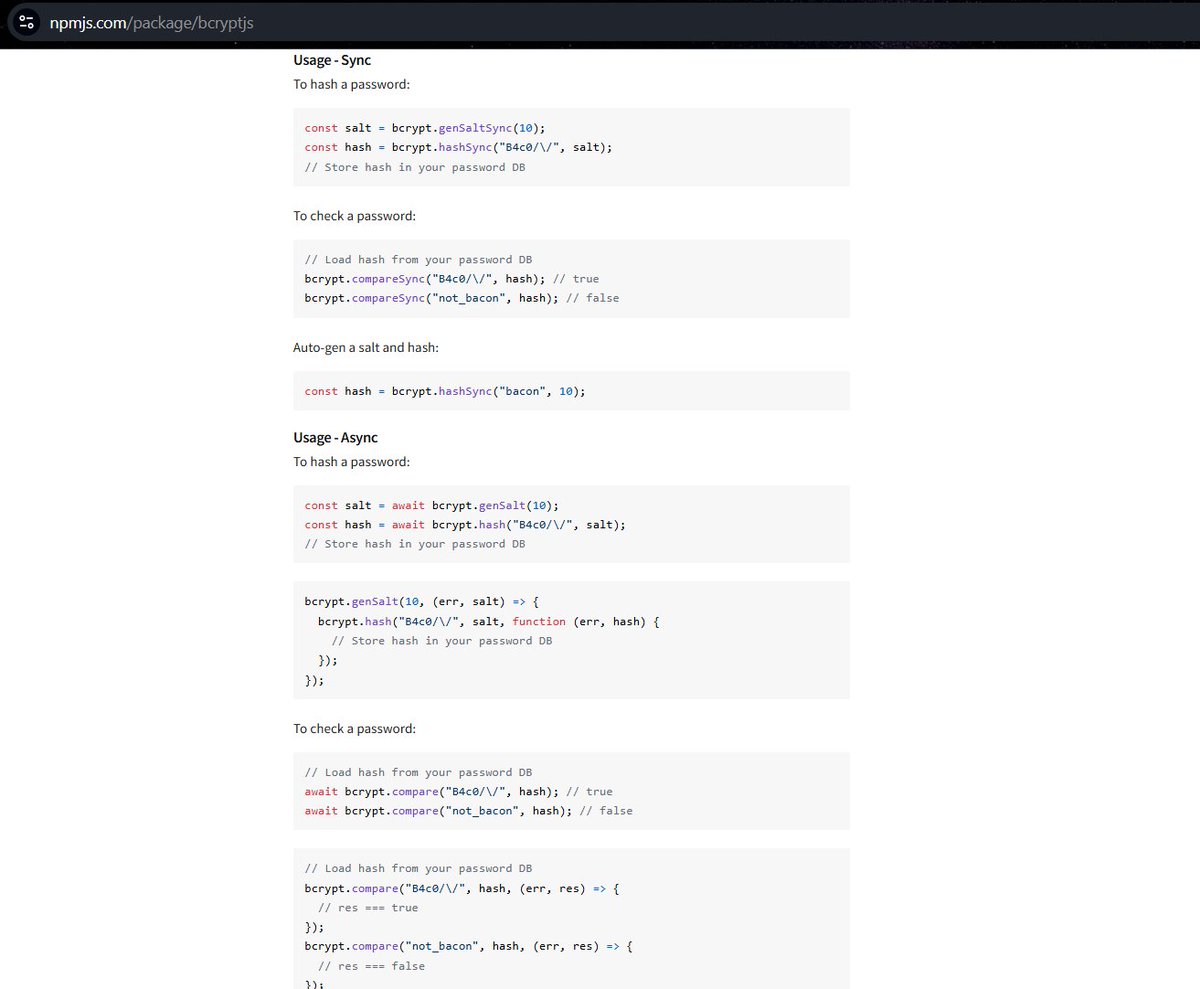
• Learned password hashing using bcryptjs 🔐
• Explored salting & secure password storage
• Practiced password hashing and comparison methods
• Strengthened backend authentication fundamentals
#60DaysOfLearning2026 #LearningWithLeapfrog
@lftechnology
10

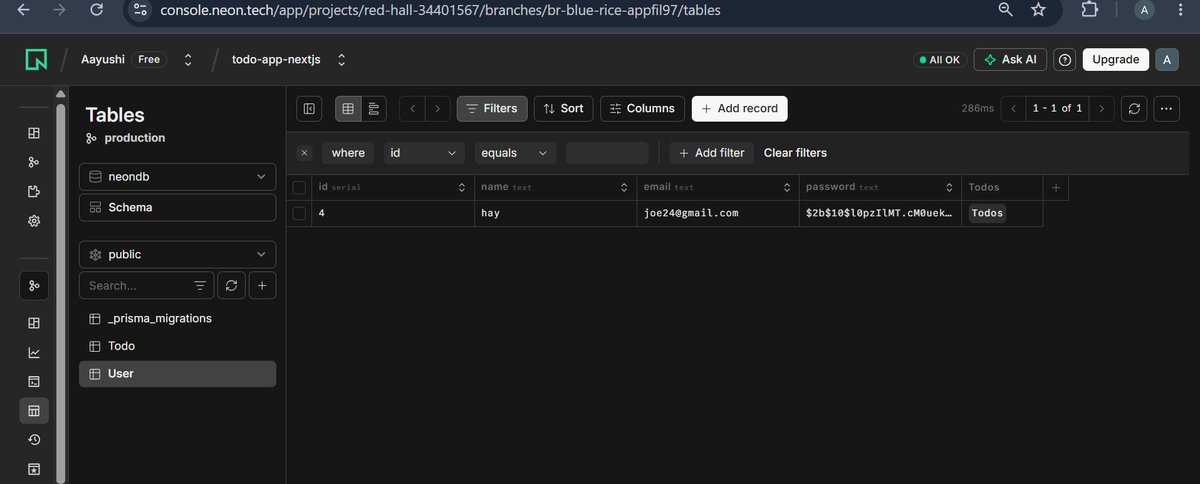
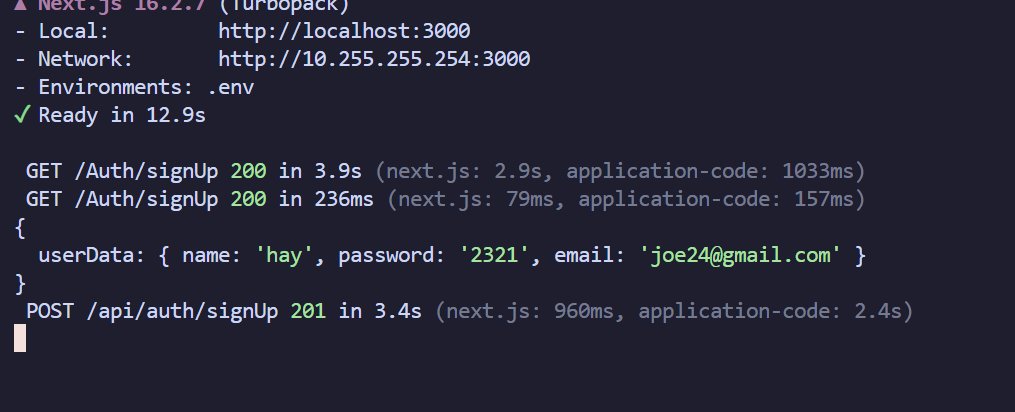
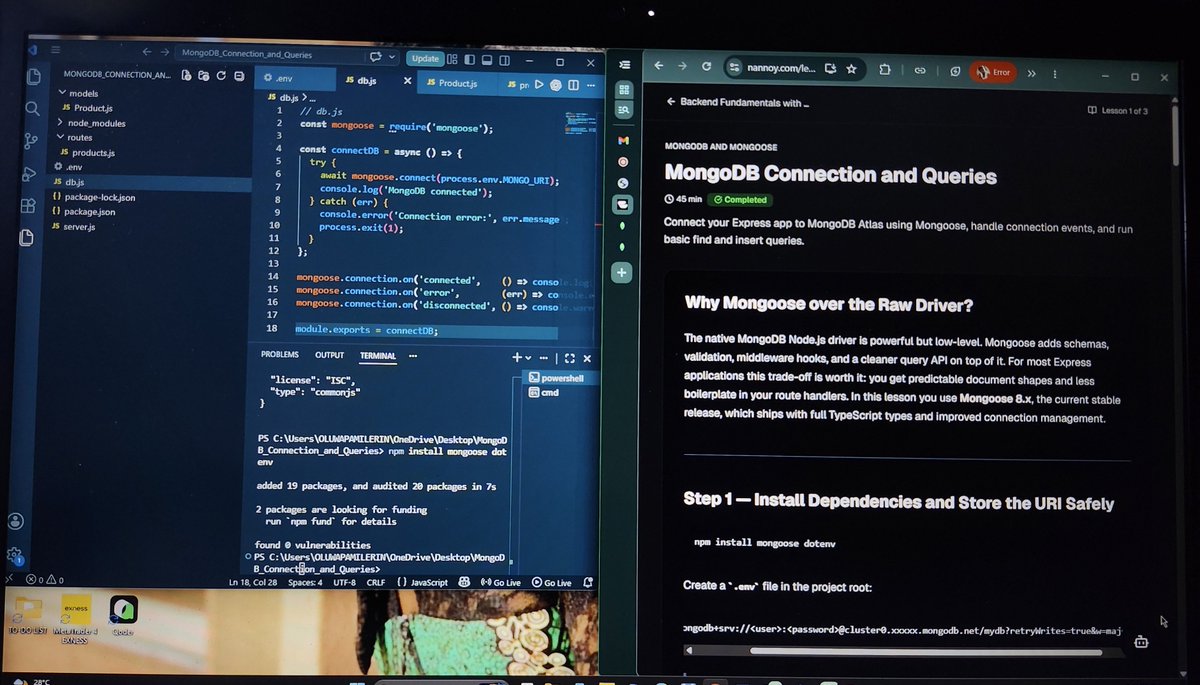
i think when u are lossing hope small things motivates you seeing this console for the first time this password is hashed by me obviously using bcryptjs , i made POST GET routes .
A very small progress either i can be slow but definitely not quitting.
@nirudhuuu @Hiteshdotcom
1
4
84

Jun 10
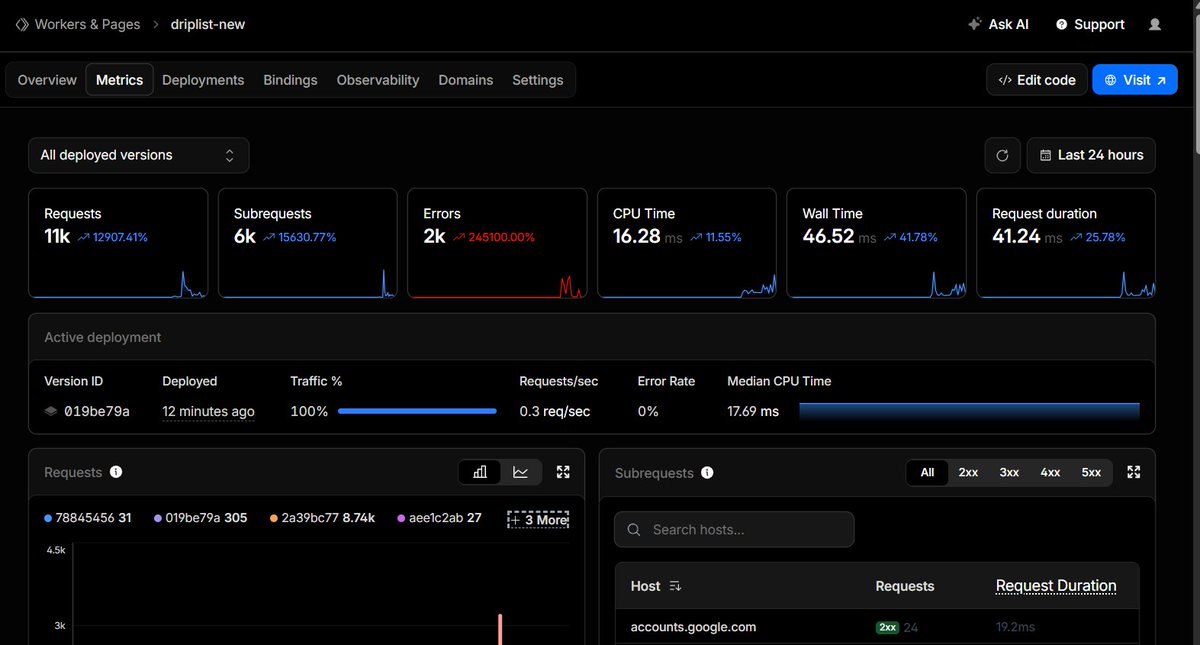
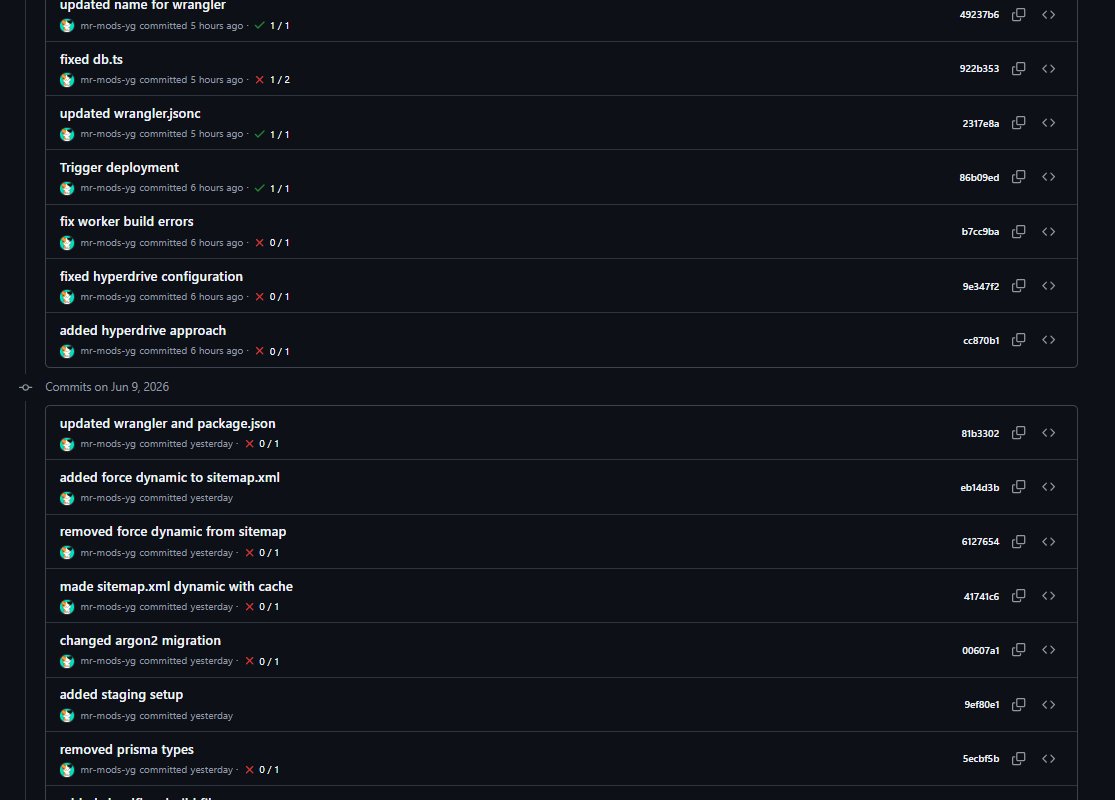
After four days of troubleshooting and testing, I have migrated my Next.js app of Driplist from Vercel to Cloudflare.
It really was a painful process. I have to rewrite my middleware and also migrate my argon2 hashed passwords to bcryptjs. It was a good learning experience
Jun 7

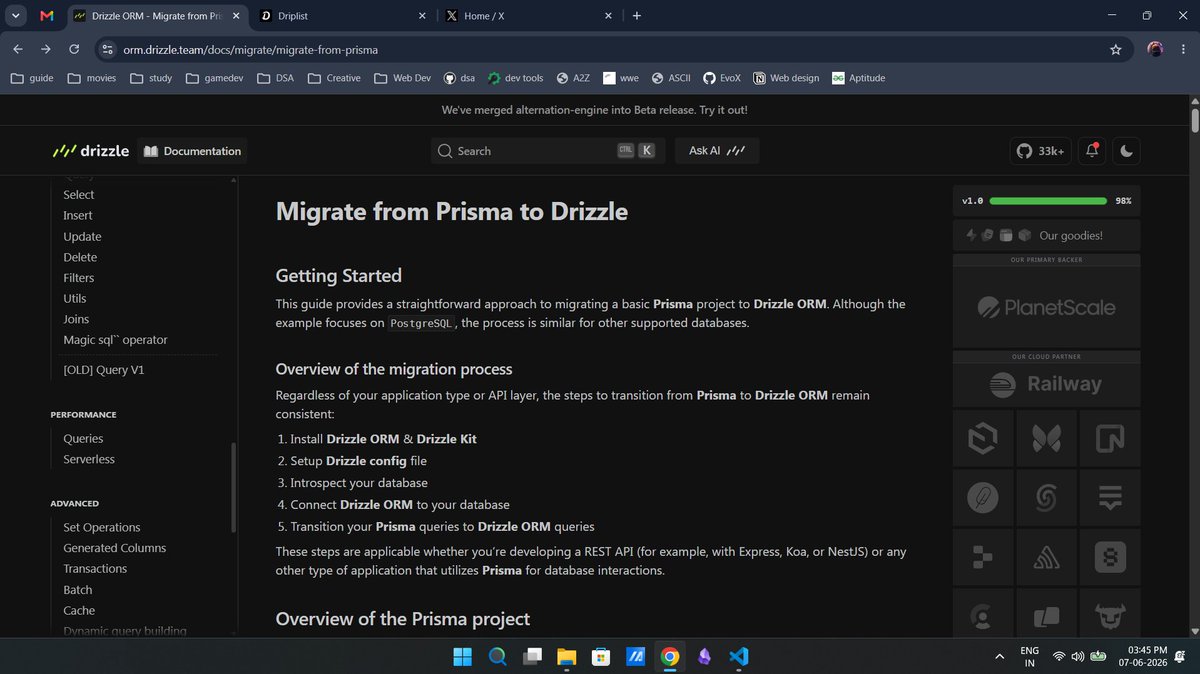
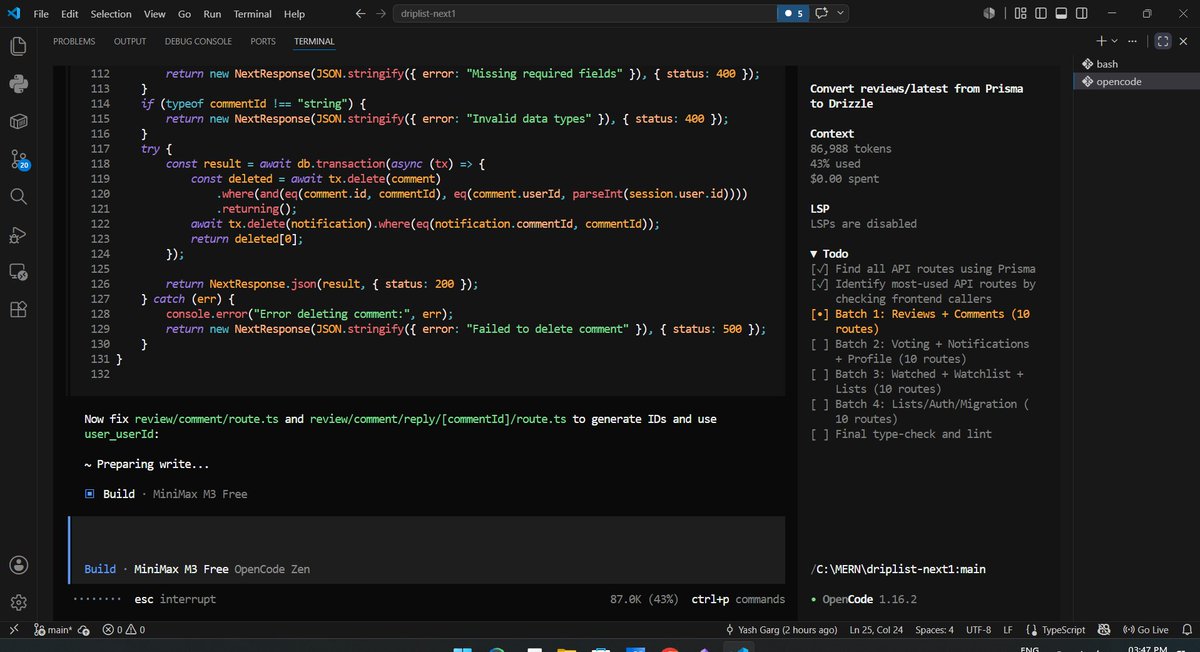
In order to scale the application, migrating the driplist platform from prisma to drizzle. Prisma was taking too much batch size to be deployed on cloudflare. So, its time to drop prisma🫡
26

Jun 9
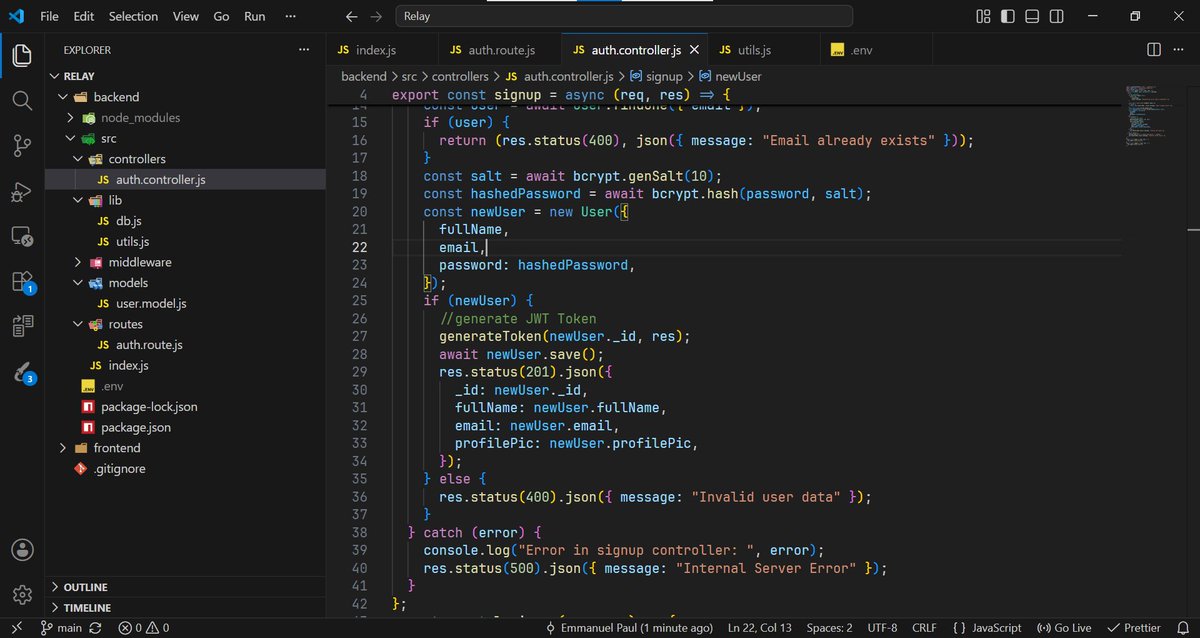
I barely got time to code today, as I was reading in preparation for an upcoming exam.
Despite that, I still managed to work on the sign up controller, incorporate password hashing using bcryptjs, and generate JWT for valid new users.
1
8
85

Jun 6
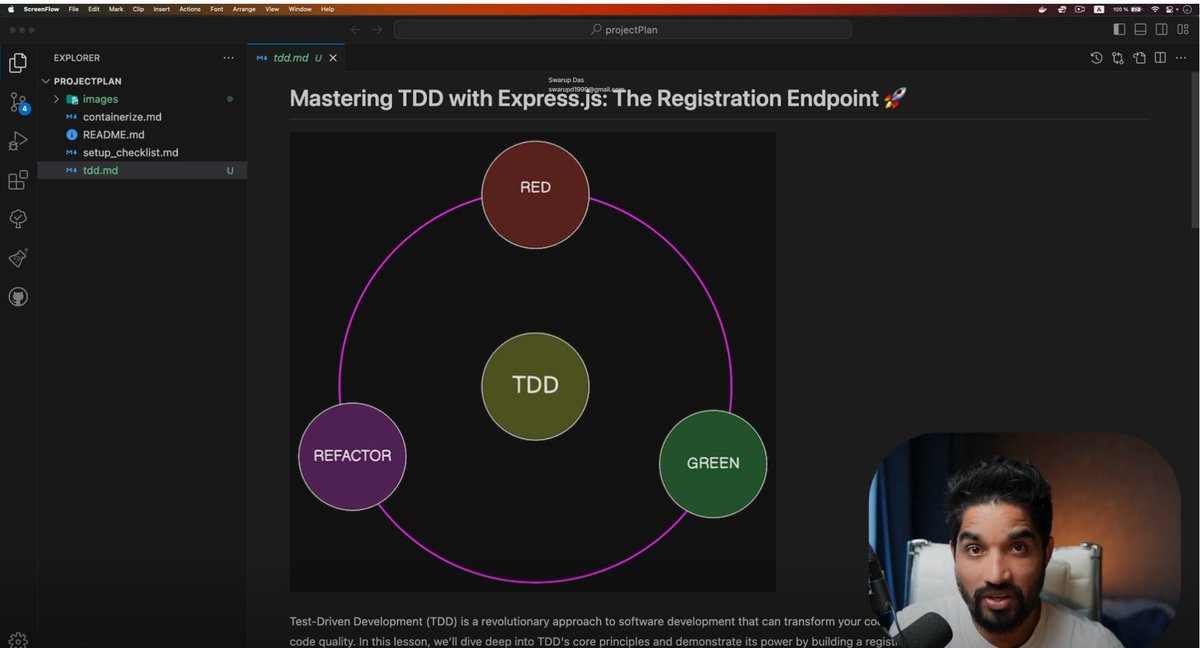
📚 Learning Notes: Password Hashing with bcryptjs & TDD
While learning authentication and Test-Driven Development (TDD), I explored one of the most important security practices in backend development:
🔐 Never store passwords in plain text.
At first, the registration endpoint was saving passwords directly to the database. It worked, but it was a serious security risk.
The next step was to write a test that verified passwords were being hashed before storage.
🔹 Why Hash Passwords?
If a database is ever compromised, plain-text passwords immediately expose user accounts.
Hashing transforms a password into a one-way cryptographic value.
Instead of storing:
❌ secret123
We store something like:
✅ $2a$10$...
This means the original password is never stored in the database.
🔹 TDD Approach
Following the Red → Green → Refactor cycle:
🔴 Red
Write a failing test that verifies:
• The stored password is NOT equal to the original password
The test fails because passwords are still being stored as plain text.
🟢 Green
Implement password hashing using bcryptjs:
• Install bcryptjs
• Hash the password before saving
• Store the hashed value in the database
Run tests again → Pass ✅
🔹 Why Use bcryptjs?
bcryptjs provides:
✅ Password hashing with automatic salting
✅ Configurable salt rounds
✅ Protection against rainbow table attacks
✅ Easy integration with Node.js applications
One interesting thing I learned is the concept of salt rounds.
A higher value increases security but also requires more computation.
A value of 10 rounds is commonly used as a balance between security and performance.
🔹 Testing Beyond "Not Equal"
Simply checking:
storedPassword !== originalPassword
isn't enough.
The tests were strengthened by verifying:
✅ Hash length (~60 characters)
✅ Hash format matches the bcrypt pattern
This provides stronger confidence that a valid bcrypt hash is being stored.
💡 Biggest takeaway
Security requirements should be tested just like business requirements.
TDD isn't only about verifying functionality—it can also help ensure important security practices are correctly implemented.
A registration endpoint that works is good.
A registration endpoint that securely stores passwords is even better. 🔐
@codersGyan
#TDD #Authentication #PasswordHashing #bcryptjs #NodeJS #TypeScript #ExpressJS #BackendDevelopment #SoftwareEngineering #Security #LearningInPublic #WebDevelopment
Jun 2

📚 Another small milestone in my microservice-based project development journey.
Over the past few days, I've been working on the User Registration flow for the Authentication Service in the microservices-based project I'm building.
This phase was much more than simply creating a registration endpoint. It gave me the opportunity to learn about validation, testing, database persistence, error handling, and security practices that go into building a reliable authentication system.
Some of the things I explored:
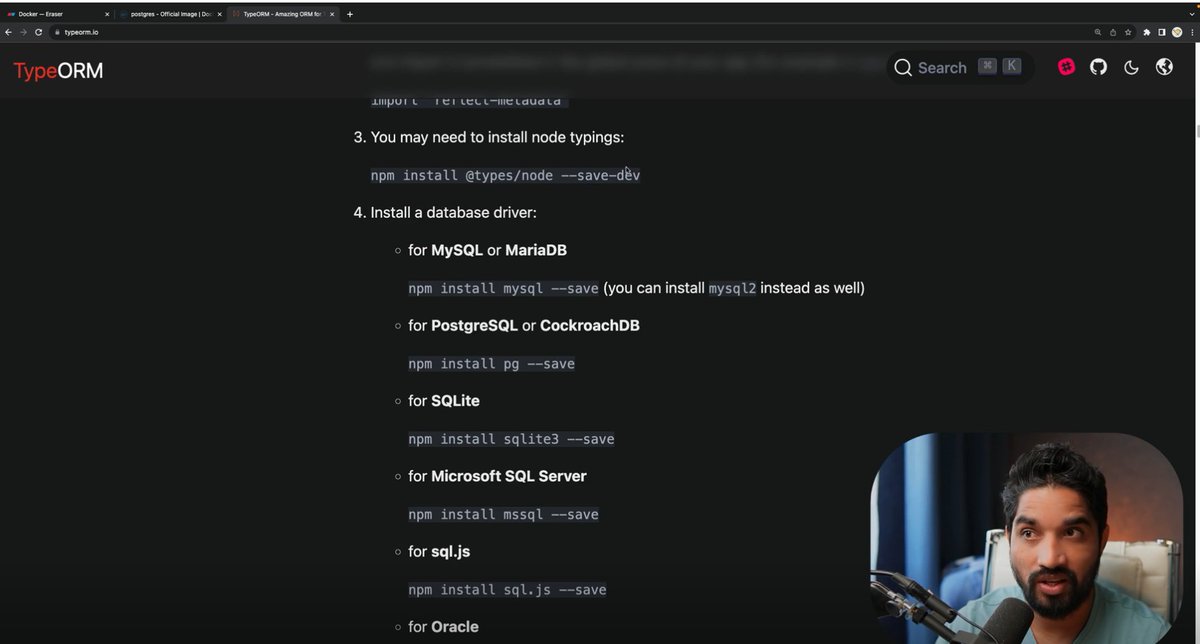
🔹 Designing and persisting a User entity in PostgreSQL
🔹 Connecting the application to the database using TypeORM
🔹 Implementing request validation and sanitization with express-validator
🔹 Adding email uniqueness checks to prevent duplicate registrations
🔹 Assigning default user roles during registration
🔹 Improving error handling and application logging
🔹 Learning the basics of password hashing
🔹 Following a Test-Driven Development (TDD) approach to verify functionality before implementation
🔹 Writing tests for successful registrations, validation failures, duplicate emails, and other edge cases
One thing that stood out to me during this process is how much effort goes into handling edge cases and ensuring data integrity. Building the happy path is often the easy part - making the system robust requires much more attention to detail.
I'm still learning a lot about authentication systems, testing strategies, and microservice architecture, but every step of the process is helping me better understand how production-ready backend services are built.
Next up: continuing to strengthen the authentication service and exploring more advanced microservice patterns.
@codersGyan
#Microservices #BackendDevelopment #NodeJS #TypeScript #PostgreSQL #TypeORM #TDD #SoftwareEngineering #LearningInPublic #WebDevelopment
6
98

May 25
Could I still build a fully functional backend in 3 hours without touching an AI assistant?
I challenged myself to find out.
No copilot, no chat prompts—just me, Node.js, Express, MongoDB, and my own brain.
The goal: Build "Second Brain" (a tool to save & organize YouTube, Twitter, and LinkedIn links).
In just 3 hours, I built:
✅ User Authentication (JWT bcryptjs)
✅ Brain link CRUD operations
✅ Shareable link generation (with unique hashes & toggleable permission flags!)
Honestly? The hardest part was debugging. We get so used to AI pointing out our typos and import issues. Going back to raw terminal stack traces and console.logs was a reality check—but iterating and finally fixing the bugs myself felt amazing.
Next up: A 2-hour sprint to build a minimal React frontend. Let's see how fast we can go!
Have you tried a "no-AI" challenge recently? It's highly recommended to keep your fundamentals sharp.
Repo : github.com/shivamxverma/brai…
#buildinpublic #webdev #nodejs #javascript #reactjs
1
3
87

May 25
The complete security checklist we use for every client MVP:
1/ Never trust user input –
> Validate on server with Zod or Yup.
> React Hook Form for UX, Zod for truth.
2/ Auth middleware –
> Clerk middleware, NextAuth callbacks, or Supabase RLS.
> Check session on every protected route.
3/ Secrets –
> .env (Vercel env vars, Railway, etc.).
> Never in code. Use .env.example, add to .gitignore.
4/ SQL –
> Prisma, Drizzle, or parameterized queries.
> No string concat. Prevents injection.
5/ Passwords –
> bcrypt or argon2 (e.g. bcryptjs).
> Never plain text or MD5.
6/ CORS –
> Whitelist origins in Next.js headers or your API.
> No origin: "*" in prod.
7/ HTTPS –
> Vercel/Netlify handle it.
> Redirect HTTP → HTTPS, enable HSTS.
9/ CSRF –
> CSRF tokens or SameSite cookies for state-changing ops.
> Verify origin header.
10/ Dependencies –
> npm audit, Snyk, or Dependabot.
> Patch or upgrade before deploy.
11/ Headers –
> helmet (Node) or security headers in next.config (X-Frame-Options, CSP, etc.).
12/ Logging –
> Structured logs (Pino, Winston) or Sentry.
> Log auth failures and weird payloads.
Bookmark this. Use it on the next build.
2
11
306

May 13
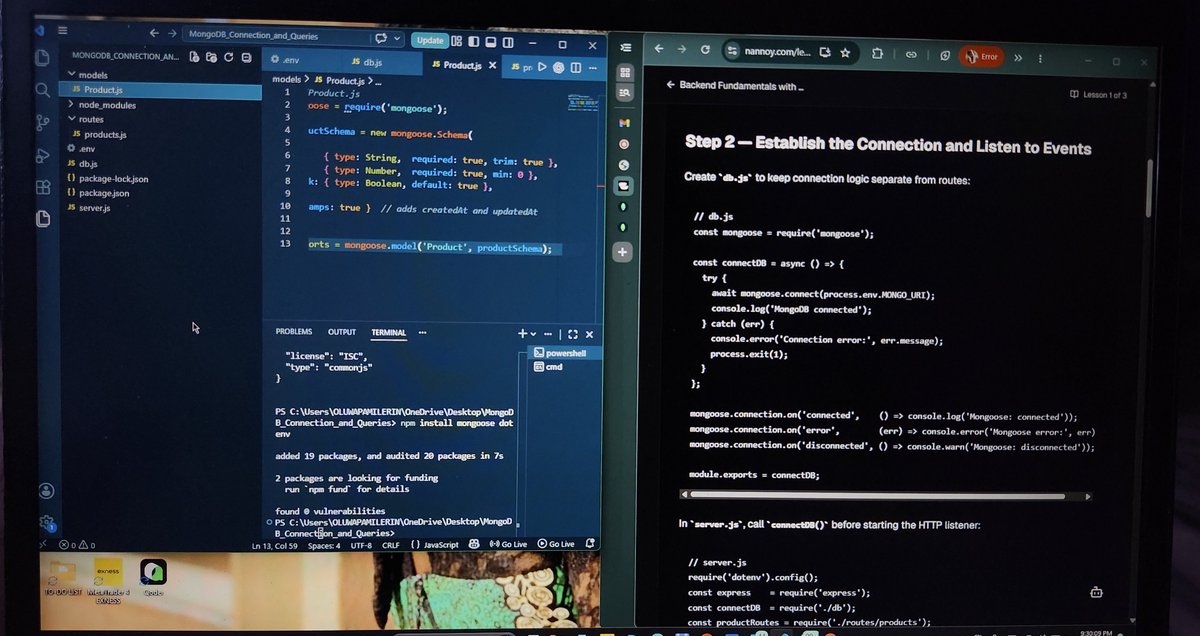
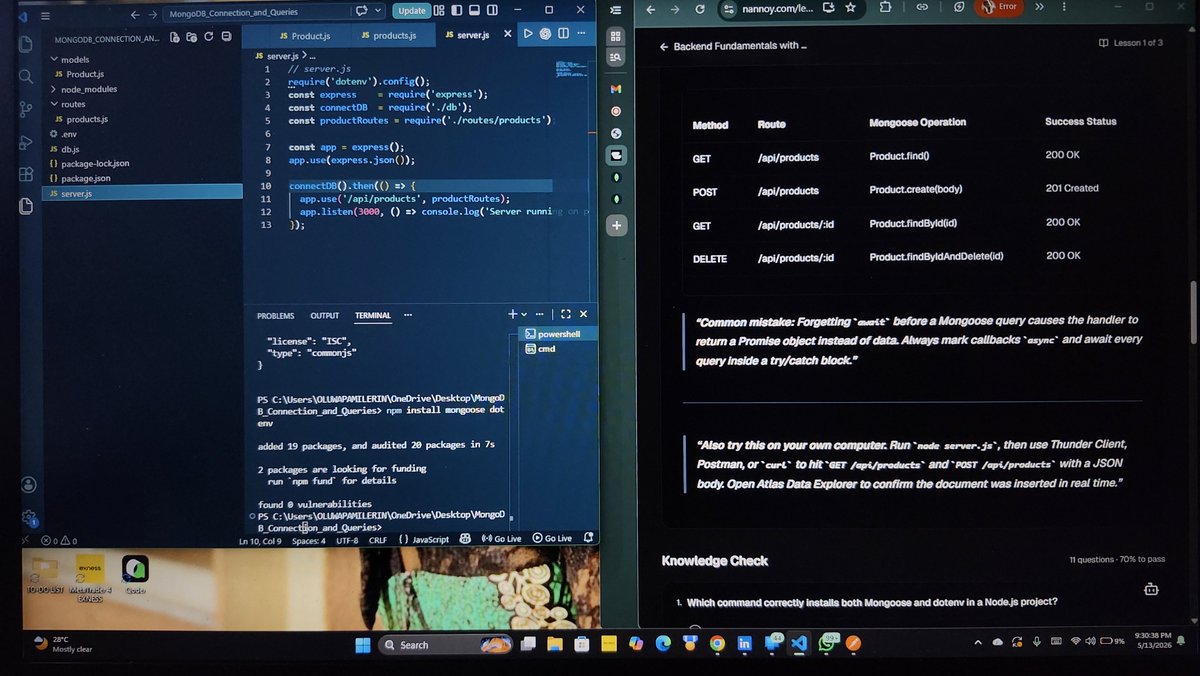
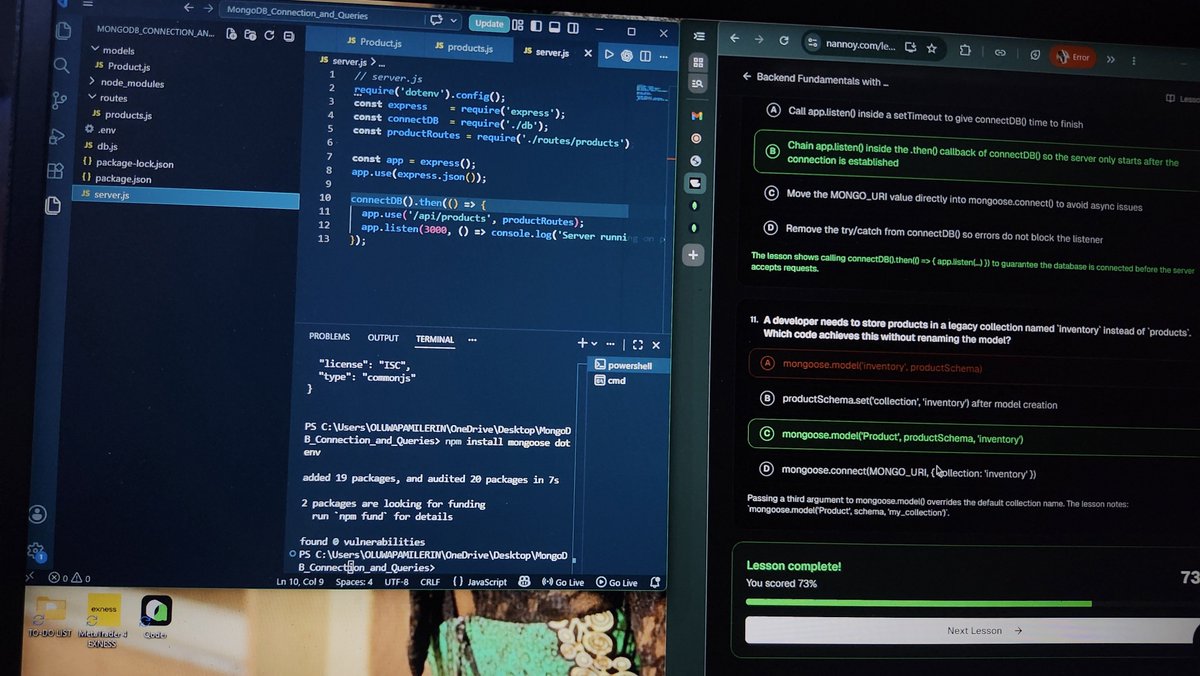
DAY 9 OF MY BACKEND JOURNEY
Today, I mastered Password Hashing and Security with bcryptjs.
The foundation of protecting user credentials and preventing catastrophic breaches through industry-standard cryptographic practices.
Learning with @Nannoyapp
● I learned why plain-text passwords and fast-hash algorithms like MD5 and SHA-1 are dangerous, and why bcryptjs with adaptive hashing is the industry standard for password protection.
● I discovered that bcryptjs uses configurable salt rounds, making it future-proof as hardware improves, the cost factor can be increased to maintain security without changing the algorithm.
● I understood the registration flow: hash incoming passwords with bcrypt.hash() using at least 10 salt rounds before storing them in the database, ensuring attackers see hashes, not passwords, if breached.
● I learned that login verification uses bcrypt.compare(), which is timing-safe to prevent side-channel attacks where response time could leak information about password matching.
● I discovered that returning generic "Invalid credentials" messages for both missing usernames and wrong passwords prevents username enumeration attacks and keeps attackers guessing.
● I understood that salt rounds directly impact security and performance 10 rounds takes ~65ms and is production minimum, while 12 rounds (~250ms) is recommended for 2026, requiring benchmarking on actual hardware.
● I troubleshot a MongoDB connection issue caused by network restrictions and learned that a VPN can help bypass DNS resolution problems when connecting to cloud databases.
● I now know that password hashing and proper error handling are non-negotiable. They make authentication secure, predictable, and protect user data from compromise.
May 12

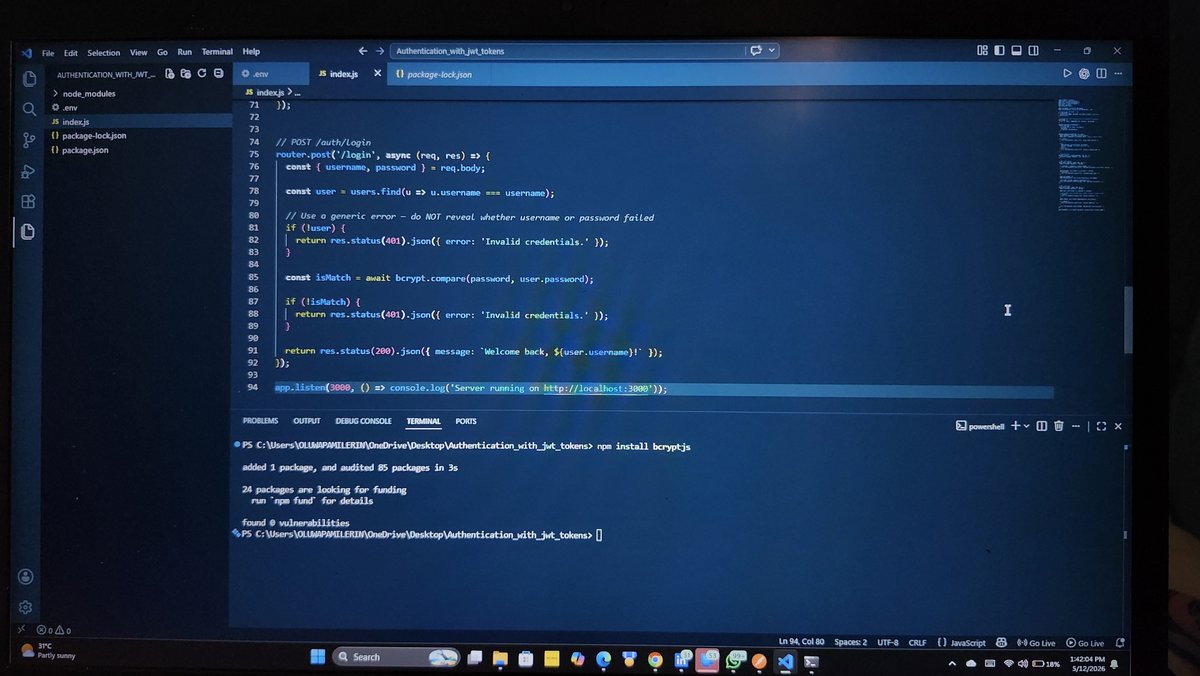
DAY 8 OF MY BACKEND JOURNEY
Password Hashing and Security with bcryptjs
Today, I deepened my understanding of one of the most critical aspects of backend development: protecting user passwords. I learned that plain-text passwords are inexcusable, and even fast hashing algorithms like MD5 or SHA-1 leave systems vulnerable to brute-force and rainbow-table attacks.
Learning with @Nannoyapp
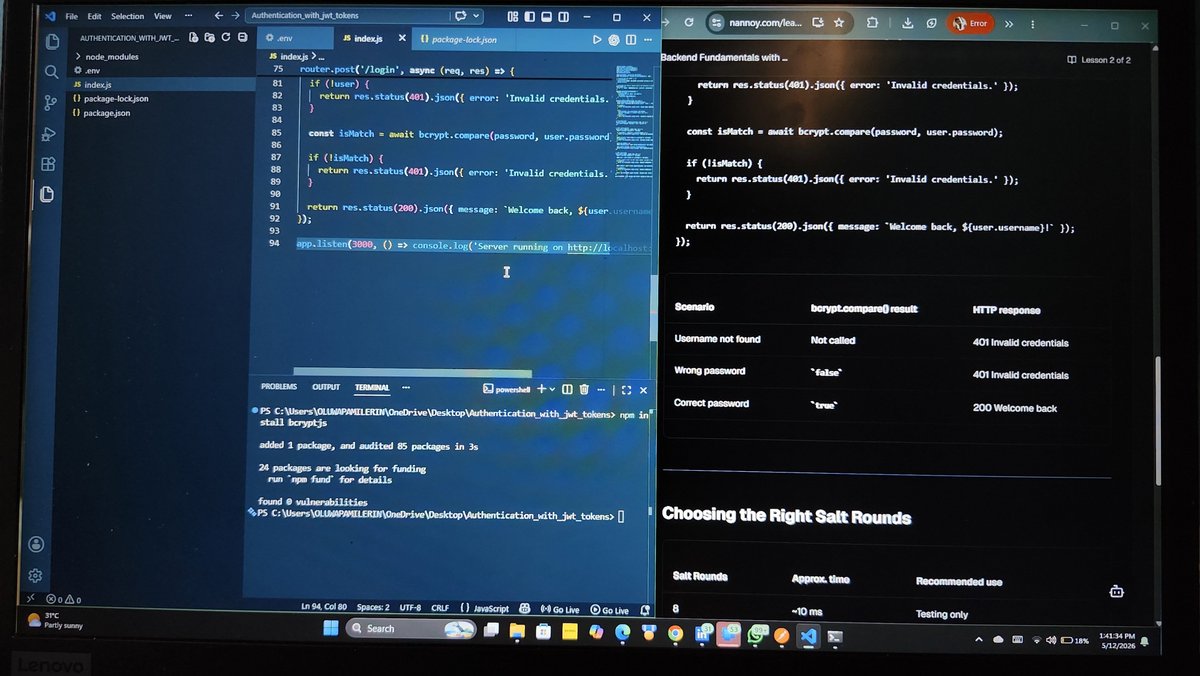
● I discovered why adaptive hashing algorithms like bcryptjs are the industry standard. Unlike fast hashes, bcryptjs has a configurable cost factor (salt rounds) that can be increased as hardware improves, making it future-proof against computational advances.
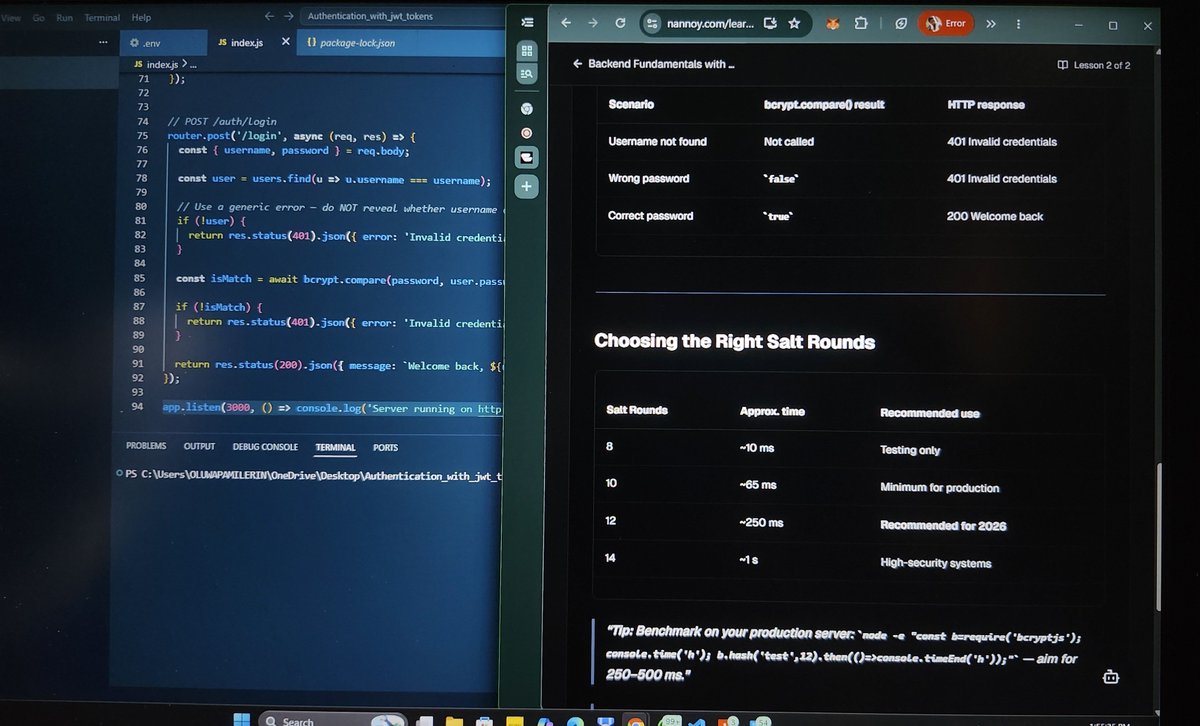
● I learned the registration flow: hash the incoming password with bcrypt.hash() using at least 10 salt rounds before storing it in the database, ensuring that even if breached, attackers see hashes, not passwords.
● I understood the login verification process: use bcrypt.compare() to check if the plain-text password matches the stored hash. This function is timing-safe, preventing side-channel attacks where response time could leak information about where strings differ.
● I implemented proper error handling by returning a generic "Invalid credentials" message for both missing usernames and wrong passwords, refusing to reveal which one failed, a security best practice that prevents username enumeration attacks.
● I learned that salt rounds matter: 10 rounds takes ~65ms and is the production minimum, while 12 rounds (~250ms) is recommended for 2026. Benchmarking on production hardware is essential to balance security and user experience.
OMO!
I faced infrastructure challenges today🤦♀️: power supply issues disrupted my session. I installed Postman to test my endpoints oo, but it wasn't responding.
So I switched to curl commands in the terminal to verify my hashing and login flows, but my PC went off right when I was about to run the tests. Frustrating timing, but the knowledge stuck with me.
The journey continues, sometimes the hardest part isn't the code, it's fighting the hardware! 😭
Good evening everyone!
4
4
39
1,550
May 12
DAY 8 OF MY BACKEND JOURNEY
Password Hashing and Security with bcryptjs
Today, I deepened my understanding of one of the most critical aspects of backend development: protecting user passwords. I learned that plain-text passwords are inexcusable, and even fast hashing algorithms like MD5 or SHA-1 leave systems vulnerable to brute-force and rainbow-table attacks.
Learning with @Nannoyapp
● I discovered why adaptive hashing algorithms like bcryptjs are the industry standard. Unlike fast hashes, bcryptjs has a configurable cost factor (salt rounds) that can be increased as hardware improves, making it future-proof against computational advances.
● I learned the registration flow: hash the incoming password with bcrypt.hash() using at least 10 salt rounds before storing it in the database, ensuring that even if breached, attackers see hashes, not passwords.
● I understood the login verification process: use bcrypt.compare() to check if the plain-text password matches the stored hash. This function is timing-safe, preventing side-channel attacks where response time could leak information about where strings differ.
● I implemented proper error handling by returning a generic "Invalid credentials" message for both missing usernames and wrong passwords, refusing to reveal which one failed, a security best practice that prevents username enumeration attacks.
● I learned that salt rounds matter: 10 rounds takes ~65ms and is the production minimum, while 12 rounds (~250ms) is recommended for 2026. Benchmarking on production hardware is essential to balance security and user experience.
OMO!
I faced infrastructure challenges today🤦♀️: power supply issues disrupted my session. I installed Postman to test my endpoints oo, but it wasn't responding.
So I switched to curl commands in the terminal to verify my hashing and login flows, but my PC went off right when I was about to run the tests. Frustrating timing, but the knowledge stuck with me.
The journey continues, sometimes the hardest part isn't the code, it's fighting the hardware! 😭
Good evening everyone!
May 11
DAY 7 OF MY BACKEND JOURNEY
Authentication with JWT Tokens
So, today, I mastered stateless authentication using JSON Web Tokens. The modern way to scale APIs without server-side session bottlenecks.
Learning with @Nannoyapp
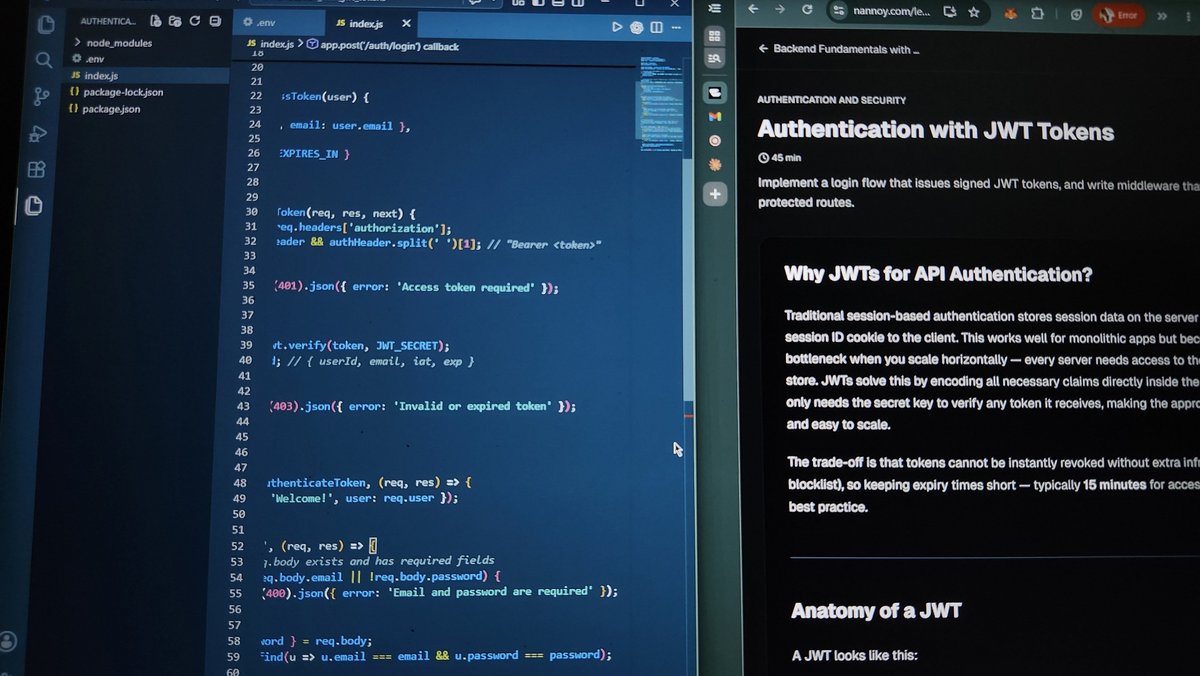
● I learned that JWTs solve the horizontal scaling problem: instead of storing sessions on the server, all necessary claims live inside the token itself, signed with a secret key that any server can verify instantly.
● I discovered the three-part anatomy of a JWT: the header contains the algorithm, the payload holds claims like userId and email, and the signature proves the token hasn't been tampered with, but I learned the critical warning that payloads are only Base64-encoded, never encrypted, so I must never store passwords or sensitive data inside them.
● I understood that short expiry times like 15 minutes are essential because tokens can't be instantly revoked without a blocklist, making time-based expiration the practical trade-off for stateless design.
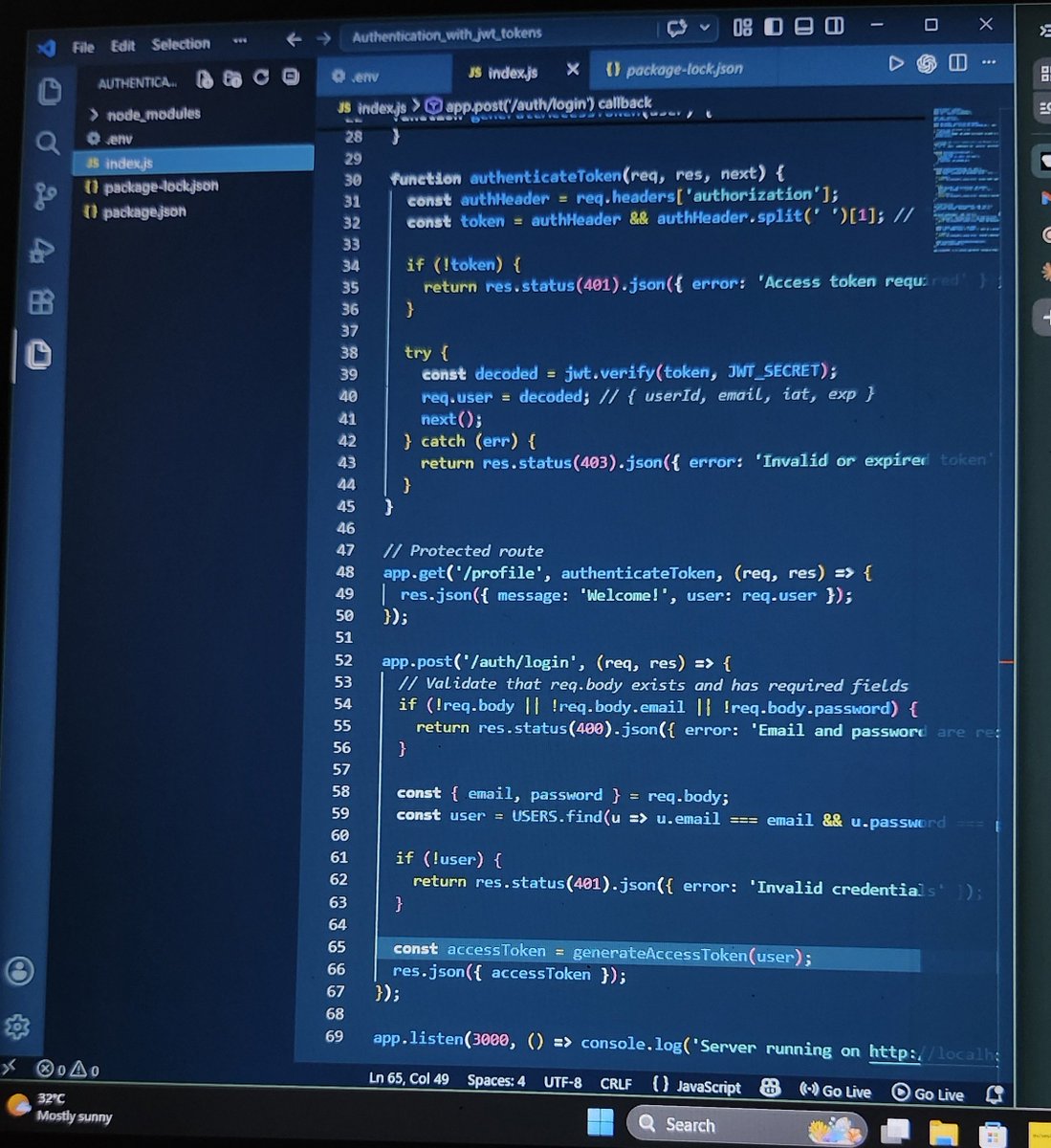
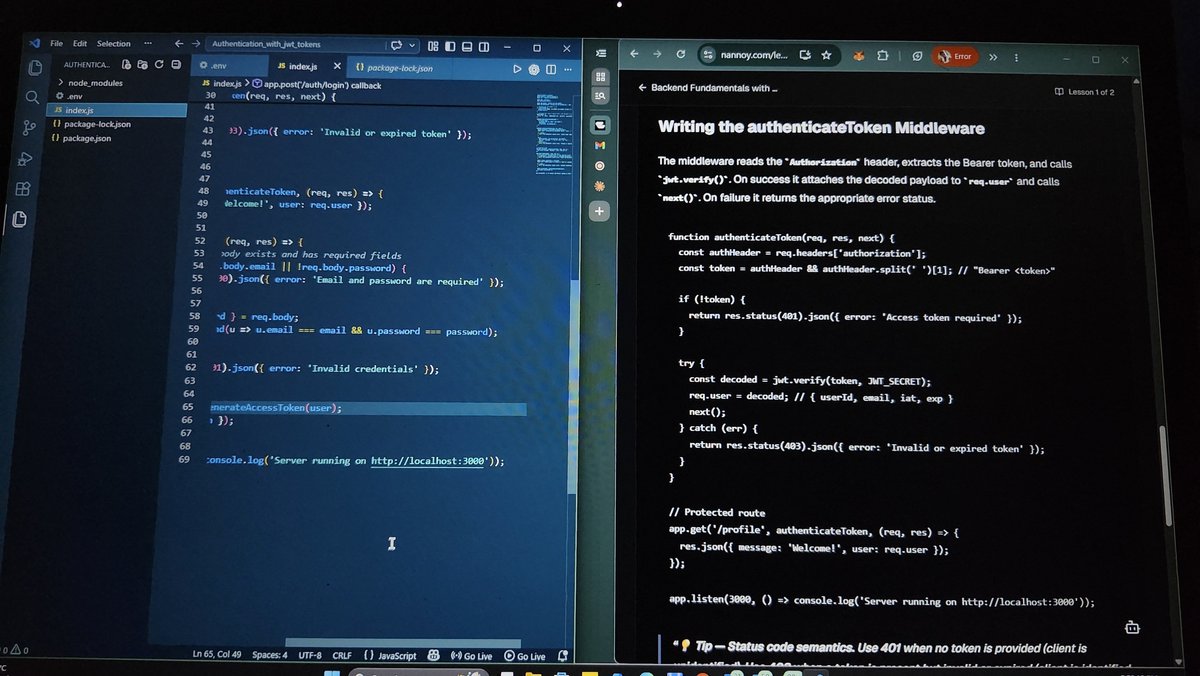
● I built a login endpoint that validates credentials and returns a signed JWT, then created the authenticateToken middleware that extracts the Bearer token, verifies it, and attaches the decoded user data to req.user.
● I learned the 401 vs 403 distinction: 401 when no token is provided, 403 when a token is invalid or expired, a semantic difference that matters for security scanners and API consumers.
● I started testing the complete flow with curl commands, login, token extraction, protected route access, but my PC went off🤧🥹 before I could finish verifying all error paths.
I'll complete the testing tomorrow and confirm missing tokens, tampered tokens, and valid tokens all return the correct responses.
6
6
33
1,574

Apr 20
The complete security checklist we use for every client MVP:
1/ Never trust user input –
> Validate on server with Zod or Yup.
> React Hook Form for UX, Zod for truth.
2/ Auth middleware –
> Clerk middleware, NextAuth callbacks, or Supabase RLS.
> Check session on every protected route.
3/ Secrets –
> .env (Vercel env vars, Railway, etc.).
> Never in code. Use .env.example, add to .gitignore.
4/ SQL –
> Prisma, Drizzle, or parameterized queries.
> No string concat. Prevents injection.
5/ Passwords –
> bcrypt or argon2 (e.g. bcryptjs).
> Never plain text or MD5.
6/ CORS –
> Whitelist origins in Next.js headers or your API.
> No origin: "*" in prod.
7/ HTTPS –
> Vercel/Netlify handle it.
> Redirect HTTP → HTTPS, enable HSTS.
9/ CSRF –
> CSRF tokens or SameSite cookies for state-changing ops.
> Verify origin header.
10/ Dependencies –
> npm audit, Snyk, or Dependabot.
> Patch or upgrade before deploy.
11/ Headers –
> helmet (Node) or security headers in next.config (X-Frame-Options, CSP, etc.).
12/ Logging –
> Structured logs (Pino, Winston) or Sentry.
> Log auth failures and weird payloads.
Bookmark this. Use it on the next build.
2
6
40
2,814

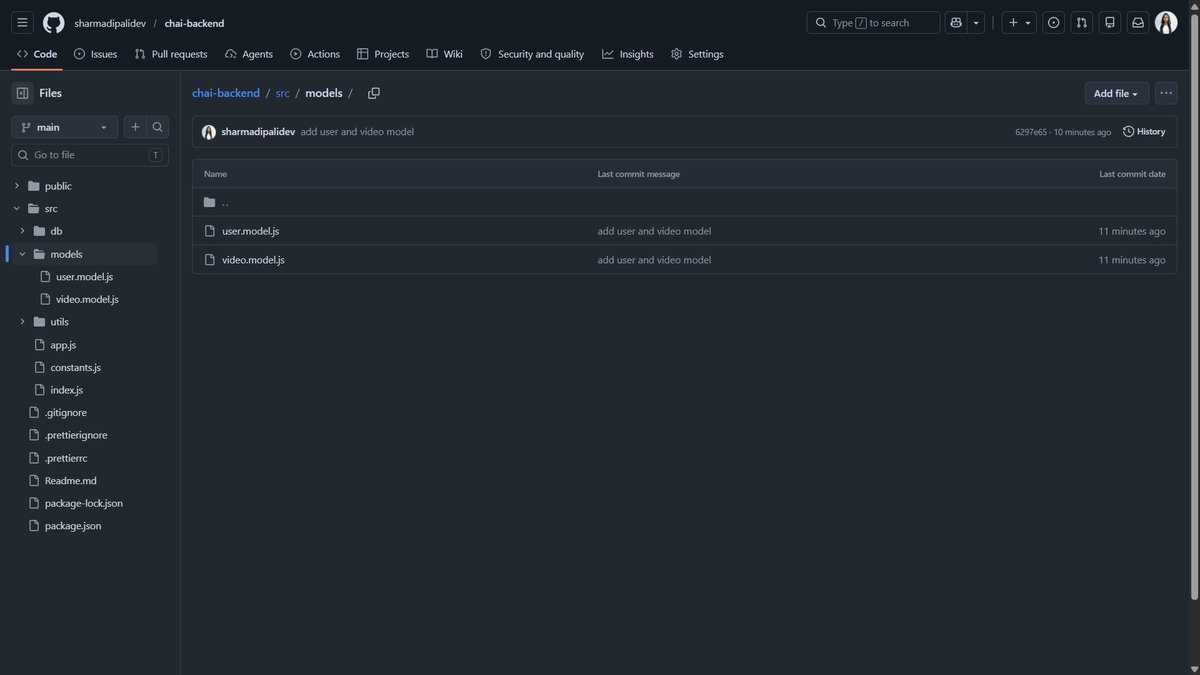
Complete Masterji Backend
Challenge Day-10
learn about
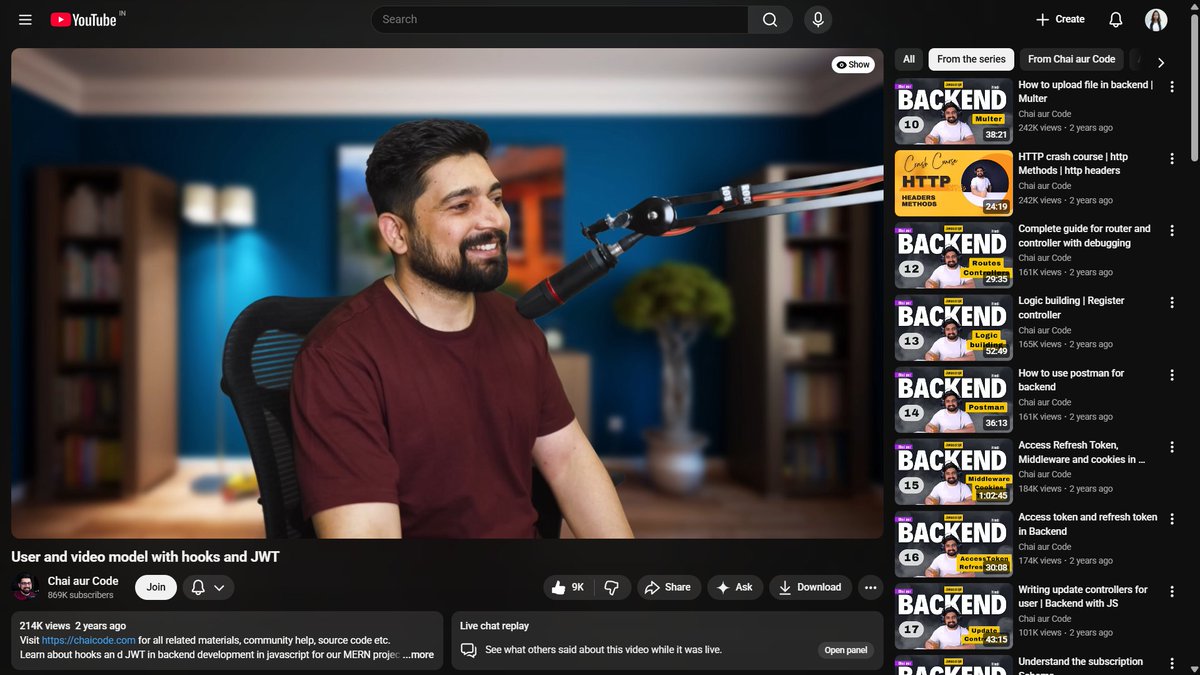
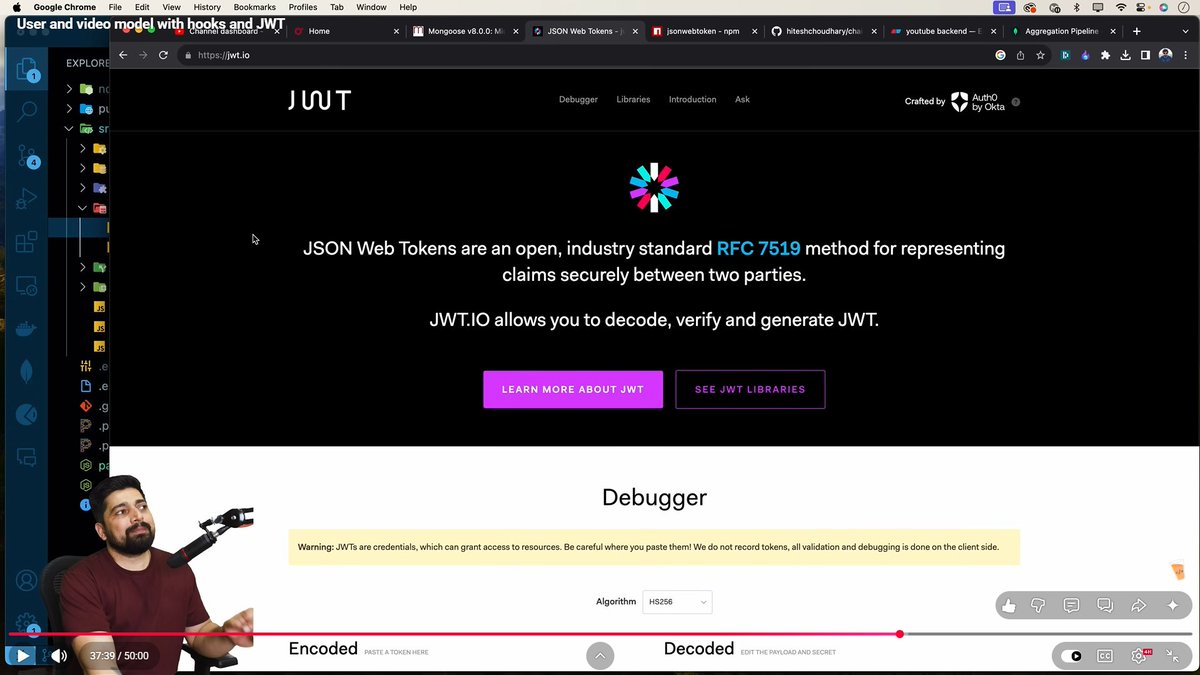
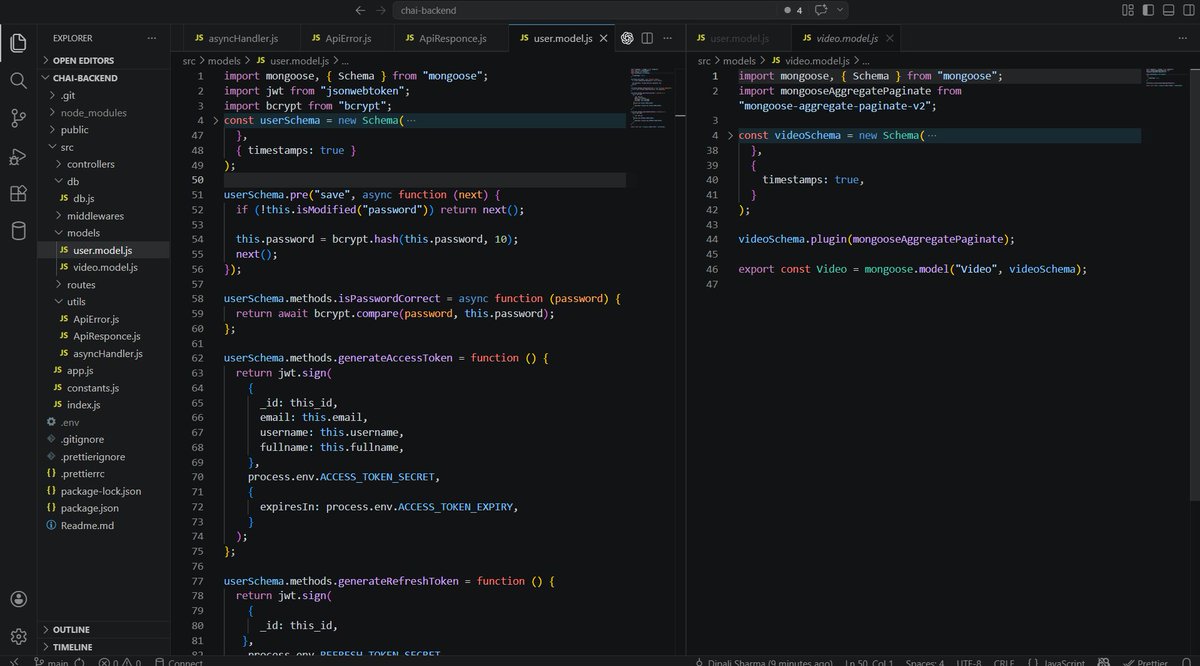
-User and video model with hooks and JWT
-searching field
-mongoose aggrigation
-bcrypt & bcryptjs
-JWT
-mongoose hooks
-mongoose methods
-access token, refresh token
-password encryption
@Hiteshdotcom @nirudhuuu @ChaiCodeHQ
48
308

Apr 20
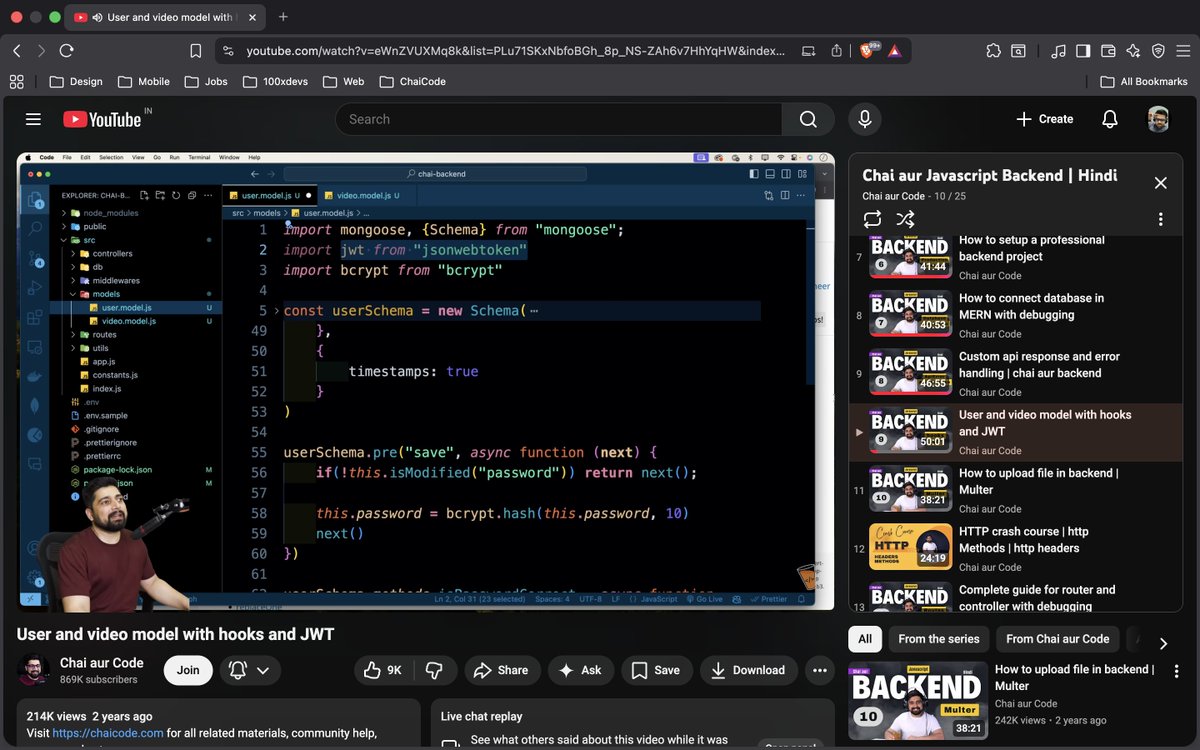
Day-10 Chai aur Backend
1. Completing user and video models of the mega backend project
2. Hashing password using bcryptjs
3. Comparing saved passwords using bcryptjs
4. Generating access and refresh tokens using jwt
#chaicode #chaiaurbackend @Hiteshdotcom @ChaiCodeHQ @nirudhuuu
10
114

Apr 13
Just shipped a production-grade ticket booking backend for @chaicodehq’s Backend Ninja hackathon 🚀
✅ 0 duplicate bookings (SELECT FOR UPDATE row locking)
✅ JWT auth bcryptjs hashing (cost factor 10)
✅ Hold → Confirm with atomic ACID transactions
✅ Deployed live on Vercel Neon PostgreSQL
GitHub: github.com/Armaan-Dip-Singh-…
Live Demo: seatpakkikro.online
Thanks to @Hiteshdotcom , @nirudhuuu , @piyushgarg_dev , @surajtwt_ ,@yntpdotme ,@devwithjay ,@BlazeisCoding ,@ChaiCodeHQ
#BackendDevelopment #Node
#PostgreSQL #Concurrency
1
11
320

Apr 9
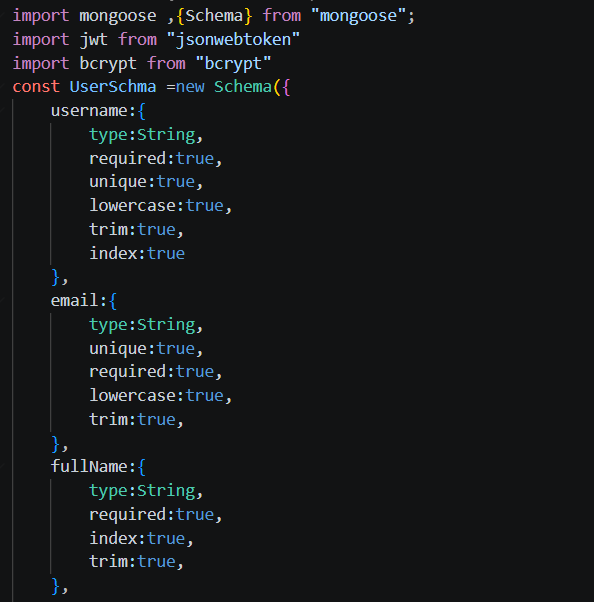
Day 2/20
-learned about http status code and Methods
- how to connect database with backend
- How to make Data Models in Mongoose
-JWT and BcryptJS for encrypting the password
-made User Data Model
#backendjourney #Learninpublic
6
86



Mar 29
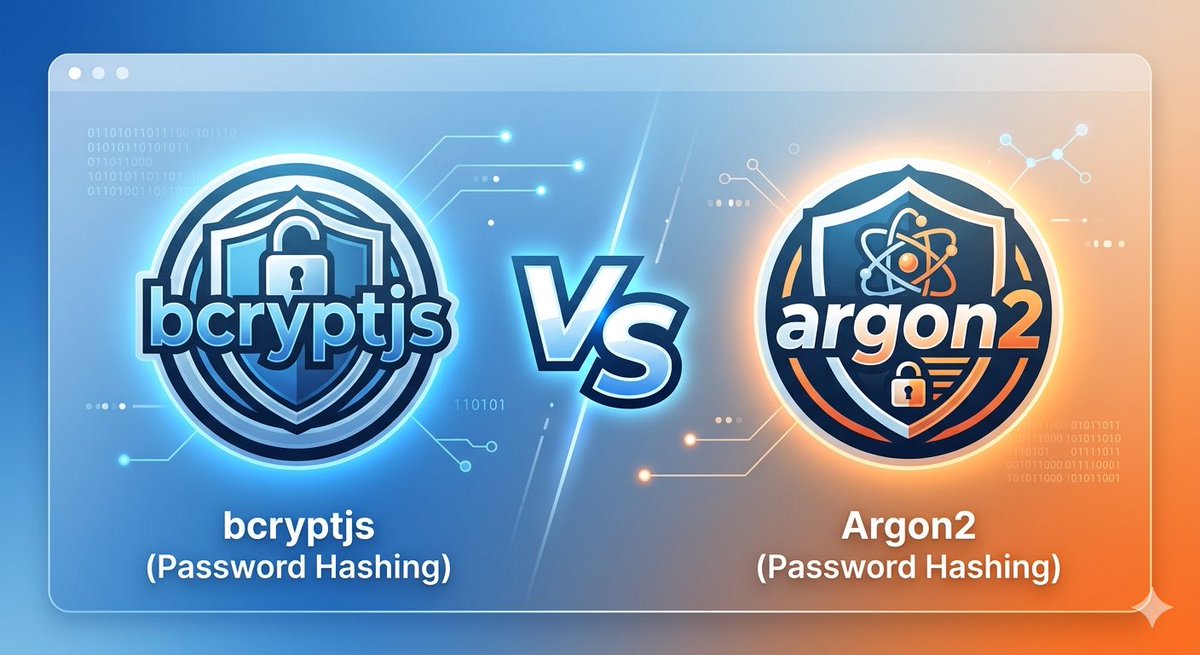
Yesterday class was about wrapping up the authentication and Authorization and also learnt about node mail server, bcryptjs and cookies . It needs a lot of practice and grind
@Hiteshdotcom
@piyushgarg_dev
@nirudhuuu
1
18

Mar 29
Please check bcrypt n bcryptjs part again. Need more thought on that.
3
30
1,769

Today's topics : Authentication & Authorization
Bcrypt vs Bcryptjs
Nodemailer
Logout service
How to send verification mail etc etc
Auth Pro Max
#chaiauthpromax #chaicode
26
123

🚀 Day 30 at Chai Aur Code
Authentication & Authorization 🔐
Learned:
• Bcrypt vs Bcryptjs
• cookie-parser
• Password hashing & pre-save hooks
• Securing passwords before storing in DB
Understanding backend security step by step 💻🔥
#ChaiAuthProMax #ChaiAurCode #NodeJS
1
17
85