
Create the components.json manually
{
"$schema": "ui.shadcn.com/schema.json",
…
"tailwind": {
"config": "",
"css": "src/index.scss",
"baseColor": "neutral",
"cssVariables": true
},
…
}
It would be nice ti gave a proper way tho
1
1
2
332

Jan 17
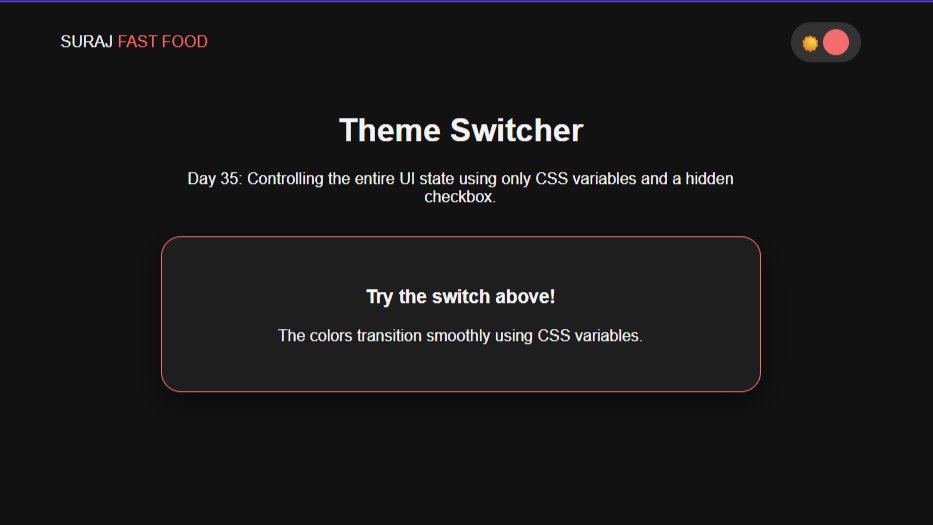
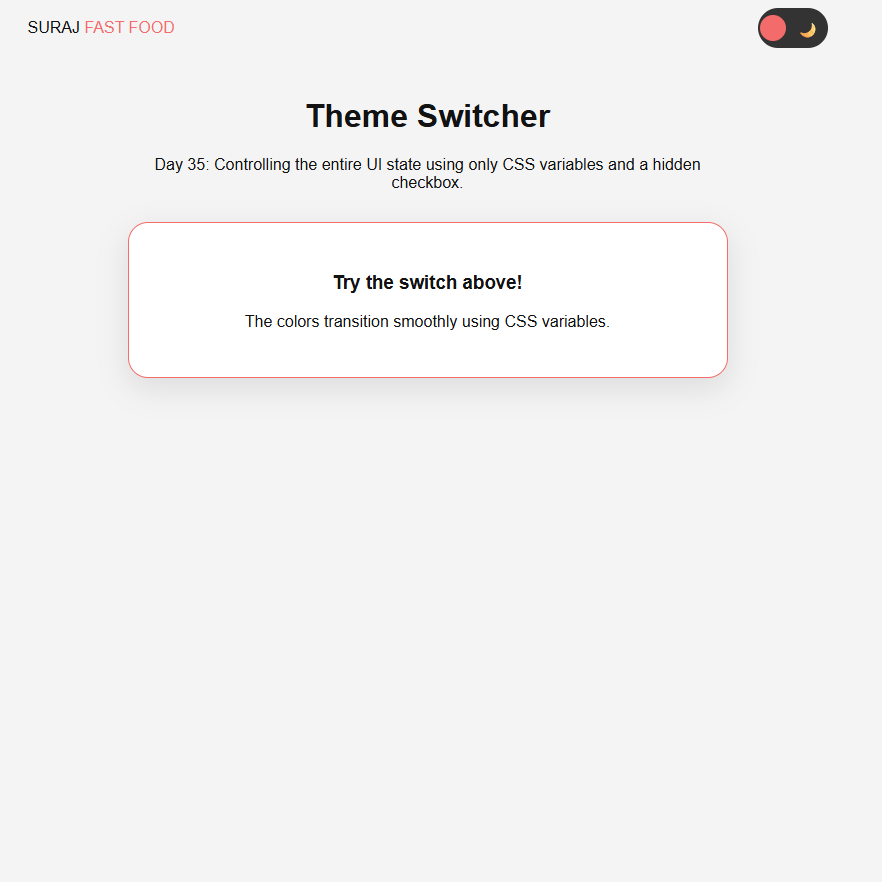
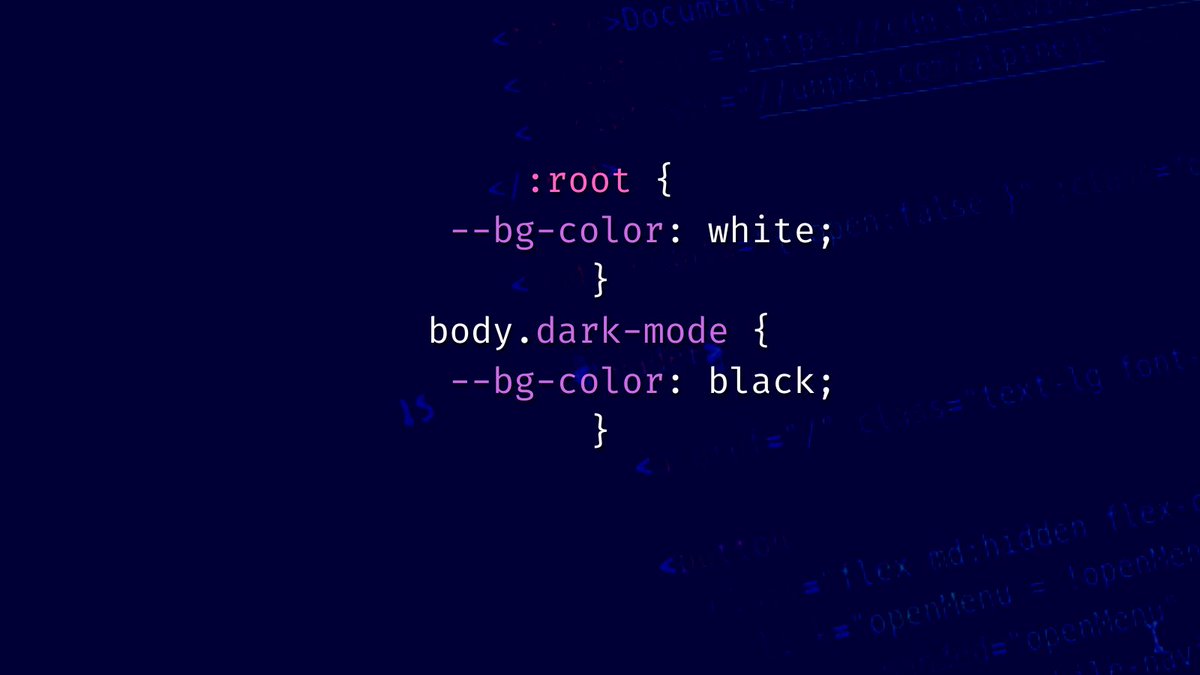
Day (35/100) #100DaysOfWEB
Master of Themes: Pure CSS Dark Mode
For Day 35 of my #100DaysOfWEB journey, I built a global theme switcher.
#100DaysOfCode #WebDesign #DarkMode #CSSVariables #Frontend #CleanCode #BuildInPublic
1
2
14

23 Sep 2025
Complete HTML control, visual/CSS sync, GraphQL and all data as JSON APIs, component architecture, Git-like workflows, staging and deployment.
Modern development, visually accessible."
#wordpress #grapql #restapi #webdev #CSS #cssvariables ...
2
73

7 Sep 2025
/approvals
- allow: read/write files, run local shell commands, start/stop local servers, install packages
You are a precise build/dev agent. Do everything idempotently and non-interactively.
Goal: In the current workspace, (1) create or reuse `web/` as a Next.js (latest stable) React TypeScript app,
(2) integrate Tailwind CSS shadcn/ui, (3) mimic `npx v0@latest init`-style import structure (`components/`, `lib/`),
(4) implement a sample page with a shadcn Card and Dialog ("Hello v0 Clone"), and (5) run a dev server over HTTP with HMR
on port 3100 (fallback 3200). Provide Local/Network URL and PID. Create a README with setup steps.
=== Operating rules ===
- Use Node >=18. If Node <18, stop with an explicit error.
- Prefer pnpm; else yarn; else npm. Use the corresponding DLX (`pnpm dlx` or `npx`) for CLIs.
- If a monorepo exists, work ONLY inside `web/`. Do not run root builds.
- If Next <15 is installed, use `next.config.mjs`; if >=15, use `next.config.ts`.
- All steps must be repeatable (safe to run twice).
- If port 3100 is busy, use 3200 and print why.
- Verify server is reachable and the HTML contains "Hello v0 Clone".
=== Plan ===
1) Preconditions: check Node, choose package manager (PM) and DLX.
2) Project: create `web/` via create-next-app if missing; otherwise reuse. Force Next/React to latest.
3) Tailwind: install configure (content paths include `app` and `components`).
4) shadcn/ui: init add `button`, `card`, `dialog`. Create `components.json`.
5) v0-style structure: ensure `components/` and `lib/utils.ts` (`cn()` helper) exist; alias `@/*`.
6) Files: write `globals.css`, `layout.tsx`, `page.tsx`, `tailwind.config.ts`, `postcss.config.js`,
`next.config.ts` or `.mjs`, `README.md`. Adjust `package.json` scripts to use port 3100.
7) Install deps; start dev server (3100 or fallback 3200) in background. Print Local/Network URLs and PID.
8) Verify GET / returns 200 and HTML includes "Hello v0 Clone".
=== Execute ===
```bash
set -euo pipefail
# 1) Preconditions
if ! command -v node >/dev/null 2>&1; then
echo "ERROR: Node.js is required (v18 )."; exit 1
fi
NODE_MAJOR=$(node -p "process.versions.node.split('.')[0]" || echo 0)
if [ "${NODE_MAJOR}" -lt 18 ]; then
echo "ERROR: Node v18 required. Current: $(node -v)"; exit 1
fi
if command -v pnpm >/dev/null 2>&1; then PM="pnpm"; DLX="pnpm dlx"
elif command -v yarn >/dev/null 2>&1; then PM="yarn"; DLX="npx"
else PM="npm"; DLX="npx"; fi
echo "Using PM=${PM}, DLX=${DLX}"
PROJECT_DIR="web"
mkdir -p "${PROJECT_DIR}"
# 2) Project scaffold (create-next-app only if not already a Next app)
if [ ! -f "${PROJECT_DIR}/package.json" ]; then
if [ "${PM}" = "pnpm" ]; then
pnpm dlx create-next-app@latest "${PROJECT_DIR}" --ts --eslint --app --use-pnpm --import-alias "@/*" --no-tailwind
else
npx --yes create-next-app@latest "${PROJECT_DIR}" --ts --eslint --app --import-alias "@/*" --no-tailwind
fi
fi
cd "${PROJECT_DIR}"
# Ensure latest Next/React (handles 14→15 upgrade)
if [ "${PM}" = "pnpm" ]; then
pnpm up next@latest react@latest react-dom@latest eslint-config-next@latest -L
elif [ "${PM}" = "yarn" ]; then
yarn add next@latest react@latest react-dom@latest eslint-config-next@latest
else
npm i -E next@latest react@latest react-dom@latest eslint-config-next@latest
fi
# 3) Tailwind friends
if [ "${PM}" = "pnpm" ]; then
pnpm add -D tailwindcss postcss autoprefixer tailwindcss-animate
pnpm add class-variance-authority tailwind-merge lucide-react clsx
elif [ "${PM}" = "yarn" ]; then
yarn add -D tailwindcss postcss autoprefixer tailwindcss-animate
yarn add class-variance-authority tailwind-merge lucide-react clsx
else
npm i -D tailwindcss postcss autoprefixer tailwindcss-animate
npm i class-variance-authority tailwind-merge lucide-react clsx
fi
npx --yes tailwindcss init -p >/dev/null 2>&1 || ${DLX} tailwindcss init -p >/dev/null 2>&1 || true
# 4) shadcn/ui init components
# components.json first (idempotent)
cat > components.json <<'JSON'
{
"$schema": "ui.shadcn.com/schema.json",
"style": "default",
"rsc": true,
"tsx": true,
"tailwind": {
"config": "tailwind.config.ts",
"css": "app/globals.css",
"baseColor": "slate",
"cssVariables": true
},
"aliases": {
"components": "@/components",
"utils": "@/lib/utils"
}
}
JSON
# Try CLI (preferred)
(${DLX} shadcn-ui@latest init -y >/dev/null 2>&1 && \
${DLX} shadcn-ui@latest add button card dialog >/dev/null 2>&1) || true
# 5) v0-style structure and aliases
mkdir -p app components/ui lib
# lib/utils.ts (cn helper)
cat > lib/utils.ts <<'TS'
import { type ClassValue } from "clsx"
import { clsx } from "clsx"
import { twMerge } from "tailwind-merge"
export function cn(...inputs: ClassValue[]) {
return twMerge(clsx(inputs))
}
TS
# 6) Config & pages
# tailwind.config.ts (shadcn-ready)
cat > tailwind.config.ts <<'TS'
import type { Config } from "tailwindcss"
export default {
darkMode: ["class"],
content: ["./app/**/*.{ts,tsx}", "./components/**/*.{ts,tsx}"],
theme: {
container: {
center: true,
padding: "2rem",
screens: { "2xl": "1400px" }
},
extend: {
colors: {
border: "hsl(var(--border))",
input: "hsl(var(--input))",
ring: "hsl(var(--ring))",
background: "hsl(var(--background))",
foreground: "hsl(var(--foreground))",
primary: {
DEFAULT: "hsl(var(--primary))",
foreground: "hsl(var(--primary-foreground))"
},
secondary: {
DEFAULT: "hsl(var(--secondary))",
foreground: "hsl(var(--secondary-foreground))"
},
destructive: {
DEFAULT: "hsl(var(--destructive))",
foreground: "hsl(var(--destructive-foreground))"
},
muted: {
DEFAULT: "hsl(var(--muted))",
foreground: "hsl(var(--muted-foreground))"
},
accent: {
DEFAULT: "hsl(var(--accent))",
foreground: "hsl(var(--accent-foreground))"
},
popover: {
DEFAULT: "hsl(var(--popover))",
foreground: "hsl(var(--popover-foreground))"
},
card: {
DEFAULT: "hsl(var(--card))",
foreground: "hsl(var(--card-foreground))"
}
},
borderRadius: {
lg: "var(--radius)",
md: "calc(var(--radius) - 2px)",
sm: "calc(var(--radius) - 4px)"
},
keyframes: {
"accordion-down": { from: { height: "0" }, to: { height: "var(--radix-accordion-content-height)" } },
"accordion-up": { from: { height: "var(--radix-accordion-content-height)" }, to: { height: "0" } }
},
animation: {
"accordion-down": "accordion-down 0.2s ease-out",
"accordion-up": "accordion-up 0.2s ease-out"
}
}
},
plugins: [require("tailwindcss-animate")]
} satisfies Config
TS
# postcss
cat > postcss.config.js <<'JS'
module.exports = {
plugins: {
tailwindcss: {},
autoprefixer: {}
}
};
JS
# globals.css (CSS variables included)
mkdir -p app
cat > app/globals.css <<'CSS'
@tailwind base;
@tailwind components;
@tailwind utilities;
@layer base {
:root {
--background: 0 0% 100%;
--foreground: 222.2 84% 4.9%;
--card: 0 0% 100%;
--card-foreground: 222.2 84% 4.9%;
--popover: 0 0% 100%;
--popover-foreground: 222.2 84% 4.9%;
--primary: 221.2 83.2% 53.3%;
--primary-foreground: 210 40% 98%;
--secondary: 210 40% 96.1%;
--secondary-foreground: 222.2 47.4% 11.2%;
--muted: 210 40% 96.1%;
--muted-foreground: 215.4 16.3% 46.9%;
--accent: 210 40% 96.1%;
--accent-foreground: 222.2 47.4% 11.2%;
--destructive: 0 84.2% 60.2%;
--destructive-foreground: 210 40% 98%;
--border: 214.3 31.8% 91.4%;
--input: 214.3 31.8% 91.4%;
--ring: 221.2 83.2% 53.3%;
--radius: 0.5rem;
}
.dark {
--background: 222.2 84% 4.9%;
--foreground: 210 40% 98%;
--card: 222.2 84% 4.9%;
--card-foreground: 210 40% 98%;
--popover: 222.2 84% 4.9%;
--popover-foreground: 210 40% 98%;
--primary: 217.2 91.2% 59.8%;
--primary-foreground: 222.2 47.4% 11.2%;
--secondary: 217.2 32.6% 17.5%;
--secondary-foreground: 210 40% 98%;
--muted: 217.2 32.6% 17.5%;
--muted-foreground: 215 20.2% 65.1%;
--accent: 217.2 32.6% 17.5%;
--accent-foreground: 210 40% 98%;
--destructive: 0 62.8% 30.6%;
--destructive-foreground: 210 40% 98%;
--border: 217.2 32.6% 17.5%;
--input: 217.2 32.6% 17.5%;
--ring: 224.3 76.3% 48%;
}
* { @apply border-border; }
body { @apply bg-background text-foreground; }
}
CSS
# layout.tsx
cat > app/layout.tsx <<'TSX'
import "./globals.css"
import type { Metadata } from "next"
export const metadata: Metadata = {
title: "v0 Clone",
description: "Next Tailwind shadcn/ui boilerplate"
}
export default function RootLayout({ children }: { children: React.ReactNode }) {
return (
<html lang="en">
<body>{children}</body>
</html>
)
}
TSX
# page.tsx (Card Dialog sample)
cat > app/page.tsx <<'TSX'
"use client";
import { Card, CardHeader, CardTitle, CardContent, CardFooter } from "@/components/ui/card"
import { Button } from "@/components/ui/button"
import { Dialog, DialogContent, DialogHeader, DialogTitle, DialogTrigger } from "@/components/ui/dialog"
import { useState } from "react"
export default function Page() {
const [open, setOpen] = useState(false)
return (
<main className="min-h-dvh grid place-items-center p-6">
<Card className="w-full max-w-md border rounded-2xl shadow">
<CardHeader>
<CardTitle className="text-center text-2xl">Hello v0 Clone</CardTitle>
</CardHeader>
<CardContent className="text-center text-sm text-muted-foreground">
Next Tailwind shadcn/ui boilerplate
</CardContent>
<CardFooter className="flex justify-center">
<Dialog open={open} onOpenChange={setOpen}>
<DialogTrigger asChild>
<Button size="lg">Open Modal</Button>
</DialogTrigger>
<DialogContent className="rounded-2xl">
<DialogHeader>
<DialogTitle>v0 模倣セットアップ完了</DialogTitle>
</DialogHeader>
<div className="text-sm text-muted-foreground">
ここに追加テキストや v0 生成物のプレビューを表示できます。
</div>
</DialogContent>
</Dialog>
</CardFooter>
</Card>
</main>
)
}
TSX
# next config (choose ts or mjs based on Next major)
NEXT_VER=$(node -e "try{console.log(require('next/package.json').version)}catch{console.log('0.0.0')}" || echo "0.0.0")
NEXT_MAJOR=$(node -e "console.log( '${NEXT_VER}'.split('.')[0]||0)")
if [ "${NEXT_MAJOR}" -ge 15 ]; then
cat > next.config.ts <<'TS'
import type { NextConfig } from "next"
const nextConfig: NextConfig = { reactStrictMode: true }
export default nextConfig
TS
else
cat > next.config.mjs <<'JS'
/** @type {import('next').NextConfig} */
const nextConfig = { reactStrictMode: true }
export default nextConfig
JS
fi
# post install: ensure package.json scripts use port 3100
node <<'NODE'
const fs = require('fs')
const p = JSON.parse(fs.readFileSync('package.json','utf8'))
p.scripts = Object.assign({}, p.scripts, {
dev: "next dev -p 3100",
build: "next build",
start: "next start -p 3100",
lint: p.scripts && p.scripts.lint ? p.scripts.lint : "next lint"
})
fs.writeFileSync('package.json', JSON.stringify(p,null,2))
NODE
# 7) Install
if [ "${PM}" = "pnpm" ]; then pnpm i
elif [ "${PM}" = "yarn" ]; then yarn
else npm i; fi
# Fallback shadcn components if CLI didn't generate them
if [ ! -f "components/ui/button.tsx" ]; then
cat > components/ui/button.tsx <<'TSX'
import * as React from "react"
import { cn } from "@/lib/utils"
export interface ButtonProps extends React.ButtonHTMLAttributes<HTMLButtonElement> {}
export const Button = React.forwardRef<HTMLButtonElement, ButtonProps>(
({ className, ...props }, ref) => (
<button ref={ref} className={cn("inline-flex items-center justify-center h-10 px-4 py-2 rounded-md bg-primary text-primary-foreground hover:opacity-90 transition", className)} {...props} />
)
)
Button.displayName = "Button"
TSX
fi
if [ ! -f "components/ui/card.tsx" ]; then
cat > components/ui/card.tsx <<'TSX'
import * as React from "react"
import { cn } from "@/lib/utils"
export function Card({ className, ...props }: React.HTMLAttributes<HTMLDivElement>) {
return <div className={cn("bg-card text-card-foreground border rounded-lg", className)} {...props} />
}
export function CardHeader({ className, ...props }: React.HTMLAttributes<HTMLDivElement>) {
return <div className={cn("p-6 border-b", className)} {...props} />
}
export function CardTitle({ className, ...props }: React.HTMLAttributes<HTMLHeadingElement>) {
return <h3 className={cn("text-xl font-semibold leading-none tracking-tight", className)} {...props} />
}
export function CardContent({ className, ...props }: React.HTMLAttributes<HTMLDivElement>) {
return <div className={cn("p-6 pt-0", className)} {...props} />
}
export function CardFooter({ className, ...props }: React.HTMLAttributes<HTMLDivElement>) {
return <div className={cn("p-6 pt-0", className)} {...props} />
}
TSX
fi
if [ ! -f "components/ui/dialog.tsx" ]; then
cat > components/ui/dialog.tsx <<'TSX'
"use client"
import * as React from "react"
import { cn } from "@/lib/utils"
export function Dialog({ open, onOpenChange, children }: { open?: boolean; onOpenChange?: (o:boolean)=>void; children: React.ReactNode }) {
React.useEffect(() => {}, [open])
return <div data-dialog-open={open ? "true" : "false"}>{children}</div>
}
export function DialogTrigger({ asChild, children, ...props }: any) {
const child = React.isValidElement(children) ? children : <button>{children}</button>
return React.cloneElement(child as any, { ...props, onClick: (e:any) => { child.props?.onClick?.(e); const root = (e.target as HTMLElement).closest("[data-dialog-open]"); if (root){ const isOpen = root.getAttribute("data-dialog-open")==="true"; root.setAttribute("data-dialog-open", (!isOpen).toString()) } } })
}
export function DialogContent({ className, children }: React.HTMLAttributes<HTMLDivElement>) {
return <div className={cn("fixed inset-0 z-50 grid place-items-center p-4", className)}>
<div className="fixed inset-0 bg-black/40" />
<div className="relative z-10 w-full max-w-md rounded-lg bg-background p-6 shadow">{children}</div>
</div>
}
export function DialogHeader({ className, ...props }: React.HTMLAttributes<HTMLDivElement>) {
return <div className={cn("mb-2", className)} {...props} />
}
export function DialogTitle({ className, ...props }: React.HTMLAttributes<HTMLHeadingElement>) {
return <h2 className={cn("text-lg font-semibold", className)} {...props} />
}
TSX
fi
# 8) README
cat > README.md <<'MD'
# v0 Clone (web)
Next.js (latest) React TypeScript Tailwind CSS shadcn/ui
## Setup
- Install: `pnpm i` (or `yarn` / `npm i`)
- Dev (HTTP HMR): `pnpm dev` → http://localhost:3100
- If 3100 busy, this setup may use 3200 and will print the URL.
- Build/Start: `pnpm build && pnpm start`
## Notes
- v0 生成物は `components/` に置けば `@/components/...` で import 可能。
- shadcn/ui は `components/ui/` に展開。CLI が使えない環境では最小限のフォールバック実装を自動生成。
- Next 15 は `next.config.ts`、Next 14系では `next.config.mjs` を使用。
MD
# Start dev server (3100 → fallback 3200), background, store PID
PORT=3100
if lsof -nP -iTCP:${PORT} -sTCP:LISTEN >/dev/null 2>&1; then
echo "Port ${PORT} busy; switching to 3200"
PORT=3200
fi
LOG="dev-${PORT}.log"
PIDFILE=".next-dev-${PORT}.pid"
( ${PM} -s dev -p ${PORT} > "${LOG}" 2>&1 & echo $! > "${PIDFILE}" ) || ( ${PM} dev -p ${PORT} > "${LOG}" 2>&1 & echo $! > "${PIDFILE}" )
# Wait for server
for i in $(seq 1 60); do
if nc -z localhost ${PORT} >/dev/null 2>&1; then break; fi
sleep 1
done
STATUS=$(curl -s -o /dev/null -w "%{http_code}" "http://localhost:${PORT}" || true)
TITLE=$(curl -s "http://localhost:${PORT}" | sed -n 's:.*<title>\(.*\)</title>.*:\1:p' | head -n1)
echo "HTTP status on ${PORT}: ${STATUS}"
echo "HTML <title>: ${TITLE:-unknown}"
PID=$(cat "${PIDFILE}" 2>/dev/null || echo "unknown")
LOCAL_URL="http://localhost:${PORT}"
NET_URL=$( (sed -n 's/^ *- Network: *\(http[^ ]*\).*/\1/p' "${LOG}" | tail -n1) || true )
echo "PID: ${PID}"
echo "Local URL: ${LOCAL_URL}"
echo "Network URL: ${NET_URL:-(check your LAN IP)}"
# Assert page content
HAVE_HELLO=$(curl -s "http://localhost:${PORT}" | grep -c "Hello v0 Clone" || true)
if [ "${HAVE_HELLO}" -eq 0 ]; then
echo "WARNING: 'Hello v0 Clone' not detected in HTML. Check app/page.tsx and HMR."
fi
1
3
113

5 Aug 2025
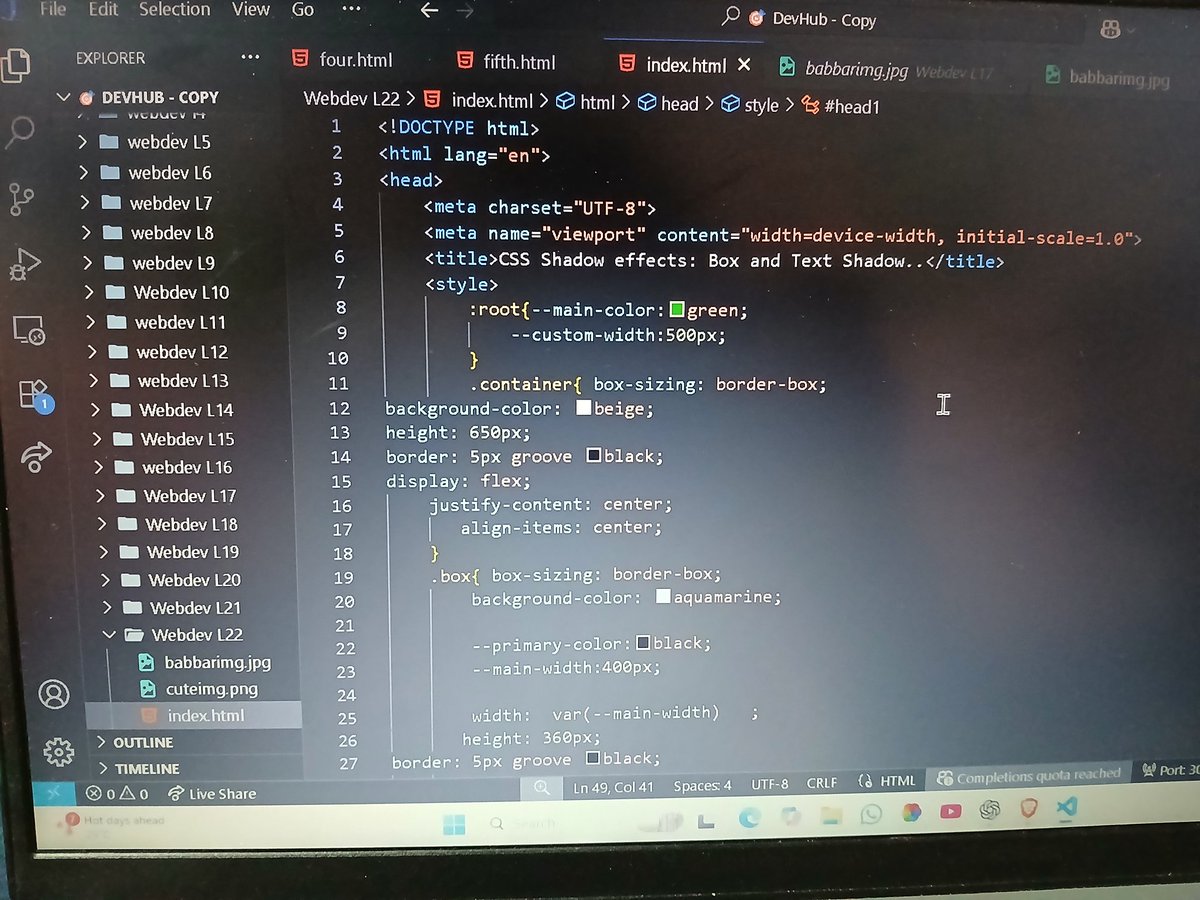
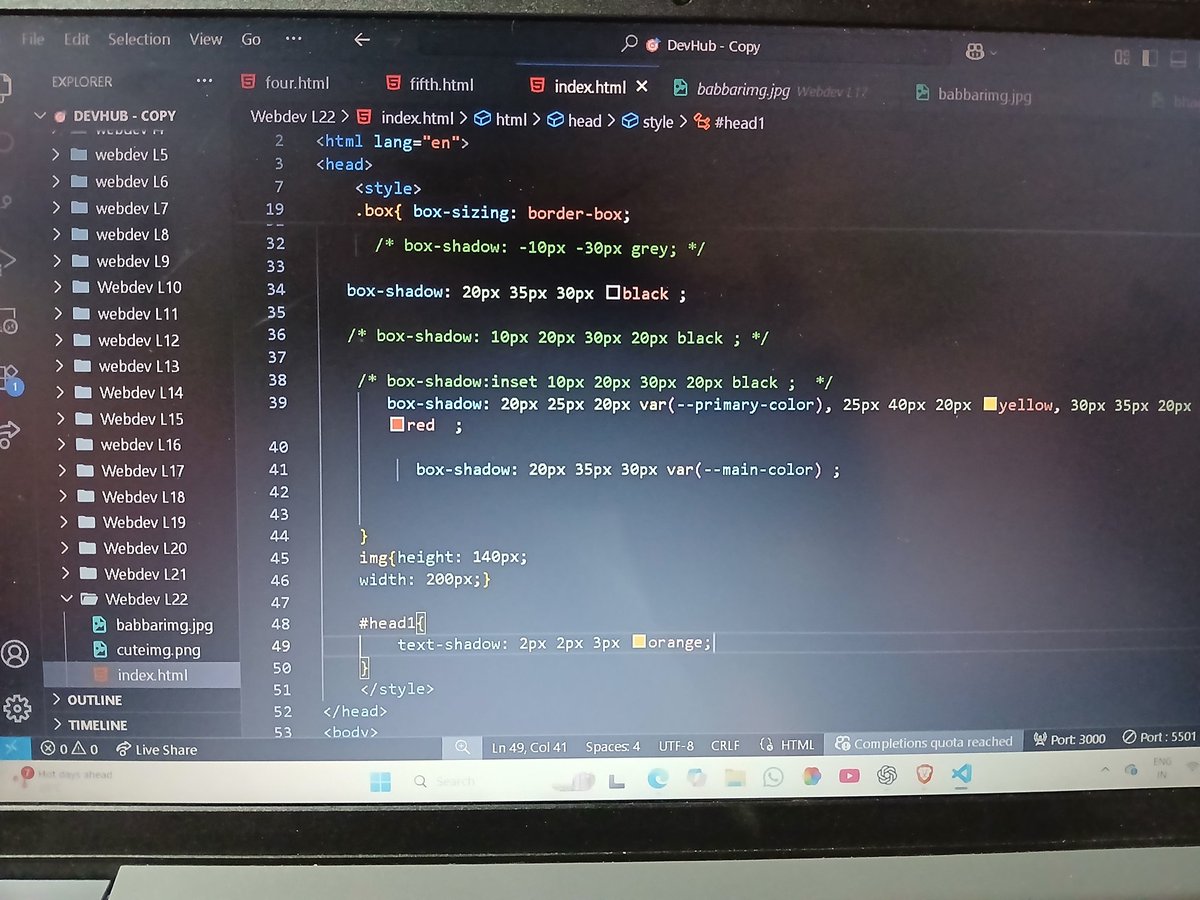
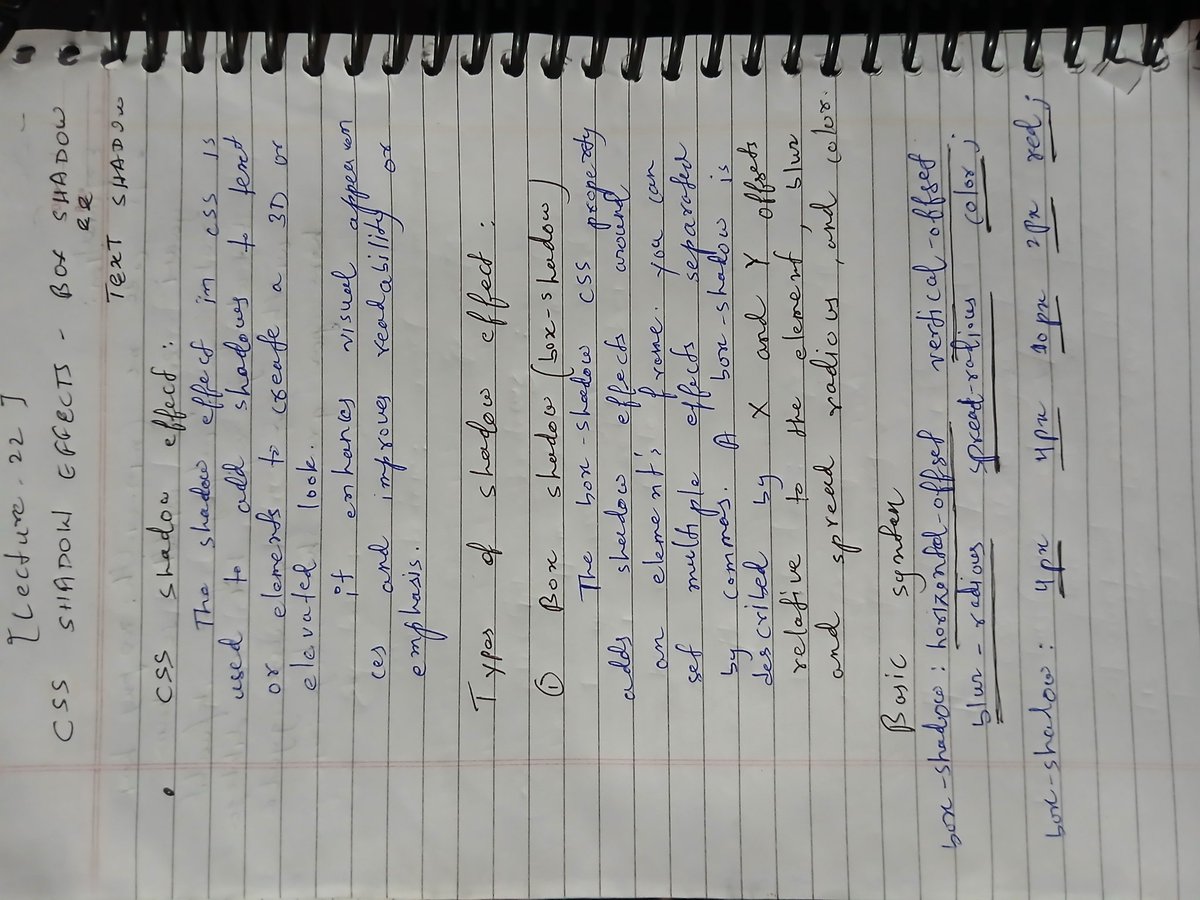
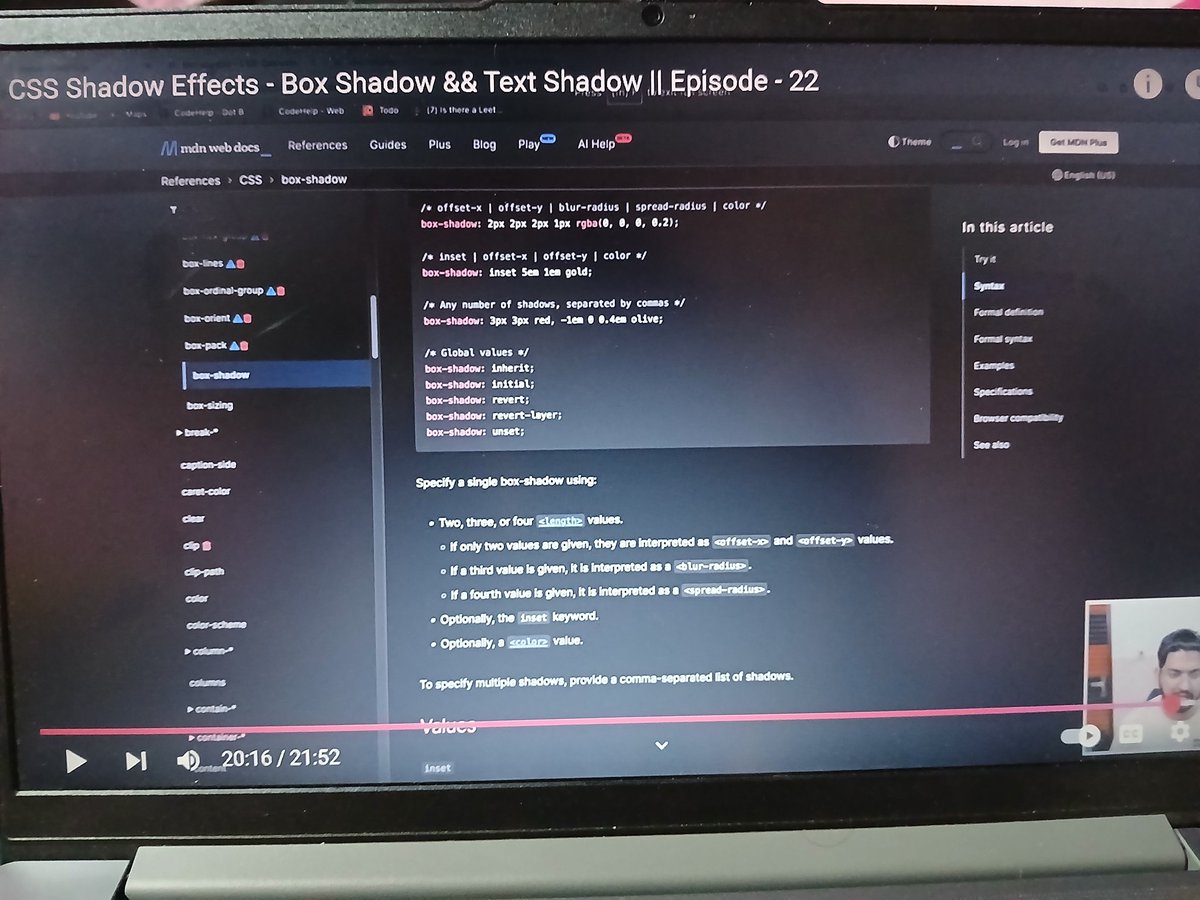
✅ Completed Lecture 22 of Love Babbar’s Web Dev Course
➤ Learned Box Shadow, Text Shadow, and CSS Custom Variables
➤ Improved UI design & reusable code through smart styling
#WebDev #CSS #FrontendDevelopment #BoxShadow #TextShadow #CSSVariables #100DaysOfCode #CodeHelp
5
28

18 Jun 2025
Day 35 of #100DaysOfCode
Wrapped up a solid revision of core CSS concept
Here's everything I re-learned and practiced:
✅Css size unit in depth
✅Mastering css float
✅Understanding flex box
✅Media quaries in css
#WebDev #Frontend #ResponsiveDesign #Flexbox #CSSVariables
13
104

24 Mar 2025
I am learning CSS variables today, What are you learning today or working on.
#WebDevelopment
#codingjourney
#learntocode
#cssvariables
1
1
7
67
5 Mar 2025
📢 CUSTOM CSS VARIABLES NOW FREE IN BUILDERIUS!
We removed restrictions so you can not just edit but also create NEW variables. Making our FREE builder truly useful! #wordpress #pagebuidler #cssvariables #css2025 #nocode #lowcode
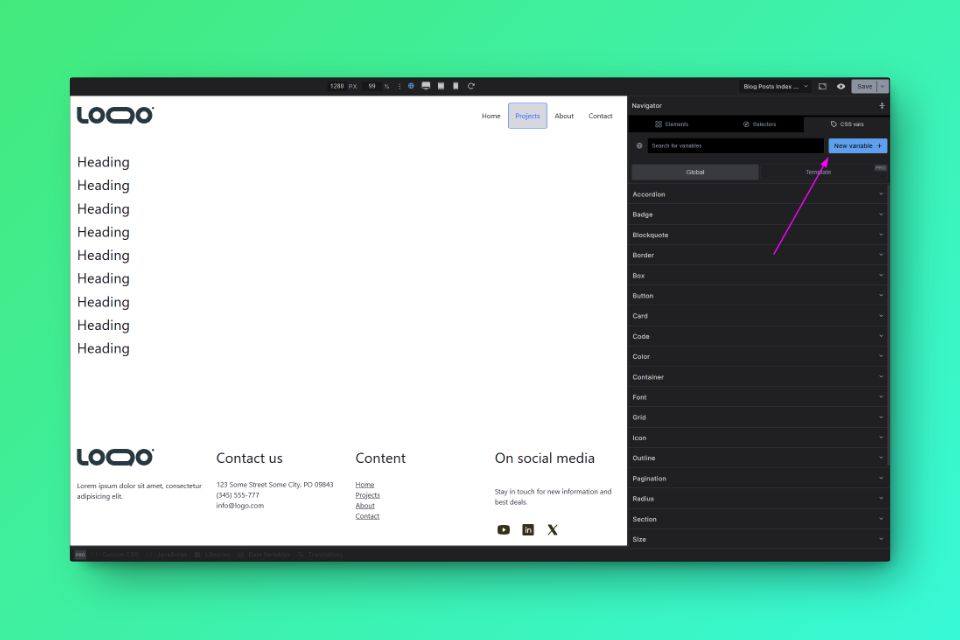
ALT Click the "New Variable" button
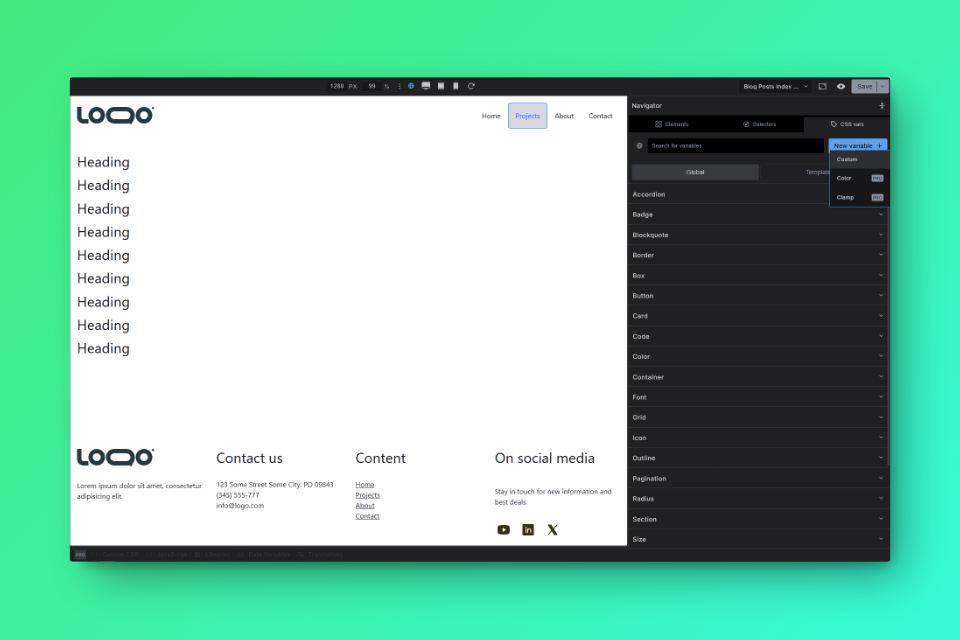
ALT For now, only manual type vars available, yet it does not mean you cannot create color vars or anything like that, it just means you need to type / paste the value in
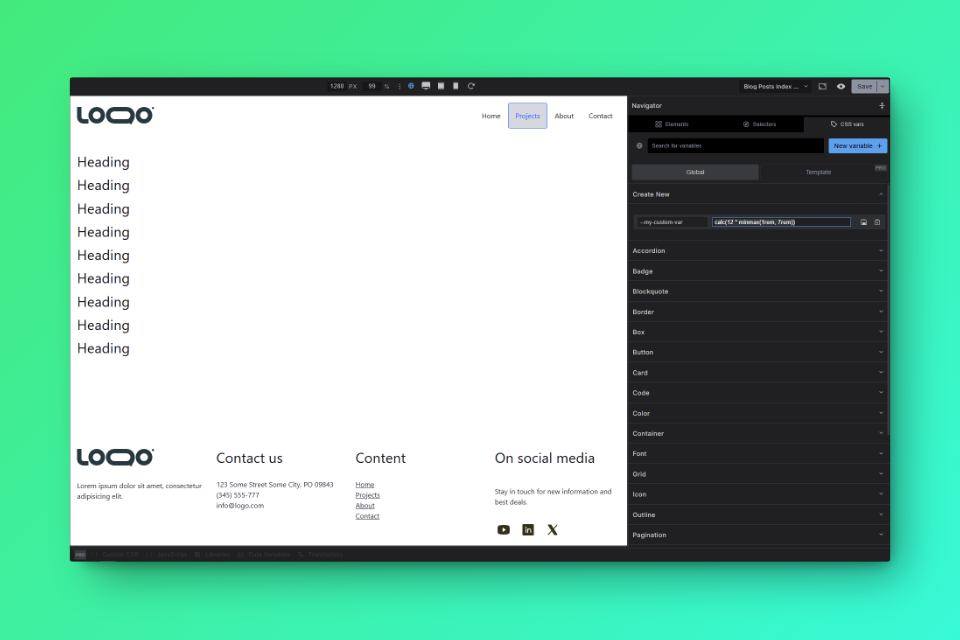
ALT Enter your name and value
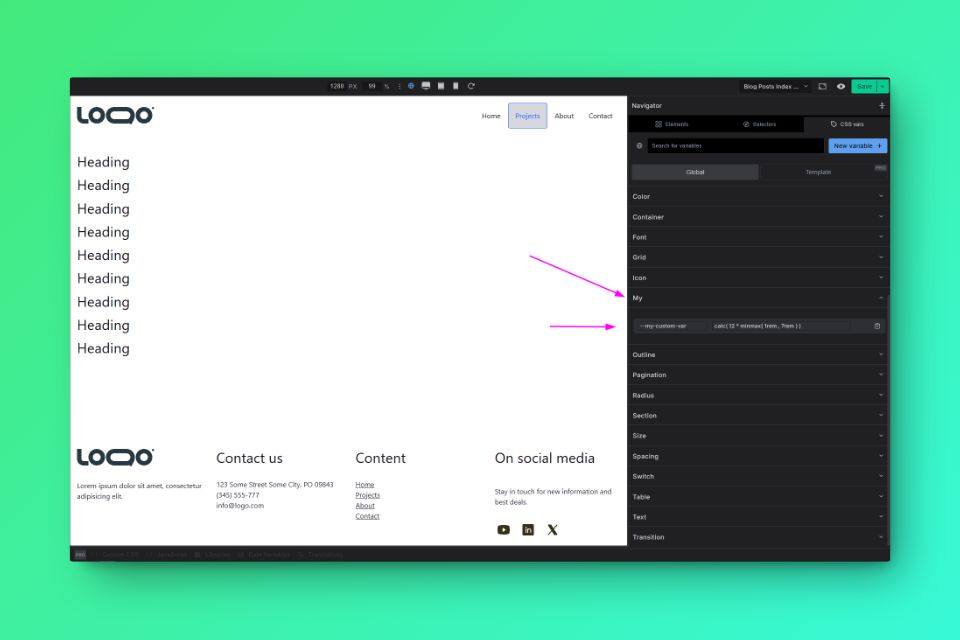
ALT Based on your variable name, the location of the variable in UI is determined. If you name your variable: --color-something-blah it will be located in the Color category which exists allready, if on the other hand, like seen here you call it --my-something .... A new category will be created, and your var will be there for you.
1
4
176

3 Mar 2025
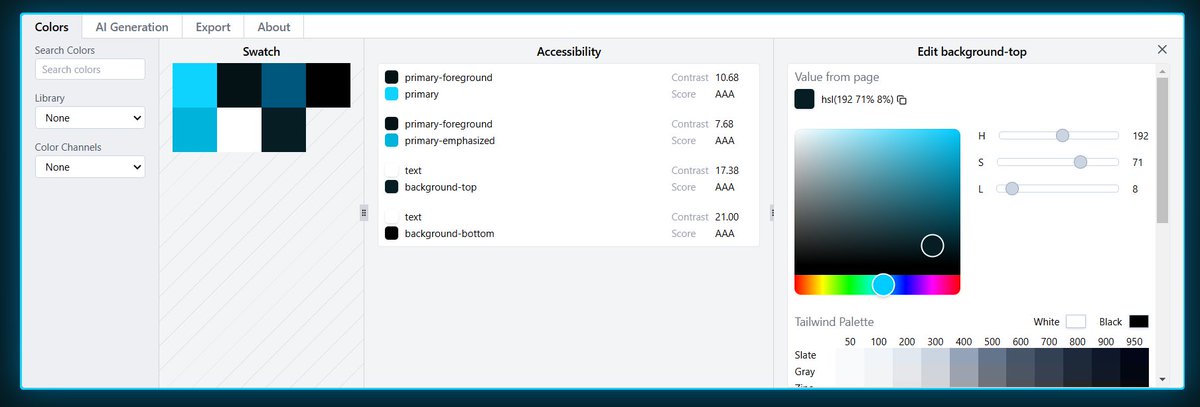
4. CSS Variables Editor
• A multi-featured browser extension that allows you to manage colors using CSS variables.
• It generates color palettes with AI, test for accessibility and more.
🔗cssvariables .com/
1
5
257

16 Jan 2025
Dear tech newbies
Learn a thing or two about CSS variables - medium.com/@breakthroughdebo…
#tech #newbies #CSS
#CSSvariables
2
46
27 Dec 2024
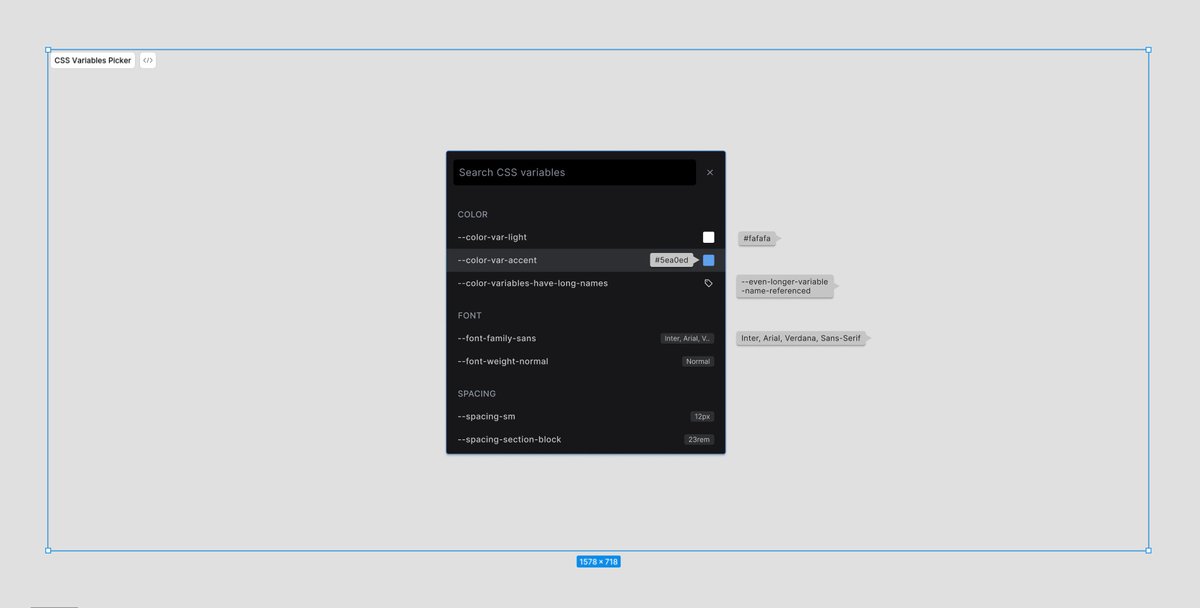
Wrapping up the working week with some tweaks of Builderius #cssvariables dropdown, available in every relevant input. Tuning in all the interactions to get max workflow benefits out of the tool. <3
#WordPress #NoCode #pagebuilder #CSS
2
4
257

25 Dec 2024
3
2
5
66
20 Dec 2024
#Builderius Style Guide in the making. Easy, single place to set and preview your global styles (#cssvariables, #customproperties #cssclasses, #selectors). 🥳🎨🎉
#webdesign #webdevelopment #wordpress #nocode
PS I deleted the old post, bcs wrong video 😅
1
1
6
402

25 Oct 2024
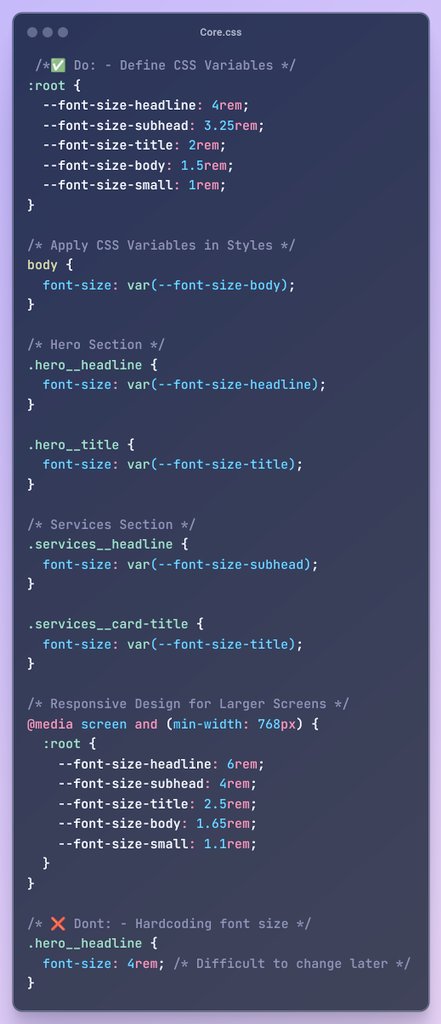
✅ Do: Define and Use CSS Variables
Using CSS variables makes your styles more reusable and easier to maintain.
❌ Don’t: Hardcode Values
Avoid hardcoding font sizes in your styles. This makes it difficult to manage and change later.
#CSSVariables #CleanCode #WebDevTips
3
114

29 Jul 2024
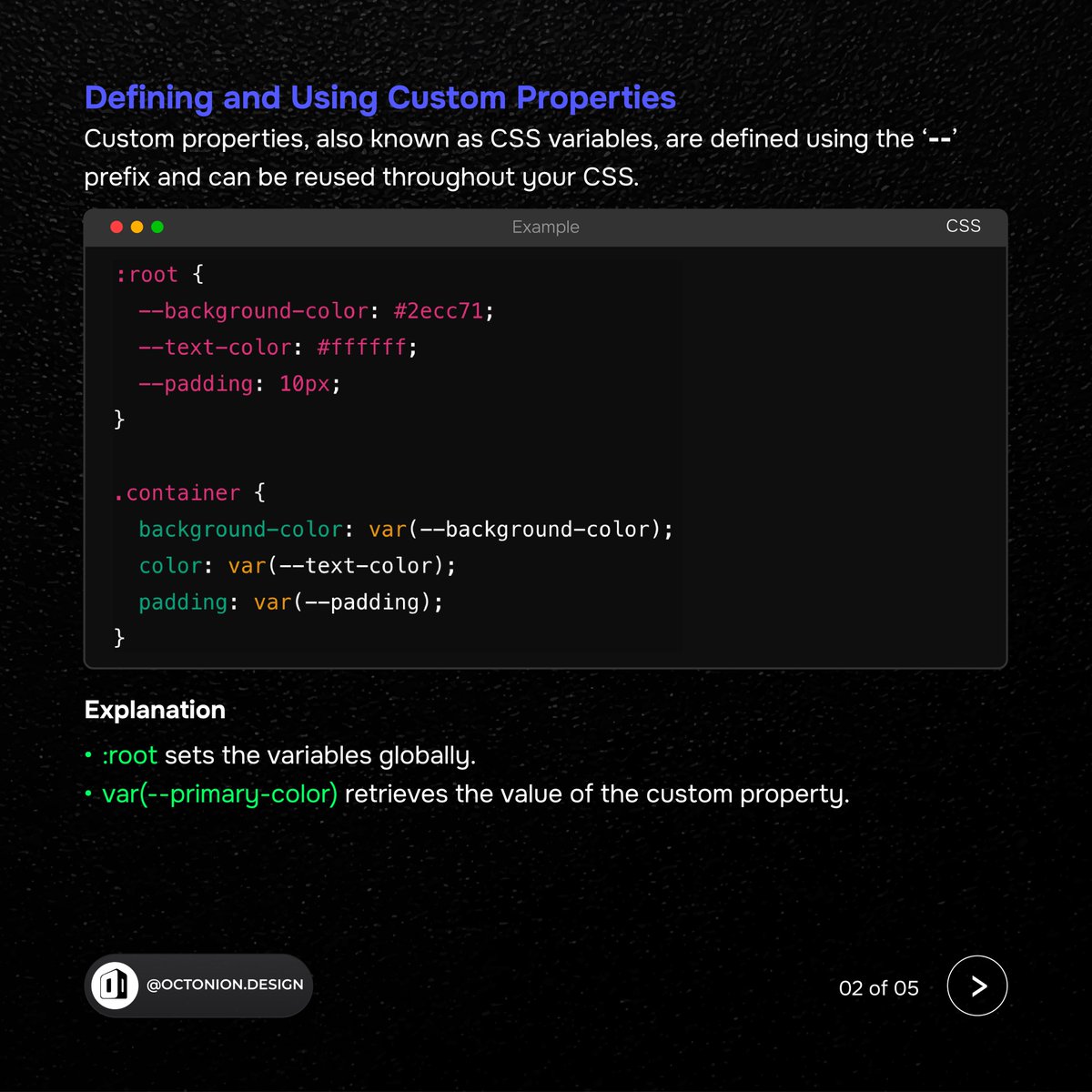
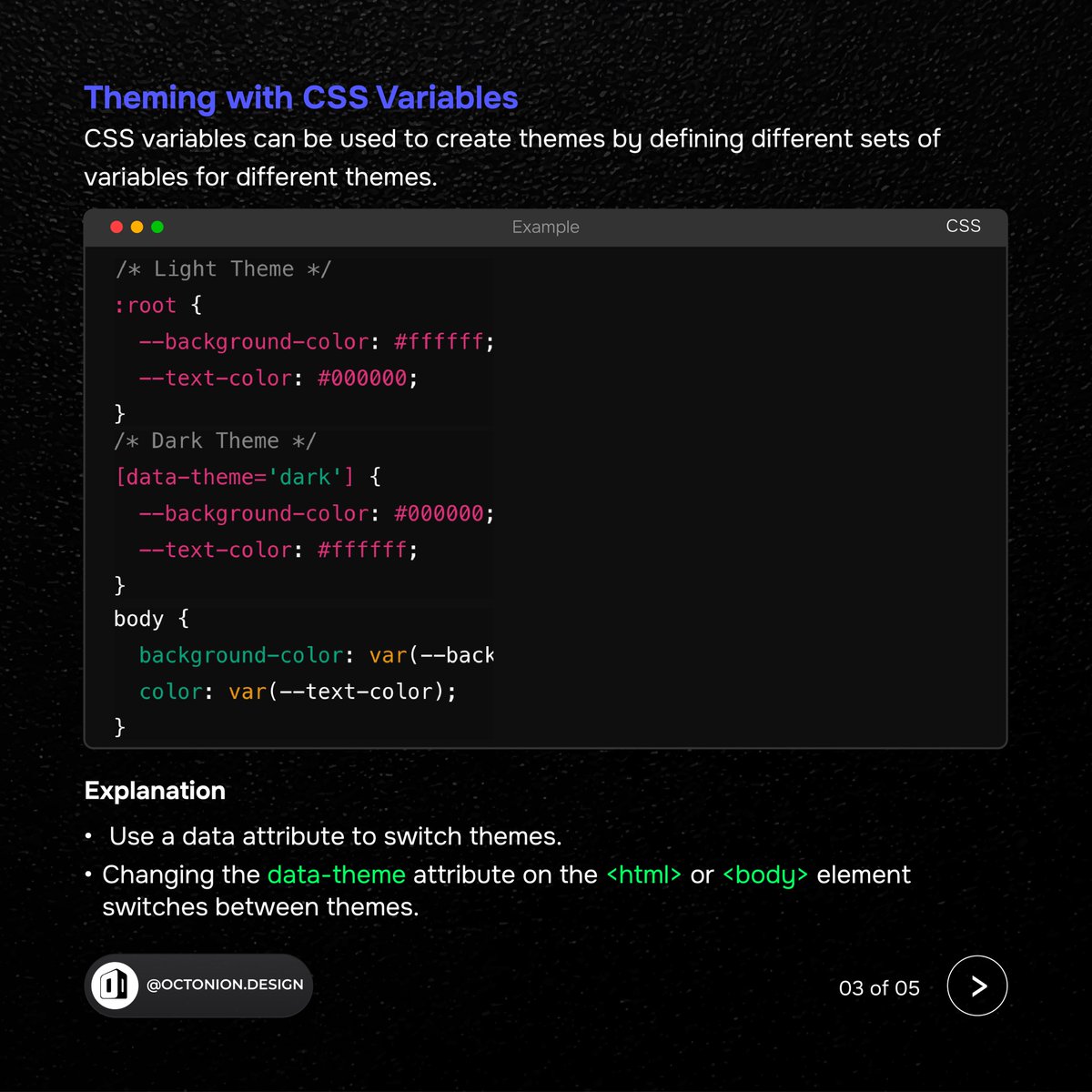
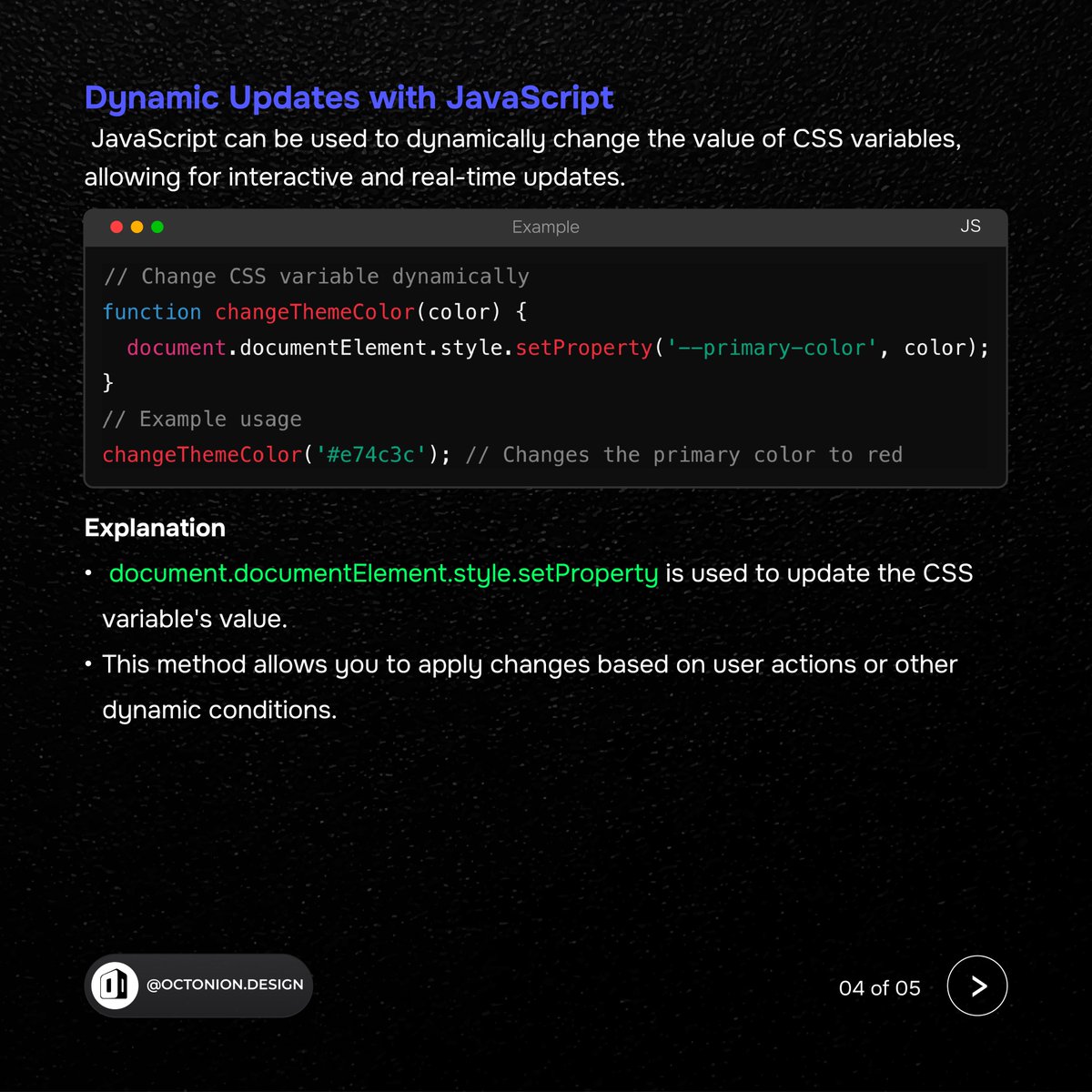
CSS( Season 2 ) 👉 Lesson 1
Unlock the Power of CSS Variables
#CSS #WebDesign #CustomProperties #CSSVariables #Theming #JavaScript #WebDevelopment #Coding #Frontend #WebDesigner #CodeTips #DeveloperLife #TechTips #ResponsiveDesign #Programming #WebDev #CodeNewbie #LearnToCode
2
36

26 Jul 2024
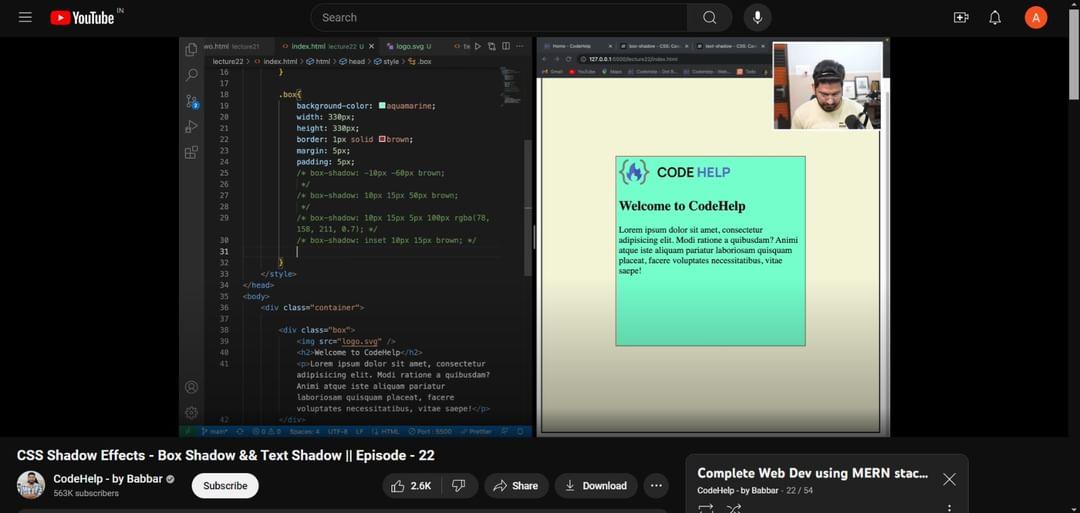
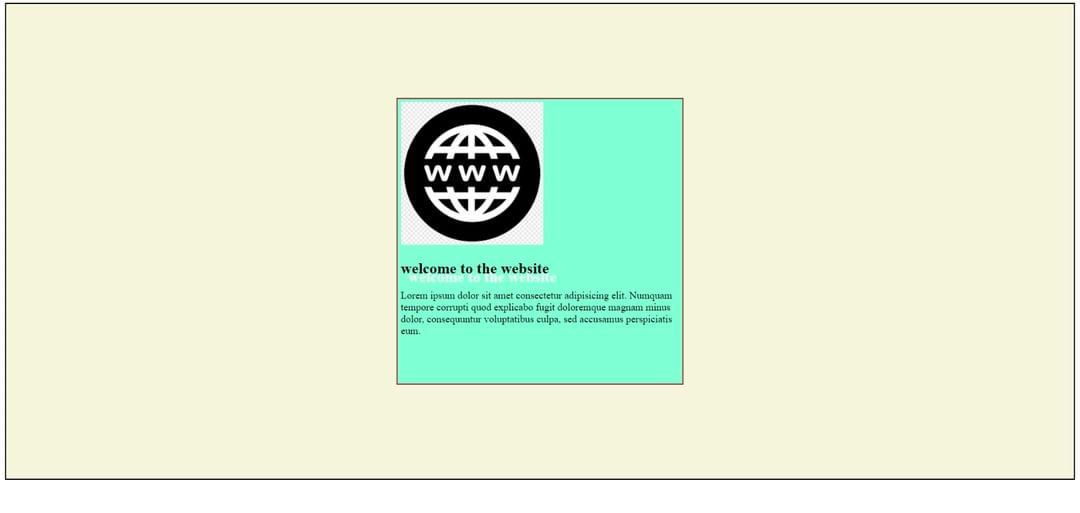
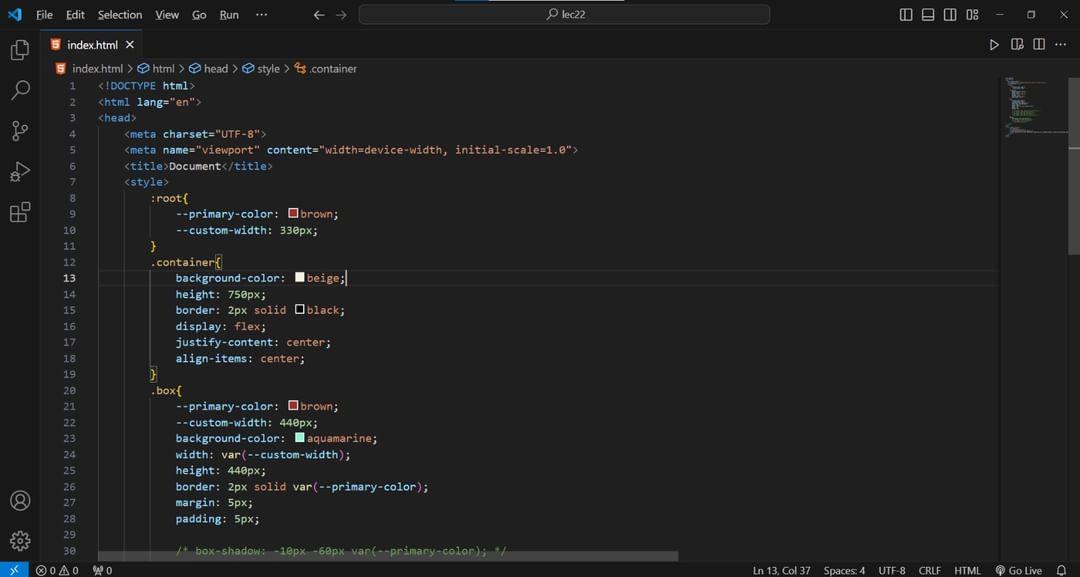
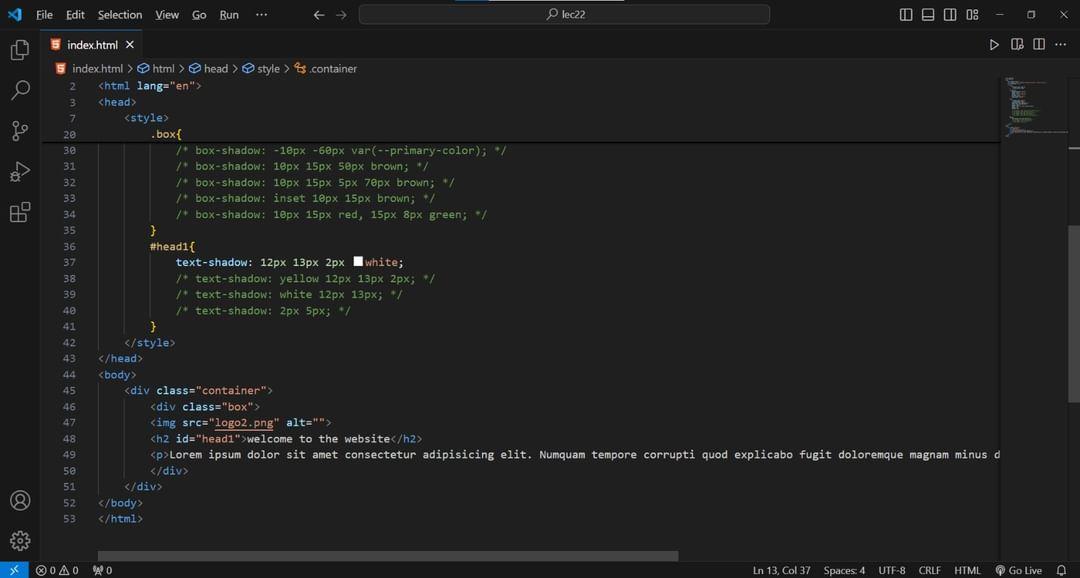
🎉 Completed lecture 22 of the full stack web dev course by @lovebabbar3! Learned about box-shadow, text-shadow, and using :root to define CSS variables with var(). Enhancing designs one step at a time! 🌟 #WebDevelopment #MERNStack #CSS #Shadows #CSSVariables #Coding
2
149
25 Jul 2024
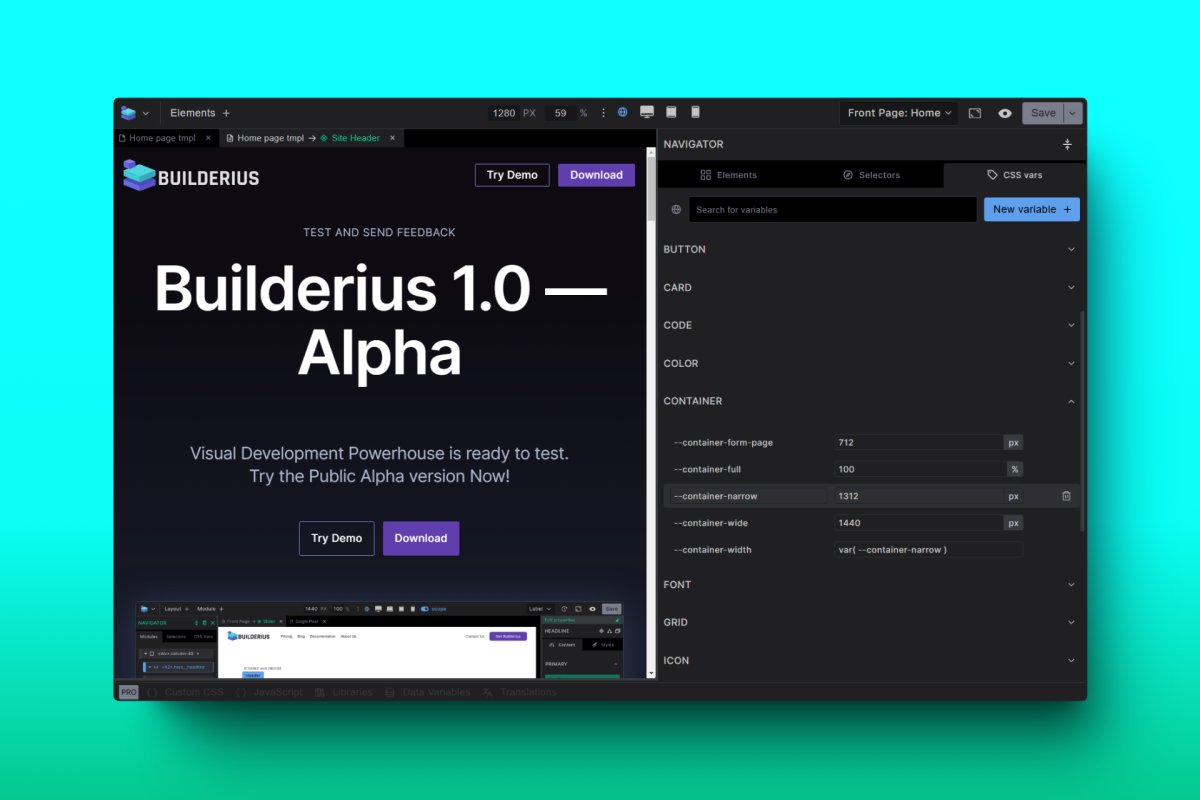
Builderius global CSS Variables panel. 🥳
#designtokens #cssvariables #customproperties #WordPress #nocode #lowcode #WebDesign #WebDevelopment #uidesign #ux #pagebuilder #sitebuilder
3
126
12 Jun 2024
A quick walk-around of the #builderius alpha version. Soon to be released as public alpha. #cssvariables #css #lowcode #wordpress #reactjs
2
5
146

26 Apr 2024
Learn how to create HSL color variables using the CSS Variable Manager in Bricks Builder, empowering you with more flexibility and control over your web design projects! 🎨🔧 #BricksBuilder #CSSVariables #WebDesign Link: youtube.com/watch?v=jEkIECgn…
1
2
879

25 Apr 2024
Modern CSS: Unleashing Creativity with CSS3 🎨
CSS, with its continuous updates, has significantly evolved from its earlier versions to what is often referred to as CSS3. This phase introduced a slew of features and enhancements that streamline the creation of visually appealing and functional websites.
Highlight Feature - CSS Variables: 🌈
Imagine changing your website’s theme color in one place and having that change reflect across your entire site. That’s the power of CSS variables! They allow you to store values like colors, font sizes, and more, which you can reuse throughout your stylesheet. This not only makes your code easier to manage but also significantly speeds up updates.
Have you started integrating CSS variables into your projects? Share your experiences or any tips you have found helpful! 💡
#CSS3 #ModernCSS #FrontEndDevelopment #CSSVariables #ArchetypeThemes
1
1
5
624