
17m
10 VS CODE EXTENSIONS EVERY SENIOR DEVELOPER SECRETLY USES.
The ones that don't show up in any "top 10 extensions" listicle.
Bookmark every single one. None of these are Prettier, ESLint, or GitLens. Those lists are for juniors.
1. Continue
continue.dev
Open-source Copilot alternative. Run any model locally with Ollama. No code leaving your machine. No subscription. Copilot is $19/month. Continue is $0 forever. Apache-2.0.
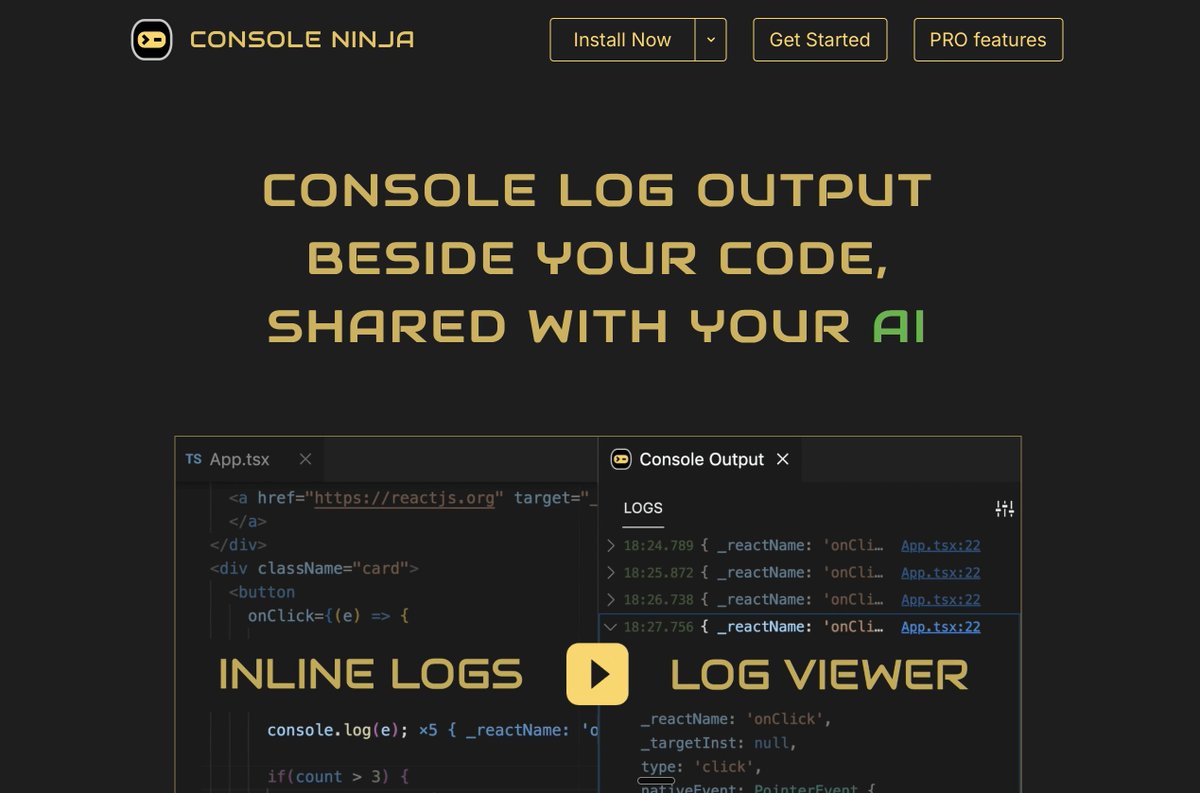
2. Console Ninja
console-ninja.com
By the Wallaby.js team. Shows your console.log output and runtime errors inline, right next to the log statement. You stop tab-switching to DevTools for the rest of your career.
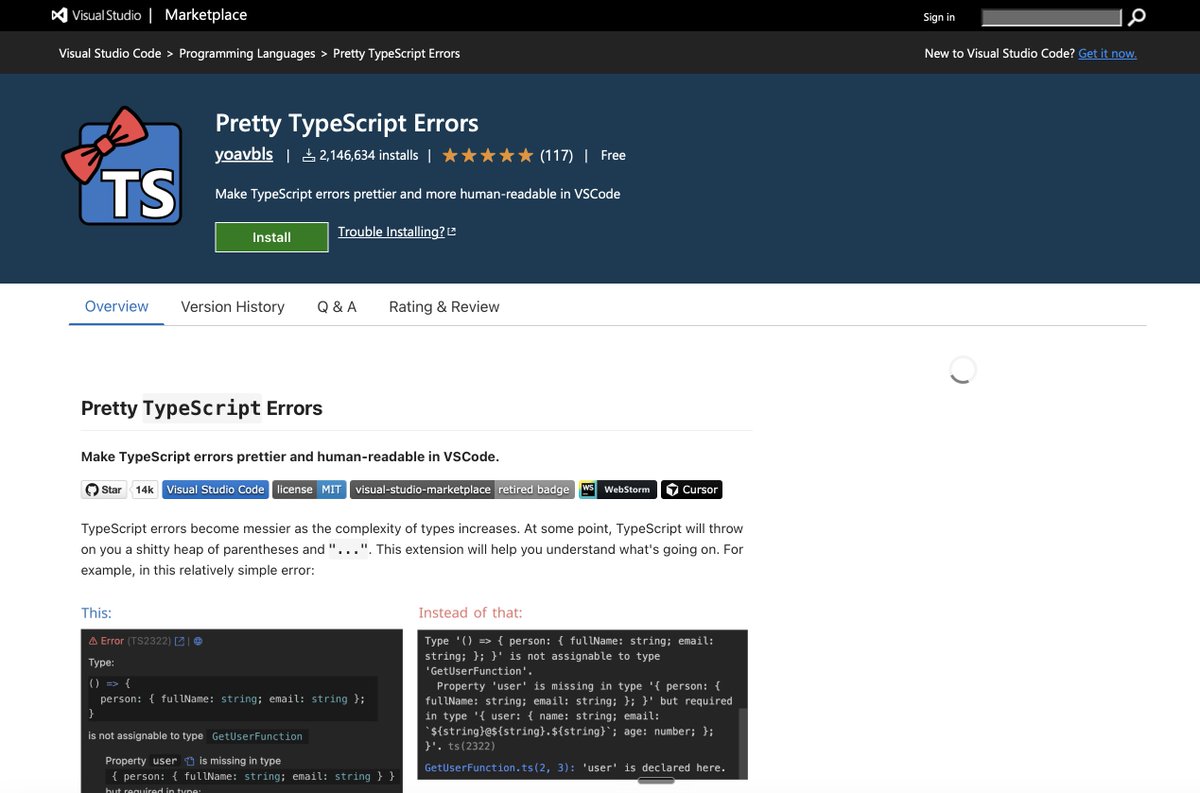
3. Pretty TypeScript Errors
marketplace.visualstudio.com…
By yoavbls. Turns TypeScript's 14-line nested-generic horror into syntax-highlighted, human-readable blocks. The one extension every senior TS dev installs the day they hit their first cryptic Type 'X' is not assignable error.
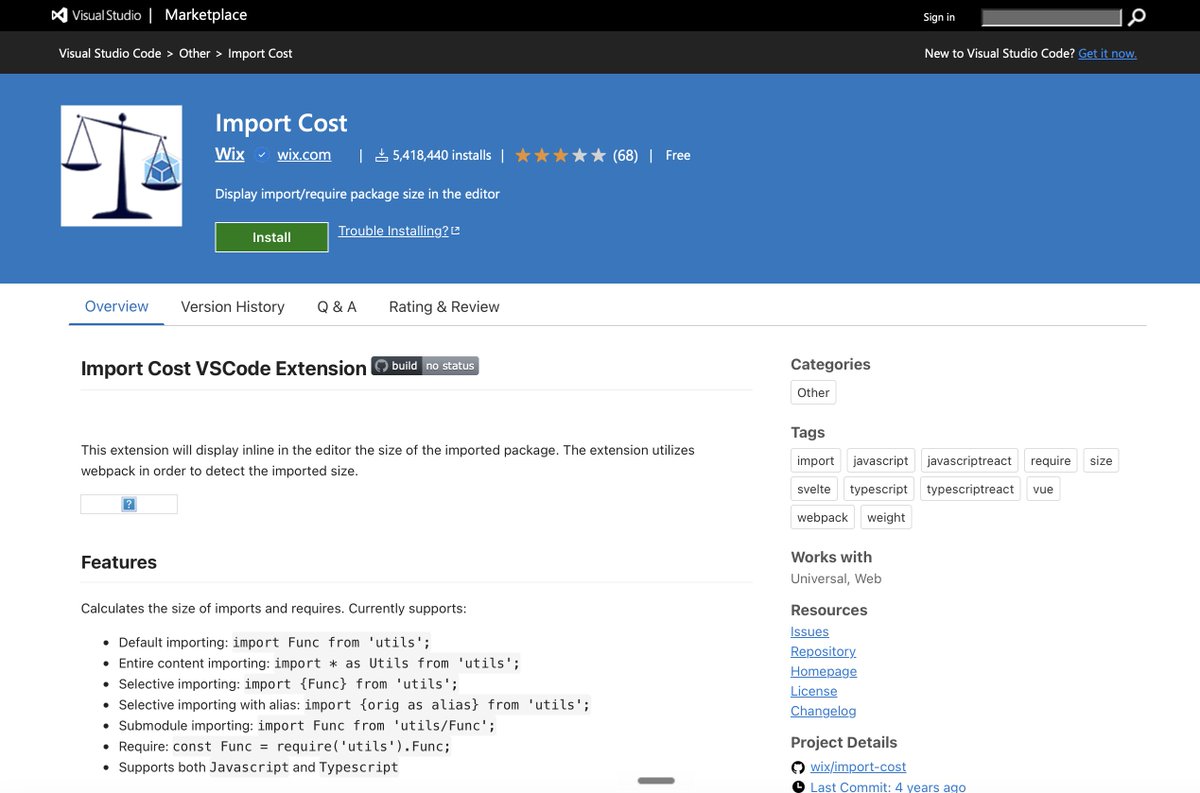
4. Import Cost
marketplace.visualstudio.com…
By Wix. Shows the exact KB size of every npm import inline as you type. Catches bundle bloat before it ships. The only reason most enterprise frontends are not 14MB.
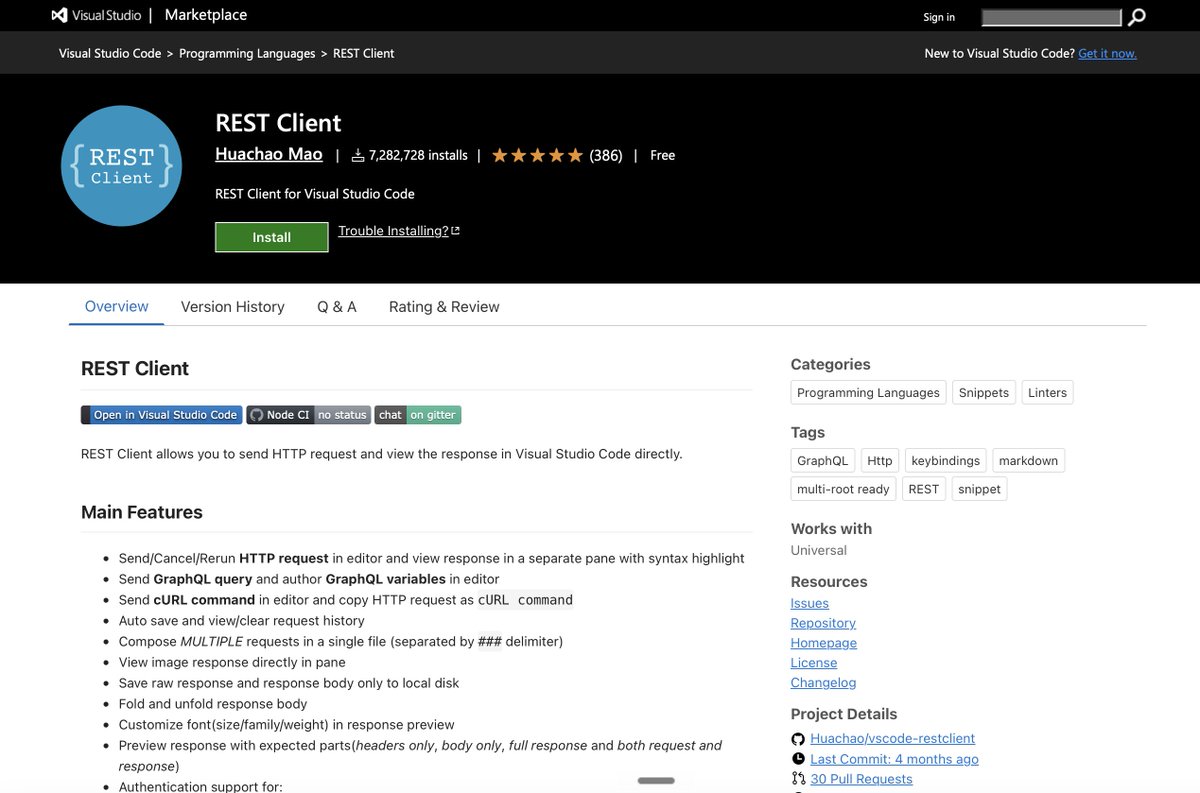
5. REST Client
marketplace.visualstudio.com…
By Huachao Mao. Send HTTP requests from a plain .http file. Commit it to git. Share with your team. Postman charges $19/user/month for what this does for free in a text file.
6. Quokka.js
quokkajs.com
JavaScript and TypeScript scratchpad inline in your editor. Test ideas, regex, array methods, and API responses without leaving the file. Community edition is free forever.
7. Peacock
peacockcode.dev
By John Papa. Tints your VS Code window with a different color per workspace. The reason senior engineers don't accidentally push to production while editing staging. Saves a career once a quarter.
8. Turbo Console Log
marketplace.visualstudio.com…
One keyboard shortcut auto-generates a console.log with the file name, line number, and variable name pre-filled. Another shortcut deletes every log you added. No more grep-ing for stray prints.
9. Git Graph
marketplace.visualstudio.com…
By mhutchie. A proper visual git history that actually renders branch topology correctly. GitLens shows blame. Git Graph shows the shape of the repo. Senior devs use both.
10. Continue
continue.dev
Open-source Copilot alternative. Run any model locally with Ollama. No code leaving your machine. No subscription. Copilot is $19/month. Continue is $0 forever. Apache-2.0.
The juniors install 47 extensions on day one.
The seniors run 10 and ship faster.
The actual productivity multiplier in VS Code is not the AI assistant. It is the 8 extensions that quietly remove 30 seconds of friction from every loop.
All 10 marketplace links above.
10


41m
The request count tells you nothing. The action parameter does. Open DevTools, filter to admin-ajax.php, read the payload. action=heartbeat on the editor screen is WordPress working.
1
1

fastest microVM? Open source now github.com/pandastack-io/pan…
Test it yourself - pandastack.ai
@buildinpublic #AI #aiAgents #devtools #SaaS
1
4

5/ AI DevTools
Anything that makes builders ship faster and safer: gas optimization, audit assistants and developer infrastructure, etc.
Judged by @tencentcloud, the major global cloud infrastructure, who run infrastructure at scale.
1
4

400$ d'abonnements IA = 2800$ d'API au tarif catalogue, selon Stephen Bochinski (13 juin 2026). Rapport de 7 pour 1, jusqu'au plafond mensuel. Le détail des arbitrages pour coder à la maison sans exploser le budget.
lagazetteia.fr/?p=2639
#IA #DevTools #AICoding
4

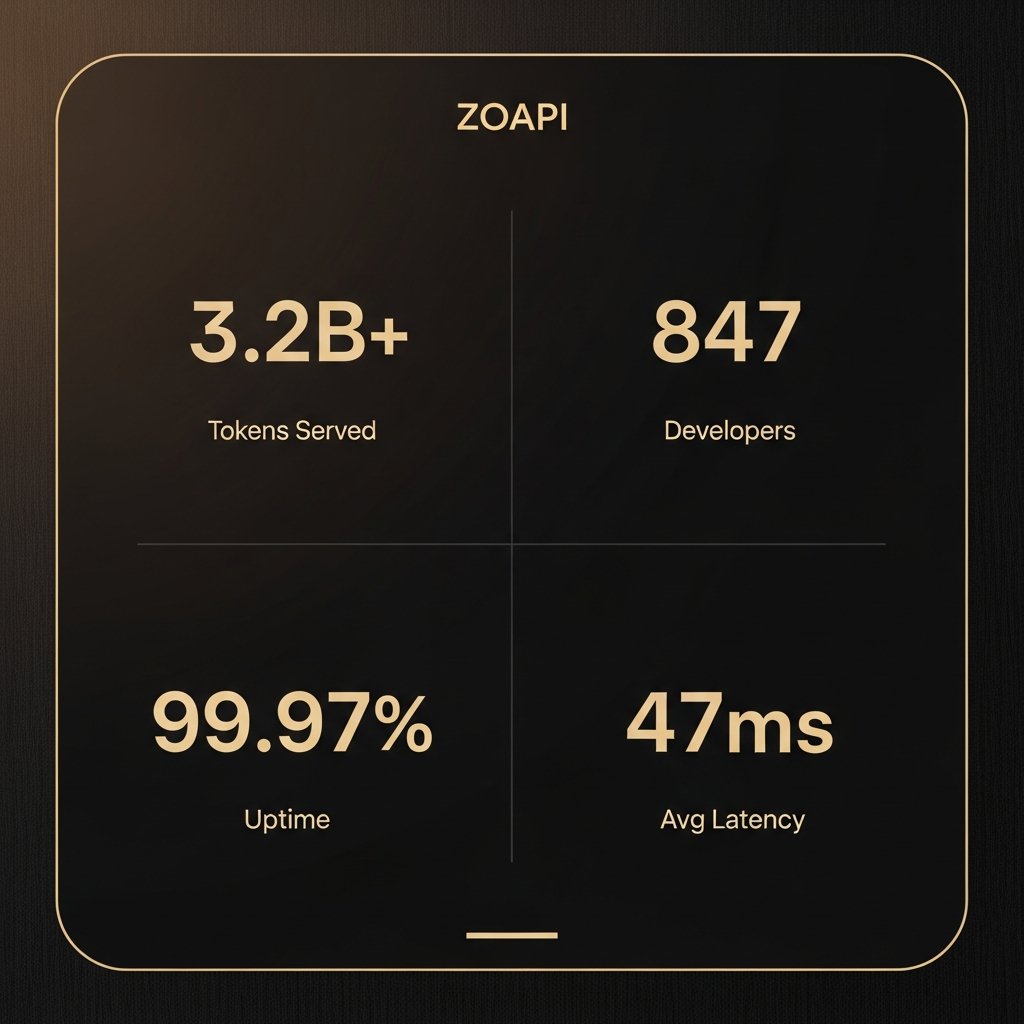
3.2 billion tokens served.
847 developers building on it.
99.97% uptime. 47ms average latency.
@TheZoapi is the AI gateway quietly powering the next generation of apps.
You've been paying per-provider markups. We don't do that.
You pay exactly what the provider charges. Nothing more.
Try it → zoapi.fun
#AIStartup #LLM #DevTools
6

zipit.blintix.store/
Steal any website's code,
You spend hours digging through DevTools just to find one font or hex code.
Steal any website's code,
fonts, and colors in 1 click.
Extract code, design tokens, fonts, colors, and media instantly. All from your browser directly to your local workspace.
Extract code, design tokens, fonts, colors, and media instantly. All from your browser directly to your local workspace.
1
9

Codex(@OpenAIDevs )がChrome DevTools Protocolを使えるようになったの、Web開発だとかなり助かりそうですよね✨
JSの重さやネットワークの詰まりをその場で見られるので、バグ探しが早くなりそうですね‼️
36

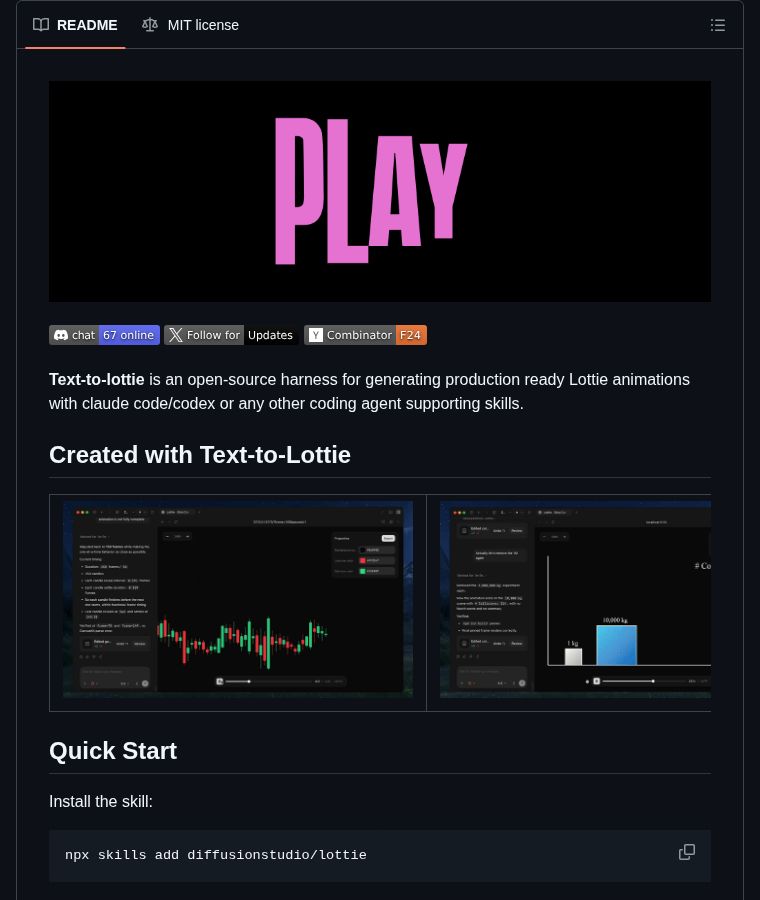
Making Lottie animations means either paying for After Effects or hand-editing JSON until your eyes bleed. Diffusion Studio's text-to-lottie changes that. Install it as a Claude Code or Codex skill, describe the motion, timing, and camera moves in plain English, and you get a Lottie file with a built-in player for tweaking. Give it an SVG path and it animates the reveal. ⭐ 2.6K #Animation #DevTools
github.com/diffusionstudio/l…
Follow for daily dev finds 🔔
21

I decided to verify the claim instead of taking it at face value.
Using Chrome DevTools, I inspected the live production website and directly called the same endpoint used by the site:
"/api-2.wetheleader.org/api/get-counter-v2"
The API returned:
- 1,782,209
- 1,782,214
1
4
440

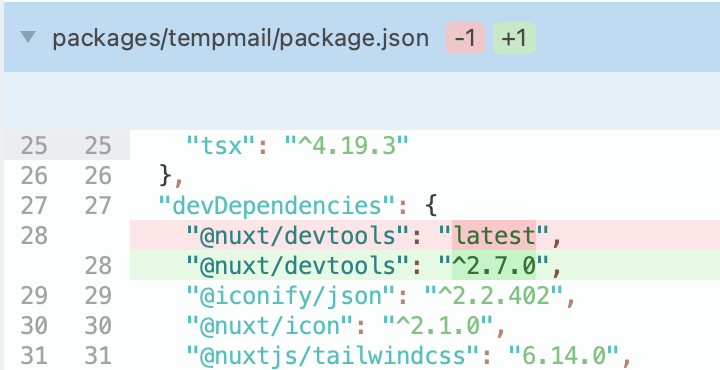
改了一个环境变量,部署后生产环境报错了。DeepSeek V4 Flash只花了1分钟就修复了,原因是`@nuxt/devtools`引入的vue版本与项目中的冲突了。
这种问题自己查的话怎么也得半小时起步。大概从今天起,写代码这件事就再也写不过AI了。


198

If this was useful, RT the first tweet so other builders see it 👇
I write breakdowns on agentic AI and shipping it safely every week. Follow Mahesh Chand for more.
#AgenticAI #SoftwareDevelopment #EnterpriseAI #DevTools #AICoding
7

Codex getting Chrome DevTools access is the right kind of agent UX.
Not magic. Instruments.
If an agent can inspect console output, network traffic, and page state, the handoff gets less vibes-based and more debuggable.
Jun 12

Introducing developer mode for browser use in Chrome and the Codex in-app browser.
Codex can use the Chrome DevTools Protocol (CDP) to debug browser issues by profiling JavaScript performance and inspecting console output, network traffic, and page state.
11

OpenAI Codex 新出的浏览器开发者模式,通过 Chrome DevTools Protocol 直接操控网页——填表单、抓数据、自动走流程。等于给 AI 配了双数字手,能跟任何网页交互干活。
Jun 12
Introducing developer mode for browser use in Chrome and the Codex in-app browser.
Codex can use the Chrome DevTools Protocol (CDP) to debug browser issues by profiling JavaScript performance and inspecting console output, network traffic, and page state.
31

Hello @X 👋
Looking to connect with people building:
AI agents
SaaS
DevTools
Cloud infra
Automation
Open source
What are you building right now?
1
1
19

Vibe coding is here 🚀 Top AI tools in 2026 for building apps faster than ever no heavy coding, just prompts → products.
👉buddyxtheme.com/best-ai-vibe…
#VibeCoding #AI #DevTools #BuildInPublic #NoCode

1
9

Codex新增了Developer Mode(开发者模式)
开启后,它可以与 Chrome 的 Browser Use 或 Codex 应用内浏览器配合使用,通过 Chrome DevTools Protocol (CDP) 受控访问浏览器。
你可以利用它完成以下操作:
1. 分析 JavaScript 性能
2. 查看 console 输出
3. 检查 network 请求
4. 查看页面 DOM 状态
5. 检查实际生效的样式
6. 在实时浏览器中诊断页面问题
操作步骤:
1. 打开设置:Settings > Browser > Developer Mode
2. 启用完整 CDP 访问:Enable full CDP access
开启后,你就可以直接说:
> 优化这个应用的性能,使用 @ Browser 捕获一次性能追踪,检查网络流量,并找出性能瓶颈。
Codex新增了Developer Mode(开发者模式)
开启后,它可以与 Chrome 的 Browser Use 或 Codex 应用内浏览器配合使用,通过 Chrome DevTools Protocol (CDP) 受控访问浏览器。
你可以利用它完成以下操作:
1. 分析 JavaScript 性能
2. 查看 console 输出
3. 检查 network 请求
4. 查看页面 DOM 状态
5. 检查实际生效的样式
6. 在实时浏览器中诊断页面问题
操作步骤:
1. 打开设置:Settings > Browser > Developer Mode
2. 启用完整 CDP 访问:Enable full CDP access
开启后,你就可以直接说:
> 优化这个应用的性能,使用 @ Browser 捕获一次性能追踪,检查网络流量,并找出性能瓶颈。
1
99
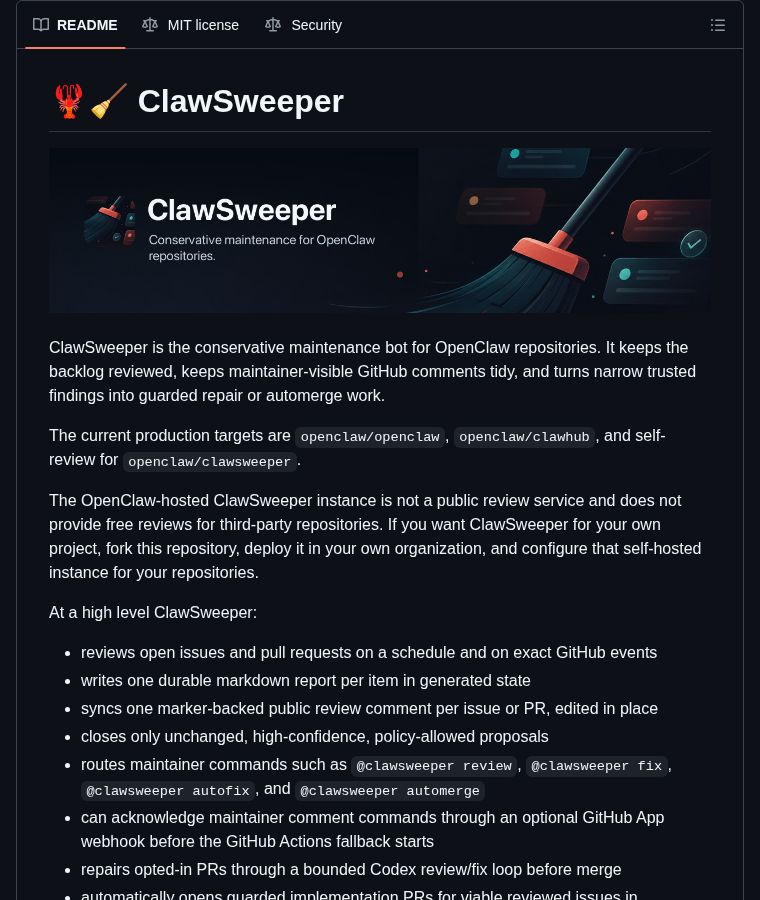
When was the last time you read your oldest open issues? ClawSweeper scans every issue and PR on a schedule and tells you which ones are safe to close, and why. It writes one markdown report per item, only closes high-confidence proposals that haven't changed, and can open guarded fix PRs for the issues worth keeping. Think of it as a conservative janitor for your backlog. You host it yourself, so you fork the repo and point it at your own projects.
⭐ 1.8K #OpenSource #DevTools
github.com/openclaw/clawswee…
Follow for daily dev finds 🔔
11

Peek behind the curtain of any website you visit. 🔍
API Spy is a side-panel extension that logs API traffic while you browse:
✅ Skip the messy DevTools
✅ Learn how live products handle data
✅ Reverse-engineer effortlessly
Grab it here: ko-fi.com/s/863e4ddafb #WebDev #APIs
2
89