
7 Nov 2025
🆕テックブログを更新しました!
【脱・git stash職人!ブランチ切り替えを革命する「git worktree」最強入門】
qiita.com/dai_chi/items/028f…
#gitworktree #gitstash #dipdev
1
2
141

28 Feb 2025
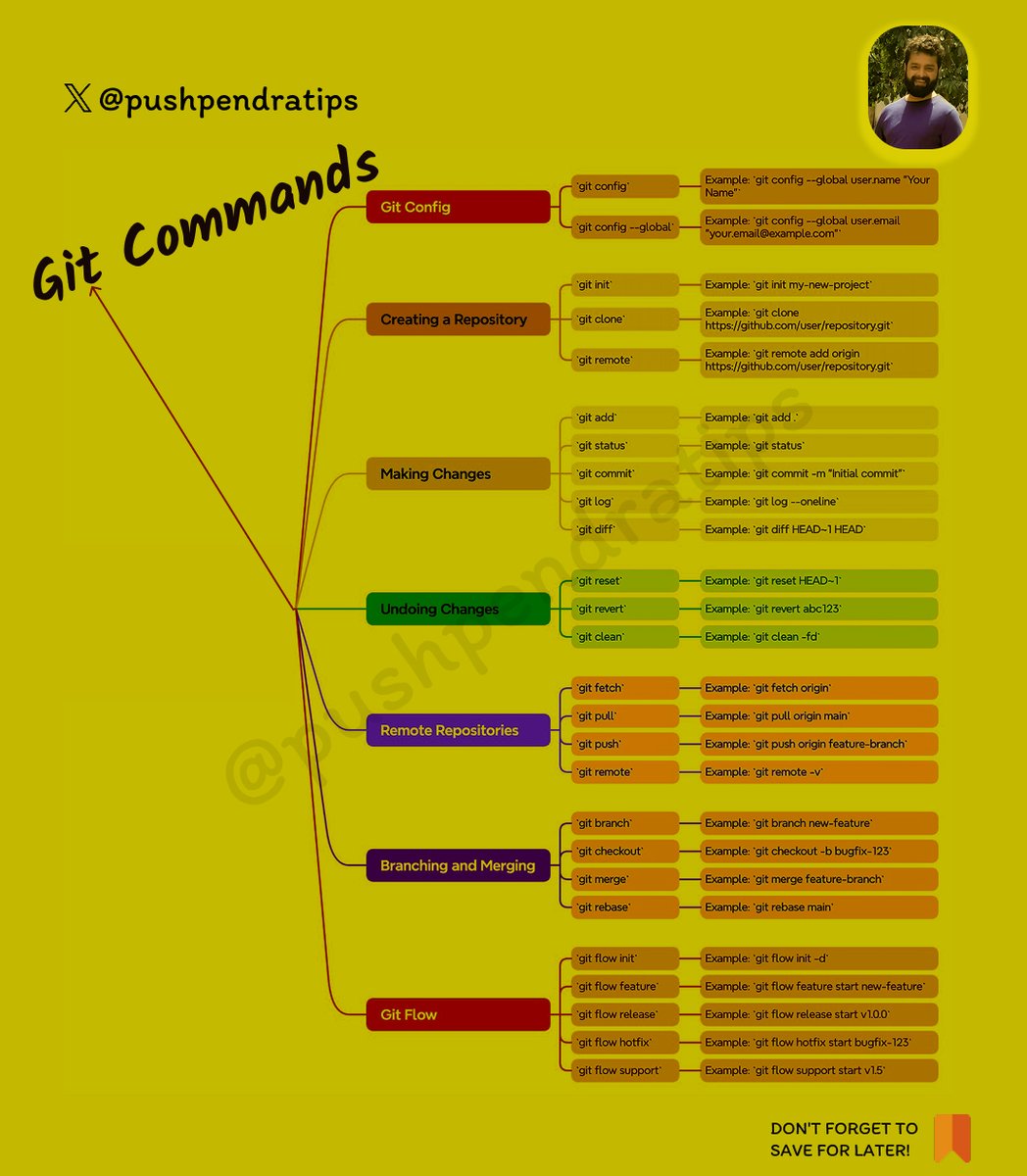
🔥 Essential Git Commands for Developers 🚀
Here's a quick cheat sheet for Git commands 🔥 — from basics to advanced!
✅ Basic Commands
git init
Initialize a new Git repository
---------------------------------
git clone <repo_url>
Clone existing repository
---------------------------------
git status
Check current changes
---------------------------------
git add <file>
Add specific file to staging
---------------------------------
git add .
Add all files to staging
---------------------------------
git commit -m "message"
Commit staged changes with a message
---------------------------------
git log
Show commit history
---------------------------------
git branch
List all branches
---------------------------------
git checkout <branch>
Switch branch
---------------------------------
git checkout -b <branch>
Create and switch to a new branch
---------------------------------
🔄 Remote Repository Commands
git remote add origin <url>
Link local repo to remote repo
---------------------------------
git push origin <branch>
Push changes to remote branch
---------------------------------
git pull origin <branch>
Pull latest changes
---------------------------------
git fetch
Fetch all branches without merging
---------------------------------
git clone <url>
Clone repository
---------------------------------
🔥 Branching
git branch
List branches
---------------------------------
git branch <branch-name>
Create branch
---------------------------------
git checkout <branch-name>
Switch branch
---------------------------------
git checkout -b <branch>
Create & Switch
---------------------------------
git merge <branch>
Merge branch
---------------------------------
git branch -d <branch>
Delete branch
---------------------------------
🔁 Undo Changes
git reset <file>
Unstage file
---------------------------------
git checkout -- <file>
Discard changes in file
---------------------------------
git revert <commit>
Revert a commit
---------------------------------
git reset --hard
Reset everything to last commit
---------------------------------
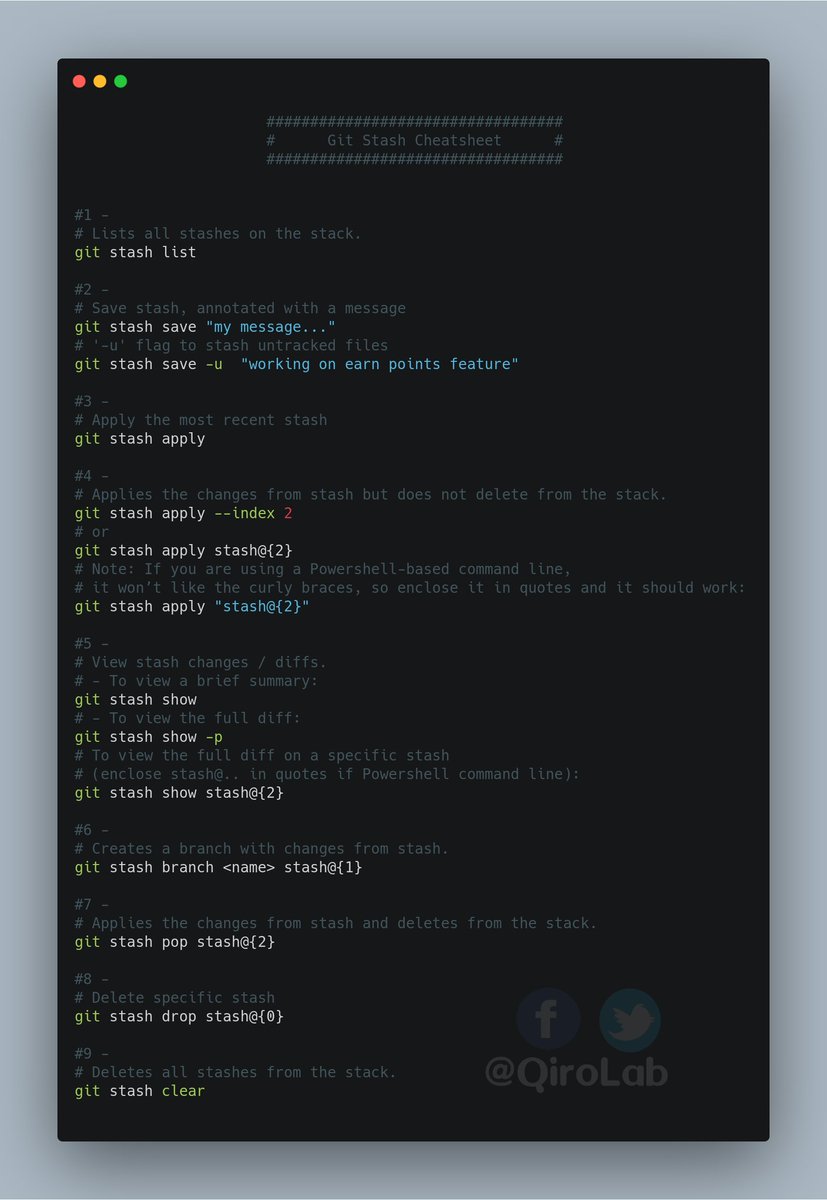
🔥 Stash (Temporary Save)
git stash
Save changes temporarily
---------------------------------
git stash pop
Apply last stash
---------------------------------
git stash list
Show stash list
---------------------------------
git stash drop
Delete last stash
---------------------------------
✍️ Tagging
git tag <name>
Create tag
---------------------------------
git tag
List tags
---------------------------------
git show <tag>
Show tag details
---------------------------------
git push origin <tag>
Push tag to remote
---------------------------------
🔥 Follow for More @pushpendratips Dev Tips & Tricks 🚀
#GitCommands #GitTutorial #GitForBeginners #LearnGit #GitBasics #GitHubTutorial #VersionControl #GitProTips #GitCommandsInHindi #GitCourse #GitBranching #GitMerge #GitReset #GitRevert
#GitStash #GitAdvanced #WebDevelopment #CodingTips #DeveloperLife #TechTutorial #FrontendDeveloper #ReactJS #JavaScriptTutorial #LearnCoding #ProgrammingTutorial #SoftwareDevelopment
#CodingForBeginners #GitHubCommands #TechEducation #GitMasterClass #GitHindiTutorial #GitIn2025 #VersionControlSystem #GitWorkflow #pushpendratips
29
14
70
2,919

4 Jan 2025
It took nearly 60 signups on GitStash to land my first paying customer and 26 on Average Template.
Conversion rates can be unpredictable, but every visit feels like a win.
Building in public has been an incredible journey, and every step teaches me something new.
2
172
1 Jan 2025
I never thought anyone would sign up for apps I built. Four months ago, I left my job to build on my own. Watching visitors on my site felt like a win. Then, 58 signups on GitStash blew my mind. Yesterday, my 59th signup became a paying customer.
Every day since has been filled with hope, pride, and anxiety. I even started a YouTube channel, now at 95 subs. Here's to dreaming big, building better, and growing together. Happy New Year—let’s make 2025 incredible!
2
6
480
28 Dec 2024
I built a portfolio generator app for developers. It gets details from your Github and you also get a CMS to manage all the information like blogs, experience, projects. gitstash.pro
Here is an example of a portfolio generated from gitstash. prashantrayamajhi.gitstash.p…
1
1
7
852

27 Jun 2024
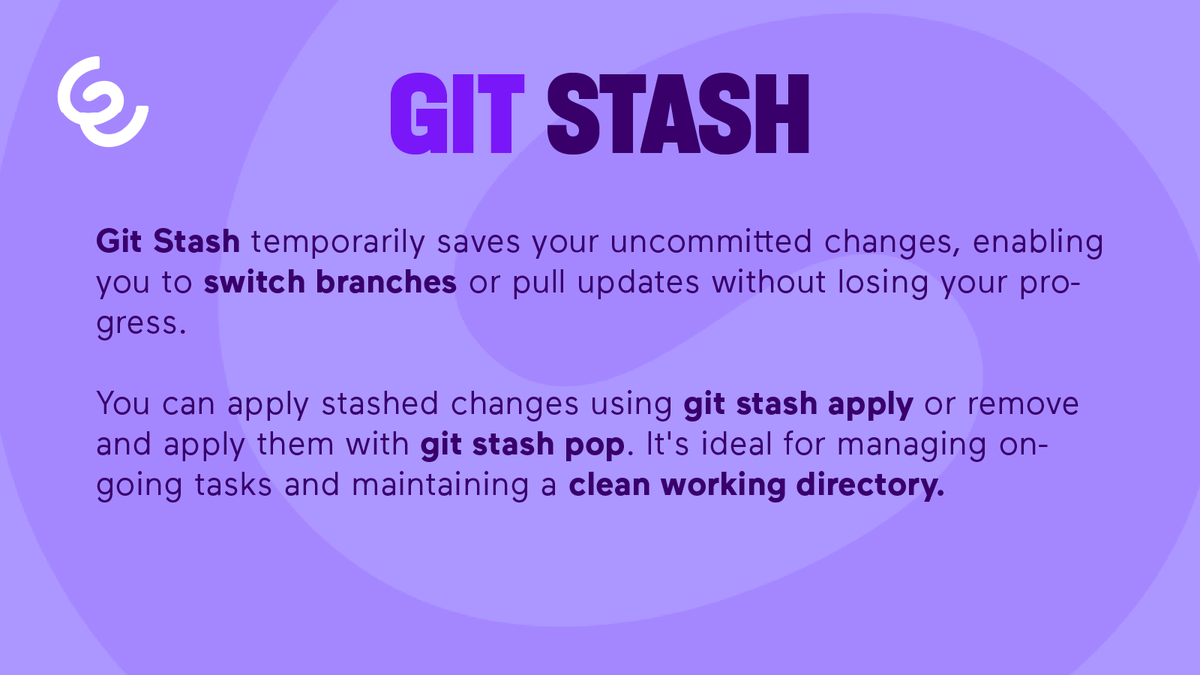
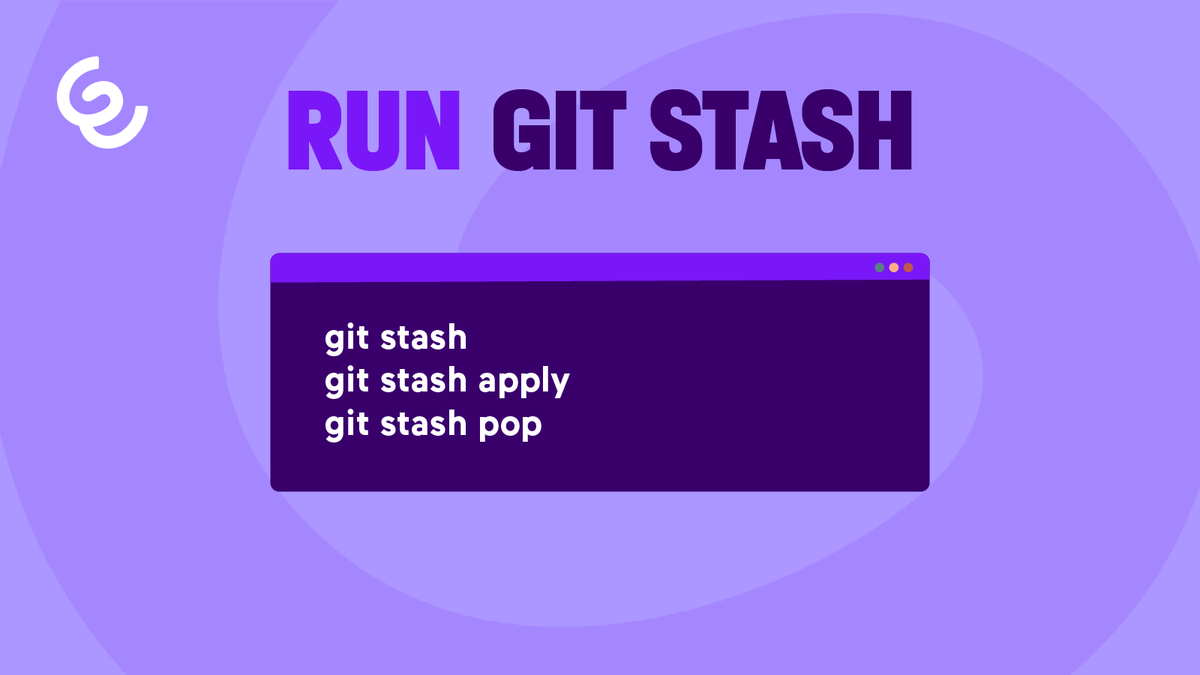
🔓 Git Stash Unlocked: Temporarily Save Your Work 💾
#GitStash #VersionControl #CodingTips #SoftwareDevelopment #WeAreEnreachLabs
2
22


25 Jul 2023
git stashにgit stash pop
まだまだ知らないコマンドだらけだ!
そしてWordPressのデータベース、本当にすごい!
今日は色々と勉強になった〜!
まだまだ奥の深い世界だ。
#git
#gitstash
#gitstashpop
#WordPress
#Databases
#RaiseTech
17
205

9 Jul 2023
This wrap up the threads. I hope you like it 💡😇
4/4
#GitStash #VersionControl #GitWorkflow
#CodeManagement
1
29

2️⃣ Git Bisect: Find bugs with binary search. Use 'git bisect start' and 'git bisect run'. #GitBisect #Debugging
3️⃣ Git Stash: Temporarily save changes. Use 'git stash' to switch branches. #GitStash #Productivity
Level up your Git game! 🚀 #GitFeatures #CodingTips
2
21

18 Apr 2023
🎉Thanks for the awesome swag OfferZen and supporting our #iotaihackdays and #cptmsdug
#gitStash #offerzen #devcommunity lnkd.in/ea5ZqWvm
1
5
139


31 Aug 2022
Hello, Engineers!
Did you know that the #Gitstash command may help you save time and avoid git conflicts?
Today I decided to write an article about the #Gitstash tool and the various ways it can be used while working with it. #git #github #Engineering
dev.to/mwafrika/how-to-use-g…
2

17 May 2022
gitstashについて理解を深めたの今日はレベルアップです。
日々何かしら成長し、昨日の自分を超えることができればそれは成長です。
明日も頑張っていきましょう!!🔥
#駆け出しエンジニアと繋がりたい
4

9 Sep 2021
16 Git Tips and Tricks - by @MohammadAliEN
#Git #GitSquash #GitStash #SoftwareEngineering #LearnProgramming
itnext.io/16-git-tips-and-tr…
1
1

gitstash e git stash pop melhores comandos do git fodase quem discorda
1
10 May 2021
16 Git Tips and Tricks by @MohammadAliEN at #ITNEXT. #Git #GitSquash #GitStash itnext.io/16-git-tips-and-tr… (s)
2

9 Jul 2020
Need a little pick me up in the afternoon? Try doing all your work in the wrong #git branch! That’ll perk you right up! 😂
@github #github #gitStash #webdev #webdeveloper #softwaredevelopment #coder #coding #softwaredeveloper
1
2

7 Jul 2020
What would I do without my #gitstash in #TYPO3 core development? I have like 50 new features in there. And 100 cleanups 😱🤣

💡Tower tip: Stashing is an important Git feature and Tower makes it super convenient to use. Besides easily applying changes from a Stash, you can also apply only parts of a Stash - simply via drag and drop! 👉 bit.ly/gittower-tip1-1_tw #gittowertips
1
10

2
3