
20 Dec 2025
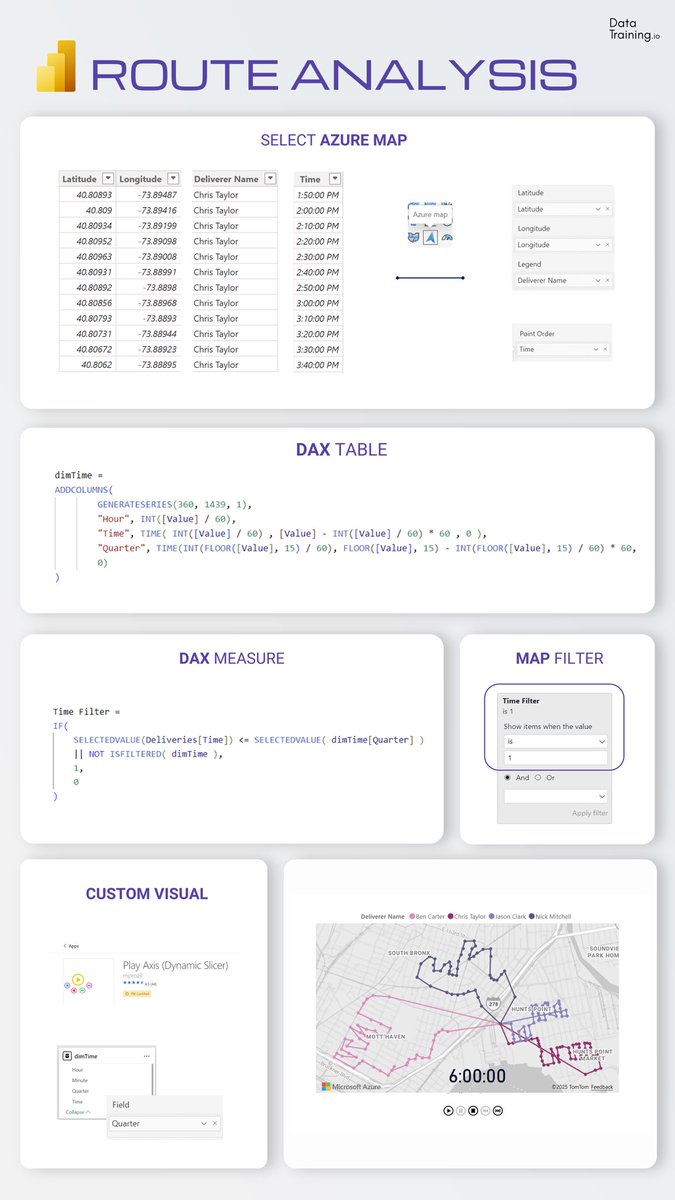
✨ Master Maps with this Route Analysis in Power BI
Create a time based route animation using native maps and a dynamic axis.
Step 1: Build the Route Map
Use the Azure Map visual.
Assign latitude and longitude to location fields.
Add a sequence column to Point Order to draw route lines between points.
Step 2: Create a Time Table
Create a dedicated DAX table that represents the time axis used for animation.
This table is not related directly to the fact table.
Step 3: Add a Filtering Measure
Create a DAX measure that compares the route timestamp with the selected time value.
This measure controls which route segments are visible.
Step 4: Apply the Map Filter
Use the filtering measure on the Azure Map visual to show only valid points for the selected
time step.
Step 5: Add Play Axis (Dynamic Slicer)
Use the custom visual Play Axis as a dynamic slicer.
Connect it to the time table to animate the route progression.
#powerbi #routeanalysis #report #design #mapvisual
5
24
1,528

20 Oct 2025
⏱️ It takes you 1 minute to learn the Map setup in Power BI using ZoomCharts custom visual Drill Down Map PRO
#powerbitutorial #mapvisual
5
127

8 Oct 2020
Power BI Tutorial Series for Beginners Part 29: Map Visual: youtube.com/watch?v=Q03C7JJZ…
#MAP #MAPVisual #PowerBI #DAX #PowerBI5 #powerbiturns5 #kanerika #businessintelligence #powerplatform #bi #powerbidesktop #datatodiscoveryin5Min #datatodiscovery
2

30 Aug 2020
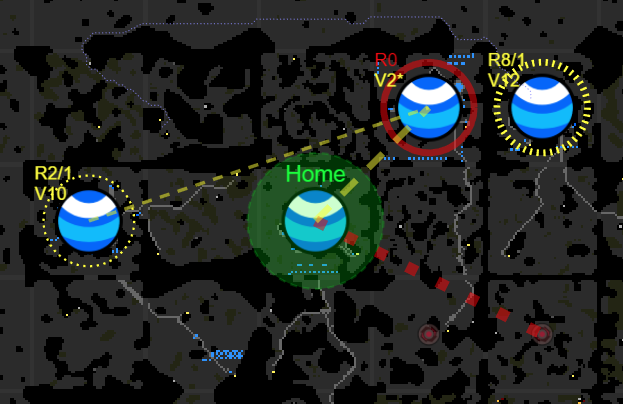
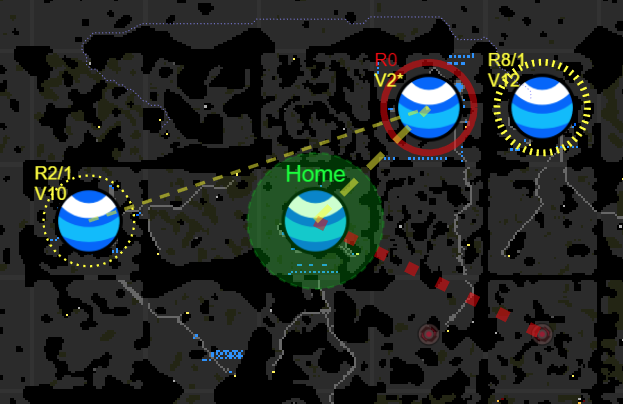
MapVisual API is now available to test on the Public Test Realm! screeps.com/forum/topic/3062…
5

18 Jan 2016
@garbinelarralde @ramon_besonias esta noche subo una cosa q se utilizó para explicar 1 trabajo de 3°ESO si OS va bien. Ayude en el mapvisual
1
3