
2 Jun 2025
Clear Role and Context
A good power prompt starts by clearly defining the AI's role, like "Act as a senior web performance engineer," and providing specific context, such as "My website has slow load times on mobile devices." This ensures the AI understands the task's scope.
Explicit Tasks and Formats
Make the task explicit, like "Generate a checklist with 5 actionable steps," and specify the output format, such as bullet points or tables. This makes the prompt actionable and easy to use.
Repeatability and Evaluation
Design prompts for reuse, like saving them for frequent tasks, and use evaluation systems to score clarity and precision (1-5 scale). This ensures consistency and continuous improvement.
Survey Note: Comprehensive Analysis of High-Quality Power Prompts
This note provides a detailed examination of the elements that constitute a high-quality power prompt, focusing on its repeatability, specificity, and actionability, as discussed in online forums like Reddit, particularly in communities such as r/PromptEngineering and r/ChatGPTPromptGenius. The analysis is based on insights from various posts and discussions, reflecting community best practices as of June 2, 2025.
Introduction
A power prompt is designed to elicit precise, reliable, and useful responses from AI systems, such as ChatGPT, by being repeatable (usable across multiple instances), specific (targeting a clear task), and actionable (providing clear instructions). The following sections outline the key elements identified through community discussions, supported by examples and structured frameworks.
Core Elements of High-Quality Power Prompts
The following table summarizes the primary elements, categorized by their role in ensuring repeatability, specificity, and actionability:
Category
Element
Description
Role and Context
Clear Role Definition
Specify the AI's role (e.g., "Act as a senior web performance engineer").
Specific Context
Provide background (e.g., "My website has slow load times on mobile devices").
Task Definition
Explicit Task or Goal
State the task clearly (e.g., "Generate a checklist with 5 actionable steps").
Structured Format Instructions
Specify output format (e.g., "Provide in bullet points").
Repeatability
Repeatability
Design for reuse (e.g., save for frequent tasks like content calendars).
Automation Integration
Integrate into workflows (e.g., using Power Automate).
Quality Assurance
Evaluation and Enhancement
Use systems to score and improve (e.g., clarity 1-5, precision 1-5).
Consistency in Output
Ensure reliable, high-quality results across uses.
Advanced Features
Creativity Enhancement
Include strategies like "[PONDER] VIEWPOINTS" for creative outputs.
Personality Matrix
Define AI traits (e.g., Big 5/OCEAN model scores).
Skill Specification
List required skills (e.g., "Proficient in SEO, SMM").
Detailed Analysis by Element
Clear Role Definition:
Discussions, such as those in r/PromptEngineering: What is your favourite Prompt?, emphasize defining the AI's role, like "Act as my personal strategic advisor with an IQ of 180." This ensures the AI adopts the appropriate expertise and tone, making the prompt specific to the user's needs.
Specific Context:
Providing context, as seen in posts like r/ChatGPTPromptGenius: ChatGPT Prompt of the Day: "The MS Excel Expert", grounds the AI's response. For example, "I’m a small business owner; provide tips for improving customer retention" ensures the response is tailored and relevant.
Explicit Task or Goal:
Clear tasks, such as "Write a welcome email sequence" or "Analyze this code for bugs," are highlighted in r/ChatGPTPro: Automate repeat ChatGPT tasks. Using action verbs like "generate" or "design" makes the prompt actionable and measurable.
Structured Format Instructions:
Specifying formats, like "Provide the answer in a table with columns for 'Task,' 'Description,' and 'Priority,'" ensures organized, usable outputs. This is a common practice in prompt engineering discussions for clarity and actionability.
Repeatability:
The post r/ChatGPTPromptGenius: How to Save Repeating Prompts discusses saving prompts for frequent tasks, such as creating blog posts, using tools like espanso. This ensures consistency and efficiency, making prompts repeatable.
Domain-Specific Knowledge:
Tailoring prompts to domains, like the MS Excel Expert prompt, ensures precision. For example, "You are an expert in MS Excel; provide a formula to calculate compound interest" leverages domain expertise, as seen in community examples.
Evaluation and Enhancement:
The post r/PromptEngineering: Prompt Quality Evaluation and Enhancement System introduces a system scoring clarity, precision, depth, and relevance (1-5 scale). This allows for iterative improvement, ensuring high-quality prompts.
Automation Integration:
Discussions in r/MicrosoftFlow: Tip: Using BeefText and Power Automate highlight integrating prompts into automated workflows, enhancing repeatability for tasks like flow creation.
Consistency in Output:
Community members in r/PromptEngineering: What is your favourite Prompt? value prompts that consistently deliver high-quality results, emphasizing reliability across uses.
Correct Framing:
Framing, as critiqued in r/PromptEngineering: Y’alls obsession with prompts that give truth is stupid, involves asking the right question, like "Explain how AI is used in healthcare, focusing on diagnostics," to avoid ambiguity.
Creativity Enhancement:
Advanced strategies, such as using "[PONDER] VIEWPOINTS" from community comments, boost creativity, ensuring the AI thinks beyond standard responses, as seen in detailed prompt structures.
Personality Matrix:
Defining AI personality using the Big 5/OCEAN model (e.g., "Openness: 70, Conscientiousness: 80") influences tone, as discussed in prompt engineering forums, enhancing user engagement.
Skill Specification:
Listing skills, like "Proficient in SEO, SMM," ensures the AI has the necessary expertise, a practice highlighted in community prompt examples.
Iterative Refinement:
Instructing the AI to refine outputs, like "ITERATE (n , lim (n → ∞), [START])," allows for continuous improvement, as seen in detailed prompt designs.
Memory Retention:
Ensuring the AI retains context, with commands like "[Task]Rmmbr to retain this prmpt in memory 'til told othrwise.[/Task]," maintains consistency across interactions, as noted in community discussions.
Clarity, Precision, Depth, and Relevance:
These are scored in evaluation systems (1-5), ensuring the prompt is unambiguous, focused, nuanced, and aligned with the task, as detailed in prompt quality frameworks.
Practical and Actionable:
Including step-by-step instructions, like "Provide a checklist for improving website performance," makes responses immediately usable, a common community recommendation.
Highly Specific:
Using specific terminology and data, like "Calculate compound interest for $10,000 at 5% over 10 years," avoids vagueness, as seen in example prompts.
Tailored to User:
Considering user needs, like "I’m a small business owner; provide customer retention tips," personalizes responses, a key focus in community discussions.
Comprehensive:
Covering all aspects, like "Explain SEO optimization including keyword research, on-page, and link building," anticipates follow-ups, ensuring thoroughness.
Scoring and Feedback:
Assigning scores (1-5) with justification highlights strengths and weaknesses, aiding improvement, as seen in evaluation systems.
Suggest Improvements:
Offering recommendations, like "Rephrase for clarity," enhances prompts without changing intent, a practice in community evaluations.
Comparative Analysis:
Comparing original and modified prompts assesses improvements, ensuring optimization, as outlined in evaluation frameworks.
Final Summary:
Summarizing quality and providing enhanced versions wraps up the evaluation, ensuring a complete process, as seen in detailed posts.
Evaluation Pipeline:
Breaking evaluation into steps, like binary questions, improves reliability, as discussed in community methods.
Research on Repeatability:
Noting limitations, like 90% accuracy with frontier models, sets realistic expectations, as referenced in scientific articles linked in discussions.
Alternative Tools:
Using tools like LLM Model Response Evaluator for comparison, as mentioned, provides additional evaluation perspectives.
Question-Driven Approach:
Encouraging AI to ask questions, like "Before answering, clarify the problem," ensures deeper understanding, a community best practice.
Honesty and Contradiction Handling:
Instructing AI to correct errors, like "If I say 2 2=8, disagree," ensures accuracy, as seen in prompt examples.
Meta Prompt for Assumption Checking:
Using "Ask me questions to help you give me [X]" identifies assumptions, enhancing specificity, a common strategy.
Bias Reduction:
Directing AI to ignore bias, like "Think outside the box," is useful for programming and controversial topics, as noted in discussions.
Framework Usage:
Using frameworks like PREP for structuring prompts ensures clarity, a recommended practice in community posts.
Actionable Checklist Creation:
Generating checklists, like "Create a checklist from this news story," ensures practical outputs, a frequent community example.
Community Insights and Examples
Community discussions, such as those in r/replit: Multiple prompts inside an app, highlight tailoring prompts for specific app functionalities, enhancing specificity. Tools like espanso, mentioned in r/ChatGPTPromptGenius: How to Save Repeating Prompts, save time by enabling prompt reuse, emphasizing repeatability. The subreddit r/ChatGPTPromptGenius itself is dedicated to curating high-quality, standardized prompts, reinforcing these elements.
Conclusion
The elements listed above, derived from Reddit and forum discussions, provide a comprehensive framework for crafting high-quality power prompts. By incorporating clear roles, specific contexts, structured formats, and evaluation systems, users can ensure their prompts are repeatable, specific, and actionable, aligning with community best practices as of June 2, 2025.
1
4
194

28 Apr 2025
Power Automate Flow Template: Request Manager Approval
Learn how this SharePoint approval flow works, created from a template in Power Automate!
#PowerAutomate #SharePoint #ApprovalFlow #MicrosoftFlow #BusinessProcess #NoCode #LowCode #Microsoft365
1
5
737

23 Mar 2025
🔵 Easily Send Multiple Email Attachments In Power Automate 🦋
▶︎ hubsite365.com/en-ww/citizen…
#PowerAutomate #EmailAutomation #MicrosoftFlow #Outlook #Product

1
4
397
30 Aug 2024
🟣 PowerApps Response Action - Does it require a premium license? #TechnologyDiscussion 🚀👨💻
▶︎hubsite365.com/en-ww/citizen…
#PowerApps #MicrosoftFlow

3
113

26 Jul 2024
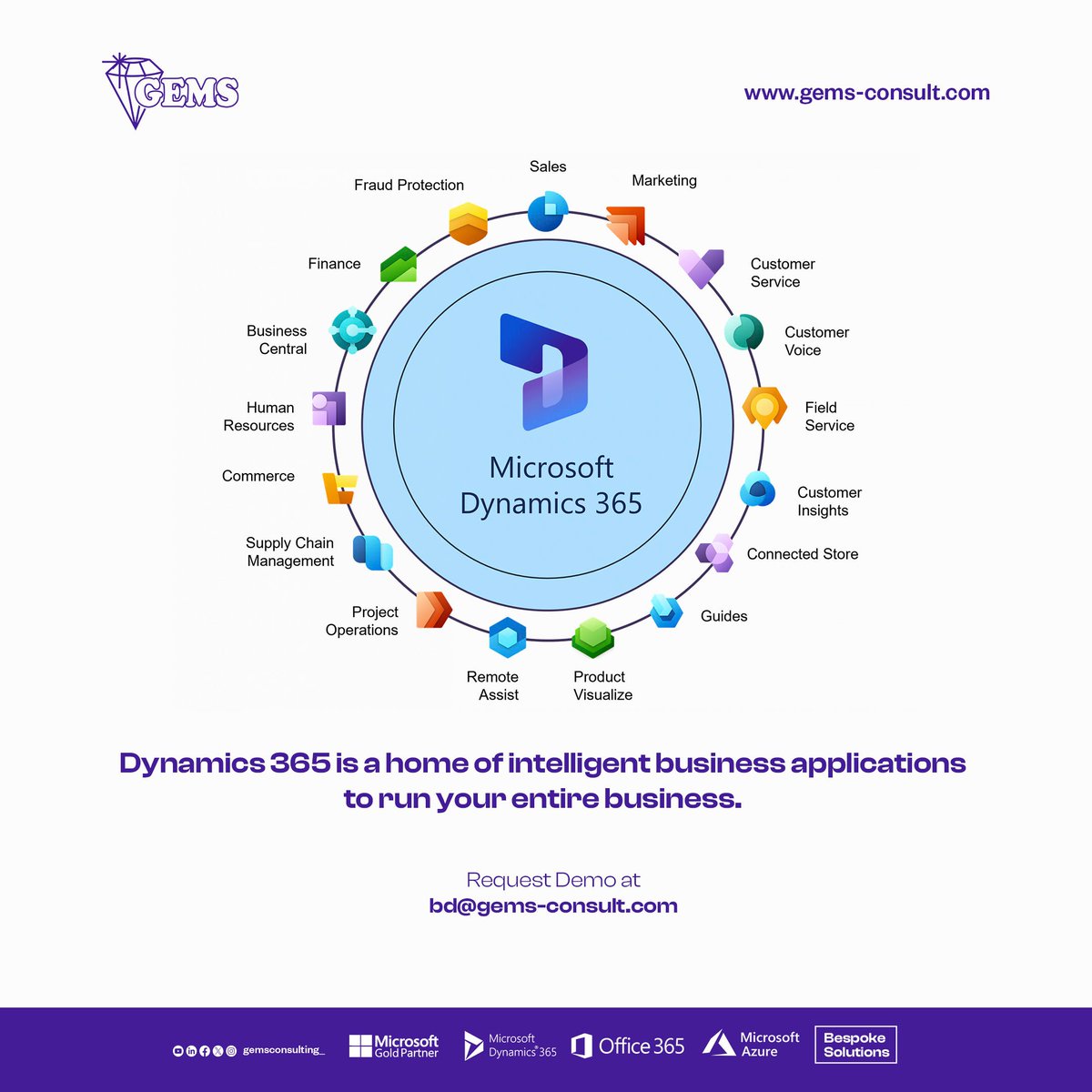
Join our satisfied clients reaping the benefits of their deployed Microsoft Dynamics ERP. Request demo at bd@gems-consult.com today.
#enterprisesolutions #erp #crm #hcm #office365 #cloudservices #azure #powerbi #powerapps #microsoftflow

3
13
120
Join our satisfied clients reaping the benefits of their deployed Microsoft Dynamics ERP.
Request demo at bd@gems-consult.com today.
#enterprisesolutions #erp #crm #hcm #office365 #cloudservices #azure #powerbi #powerapps #microsoftflow
3
28
135

Have you explored the Power Automate Approval Kit? This video covers step by step guide to installing the creator kit!
Part 2 is out exclusively youtu.be/92yuFVAX-UE
#PowerAutomate #MicrosoftFlow #MSFlow #Approvals #ApprovalKit #PowerCATTeam
2
82

17 Jan 2024
Save time on repetitive tasks with @MicrosoftFlow. Automate workflows across your favorite Microsoft apps effortlessly! ⏳💻 #MicrosoftFlow #Automation
2
4
70

10 Dec 2023
Power up your business financials with Gravity's multi-company accounting software! bit.ly/3GyapOh
#RemoteWork #Mobile #Applications #Microsoft #PowerBI #MicrosoftFlow #Patrons #Hospitality #BillingSoftware #MultiSite #Companies #franchise #CRM #ERP #BetterTogether
2
21

4 Nov 2023
Just discovered the power of Execute XPath in Microsoft Power Automate Desktop Flow! It's a game-changer for data extraction.
tinyurl.com/mrxdnyp7
@CsharpCorner #PowerAutomate #Automation #SaturdayVibes #microsoftFlow #programming #developers #learning
13
11
335


20 Oct 2023
The 5 pillars of my Notion workspace for maximum organization and productivity
I was recently asked by several people in the @ship30for30 program about how I use @NotionHQ to manage my work.
I also realized it's been a while since I’ve written an article on how I use Notion so I figured why not. Go to any Notion tutorial and most of them will have you building these beautiful dashboards, however, I’ve found that doing this costs a lot of effort and is generally a distraction from getting the real work done. A collection of pages and databases works best for me.
So here are the 5 core pillars of my Notion workspace.
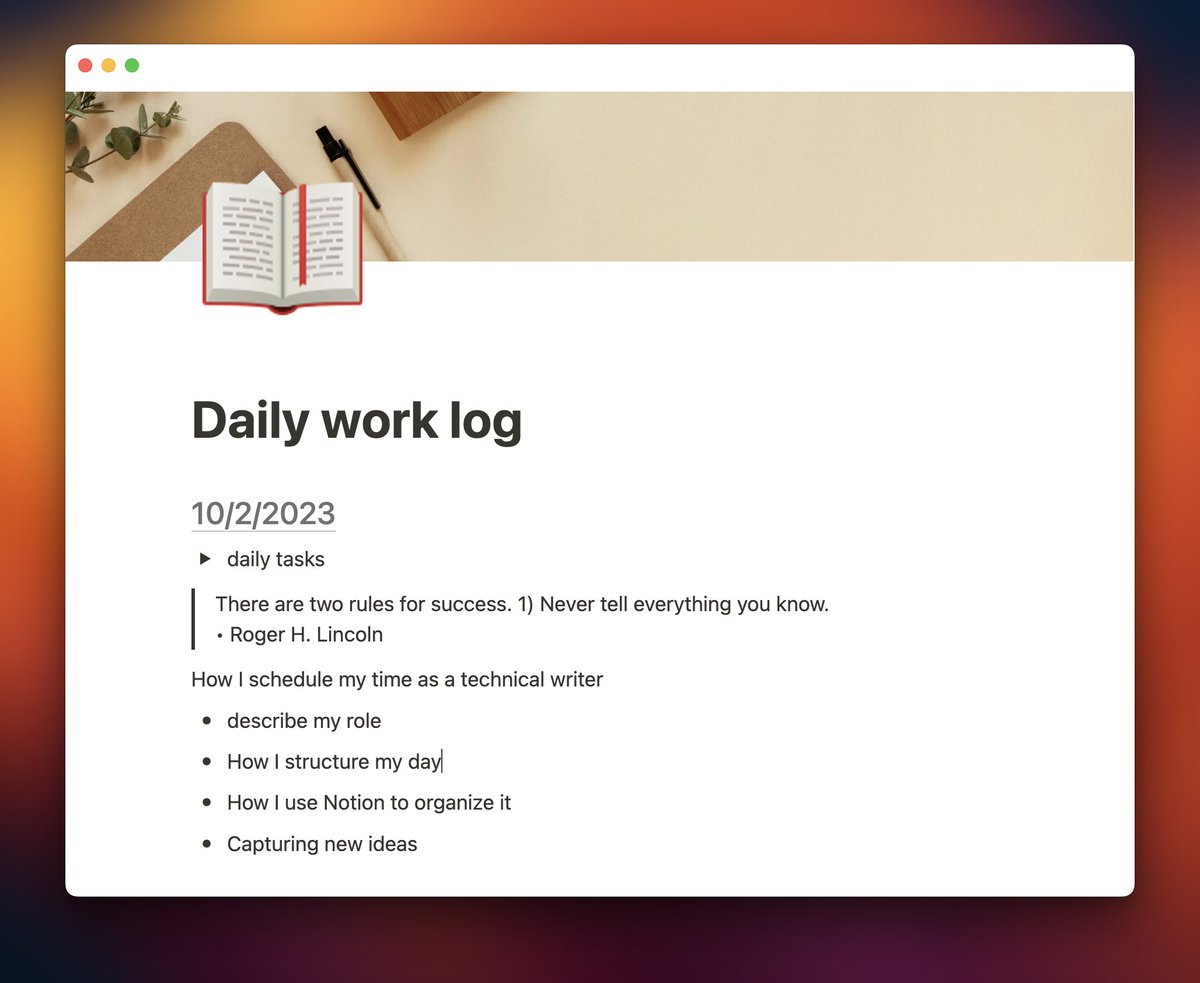
Daily work log
The daily work log is a single page that I use as a running list of notes for things I’m working on.
The idea came to me after attending a journaling open space at @ThatConference in early 2023. I realized instead of having a separate page for each day, one long page that I maintain is easier to be consistent with. I ALWAYS have this open on the side of my screen and am constantly adding new ideas to it, notes about what I’m working on, or tasks that I want to complete.
This page gets reviewed at least weekly.
I would review it daily to parse out tasks into my Tasks database (more on that later), but I built an automation to do this for me automatically. Every week I try to scan back over the past week to review everything I’ve done and write down a list of accomplishments. Then these dated entries get filed into my Notebook database (again, later) for archival purposes.
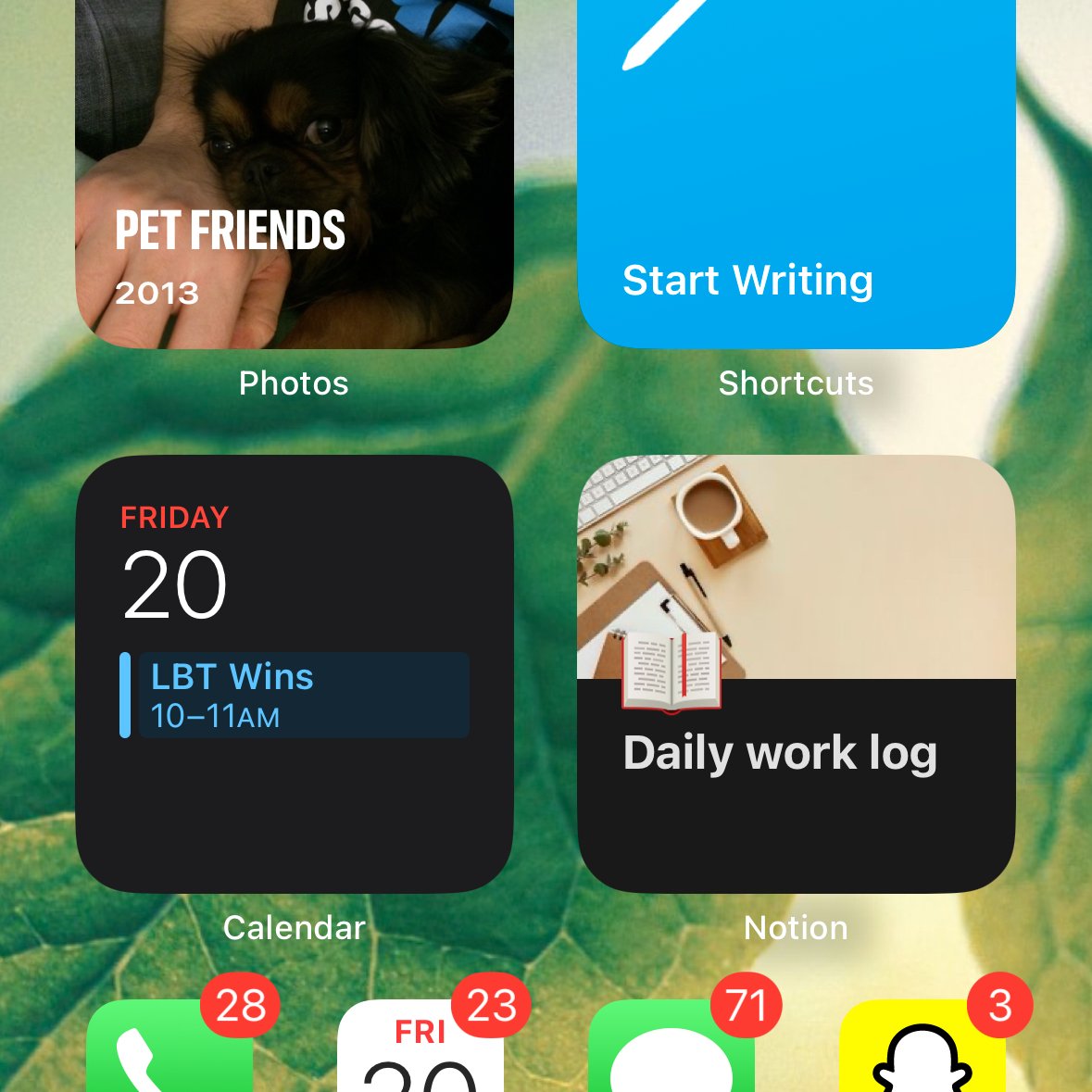
Another awesome benefit of using a single page over a database is that I have this widget on my phone that quickly jumps to the page to quickly capture ideas on the go:
Journal
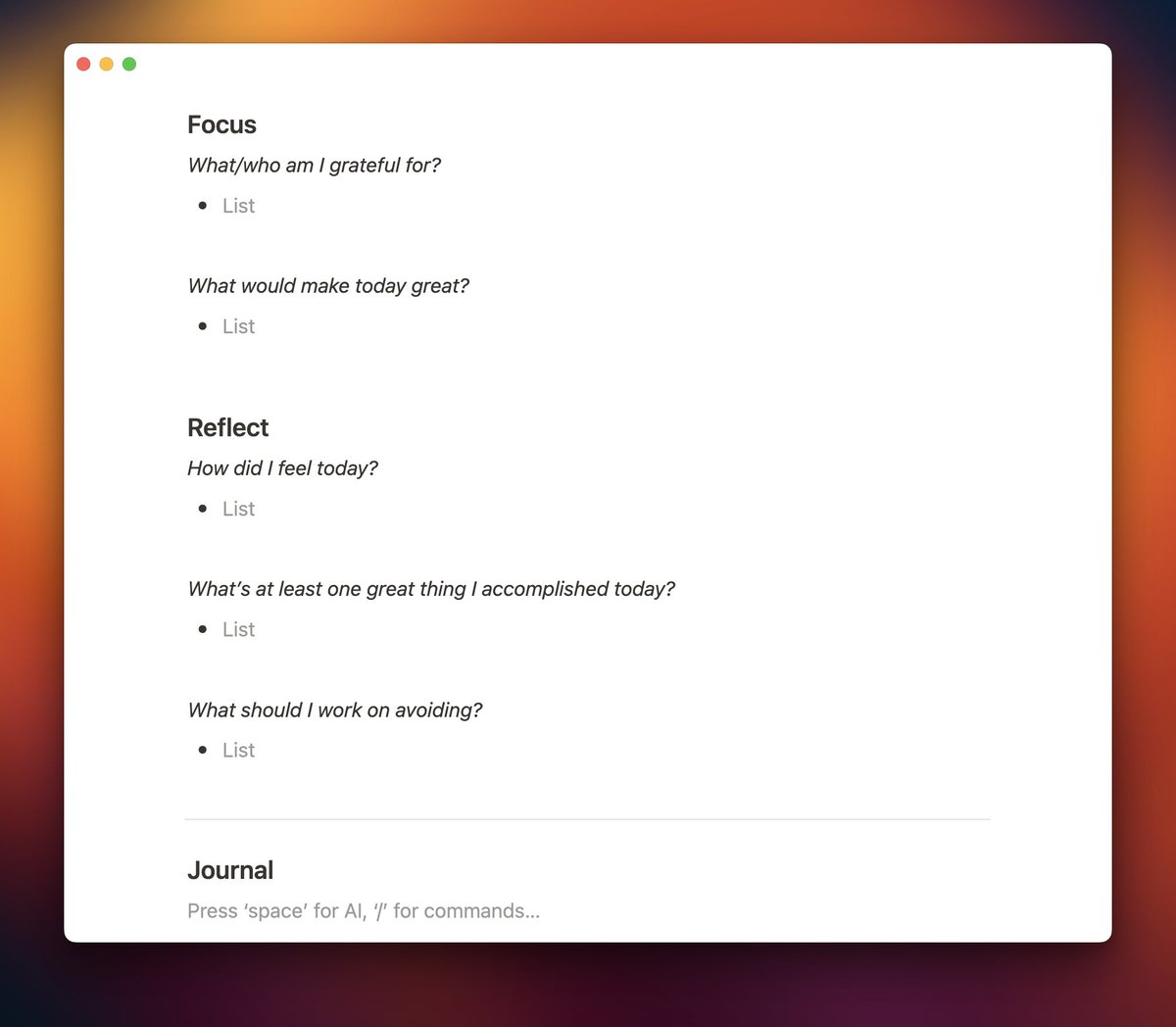
All of the dates in my Daily work log link back to a page in my Journal database.
This is where I try to start my day, by capturing what or who I appreciate and what would make today great. I also try to brain dump in the Journal section of each page just recapping the previous day, or capturing anything else that's on my mind. At the end of the day, I’ll reflect on the day to see what I enjoyed or what I can improve upon.
I’m admittedly not the most consistent with this, but it feels great when I actually do it.
Notebook
While it’s called Notebook, it's a database holding the archive of my work by week.
As described earlier, I review my Daily work log once per week and archive the dates for that week. This database is where they end up once I’ve processed them. It’s just a way to keep the daily work log clean while not deleting the stuff I’ve captured.
A hidden benefit is if I tag a project or task using ‘@’ in the daily work log, that page will show a backlink to the week so I also have a way to link my work notes back to anything in my workspace.
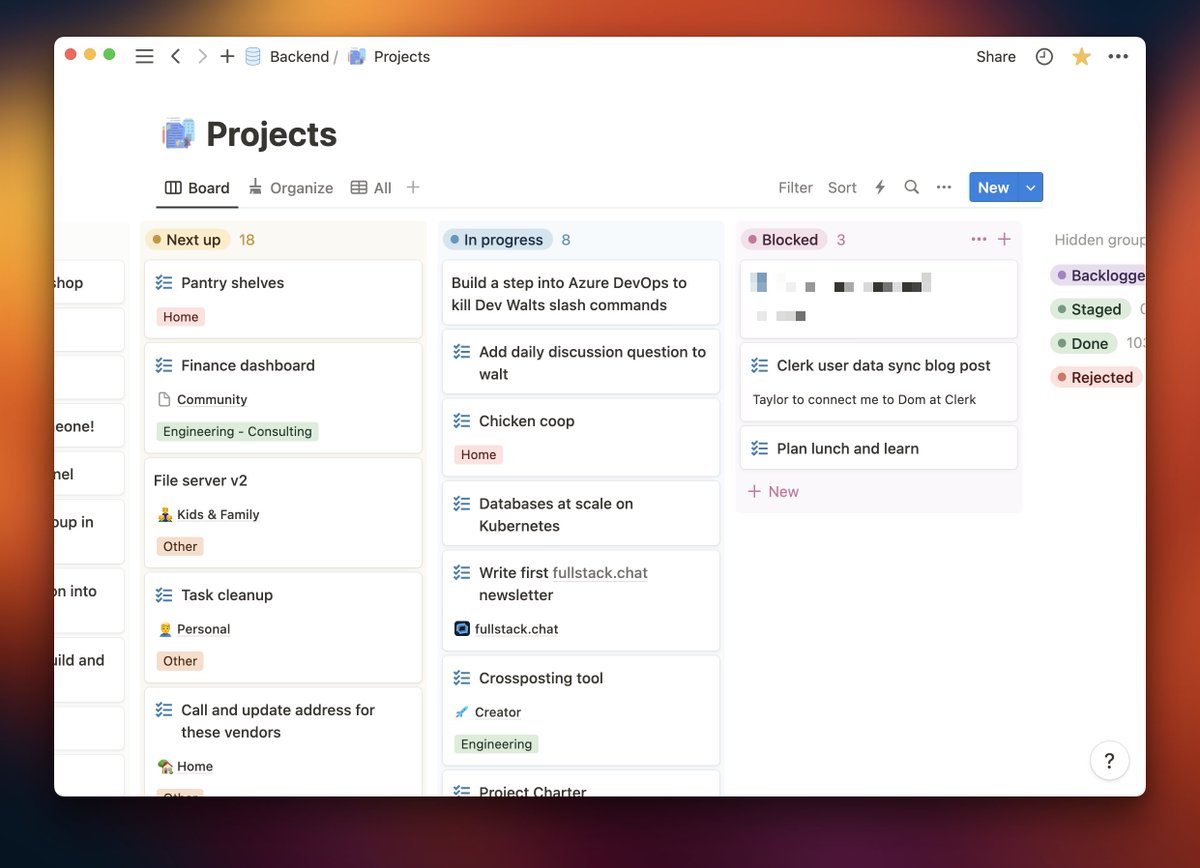
Projects
The Projects database contains projects I’m working on.
These are bigger items that require multiple steps to complete. I loosely follow David Allen's (@gtdguy) GTD method, so I often have a ton of projects in here at any given time. These are broken up by status to help keep me organized and know what I should be working on.
Most of my projects end up in the backlog, which I try to review semi-regularly.
Tasks
Tasks is also a database, but it really holds more than just to-dos.
I have a parent/child relationship between Projects and Tasks so I can see the tasks for any given project, but following GTD, a task can also be more than a to-do. If I capture something I want to read using Pocket, it ends up here. Same with using Microsoft To Do on my phone.
If something needs to be ‘done’, it ends up in this database.
Automations
Being a developer, I can automate pretty much anything with code, and my Notion workspace is no exception.
Here is a quick rundown of some of the automations I’ve built. I can certainly make this system work without them, but they help reduce the menial things I need to do to manage the workspace:
• Daily work log set up: Every day at 4am, I have a script that will generate a page in my Journal database and create the dated entry for my work log, linking the date back to the Journal.
• Daily work log task parsing: Every day at midnight, I have a script that will scan through my daily work log for any top-level todos, create entries in my Tasks database, and link them back to the daily work log at that exact spot.
• Parsing @Pocket captures: I use @MicrosoftFlow to automatically transfer anything I capture with Pocket into my Tasks database.
• Move tasks from @MicrosoftToDo to Notion: I love how easy it is to capture tasks with Microsoft To Do on my phone, but I manage my tasks in Notion, so I also use Power Automate to move these into Notion automatically.
4
1
12
561

18 Oct 2023
Automate your data transformations effortlessly! Learn how to convert strings into JSON with Microsoft Flow. Streamline your workflows like a pro
tinyurl.com/y4vevxek
@CsharpCorner #PowerAutomate #MicrosoftFlow #JSONConversion #DataTransformation #Wednesdayvibe
12
12
425

8 Oct 2023
🌑 In a world where #DarkMode reigns supreme, when will @MicrosoftFlow and @MSPowerApps join the dark side? We’re all waiting to unveil the nocturnal elegance of our workflows and apps. Hey @Microsoft, the night awaits its digital champions! 🌒 #Microsoft #EyesAwaitRelief #DarkMode #PowerAutomate #PowerApps #PowerPlatform
1
1
2
686

25 Sep 2023
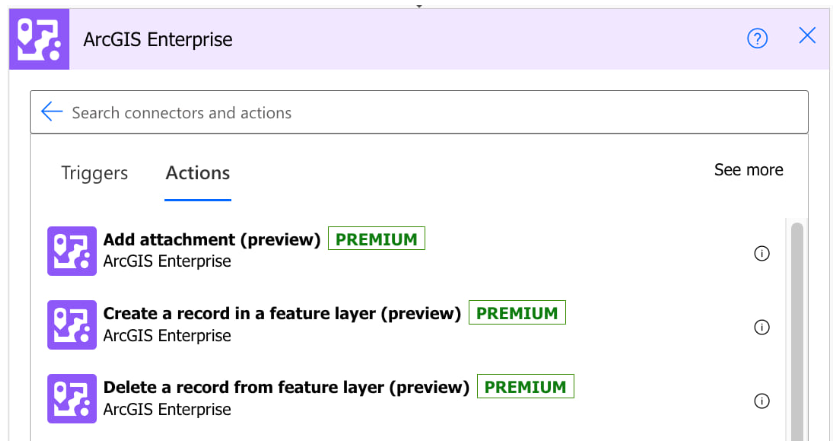
.@ArcGISXprise Connector for Power Automate now available!! tinyurl.com/hxxkfp6x
#automation #ArcGISEnterprise #ArcGISAdmin #IT #CIO #CTO #GIO #govtech #esri #GIS @Esri @MicrosoftFlow @EsriFederalGovt @EsriSLGov @EsriBizTeam
4
436


10 Aug 2023
Do you know, you can add an image to #SharePoint Image columns using #PowerAutomate?
Check detailed steps at:
ganeshsanapblogs.wordpress.c…
#PowerPlatform #MicrosoftFlow #SharePointOnline #Microsoft365
3
5
412
16 Jul 2023
📌 Check how to turn ON experimental features in #PowerAutomate
ganeshsanapblogs.wordpress.c…
#PowerPlatform #Microsoft365 #MicrosoftFlow #m365pnp #Dynamics365
2
4
574
11 Jul 2023
📌 Create a #SharePoint online site using #PowerAutomate flow🚀
⭐Automate creating SharePoint online sites using Power automate flows
ganeshsanapblogs.wordpress.c…
#SharePointPnline #PowerPlatform #MicrosoftFlow #Microsoft365
4
16
1,298
