
9 Jul 2025
Python 3.14 Final Beta is Out: The Future Is Now, and Python Rocks Always!
linkedin.com/pulse/python-31…
#PythonNews #PythonRocks #Python314 #Python #PythonProgramming #AI #ArtificialIntelligence #MachineLearning #DataAnalyst #Developer #Coding #Software #DevOps
#AWS #GCP #Freshers
2
4
49

2 Jul 2025
#Python Pop Quiz 🐍❓
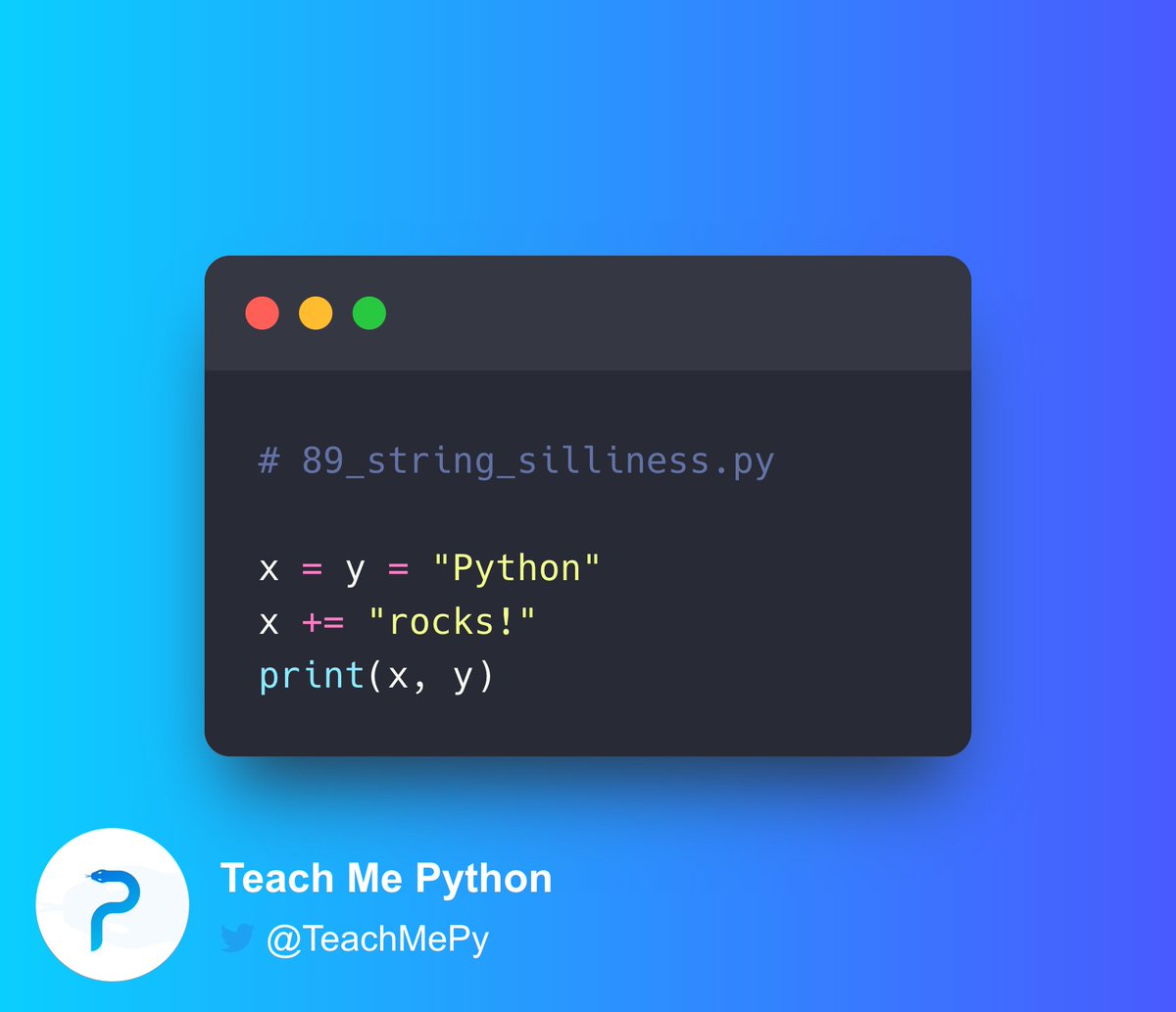
What is the output of the following code?
A) Python
B) Python rocks!
C) Python rocks! Python
D) Pythonrocks! Python
6
1
20
4,032
24 May 2025
#Python Pop Quiz 🐍❓
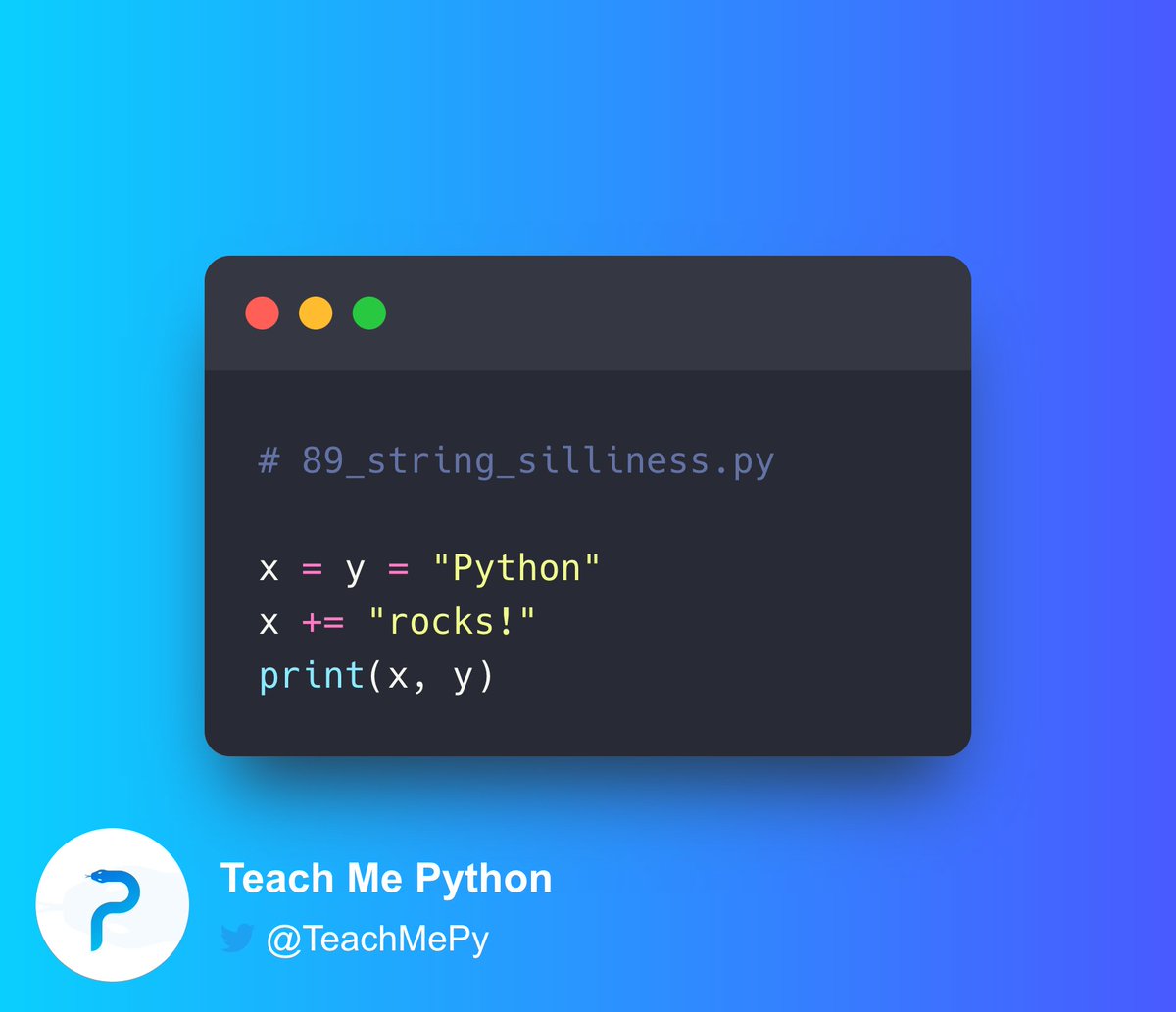
What is the output of the following code?
A) Python
B) Python rocks!
C) Python rocks! Python
D) Pythonrocks! Python
8
1
11
2,610
17 Oct 2024
#Python Pop Quiz 🐍❓
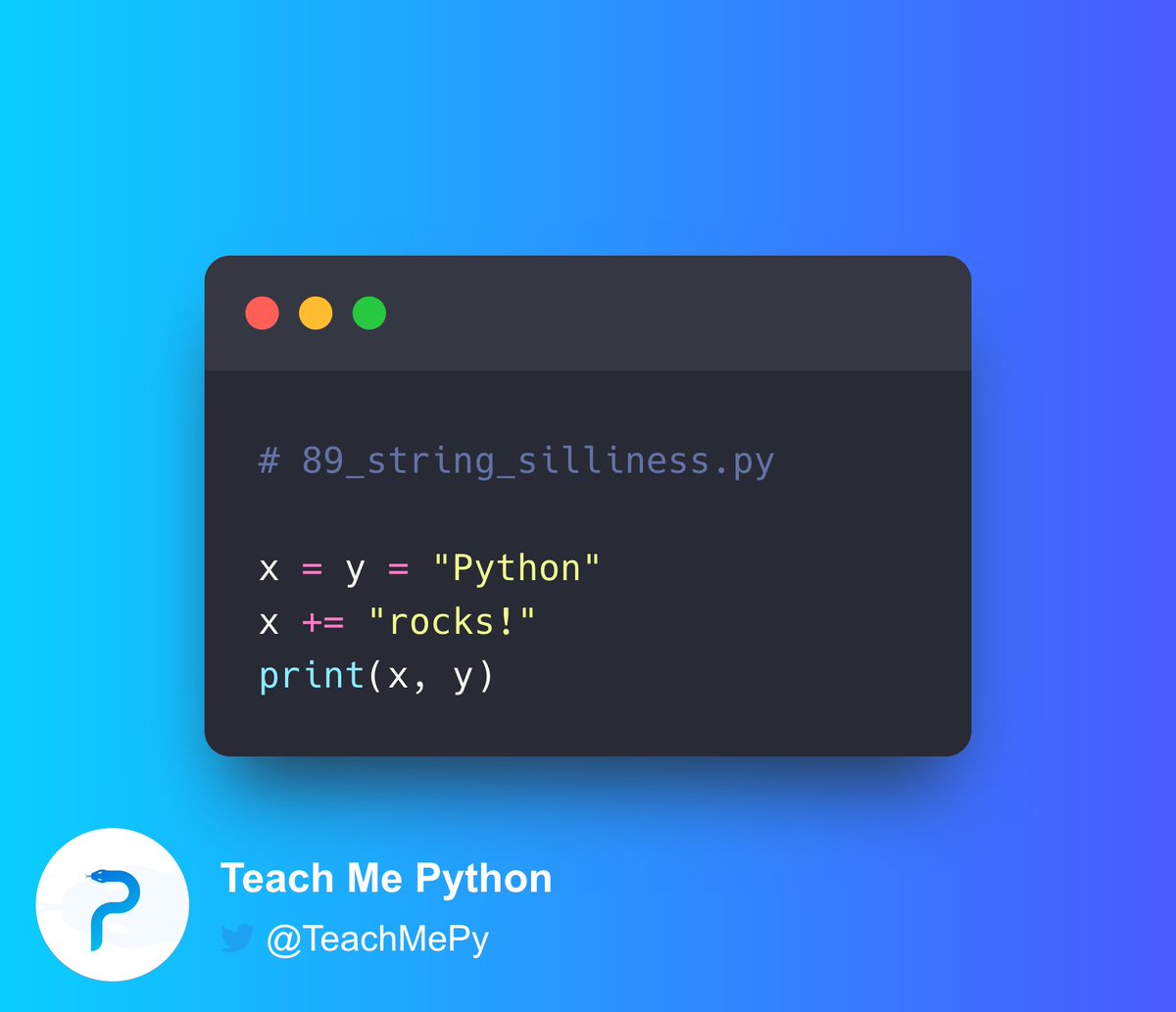
What is the output of the following code?
A) Python
B) Python rocks!
C) Python rocks! Python
D) Pythonrocks! Python
7
3
28
3,150

7 Jul 2024
🚀 We are looking for Live Transcribers/Stenographers at #PyConIndia2024 ! Any leads are most welcome. 🙏
📅 #Conference 🏙️ #Bengaluru 🐍 #PythonRocks 💻 #CodeLife 🌐 #TechTalks 🎤 #DevCommunity 🎉 #TranscribersWanted

ALT PYCON INDIA BENGALURU 2024 LOOKING FOR LEADS ON LIVE TRANSCRIBERS/STENOGRAPHERS
1
15
23
1,492

6 Jun 2024
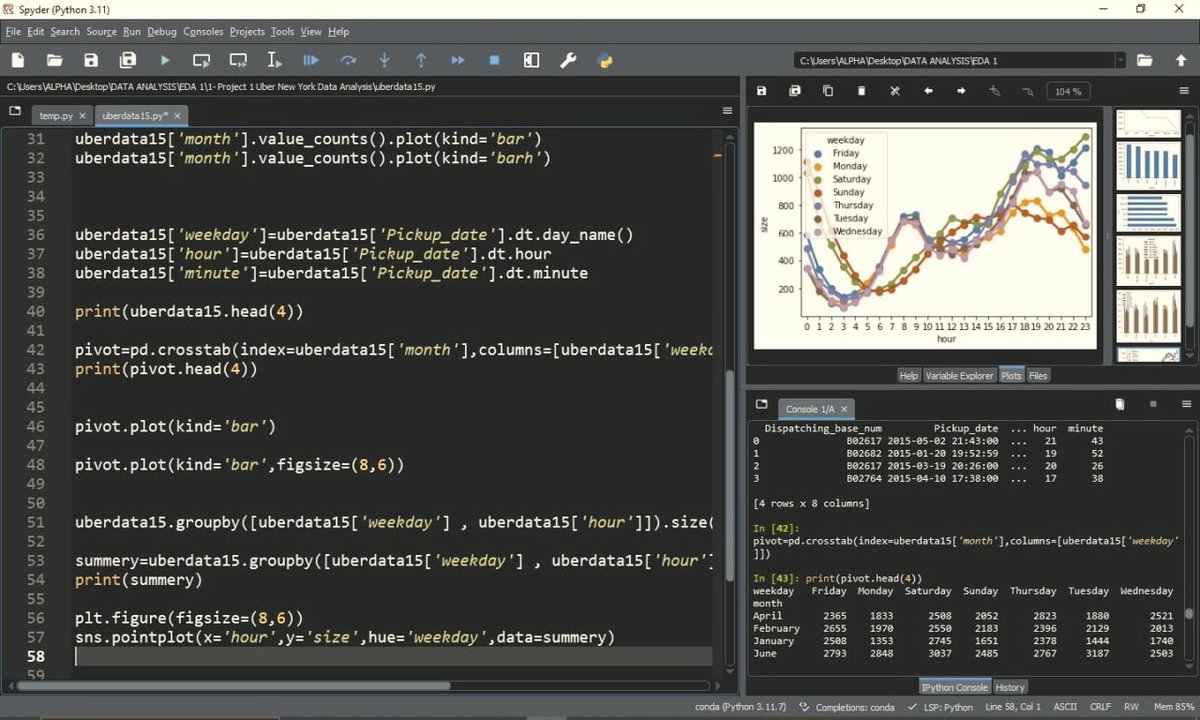
Unlocking NYC's Uber secrets with data! 🚖🔍
#DataScience #NYC #UberInsights #PythonRocks #AnalyticsMagic
5
65

27 Feb 2024
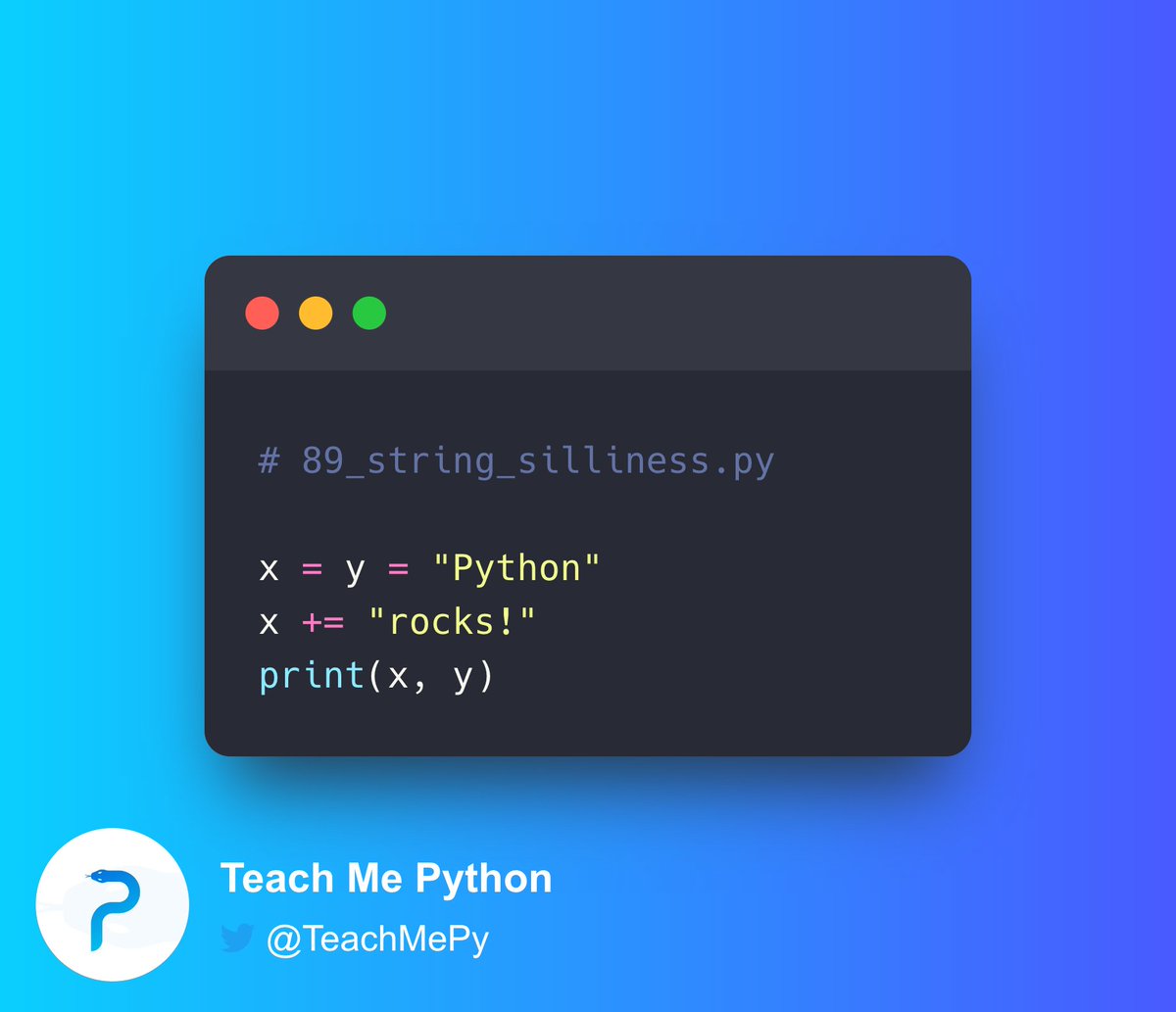
x refers to a new value "Pythonrocks!"
and
y continues to refer to the old value "Python"
At this stage, let's see what
print(x, y)
do.
Recall that if we pass multiple arguments to print, by default, they are printed with spaces separating them.
Hence
1
2
102
27 Feb 2024
Answer: D. Pythonrocks! Python
Solution:
x = y = "Python"
assigns the string "Python" to y, and
assigns y to x
So, both x and y refer to the same string value "Python"
x = "rocks!"
This is equivalent to
x = x "rocks!"
Hence, x is being *reassigned* to a new value
2
1
4
448
27 Feb 2024
#Python Pop Quiz 🐍❓
What is the output of the following code?
A) Python
B) Python rocks!
C) Python rocks! Python
D) Pythonrocks! Python
15
2
35
9,127

24 Dec 2023
so cool to see you diving into python and its flexibility love seeing your passion for coding and devops keep it up #codingjourney #pythonrocks #devopsenthusiast
1
1
24 Dec 2023
totally get that feeling when your code is more comments than commands 😄 its awesome that youre documenting well keep it up #codinglife #pythonrocks
1
10
23 Dec 2023
wow day 16 and going strong with those problems of the day keep crushing it with python coding power on your side #codingheroes #pythonrocks #keepitup 💪✨💻
1
1
22
23 Dec 2023
oh i feel you python magic never fails to impress keep on coding those sleek one-liners #pythonrocks 🐍✨
12

16 Aug 2023
🐍 For me, I'd pick Python! Python is so popular among developers because of its simplicity and readability, which often translates to faster development and less code. Plus, its versatility across various domains can't be beaten! #PythonRocks 🚀
3
92


9 Jul 2023
The answer is D) Pythonrocks! Python
This is because = makes a new object every time so now x and y both are independent variables.
3
322

9 Jul 2023
The answer is D) Pythonrocks! Python
💡The key learning point of this Problem is about the distinction between mutable and immutable objects in Python.
Let's see how
----------
Here we need to know how Python handles the assignment of variables based on if a variable is mutable or immutable and how the use of the ` =` operator can affect these variables.
1. `x = y = "Python"`: This is called a chained assignment. This line of code is setting both `x` and `y` to the string "Python". The order of operations here is important. It actually works from right to left. First, the string "Python" is assigned to the variable `y`, and then `y` (which now holds "Python") is assigned to `x`. Both `x` and `y` are now pointing to the same object in memory.
2. `x = "rocks!"`: This line uses the ` =` operator which is shorthand for `x = x "rocks!"`.
But here's the critical point: in Python, strings are immutable.
3. 💡 This means that, while the value of `x` appears to change, what really happens is that a new object `"Pythonrocks!"` is created in memory, and `x` is updated to point to this new object.
4. `y` remains pointing to the original "Python" object. This is because when we do `x = "rocks!"`, we're not changing the original string that `x` was referencing, but instead creating a new string and updating `x` to reference that new object.
5. `print(x, y)`: The values of `x` and `y`, at this point in the code are "Pythonrocks!" and "Python", respectively.
Hence the output: `"Pythonrocks! Python"`.
----------------
💡So the theory in play here is the distinction between mutable and immutable objects in Python. When `x` and `y` were first defined, they both pointed to the same object in memory. If that object was mutable (like a list), changes to it would be reflected in both `x` and `y`. But since strings are immutable in Python, when we use the ` =` operator to try and "change" `x`, it instead creates a new object and changes `x` to point to that new object, leaving `y` still pointing to the original "Python" object.
----------------------
👉 If you enjoyed this explanation:
✅1. Give me a follow @rohanpaul_ai for more of this every day and
✅2. Like & Retweet this tweet:
✅3. Subscribe to my MachineLearning YouTube channel -
youtube.com/@RohanPaul-AI
5
5
70
6,298

9 Jul 2023
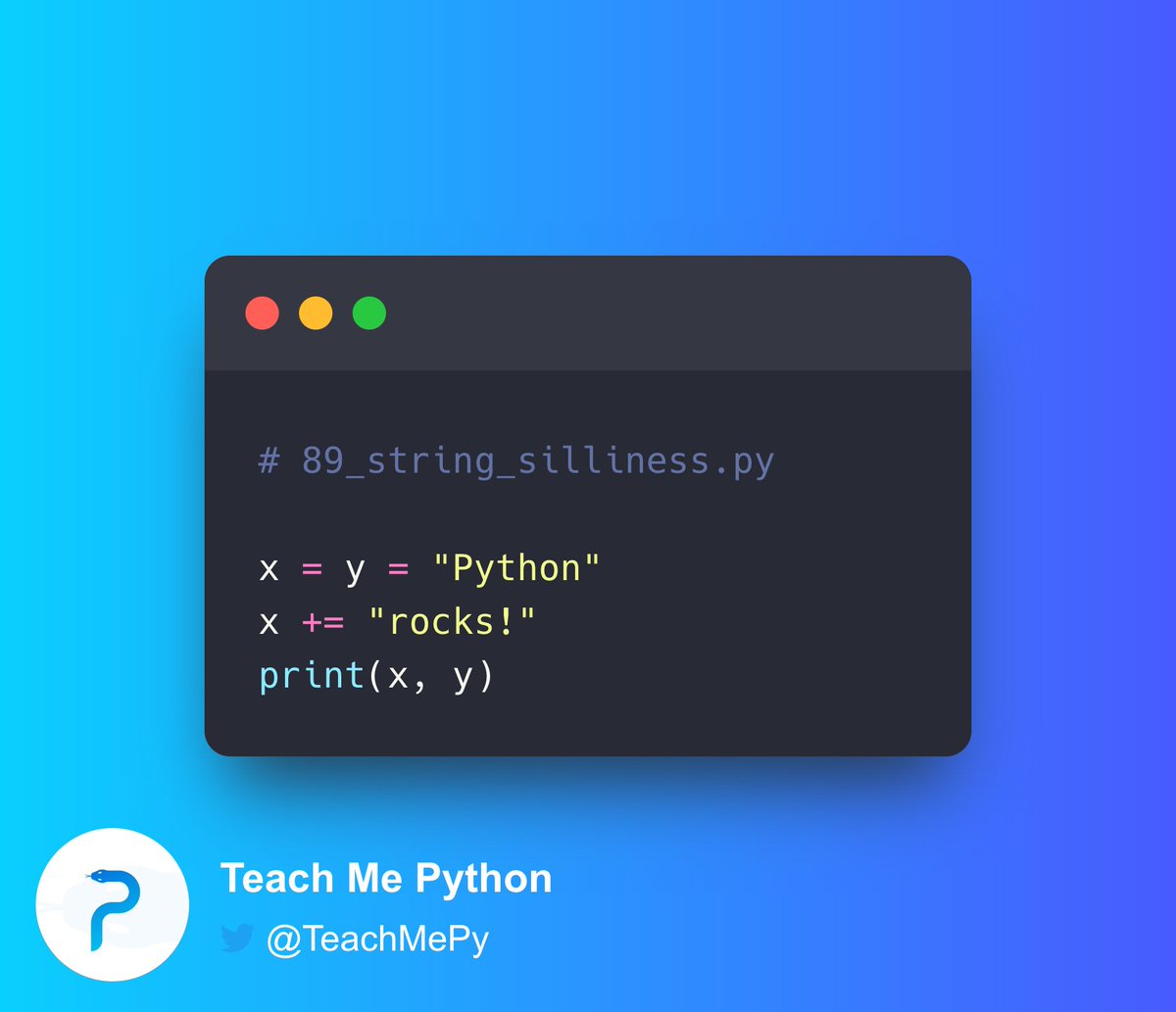
>>> x=y="Python"
>>> x ="rocks!"
>>> print(x,y)
Pythonrocks! Python
2
1,608

9 Jul 2023
The answer is D.
Here in the first line both x and y are assigned the string "python". x = means adding "rocks!" Thanks the former value of x. Hence, print(x, y) will result in Pythonrocks! Python.
5
2,798

9 Jul 2023
#Python Pop Quiz 🐍❓
What is the output of the following code?
A) Python
B) Python rocks!
C) Python rocks! Python
D) Pythonrocks! Python
18
4
71
21,656