
May 20
What’s the biggest Unity struggle you had as a beginner? For me it’s definitely all those weird error messages that make zero sense at first.
Drop your biggest struggle below!
#Unity #GameDev #SoloDev #IndieDev #BeginnerGameDev #MadeWithUnity #UnityTip
1
6
119

May 12
#UnityTip
When dressing a scene, add slight random rotation to props for a more natural look.
Select multiple objects and enter =R(-5,5) in the Y rotation field to randomize instantly.
Example from our game Forensics Crime Scene Detective: store.steampowered.com/app/3…
#gamedev
9
169
1,211
70,751
Mar 18
This #UnityTip is part of the @unitygames Insider Edition of our Unity Tip Trading Card game.
For more information check bit.ly/UTTCGRules.
If you want to have some cards, try attending @unitygames events or find us at a conference or tradeshow!
3
182

Mar 18
This is a good #unitytip
Mar 17

Sync every step.
In this quick-tip, learn how to line up footstep sounds with your character’s movement using Unity’s Animation Events, so your gameplay feels sharp and responsive.
1
2
67

Some time ago I made a selection history plugin, here is a reminder that it exists. It also comes with a favorites window for things you want always there. Both support drag & drop to/from scene/hierarchy/etc.
#unity3d #madewithunity #unity #unitytip
github.com/acoppes/unity-his…
3
7
387
2 Dec 2025
This #UnityTip is part of the @unitygames Insider Edition of our Unity Tip Trading Card game.
For more information check bit.ly/UTTCGRules.
If you want to have some cards, try attending @unitygames events or find us at a conference or tradeshow!
4
233

17 Nov 2025
Your support keeps these tips coming! 😊
If you find them useful, please vote for me for Best Tutorial Series at the Unity Awards 🙏
👉 awards.unity.com/vote
#UnityTip #UnityAwards #gamedev
1 Oct 2024

Using Modular Assets? You can boost performance by combining meshes with Mesh.CombineMeshes()! 🧱💡🚀
#UnityTips #unity3d
8
68
3,886
11 Nov 2025
This #UnityTip is part of the @unitygames Insider Edition of our Unity Tip Trading Card game.
Packs of these cards will be given away to all attendees of this years #Unite2025 in @Barcelona!
You can use code U25INNET_20_BISEB for a 20% discount on your #Unite2025 ticket!
2
300


23 Oct 2025
7 Oct 2025
Need to update your 2D collider at runtime? 🟩➡️🔲
Unity’s PolygonCollider2D.CreateFromSprite() makes it easy! ⚡️
Learned it from @melvmay 🙏
#UnityTips #unity2d #gamedevelopment
3
84
21 Oct 2025
This #UnityTip is part of the @unitygames Insider Edition of our Unity Tip Trading Card game.
Packs of these cards will be given away to all attendees of this years #Unite2025 in @Barcelona!
You can use code U25INNET_20_BISEB for a 20% discount on your #Unite2025 ticket!
2
4
369
14 Oct 2025
This #UnityTip is part of the @unitygames Insider Edition of our Unity Tip Trading Card game.
Packs of these cards will be given away to all attendees of this years #Unite2025 in @Barcelona!
You can use code U25INNET_20_BISEB for a 20% discount on your #Unite2025 ticket!
3
308


27 Aug 2025
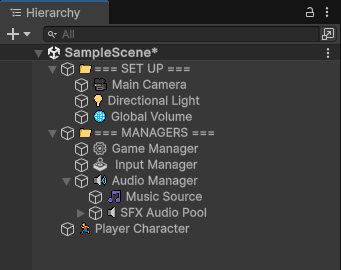
Estaba hablando ayer con un amigo sobre tips para tener un proyecto organizado, y... ahí va un micro #unitytip
La fuente del editor de Unity admite emojis. Podéis usarlos al nombrar GameObjects. Es como la versión del TEMU de uno de sus plugins de jerarquía.
2
3
101
19 Aug 2025
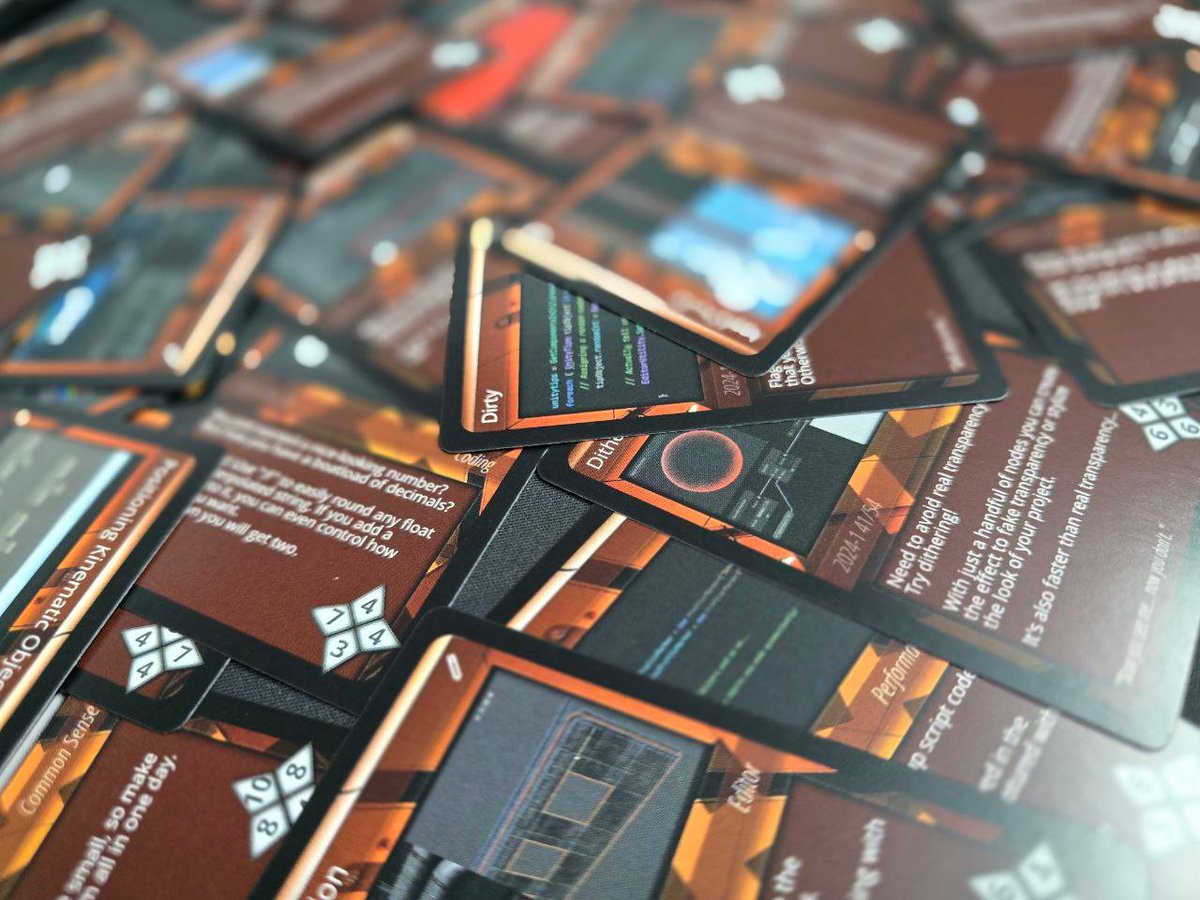
#UnityTips Gamescom is incoming.
Get some Tips from us at our Booth in Hall 10.2 and chat with us about all things #Unity3d.
We also have some UnityTip Trading Cards to give away. Looking forward to see you in Cologne!
#event #gamescom #gamedev
1
33
1,143

Time to remember this great #UnityTip to speed up and master your game development workflow! Grid snapping feature:
#unitytips #unity3d #indie #indiedev #gamedev #madewithunity #indiegames #assetstore #unity #unitydeveloper #games
1
26
559


16 Jul 2025
Summer Sale on Asset Store : 300 best-sellers 50% off. Flash deals!
Affiliate link / ad: assetstore.unity.com/?on_sal…
#gamedev #AssetStore #IndieGameDev #Unity3d #unitytips #gameassets #indiedev
#UnityTip #Unity3DTips #GameAsset #unityassetstore #gamedesign #gameart

4
84
16 Jun 2025
¿Qué archivos debemos incluir en Git para un proyecto de Unity?
Si aún no tienes tu proyecto de Unity a buen recaudo, en un repositorio de Git como GitHub, deberías hacerlo cuanto antes.
Las principales razones para añadir un repositorio de versiones a tu rutina de trabajo son:
- Tener tu proyecto en un repositorio remoto (como GitHub, GitLab o Bitbucket) asegura que no pierdas tu trabajo si algo le pasa a tu ordenador.
- Git te permite rastrear cambios en tu proyecto, revertir a versiones anteriores si algo sale mal y entender qué modificaciones se hicieron y cuándo.
- Si trabajas en equipo, Git facilita que múltiples personas trabajen en el mismo proyecto sin conflictos, usando ramas y merges.
- Puedes usar ramas para experimentar con nuevas funciones o correcciones sin afectar la versión principal, manteniendo el proyecto ordenado.
- Muchas plataformas de CI/CD y herramientas de desarrollo se integran con Git, lo que agiliza flujos de trabajo como pruebas automáticas o despliegues.
- Usar Git es un estándar en la industria, y dominarlo te prepara para trabajar en entornos profesionales.
Sin embargo, no debes subir todos tus ficheros a un repositorio Git. Por ejemplo, no tiene sentido subir los compilados porque cualquiera los puede generar si cuentan con el código fuente. Subir los compilados sólo incrementaría innecesariamente el tamaño del repositorio, haciéndolo más caro de mantener e incrementando los tiempos de sincronización del resto del equipo de desarrolladores.
En este artículo vamos a ver qué debes incluir, y qué no, en tu repositorio de Git cuando hagas #gamedev con #unity3d.
#unitytip
(🧵 1 / 7 )

1
1
2
142
10 Jun 2025
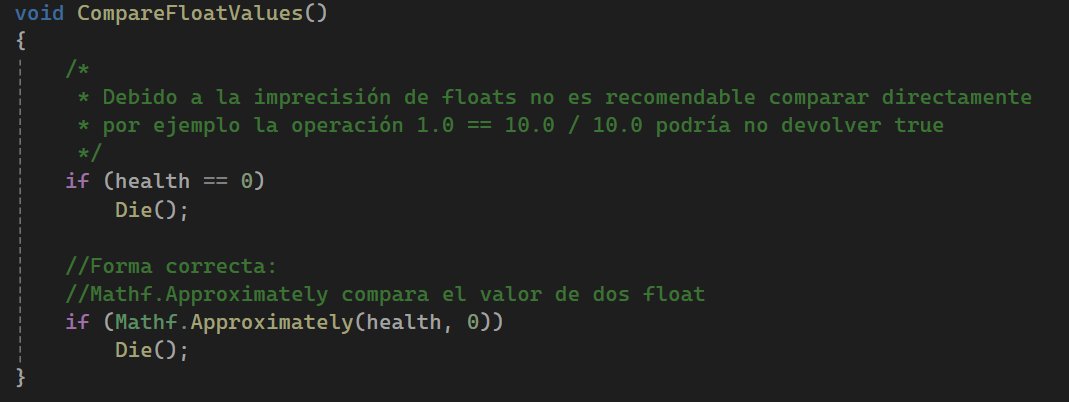
Es un #unitytip realmente sencillo, pero que muchísima gente ignora, y da lugar a grandes quebraderos de cabeza hasta que te das cuenta. Nunca compares floats con "==". Usa siempre Approximately() en (#unity3d) o IsEqualAprox() en (#GodotEngine C#).
#gamedev
10 Jun 2025

3
208