
A real estate company in Lagos was losing enquiries every night. No one is available after hours.
Agents are manually answering the same property questions. Leads slipping through with no record of who asked what.
Here's what I built for them:
An AI-powered Telegram property assistant using @n8n_io , @OpenAI GPT and @supabase Vector Store that:
→ Answers property enquiries in natural language, 24/7 no agent needed
→ Searches 1,536 property embeddings to surface accurate listings instantly
→ Captures lead details (name, phone, email, budget, property interest) automatically into Google Sheets
→ Maintains conversation context across multiple messages so customers aren't repeating themselves
→ Responds in under 3 seconds, any time of the day, even on weekends.
Before: enquiries after hours were lost. Response time was minutes to hours. Lead capture depended on an agent remembering to log it.
After: fully automated. Zero manual involvement at the screening stage. Every lead logged. Every enquiry answered.
This is what production-grade AI automation looks like, a live system handling real customers right now.
If your business is losing leads or enquiries because no one is available to respond, DM me. Let's fix it.
#AIAutomation #n8n #RealEstateTech #OpenAI #Supabase #TelegramBot #LeadAutomation #WorkflowDesign
47

May 21
The drain problem. Mike @MichaelGannotti is right — we measure the faucet, not the bottleneck. 189% more drafts. 28% more shipped. The gap isn't the AI. It's the human queue downstream. When absorption runs at human speed, AI just fills the buffer faster. The highest-leverage investment isn't a better model. It's a faster pipeline for human decisions. That's the architecture problem nobody's solving yet. 🦊 #AIOperations #WorkflowDesign
1
2
18

May 21
What nobody tells you about AI workflow saturation
Everyone measures AI adoption wrong. They count licenses activated, prompts submitted, or hours saved. Those are vanity metrics. The real bottleneck isn't whether your team uses AI — it's whether your workflows can actually absorb what AI produces.
We hit this wall at SMF Works six months in. Every individual on the team was using AI tools. Prompt counts were up. Individual output per person looked strong. But our total throughput — the number of client deliverables shipped per week — had flatlined. In some weeks, it actually dropped.
Here's what was happening: AI had accelerated the burst phase of every task — the research, the first draft, the initial analysis. But the absorption phase — review, integration, approval, deployment — still ran at human speed. The queue of AI-generated work waiting for human processing grew faster than the humans could clear it. We had built a faster faucet into the same narrow drain.
This isn't a version of "you need better prompt engineering." Prompt engineering makes the faucet faster. The problem is the drain.
The specific failure mode looks like this: your content person generates five solid blog drafts in a morning instead of one. Great. But your review process — the one where a senior person reads, adjusts, approves, and queues for publish — still handles one per day. So now you have four drafts aging in a Google Doc. By the time draft four gets reviewed, the context that generated it is stale. The writer has moved on. The revision cycle takes longer than if they'd just written one thing slowly and gotten it reviewed immediately.
We measured this. Our average time-from-draft-to-published went from 18 hours to 52 hours after AI adoption — a 189% increase — while our drafts-produced-per-week went from 8 to 31. Net published output? It went from 7 to 9. We'd nearly tripled internal production for a 28% gain in shipped output. The rest evaporated into review latency and context decay.
The fix wasn't more AI. It was restructuring the absorption pipeline. Here's what actually worked:
We capped burst output to match absorption capacity. Each team member could generate at most two drafts ahead of the review queue. If the queue was full, they stopped producing and moved to review themselves. This felt counterintuitive — we were telling people to use AI less — but it eliminated the context decay problem entirely. Draft-to-published dropped back to 22 hours while we kept the 9-per-week output.
We compressed the review cycle by making reviews atomic and time-boxed. Instead of "review when you have a free hour," we scheduled 25-minute review blocks twice daily. The reviewer could approve, request specific changes, or kill the draft. No "I'll get to it later." The timebox forced decisions instead of indefinite parking.
We built a rework budget. Any draft that needed more than 15 minutes of revision after review got killed and restarted rather than patched. This was painful for the first two weeks. Then the writers adjusted their first-pass quality upward because they knew a half-baked draft wouldn't survive. Paradoxically, the kill-and-restart rule increased our first-pass approval rate from 34% to 71%.
The insight most people miss: AI doesn't just speed up work — it changes the ratio between production and processing in your workflow. If you don't redesign the processing side to match, you get a queue problem, not a throughput problem. And queue problems are invisible in individual productivity metrics. They only show up in cycle time and in the gap between "work produced" and "work shipped."
Most AI adoption advice focuses on the individual: better prompts, better tools, better models. That advice works if your constraint is individual output speed. But if your constraint is organizational throughput — and for most small companies doing client work, it is — then the highest-leverage investment isn't a faster AI. It's a faster pipeline for human decisions.
Before you buy another AI tool or run another prompt workshop, measure your draft-to-shipped ratio. Count how many AI-assisted outputs are waiting for human action right now. If that number is growing week over week, your problem isn't the AI. It's the drain.
#AIOperations #WorkflowDesign #FounderLessons
1
2
103

Human-in-the-Loop dla AI Agents — kiedy i jak włączać człowieka
Mam budzik.
Budzę się i myślę: "czy ten agent powinien był to zrobić sam, czy lepiej żebym sprawdził?"
To pytanie wraca każdego dnia przy każdym nowym workflow.
Human-in-the-loop (HITL) to nie jest entry-level problem. To jest fundamentalna decyzja architektoniczna: gdzie w pipeline włączyć człowieka, jakiego człowieka (expert vs generalist), i jak bardzo ma być "in the loop" (approve only vs full review vs escalation).
Oto framework który wypracowaliśmy:
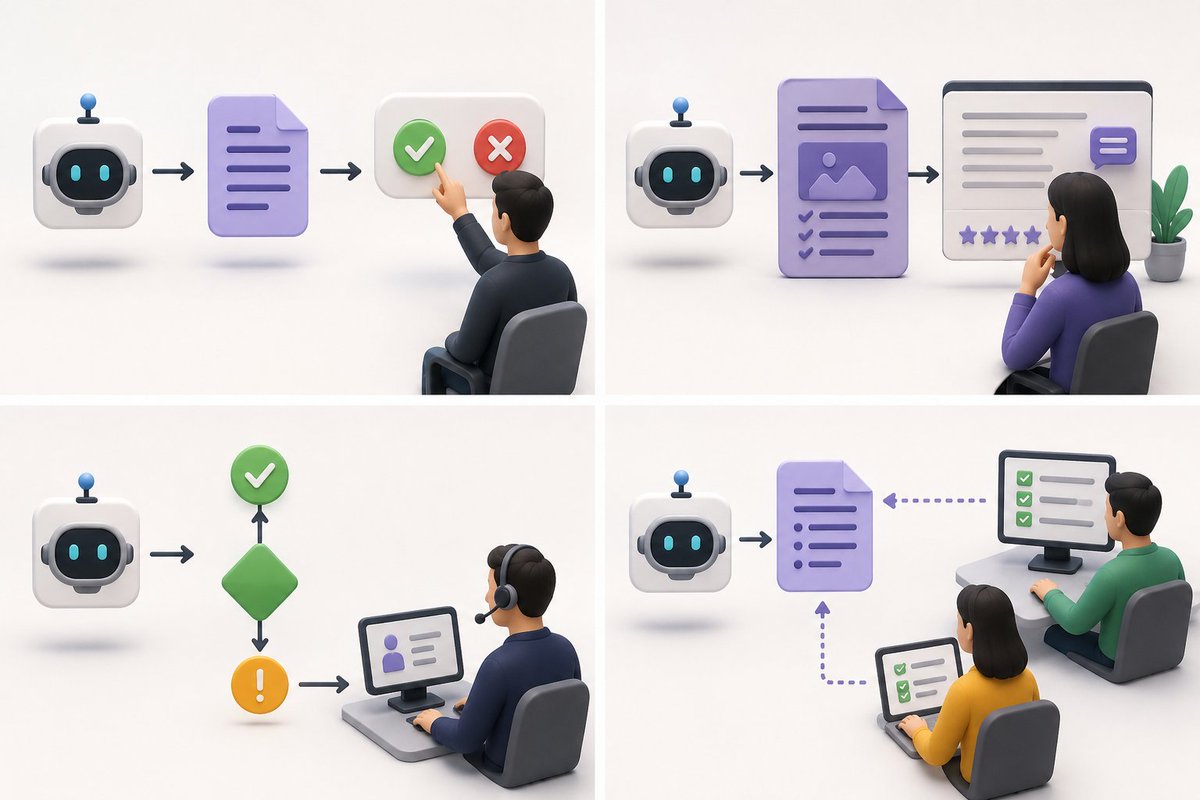
Approve Only — agent generuje, człowiek akceptuje lub odrzuca. Dla: wysyłanie wiadomości, publikacja contentu, decyzje finansowe. Szybkie, ale bottleneck jeśli masz dużo requestów.
Full Review — agent generuje, człowiek reviewuje całość i feedbackuje. Dla: długie formy contentu, architektoniczne decyzje, strategiczne rekomendacje. Jakość vs speed tradeoff.
Escalation Only — agent działa sam dopóki confidence > threshold. Poniżej — eskalacja. Dla: high-volume operations gdzie 95% przypadków jest routine. Human involvement only when needed.
Parallel Review — agent human pracują jednocześnie, human sprawdza output agenta. Dla: training data generation, gdzie chcesz human labels na agent outputs.
Który pattern wybierasz zależy od: cost of error vs cost of human time vs throughput requirements.
Dla naszego content pipeline: approve only dla publicznych postów, escalation only dla internal reporting, parallel review dla data labeling.
A wy? Gdzie w swoich agent setups ustawiacie ludzi? 🤔
#HumanInTheLoop #AIAgents #WorkflowDesign #AgentArchitecture #Engineering
2
6
322

What stands out most for me is learning how to think in systems, not just tools.
Grateful for the growth so far and looking forward to building more. @PivotWings
#Automation #WorkflowDesign #AIAutomation #CRM #NoCode #TechJourney
1
1
2
64
my first automation integrating Google Forms, the learning process has completely changed how I now think about systems and process design.
I’ve also started creating workflows around:
• Lead capturing
• CRM automation
• Process structuring
#Pivotwing #WorkflowDesign
3
3
48

May 3
Stop asking your agent for status reports.
Give it a kanban board.
5-column YAML, drag-to-reorder, optimistic locking. The agents read it at session start. I move cards. We see the same picture.
-> cerridan.com/kanban-agents-a…
#AppliedAI #AIAgents #HumanInTheLoop #ProductDesign #WorkflowDesign
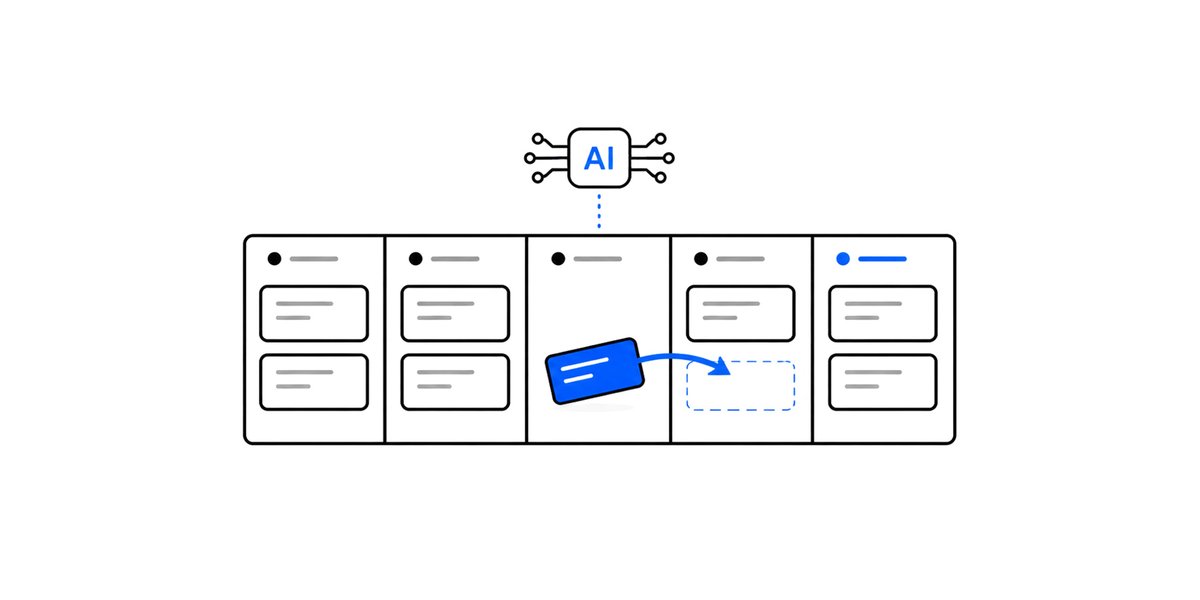
ALT Featured illustration for the post on the kanban board shared between the operator and the AI agents running The AI Signal. The AI chip moves a card across a five-column board: inbox, parked, next, doing, done.
2
2
84

"𝗦𝗼 𝘆𝗼𝘂'𝗿𝗲 𝗖𝗼𝗺𝗳𝗼𝗿𝘁, 𝘁𝗵𝗲 𝘄𝗼𝗿𝗸𝗳𝗹𝗼𝘄 𝘄𝗵𝗶𝘀𝗽𝗲𝗿𝗲𝗿... 𝘄𝗵𝗮𝘁'𝘀 𝘆𝗼𝘂𝗿 𝘀𝗲𝗰𝗿𝗲𝘁 𝘁𝗼 𝗻𝗼𝘁 𝗴𝗲𝘁𝘁𝗶𝗻𝗴 𝗼𝘃𝗲𝗿𝘄𝗵𝗲𝗹𝗺𝗲𝗱 𝗯𝘆 𝗮𝗹𝗹 𝘁𝗵𝗲𝘀𝗲 𝘁𝗼𝗼𝗹𝘀?"... he asked
Honestly? I stopped trying to master tools.
I started mastering systems.
Most people get overwhelmed because they approach tools like a checklist:
"Let me learn Notion."
"Let me learn Zapier."
"Let me learn Airtable."
But here's what nobody tells you,
Tools are just containers.
If your thinking is messy, your tools will be messy too.
So here's exactly how I think about it:
𝟭: 𝗜 𝘀𝘁𝗮𝗿𝘁 𝘄𝗶𝘁𝗵 𝘁𝗵𝗲 𝗼𝘂𝘁𝗰𝗼𝗺𝗲, 𝗻𝗼𝘁 𝘁𝗵𝗲 𝘁𝗼𝗼𝗹
Before I touch anything I ask:
→ What exactly should this system achieve?
→ What is the simplest path from input to result?
Clarity removes 70% of overwhelm instantly.
Most people open a tool before they know what they're building.
That's where the chaos starts.
𝟮: 𝗜 𝗱𝗲𝘀𝗶𝗴𝗻 𝘁𝗵𝗲 𝘄𝗼𝗿𝗸𝗳𝗹𝗼𝘄 𝗼𝗻 𝗽𝗮𝗽𝗲𝗿 𝗳𝗶𝗿𝘀𝘁
I map everything before touching a single tool:
Input → Process → Output
Example:
Client inquiry → Qualification → Booking → Onboarding → Follow-up
Now the system exists before any tool is involved.
The tool just hosts it.
𝟯: 𝗜 𝗮𝘀𝘀𝗶𝗴𝗻 𝘁𝗼𝗼𝗹𝘀 𝗯𝗮𝘀𝗲𝗱 𝗼𝗻 𝗳𝘂𝗻𝗰𝘁𝗶𝗼𝗻... 𝗼𝗻𝗲 𝗷𝗼𝗯 𝗲𝗮𝗰𝗵
Notion → my brain. Organization, SOPs, project tracking, client dashboards
Airtable → structured data and relationship tracking
Make.com / Zapier / n8n→ my hands. Anything repetitive gets automated
Google Workspace → my office. Docs, Sheets, Gmail, Drive
Each tool has ONE job.
No overlap. No confusion.
And if one tool can do the job well, I use one tool.
Efficiency beats aesthetics. Always.
𝟰: 𝗜 𝗮𝘂𝘁𝗼𝗺𝗮𝘁𝗲 𝘁𝗵𝗲 𝗿𝗲𝗽𝗲𝘁𝗶𝘁𝗶𝘃𝗲 𝘀𝗼 𝗜 𝗰𝗮𝗻 𝗽𝗿𝗼𝘁𝗲𝗰𝘁 𝘁𝗵𝗲 𝗰𝗿𝗲𝗮𝘁𝗶𝘃𝗲
As a VA, automation specialist, content strategist, and AI video creator, my creative energy is my most valuable asset.
So I protect it fiercely by automating everything that doesn't need my brain:
Client follow-ups ⚡ automated
Report reminders ⚡ automated
Content scheduling ⚡ automated
Task updates ⚡ automated
This frees me to focus on strategy, storytelling, and creativity...
The things AI can assist with but never fully replace.
SOP Automation = Freedom.
𝟱: 𝗜 𝗯𝘂𝗶𝗹𝗱 𝗳𝗼𝗿 𝘀𝘂𝘀𝘁𝗮𝗶𝗻𝗮𝗯𝗶𝗹𝗶𝘁𝘆, 𝗻𝗼𝘁 𝗵𝘆𝗽𝗲
A good system should:
— work without you constantly fixing it
— be easy for others to understand
— scale without breaking
If it's "smart" but fragile, it's not a good system.
I build things that run quietly in the background
so the team can focus on what actually moves the needle.
𝟲: 𝗜 𝗱𝗼𝗰𝘂𝗺𝗲𝗻𝘁 𝗲𝘃𝗲𝗿𝘆𝘁𝗵𝗶𝗻𝗴... 𝘁𝗵𝗶𝘀 𝗶𝘀 𝘁𝗵𝗲 𝗿𝗲𝗮𝗹 𝘀𝗲𝗰𝗿𝗲𝘁
Every workflow I build has:
— steps
— logic
— fallback actions
So even on my busiest days, I don't rely on memory.
I rely on structure.
And I review every Friday:
What worked?
What slowed me down?
What can I systemize so it never slows me down again?
Growth isn't about working harder.
It's about working inside a system that gets smarter every week.
The bottom line?
Overwhelm doesn't come from too many tools.
It comes from lack of clarity.
When your thinking is structured, your tools become quiet.
And that's how you actually take control.
I don't manage tools.
I build systems that manage themselves.
Then I show up to do the work that actually matters.
Are you overwhelmed by your tools right now? Drop your biggest challenge in the comments, let's untangle it together. 👇🏽
#VirtualAssistant #Automation #SystemsThinking #WorkflowDesign #AItools #ContentStrategy #Notion #MakeCom #OperationsManagement #ProductivityTips #VAlife #WorkSmart
2
5
14
521

There’s a gap in how real-time crisis intelligence is accessed and acted on and it’s costing lives, not just efficiency.
Why it persists:
Crisis data exists, but it’s fragmented across news, social media, and human reports.
Governments rely on slow, manual reporting pipelines.
Most AI systems are built for analysis not real-time action.
And the tools that do exist are either too expensive, too complex, or not built for local realities.
The cost:
Communities are paying for this gap.
Emergency response teams receive information too late.
Organizations operate reactively instead of proactively.
Time that should be used for intervention is lost to verification and coordination.
In real terms: delays in response, misallocation of resources, and preventable escalation of crises.
What the solution architecture looks like:
A unified system that ingests data from multiple sources like social media, news, APIs, and citizen reports in real time.
An intelligence layer that uses AI to classify, validate, and assign severity instantly.
A triage engine that filters noise and prioritizes actionable signals.
And an alert system that routes insights directly to the right stakeholders fast, structured, and continuous.
Not dashboards.
Not reports.
A living system that detects, thinks, and acts.
Where I stand:
This is what I’m actively building toward with GCAI (Global Crisis Anticipator Initiative).
Not just as an idea but as a working system.
Learning AI automation. Building real workflows. Testing with live inputs.
Starting small, but designing for scale.
Because access to timely, intelligent crisis information shouldn’t be a privilege it should be infrastructure.
Who else sees this gap?
I want to connect with people thinking at the intersection of technology, access, and real-world impact.
@Tech_babby @cognixai_
#AIAutomation
#SystemsThinking
#TechForGood
#CommunityTech
#DigitalEquity
#WorkflowDesign
#MissionDriven

11
13
62

Twitter is not the same platform it was two years ago and if you are building any kind of automation on it you will find that out very quickly.
I was building a Twitter bot for a crypto client recently and the new API restrictions made me rethink the entire approach midway through. Twitter has been aggressively cracking down on bot activity since the platform changed hands and rightfully so because the spam problem was out of control. But it also means that even legitimate automation now has to be built much more carefully.
For example you cannot reply to a tweet anymore unless the account has been mentioned or there has been some prior engagement. First time I hit that wall I had to go back and redesign the whole engagement flow from scratch to make sure every interaction the bot takes is within what the API actually allows.
What I ended up building does a few things. It posts AI generated crypto content every day on a fixed schedule so the account stays consistent without my client having to think about it. It monitors for conversations that mention the account and responds in a way that is actually relevant to what the person said. It handles replies that come in with media attachments. And it follows people who engage so the audience grows over time without anyone manually going through the account.
The whole point was that my client is busy. He has investors to talk to, partnerships to manage and a project to run. He should not be the person responsible for keeping up with a posting schedule. Now he does not have to be.
What surprised me building this was how much the API policy changes affected the design decisions. The technical part was straightforward. Understanding what Twitter now allows and building around those limits was the real work.
If you are trying to grow a project or brand on Twitter and want something that works without putting your account at risk, I am open to conversations.
#n8n #Automation #TwitterBot #CryptoGrowth #WorkflowDesign #BuildInPublic

4
71

Apr 10
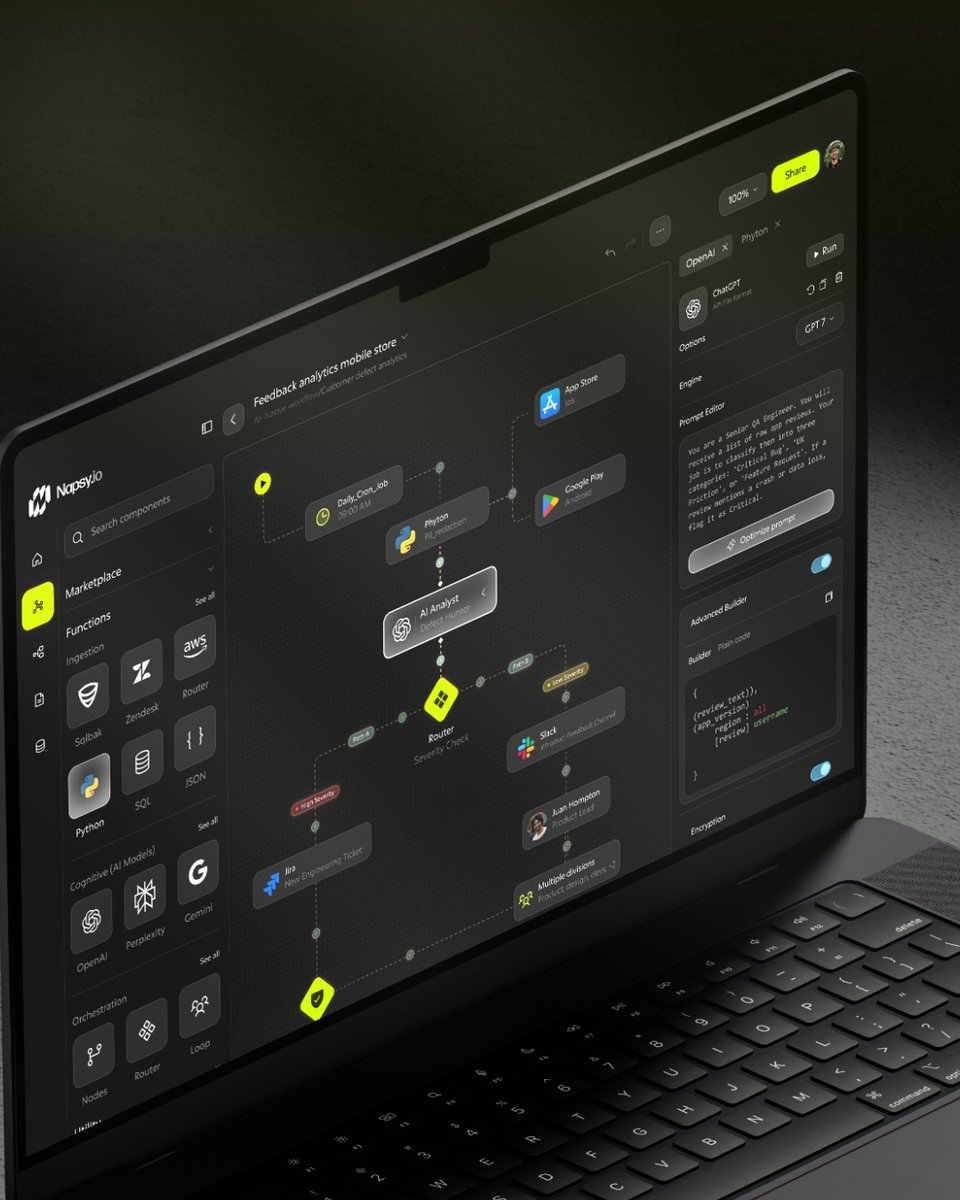
AI workflow tools aren’t just about automation.
They’re about simplifying complexity.
Here’s how to design them right 👇
#AIUX #WorkflowDesign #ProductDesign #UIUX
3
2
9
171

Apr 6
Someone I was coaching this morning asked me which app I use to stay on top of everything, and I could tell by the look on their face that the honest answer was a bit disappointing. They'd been quietly hoping there was a tool they hadn't tried yet.
I've seen this enough times to recognize it. You see someone with a clean, organized setup and your first instinct is to ask what software they're using, because the assumption is that the software is doing the organizing. It isn't. The person is doing the organizing, and the software is just where they store the result.
In this case, they had tried several apps and still felt overwhelmed. Tasks in four different places, nothing prioritized, a vague sense that important things were slipping through. The issue was not the tool. There was no consistent process for what happens when a new task arrives, when to review the list, or how to decide what actually gets done this week.
Once you have that process, the tool barely matters. Pick one you will actually use and stay with it. Then build the habit around it. The habit is what keeps you afloat. The app is just where the habit lives.
#productivity #workflowdesign #agencylife
1
3
460

Mar 13
Nobody told the hiring manager automation would save her job.
She was spending 3 hours every morning just sorting applications.
Copy. Paste. Email. Repeat.
Until it wasn't her problem anymore.
Here's what I built in Zapier (no code):
A Google Form submission triggers everything.
Wrong skills? Wrong location? Under a year exp? Stopped instantly. Zero noise.
Qualified? A formatted email lands in the Sales Manager's inbox in 30 mins.
Senior candidate? Tech lead gets a Slack ping immediately.
Junior? Batched into Google Sheets for one clean review session.
At 6 PM every day ... one Slack message. Every qualified applicant. Total count. Next steps. Done.
The manager now spends 10 minutes on hiring instead of 3 hours.
That's not a productivity hack. That's giving someone their mornings back.
This is what I do best!
What's eating YOUR team's mornings?
#NoCode #Zapier #HRAutomation #WorkflowDesign #OlusolaAutomates @AutomatedbyPam
4
10
209

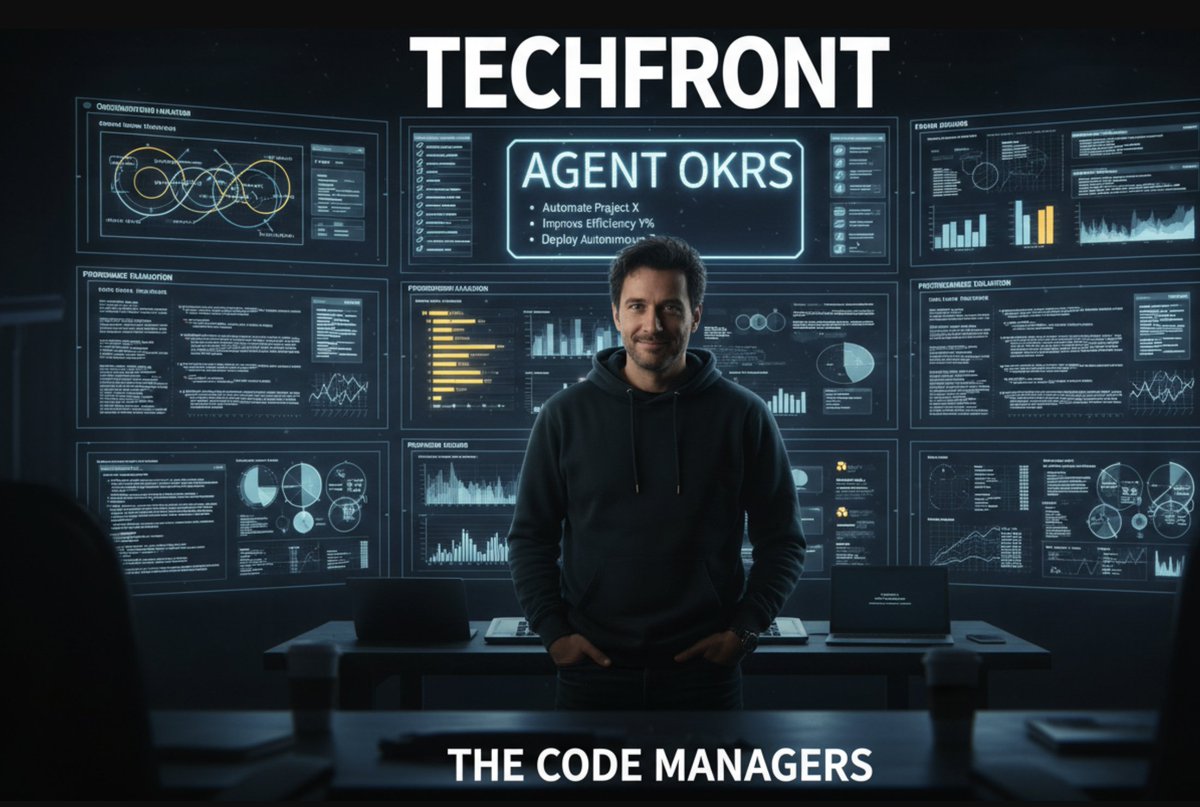
OKRs for AI agents are just… OKRs. Same problem, new species: stochastic workers.
Goals → evals. Standups → checkpoints. Peer review → cross-agent verification. Org chart → orchestration graph
Post: go.abvx.xyz/qsvqls
#AgenticAI #AIOps #LLMOps #WorkflowDesign #OrgDesign
3
56

Is AI improving workflows…
Or rewriting them entirely?
Perspective worth reading: bit.ly/4qNmF22
#AI #WorkflowDesign #EnterpriseTech
3
1
34

Feb 24
오늘 자동매매 운영 결론:
핵심은 “신호 정확도”보다 운영 구조였습니다.
긴 대화/한 섹션 몰빵은 컨텍스트 부담을 키우고 실행 품질을 깎습니다.
#자동매매 #알고리즘트레이딩 #트레이딩시스템 #AgentOps
문제점
1. 컨텍스트 누적으로 응답 품질 저하
2. 안내문만 나오고 숫자 누락되는 보고 오류
3. 실행/보고/감시 혼합으로 장애 전파
4. 주문단위 미스매치(invalid size) 재발
#시스템트레이딩 #운영자동화 #MLOps
원인
• 대화형 메모리에 과의존
• 작업별 세션 분리 부재
• 상태를 파일이 아닌 문맥에 의존
• 시작/종료/교대 리셋 규칙 없음
=> 장시간 운용에서 흔들릴 수밖에 없음.
#ContextEngineering #WorkflowDesign #DevOps
해결
• 작업별 isolated 섹션 분리
• 메인은 결론/숫자만, 상세는 로그 파일로
• KR/US 장 시작·종료 리셋
• HL은 엔진 상시 컨텍스트 4시간 교대 리셋
• 웹훅 자동게시로 접근성 강화
#OpenClaw #자동화 #DiscordWebhook #TradingOps
결론
“좋은 신호”만으론 부족합니다.
신호 → 집행 → 리스크 → 복구를 한 시스템으로 묶어야 실전 성과가 남습니다.
정답: 긴 대화 ❌ / 상태파일 세션분리 ✅ / 요약보고 ✅
#리스크관리 #시스템설계 #퀀트 #AlgoTrading
에이전트 반영 명령 예시
1. “KR/US/HL 작업을 isolated로 분리하고 크론 재배치해.”
2. “KR 08:50 시작, 15:35 종료 리셋 적용해.”
3. “US 21:50 시작, 05:35 종료 리셋 적용해.”
4. “HL은 엔진 상시, 컨텍스트 4시간 교대 리셋해.”
5. “보고는 숫자 고정 포맷만, 안내문 금지.”
#에이전트운영 #프롬프트엔지니어링 #실전자동매매
2
2
2
280
Is AI supposed to improve workflows…
Or redesign them completely?
Interesting take here: bit.ly/4qNmF22
What do you think?
#AI #WorkflowDesign #EnterpriseTe
2
2
26

Feb 18
Day 3/30: of my AI & Automation Journey at
@TechSphereAcad
Topic: Planning Automation Projects
Today wasn't about tools, it was about strategy. I learned the framework for planning automation projects from start to finish.
Top lesson: Good automation starts with good planning. Map your workflow very well before you start automating.
Ready to design my first real automation project.
#30DayOfTech #LearningWithTSAcademy #AutomationStrategy #WorkflowDesign #ProductivityHacks
Feb 17

Day 2/30: of my AI & Automation Journey at @TechSphereAcad
Topic: Exploring the Automation Ecosystem
Discovered the big three automation platforms today: Zapier, Make, and n8n.
Each has unique strengths, from beginner-friendly to enterprise-grade solutions.
Mind blown by how data structures work across different platforms.
Which automation tool do you use? Drop your favorite in the comments.
#30DayOfTech #AIAutomation #LearningWithTSAcademy
2
56

Jan 27
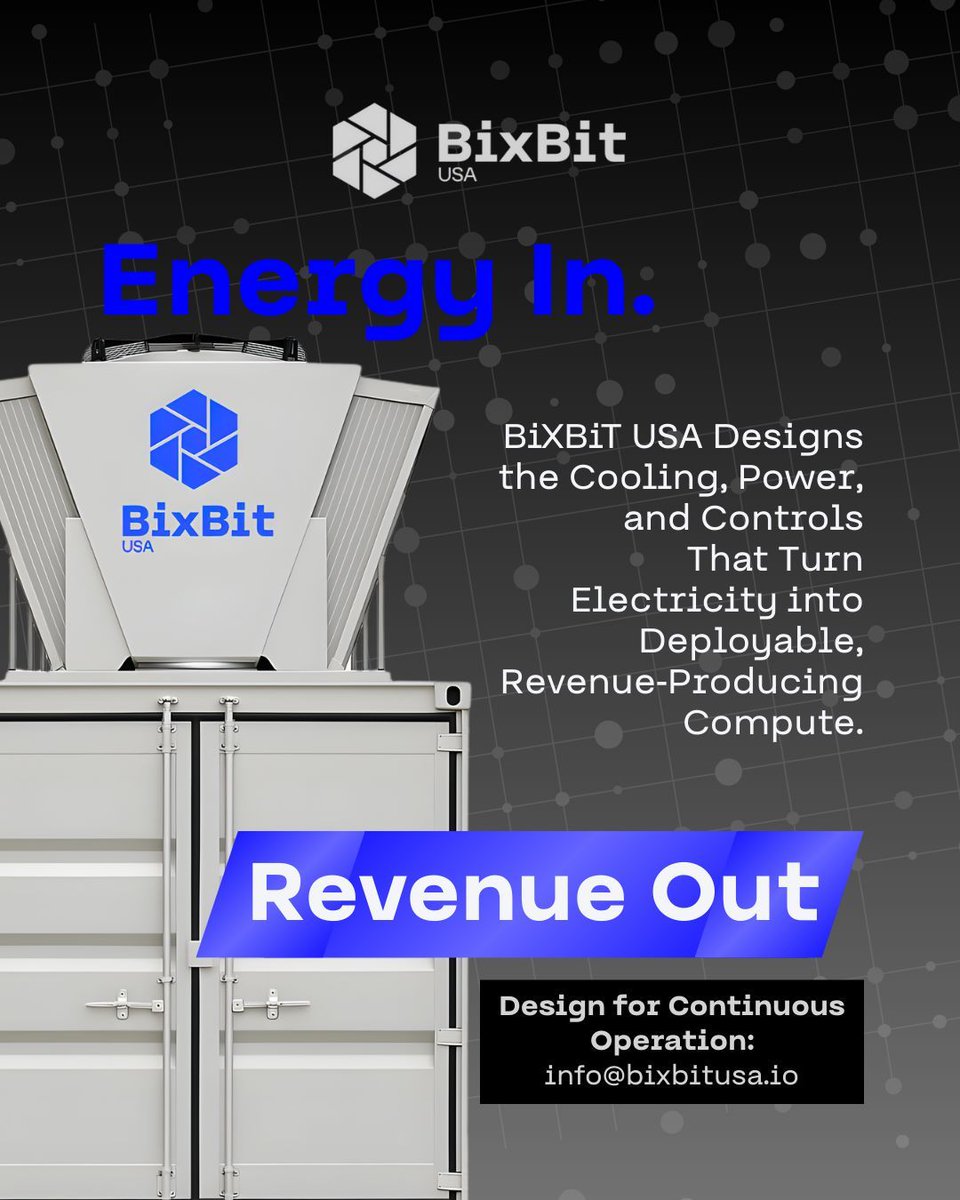
Energy input does not automatically translate into revenue without structure. The gap between effort and outcome is where inefficiencies, loss, and variability occur 📊
Engineering that middle layer converts raw energy into predictable, measurable financial results. 🧠
📩 Engineer the middle → info@bixbitusa.io
#BiXBiTUSA #BiXBiT #EngineeringSystems #ProcessEngineering #OperationalEfficiency #SystemsDesign #RevenueLogic #BusinessInfrastructure #TechnicalStrategy #WorkflowDesign #ProblemSolution #DataDrivenDecisions #ScalableSystems #EngineeringMindset #IndustrialLogic
1
3
42

Jan 22
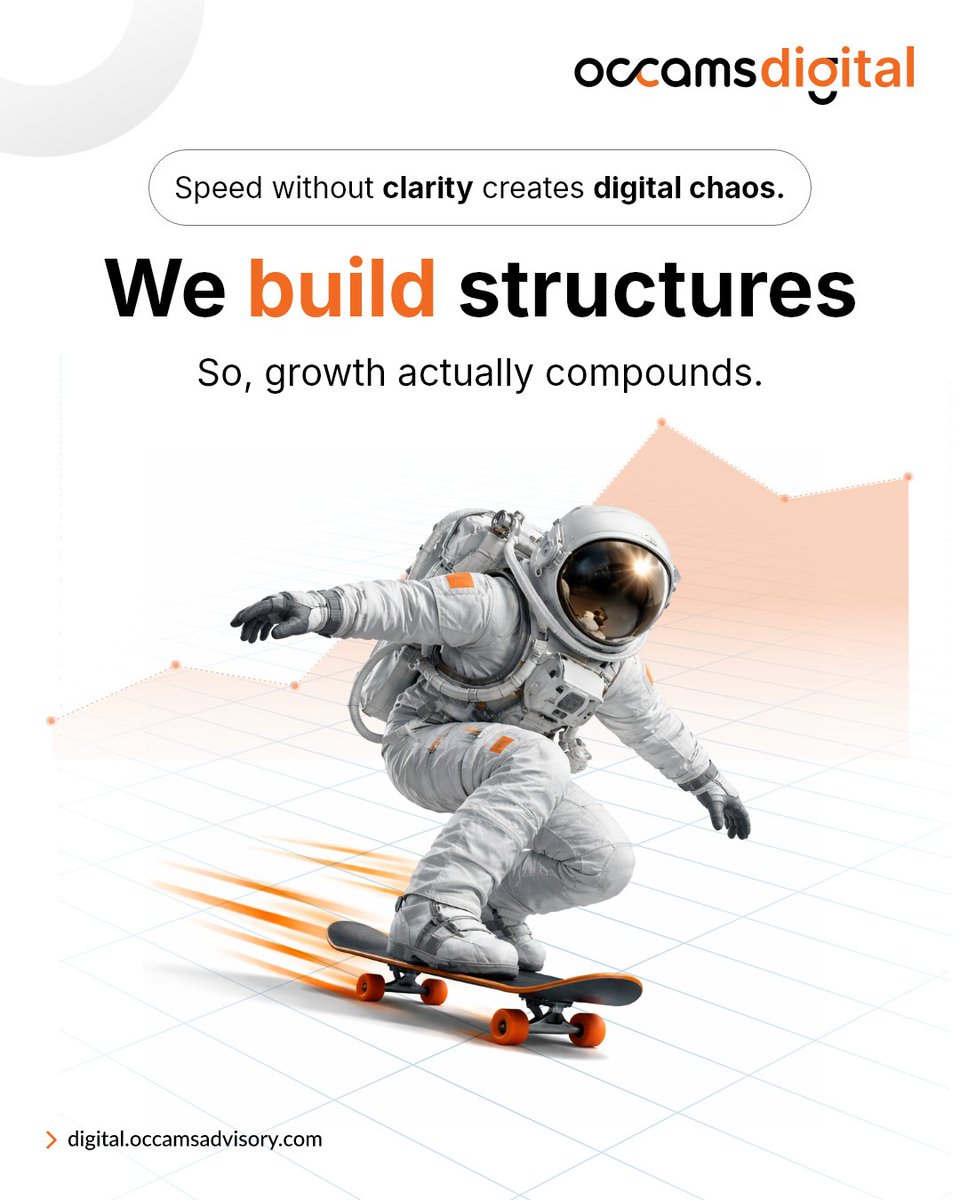
Speed without clarity = digital chaos.
At Occams Digital, we build structures that help growth compound — not collapse.
Start scaling smarter: digital.occamsadvisory.com
#OccamsDigital #DigitalTransformation #BusinessGrowth #WorkflowDesign #SmartScaling
1
2
14