
I write for Reuters. My articles can be found here: reuters.com/journalists/mich…
Joined September 2010
- Tweets 2,908
- Following 740
- Followers 1,305
- Likes 360
89 Photos and videos




Michael Erman retweeted

When the NYT published a story questioning Sec. Kennedy's engagement - including the time he spends at #HHS - he angrily retorted that anyone curious about how much time he spends in the office could consult his online calendar.
STAT has tried. It is not available. statnews.com/2026/06/11/rfk-…
10
302
770
22,881
Michael Erman retweeted

4 Dec 2025
Aaron Siri is a trial attorney who makes his living suing vaccine manufacturers. He is presenting as if an expert on childhood vaccines. The ACIP is totally discredited. They are not protecting children.
cdc.gov/acip/downloads/agend…
1,557
282
1,230
515,634
Michael Erman retweeted

27 Sep 2025
If he gets into the game, Dylan Ross will be the MLB-leading 47th different pitcher used by the Mets this year.
Hey, that's Tom Glavine's number!
44
12
270
20,456
Michael Erman retweeted

26 Sep 2025
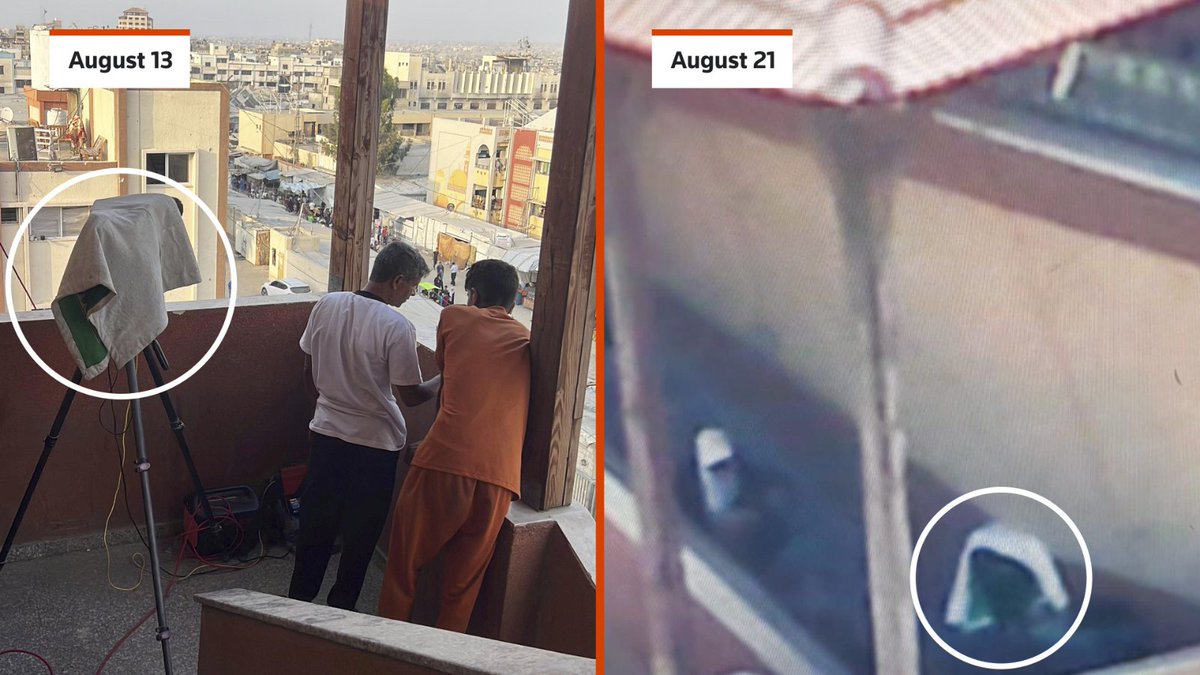
Israeli forces planned an attack on a Gaza hospital using drone footage which, a military official said, showed a Hamas camera that was the target. But a Reuters analysis found it was actually a Reuters camera, long used by one of its own journalists reut.rs/3IHrmdC
3
4
821
Michael Erman retweeted
28 Aug 2025
These high profile departures will require oversight by the HELP Committee. washingtonexaminer.com/polic…
2,382
306
1,324
483,946
Michael Erman retweeted

27 Aug 2025
Abbe Lowell and I represent @CDCgov Director Susan Monarez. Contrary to govt statements, Dr. Monarez has neither resigned nor yet been fired. She will not resign. We have issued the following statement:
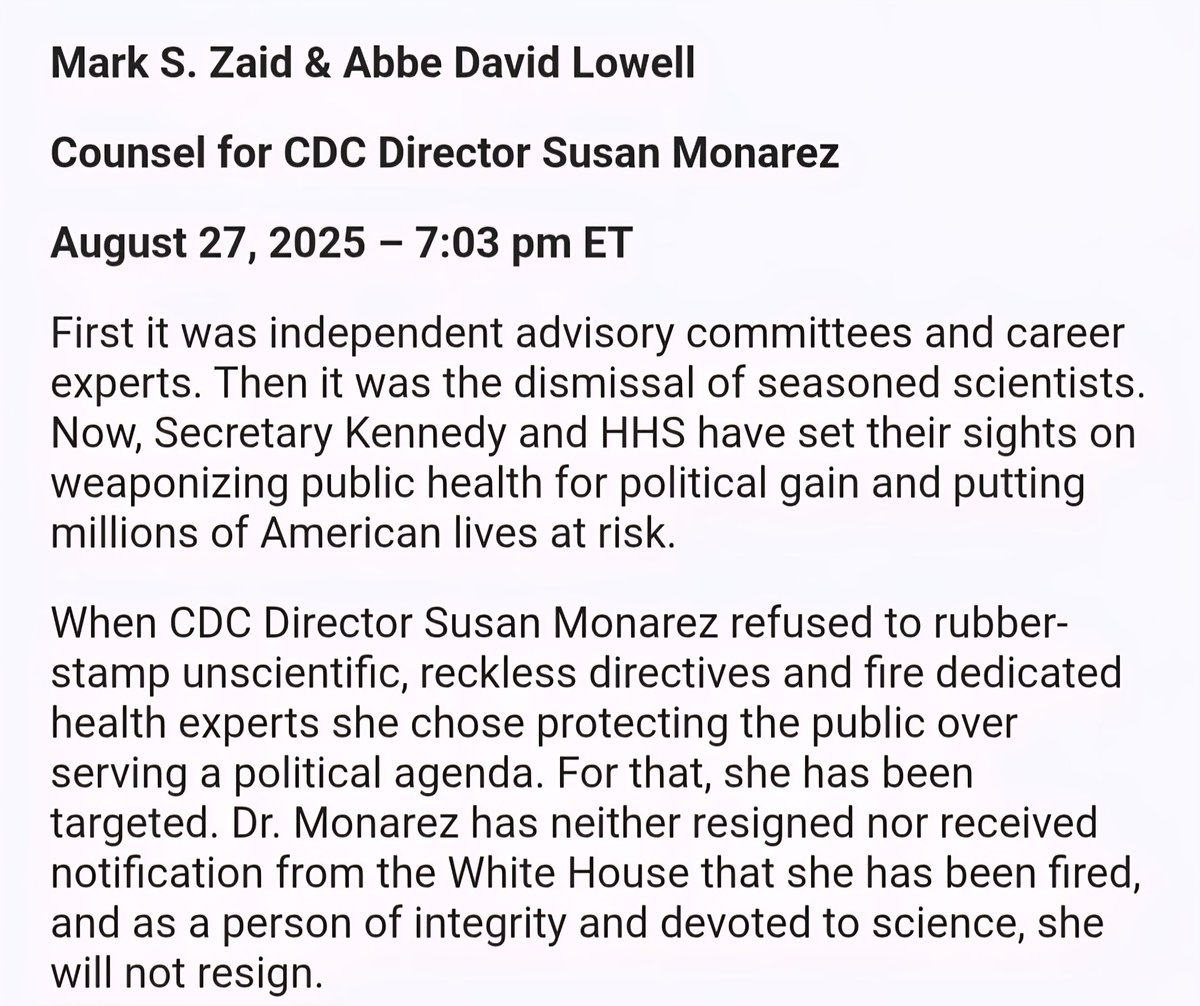

Susan Monarez is no longer director of the Centers for Disease Control and Prevention. We thank her for her dedicated service to the American people. @SecKennedy has full confidence in his team at @CDCgov who will continue to be vigilant in protecting Americans against infectious diseases at home and abroad.
333
1,715
5,545
860,372

26 Jun 2025
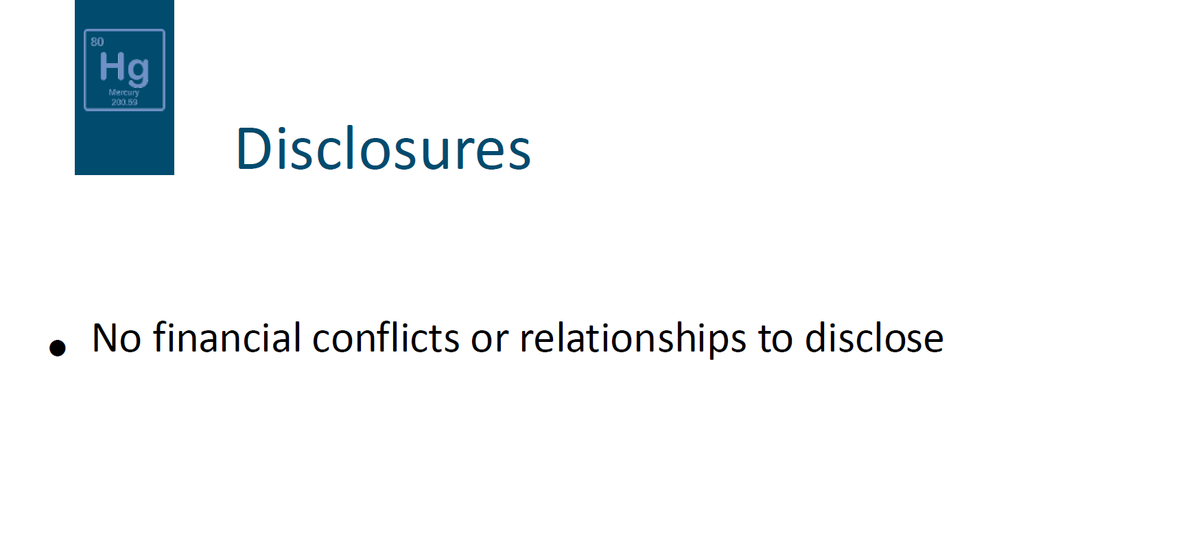
Lyn Redwood's presentation is 10 slides shorter than the original presentation posted by CDC; one of the slides that was removed was the disclosure that she did not have a conflict of interest. She introduced herself as a private citizen.
1
3
4
255
Michael Erman retweeted
24 Jun 2025
Lyn Redwood's report on thimerosal due to be presented to the ACIP makes reference to a study co-authored by UC Davis Professor Emeritus Robert Berman.
But according to Berman, "it's not making reference to a study I published or carried out."
reuters.com/business/finance…
1
1
204
Michael Erman retweeted

12 Jun 2025
Exclusive: Kennedy's new vaccine adviser was expert witness against Merck vaccine reuters.com/business/healthc…
3
4
979
Michael Erman retweeted

10 Jun 2025
Just had a very brief conversation with Sen. Cassidy. I asked if RFK Jr. had reassured him
“I’d rather just characterize it as: we had a conversation”
I also asked if he was still comfortable with his vote confirming RFK Jr.
“I’d rather not comment on that”
9 Jun 2025

Of course, now the fear is that the ACIP will be filled up with people who know nothing about vaccines except suspicion. I’ve just spoken with Secretary Kennedy, and I’ll continue to talk with him to ensure this is not the case.
wsj.com/opinion/rfk-jr-hhs-m…
32
221
577
168,641
Michael Erman retweeted

10 May 2025
At FDA we take vaccine safety seriously fda.gov/vaccines-blood-biolo…
1,819
196
1,332
540,298
Michael Erman retweeted

6 May 2025
The @US_FDA's top inspections official is stepping down, amid frustration with @DrMakaryFDA's plans
"It's fairly basic math. We know how long inspectional activities take. If they get shorter, which inspections activities are we no longer performing?"
cbsnews.com/news/fda-top-ins…
6
69
143
14,008
Michael Erman retweeted

25 Mar 2025
I worked closely with @CDCDirector Dr. Monarez during the transition & found her brilliant, data-driven, non-partisan, and passionate to rebuild #cdc into a national treasure. My congratulations to @realDonaldTrump and @SecKennedy for making this nomination. Nothing but net!
5
8
37
4,121
Michael Erman retweeted

24 Mar 2025
With 23andMe going into Ch11 bankruptcy, your genomic data, if you ever used the service, will be raffled off to the highest bidder. Below are steps you should take to delete it
24 Mar 2025

If you’re worried about your data on 23andMe:
Here’s how to delete your DNA data on the site:
1. Sign in, go to “Settings.”
2. Go to "Delete Your Data.” You can download a copy of your data first.
3. Confirm DOB, and click “confirm.”
2
32
43
12,297
Michael Erman retweeted

8 Feb 2025
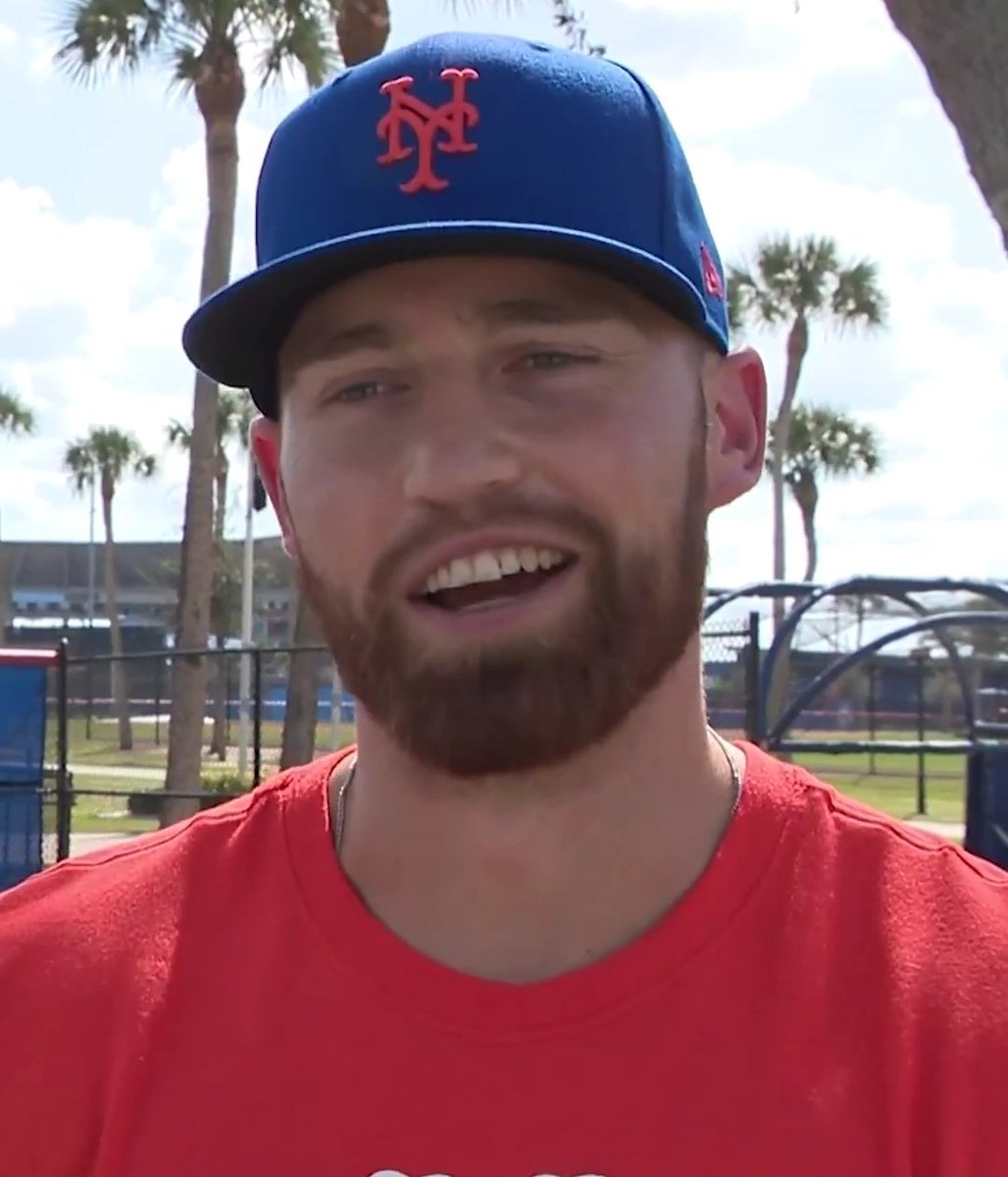
Brandon Nimmo has told me he's working on a new batting stance focused on the far right of the batters box. He's calling it, Project 2025.
1
2
58
2,826
Michael Erman retweeted

24 Jan 2025
The inflation Reduction Act (IRA) is a disaster for patients and it's ruined the Medicare Part D program. Without any senior leadership confirmed by the Senate, it would make perfect sense to freeze the drug price setting program. Another hot mess left by the Biden admin.
1
13
29
3,063