
BiaPy: Accessible deep learning on bioimages
Joined January 2024
- Tweets 78
- Following 109
- Followers 109
- Likes 270
35 Photos and videos
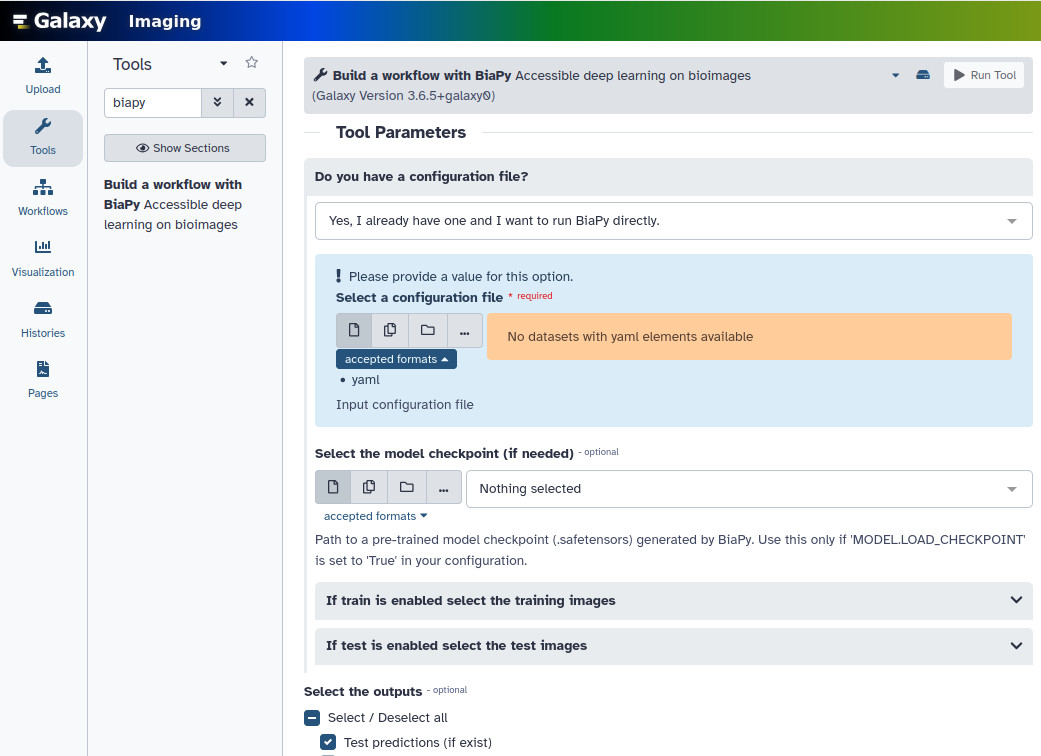

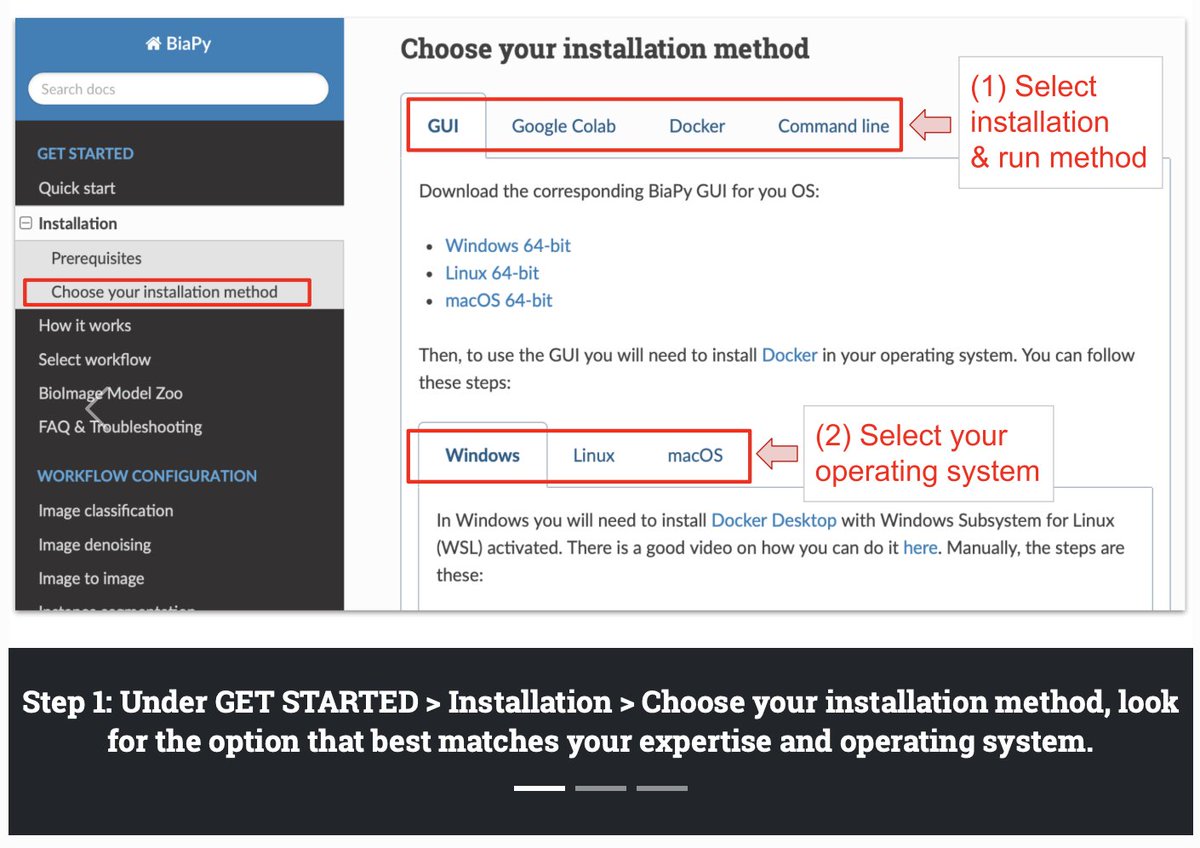



🚀 Big news: BiaPy meets Galaxy! ⛴️🤝🌌
You can now run BiaPy directly inside Galaxy, making deep learning for bioimage analysis easier, reproducible & accessible to everyone.
👉 imaging.usegalaxy.eu/?tool_i…
#BioImageAnalysis #GalaxyProject #AI4Life #Bioimaging
1
1
64
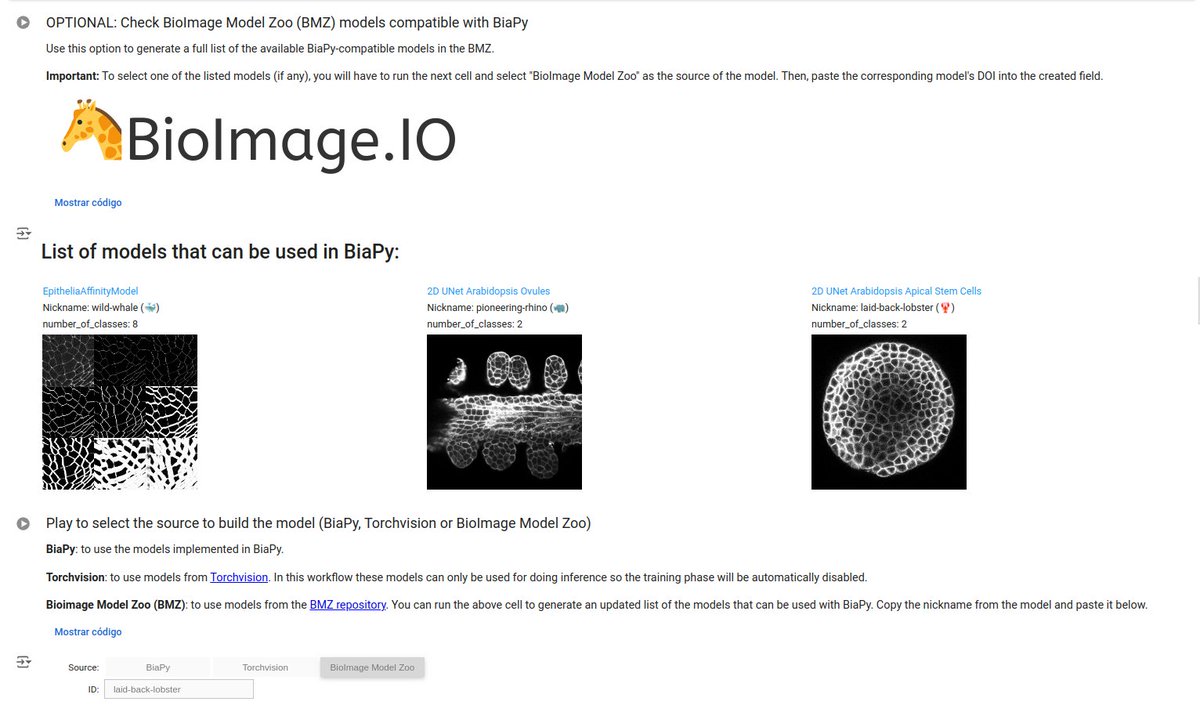
🤝 And there’s more! Thanks to this integration, you can also tap into the 🦒 BioImage Model Zoo 🧬.
Pretrained models can now be run straight through Galaxy with BiaPy, bringing community AI models to your data in just a few clicks.
#BioImageModelZoo #OpenScience
1
1
25
This is a new step for accessible, FAIR bioimage AI 🚀
Try the tool 👉 imaging.usegalaxy.eu/?tool_i…
Contribute your models 🧑🔬 And join the community making bioimage analysis open & reproducible!
#BiaPy #GalaxyProject #BioImageAnalysis #Bioimaging
1
18
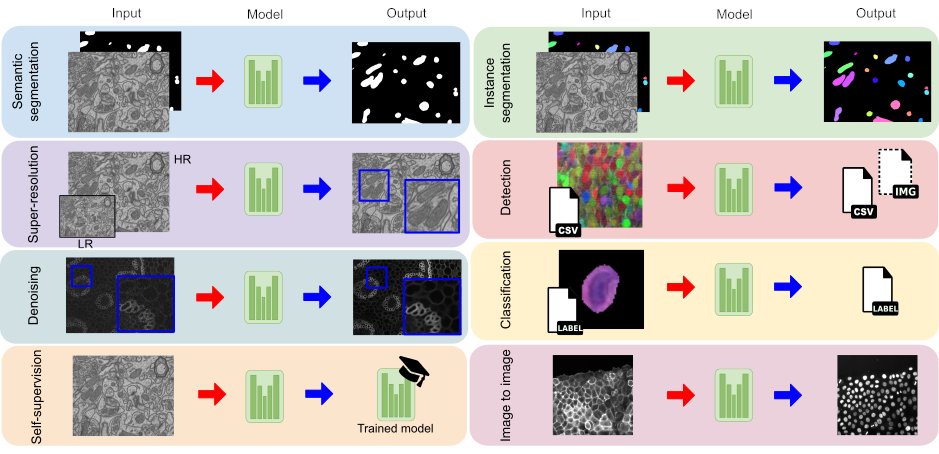
🚀 Excited to share that our work on BiaPy has been published today in Nature Methods!
BiaPy makes deep learning accessible for bioimage analysis, from small datasets to terabyte-scale 3D images. 👇(1/7)
🔗 nature.com/articles/s41592-0…
#DeepLearning #BioimageAnalysis #BiaPy
ALT BiaPy logo, showing a depiction of a boat transporting a microscope.
2
9
15
1,520
🔗 Want to try BiaPy?
Check out the full documentation and tutorials here:
👉 biapy.readthedocs.io/
👉 youtube.com/@BiaPyX
Contribute, test, and join the community — BiaPy is open source! (6/7)
#OpenScience #Microscopy #AI
1
4
7
259
🙏 Thanks to @naturemethods, @rita_strack , the reviewers, and the awesome bioimage analysis community.
We can't wait to see what you build with BiaPy! 🚀🧠
🔗 nature.com/articles/s41592-0…
#BiaPy #BioimageAnalysis #DeepLearning (7/7)
3
61
BiaPy retweeted

20 Nov 2024
and 4⃣, on Friday at 10:45am (Sala Toledo), I will be presenting the history and current state of @BiaPyX with my talk "BiaPy: Bioimage Analysis workflows for all audiences", see you all there! 😊

ALT Title slide of the presentation by Ignacio Arganda-Carreras at SPAOM 2024, entitled "BiaPy: Bioimage Analysis workflows for all audiences".
6
13
458
BiaPy retweeted
20 Nov 2024
3⃣ Tomorrow after lunch (16.15h – 17.15h, Workshop rooms), @ArrateMunoz @Lenka_Backova @AAitorG and I will give a community workshop on @BiaPyX , our deep learning library and application for #BioImageAnalysis
#SPAOM2024
x.com/SPAOM5/status/18309220…

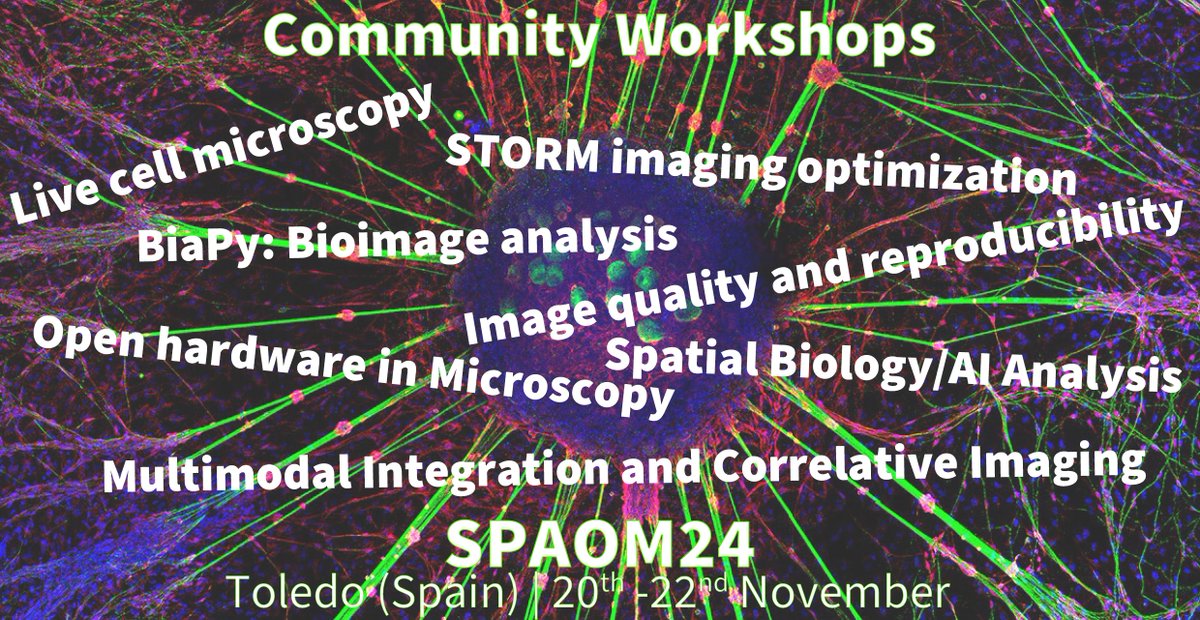
The SPAOM 2024 Community Workshops are here! 🚀 Join us for hands-on sessions with experts, cutting-edge techniques, and the latest in optical microscopy and imaging. 🔬
🔗 Learn more and register: SPAOM2024.org
Don't miss out on this incredible opportunity #SPAOM2024
1
2
9
270
BiaPy ⛴️ will be at SPAOM24 in Toledo twice! We'll lead a community workshop (Day 2) and @IgnacioArganda will give an invited talk (Day 3) about our library and application ☺️ See you all there! #SPAOM2024
And we made it to the news: europapress.es/castilla-lama….
We can't wait to see you next week! See you in Toledo.
3
10
581
🆕 We have updated our preprint in @biorxivpreprint 📰 It explains better the current state of #BiaPy ⛴️ while describing as well its limitations 🤗 Hope you like it!
"BiaPy: Accessible deep learning on bioimages" biorxiv.org/content/10.1101/…
13
20
1,735
🚀 For a fast overview on how to reuse models from the @bioimageio zoo 🦒in our notebooks 📒 (including exporting them too), check our video
"BiaPy: Import & Export BioImage Model Zoo models in Notebooks" youtu.be/R0Li3tZ7Ryc?si=qsHC… via @YouTube by @IgnacioArganda
4
6
422
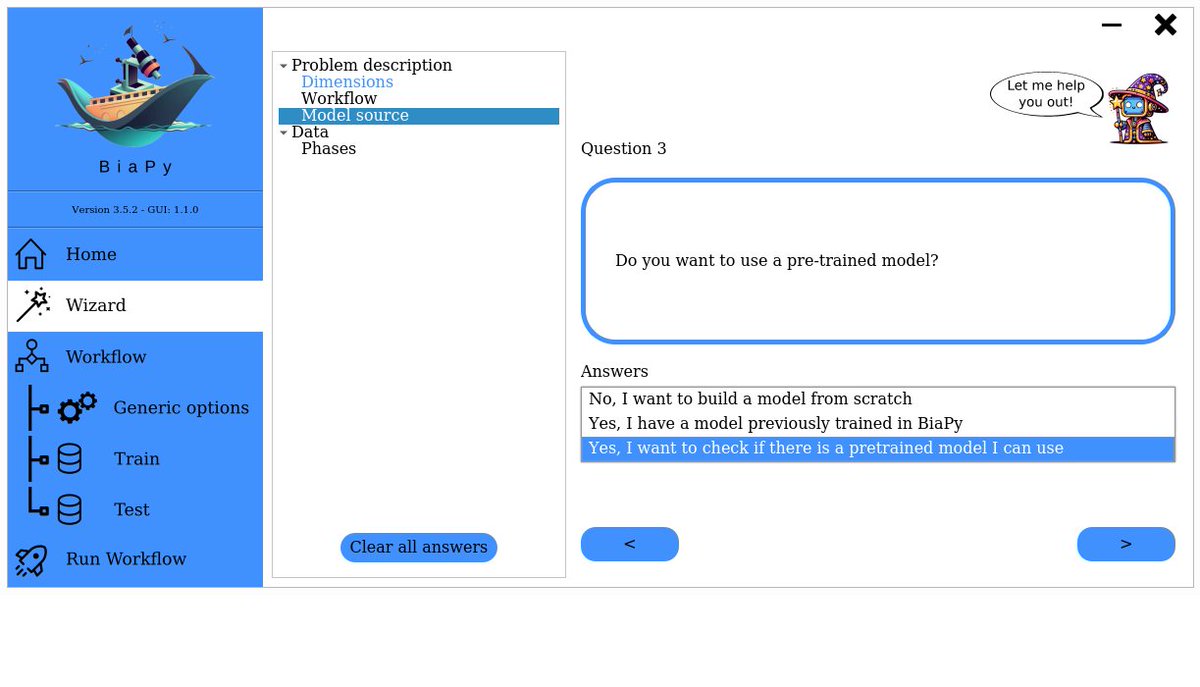
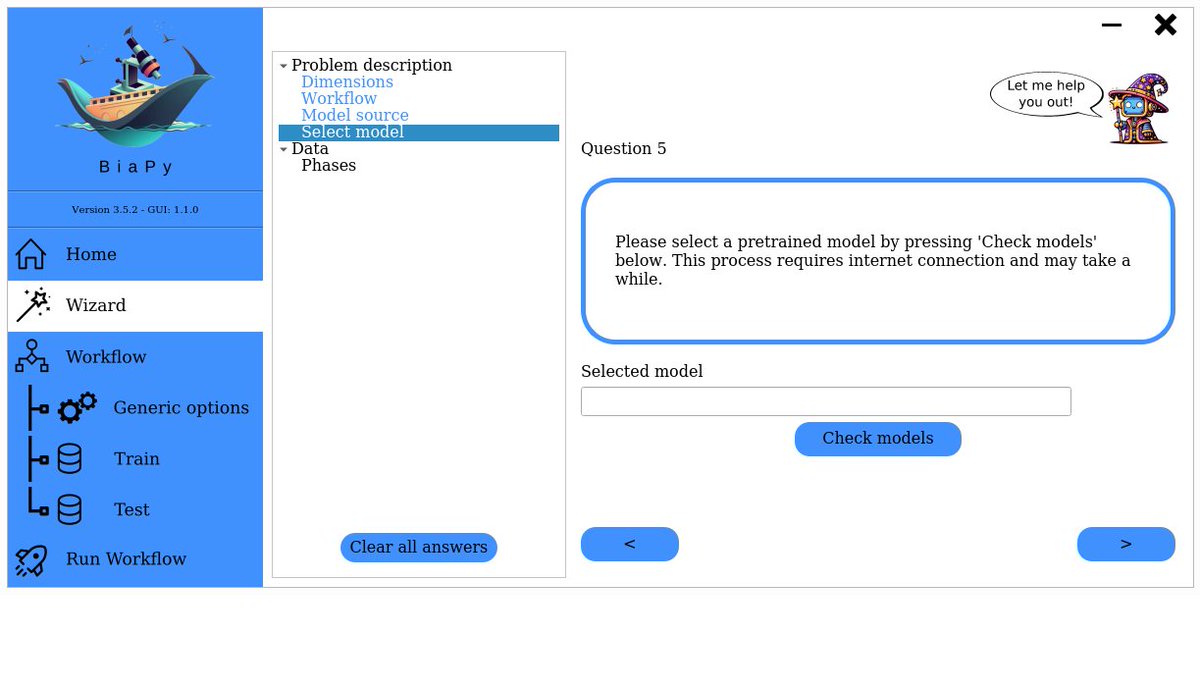
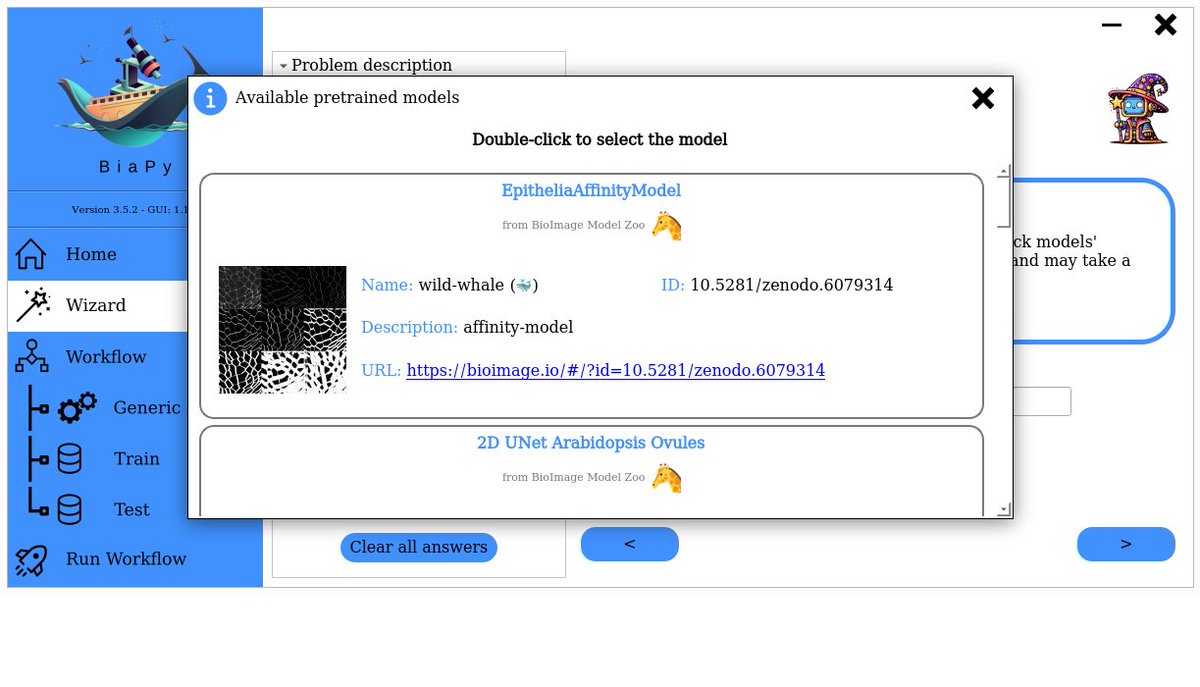
Would you like to use a model from the @bioimageio zoo 🦒 as core model of your BiaPy ⛴️ workflow? No worries! You can easily do that either 👇
1⃣ from the GUI 🖥️, specially if you follow the instructions of our friendly wizard 🪄🧙♀️
1
6
9
747
3⃣ and of course, programmatically 🤓 by editing the YAML configuration file.
We have a dedicated page in the documentation 📚 that explains the whole process in all three cases:
biapy.readthedocs.io/en/late…
3
43
📒 Our code-free notebooks are designed to be self-explainable and (hopefully 🤞) easy to use and follow. Nevertheless, in case you feel overwhelmed by them, you can have a look at our walkthrough video on BiaPy Notebooks youtu.be/KEqfio-EnYw?si=jvSx… via @YouTube by @IgnacioArganda
14
25
1,808