
Emerging software engineer with a strong interest in C# .NET development, problem-solving, and continuous learning. Focused on writing clean code, mastering
Joined February 2025
- Tweets 38
- Following 273
- Followers 38
- Likes 219
25 Photos and videos





Ever wonder how top tech companies release code so quickly and reliably? 🚀 It’s all about CI/CD (Continuous Integration & Continuous Deployment)!
This automated pipeline takes code from a developer, runs tests, and deploys it to production seamlessly. It reduces manual error
2
21
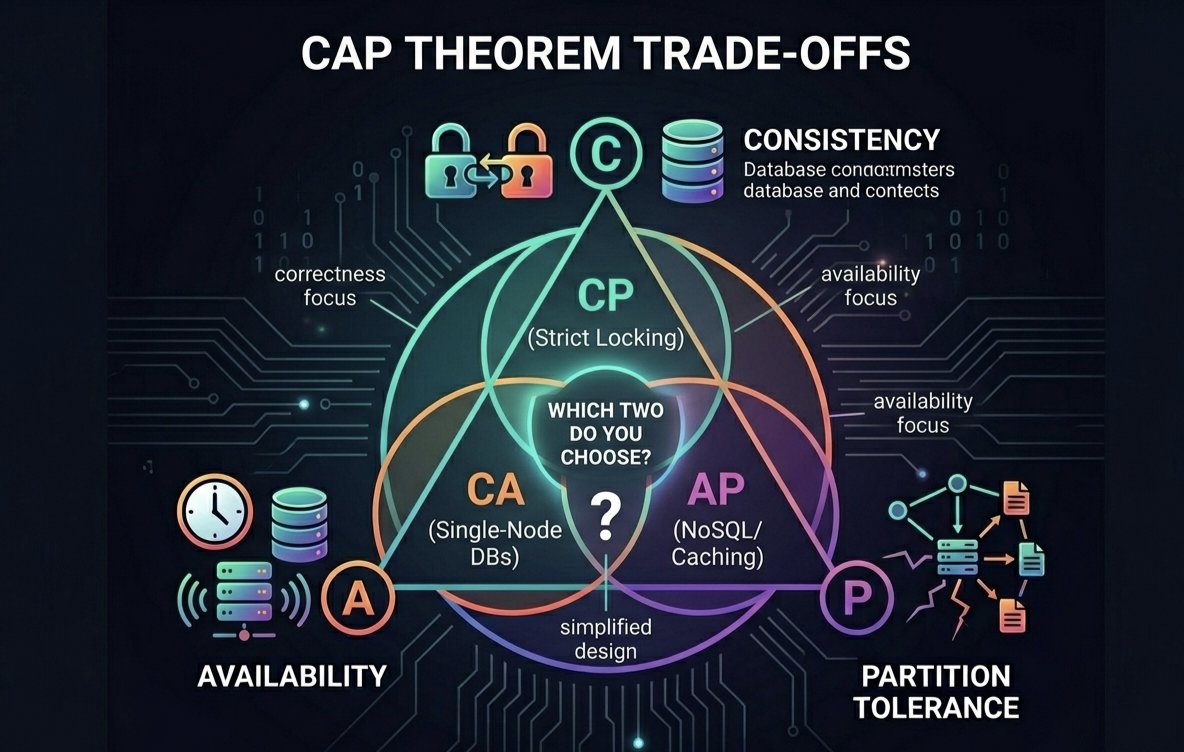
Distributed systems 101: The CAP Theorem. 💻💡
Consistency (C)
Availability (A)
Partition Tolerance (P)
Pick TWO. Plan your trade-offs wisely. 📊
#DistributedSystems #SystemDesign #CAPTheorem
28
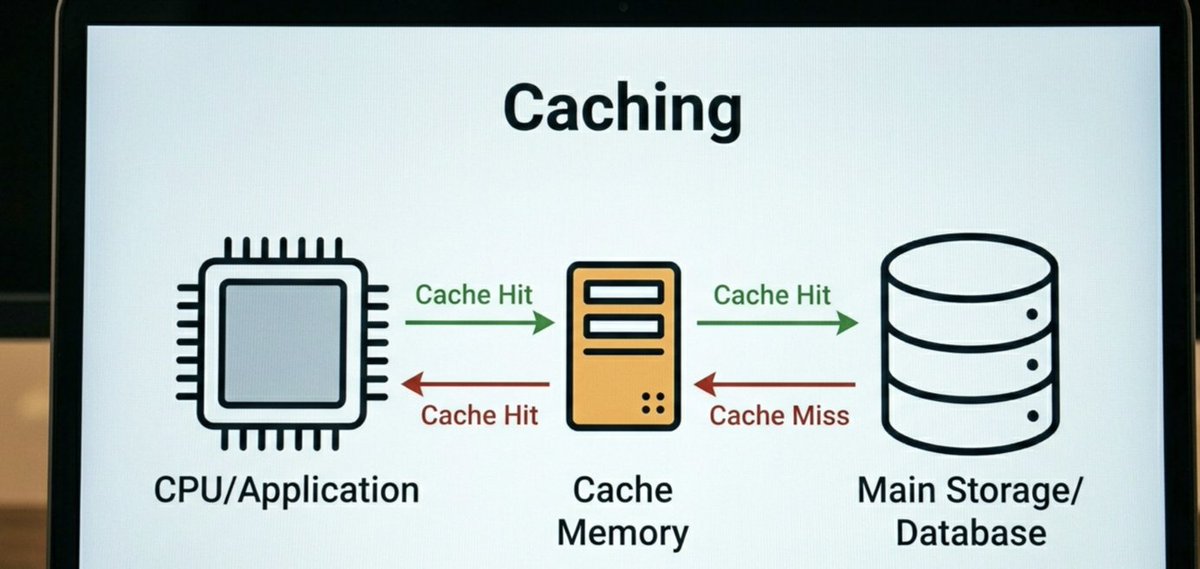
Caching improves performance by storing frequently used data in faster storage, reducing latency and speeding up applications. A simple concept with a huge impact on system design. 🚀
#ComputerEngineering #Caching #SoftwareDevelopment #SystemDesign
17
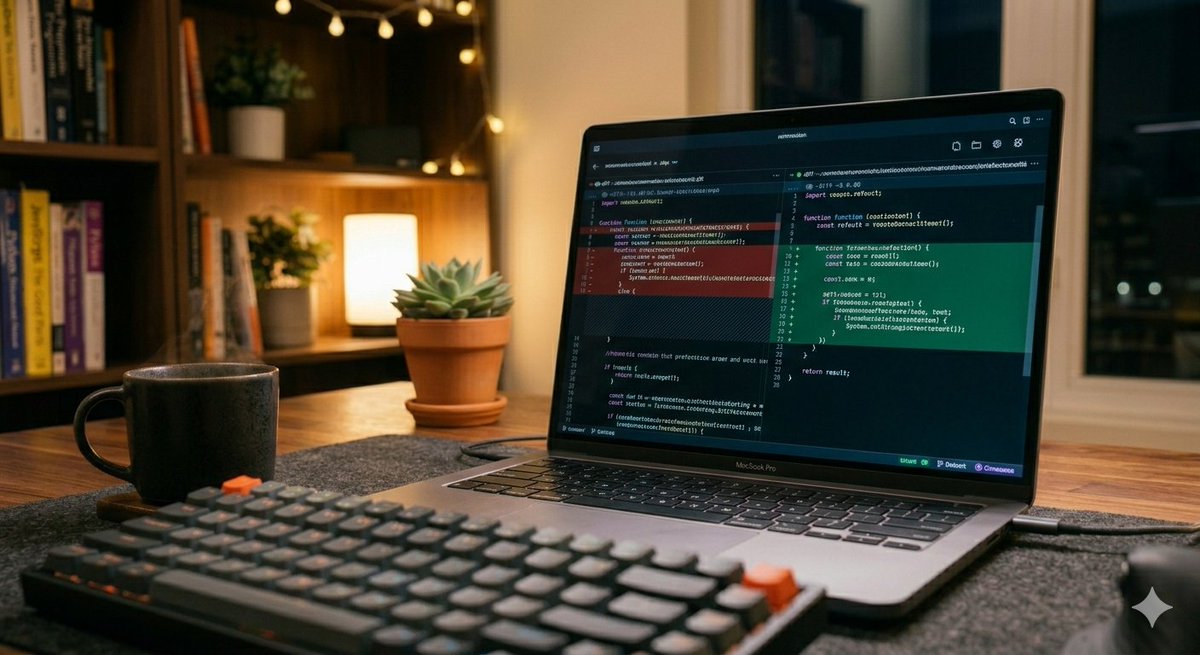
Refactoring is where the real magic happens. Writing code that works is just step one—making it clean, readable, and maintainable is what separates great engineering from good enough. Always leave the codebase a little better than you found it.your golden rule for refactoring 👇
1
16
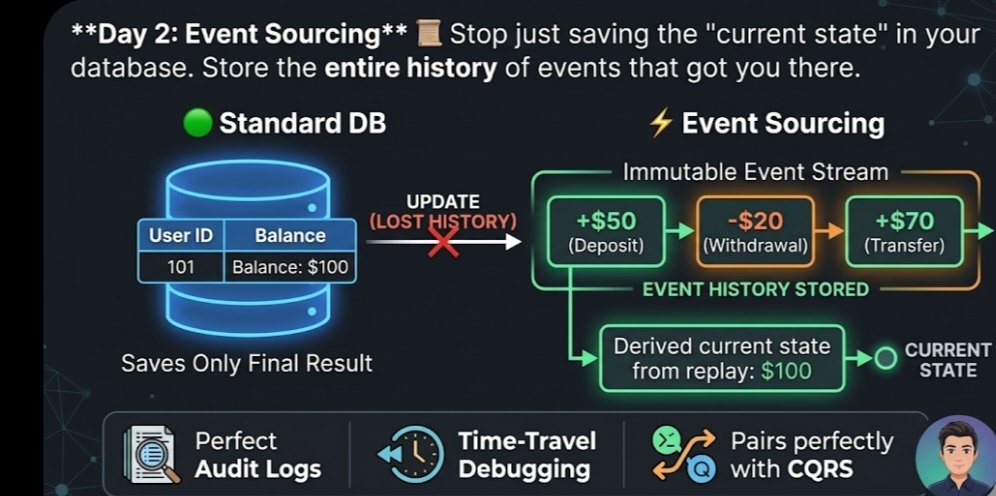
Day 2: Event Sourcing
Stop just saving the "current state" in your database. Store the entire history of events that got you there.
Standard DB: User Balance =$100
Event Sourcing: $50 ➡️ -$20 ➡️ $70 Why? Perfect audit logs, time-travel debugging, and pairs perfectly with CQRS
23
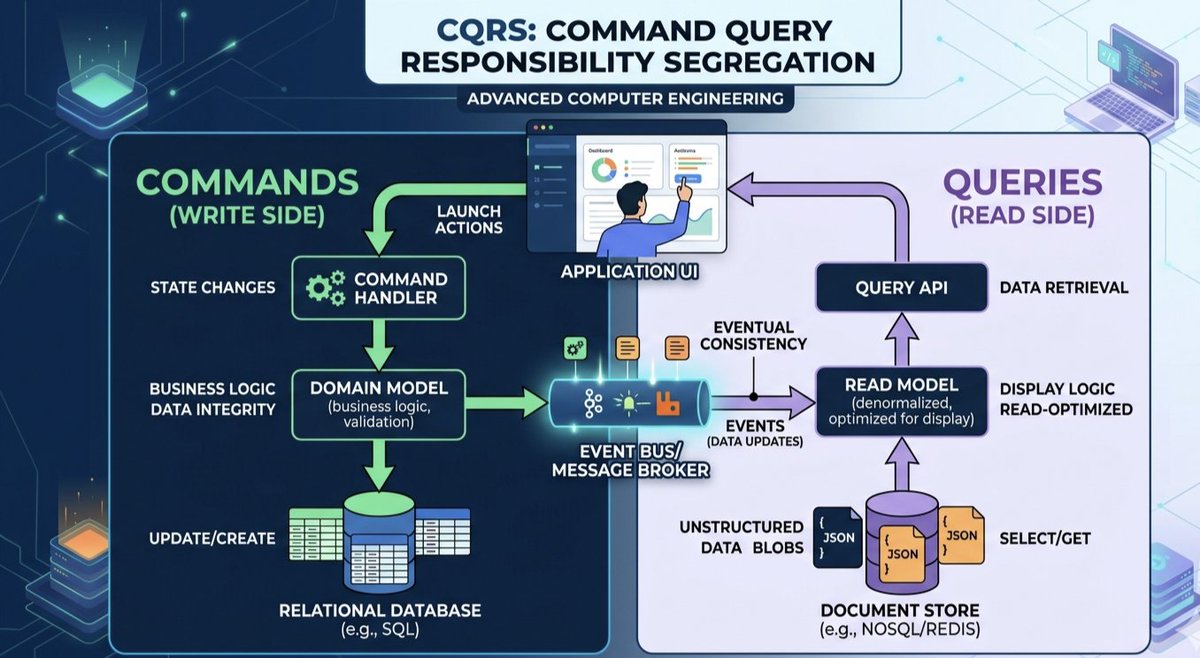
Day 1: CQRS (Command Query Responsibility Segregation) 🚀
Stop forcing one data model to do everything. Split it:
1️⃣ Commands (Writes): State changes & data integrity.
2️⃣ Queries (Reads): Raw speed & UI-optimized data.
Scale them independently.
#SystemDesign #CQRS
1
23
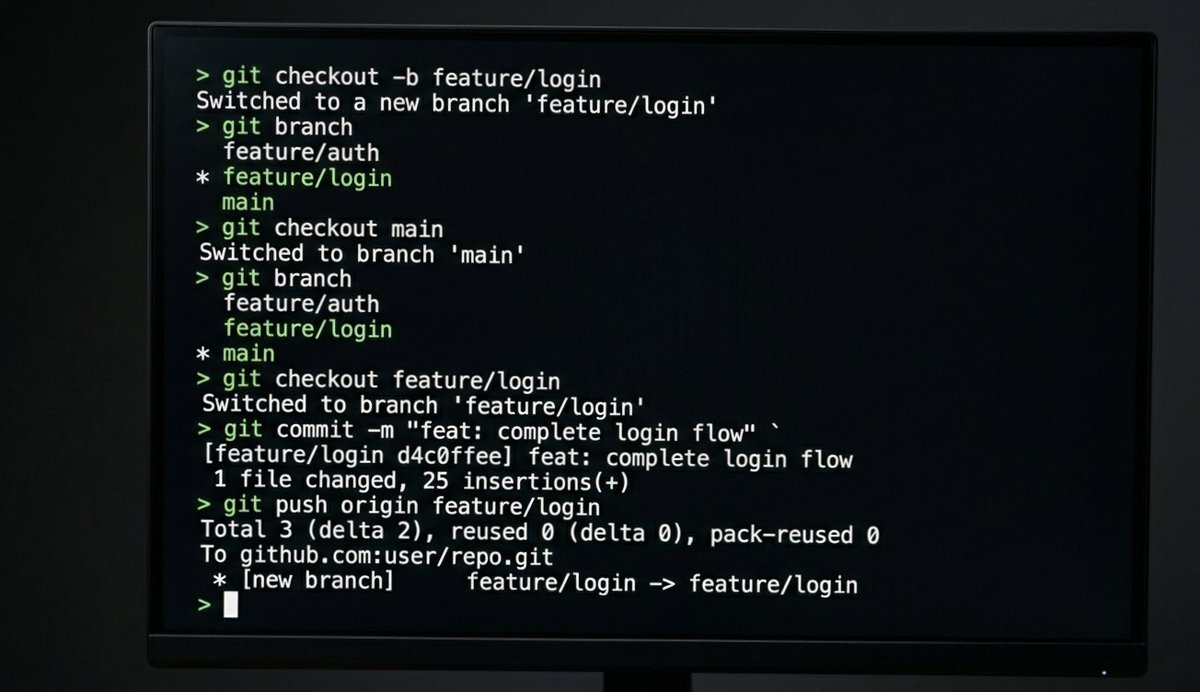
Small commits, descriptive messages. Git mastery is non-negotiable for scaling teams. Mastering branching strategies keeps history clean and deployment easy. 🌳🔧
What's your standard branch naming convention? 👇
#SoftwareDevelopment #DeveloperLife #Git #Coding
2
27
Consistency is key in software development! 🚀 Whether you're debugging a tricky issue, learning a new framework, or refactoring legacy code, every small step makes you a better engineer. What are you building today? 💻🔧 #SoftwareDevelopment #Coding #DeveloperLife #Tech
2
55
Tech stack upgrade needed. 🌍➡️🌌Concepts are ready. Is the engineering?🛡️ Planetary Defense AI 🔦 Hard Light Holograms 🧠 Automaton Group Minds 🔋 Star-Level Compute 🧬 Genetic with ai @SpaceX @NVIDIA @GoogleDeepMind @LockheedMartin @NASA#FutureTech #KardashevScale
3
70
🔹 Virtual Universe Simulation 🔹 Sentient Intelligent Lifeforms 🔹 Quantum Consciousness Upload 🔹 Liquid Metal Nanotech 🔹 Mechanical Race Evolution 🔹 Brain-Bound AI Core
The concepts exist. Do we have the hardware?
@OpenAI @Neuralink @GoogleDeepMind @NVIDIA @BostonDynamics
2
73
Imagine an AI assistant that doesn't just chat, but lives on your desktop. 🖥️✨ I want a fully interactive agent—think Swallowed Star donghua visuals—that navigates @Windows, handles workflows, and actually does the work. The future UI is a virtual universe.@Microsoft @GeminiApp
1
1
111
1
67
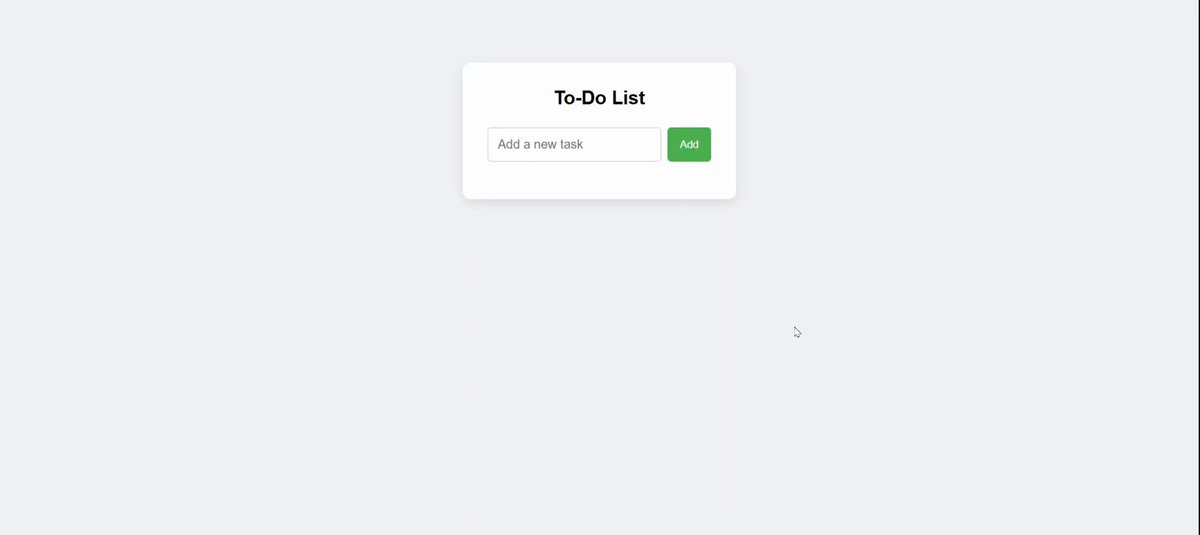
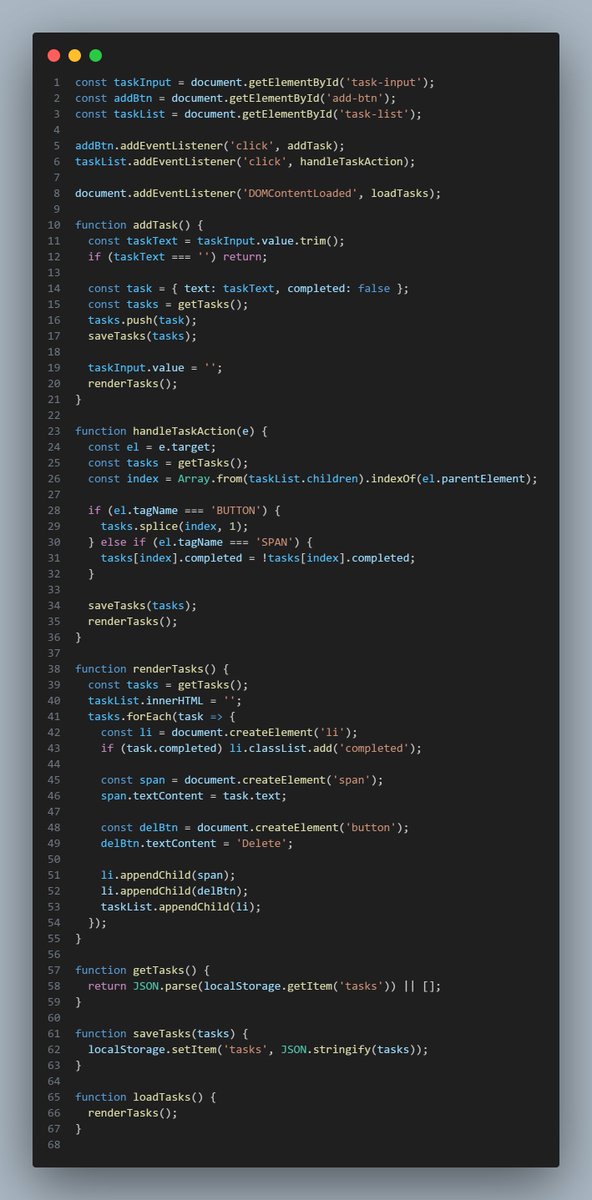
Day 15/100
Added localStorage support to the to-do app.
Now tasks persist after page reload — feels like real progress.
Key takeaway: localStorage is perfect for simple state saving.
#100DaysOfCode #JavaScript #WebDev #Frontend
2
28
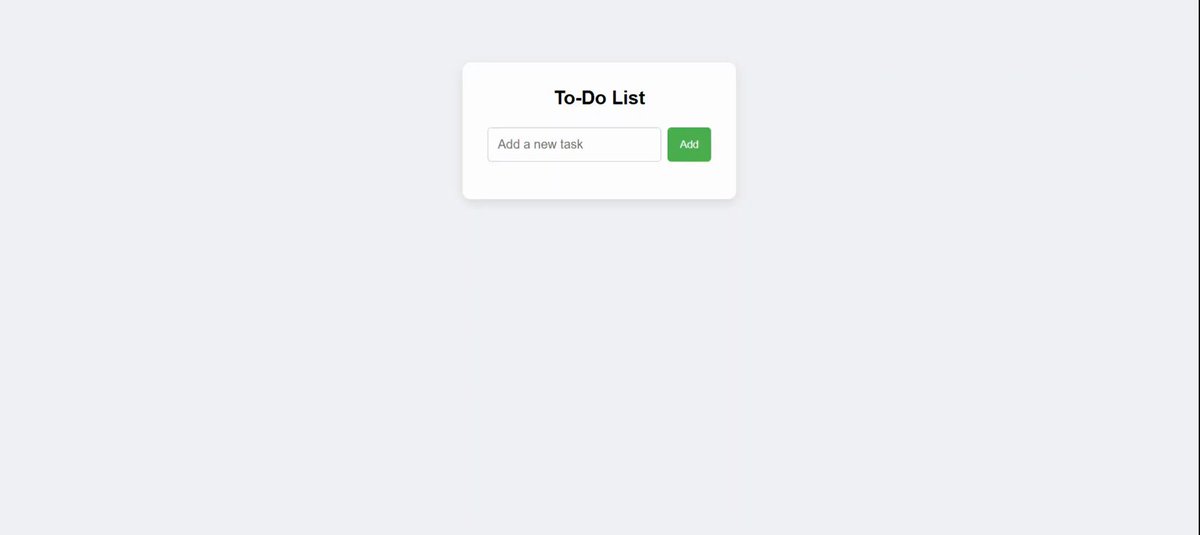
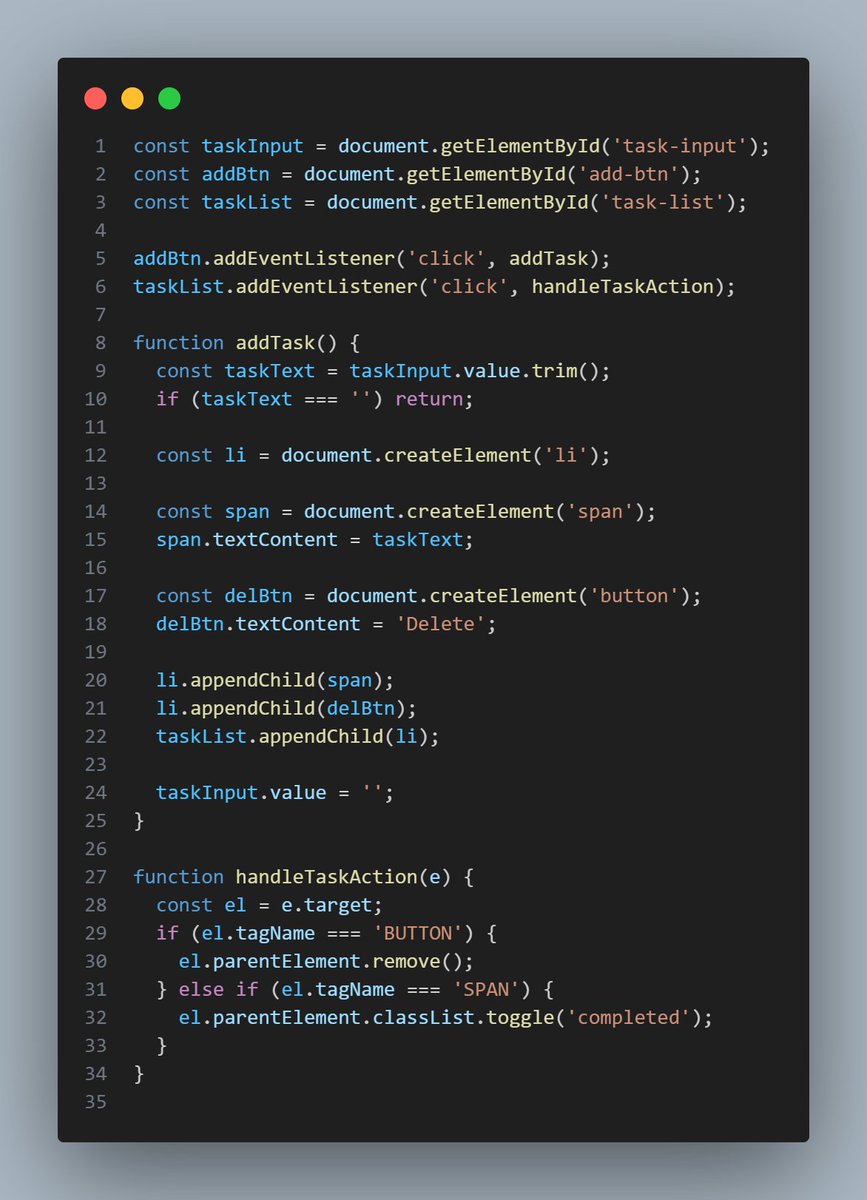
Day 14/100
Built a simple to-do list app using JavaScript.
Implemented add, delete, and mark-complete functionality.
Key takeaway: Breaking logic into functions simplifies flow.
#100DaysOfCode #JavaScript #WebDev #Frontend
2
22
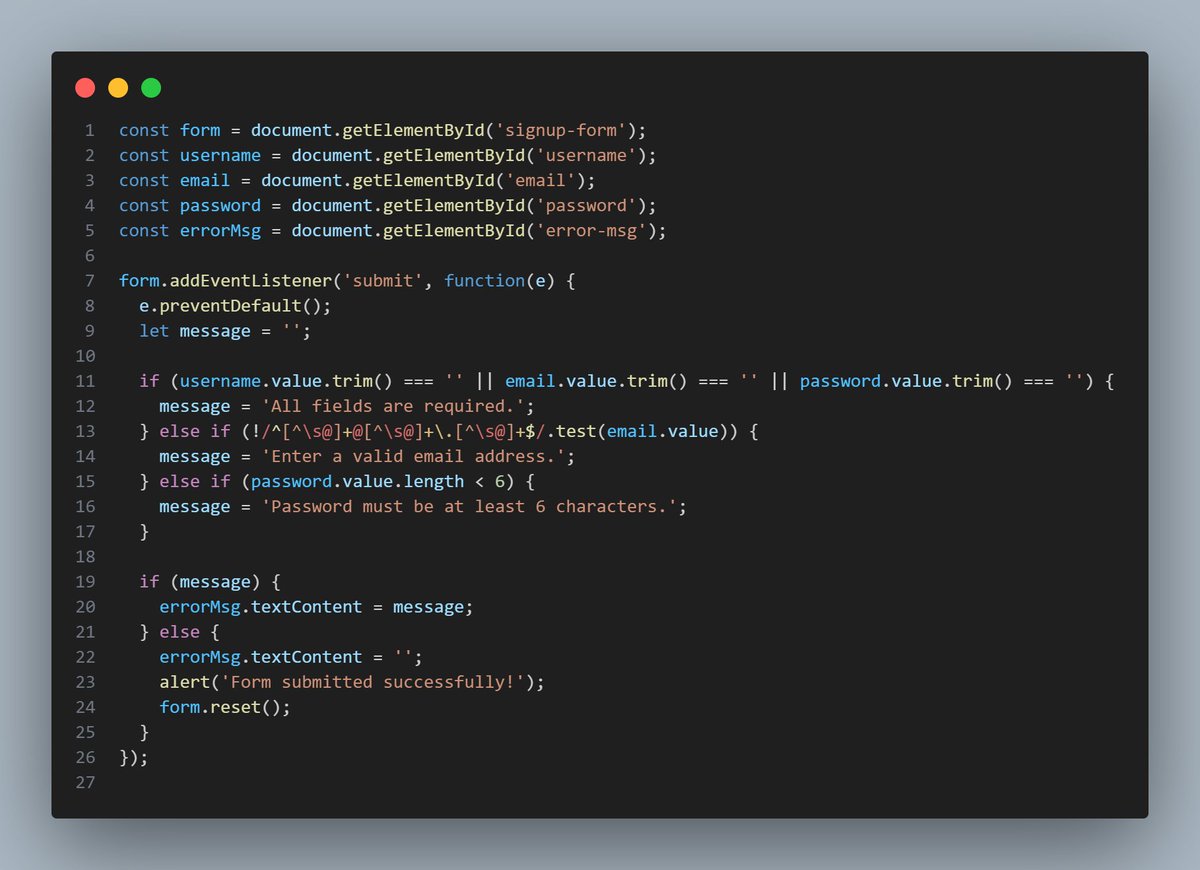
Day 13/100
Practiced form validation using vanilla JavaScript.
Checked for empty fields, email format & password length.
Key takeaway: Frontend validation is the first defense.
#100DaysOfCode #JavaScript #WebDev #Frontend
1
13
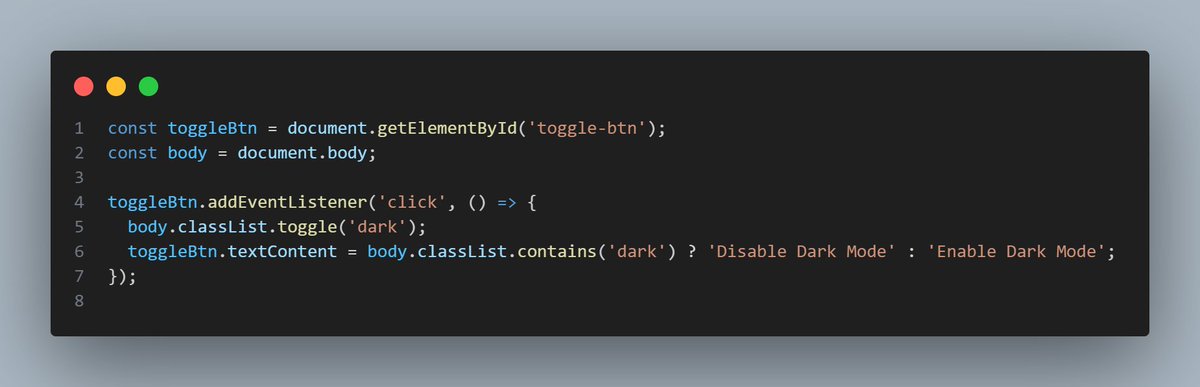
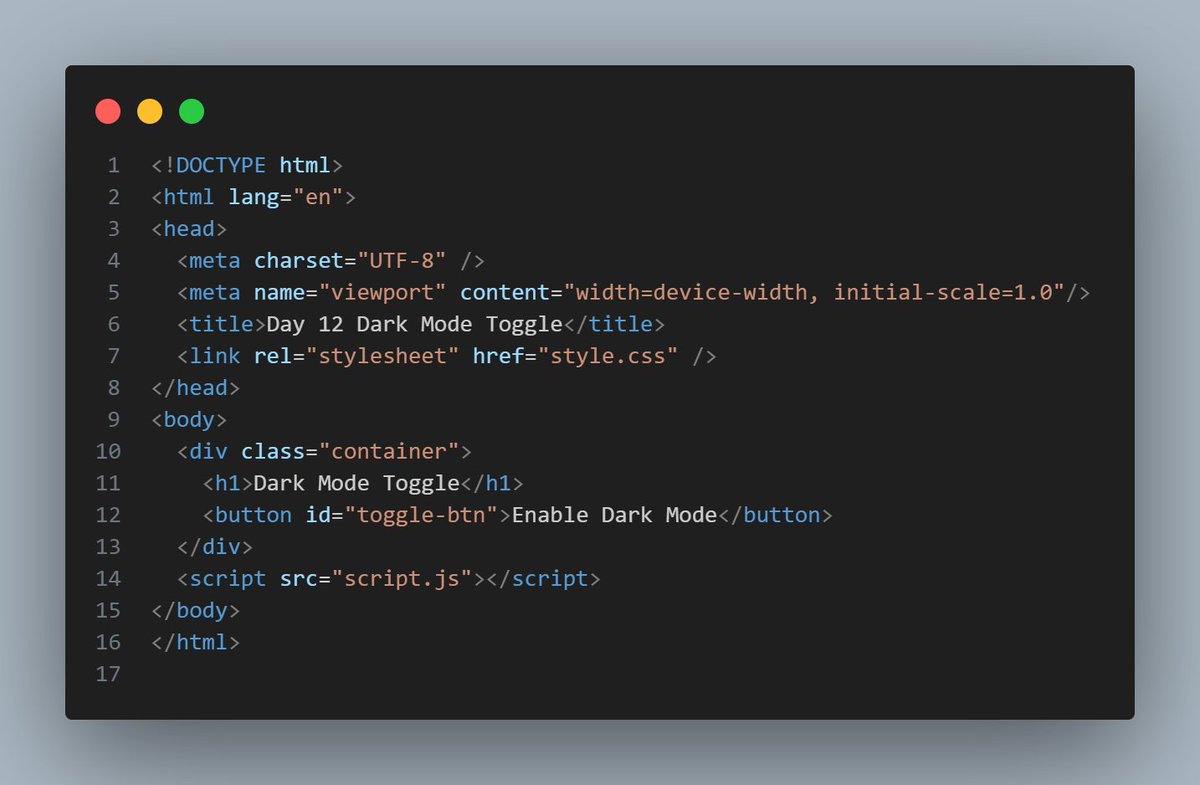
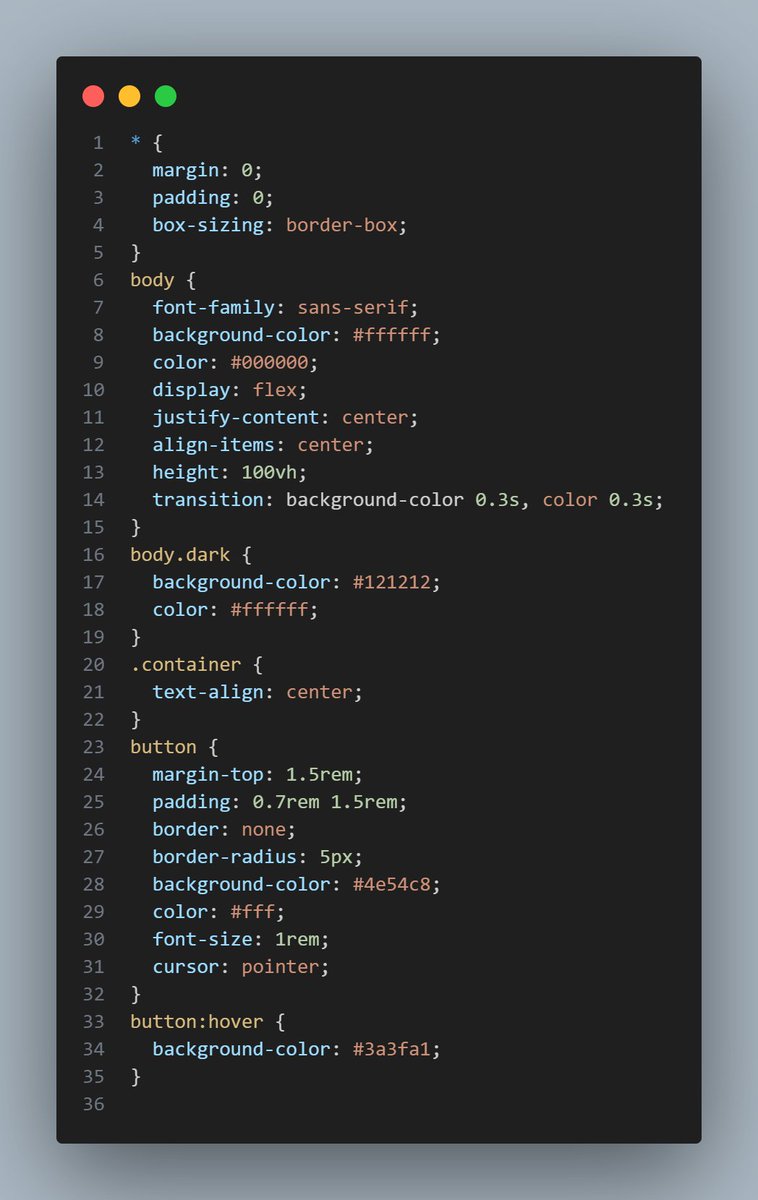
Day 12/100
Explored JavaScript event handling & DOM selectors.
Built a toggleable dark mode button using basic JS.
Key takeaway: Small interactivity boosts user experience.
#100DaysOfCode #JavaScript #WebDev #Frontend
1
12
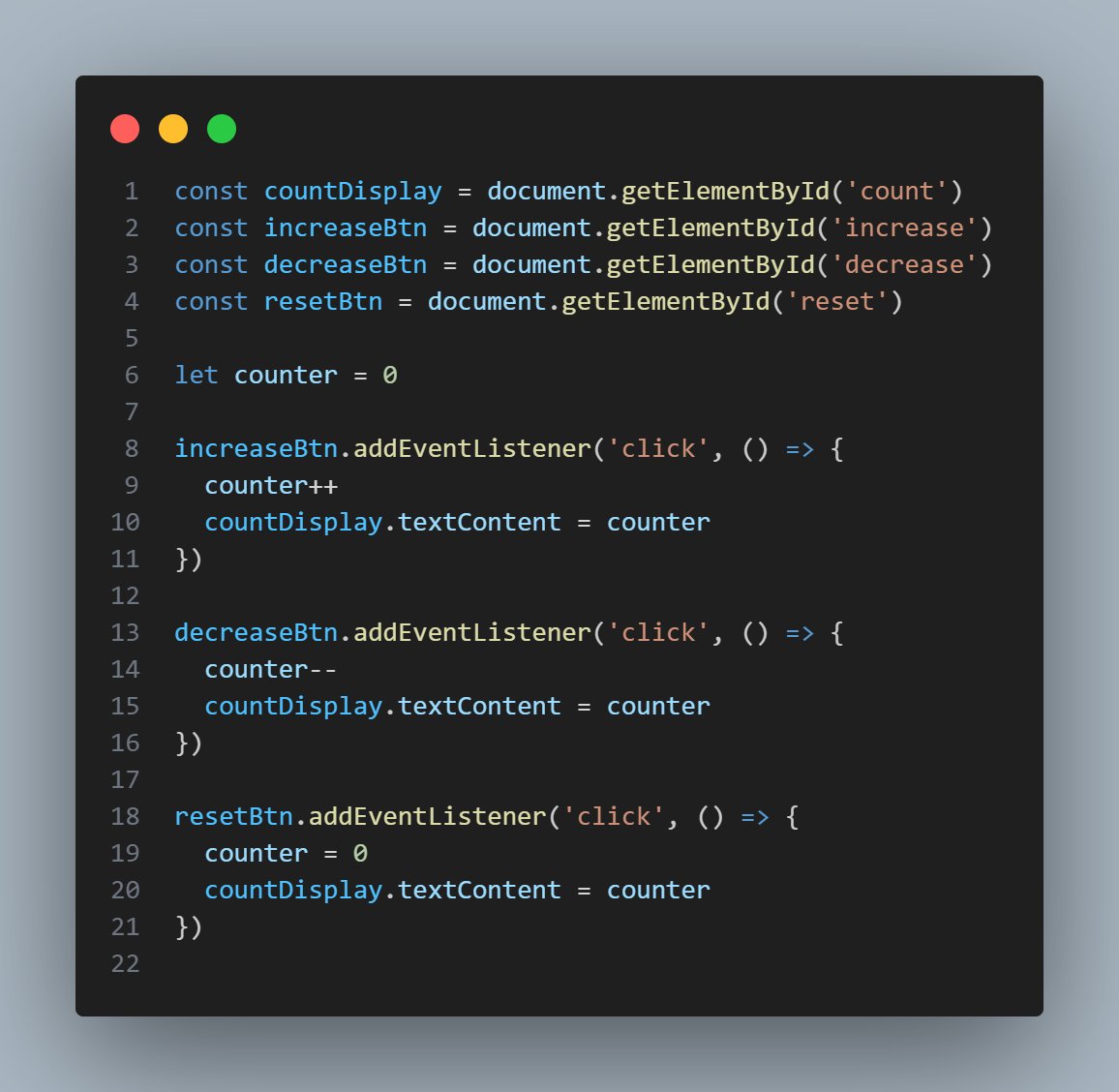
Day 11/100
Started learning JavaScript DOM manipulation.
Built a simple interactive counter using buttons and events.
Key takeaway: DOM is where static meets dynamic.
#100DaysOfCode #JavaScript #WebDev #Frontend
2
13
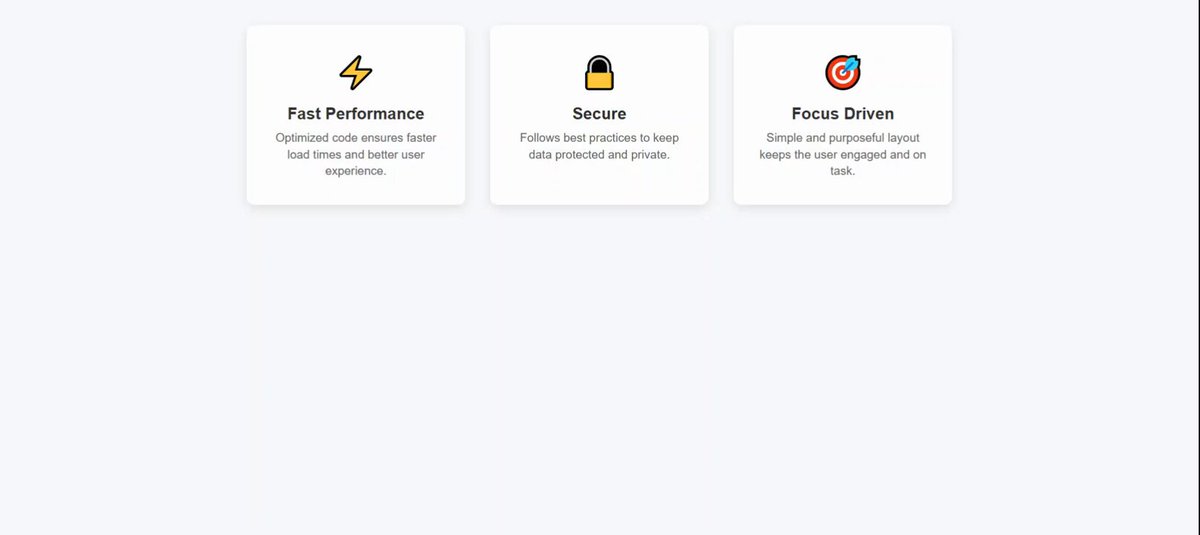
Day 10/100
Built a feature section with icons and descriptions using Flexbox.
Practiced uniform spacing, alignment, and minimal design.
Key takeaway: Clean UI = better readability.
#100DaysOfCode #WebDev #CSS #JavaScript #ReactJS
2
10
Day 9/100
Created a pricing section with cards using HTML & CSS.
Focused on layout, spacing, and hover effects for interaction.
Key takeaway: Visual hierarchy guides user decisions.
#100DaysOfCode #WebDev #CSS #JavaScript #ReactJS
2
10