
Microsoft MVP/ Microsoft Certified Trainer / Powershell / PowerCli / MEMCM / Deployment / MDT / XAML / Automation
Joined August 2011
- Tweets 11,924
- Following 1,262
- Followers 1,394
- Likes 31,874
603 Photos and videos





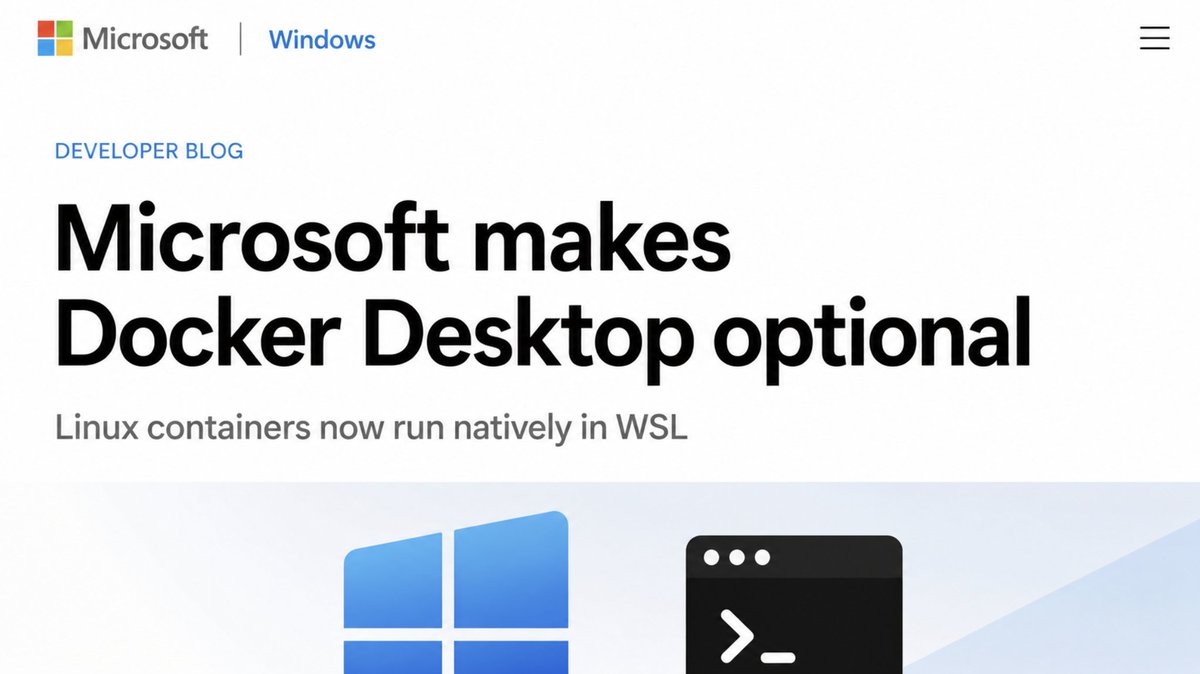
Microsoft just made Docker Desktop optional on Windows.
WSL Containers was announced at Build 2026 and it is coming to public preview this month.
Linux containers will now run natively inside WSL. No Docker Desktop. No third party runtime. No background service eating your RAM. Just WSL.
Here is what it actually does:
→ Run any OCI compatible Linux container directly on Windows through WSL
→ A new CLI called wslc.exe ships with the next WSL update automatically. Same syntax as Docker so zero learning curve.
→ A full developer API lets Windows apps run Linux containers silently in the background without the user ever touching a terminal
→ Enterprise ready out of the box. Works with MBE, Intune and every enterprise management tool your IT team already uses
→ No separate installation. It arrives as part of your next regular WSL update.
WSL started as a way to run Linux tools on Windows. With WSL Containers the line between the two keeps getting thinner.
Docker Desktop costs $21 per month per developer for commercial use. WSL Containers is built into Windows and costs nothing.
Microsoft is not just making Windows more Linux friendly. They are quietly making every reason to leave Windows for Linux a little harder to justify.
Full details here:
blogs.windows.com/windowsdev…
31
129
929
75,776
Jérôme Bezet-Torres (#MVP x6 #MCT) retweeted

May 31
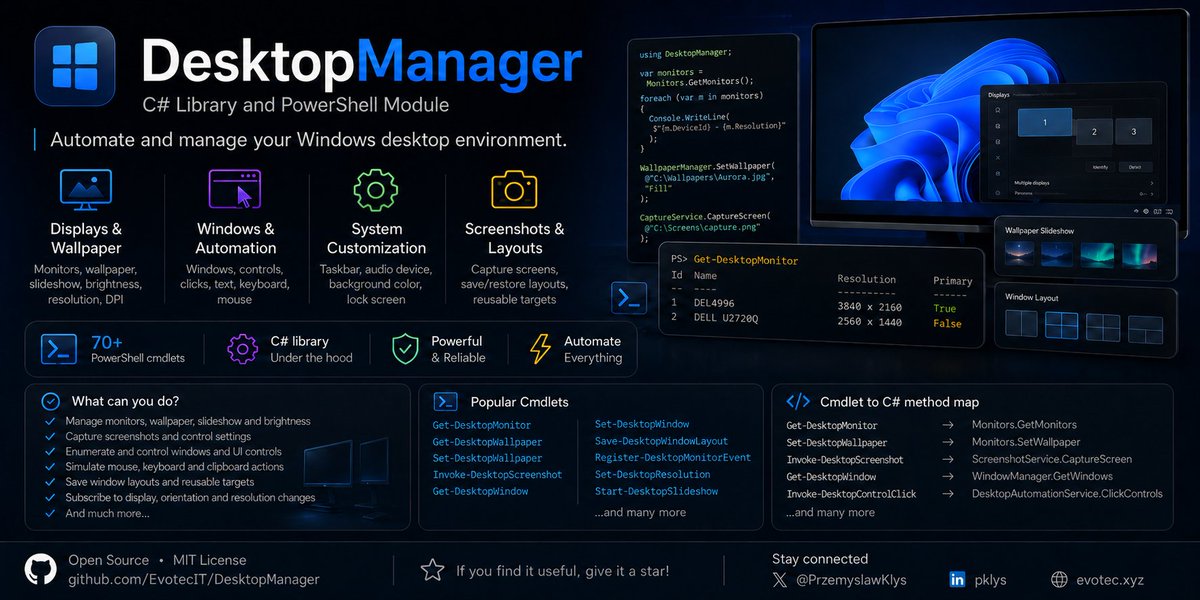
Today I want to reintroduce you to completely rewritten DesktopManager. It's a .NET library and PowerShell module that now can: manage monitors, wallpapers, control slideshow, brightness, enumerate and control windows and UI controls, simulate mouse movements, keyboard and clipboard actions and whole bunch of other options. It makes windows automation, screenshots, layouts and monitor/desktop control super easy.
Open source, free nuget/PowerShell Module
github.com/EvotecIT/DesktopM…
18
131
10,121
Jérôme Bezet-Torres (#MVP x6 #MCT) retweeted

Jun 13
Microsoft’s new AI-powered Terminal is not just Windows Terminal with a few extra tricks. It feels like a different tool entirely, built around guided commands, smarter context, and a workflow that helps you get things done faster.
It is a fresh take on the command line that could reshape how Windows developers and power users work.
Our Windows expert, Mauro, takes a look at it and shares his experience in our latest feature🔗windowscentral.com/microsoft…
13
25
183
16,520
Jérôme Bezet-Torres (#MVP x6 #MCT) retweeted

Jun 12
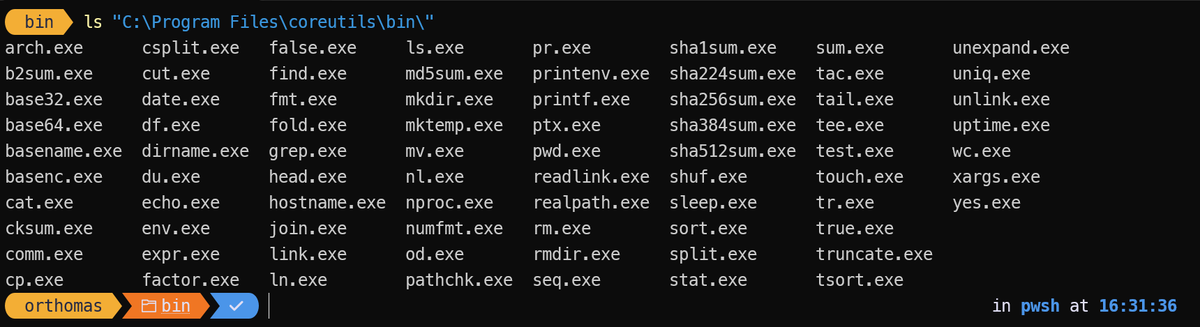
Get access to Core Utils in the Windows CLI using "winget install microsoft.coreutils" - These are Microsoft-maintained build of uutils/coreutils, findutils, and grep packaged as a single multi-call binary for Windows. more info at github.com/microsoft/coreuti…
1
4
20
1,651
Jérôme Bezet-Torres (#MVP x6 #MCT) retweeted

Jun 7
Microsoft Build 26 had a lot of Linux energy: native Linux-like CLI tools in Windows, Linux containers via wslc.exe, Azure Linux 4, and HorizonDB.
I wrote up why this feels like Microsoft’s “year of Linux” moment: #azure #microsoft #linux
dominickm.com/msbuild-26-the…
3
8
451
Jérôme Bezet-Torres (#MVP x6 #MCT) retweeted

🌟 Le bureau parfait pour les admins système ! (PowerBgInfo)
Un fond d'écran ultra personnalisable avec PowerShell ! Un successeur moderne à BgInfo !
📄 Le tuto'
- it-connect.fr/powerbginfo-pe…
🎥 La vidéo YouTube
- youtu.be/hntgEaAG85I
#sysadmin #powershell #windowsserver

14
66
4,694
Jérôme Bezet-Torres (#MVP x6 #MCT) retweeted

Announcing #Azure #Linux 4.0: Purpose-Built for Azure, Now in Public Preview techcommunity.microsoft.com/…
1
2
90
Jérôme Bezet-Torres (#MVP x6 #MCT) retweeted

#Microsoft Announcing Azure Linux 4.0: Purpose-Built for Azure, Now in Public Preview 🚀
techcommunity.microsoft.com/…
#Azure #AzureLinux #Cloud #Linux #AzOps #DevOps #developers #MVPBuzz #MSBuild

3
3
210
Jérôme Bezet-Torres (#MVP x6 #MCT) retweeted
Jun 3
Reducing NTLM Dependency: IAKerb and LocalKDC in Windows Insider Preview techcommunity.microsoft.com/…
14
51
4,846
Jérôme Bezet-Torres (#MVP x6 #MCT) retweeted

New Blogpost:
DeployR Community Edition and FQDN Configuration deploymentbunny.com/2026/06/… via @mikael_nystrom @Truesec

1
9
21
2,007
Jérôme Bezet-Torres (#MVP x6 #MCT) retweeted

Jun 2
1
8
27
3,255
Jérôme Bezet-Torres (#MVP x6 #MCT) retweeted
May 24
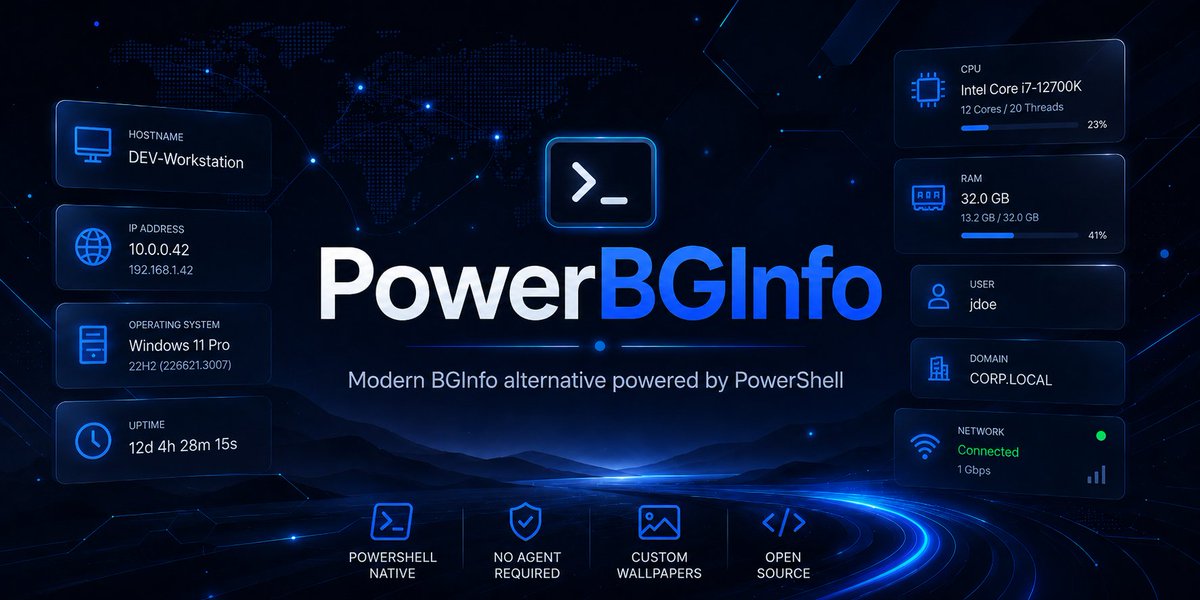
I've release a new version of PowerBGInfo - PowerShell alternative to BGInfo. It's complete rewrite, doesn't depend on other modules and should be easier to maintain with more features and functionality including Charts.
🔗github.com/EvotecIT/PowerBGI…
4
25
142
8,113
Jérôme Bezet-Torres (#MVP x6 #MCT) retweeted
May 24
Windows Server Upgrade Experience Survey forms.cloud.microsoft/pages/…
2
7
12
1,493
Jérôme Bezet-Torres (#MVP x6 #MCT) retweeted

I just released EIDVirtual v2! 🚀
Get a virtual smart card reader that uses a real USB drive for free. It automatically simulates a GIDS applet to manage your certificates—a perfect alternative to TPM-based MS Virtual Smart Cards.
Check it out here 👇 mysmartlogon.com/download#EI…
1
28
68
9,941
Jérôme Bezet-Torres (#MVP x6 #MCT) retweeted

May 22
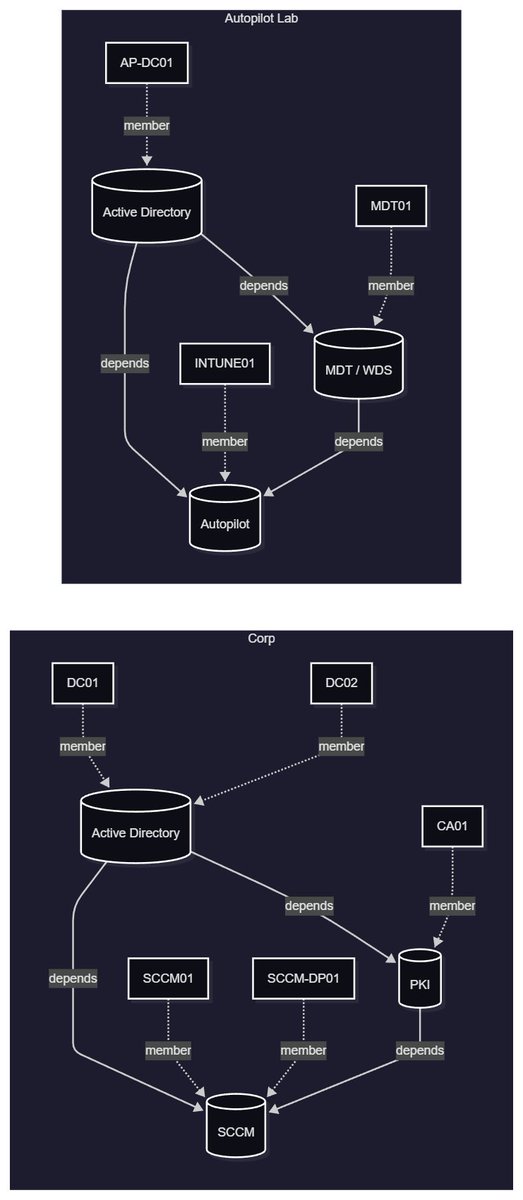
Blog post: #HyperV #PowerShell HyperV.VMFactory: VM Environments, Service Orchestration, and Mermaid Diagrams dlvr.it/TSgd7C
5
8
391
Jérôme Bezet-Torres (#MVP x6 #MCT) retweeted
New blog post - PowerShell Is King – Download ESD and Flip It to WIM deploymentbunny.com/2026/05/… via @mikael_nystrom @Truesec
9
38
2,693
Jérôme Bezet-Torres (#MVP x6 #MCT) retweeted

May 21
Introducing psign: portable code signing. every file format, every signing method, every platform 👇
No more "let's run this on Windows because of signtool.exe". Say yes to code signing from Linux! 🚀
github.com/Devolutions/psign
7
20
121
10,348
Jérôme Bezet-Torres (#MVP x6 #MCT) retweeted

May 21

May Right Click Tools release is live.
Come see it live tomorrow at 12 PM CT during the Release Show.
Highlights: Secure Boot cert visibility migration, quick reporting exports
Release Notes: bit.ly/4a4EAeT
Release Show Registration: bit.ly/4urNyew
1
4
14
2,039
Jérôme Bezet-Torres (#MVP x6 #MCT) retweeted

May 21
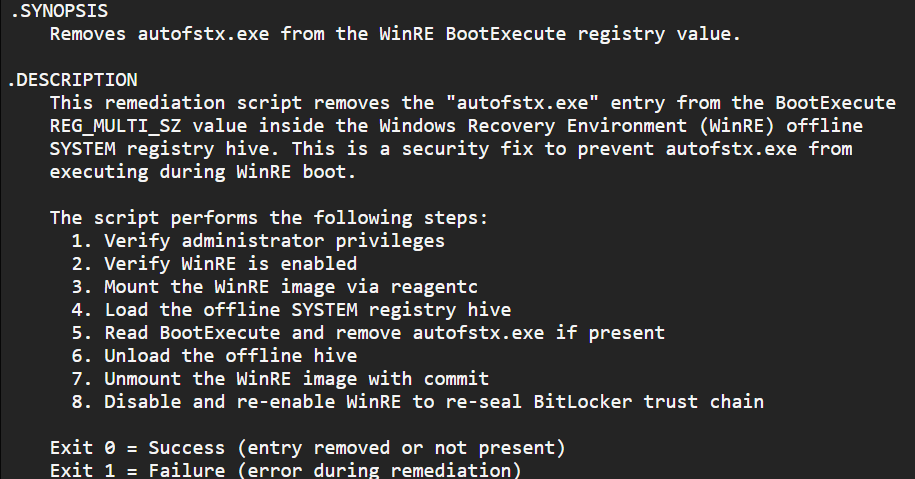
Updated guidance on BitLocker Yellowkey - again, now with a script to configure the workaround.
Time to test it out!
msrc.microsoft.com/update-gu…
#MSintune #Windows11
2
11
46
2,937