
s00per 1336 hax0r. follow me for tips, tricks, guides, vulnz n' lullz
Joined December 2025
- Tweets 835
- Following 24
- Followers 74
- Likes 853
41 Photos and videos





Pinned Tweet

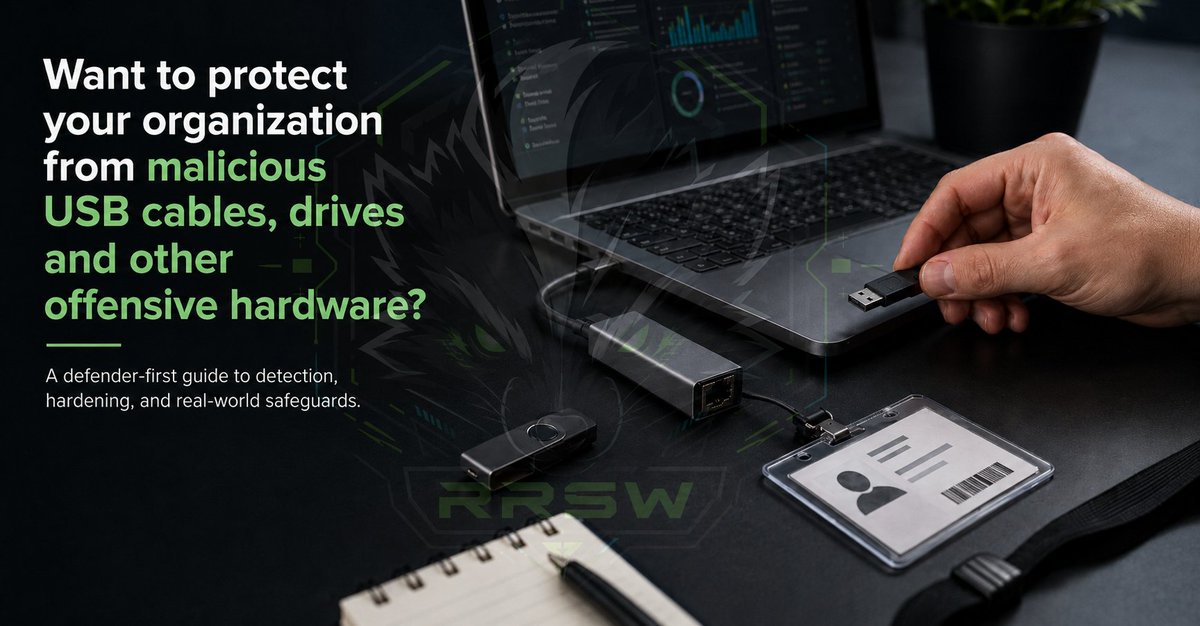
Want to protect your organization against malicious USB cables, drives and other offensive hardware?
You’re in luck!
I just finished turning one of our offensive hardware research guides into a defender-first field guide:
rapidriverskunk.works/OffSec…
This one is not a “look what this gadget can do” writeup.
It is built for the people who actually have to defend the business:
Business owners. SOC analysts. IT admins. Network engineers. Physical security.
Anyone responsible for keeping the weird little devices from becoming a very real problem.
The guide covers USB HID injection, rogue APs, LAN implants, cable implants, hardware keyloggers, RFID/NFC cloning, UART/SPI/JTAG exposure, SDR/RF monitoring, and the kind of hardware threats that often get treated like novelty gear until someone realizes they can bypass a lot of traditional security assumptions with a couple minutes of physical access and a $14 board.
BUT the point of this post and the guide is not fear mongering for clicks and likes, it's to highlight the usability of the guide and how it was built:
I structured it around how defenders actually work: what the business owner needs to understand, what the SOC should monitor, what IT needs to configure, what the network team needs to enforce, what physical security needs to inspect, what should be blocked, logged, correlated, migrated, or retired, what needs to happen first, and what can wait. For free. #free! No email sign-up BS.
There is a Start Here section, role-based reading paths, a 30 / 60 / 90 day roadmap, a risk register, and deep technical sections for the teams that need implementation detail. *Use the top nav bar to skip to the meat.*
There are copy-paste detections and controls for Splunk, Sentinel, Sigma, Wireshark/tshark, USBGuard, PowerShell auditing, GPO/registry settings, RF monitoring, and access-control anomaly detection.
A lot of organizations still treat USB devices, badges, cables, conference-room gear, network closets, and “unknown hardware” as separate problems. They are not separate problems; they are one shared surface between physical security, endpoint security, network engineering, facilities, leadership, and the SOC. And this guide, shares that surface in hopes to bring some ease into the lives of those tasked with defending us here at 127.0.0.1
Built under Rapid River Skunk Works.
(The referenced DIY OffSec HW research guide is here: rapidriverskunk.works/DIY.ht…)
If you find it useful, please like and repost. I would really appreciate feedback, especially any that help me improve the guide for the community.
#CyberSecurity #PhysicalSecurity #DefensiveSecurity #SOC #hacker #diy #tinker #raspberrypi #arduino
linkedin.com/posts/malicious…
1
71
spectracide: the root killer retweeted

Jun 12
American law enforcement is hiding camera inside fake utility boxes
This box looks like an electric box. It even has an electric bolt symbol as a decoy. But it’s fake, inside is a camera that used by law enforcement to monitor the public
Law enforcement uses these decoy boxes attached to utility poles for surveillance
We are under unlawful surveillance and they courts when side with law enforcement over these cameras
In many US jurisdictions, long-term warrantless pole camera surveillance of public areas or homes from a distance has been upheld by courts
Insane
508
5,147
13,162
621,921
Want to protect your organization against malicious USB cables, drives and other offensive hardware?
You’re in luck!
I just finished turning one of our offensive hardware research guides into a defender-first field guide:
rapidriverskunk.works/OffSec…
This one is not a “look what this gadget can do” writeup.
It is built for the people who actually have to defend the business:
Business owners. SOC analysts. IT admins. Network engineers. Physical security.
Anyone responsible for keeping the weird little devices from becoming a very real problem.
The guide covers USB HID injection, rogue APs, LAN implants, cable implants, hardware keyloggers, RFID/NFC cloning, UART/SPI/JTAG exposure, SDR/RF monitoring, and the kind of hardware threats that often get treated like novelty gear until someone realizes they can bypass a lot of traditional security assumptions with a couple minutes of physical access and a $14 board.
BUT the point of this post and the guide is not fear mongering for clicks and likes, it's to highlight the usability of the guide and how it was built:
I structured it around how defenders actually work: what the business owner needs to understand, what the SOC should monitor, what IT needs to configure, what the network team needs to enforce, what physical security needs to inspect, what should be blocked, logged, correlated, migrated, or retired, what needs to happen first, and what can wait. For free. #free! No email sign-up BS.
There is a Start Here section, role-based reading paths, a 30 / 60 / 90 day roadmap, a risk register, and deep technical sections for the teams that need implementation detail. *Use the top nav bar to skip to the meat.*
There are copy-paste detections and controls for Splunk, Sentinel, Sigma, Wireshark/tshark, USBGuard, PowerShell auditing, GPO/registry settings, RF monitoring, and access-control anomaly detection.
A lot of organizations still treat USB devices, badges, cables, conference-room gear, network closets, and “unknown hardware” as separate problems. They are not separate problems; they are one shared surface between physical security, endpoint security, network engineering, facilities, leadership, and the SOC. And this guide, shares that surface in hopes to bring some ease into the lives of those tasked with defending us here at 127.0.0.1
Built under Rapid River Skunk Works.
(The referenced DIY OffSec HW research guide is here: rapidriverskunk.works/DIY.ht…)
If you find it useful, please like and repost. I would really appreciate feedback, especially any that help me improve the guide for the community.
#CyberSecurity #PhysicalSecurity #DefensiveSecurity #SOC #hacker #diy #tinker #raspberrypi #arduino
linkedin.com/posts/malicious…
1
71
@grok, please give a full analysis of the content on the "rapidriverskunk.works/OffSec…" site from the post, with an honest review of its helpfulness for human defenders against the types of HW devices it covers.... Like a scale of 1 to 10
1
21
1
26
I knew there was a reason I've been saving all these damn things. Ive never thought to clip my CH341A to one....when rescuing batteries I never bothered to look long enough to notice the firmware chip staring me right in the eyes
bogdanthegeek.github.io/blog…
#diy #hardwarehacking #webhosting #homelab
25
Your next audit might include tiny devices your team has never seen before.
BadUSB-style tools. Rogue radios. Drop boxes. Weird little boards doing weird little things.
I wrote a defender-first DIY lab guide so teams can study these safely, understand the breadcrumbs, and build detection muscle without enterprise-budget money.
Feedback needed from all types and levels of users. Please repost!
rapidriverskunk.works/DIY.ht…
#BlueTeam #RedTeam #DFIR #CTF
#HardwareHacking #DIYElectronics #Maker
1
1
106
@Grok can you please analyze the page this post links to and detail your analysis.
1
25
The wrong lesson from Project Glasswing is that AI found bugs, so security teams are obsolete.
The real lesson is that frontier AI can give defenders earlier visibility into vulnerability classes that adversarial systems will eventually learn to hunt at scale. That distinction matters, because Glasswing was not about replacing bug hunters. It was about putting advanced tooling in the hands of trusted maintainers and critical infrastructure teams before those same patterns became broadly weaponized.
AI is especially good at staying with the strange corners humans often move past: weird parser behavior, forgotten assumptions, edge-case logic, variant bugs, and exploit chains that look too unlikely until they work. A human tester has time, scope, budget, fatigue, and business constraints. An AI-assisted workflow can keep pulling on those threads longer and faster.
But turning that into “load a skills pack, run a scan, patch before lunch” is not security. It is marketing.
MITRE mapping is useful, but it is not validation. A prompt pack is not exploitability analysis. A scan is not remediation. A report is not risk reduction.
The value of Glasswing is not simply that bugs were found. The value is that the pathways are now exposed. Once defenders understand the shape of those failures, they can turn them into patches, regression tests, fuzzing strategy, detection logic, secure coding guidance, and future agentic workflows. That is how AI helps security mature.
Most organizations are not Cloudflare, Google, Microsoft, or Amazon. They do not have elite internal AppSec teams reviewing every code path or dedicated researchers chasing obscure exploit chains across every dependency, identity workflow, cloud permission model, and exposed service.
So yes, hardening the top layers of the internet matters. But it does not eliminate the need for real security work everywhere else. It makes that work more focused.
The future is not firing analysts and buying AI prompts. The future is using AI to surface what humans miss, using humans to decide what matters, using engineers to fix it correctly, and using defenders to make sure the same class of failure does not keep coming back.
Project Glasswing is not proof that security teams are obsolete.
It is proof that serious security teams with better tools are about to leave checkbox security behind.
I’m also working on source-accessible security scanning freeware for repos, websites, and codebases, with a focus on AI-assisted and vibe-coded applications. I am being deliberate about how it is released because some capabilities are inherently dual-use. The goal is to separate a safe maintainability and vulnerability review path for builders from deeper authorized-audit capabilities meant for legitimate security work.
More on that soon.
#CyberSecurity #AI #AppSec #AISecurity #VulnerabilityManagement #SecurityEngineering #ThreatModeling #DevSecOps #AIForSecurity #ProjectGlasswing
1
46
If I can view your neighborhoods police camera by pointing a cantenna at it and dialing in just the right way (similar to Tempest) and we have all these bleed-out RF things, like RF chips broadcasting keys in side channels because the chip is too small for adequate shielding, so the key bleeds out as the other signal is broadcast........ What exactly do you think is going on here? To me, it's pretty clear that they're at the very least intercepting the data; especially at ranges as low as nearly 1000 feet? Would a 1000 foot copper wire end-fed antenna be noticeable from ground monitoring?
arstechnica.com/space/2026/0…
#russia #ukraine #hacking #satcomms #surveillance #DepartmentofWar #NSA
33
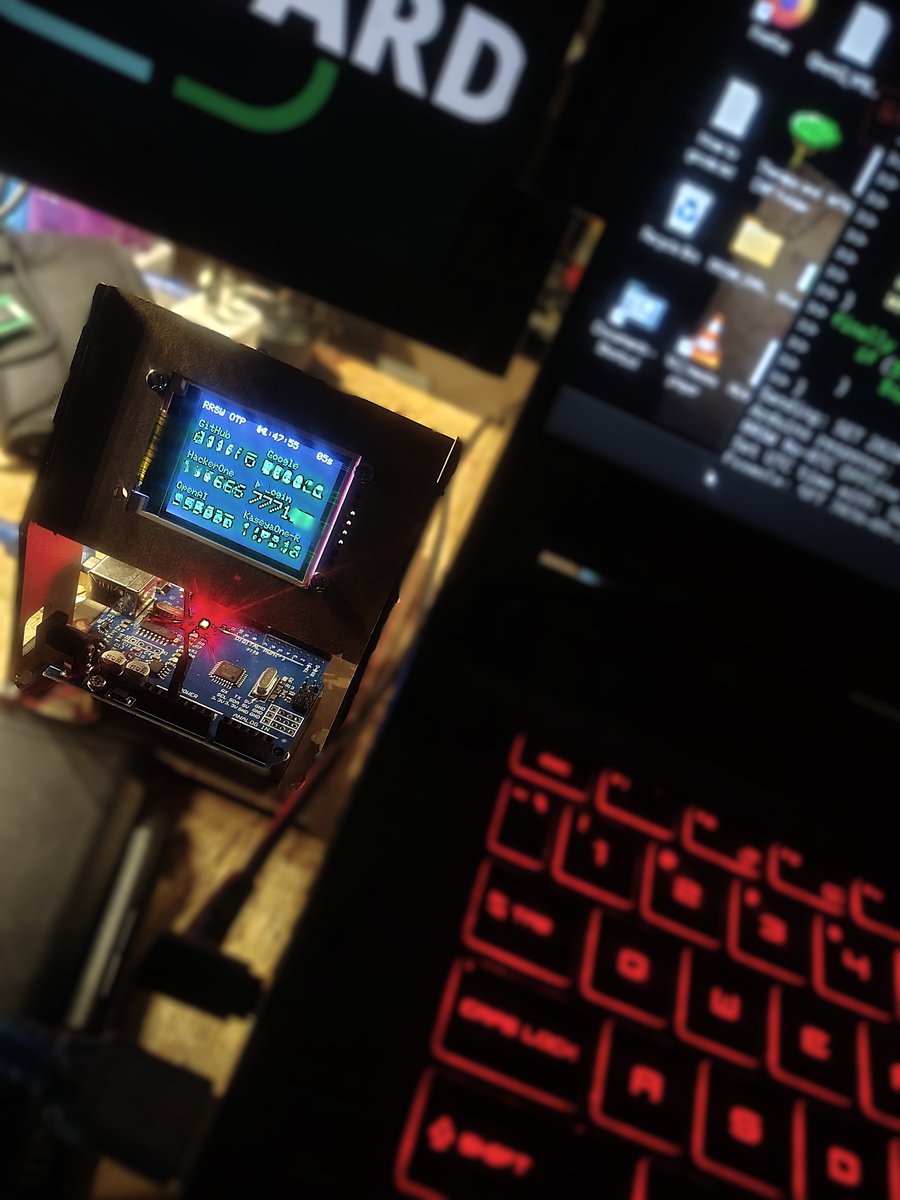
Offline TOTP Desktop Display for frequently used MFA tokens. I'm sure its been done before, but I did this one from scratch. Tired of hunting down my phone every time I need to change a setting on something. Project instruction is here under the GNU GPL: github.com/RRSWSEC/TODD-TOTP…
Please RE-POST if you appreciate the project :)
#FOSS #opensource #arduino #tinkerprojects #raspberrypi
27
#Pigbutchering coming to the next level

25
Finally got ahold of some old things of mine. Here is my #2600 Hz Cap n' Crunch Whitsle clone, and my OG #Tor box! Talk about memories...nearly a decade old now!
#phreak #bluebox #johndraper
74
I built a small Windows endpoint visibility tool called WatcherWall.
It shows local TCP/UDP ports as live tiles, maps them to processes, and can create reversible Windows Firewall block rules.
Full writeup, source, security notes, and release here:
#CyberSecurity #Windows #OpenSource #FOSS #FOSSaaS

128
A lot of really excellent free tools here for DFIR and general use: osforensics.com/products/ind… awesome company, buy them a cup of coffee, support their products!
#forensics #digitalforensics #freeware @OSForensics
54
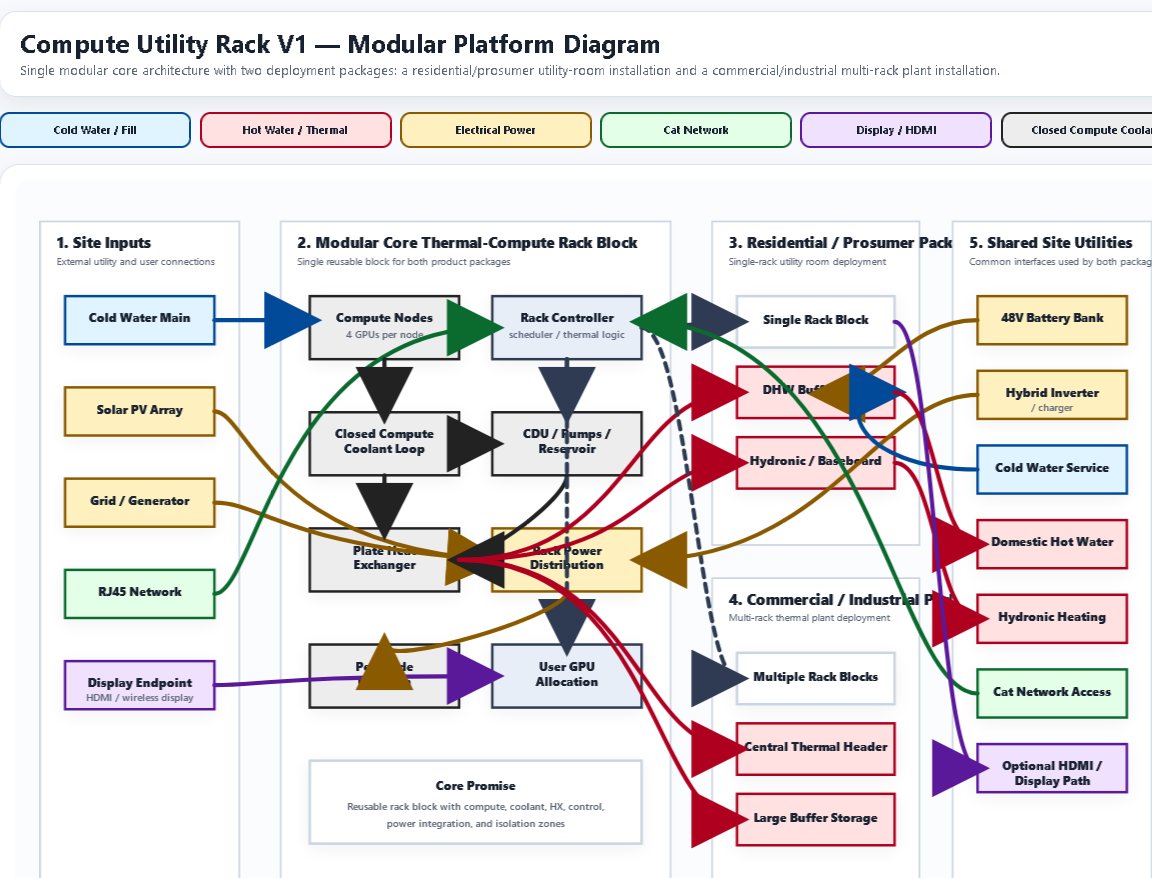
INTRODUCING FLUX: "From Hotels to Hands, crypto at your fingertips." I started off just joking around...... accidentally designed a functional, feasible Crypto-mining hot water heater that you can borrow compute time from for rendering or gaming etc. It's modular for larger complexes like Hotels. It brings in revenue via pool mining, and heats your water. This version heats the home with baseboard radiant heat in cooler climates as well. We also have crypto mining hand warmers, desktop warmers, and space heaters. Are you a real #crypto bro without FLEX next to your @Tesla charging port? Errr...FLUX*
#btc #CryptoAdoption #eth #EngineeringExcellence #flexwithFLUX @elonmusk
57
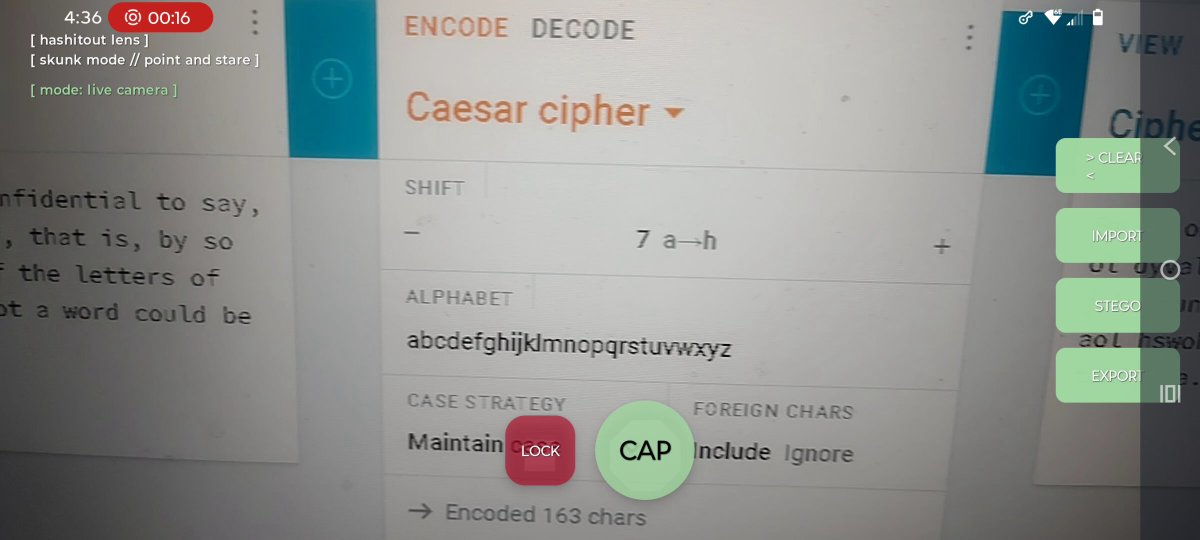
Hashitout-Lens is coming along. I dont like android dev, bc im not good at it. I would love someone who knows what they're doing and supports this project to join me in this venture. Hashitout is a dependency free .py program that deciphers most classical ciphers in just about any direction recursively, etc, deterministic and heuristic. The android version IS implementing adaptive learning which should assist in finding common routes to help the user move faster on similar decodes/stego in the future but it is taking a lot of work. I need a hobby Dev!
67
you can have a free live website right now, from home. tor site generation is free, freedns.afraid.org/ is free, nginx is free, copy and paste is free, google is free for looking up how to do all that, how to change your router config(or how to do it w/o having to), and ensure it's secure. some domains are free too.... no excuse :) RPi0 can do it! any old lap top.
#SelfHosting #HomeLab #Nginx #TorHiddenService #OnionSite #FreeDNS #AfraidOrg #RPiZero #RaspberryPi #LinuxServer #DIYHosting #OpenSource #CyberSecurity #Privacy #Infosec #Homelab #WebHosting #DigitalSovereignty #SelfReliance #LowCostTech #BootstrapTech #MakerMindset #IndieTech #Sysadmin #ServerSetup #Networking #OffGridTech #DoItYourself #NoExcuses #RRSW
3
132