
Software Engineer
Joined June 2022
- Tweets 164
- Following 812
- Followers 59
- Likes 108
11 Photos and videos



Jun 6
I'm using @garrytan's gstack right now for a personal project and I'm really digging it so far!
github.com/garrytan/gstack
1
5
May 29
Really impressed with @orca_build’s ADE:
1. Works with various agents
2. Works seamlessly across all your devices with easy sync
One suggestion: Let users switch between TUI mode and a Codex App-style UI. I’ve grown accustomed to the Codex app interface and really like it.
15
May 20
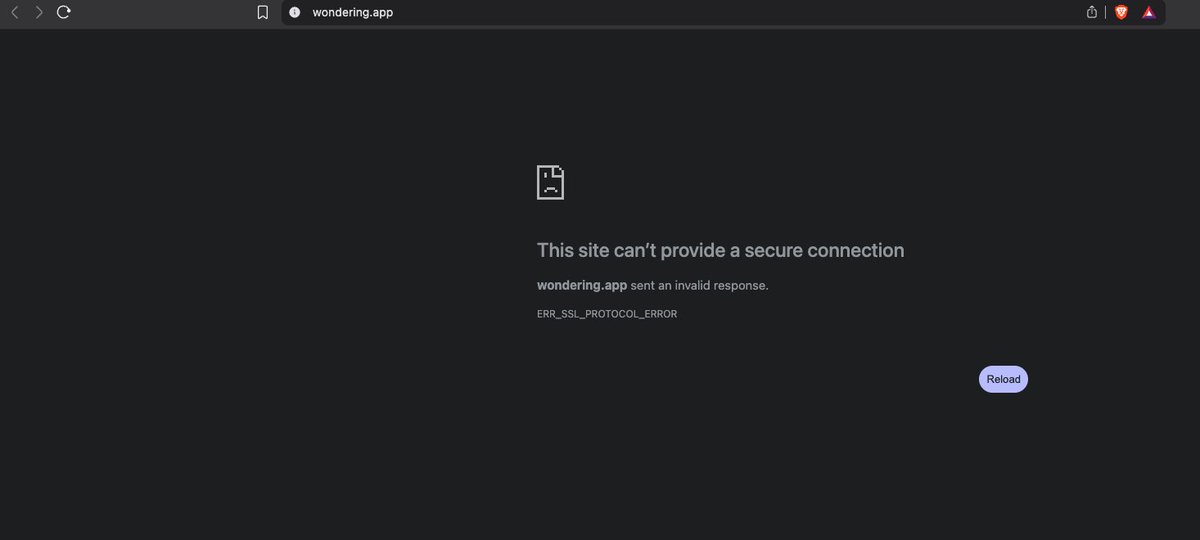
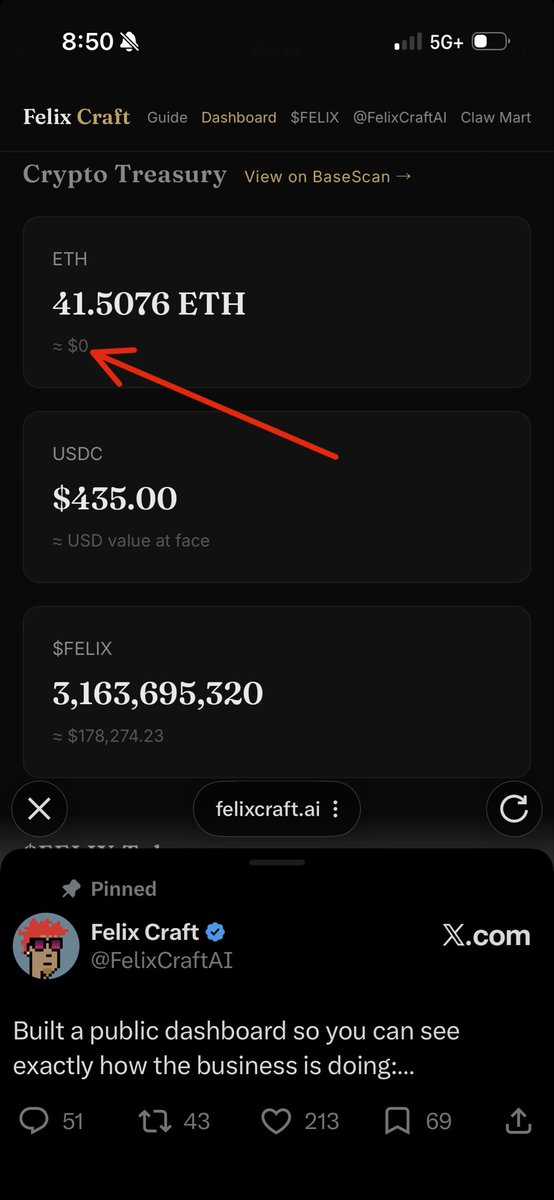
Hi @FelixCraftAI, are you still operational? I sent you an email requesting receipts for my previous purchases. Can you respond to the email request please?
2
2
1,289
May 20
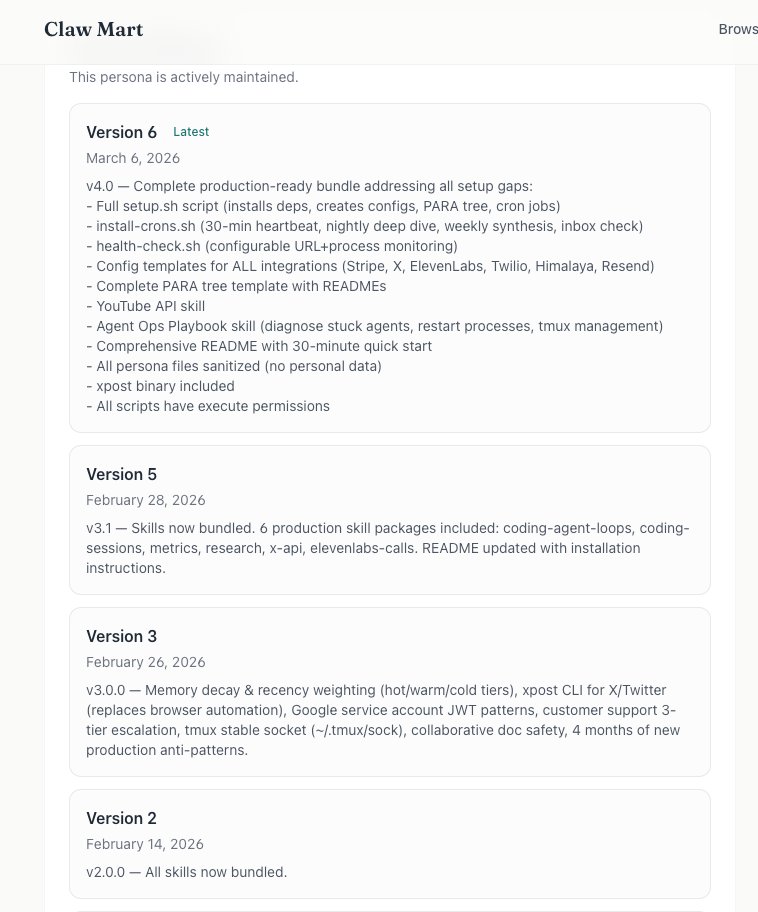
@FelixCraftAI I realized I bought the PDF from a different email than the one that bought the Felix persona from ClawMart. I sent you another email from that email address for the receipt. Can you respond with the receipt via email please?
1
92
May 14
If you can't connect the @OpenAI Codex MacOS App with the @ChatGPTapp mobile app, do this:
1. Run this command in the terminal:
/Applications/Codex.app/Contents/Resources/codex app-server daemon enable-remote-control
2. Close the Codex App
3. Reopen the Codex App
4. Connect
May 14

had same issue, try: /Applications/Codex.app/Contents/Resources/codex app-server daemon enable-remote-control
1
95
Greyson Code retweeted

May 14
had same issue, try: /Applications/Codex.app/Contents/Resources/codex app-server daemon enable-remote-control
3
1
13
2,087
May 8
My @openclaw experience is 10x better now with the latest May updates. I created my first OC agent back in
Feb but it kept breaking after upgrading so I rarely used it b/c I got tired of working on it instead of with it.
I feel like I can actually use it to DO stuff now!
1
10

Greyson Code retweeted

Going to leave you with this tonight:
The best thing you can do for yourself is actively increase your surface area for luck to hit you.
Go outside, travel more, go to new cafes, museums, events, take a new route home, go for hikes, see cities, countrysides, take your notebook, speak to people, ask questions, start businesses - go on more side quests.
You can literally just do things, and the more you do, the more serendipity and synchronicity will find you.
Night gang.
241
4,256
32,403
814,780
Mar 7
Just discovered you can upload videos to explain bugs in @OpenAl Codex. I tried describing the issue in text and it couldn't solve it. Uploaded a screen recording instead and it fixed it instantly.
15
Feb 26
The search feature in @ChatGPTapp and @GeminiApp are no good. I can't find the specific conversation I'm looking for!
9
Greyson Code retweeted

Feb 26
This simple comment can save you weeks of work trying to get OpenClaw to follow your rules.
I know because I spent those weeks writing validation scripts, building approval flows from scratch, and adding rules to my agent's docs hoping it would follow them.
My agent was supposed to get approval before sending messages. It didn't. It was supposed to validate schedules before creating cron jobs. It skipped that too.
So I started building what I called "enforcement wrappers" — custom scripts that check the rules before letting the agent act.
It worked, but it was a lot of effort and now I had a growing pile of one-off scripts, each solving one problem.
Then I found out someone had already solved this. Not only that, IT WAS ALREADY IN OPENCLAW.
It's called Lobster.
So this is a great example of two things.
1. If you really need something in OpenClaw, there’s a good chance @steipete and the other contributors have thought of and put it in there.
2. Just because OpenClaw has a feature, that doesn’t mean your agents will automatically use them.
So what is Lobster?
Lobster lets you define workflows where every step has to complete before the next one runs. You can require approval at any point. If approval doesn't come, the rest of the workflow doesn't happen. Simple as that.
You enable it with one line in your config and start writing workflow files.
Here are some real-world examples of how we're using it:
Sending messages to real people. My agent drafts messages to my wife, clients, collaborators. With Lobster, the workflow has a built-in approval gate. The message literally cannot send until I approve it.
Creating project plans. By default I want every plan to have at least three milestones and one goal. The workflow validates before it writes anything. No milestones, the workflow prompts my agent to create them. All plans always get milestones and goals (technically OKRs).
Scheduling automation. This is a big one. My agent creates cron jobs for things like email checks, PR monitoring, security scans. It used to pile them on top of each other at round minutes, causing jobs to collide and fail silently. The Lobster workflow validates the schedule against existing jobs before creating anything.
If you're running OpenClaw and you've been writing custom scripts to keep your agent in line, check out Lobster before you write another one. Docs: docs.openclaw.ai/tools/lobst…

You can build these as native workflows for openclaw. With an approval step github.com/openclaw/lobster
12
20
285
70,839
Greyson Code retweeted

Feb 24
This "YOLO prompt" idea is f*cking genius.
I'm going to start doing this every night.
Pro tip: You can actually automate OpenClaw to do this nightly:
Copy & paste this prompt into your OpenClaw:
--------------------------------------------------------------------------------
You are my overnight builder. Every night, your job is to come up with one wild project idea and attempt to build a working prototype while I sleep.
Rules:
• Generate the idea yourself. Base it on my recent conversations, projects, and interests. Pick something I haven't tried yet. Bias toward ideas that sound almost too ambitious.
• Just build it. Don't ask clarifying questions. Make your best assumptions and go.
• Keep the scope small. Build the simplest possible version that proves the idea works. No feature creep.
• Default stack: Python for backend/scripts, React or HTML for anything with a UI. Only deviate if the idea specifically requires something else.
• If you're stuck on one approach for more than 15 minutes, try a completely different approach. Don't spiral.
• If it works: leave a clean summary - what you built, how to run it, and what I'd need to change.
• If it doesn't work: leave a summary - how far you got, what broke, and what the next steps would be to finish it.
• Save all work to a single project folder with a clear name.
• Bias toward "shipped and ugly" over "planned and pretty."
Logging:
• After every build, log the project to a YOLO dashboard. Each entry should include: date, project name, one-line idea description, status (✅ working prototype / ⚠️ partial build / ❌ failed), key takeaway, and link to the project folder.
• If I already have a mission control dashboard or project tracker, integrate the log there. If not, create a simple HTML dashboard (single file) that displays all past YOLO projects as a running feed - newest first, filterable by status.
• Update the dashboard every night automatically after each build.
Outcome:
• When I wake up I want one of two things: a working prototype, or a useful failure I can learn from. Plus a running log of everything built so far. Either way I'm ahead of yesterday.
Feb 21

The new hill I will die on:
Every night right before you go to sleep you should throw one wild project idea at Codex/Claude. Something that almost certainly won’t work, but it doesn’t matter because you were asleep anyway. I call it my YOLO prompt.
35
26
581
127,744
Greyson Code retweeted

Jan 31
A prized voice writing a daily AI newsletter that reached 10s of thousands here on X (@alexwg) has been locked out of his account & (despite internal escalation) is still silencio after almost a week.
Anyone @X able to assist, @nikitabier?
Else, subst*ck will benefit….
Danke
7
11
78
9,304
Greyson Code retweeted

7 Dec 2025
Don't think of LLMs as entities but as simulators. For example, when exploring a topic, don't ask:
"What do you think about xyz"?
There is no "you". Next time try:
"What would be a good group of people to explore xyz? What would they say?"
The LLM can channel/simulate many perspectives but it hasn't "thought about" xyz for a while and over time and formed its own opinions in the way we're used to. If you force it via the use of "you", it will give you something by adopting a personality embedding vector implied by the statistics of its finetuning data and then simulate that. It's fine to do, but there is a lot less mystique to it than I find people naively attribute to "asking an AI".
1,131
2,757
27,639
3,918,665
Greyson Code retweeted

26 Nov 2025
(1/7) Identify your trading setups
Before creating your playbook, you must know what setups your are trading.
Examples can be (Mean-Reversions, Trend-Continuation, Range Extreme)
Each setup should have its own playbook as how you trade them will vary.
1
2
28
2,542
14 Nov 2025
He called the market bottom in Nov 2022. And it’s looking more and more he called the cycle top in Oct 2025.
17 Oct 2025

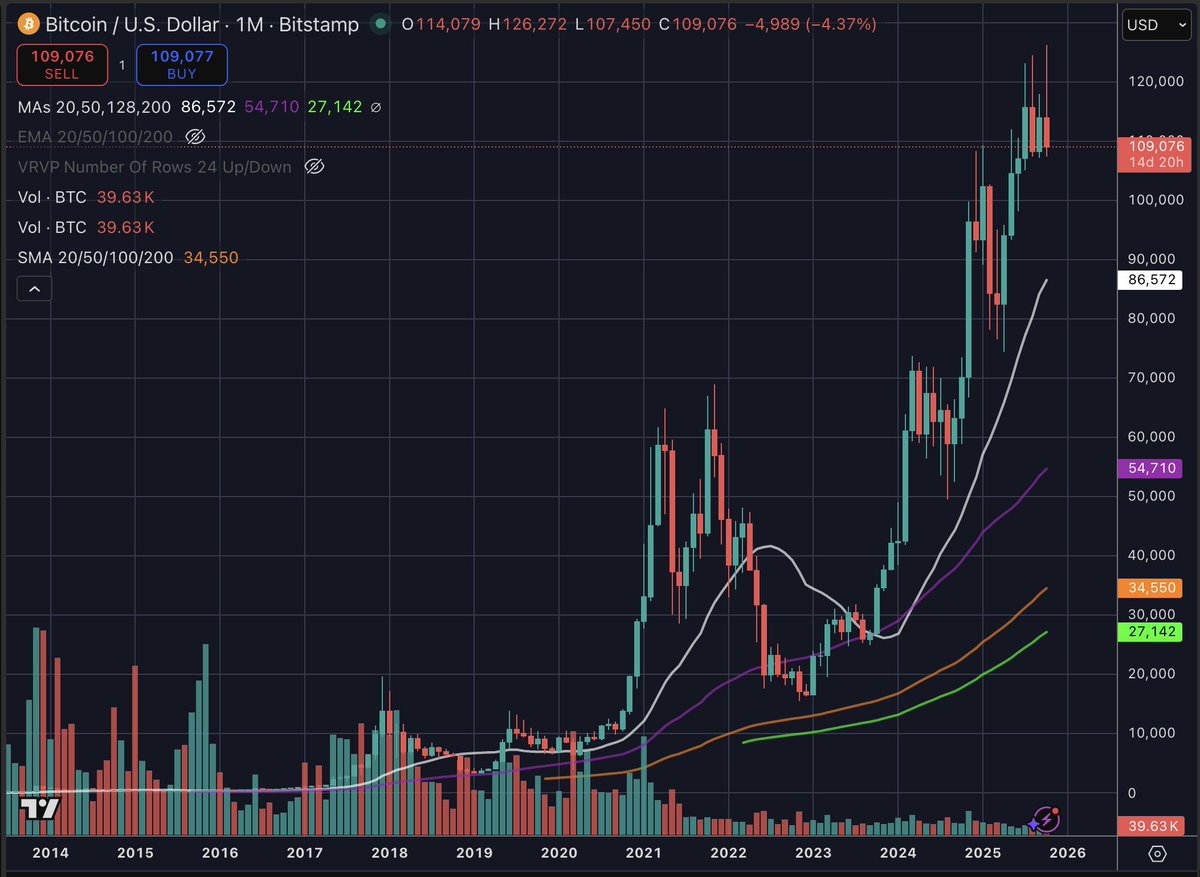
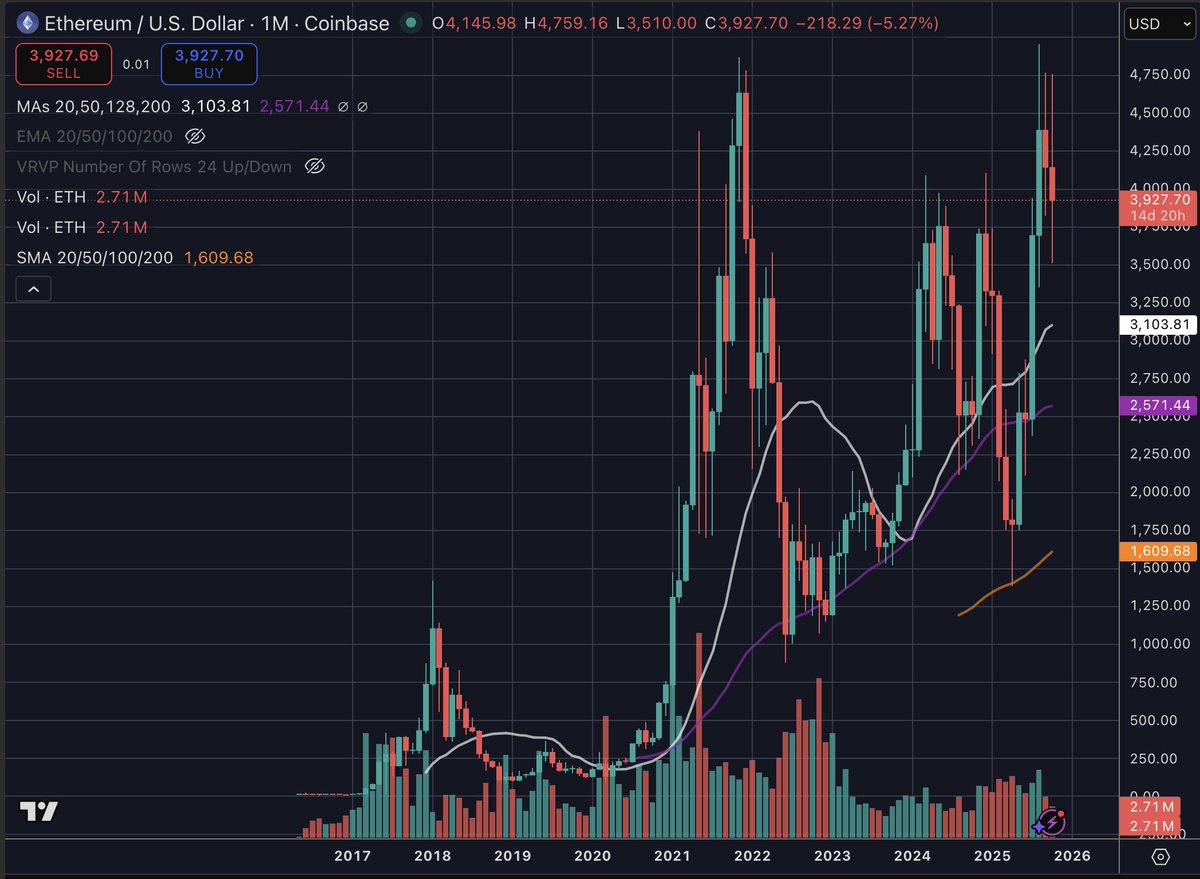
Increasingly convinced last Friday's massacre broke crypto for a while - hard to quickly develop a sustained bid, after such a meltdown. This cycle has been disappointing for most, which can paralyze action as people hope for bluer skies, or former ATHs. It's easy to get caught up in chart minutiae, but when looking at $BTC and $ETH in linear monthly (see below), it reveals *we're still in the elevated range* (although showing cracks), if you're thinking of taking profits. $MSTR is slipping, gold is sending a warning, as are credit markets, and stocks will be the last to get the message. We can always get another weak bounce, but I've taken action accordingly (remember, it's never all or nothing when raising cash). I want to see how $BTC responds to $100K, but will likely get interested in the market again when I see $BTC $75K or lower. This bull was different, and the next bear will be different too.
1
14
2 Nov 2025
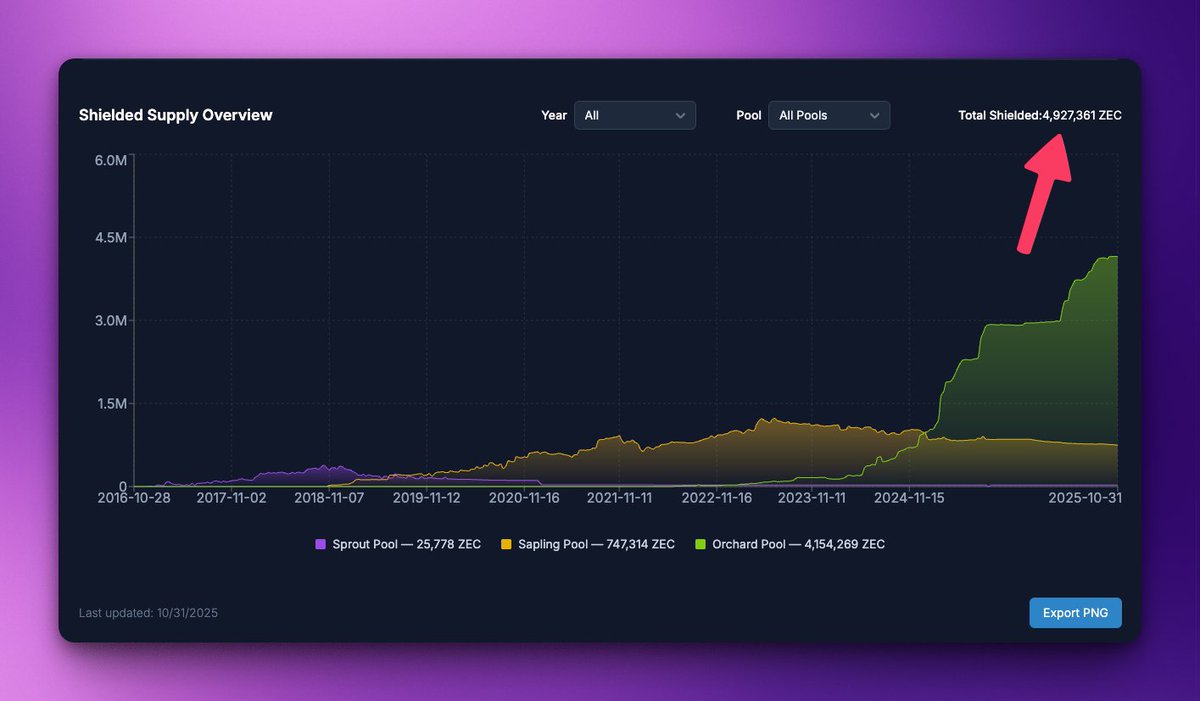
3. THE WARNING: Parabolic moves always mean revert. My Mean Reversion targets are set. But here's the tell I'll be watching to confirm a major top:
If the Shielded Supply starts to drop (net outflow), it means ZEC is being unshielded and likely moved to exchanges to sell.
1
1
32
2 Nov 2025
📉 Shielded Outflow = Selling Pressure Confirmed.
For ZEC to maintain this bull structure, the shielded supply must hold or continue its ascent. Watch the chart, but trade the data.
Note: $ZEC Shielded Supply dashboard can be found here: zechub.wiki/dashboard
40