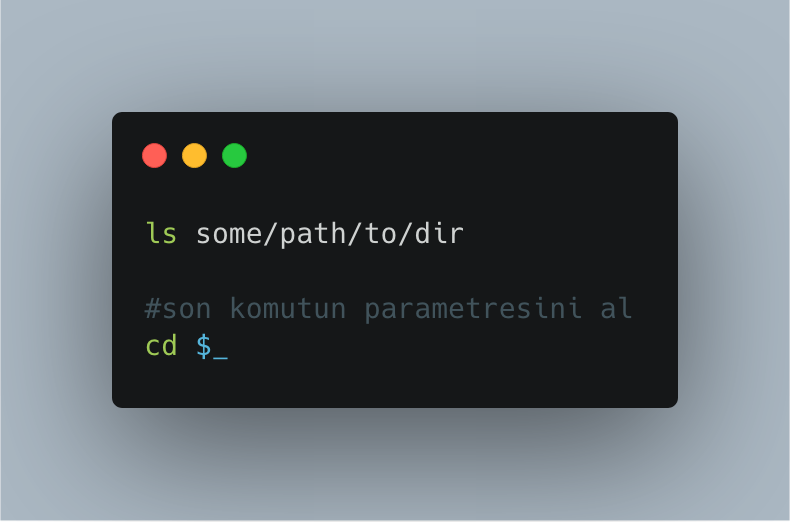
Mar 26
Search Bash history by prefix using Alt Up/Down. Add 2 lines to ~/.inputrc and jump straight to matching commands—no plugins, no restart.
Full guide here: ostechnix.com/search-bash-hi…
#Bash #History #Prefix #Bashtips #Linuxtips #Linuxhowto #Linuxbasics #Linuxcommands #Linux
1
4
93
Jan 10
Bash turns 38 today! Celebrate Bash's 38th birthday with 38 built-in features and essential tips. Learn keyboard shortcuts, parameter expansion, conditionals & more.
Full guide here: ostechnix.com/38-bash-tips-s…
#Bash #Shell #Bash38 #Linux #Bashtips #Shelltips #Shellscripting
3
119

8 Aug 2025
Run the last command with sudo:
Ever typed a command and got “Permission denied”?
Just type: sudo !!
It re-runs the last command with root access.
🔥 Super useful!
#BashTips #LinuxTricks
1
30

6 Apr 2023
La personalización de la ventana de terminal y el prompt es algo que muchos pasan por alto.
A mi me gusta ajustarlo y cambiar algunas cosas dependiendo del entorno.
Corto hilo con #bashtips
(hilo) 🧵
2
20
81
13,421

10 Mar 2022
If you need to use the command line, a few minimal things will make it much easier.
Use the command history! If you've typed some big command before, don't waste time typing it again.
By default ctrl-r activates the reverse search. Type a few letters from prev cmd…
#bashtips
3
5

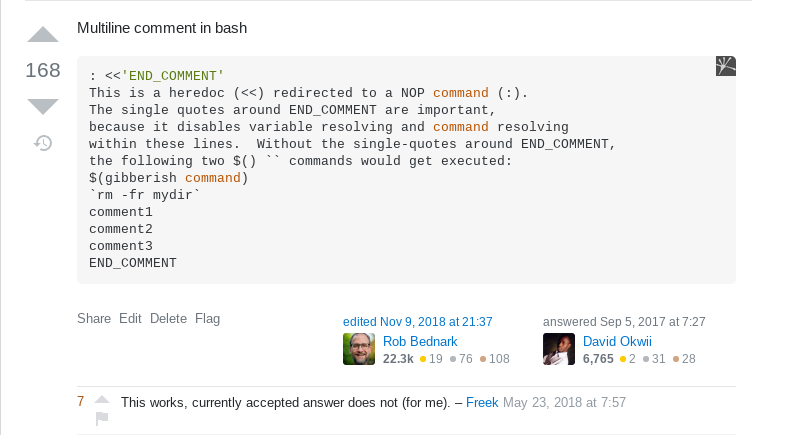

Useful Bash Commands You May Not Know About. url.igoros.com/6it Here are some lesser known but useful bash commands that will help make the shell scripts you write cleaner and more maintainable.... #BashTips #CloudFoundry #CommandLine #FreeCloud #LinuxHandbook
3
2 Oct 2021
How To Automatically Switch To A Directory Without Using Cd Command In Linux #Bashtips #Bash #Autocd #CdCommand #ChangeDirectory #Linuxtips #Linuxcommands #Linuxhowto #Linux #Commandline #CLI ostechnix.com/automatically-…
2
3

13 Jan 2021
Today I learned lot of files are symbolic links. Instead of using `ls -l`, you can use: `readlink -e` to do the job all the way through to the eventual file.
readlink -e `which zipalign`
==> /usr/lib/android-sdk/build-tools/debian/zipalign
#bashtips
1
1
2
3 Nov 2020
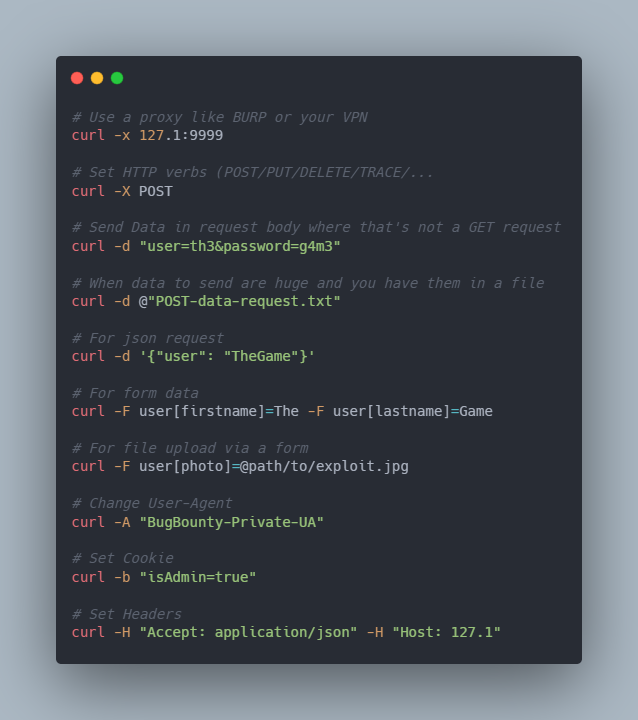
#curl is maybe one the most used binary to request a website or make quickly some tests.
Here is some useful uses cases.
⬇️Do you have any fav one which isn't list below ⬇️?
#bashtips #pentest #bugbounty
2
8
49


9 Aug 2020
3
4

29 May 2020
alternatively make two lists of usernames and passwords do:
for user in $(<usernames.txt); do for pass in $(<passwords.txt); do echo "Trying ${user} with ${pass}"; done; done
#bashtips
1
2

16 Jan 2020
Save 60 minutes this year with this SUPER awesome 60 second BASH shortcut trick!! ↓
#Save60min #ThursdayThoughts #BashTips
youtube.com/watch?v=RKK3wIA6…
1

16 Jan 2020
I should clarify, obviously 'which' is going to be no different than just typing the command that is in your PATH, but it's the "sudo $( <something>)" pattern is what is dangerous here and should be avoided.
16 Jan 2020
I would not recommend using sudo along with a command that you're unsure of the output (which). Even if you think you're sure, imagine what happens if someone happens to put a command into your PATH that takes precedence over the one you think it will before you run it.
3
1
7


7 Nov 2019
#bashtips NUNCA uses PATH como variable a menos que quieras modificar la viriable que YA existe y es SUPER importante para que todo ande bien. Le pasó a un amigo.
5