
Jun 12
Master the art of CROSS APPLY in T-SQL and gain a solid understanding of how it lays the groundwork for other join operations in SQL Server. Enhance your skills now! #SQL #TSQL #JoinOperations youtu.be/tMnyNFgTMR0 youtu.be/tMnyNFgTMR0
1
95

23 Aug 2025
Is joining a constant in LINQ like making a soufflé—seems simple but deflates easily? 😅🥚
Source: devhubby.com/thread/how-to-j…
#JoinOperations #CodeExplained #SoftwareDevelopment #BackendDevelopment #linq #constant

3
86
22 Jun 2025
Ready to dive into SQL Server's Right Outer Join? Steve Stedman's tutorial is your ticket to understanding this crucial database operation. #SQLServer #JoinOperations #Tutorial Watch the video: youtu.be/18ugRdHWqkg youtu.be/18ugRdHWqkg
1
2
307

21 Jun 2025
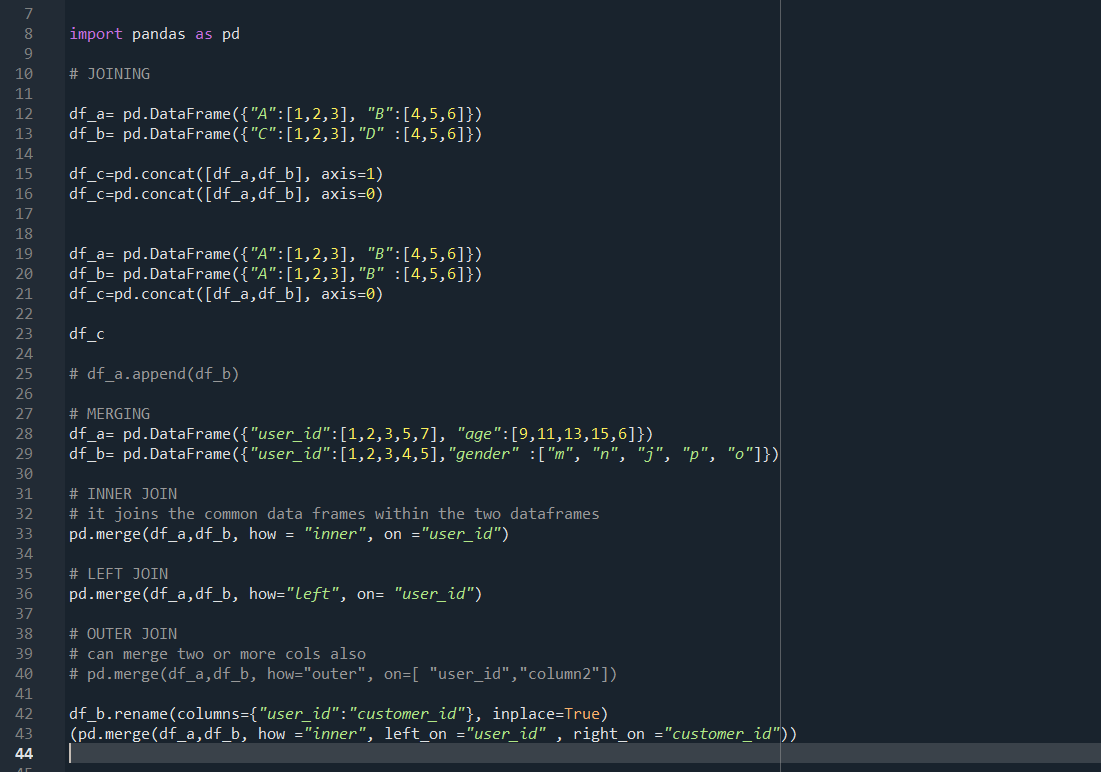
🚀 Day 37/90: Data Science Journey
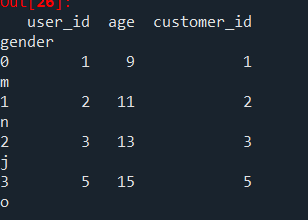
🔹 Mastered pd.merge() for joining DataFrames
▪ Inner, Left, Outer joins
▪ on, left_on, right_on parameters
🔹 Understood axis=0 vs axis=1 in Pd DataFrame operations
#100DaysOfCode #Python #Pandas #DataScience #Spyder #JoinOperations
ALT Merge and Joins
ALT Joins

3
244

24 Sep 2024
Today, in our Power BI series, Let's discuss how you can perform join operation using DAX function in Power BI.
As a data analyst, you should be proficient in DAX formulas as they are really powerful and allow you to analyze data in a detailed manner.
So, to perform join in Power BI, the DAX function is:
1) NATURALINNERJOIN(<left table>,<right table>): It allows you to perform inner join between the two tables.
2) NATURALLEFTOUTERJOIN(<left table>,<right table>): It performs a left outer join between the two tables.
Some things to keep in mind:
-- Now note that, you should have a column which is common in both the table.
-- The name of columns should be same in both the tables.
Also, if you are facing some issues to perform this join operation even after doing everything right, the possible issue can be from the fact that Power BI is having issues in joining according to the column that is common.
It can be because of the fact that Power BI only wants unique values as the key and can throw an error if the rows of the key are not unique.
Also, many times, you also don't get all the columns that you want after the join and I have faced these issues multiple times, so to solve this:
-- Use "SELECTCOLUMNS" to select appropriate columns that you want in your result. Also, include "common column (key)" in this and ensure name is same for key.
-- Also, the key that is creating the problem in joining, use "VALUE" function so that only distinct values are provided to the function.
-- Now perform the join.
Example:
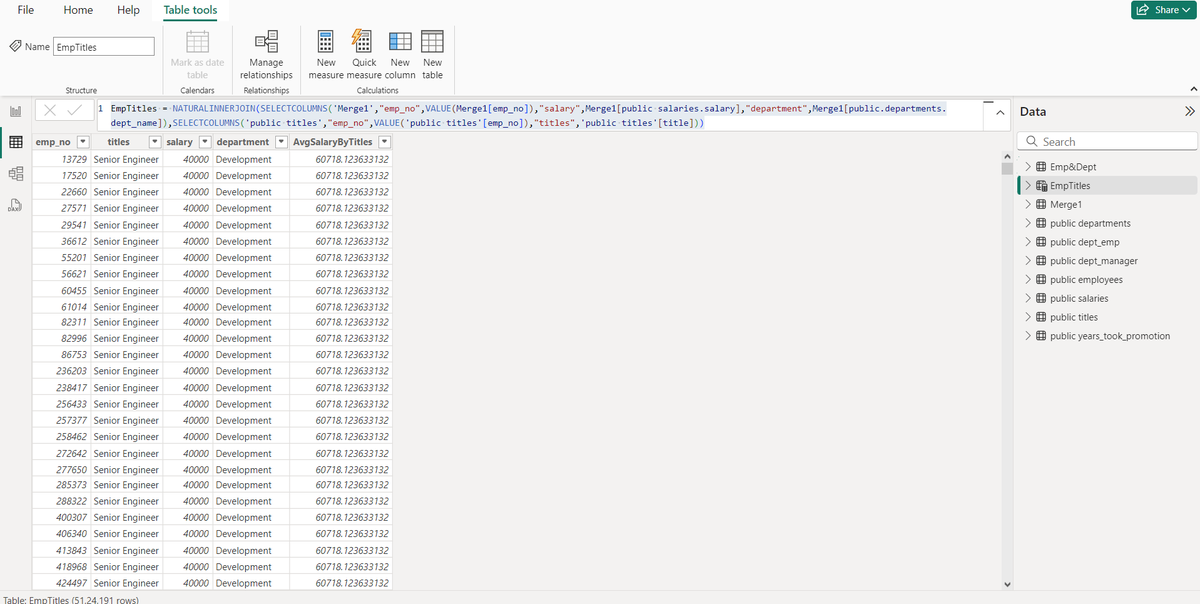
EmpTitles=NATURALINNERJOIN(SELECTCOLUMNS('Merge1',"emp_no",VALUE(Merge1[emp_no]),"salary",Merge1[publicsalaries.salary],"department",Merge1[public.departments.dept_name]),SELECTCOLUMNS('public titles',"emp_no",VALUE('public titles'[emp_no]),"titles",'public titles'[title]))
Here:
EmpTitles ---> result table
Merge1 ---> Table 1
public titles ---> Table 2
#PowerBI #DAX #JoinOperations #NATURALINNERJOIN #NATURALLEFTOUTERJOIN #DataAnalytics #DataAnalyst #DataTransformation #DAXFunctions #PowerBItips #BusinessIntelligence #BItools #AnalyticsSkills #DataModeling #TableJoins #DataAnalysis #USData #UKData #EuropeData #USTech #UKTech #EuropeTech #DataScienceUSA #DataScienceUK #DataScienceEurope #EUData #DataEngineering #NorthAmericaData #UKBusiness #EuropeanTech
1
50
22 Jun 2024
Ready to dive into SQL Server's Right Outer Join? Steve Stedman's tutorial is your ticket to understanding this crucial database operation. #SQLServer #JoinOperations #Tutorial Watch the video: buff.ly/3O4tzzz buff.ly/3O4tzzz
2
148