
Github student developer pack benefits:
➜ GitHub Pro
➜ GitHub Copilot Pro
➜ GitHub Codespaces
➜ GitHub Pages
➜ GitHub Desktop
➜ GitHub Campus Experts
➜ GitHub Foundations Certification Resources
➜ DigitalOcean ($200 Credits)
➜ Microsoft Azure ($100 Credits)
➜ Microsoft Azure (Ages 13–17)
➜ Appwrite Education Plan
➜ Heroku Credits
➜ Camber Student Plan
➜ LocalStack Pro
➜ New Relic
➜ Datadog Pro
➜ CARTO
➜ Zyte Scrapy Cloud
➜ Namecheap Free .me Domain
➜ Namecheap Free SSL Certificate
➜ Name.com Free Domain
➜ .TECH Domain (1 Year Free)
➜ JetBrains All Products Pack
➜ Visual Studio Code Learning Packs
➜ Visual Studio Dev Essentials
➜ Bootstrap Studio
➜ BrowserStack
➜ LambdaTest
➜ GitKraken Student Plan
➜ GitLens Student Plan
➜ Tower Pro
➜ SQLGate
➜ Working Copy Pro
➜ Termius Pro
➜ Testmail Essential
➜ Requestly Professional
➜ Codecov
➜ CodeScene
➜ DeepScan
➜ Imgbot
➜ Travis CI
➜ Blackfire
➜ POEditor
➜ PopSQL
➜ ToDiagram Pro
➜ ConfigCat
➜ DevCycle
➜ Doppler Team
➜ Clerk Pro
➜ Sentry
➜ Pageclip
➜ MongoDB Atlas Credits
➜ Stripe Fee Waiver
➜ Mail Testing APIs
➜ Blockchair APIs
➜ Vaadin Pro
➜ Adafruit IO
➜ Arduino Cloud
➜ Simple Analytics
➜ Frontend Masters
➜ Educative
➜ DataCamp
➜ Boot.dev
➜ Scrimba Pro
➜ Codédex Club
➜ GoRails
➜ SymfonyCasts
➜ Interview Cake
➜ AlgoExpert
➜ AI Prompting & Technical Writing Resources
➜ Intro to Open Source Resources
➜ Intro to Web Development Resources
➜ Mobile App Development Resources
➜ Data Science & Machine Learning Resources
➜ Notion Education AI
➜ Notion Template Collection
➜ Microsoft 365 Education
➜ PomoDone Lite
➜ HazeOver
➜ Visme Starter
➜ SlideCoach Credits
➜ 1Password (1 Year Free)
➜ Dashlane Premium
➜ Astra Security
➜ Honeybadger
➜ Datadog Monitoring
➜ IconScout Premium Assets
➜ Icons8 Subscription
➜ Polypane
➜ Xojo Pro
➜ Themeisle Neve Agency Theme
➜ Deepnote Team Plan
➜ Appfigures Analytics
➜ Camber Research Tools
Grab your Student ID, claim the GitHub Student Developer Pack, and unlock thousands of dollars worth of premium developer tools for FREE! 🎓
1
2
193

May 12
Accidentally became important at work now it's 4:30pm and I'm running off a latte I got 10 hours ago, trying to learn popsql in 5 minutes cause I'm too scared to ask my CTO to run a report he already made

2
102


Feb 18
My last blog post was in 2017. Nine years ago.
In that time: early SRE at @Instacart scaling to millions of orders, joined @popsql (YC S19), then co-founded @rootlyhq (YC S21) — now used by NVIDIA, Squarespace, Canva, and Figma.
I wasn't idle. I just wasn't writing. Until now.
blog.quent.in/blog/2026/02/1…
4
1
4
219

Jan 13
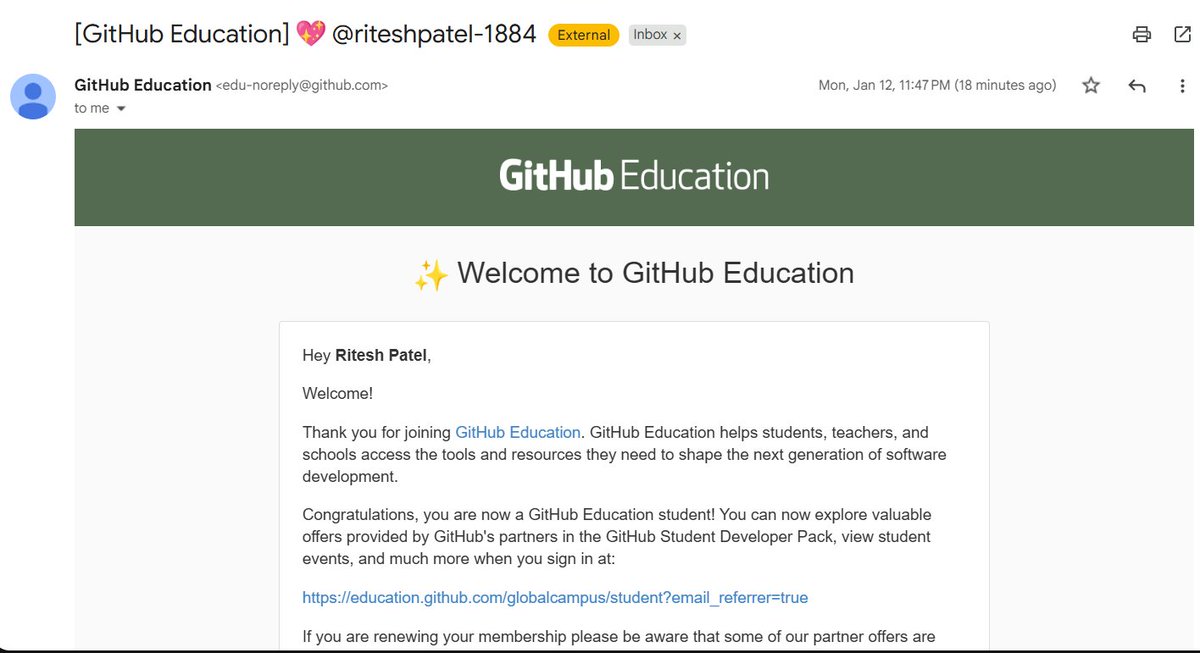
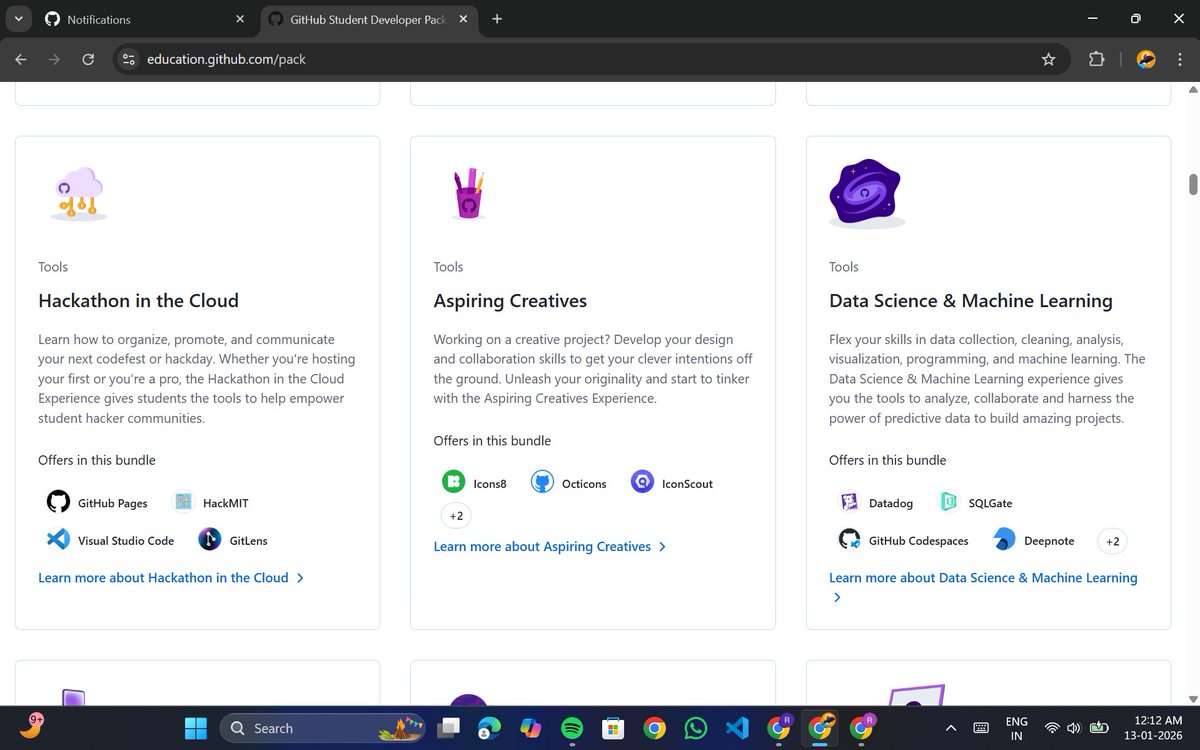
I finally got the GitHub Student Developer Pack and wow, this is INSANE
This is literally everything you need to build real projects, crack interviews, and ship like a pro without paying a rupee.
If you’re a student and NOT applied yet, you’re:
- missing free AI tools
- wasting money on paid dev software
- falling behind students who are already building
Student Benefits List 👇
- Microsoft Azure – $100 credit 25 services
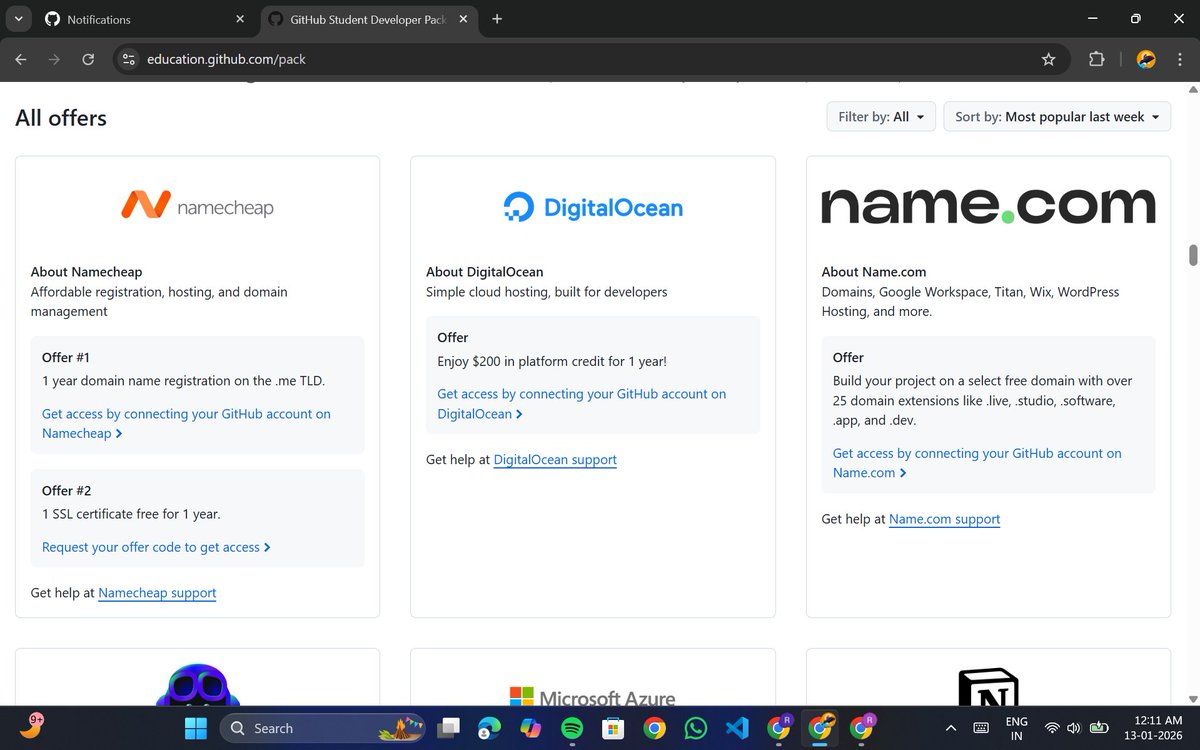
- DigitalOcean – $200 credit (1 year)
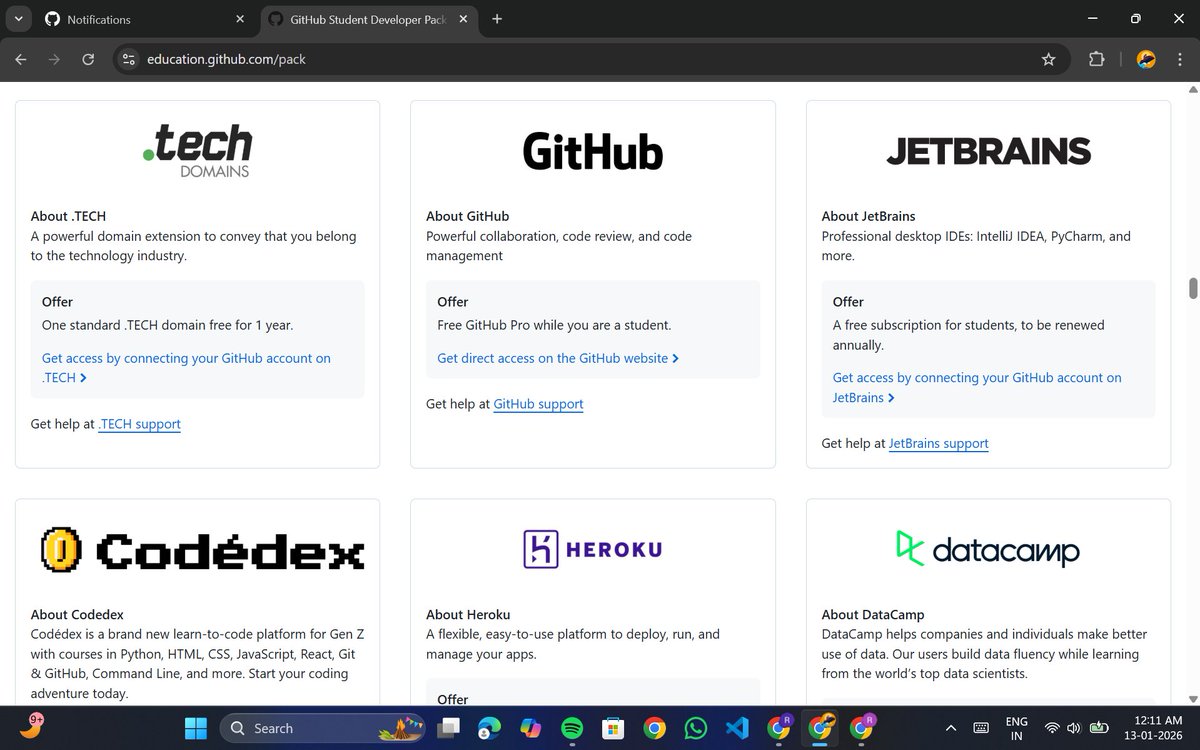
- Heroku – $13/month for 24 months
- Namecheap – 1 free .me domain SSL
- Name.com – Free domain (25 extensions)
- .TECH – Free domain for 1 year
- GitHub Pages – Free website hosting
- Pageclip – Free static form backend
- SimpleAnalytics – Free analytics (1 year)
- Camber – 200 CPU hours storage
- LocalStack – Free AWS emulator
- New Relic – $300/month free
- Datadog – Free Pro account (2 years)
- CARTO – Free upgraded account
- Zyte (Scrapy Cloud) – Free Forever Unit
- Core GitHub Benefits
- GitHub Pro (Free for students)
- GitHub Copilot Pro (Free)
- GitHub Codespaces
- GitHub Pages
- GitHub Desktop
- GitHub Campus Experts Program
- GitHub Community Exchange
- GitHub Certifications (1 Free Voucher – Foundations or Copilot)
- JetBrains IDEs – Free student license
- Notion Education Plan AI
- SlideCoach – 2,000 AI credits
- MongoDB Atlas – $50 credits certification
- Appwrite – Free Education Plan
- NativeScript
- Arduino Cloud
- Vaadin
- POEditor
- DailyBot
- PomoDone
- GitKraken
- GitLens
- Tower (Git Client)
- WorkingCopy (iOS Git client)
- SQLGate
- PopSQL
- CodeScene
- Codecov
- Requestly
- ToDiagram
- Doppler (Secrets Management)
1
4
181

18 Dec 2025
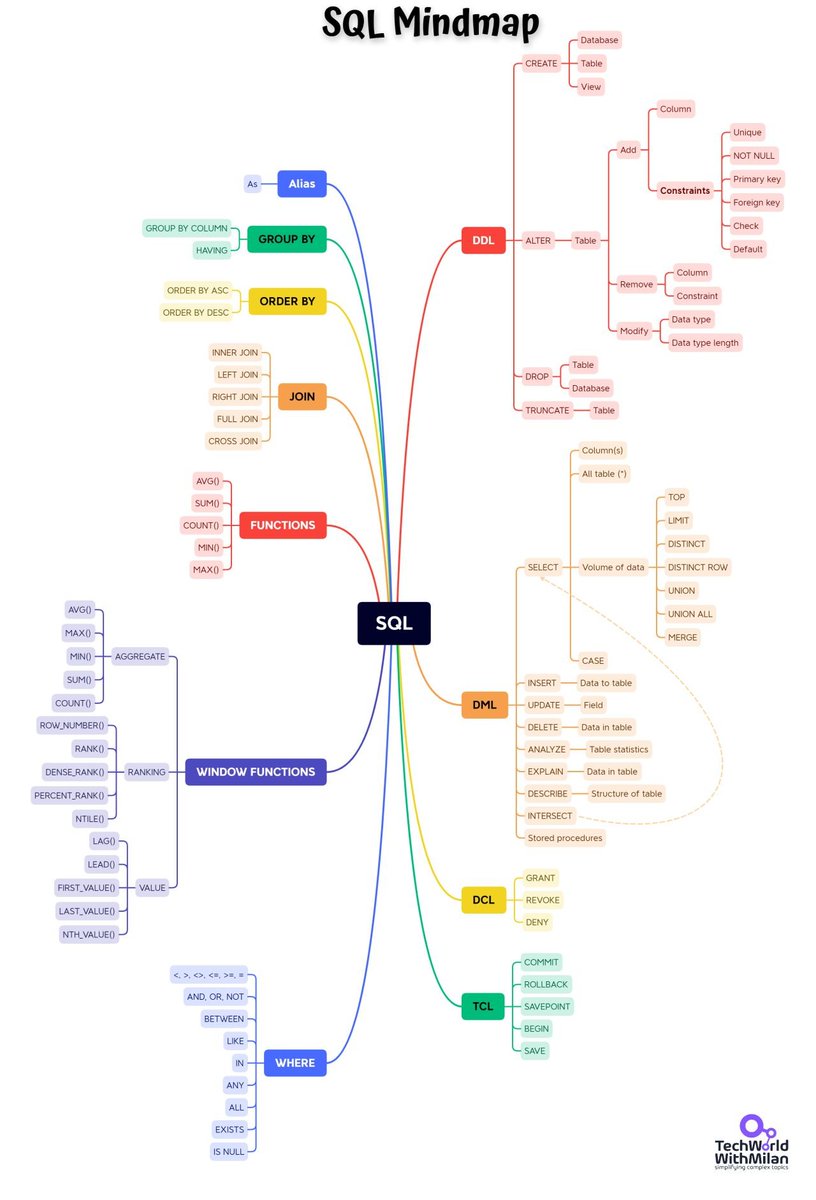
𝗛𝗼𝘄 𝘁𝗼 𝗹𝗲𝗮𝗿𝗻 𝗦𝗤𝗟?
Structured Query Language (SQL) is a domain-specific language used in programming and designed to manage data in relational database management systems. It has been used for many years now.
It was developed at IBM in the early 1970s. As relational databases remain very popular, the need to use them remains for any developer.
The SQL language has 𝗰𝗹𝗮𝘂𝘀𝗲𝘀, which are components of statements and queries; 𝗲𝘅𝗽𝗿𝗲𝘀𝘀𝗶𝗼𝗻𝘀, which can produce scalar values or tables; 𝗽𝗿𝗲𝗱𝗶𝗰𝗮𝘁𝗲𝘀, which specify conditions that can be evaluated under SQL three-valued logic; and 𝗾𝘂𝗲𝗿𝗶𝗲𝘀, which retrieve data based on criteria and other elements.
So, the question is 𝗵𝗼𝘄 𝘁𝗼 𝗹𝗲𝗮𝗿𝗻 𝗦𝗤𝗟. Here are some (free) resources that I can recommend:
𝟭. 𝗦𝗤𝗟𝗕𝗼𝗹𝘁 - is an entirely free, fully interactive introductory course. All SQL basics are covered, including writing queries, filtering, joins, and aggregations, as well as creating, updating, and deleting tables.
𝟮. 𝗦𝗤𝗟𝗭𝗼𝗼 - It provides both tutorials and exercises, and that’s why it is equally helpful for someone just starting with SQL and programmers who know SQL but want some good practice to really master it.
𝟯. 𝗦𝗤𝗟 𝗧𝘂𝘁𝗼𝗿𝗶𝗮𝗹 𝗮𝘁 𝗙𝗿𝗲𝗲𝗖𝗼𝗱𝗲𝗖𝗮𝗺𝗽 - This SQL course has got more than 7 million views, and I think it's YouTube’s most popular free SQL course.
𝟰. 𝗣𝗼𝗽𝗦𝗤𝗟 - is actually an exciting tool for collaborative SQL querying. It enables multiple users to share queries, store commonly used queries in a searchable library, and provide a visual interface for analysis.
𝟱. 𝗟𝗲𝗮𝗿𝗻𝗶𝗻𝗴 𝗦𝗤𝗟 𝗯𝘆 𝗔𝗹𝗮𝗻 𝗕𝗲𝗮𝘂𝗹𝗶𝗲𝘂 𝗳𝗿𝗲𝗲 𝗯𝗼𝗼𝗸 - This book provides some helpful context regarding the language's history and current usage, offers an overview of query and table architecture, and covers some more complex SQL subjects than the courses mentioned above.
Full links are in the comments.
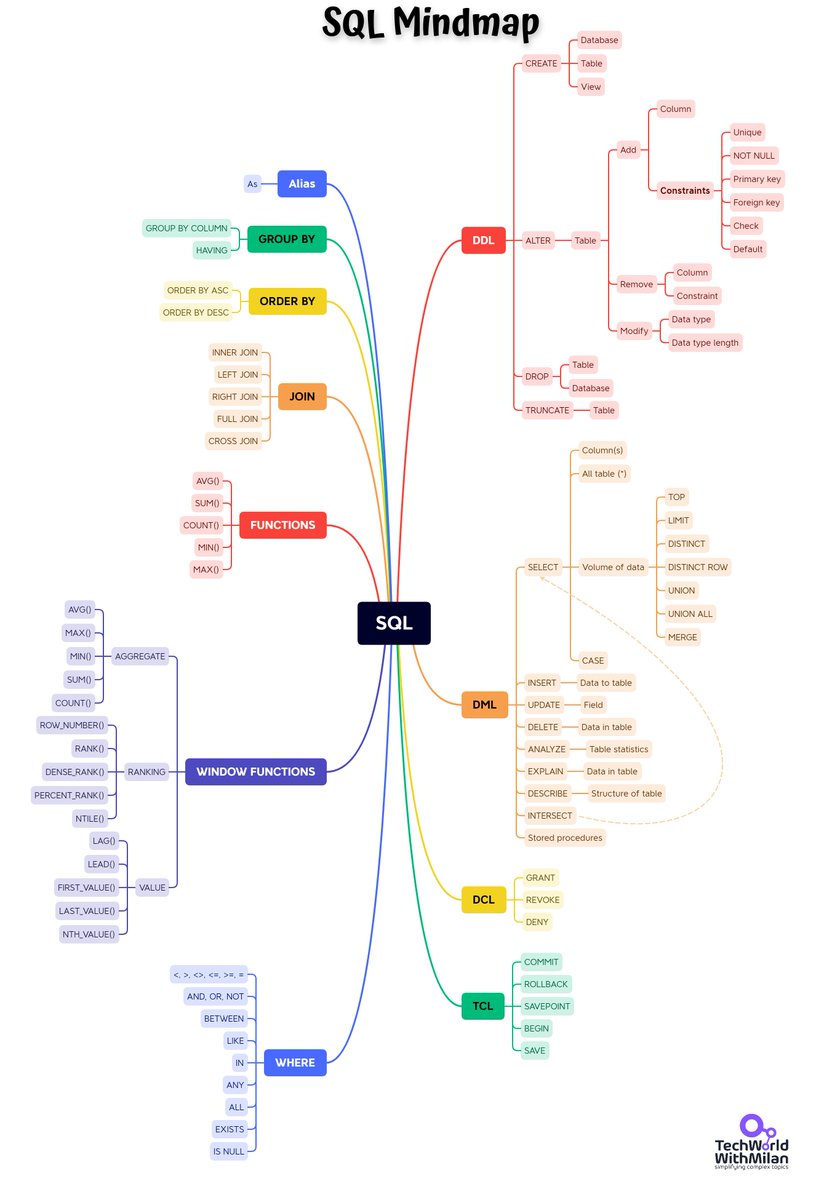
Also, check the enclosed SQL mindmap, which provides an overview of the SQL language.
#programming #data #sql
2
6
29
2,311
26 Sep 2025
𝗛𝗼𝘄 𝘁𝗼 𝗹𝗲𝗮𝗿𝗻 𝗦𝗤𝗟?
Structured Query Language (SQL) is a domain-specific language used in programming and designed to manage data held in relational database management systems for many years. It was developed at IBM in the early 1970s. As relational databases are still very popular, any developer must use them.
The SQL language has 𝗰𝗹𝗮𝘂𝘀𝗲𝘀, which are components of statements and queries; 𝗲𝘅𝗽𝗿𝗲𝘀𝘀𝗶𝗼𝗻𝘀, which can produce scalar values or tables; 𝗽𝗿𝗲𝗱𝗶𝗰𝗮𝘁𝗲𝘀, which specify conditions that can be evaluated using SQL three-valued logic; and 𝗾𝘂𝗲𝗿𝗶𝗲𝘀, which retrieve data based on criteria and other elements.
So, the question is 𝗵𝗼𝘄 𝘁𝗼 𝗹𝗲𝗮𝗿𝗻 𝗦𝗤𝗟. Here are some (free) resources that I can recommend:
𝟭. 𝗦𝗤𝗟𝗕𝗼𝗹𝘁 is an entirely free, fully interactive introductory course. All SQL basics include writing queries, filtering, joins, aggregations, and creating, updating, and deleting tables.
𝟮. 𝗦𝗤𝗟𝗭𝗼𝗼 - It provides both tutorials and exercises, and that’s why it is equally helpful for someone just starting with SQL and programmers who know SQL but want some good practice to master it.
𝟯. 𝗦𝗤𝗟 𝗧𝘂𝘁𝗼𝗿𝗶𝗮𝗹 𝗮𝘁 𝗙𝗿𝗲𝗲𝗖𝗼𝗱𝗲𝗖𝗮𝗺𝗽 - This SQL course has over 7 million views, and I think it's YouTube’s most popular free SQL course.
𝟰. 𝗣𝗼𝗽𝗦𝗤𝗟 - is an exciting tool for collaborative SQL querying. It enables multiple users to share queries, store commonly used queries in a searchable library, and provide a visual interface for analysis.
𝟱. 𝗟𝗲𝗮𝗿𝗻𝗶𝗻𝗴 𝗦𝗤𝗟 𝗯𝘆 𝗔𝗹𝗮𝗻 𝗕𝗲𝗮𝘂𝗹𝗶𝗲𝘂 𝗳𝗿𝗲𝗲 𝗯𝗼𝗼𝗸 - This book provides some helpful context regarding the language's history and current usage, offers an overview of query and table architecture, and covers more complex SQL subjects than the courses mentioned above.
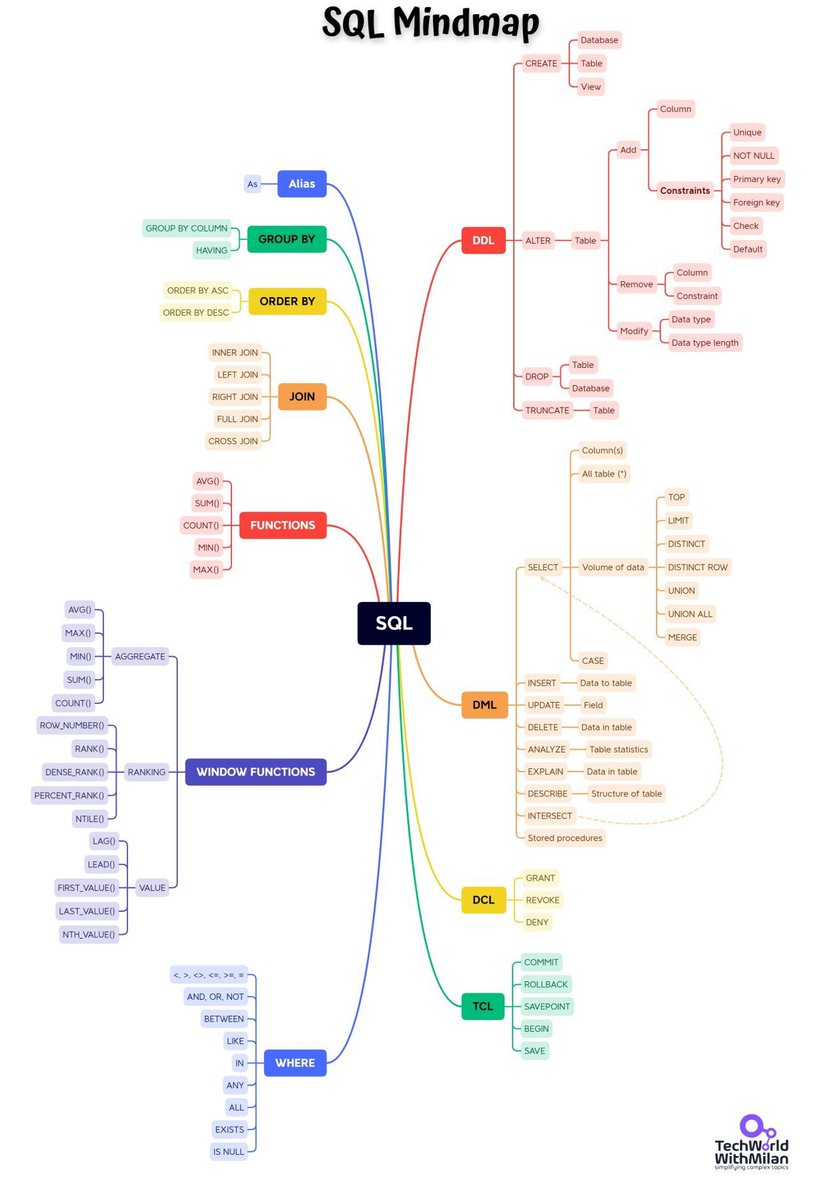
Also, look at the SQL mindmap, which shows an overview of the SQL language.
#programming #data #sql
5
71
441
25,884

29 Apr 2025
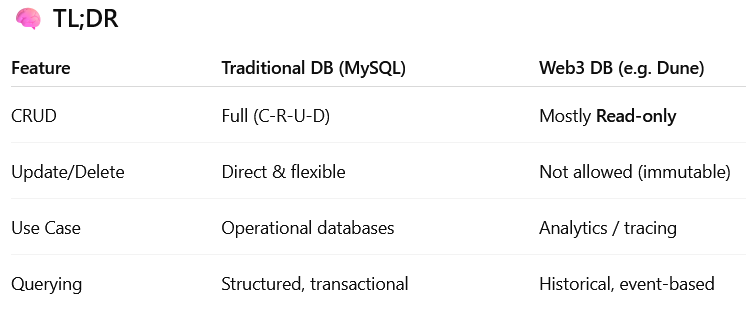
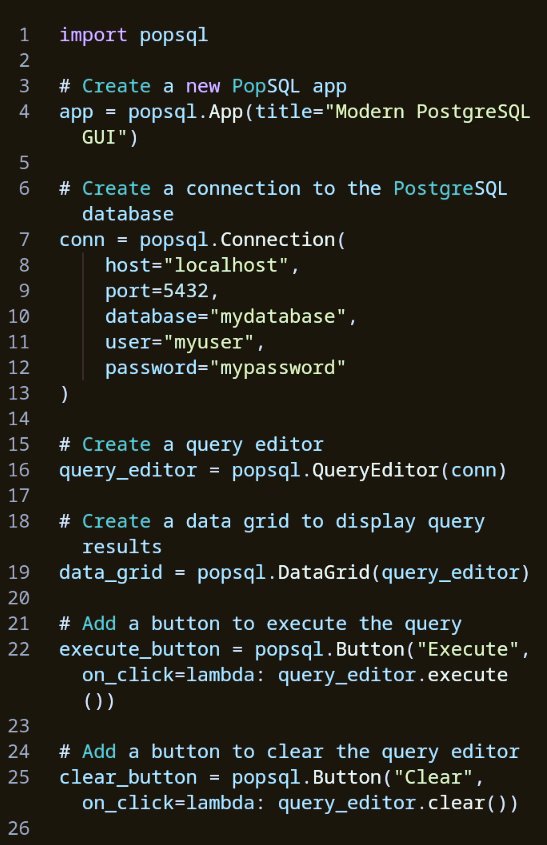
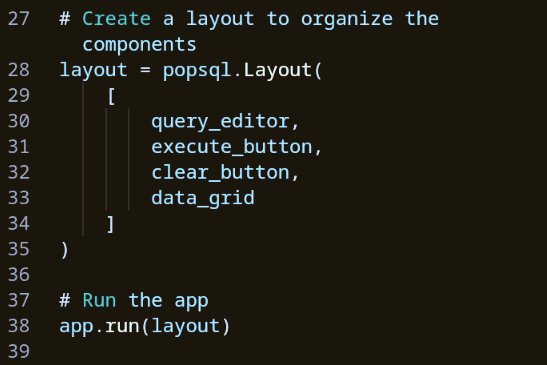
Running SQL in Web3 DBMS is totally different from MySQL with PopSQL.
In traditional DBMS, CRUD is built-in — especially Update/Delete.
But in Web3, it’s mostly manual and read-only. No SQL to change data — just smart contract state updates. Wild shift! 👀
Still a learner.
1
3
59

19 Apr 2025
You can use popsql or better still sql server
1
1
206
25 Mar 2025
𝗛𝗼𝘄 𝘁𝗼 𝗹𝗲𝗮𝗿𝗻 𝗦𝗤𝗟?
Structured Query Language (SQL) is a domain-specific language used in programming and designed to manage data held in relational database management systems for many years. It was developed at IBM in the early 1970s. As relational databases are still very popular, any developer must use them.
The SQL language has 𝗰𝗹𝗮𝘂𝘀𝗲𝘀, which are components of statements and queries; 𝗲𝘅𝗽𝗿𝗲𝘀𝘀𝗶𝗼𝗻𝘀, which can produce scalar values or tables; 𝗽𝗿𝗲𝗱𝗶𝗰𝗮𝘁𝗲𝘀, which specify conditions that can be evaluated using SQL three-valued logic; and 𝗾𝘂𝗲𝗿𝗶𝗲𝘀, which retrieve data based on criteria and other elements.
So, the question is 𝗵𝗼𝘄 𝘁𝗼 𝗹𝗲𝗮𝗿𝗻 𝗦𝗤𝗟. Here are some (free) resources that I can recommend:
𝟭. 𝗦𝗤𝗟𝗕𝗼𝗹𝘁 is an entirely free, fully interactive introductory course. All SQL basics include writing queries, filtering, joins, aggregations, and creating, updating, and deleting tables.
𝟮. 𝗦𝗤𝗟𝗭𝗼𝗼 - It provides both tutorials and exercises, and that’s why it is equally helpful for someone just starting with SQL and programmers who know SQL but want some good practice to master it.
𝟯. 𝗦𝗤𝗟 𝗧𝘂𝘁𝗼𝗿𝗶𝗮𝗹 𝗮𝘁 𝗙𝗿𝗲𝗲𝗖𝗼𝗱𝗲𝗖𝗮𝗺𝗽 - This SQL course has over 7 million views, and I think it's YouTube’s most popular free SQL course.
𝟰. 𝗣𝗼𝗽𝗦𝗤𝗟 - is an exciting tool for collaborative SQL querying. It enables multiple users to share queries, store commonly used queries in a searchable library, and provide a visual interface for analysis.
𝟱. 𝗟𝗲𝗮𝗿𝗻𝗶𝗻𝗴 𝗦𝗤𝗟 𝗯𝘆 𝗔𝗹𝗮𝗻 𝗕𝗲𝗮𝘂𝗹𝗶𝗲𝘂 𝗳𝗿𝗲𝗲 𝗯𝗼𝗼𝗸 - This book provides some helpful context regarding the language's history and current usage, offers an overview of query and table architecture, and covers more complex SQL subjects than the courses mentioned above.
Also, look at the SQL mindmap, which shows an overview of the SQL language.
#programming #data #sql
5
120
590
44,819


20 Jan 2025
oh sweet. been using popsql for its live collaboration feature, does outerbase have something like that?
2
2
75

29 Dec 2024
There was a startup called PopSQL combining popsicle with SQL🤣 So i guess sicle xd?
3
35

13 Nov 2024
Today we launched an AI-powered SQL Assistant inside @PopSQL! I use it every time I'm writing SQL and it's made me way more productive. You can chat with models like GPT-4o and Claude 3.5 Sonnet, and it's just one click to apply the suggestions. Here are 8 ways it's helped me:
𝟭. 𝗨𝗻𝗱𝗲𝗿𝘀𝘁𝗮𝗻𝗱𝗶𝗻𝗴 𝗙𝘂𝗻𝗰𝘁𝗶𝗼𝗻𝘀: I can never remember the params for `lag` and `row_number`. I just ask AI to write it for me.
𝟮. 𝗗𝗲𝗯𝘂𝗴𝗴𝗶𝗻𝗴 𝗘𝗿𝗿𝗼𝗿𝘀: Got an error? Chat with AI to solve it.
𝟯. 𝗜𝗻𝘁𝗲𝗿𝗽𝗿𝗲𝘁𝗶𝗻𝗴 𝗤𝘂𝗲𝗿𝗶𝗲𝘀: 300 line query got you down? 😩 Ask AI to explain it.
𝟰. 𝗖𝗼𝗺𝗯𝗶𝗻𝗶𝗻𝗴 𝗤𝘂𝗲𝗿𝗶𝗲𝘀: Need to merge two gnarly queries together? Ask AI to do it for you.
𝟱. 𝗔𝗻𝘀𝘄𝗲𝗿𝗶𝗻𝗴 𝗕𝘂𝘀𝗶𝗻𝗲𝘀𝘀 𝗤𝘂𝗲𝘀𝘁𝗶𝗼𝗻𝘀: Struggling to translate a business question into SQL? AI can help you plan and write the query.
𝟲. 𝗖𝗼𝗻𝘃𝗲𝗿𝘁𝗶𝗻𝗴 𝗦𝗤𝗟 𝗗𝗶𝗮𝗹𝗲𝗰𝘁𝘀: Need to convert a query from MySQL to PostgreSQL? Ask AI to do it for you.
𝟳. 𝗣𝗲𝗿𝗳𝗼𝗿𝗺𝗮𝗻𝗰𝗲 𝗧𝘂𝗻𝗶𝗻𝗴: If your query is running slow, AI can offer suggestions to optimize it.
𝟴. 𝗥𝗲𝘀𝗼𝗹𝘃𝗶𝗻𝗴 𝗨𝗻𝗲𝘅𝗽𝗲𝗰𝘁𝗲𝗱 𝗥𝗲𝘀𝘂𝗹𝘁𝘀: Getting duplicate rows or unexpected outputs? AI can identify why and how to fix it. It was probably the `row_number` 🤦♂️
Now, it's not magic. It can search your schema, but if you have some ambiguous tables, like multiple `events` tables, you still have to guide it on what tables to use, and you'll need to define business concepts like "active user." But this will get better in upcoming iterations! So try it today and let me know what you think, it's free of charge and works with all types of data sources (Postgres, Snowflake, etc).
1
5
393


11 Oct 2024
🚀 That’s a wrap on another great launch week at Timescale! 🚀
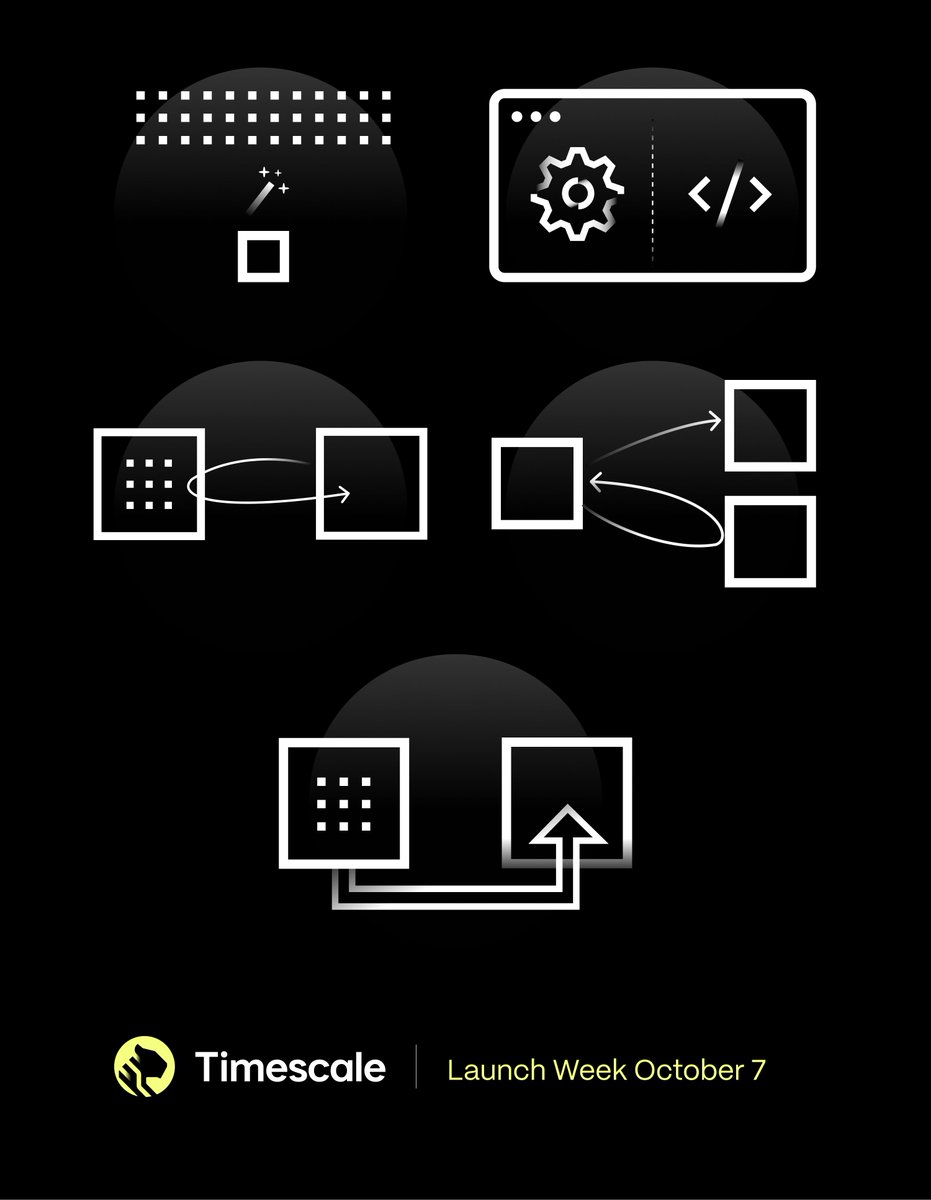
We’ve dropped a ton of game-changing updates that make PostgreSQL more powerful and easier to use than ever before. Dive into this week's highlights:
📊 PopSQL Integration: A modern, collaborative SQL workspace to streamline your workflows— now on our Console.
🔧 UI Tools: Wizards to help you go from PoC to production faster than ever.
☁️ Custom K8s Operator: Our behind-the-scenes Kubernetes operator simplifies PostgreSQL scaling on our cloud platform.
🔄 Improved Replication: Bulletproof your database with multiple PostgreSQL replicas.
⚡ Live Migration Tool Enhancements: Seamlessly move your PostgreSQL databases with minimal downtime.
Ready to supercharge your PostgreSQL? Start today with Timescale!
tsdb.co/ablrecapsignup
1
2
14
855

10 Oct 2024
𝐌𝐚𝐤𝐢𝐧𝐠 𝐏𝐨𝐬𝐭𝐠𝐫𝐞𝐒𝐐𝐋 𝐄𝐚𝐬𝐢𝐞𝐫 𝐚𝐧𝐝 𝐌𝐨𝐫𝐞 𝐑𝐞𝐥𝐢𝐚𝐛𝐥𝐞
Another month, another launch week.
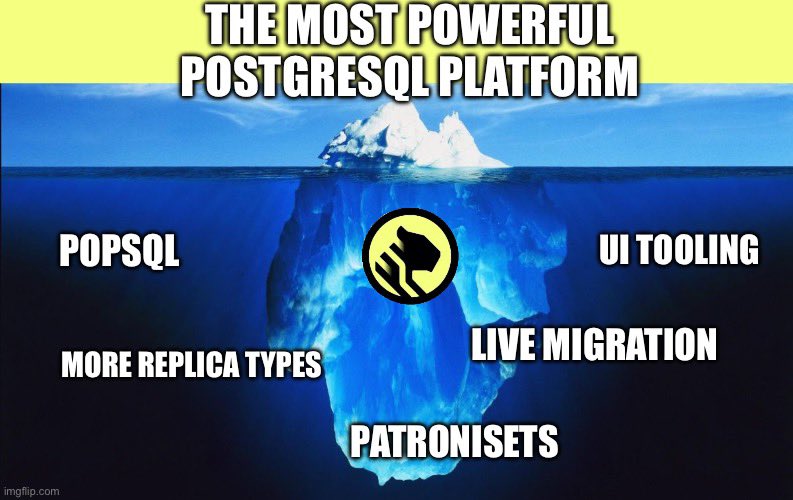
This time the team is finally sharing all of the hard work and innovation they have built to give customers the most powerful PostgreSQL platform.
When people think of a hosted database, they mainly see the user facing sides.
But what is easy to underestimate is how much work needs to happen behind the scenes to provide a seamless and reliable database cloud experience.
That's what this week has been highlighting:
1. Building the Modern Postgres GUI With PopSQL
2. Moving Faster From PoC to Prod With Timescale UI Tooling
3. Simplify Cluster Management With PatroniSets
4. Scale Confidently With Flexible Replication Options
5. Seamless Live Migration to Timescale
More in the links in the thread.
Timescale: We do the hard work so you don't have to.
1
2
8
550

8 Oct 2024
🚀 Building with Postgres in the cloud? Say goodbye to siloed tools! Our new PopSQL integration brings a modern, collaborative developer experience directly into Timescale Console. Instant SQL queries, real-time teamwork, built-in visualizations and database management —all in one place! ☁️🔧
7 Oct 2024

Imagine a world where working with PostgreSQL is seamless, collaborative, and efficient—where you can manage your databases, write SQL queries, and instantly visualize and share results all in one place. 🪄
That’s the future Timescale is building by integrating @popsql into its Console. 💪
Historically, PostgreSQL tools like psql, pgAdmin, and DBeaver offered limited collaboration, requiring developers to use multiple fragmented tools for querying, visualizing, and sharing data. 🙅
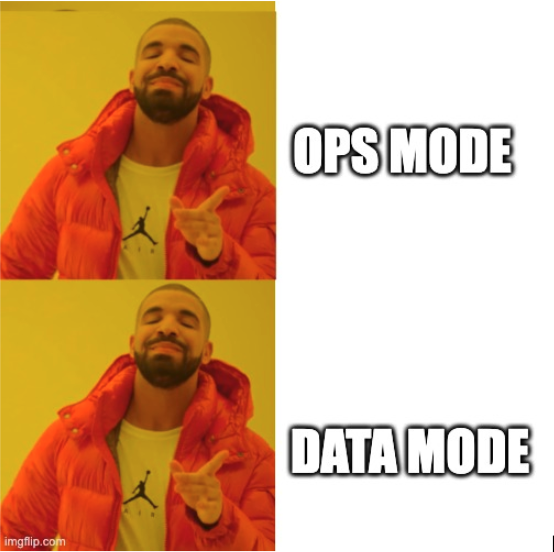
Our latest launch addresses this with its new "Ops Mode" and "Data Mode." Ops Mode focuses on database management, such as setting up replicas and tuning settings, while Data Mode integrates PopSQL's collaborative SQL editor, streamlining query writing, visualization, version control, and sharing. This integration reduces workflow inefficiencies, allowing teams to work together in real-time, visualize queries, and manage version history in one platform.
Key features include:
🤝Real-time collaboration
🏃Autocomplete
🔍Schema exploration
🔄 Version history
🔢 Query variables
📈 Charts
💪 Dynamic dashboards
✍️PopSQL notebooks for sharing comprehensive data stories
PopSQL’s integration simplifies working across multiple databases and aims to continually improve with future AI-driven capabilities. This move is part of Timescale’s mission to offer a cloud-native, collaborative PostgreSQL experience, making developers more productive and improving overall workflows in the cloud. ☁️✨
🔗 Link below to learn more.👇
4
6
875
8 Oct 2024
We acquired PopSQL earlier this year.
Love to see the team integrate PopSQL into the Timescale console!
Pushing the limits of PostgreSQL 🚀🚀
8 Oct 2024

We've made it super easy to access PopSQL from within Timescale Console by introducing Ops mode and Data mode.
Ops mode focuses on operational workflows like changing CPU or database parameters.
Data mode is the full PopSQL experience where you can write SQL queries, share data insights, and more.
2
6
570