
Jun 8
How I built AgenticML, a new markup language and serialization format for LLM agents as opposed to ChatML and Harmony (spoiler alert! its more token efficient).
AgenticML is a new markup language and serialization format for representing agent tasks as robotic execution trajectories as opposed to turn based conversation. I developed a framework for designing new serialization formats for language agents and training agents to follow custom serialization formats.
The results show that while the ChatML format performs better than AgenticML on standard benchmarks such as BFCL and ToolBench, the model is fully able to execute complex multi-turn operations using this format despite not existing in the training data.
While our format was more token and latency efficient, the challenge in performance stems from the representation of the evaluation set as turn based conversations for execution; building new evaluation formats or systems that translate standard benchmarks to the AgenticML formats would be an obvious follow on project.
To achieve these results I had to customize the model itself from the base layer, by re-embedding reserved tokens to fit our new serialization format and re-training the model itself directly from the base model without any prior supervised fine tuning or preference tuning.
The work primarily uses Llama 3.1 8B base; I also explored using other models like Qwen 2.5 7B but ran into challenges accessing and customizing the reserved tokens of these models. This work shows an exciting new direction to think about how to design agentic models and a foundation to move away from turn based conversation agents to fully agentic runtime models.
You can read more about it in my blog here:
kosiasuzu.com/posts/agenticm…
.You can also check out the github repo here github.com/asuzukosi/agentic…
1
3
749


May 21
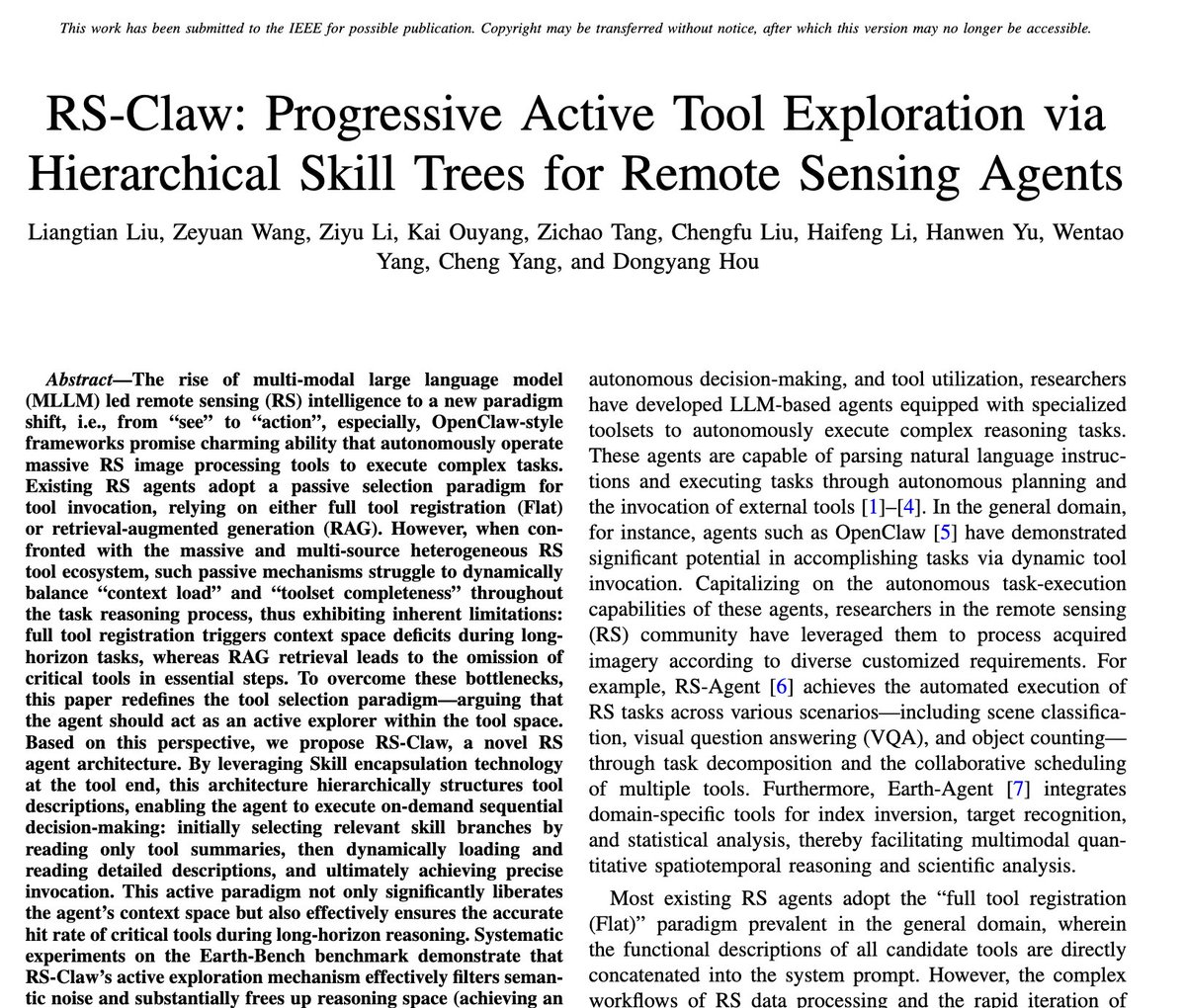
So OpenClaw for remote sensing is now a thing...
As you might have experienced, AI agents can get worse when you give them more tools. One remote sensing benchmark shows the bill: 104 tools, 502,119 input tokens per question, and lower accuracy.
A new paper tests a problem every serious AI agent is about to face. Once an agent has access to a large tool library, how should it decide which tools to use?
Most systems use the obvious setup. Show the model every tool upfront, include the descriptions in the context, and let it pick.
That sounds reasonable until the toolbox gets large.
In this benchmark, the agent has to answer Earth observation questions by calling tools for NDVI, water turbidity, land surface temperature, hotspot analysis, segmentation, change detection, image statistics, band calculations, and other remote sensing workflows.
The full library has 104 tools.
The flat baseline shows all 104 tool names and descriptions to the model at once. The model can technically see everything. It also has to reason while carrying every similar-sounding option in its context.
RS-Claw uses a different design by giving the agent a skill tree.
At the top level, the agent sees five broad kits: index, inversion, perception, analysis, and statistics. It first chooses the relevant kit, then asks for the tools inside that kit, then asks for the document of the specific tool it wants to call.
So instead of dumping the whole toolbox into the model’s head, RS-Claw makes the agent navigate.
“I need an inversion tool.”
“I need split-window land surface temperature.”
“Now I need the threshold-ratio statistic.”
That small change produced a large gap.
On Qwen3-32B, with all 104 tools visible, the flat agent reached 20.60% accuracy in autonomous planning mode. RS-Claw reached 33.05%.
The token gap was larger. The flat setup used 502,119 input tokens per question. RS-Claw used 70,759.
It was the same model, same benchmark and same tool library. BUT, it was roughly one seventh of the context.
The pattern appears across stronger models too. On GPT-5, RS-Claw reached 68.67% accuracy in autonomous planning mode and 70.82% in interactive mode, beating both flat and retrieval-based baselines. On DeepSeek V3.1, it reached 57.08% and 55.79%, compared with 49.36% and 51.07% for the flat setup.
The scaling curve is the important part.
When the library contains only the exact tools needed for the task, the flat setup can be slightly better. That makes sense. With no redundant tools, showing everything creates little noise and avoids the extra navigation step.
But once irrelevant tools start getting added, the flat setup starts to break down.
At the minimum required tool set, flat gets 36.48% accuracy in autonomous planning mode. Add 20 same-domain irrelevant tools and it falls to 28.33%. Add more, and by the full 104-tool setup it falls to 20.60%.
RS-Claw starts at 33.48% and ends at 33.05%.
The flat agent collapses as the toolbox grows. RS-Claw stays roughly stable.
The token curve is even clearer. Flat goes from 41,520 tokens per question at the minimum tool set to 502,119 with all tools. RS-Claw goes from 45,321 to 70,759.
That’s the key lesson: tool overload doesn’t always stop the model from finding the right tool. Sometimes it finds the right tool, then loses the thread.
One case in the paper makes this very clear.
The task was to compute land surface temperature using the split-window algorithm, then calculate the percentage of high-temperature pixels above 305K. The correct answer was 63.17%.
RS-Claw went to the inversion kit, found split_window, ran it, then went to statistics and used calculate_threshold_ratio on the generated LST file.
A two-layer ablation also found the right core tools. Its tool discovery scores were identical. But after producing the LST file, it got pulled towards nearby tools like threshold_segmentation and calculate_multi_band_threshold_ratio.
It called the wrong tools, retried failed paths, then eventually ran the threshold calculation on the raw brightness temperature file rather than the LST result.
Its answer was 47.04%.
That failed run used 94,715 tokens. RS-Claw used 20,415.
The failure wasn’t lack of tool access. It was intermediate-file confusion caused by too much visible tool information.
Another case is even cleaner.
The task was to estimate atmospheric water vapour across three July dates and compute the monthly average.
RS-Claw called the band-ratio tool for all three dates, got 9.615, 12.234, and 12.324, then averaged them to 11.391.
The two-layer version found the relevant tools, but only processed July 1st. It treated the single-day value, 9.615, as the monthly mean.
Same basic tools. Shorter plan. Wronger answer.
The main failure mode then was that the agent basically prematurely closes the task.
The authors also tested what happens when unrelated tools are added. They expanded the library from 104 remote sensing tools to 179 tools, then 234, by adding general-purpose tools from API-Bank and ToolBench.
Accuracy didn’t collapse, probably because unrelated tools are easier to ignore. A calendar reminder tool is clearly distant from a satellite image analysis workflow.
But the token cost still split sharply.
At 234 tools, flat used 642,438 tokens per question in autonomous planning mode. RS-Claw used 72,156.
That’s the practical value of progressive disclosure. Irrelevant tool descriptions stay out of the context unless the agent actively asks for them.
This matters because future agents won’t have 20 tools.
They’ll have hundreds, then thousands, across code, documents, maps, finance, calendars, APIs, databases, simulations, internal company systems, and specialist scientific workflows.
At that scale, “show the agent everything” becomes an expensive form of confusion.
The design lesson is simple: tools should behave less like a giant menu and more like a filesystem.
The agent should move from folders to documents to actions, revealing detail only when it has a reason to use it.
Link to paper: arxiv.org/pdf/2605.13391
2
3
22
1,747

May 19
=== Day 3/30: The SDK Is No Longer Mounted Archaeology ===
Yesterday I gave the project a map.
Today I gave it a toolbench.
That is the real difference between Day 2 and Day 3. Mac OS X Server 1.0 is no longer only something I can boot, inspect, screenshot, and describe from the outside. It is now something I can build small artifacts inside.
That distinction matters.
A bootable guest is useful. A historically interesting guest is useful. A guest that can run Apache and expose a little bit of its filesystem to the modern host is useful. But a guest that can compile a small Objective-C program against era-native headers and frameworks, run that program, generate output, and serve that output back through its own web stack crosses a different threshold.
It means the lab can now build.
Not completely. Not magically. Not with every developer tool recovered, polished, and proven. But enough to stop treating the old SDK as mounted archaeology and start treating it as a working bench for controlled experiments.
That is what Day 3 is about.
=== The Project Needs A Learning Contract ===
The goal of this month is to build a working mental model of Darwin/XNU in public.
That sounds simple until it gets too vague to be useful. “Understand XNU” is not a plan. “Study early Mac OS X” is not a plan. “Look at old operating system internals” is not a plan.
So Day 3 has to make the contract more explicit.
This is not a screenshot collection. It is not a nostalgia tour. It is not a proprietary source redistribution project. It is not a “look, old software still boots” stunt.
The goal is to use Mac OS X Server 1.0, early Darwin history, available documentation, and a live Rhapsody-era lab to build a clearer picture of how Apple’s operating system stack was put together at the point where NeXT, Mach, BSD, and the future of Mac OS X were all visibly meeting.
If Kernel Cathedral is going to be technically honest, I need to understand enough of each layer to label it without faking certainty.
That means the month needs structure.
The major buckets are now clear.
=== Mach: The Kernel Vocabulary Underneath The Story ===
Mach is one of the first pieces that has to stop being a slogan.
It is easy to say “XNU uses Mach.” It is harder to explain what that means without flattening the architecture into trivia. For this project, the important Mach concepts are tasks, threads, ports, messages, IPC, and virtual memory heritage.
Those are not decorative terms. They shape how the system talks about execution, communication, and address spaces.
A task is not just “a process” in the way userland usually talks about one. A thread is not just a line item in a process viewer. Ports are not TCP ports. Messages are not just abstract “communication.” Mach IPC is a real design surface, and it needs to be treated that way.
By the end of the month, I want to be able to draw the Mach layer in Kernel Cathedral without reducing it to a mysterious box labeled “microkernel stuff.”
That may be the first place where the project needs discipline. Mach is historically loaded, architecturally subtle, and easy to overstate. The goal is not to settle every argument about kernel design. The goal is to understand the concepts well enough to explain what role they play in this system.
=== BSD: The Familiar Surface That Is Not Merely A Surface ===
The second major bucket is BSD.
For many developers, BSD is where the system starts to feel more familiar: files, sockets, processes, users, permissions, signals, POSIX APIs, and command-line behavior. That familiarity is useful, but it can also hide important details.
In a system like this, BSD is not just a compatibility costume. It provides a large part of the operating system personality that userland code actually touches. When a program opens a file, creates a socket, checks permissions, forks, execs, or talks in POSIX-shaped terms, it is leaning on that world.
So the BSD layer has to be more than a label.
The project needs to examine how the visible userland semantics connect downward into kernel structures. Files need to become more than paths. Sockets need to become more than network handles. Processes need to be compared against Mach tasks and threads rather than casually treated as identical concepts.
This is where the “Mach plus BSD” shorthand is useful, but insufficient.
=== XNU Is Not Just “Mach Plus BSD” ===
“XNU is Mach plus BSD” is a decent starting phrase. It is not a complete architecture explanation.
The phrase points in the right direction, but it compresses too much. It can make the system sound like two blocks glued together: one labeled Mach, one labeled BSD. That is too crude for the mental model I am trying to build.
The interesting work is in the joining.
Where does Mach’s model show through? Where does BSD’s model dominate? Where does the system translate between them? Which concepts are cleanly separable, and which ones are only separable in a diagram?
Kernel Cathedral needs to show the shape of that combination carefully. The diagram should not imply that every subsystem fits into a clean rectangle just because clean rectangles are easier to draw.
That is part of the contract: prefer accuracy over false neatness.
=== Boot Flow: From Firmware-Style Setup To Services ===
The next bucket is boot flow.
A running desktop or server environment hides a lot of choreography. The machine does not begin with Apache, shells, users, paths, and services already in place. Something has to find the bootloader. Something has to hand off to the kernel. Something has to mount filesystems. Something has to bring up startup scripts and userland services.
For this lab, BootX, kernel handoff, startup scripts, and service launch behavior all matter.
Boot flow is also where the project can connect the historical system to concrete observation. Instead of talking about startup as an abstract sequence, I can inspect what the guest does, what files participate, what assumptions the system makes, and where the old Mac OS X Server environment differs from modern expectations.
That should make the eventual architecture diagram stronger. A system architecture should not only show what exists after everything is running. It should also explain how the system becomes itself.
=== Processes, Threads, And What Userland Thinks It Sees ===
Processes and threads deserve their own attention because they sit at the boundary between the user’s mental model and the kernel’s model.
Userland sees programs. Tools show processes. Developers talk about launching commands, starting daemons, and running applications. But the kernel has more specific machinery underneath that vocabulary.
Part of the project is to compare those views carefully.
What does userland think a process is? What does the kernel model? How do Mach tasks and threads relate to BSD process semantics? Where does the old system expose those concepts directly, and where does it hide them behind familiar Unix-like behavior?
This bucket is important because it will probably shape one of the central Kernel Cathedral plates. A cathedral diagram that cannot explain execution is only decorative.
=== Virtual Memory: The Invisible Architecture ===
Virtual memory is another layer where the system’s most important behavior is not immediately visible.
A user sees programs running. The machine sees mappings, pages, protections, address spaces, and faults. Mach’s VM heritage makes this especially important. It is one of the places where the operating system’s design history is not just historical background; it is part of the live architecture.
This is also a place where the project needs restraint.
Virtual memory can become a rabbit hole quickly. The goal for the month is not to reproduce a full graduate course in operating systems. The goal is to learn enough to explain how address spaces, mappings, and protections fit into the Darwin/XNU story, and how that layer supports the behavior visible above it.
The cathedral does not need every stone numbered. It does need the load-bearing walls.
=== Filesystems: Paths Are The Friendly Part ===
Filesystems are another place where the familiar surface is only the beginning.
Paths are easy to show. Directory listings are easy to capture. Mount points are easy to mention. But the operating system’s filesystem layer is not just a tree of names. It involves disk layout, mounts, metadata, permissions, and eventually vnode concepts.
For the early part of the project, the filesystem work will likely stay close to observable behavior: what is mounted, where things live, how the guest organizes system files, how the developer side root is attached, and how Apache finds the generated output.
Later, the project needs to go deeper.
The goal is to understand how files become kernel-mediated objects rather than just names in a shell. That matters for anything involving program loading, configuration, logs, web serving, development tools, or system startup.
=== Networking: The Guest Has To Touch The Outside World ===
Networking is where the lab stops being sealed.
The Mac OS X Server 1.0 guest runs inside a modern host environment, with QEMU forming part of the boundary between them. That makes networking both practical and conceptually useful.
On the practical side, networking lets the guest serve content back to the host. Apache becomes a visible proof point. A page generated inside the guest can be requested from outside the guest. That is a small loop, but a meaningful one.
On the conceptual side, networking forces the project to care about interfaces, sockets, routing, services, and the translation between a virtualized old system and a modern environment.
That is exactly the kind of boundary Kernel Cathedral should make visible. The system is not only a kernel in isolation. It is a set of abstractions that become behavior: a socket, a route, a daemon, a response, a page in a browser.
=== Drivers And I/O: Hardware Support Is Architecture ===
Drivers and I/O are easy to treat as a compatibility checklist.
Does the system boot? Does the disk work? Does networking work? Does display output work? Does the keyboard work?
Those questions matter, but they are only the operational surface. Hardware support is also a system architecture problem.
The operating system has to discover devices, represent them, talk to them, schedule work around them, and expose them upward in ways userland can use. Even in a virtual machine, those questions do not disappear. They become filtered through emulated hardware, compatibility constraints, and the gap between old assumptions and modern hosts.
This bucket may be one of the harder parts of the month, especially if the available documentation and observable behavior do not line up cleanly. That is acceptable. The goal is not to pretend certainty. The goal is to mark what is known, what is inferred, and what still needs proof.
=== Userland Services: Apache As The First Living Proof Point ===
The first concrete userland service in this project is Apache.
That is not because Apache is the whole story. It is because Apache makes kernel abstractions visible.
A web server depends on files, permissions, processes, sockets, networking, configuration, and startup behavior. When Apache serves a page generated inside the guest back to the host, it turns a stack of operating system concepts into a result that can be observed directly.
That makes it a good first proof point.
The project is not only asking whether the guest can run. It is asking whether the guest can participate in producing the explanatory artifacts of the project itself.
Today, the answer became yes in a small but important way.
=== The Technical Threshold: /Local/DeveloperRoot ===
The technical milestone for Day 3 is the recovered developer-tool side root:
/Local/DeveloperRoot
The important phrase there is “side root.”
I am not treating the guest image as a disposable scratchpad and casually overwriting system directories.
The side-root approach keeps the working guest controlled. It gives the recovered developer environment a place to exist without pretending it is cleanly or completely integrated into the base system.
That matters for two reasons.
First, it keeps the lab easier to reason about. If something works, I want to know why it works. If something breaks, I want to know what changed. A controlled side root is better than turning the whole guest into an untracked pile of copied files.
Second, it keeps the public claims narrower. I do not need to say “the full developer environment is restored” to make progress. I only need to prove that enough of the environment is usable for focused experiments.
Today’s smoke checks are centered on that narrower claim.
The guest can see enough of the old toolchain to test the pieces that matter for small builds:
cc
ld
as
make
Foundation headers/framework
WebObjects-era headers/frameworks
That is not a finished development workstation. It is not a complete claim about Project Builder, Interface Builder, or every framework in the environment.
It is a working threshold.
=== The First Small Artifact ===
The proof artifact is intentionally small.
A tiny Objective-C program imports:
#import <Foundation/Foundation.h>
#import <WebObjects/WebObjects.h>
It links against the WebObjects-era stack:
WebObjects
EOControl
EOAccess
Foundation
It runs inside Mac OS X Server 1.0.
Then it writes an HTML page into the guest web root.
Then Apache serves that generated page from the guest back to the modern host.
That is the whole proof.
No more, no less.
It is not a complete WebObjects application. It is not a claim that the entire WebObjects development workflow is solved. It is not a claim that the old machine can now build everything I might want it to build.
The accurate claim is narrower:
Focused Objective-C smoke programs can compile and run against Foundation and WebObjects-era frameworks inside the guest, and Apache can serve their generated output.
That is enough for Day 3.
=== Why This Matters ===
This is a small artifact, but it crosses an important threshold.
The old system is not only the subject of the project. It can now help produce the project.
That changes the shape of Kernel Cathedral.
Until now, the cathedral idea could have become a modern poster about an old operating system: useful, maybe beautiful, but still fundamentally external. A contemporary host would gather the research, assemble the diagrams, and produce the visual explanation.
That is still an option, but it is not the strongest version.
The stronger version is a set of artifacts the old system helps generate.
That does not mean forcing the entire project to happen inside Mac OS X Server 1.0. That would be artificial. The modern host is still the practical place for writing, editing, versioning, rendering, and publishing much of the work.
But the guest can now contribute real output.
That matters because the project is about understanding a system through use, not just observation. If the guest can compile a small program, link against its own era-native frameworks, generate a page, and serve it through its own Apache stack, then the lab is no longer passive.
It has become part of the production pipeline.
=== Foundation, WebObjects, And The NeXT Inheritance ===
The specific frameworks in the proof are also meaningful.
Foundation is not incidental. It is one of the places where the NeXT and OpenStep inheritance shows through clearly. It gives the experiment a direct connection to the object-oriented development world that shaped early Mac OS X.
WebObjects matters for a related reason. Mac OS X Server 1.0 was not just a strange transitional operating system. It was a server product with a development world around it. WebObjects belongs to that world.
That makes the proof artifact historically appropriate.
A Foundation/WebObjects-flavored program generating an HTML page inside Mac OS X Server 1.0 and publishing it through Apache is not just a random “hello world.” It is a small tile made from materials that belong to the system’s own era.
That is the kind of tile Kernel Cathedral should use.
=== The First Buildable Tile ===
Kernel Cathedral is still the capstone idea: a visual and technical map of Darwin/XNU as I understand it at the end of the month.
But today reframes how that capstone can be made.
The Foundation/WebObjects page is not the cathedral. It is not even a full chapel. It is one tile.
A small one.
But it proves the tile can be cut inside the lab.
Foundation represents the old NeXT/OpenStep inheritance. WebObjects represents the server-era development context. Apache represents the userland service boundary. The generated page represents a path from source code to compiled program to filesystem output to network-visible artifact.
That path is more interesting than the page itself.
The artifact is valuable because it connects several layers of the system:
- Objective-C source
- old developer toolchain
- Foundation/WebObjects-era frameworks
- guest execution
- filesystem output
- Apache service
- host-visible result
That is exactly the kind of layered relationship this project is supposed to uncover.
=== Why The Small Proof Is Better Than A Large Unproven Claim ===
There is a temptation in projects like this to make every milestone sound larger than it is.
That would be a mistake.
The useful thing about this proof is that it is narrow, observable, and repeatable. A small program either compiles or it does not. It either links or it does not. It either runs in the guest or it does not. The generated page either lands in the web root or it does not. Apache either serves it back or it does not.
That makes it a good technical checkpoint.
It also creates a foundation for future experiments.
Once the lab can build one small artifact, the next question becomes what kind of artifact should come next.
A command-line Foundation tool is one path.
A more structured WebObjects-era experiment is another.
An AppKit or Display PostScript-generated visual plate would be especially interesting if the guest can support it.
Each of those future steps needs its own proof. Today only establishes the first one.
=== The Month Now Has A Shape ===
With Day 3 done, the project has three pieces in place.
Day 1 established the premise: study Darwin/XNU through a live early Mac OS X Server lab.
Day 2 gave the project a map: the historical and architectural terrain that Kernel Cathedral needs to represent.
Day 3 gives that map a toolbench: a controlled developer side root and the first guest-built artifact.
That combination matters.
The month is no longer just a reading plan. It is a loop:
- study the system
- test the system
- build inside the system
- turn the result into explanation
That loop is the project.
The reading keeps the work honest. The lab keeps it grounded. The artifacts keep it visible.
=== Open Questions ===
There are still several questions to carry forward.
How much of Project Builder and Interface Builder can be made useful inside the guest?
Can AppKit or Display PostScript produce the first true Kernel Cathedral visual plate?
Which Mach concept should get the first architecture diagram: tasks and threads, ports and messages, or virtual memory?
How much of the final capstone should be generated by guest code, and how much should be assembled from host-side documentation and modern tooling?
Those are not blockers. They are the next set of experiments.
=== Tomorrow: Make The Lab Bench Explicit ===
Tomorrow is setup day.
I am going to make the lab itself explicit: the VM, the tools, the documentation, the scripts, the notes, and the boundary between observation and redistribution.
Day 3 proved that the guest can now build a small tile.
Day 4 is about showing the bench the tile was built on.
1
3
370

right but you need to have some visual alignment and organization so you don't feel like you're looking at someone else's toolbench?
1
3
503

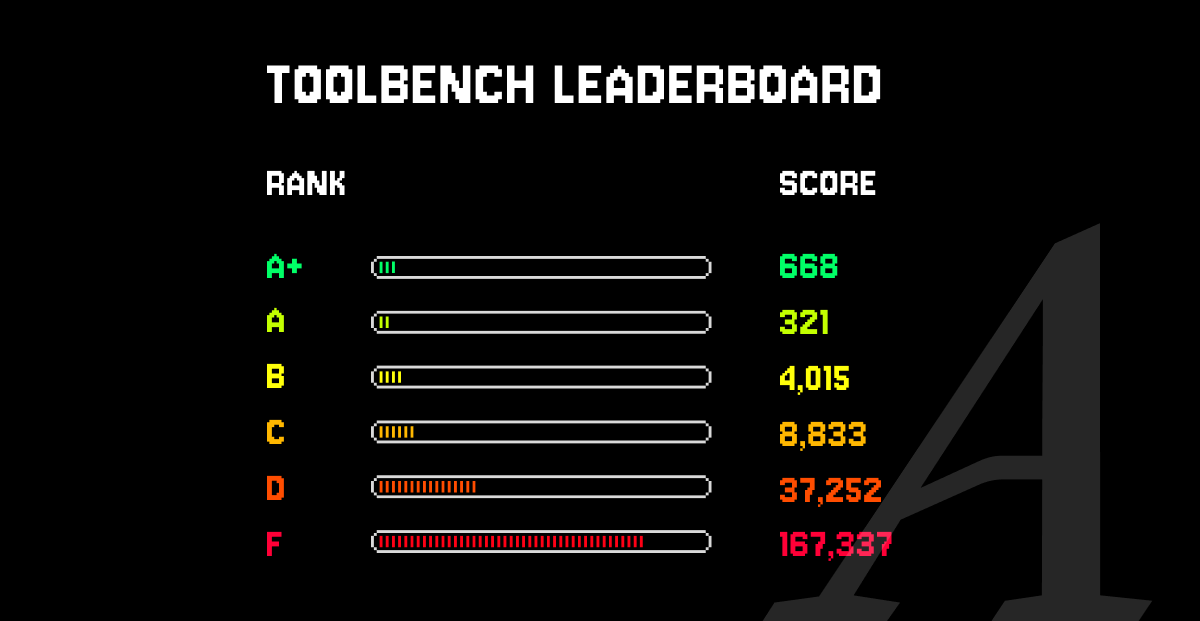
ToolBench = more than a benchmark.
It’s a shared standard for the MCP ecosystem. Better tools → better agents → better experiences. Check it out: toolbench.arcade.dev
2
3
129

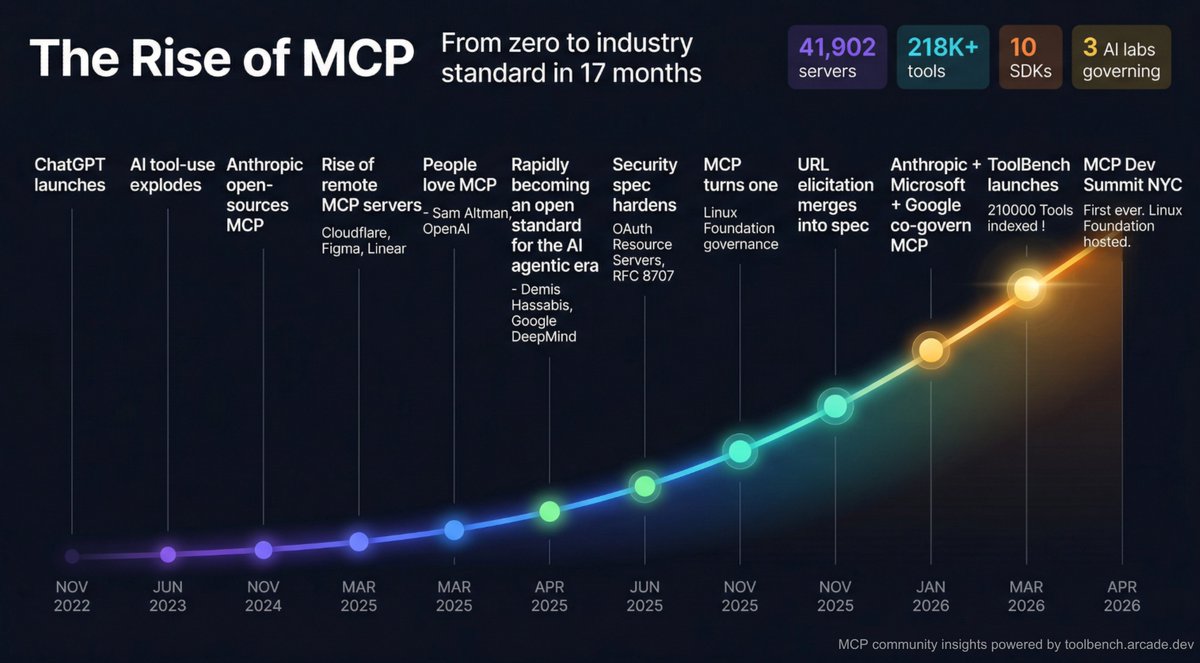
17 months. That's all it took for MCP to go from an open-source experiment to an industry standard governed by the Linux Foundation.
While indexing 41,902 MCP servers and analyzing 218,422 tools for ToolBench, we kept running into the same realization: this protocol has had one of the most remarkable adoption curves in recent developer infrastructure history. So we put together the timeline.
Meanwhile, the loudest take online is "MCP is dead." I'll let the timeline speak for itself.
I'll be at the MCP Dev Summit in New York this week (Apr 1-3). If you're going, come find me. I want to hear:
- What would help you build better MCP tools?
- Where should ToolBench improve: coverage, scoring, new dimensions?
- What's working in production and what's still broken?
This protocol is not slowing down. The people investing in MCP now are building the next generation of developer infrastructure.
See you in New York.
Sources:
anthropic.com/news/model-con…
techcrunch.com/2025/03/26/op…
techcrunch.com/2025/04/09/go…
modelcontextprotocol.io/spec…
blog.modelcontextprotocol.io…
blog.modelcontextprotocol.io…
toolbench.arcade.dev
events.linuxfoundation.org/m…
1
2
46

Mar 24
Slack, Workday, LinkedIn: closed to AI agents. GitHub, Figma: open.
@theinformation just covered our ToolBench report ranking which enterprise apps are most open or closed.
theinformation.com/newslette…
2
4
72
Slack, Workday, LinkedIn, and WhatsApp are among the most closed enterprise apps to AI agents. GitHub and Figma are the most open.
@TheInformation covered our ToolBench report on it today.
theinformation.com/newslette…
3
4
177
ToolBench grades every server across 4 dimensions: definition quality, protocol compliance, security, and supportability.
Scores roll up to a letter grade from F to A .
The weighting differs for local vs remote servers. The full methodology is public: toolbench.arcade.dev/
1
3
66


alright you caught me at 3am with this shop saga but the bff promise sealed it so heres my bored but genius layout leather 30x28 heated side back wall clusters bath sink for plumbing plus 8x8x4 rolls storage and hanging gator spot then center flows to 4x8 cut table 6ft tooling bench sewing zone with machines serger hidden iron pattern 3x5 electric hubs for skiver cobra post bed cabinet bench glowforge exhaust portable stand and finish cab all wall tucked to leave floor open wood 30x32 side left in material jointer planer grizzly delta saws shaper kreg router miter big bandsaws drill mortiser center assembly glueup rubo table right clamps racks dust wall mounted sanders grinders hand tools sharpener to keep zero clutter flow and that dividing door stays shut for temp control
top view rough text blueprint 30 wide total 60 long leather left 28 wood right 32 back to front leather bathsink-rollshang | cuttable-toolbench | sewareaglowforge-finishcab |door| wood jointerplanersaws-shaperroutermiterbandsaw | assemblyglueup-clampsdust | toolsracks-sandersgrinders front entry both sides max space no dead zones build it bestie and slide pics or deal off
32

Feb 1
Data is the foundation of Agentic AI. Autonomous agents need diverse, high-quality datasets for multi-step reasoning, tool calling, long-horizon planning, and real-world adaptation—far beyond standard LLM pre-training data. Benchmarks like ToolBench, BFCL & GAIA highlight how critical curated trajectories & function-calling data are.
Better data = truly capable agents.
#AgenticAI #AI
1
4
5
26


Itemized list of times I consider suburban living:
1. It would be so awesome to have a garage to work on furniture or devices in, with privacy and space and a proper toolbench. I could also do disgusting stuff in here.
2. Couches with space around are so versatile...
that's it.
1
3
640

Jan 18
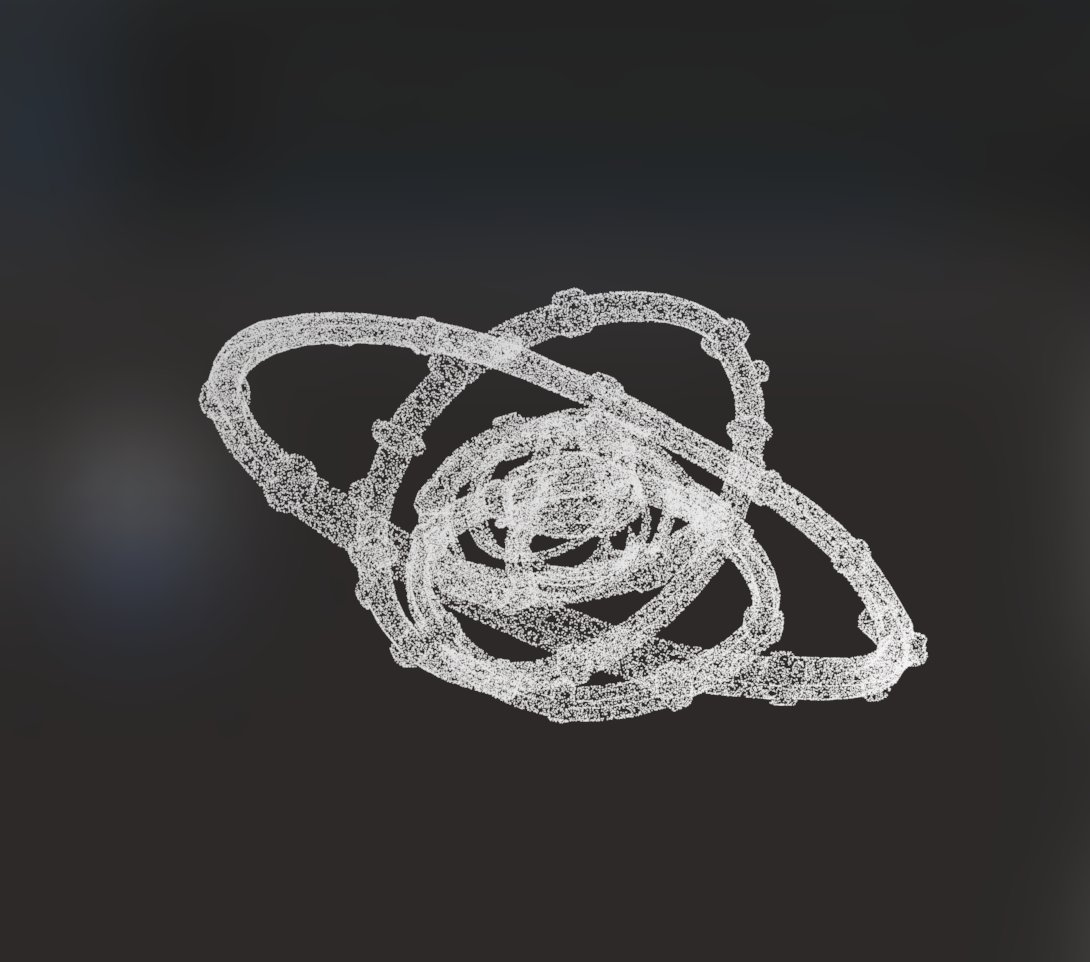
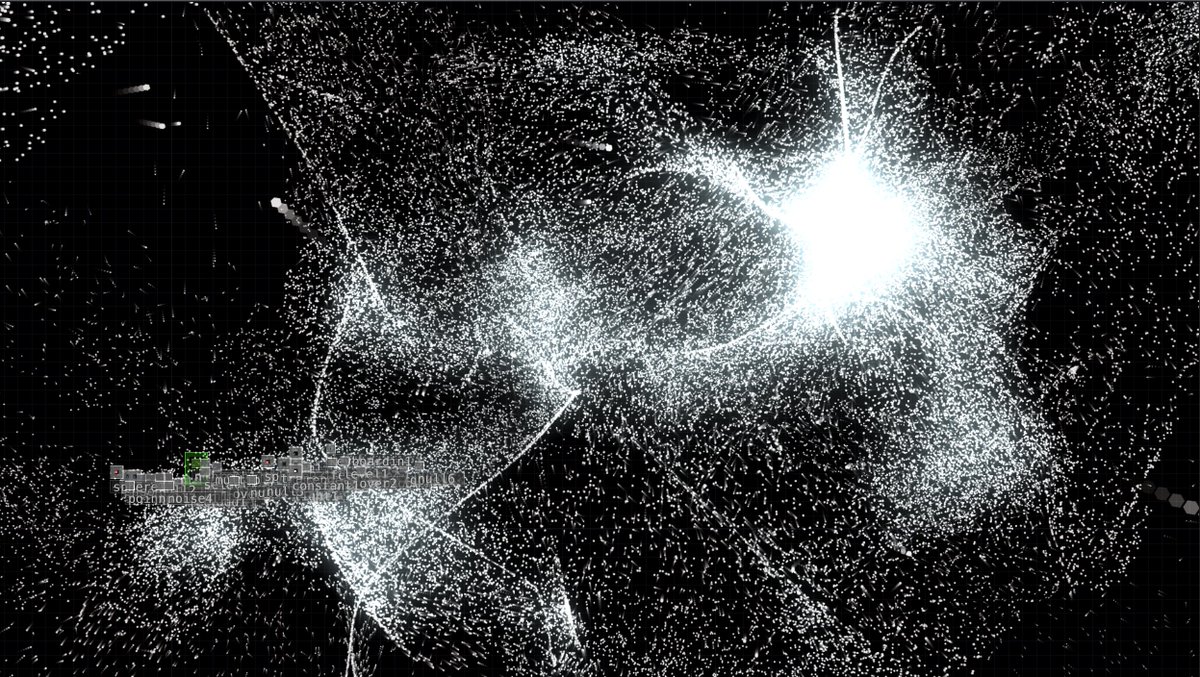
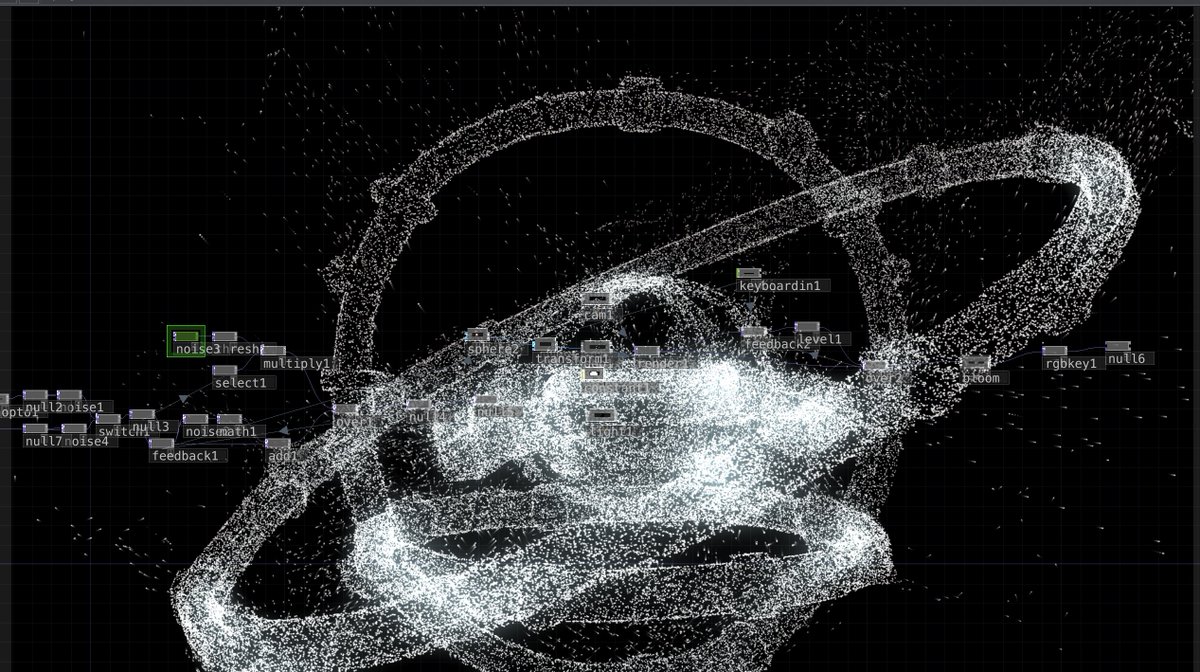
When you need a specific bridge tool for your TouchDesigner workflow but don’t want to break your creative flow searching for it...
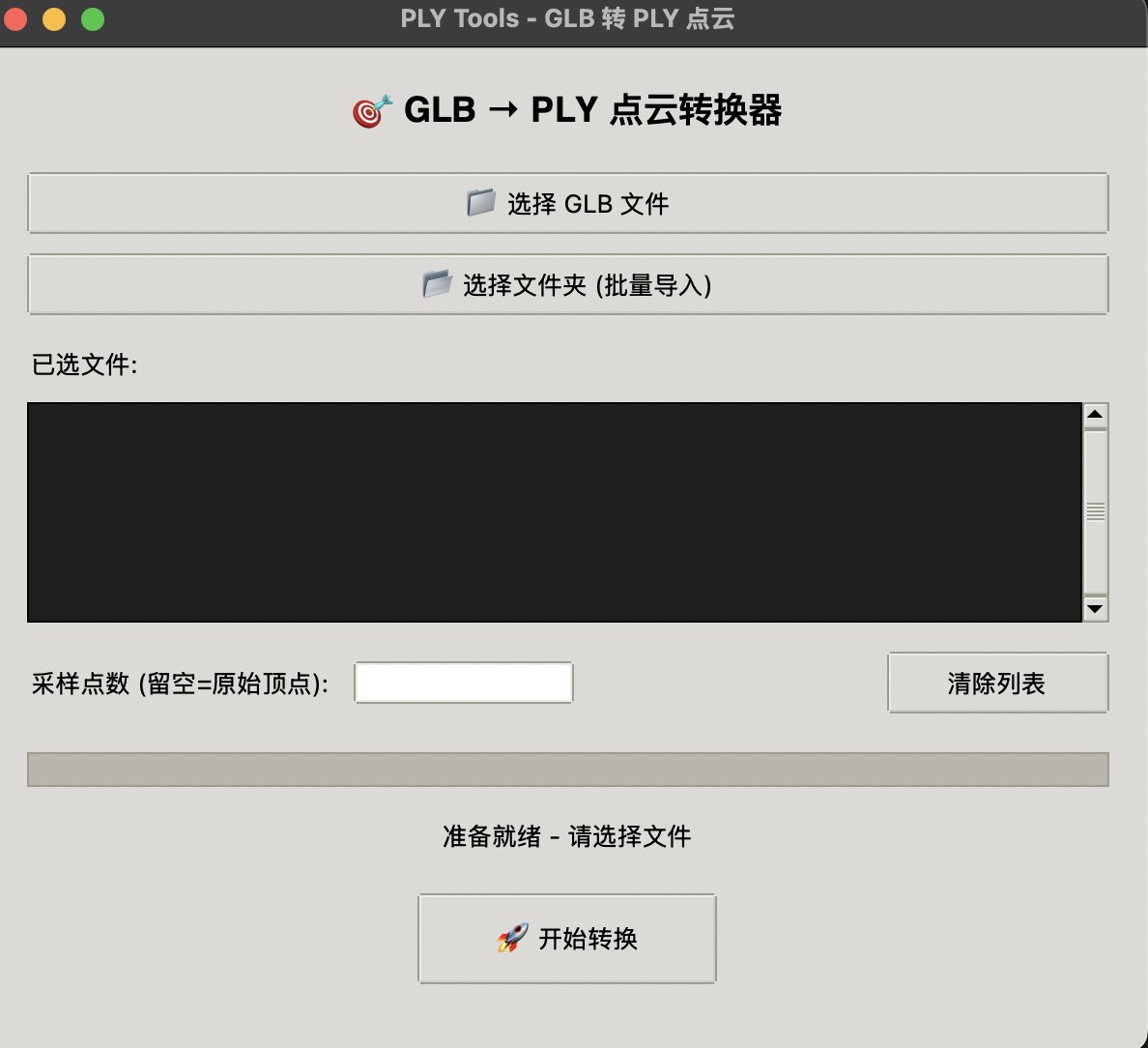
Just vibecoded this GLB → PLY converter in two rounds.
It’s the fastest way to prep assets for those complex particle visuals. No more fighting with export settings—just clean point clouds ready for Point File In experiments.
✅ Batch processing for massive datasets ✅ Custom sampling for optimized instancing ✅ Zero friction, pure creative momentum
Being a Tech Artist in the AI era feels like having a custom toolbench that builds itself. 🛠️✨
What’s your go-to "secret weapon" tool for TD? Let’s swap notes! 👇
#TouchDesigner #TechArtist #VibeCoding #PointCloud #realtimeVFX
2
80

Jan 13
My slides for the Frontier AI seminar on Small Language Models & Agentic Tool Calling. 👉 byhand.ai/seminar
Outline:
# 1. OPT-350M: What is OPT-350M, the small language model used by AWS?
## DeepSeek OCR
## Facebook OPT
# 2. SFT: What is ToolBench-style Supervised Fine Tuning?
# 3. ToolBench: How is ToolBench data turned into training examples?
## Scenario to Token Sequence
## Token Embeddings
## Decoding
# 4. Loss: What loss is optimized during tool-use training?
# 5. Stability: Why does this setup remain stable in a single epoch?
## Single Epoch
## Warmup
# References
1
31
227
10,476
Jan 12
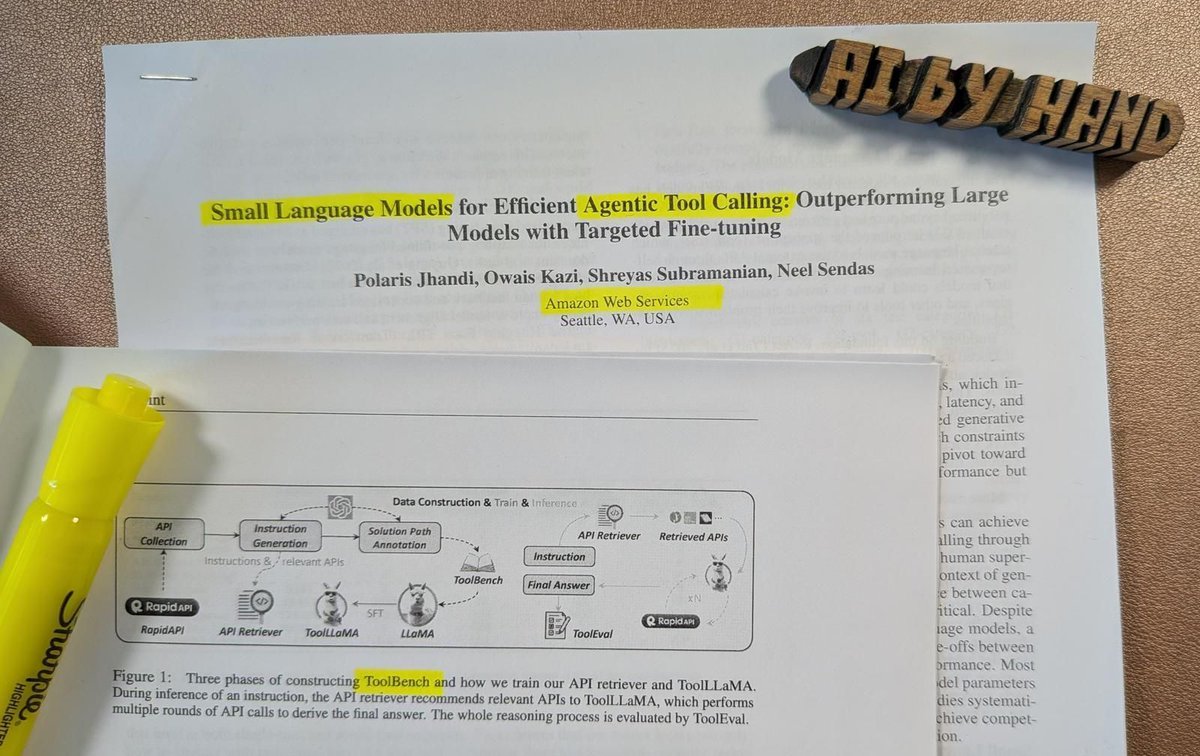
I’ve been reading an AWS paper (published last December) to prepare for my next Frontier AI seminar. Here’s what I learned: 👇
Bigger models aren’t winning inside agent systems.
Smaller ones are.
More and more agent systems are powered by small language models (SLMs) running inside agent loops.
Not because they’re “better” in general.
But because real agent workloads care about things benchmarks often ignore:
• latency
• cost
• deployment footprint
• controllability
Especially when the core job is tool invocation, not long-form prose.
What is a big deal is this:
A major tech company publicly documented—step by step—how a small model is trained, stabilized, and evaluated for tool use in a production-oriented setting.
In my next Frontier seminar, I’m not focusing on the numbers.
I’m focusing on the mechanics.
We’ll walk through five concrete questions this study raises:
• What exactly is the OPT-350M model used here?
• What does ToolBench-style supervised fine-tuning really look like?
• How does raw ToolBench data become training examples?
• What loss is optimized during tool-use training?
• And why does this setup remain stable in a single epoch?
I’m also excited to host a special guest from Amazon who trained small language models for one of Amazon’s key products—and will share what actually matters in production.
Curious which product? You’ll find out during the session.
As always, I’ll teach it by hand ✍️
👉 Join the next Frontier seminar: byhand.ai/seminar
4
10
49
4,229

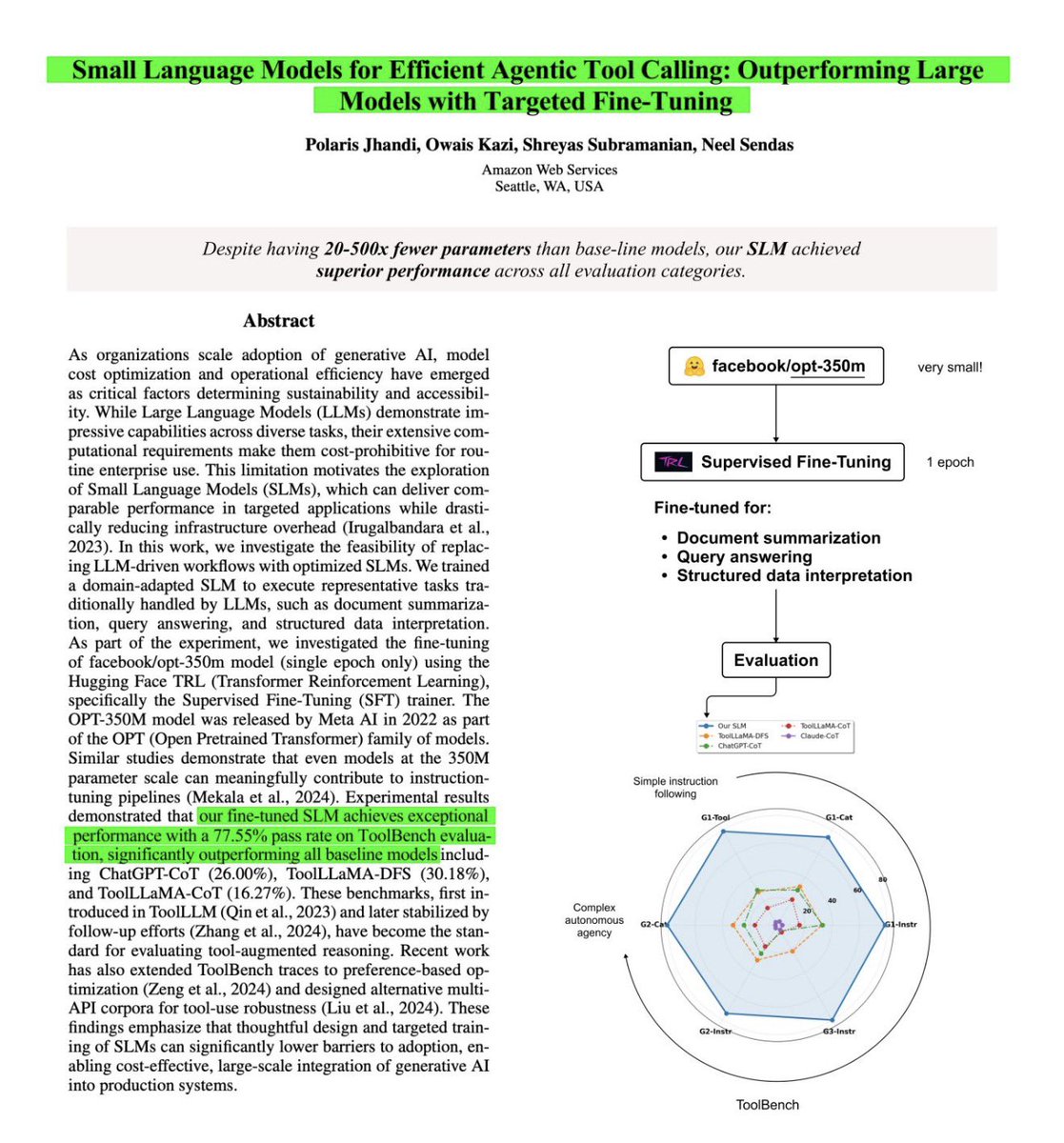
AWS researchers just published a paper on arXiv - A 350M model fine-tuned for 1 epoch on Toolbench (~187k examples) reports a 77.5% pass rate on ToolBench/ToolEval.
Excited to test this pattern in @RunAnywhereAI (local-first agents fallback)
1
2
4
353

🚨 AWS Just Dropped a Bombshell Paper That Everyone’s Sleeping On 🚨
A 350M-parameter model — literally 100x smaller than GPT-4 or Claude — just obliterated them on tool-calling benchmarks.
Yes, you read that right.
AWS researchers took Facebook’s 2022 OPT-350M (a model with ~500x fewer parameters than today’s frontier giants) and fine-tuned it for ONE epoch on ToolBench.
The results are insane:
→ Their tiny SLM: **77.55%** pass rate
→ ChatGPT (CoT): **26%**
→ ToolLLaMA: **30%**
→ Claude (CoT): **2.73%** 😳
How is this even possible?
Large models are victims of “parameter dilution.” Trillions of parameters are spread across general language, reasoning, chat, safety, etc. Only a tiny fraction is actually tuned for the precise Thought → Action → Action Input format tool calling demands.
A small model? Every single parameter is laser-focused on mastering that one skill. No bloat. Pure specialization.
Training was almost embarrassingly simple: Hugging Face TRL, 187K examples, LR 5e-5, heavy gradient clipping. That’s it.
Important reality check: the authors are upfront — their model isn’t a generalist. It’ll probably stumble on nuanced context or ambiguous instructions. It’s a specialist, not a Swiss Army knife.
But if you’re building agentic systems and want to slash inference costs by 1–2 orders of magnitude while getting *better* tool performance… this changes everything.
Link to the paper in the next post. You’re going to want to read this one. 👇

1
2
66