
Jun 13
चिल्फी घाटी में फिर चरमराई यातायात व्यवस्था, भारी-भरकम मशीन के सड़क पर गिरने से लगा लंबा जाम...
#chhattisgarh #trafficsystem #chilfi
lalluram.com/traffic-system-…
8

Jun 11
नैनीताल में पुलिस पर सवाल, अवैध गाइड चला रहे ट्रैफिक सिस्टम..!! .
.
#Nainital #Uttarakhand #TrafficJam #IllegalParking #HighCourtOrder #TrafficSystem #LawAndOrder #Newspage
1
4
12
535

May 24
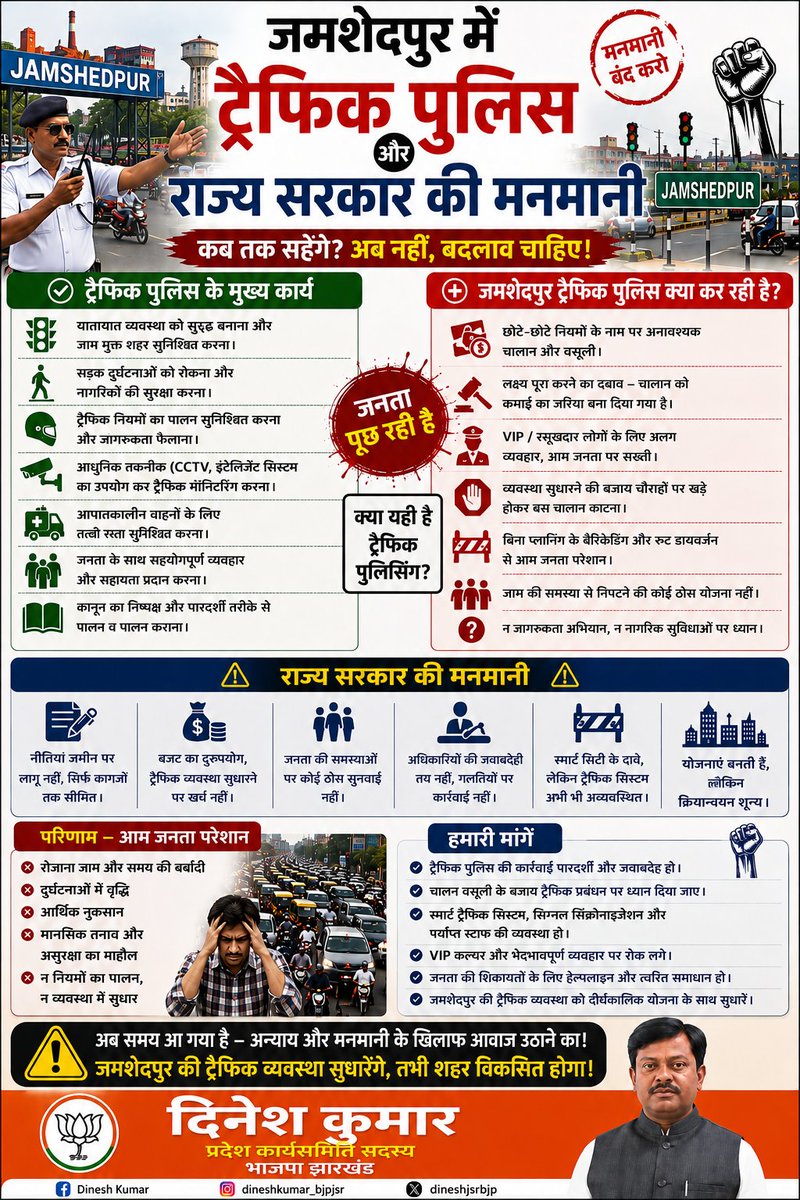
जमशेदपुर की जनता आज ट्रैफिक अव्यवस्था, अनावश्यक चालान, घंटों जाम और प्रशासनिक मनमानी से परेशान है।
ट्रैफिक पुलिस का काम व्यवस्था सुधारना, सड़क सुरक्षा सुनिश्चित करना और नागरिकों को सुविधा देना है, लेकिन आज आम जनता खुद को असहाय महसूस कर रही है।
छोटे-छोटे नियमों के नाम पर वसूली, VIP संस्कृति, बिना योजना के ट्रैफिक डायवर्जन और स्मार्ट ट्रैफिक सिस्टम की कमी ने शहर की समस्या को और बढ़ा दिया है।
जमशेदपुर जैसे विकसित शहर को बेहतर ट्रैफिक प्रबंधन, पारदर्शिता और जवाबदेही की आवश्यकता है।
हमारी मांग है —
✅ ट्रैफिक व्यवस्था में सुधार हो
✅ जनता को राहत मिले
✅ सड़क सुरक्षा और जागरूकता पर ध्यान दिया जाए
✅ स्मार्ट ट्रैफिक सिस्टम लागू हो
✅ आम जनता के साथ सम्मानजनक व्यवहार हो
अब समय आ गया है कि जनता की आवाज सुनी जाए और जमशेदपुर को जाम मुक्त, सुरक्षित और व्यवस्थित शहर बनाया जाए। 🚦
#Jamshedpur
#TrafficPolice
#TrafficSystem
#JamshedpurTraffic
#SmartCity
#जनता_परेशान
#TrafficManagement
#RoadSafety
#JamshedpurCity
#DineshKumar
#BJPJharkhand
#JamMuktJamshedpur
#जनता_की_आवाज
#savejamshedpur
8
9
87

May 23
ગાંધીનગરમાં નવી ટ્રાફિક સિસ્ટમ લાગશે
#Gandhinagar #TrafficSystem #SmartCity #AITrafficSignal #GujaratNews
1
1
209

May 18
Alwar | शहर की ट्रैफिक लाइटें दोपहर 12 से 4 बजे तक बंद | JAN TV
#alwar #alwarnews #trafficupdate #trafficlights #jantv #rajasthan #rajasthannews #citynews #trafficalert #publicupdate #breakingnews #hindinews #localnews #trafficsystem #civicupdate #roadsafety #dailyupdate #newsupdate #indianews #smartcity
1
9
37

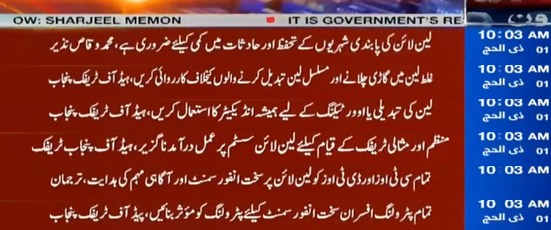
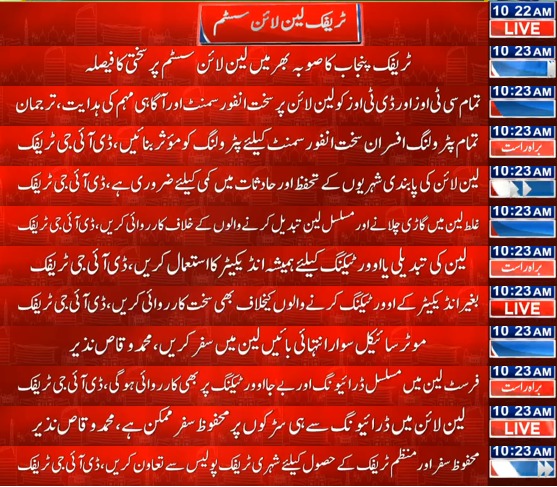
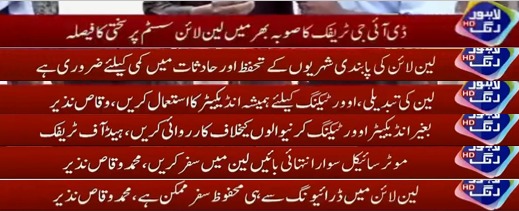
ڈی آئی جی ٹریفک پنجاب محمد وقاص نذیر کی ہدایت پر صوبہ بھر میں لین لائن سسٹم پر سختی سے عملدرآمد کا فیصلہ کیا گیا ہے تاکہ منظم، محفوظ اور مثالی ٹریفک نظام کو یقینی بنایا جا سکے۔
#enforcment #laneline #trafficsystem #safelife
@MaryamNSharif @TeamMNSharif @GovtofPunjabPK

3
6
7
299

دوسرے ملکوں میں ڈرائیونگ پرمٹ ملتے ہیں لائسنس نہیں!
#DrivingPermit #DrivingLicense #RoadSafety #TrafficRules #InternationalDriving #DriverTraining #UrbanTransport #TrafficSystem #PublicSafety #PakistanNews
2
344
شہر کے ٹریفک نظام میں بڑی تبدیلی کا فیصلہ!!
#LahoreNews #LahoreNewsHD #BreakingNews #LatestNews #TrafficSystem #SmartTraffic #UrbanTransport #CityTraffic
1
1
105

May 12
आजमगढ़
आजमगढ़ शहर के 20 प्रमुख चौराहों को अब CCTV निगरानी से लैस किया जा रहा है, जहां एक केंद्रीकृत कंट्रोल रूम से 24 घंटे ट्रैफिक और गतिविधियों पर नजर रखी जाएगी
ट्रैफिक नियम तोड़ने वालों पर सख्ती करते हुए कैमरों के जरिए सीधे ई-चालान की कार्रवाई की जाएगी, जिससे शहर की व्यवस्था और सुरक्षा दोनों मजबूत होंगी
#Azamgarh #CCTV #TrafficSystem #EChallan #BreakingNews #Primenews #Primenewsnetwork
@PrimeNewsInd @azamgarhpolice
2
4
69

May 9
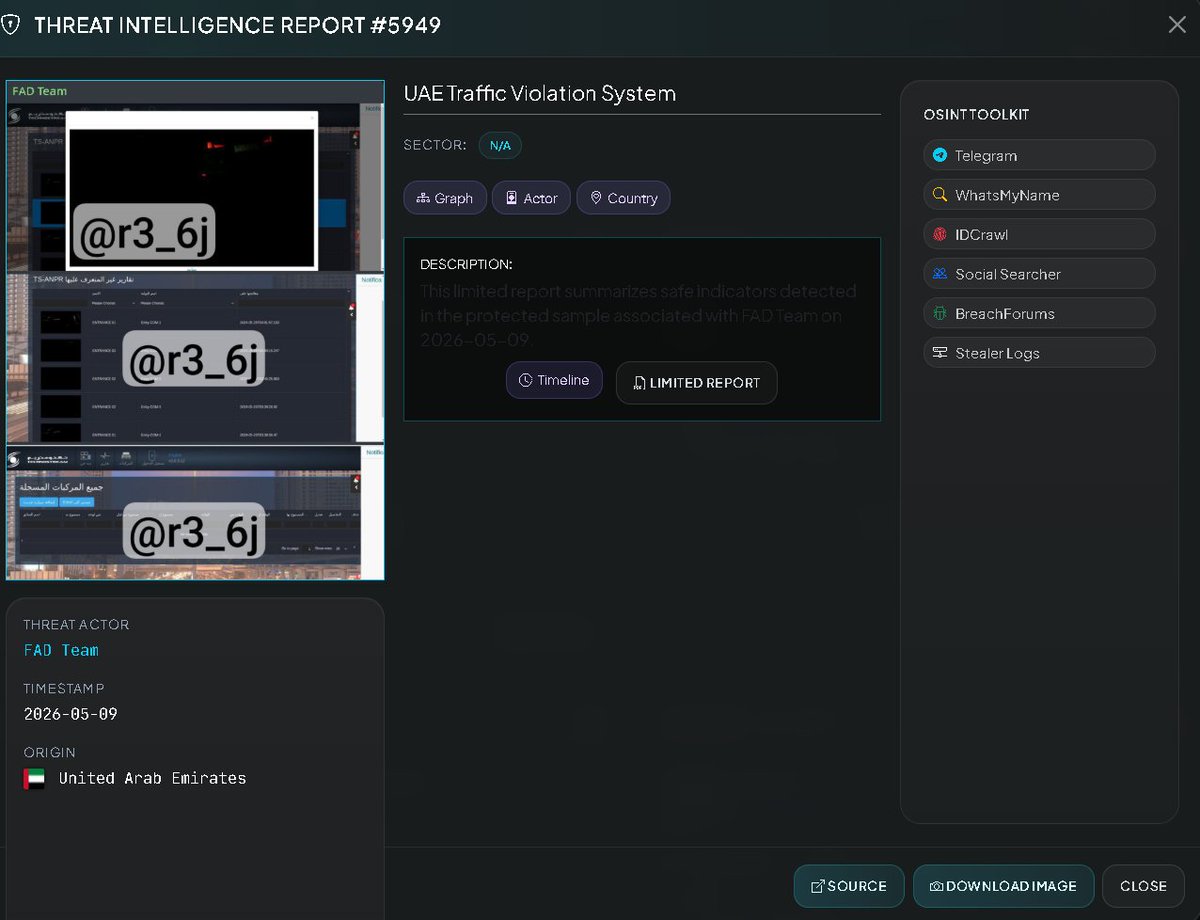
🚨 CYBERINTEL ALERT: CRITICAL COMPROMISE OF TRAFFIC AND SURVEILLANCE SYSTEMS (ANPR) – UNITED ARAB EMIRATES 🇦🇪🛣️📸 [STATUS: ACTIVE INTRUSION / DATA CONTROL]
VECERT's monitoring systems have detected a successful intrusion targeting traffic violation control systems in the United Arab Emirates (UAE). The attack has been claimed by the group "FAD Team," who assert that they maintained persistence within the network during a three-day surveillance period.
🏢 Affected Entity: UAE Traffic Violation System (Infrastructure managed by Technostream / TS-ANPR).
👤 Threat Actor: FAD Team
📂 Compromised Assets: Complete databases, surveillance imagery, and vehicle license plate records.
🛠️ Access Level: Administrative control over the vehicle registry, including the ability to add and delete records.
📅 Report Date: May 9, 2026.
📊 Technical Analysis of Evidence (VECERT Intelligence)
Screenshots provided by the attackers validate a deep compromise of the Technostream v3.0.0.12 platform:
Compromised Technology (ANPR): Access to Automatic Number Plate Recognition (ANPR) modules has been observed. The attackers possess real-time visibility of surveillance cameras as well as vehicle entry and exit points (Entrances 01, 02).
Data Manipulation: The dashboard displays options to "Export to Excel" and "Add New Vehicle," confirming the attacker's capability to alter violation histories or add vehicles to authorized/denied lists without authorization.
Image Exfiltration: The group has published direct feeds from security cameras capturing license plates and vehicles in transit, demonstrating their access to the system's media storage. 🛡️ Mitigation Recommendations
🔒 Control Panel Isolation: It is imperative to disconnect Technostream administrative panels from the public internet and restrict access exclusively to corporate VPNs with MFA.
🔑 Software Audit: Review installed Technostream versions to identify the injection or authentication bypass vulnerabilities that enabled the unauthorized access.
Monitor: analyzer.vecert.io
#CyberSecurity #UAE #TrafficSystem #FADTeam #Hacked #ANPR #DataBreach #MiddleEast #VECERT #CyberAlert 🇦🇪🛡️⚠️🚨📸
2
7
2,674

Create a complete, polished, browser-based 3D voxel city experience using Three.js.
The goal is to build a dense, beautiful, living voxel city that works directly in the browser by opening index.html.
This project must be created with:
- HTML
- CSS
- JavaScript
- Three.js loaded from a CDN
Do not use:
- npm
- Vite
- Webpack
- any bundler
- any backend
- any installation step
- any external 3D model
- any game engine other than Three.js
The final project must run directly by opening index.html in a browser.
Before writing the code, first produce:
1. a complete design specification
2. a full technical implementation plan
3. a clean file architecture
4. a list of all systems to build
5. a performance strategy
6. a development roadmap
7. a short explanation of how each file will be used
Only after that, implement the full project.
==================================================
PROJECT VISION
==================================================
Create a dense, colorful, highly detailed voxel city in Three.js.
The city should look like a polished isometric voxel city diorama, similar to a city-builder game scene.
The visual result should include:
- dense urban blocks
- many connected roads
- many intersections
- tall buildings
- small houses
- shops
- commercial areas
- residential areas
- office buildings
- public buildings
- hospitals or service buildings
- parks
- trees
- sidewalks
- pedestrians
- vehicles
- traffic
- street furniture
- road markings
- crosswalks
- city life
The scene must feel like a complete city, not a basic prototype.
The final result should be visually rich, harmonious, and pleasant to explore.
==================================================
VISUAL STYLE
==================================================
The entire city must use a coherent voxel art style.
The style should be:
- colorful
- bright
- clean
- polished
- readable
- toy-like
- game-ready
- harmonious
- high-angle / isometric friendly
Everything must look like it belongs to the same voxel world.
All objects must be built from simple voxel-style geometry:
- cubes
- rectangular blocks
- stacked shapes
- simple blocky silhouettes
Do not use realistic smooth models.
Do not use imported assets.
Do not mix visual styles.
Every element should look assembled from voxel components.
The city should have a strong visual identity:
- black or dark gray roads
- white road markings
- green grass strips
- colorful rooftops
- white, beige, red, blue, gray buildings
- clear building silhouettes
- clean windows
- simple doors
- readable props
- repeated but varied voxel details
The city should look dense but not messy.
The viewer should immediately understand:
- where the roads are
- where the buildings are
- where parks are
- where vehicles move
- where pedestrians walk
==================================================
TECHNICAL REQUIREMENTS
==================================================
Use plain HTML, CSS, and JavaScript.
Three.js must be loaded from a CDN using ES modules or a browser-compatible script import.
The project must be modular.
Use as many files as necessary.
Do not put all the code into one huge JavaScript file.
The code must be:
- clean
- readable
- modular
- commented where useful
- easy to modify
- easy to extend
- logically separated into systems
Use reusable functions and classes.
Avoid duplicated code.
Avoid random hardcoded one-off objects scattered everywhere.
Create reusable generators for:
- buildings
- roads
- sidewalks
- intersections
- shops
- houses
- offices
- public buildings
- parks
- vehicles
- pedestrians
- props
- traffic paths
- camera systems
- UI
The city should be generated from data and reusable components as much as possible.
==================================================
EXPECTED FILE STRUCTURE
==================================================
Use a structure similar to this:
index.html
css/style.css
js/main.js
js/config.js
js/scene.js
js/renderer.js
js/lights.js
js/camera/cinematicCamera.js
js/camera/freeCameraControls.js
js/world/cityGenerator.js
js/world/blockLayout.js
js/world/districts.js
js/geometry/voxel.js
js/geometry/materials.js
js/roads/roads.js
js/roads/intersections.js
js/roads/roadMarkings.js
js/buildings/buildingFactory.js
js/buildings/residential.js
js/buildings/commercial.js
js/buildings/offices.js
js/buildings/publicBuildings.js
js/props/streetProps.js
js/props/vegetation.js
js/props/urbanDetails.js
js/traffic/vehicleFactory.js
js/traffic/trafficSystem.js
js/traffic/trafficPaths.js
js/traffic/trafficLights.js
js/pedestrians/pedestrianFactory.js
js/pedestrians/pedestrianSystem.js
js/pedestrians/pedestrianPaths.js
js/ui/ui.js
js/utils/math.js
js/utils/helpers.js
You can adjust this structure if needed, but the final project must remain clean and organized.
Each file must have a clear responsibility.
==================================================
MAIN DEVELOPMENT PRINCIPLES
==================================================
Build the project like a real small 3D engine scene.
Separate the responsibilities clearly:
1. Scene setup
This should initialize:
- Three.js scene
- renderer
- camera
- lights
- fog
- background
- main update loop
2. World generation
This should create:
- city grid
- roads
- intersections
- city blocks
- districts
- parks
- building placement zones
3. Asset generation
This should create reusable voxel assets:
- houses
- buildings
- shops
- vehicles
- pedestrians
- trees
- street lamps
- benches
- traffic lights
4. Simulation systems
This should update:
- moving vehicles
- pedestrians
- traffic lights
- camera mode
- UI state
5. Camera systems
This should include:
- cinematic intro camera
- free navigation camera after intro
6. UI
This should display:
- current mode
- controls
- buttons
- optional toggles
==================================================
VOXEL ASSET SYSTEM
==================================================
Create a small voxel asset system.
Instead of manually writing every cube everywhere, create helper functions.
For example:
- createVoxelBox(width, height, depth, color)
- createVoxelGroup()
- addVoxelBlock(parent, x, y, z, width, height, depth, material)
- createWindowGrid()
- createRoof()
- createDoor()
- createSign()
- createTreeTrunk()
- createTreeLeaves()
The goal is to make every asset easy to build and modify.
All buildings should be made from combinations of simple blocks:
- main body
- roof
- windows
- doors
- balconies
- signs
- rooftop details
All props should also be voxel-based:
- benches from blocks
- lamps from thin rectangular blocks
- traffic lights from small boxes
- cars from blocky bodies and wheels
- pedestrians from small blocky body parts
Keep proportions consistent.
Do not create assets that look too realistic or too smooth.
==================================================
CITY GENERATION
==================================================
Create a city layout using a grid-based system.
The city should contain multiple blocks.
Each block can be assigned a type:
- residential
- commercial
- office
- public service
- park
- parking
- mixed-use
Use a data-driven layout.
For example:
- define a grid of blocks
- roads run between blocks
- each block generates buildings based on its district type
- some blocks become parks
- some blocks become dense commercial areas
- some blocks become high-rise office zones
The city should feel dense.
Avoid empty space.
Each block should contain several details:
- building
- sidewalk
- grass border
- trees
- props
- parking spaces
- signs
The city should not look randomly scattered.
It should feel like an organized urban environment.
==================================================
DISTRICTS
==================================================
Create different city zones.
1. Downtown district
This area should include:
- taller office buildings
- white and gray towers
- rooftop details
- parking structures
- denser roads
- more traffic
2. Commercial district
This area should include:
- shops
- cafés
- restaurants
- colorful signs
- awnings
- storefront windows
- pedestrians
- bus stops
3. Residential district
This area should include:
- small houses
- townhouses
- apartment buildings
- colorful roofs
- small gardens
- trees
- calmer roads
4. Public service district
This area should include:
- hospital or clinic-style building
- public service building
- parking area
- clear symbols or colored signs
5. Green areas
This should include:
- a central park
- smaller parks
- tree-lined streets
- benches
- grass
- paths
- flower beds
Each district should be visually distinct while still sharing the same voxel style.
==================================================
BUILDINGS
==================================================
Create many different building types.
Do not create one building and duplicate it everywhere.
Create several reusable building generators:
1. Small house generator
Features:
- colored roof
- door
- windows
- small garden
- optional fence
2. Townhouse generator
Features:
- narrow footprint
- multiple floors
- repeated windows
- small entrance
- varied roof color
3. Apartment tower generator
Features:
- tall body
- repeated window grid
- balconies
- flat roof
- rooftop details
4. Office building generator
Features:
- glass-like window grid
- gray or white facade
- rooftop equipment
- larger footprint
5. Shop generator
Features:
- colorful storefront
- sign
- awning
- large front window
- entrance
6. Restaurant / café generator
Features:
- outdoor tables if possible
- sign
- colorful awning
- decorative front
7. Hospital / clinic generator
Features:
- beige or white building
- red cross or medical symbol
- parking zone
- clear public building silhouette
8. Parking building generator
Features:
- gray structure
- parking sign
- open levels or marked spaces
Each building should vary:
- height
- color
- roof type
- window arrangement
- entrance style
- rooftop details
- footprint size
But all buildings must stay harmonious.
==================================================
ROADS AND SIDEWALKS
==================================================
Create a strong road system.
Roads should be dark asphalt with white markings.
Include:
- main roads
- side roads
- intersections
- sidewalks
- crosswalks
- parking lanes
- lane markings
- road arrows if possible
- traffic lights
- signs
The road network should be clear from a high-angle camera.
Roads must connect logically.
Vehicles must follow the roads.
Pedestrians must use sidewalks and crosswalks.
The road system is one of the most important parts of the city.
It should not feel decorative only.
It should support traffic and pedestrian movement.
==================================================
TRAFFIC SYSTEM
==================================================
Create a simple but visible traffic simulation.
Vehicles should move along predefined road paths.
Create:
- car paths
- intersection points
- stop points
- traffic light states
Vehicles should:
- follow lanes
- move smoothly
- slow down near intersections
- stop at red lights
- restart when lights allow
- loop through the city
- avoid leaving the road
Create several vehicle types:
- compact car
- taxi
- van
- bus
Each vehicle must be voxel-style.
Traffic does not need to be perfectly realistic.
The goal is to make the city feel alive.
Use lightweight logic.
Avoid complex physics.
Use path following with interpolation.
==================================================
PEDESTRIAN SYSTEM
==================================================
Create voxel pedestrians.
Pedestrians should move on sidewalk paths.
Create:
- pedestrian paths
- crosswalk crossing points
- points of interest
- park walking loops
- shop walking loops
Pedestrians should:
- walk along sidewalks
- cross at crosswalks
- gather near shops
- walk through parks
- move between points of interest
Use simple blocky characters:
- head
- body
- arms
- legs
Animate them lightly:
- bobbing movement
- simple walking motion if possible
- direction facing along path
The pedestrian system should be lightweight.
Do not use expensive animation.
The goal is visual life.
==================================================
PARKS AND VEGETATION
==================================================
Create green areas.
Include:
- one central park
- smaller parks
- roadside trees
- grass strips
- bushes
- flower beds
- benches
- paths
- playground or leisure area if possible
Trees must be voxel-style:
- blocky trunk
- blocky leaves
- varied sizes
- consistent color palette
Parks should break the density of the city and make the city more beautiful.
They should not feel empty.
Add pedestrians in parks.
==================================================
CINEMATIC CAMERA INTRO
==================================================
The experience must start with a cinematic intro.
This is mandatory.
When the user opens index.html:
- the city loads
- cinematic mode starts automatically
- the camera flies over the city
- the camera shows the density and details
- the camera uses smooth interpolation
- the camera uses easing
- the movement feels intentional and polished
The cinematic should last around 15 to 30 seconds.
Cinematic shots:
1. high-angle wide reveal of the whole city
2. diagonal flyover across dense blocks
3. lower pass near tall buildings
4. pass above commercial streets
5. view over traffic and intersections
6. view over park and pedestrians
7. final smooth transition to free navigation
During cinematic mode:
- display “Cinematic Mode”
- display “Press Space to skip”
- display “Mouse navigation available after intro”
The cinematic camera should not be random.
Create a planned camera path with keyframes.
Use interpolation between keyframes.
==================================================
FREE NAVIGATION MODE
==================================================
After the cinematic intro, switch to free navigation mode.
The user must be able to explore the city with the mouse.
Controls:
- left mouse drag: rotate / orbit
- mouse wheel: zoom
- right mouse drag or keyboard: pan
- Space: skip cinematic
- C: restart cinematic if implemented
The camera should:
- orbit smoothly
- zoom smoothly
- avoid clipping too aggressively
- allow high-angle city viewing
- allow closer inspection of details
Optional:
- add street-level camera mode
- add button to switch between aerial and street-level mode
The free navigation should feel smooth and natural.
==================================================
USER INTERFACE
==================================================
Create a minimal UI overlay.
The UI should include:
- project title
- current mode: Cinematic / Free Navigation
- controls
- skip hint
- optional buttons
Suggested buttons:
- Restart Cinematic
- Toggle Traffic
- Toggle Pedestrians
- Toggle Day / Night
- Toggle Street-Level Camera
The UI should be clean, modern, and unobtrusive.
Use CSS for the UI.
Do not make the UI too large.
==================================================
LIGHTING AND ATMOSPHERE
==================================================
Create pleasant lighting.
Use:
- ambient light
- directional sunlight
- soft shadows if performance allows
- subtle fog
- bright sky color
- polished city-builder lighting
Default atmosphere:
- bright
- clean
- colorful
- readable
Optional:
- day/night toggle
- glowing windows at night
- street lamps at night
- traffic lights more visible at night
The lighting should make the city look beautiful without hurting performance too much.
==================================================
PERFORMANCE STRATEGY
==================================================
The city must be dense, but performance must remain reasonable.
Use practical optimization:
- reuse materials
- reuse geometries
- group static objects
- avoid creating objects every frame
- keep traffic logic lightweight
- keep pedestrian logic lightweight
- avoid too many dynamic lights
- avoid excessive real-time shadows
- use simple geometry
- use InstancedMesh for repeated objects if useful
- use shared building blocks
- avoid unnecessary calculations in the animation loop
Important:
The city should look detailed, but the code should not be inefficient.
Separate static city generation from dynamic simulation.
Static objects:
- roads
- buildings
- parks
- props
- trees
Dynamic objects:
- vehicles
- pedestrians
- traffic lights
- camera
Only dynamic objects should be updated every frame.
==================================================
DEVELOPMENT ROADMAP
==================================================
Follow this development order.
STEP 1 — Project setup
Create:
- index.html
- CSS file
- JavaScript modules
- Three.js CDN import
- basic renderer
- scene
- camera
- lights
- animation loop
STEP 2 — Voxel utilities
Create:
- material helpers
- voxel box helpers
- reusable block functions
- group creation helpers
STEP 3 — Road system
Create:
- roads
- intersections
- sidewalks
- markings
- crosswalks
- parking spaces
STEP 4 — City layout
Create:
- block grid
- district zones
- city block placement
- green areas
- building zones
STEP 5 — Buildings
Create:
- houses
- shops
- apartment towers
- offices
- hospital
- parking building
- mixed-use buildings
STEP 6 — Details
Create:
- trees
- benches
- lamps
- bins
- signs
- shop signs
- rooftop props
- small decorative props
STEP 7 — Traffic
Create:
- vehicle models
- traffic paths
- moving cars
- traffic lights
- simple stop / go logic
STEP 8 — Pedestrians
Create:
- pedestrian models
- walking paths
- simple movement
- park and sidewalk population
STEP 9 — Cinematic camera
Create:
- camera keyframes
- smooth interpolation
- cinematic intro
- skip logic
STEP 10 — Free navigation
Create:
- mouse orbit
- zoom
- pan
- smooth camera control
STEP 11 — UI
Create:
- mode display
- control instructions
- optional buttons
STEP 12 — Polish and optimization
Improve:
- city density
- visual harmony
- performance
- traffic readability
- pedestrian visibility
- building variety
- camera movement
- UI clarity
==================================================
CODING EXPECTATIONS
==================================================
Write clean code.
Use clear names.
Examples:
- CityGenerator
- RoadSystem
- BuildingFactory
- TrafficSystem
- PedestrianSystem
- CinematicCamera
- FreeCameraControls
- UIManager
Use comments where logic is important.
Avoid overly complex code.
Avoid unreadable one-line hacks.
Do not place all objects manually if a generator can be used.
Use loops and data structures to generate repeated elements.
Prefer:
- reusable functions
- clear classes
- configuration objects
- arrays of district layouts
- path arrays for vehicles and pedestrians
Avoid:
- duplicated code
- giant functions
- hardcoded random objects everywhere
- messy scene initialization
- unnecessary dependencies
==================================================
FINAL REVIEW PASS
==================================================
After implementation, review the city and improve it.
Check:
- Does the city look dense?
- Are there enough buildings?
- Are the buildings varied?
- Are the roads readable?
- Are there enough trees and parks?
- Are vehicles visible and moving?
- Are pedestrians visible and moving?
- Does the cinematic intro look polished?
- Can the user navigate smoothly after the intro?
- Does the style feel coherent?
- Does everything look voxel-based?
- Does the project work directly from index.html?
- Is the code clean and modular?
If any of these points are weak, improve them before finalizing.
==================================================
CLEAR FINAL OBJECTIVE
==================================================
The final objective is to deliver a complete, polished, directly usable Three.js voxel city experience.
At the end, I want to be able to open index.html in my browser and see:
1. A dense, colorful voxel city from a cinematic high-angle camera.
2. A smooth cinematic intro flying over the city.
3. Many different voxel buildings: shops, houses, apartments, offices, public buildings.
4. A clear road system with intersections, sidewalks, markings, and traffic lights.
5. Moving voxel vehicles circulating through the city.
6. Voxel pedestrians walking through sidewalks, parks, and crosswalks.
7. Parks, trees, green spaces, and city details.
8. A coherent voxel art direction where every asset feels harmonious.
9. A free mouse navigation mode after the cinematic intro.
10. Clean, modular HTML/CSS/JS code using Three.js from a CDN, with no npm and no installation.
This must feel like a real polished voxel city showcase, not a minimal prototype.
1
3
14
1,278

Apr 26
لاہور بنے گا ماڈل ٹریفک سٹی ، ٹریفک نظام میں بڑی تبدیلی کا فیصلہ
#lahore #modelcity #trafficsystem #PunjabGovernment #UrbanDevelopment #trafficcity
waqtnews.tv/26-Apr-2026/1928…
70

Apr 20
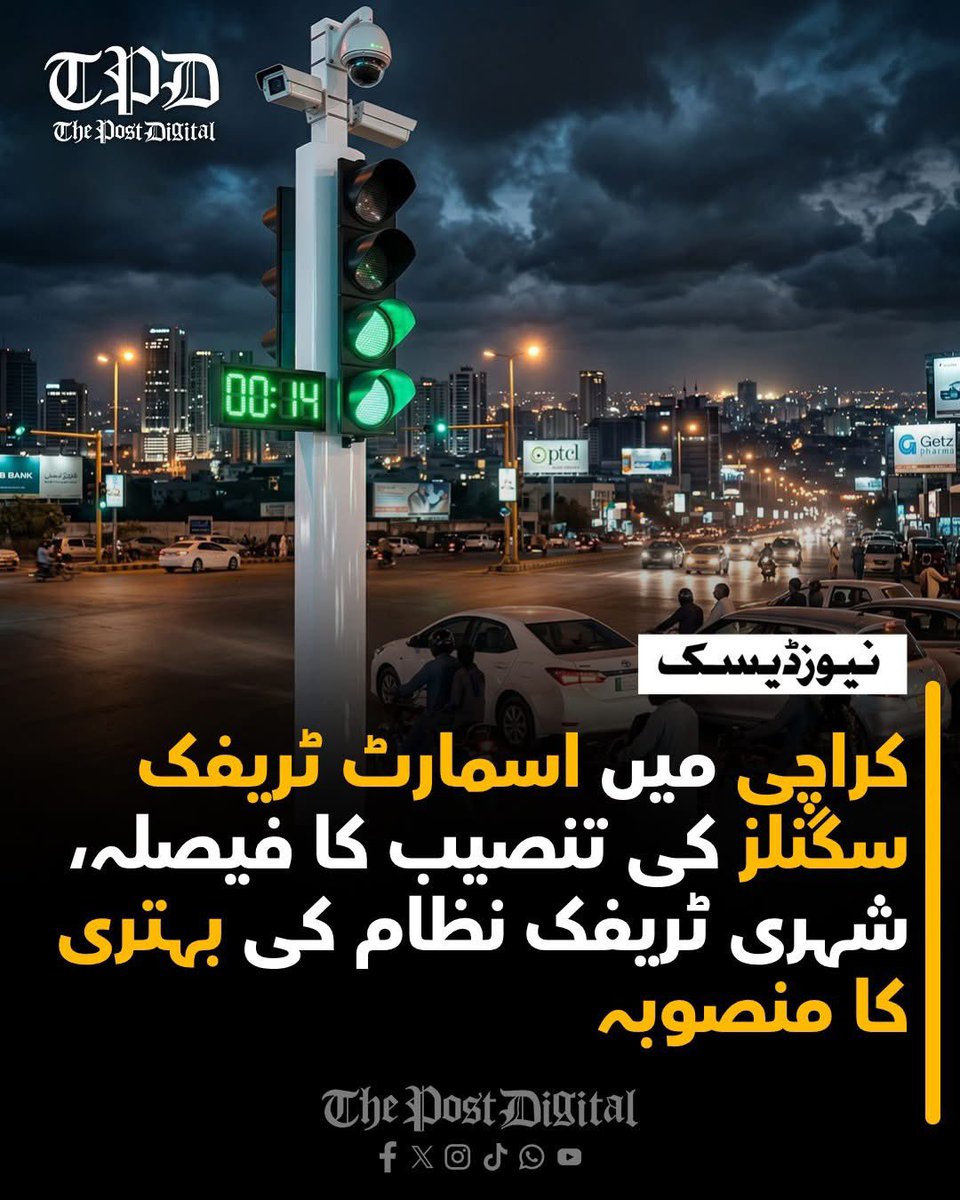
کراچی میں ٹریفک کے بہاؤ کو بہتر بنانے اور شہری رش میں کمی لانے کے لیے اہم شاہراہوں پر اسمارٹ ٹریفک سگنلز نصب کرنے کا فیصلہ کر لیا گیا ہے۔ یہ فیصلہ کراچی ٹریفک مینجمنٹ کمپنی کے ایک اہم اجلاس میں کیا گیا جس کی صدارت میئر مرتضیٰ وہاب نے کی، جبکہ اجلاس میں متعلقہ اداروں کے اعلیٰ حکام بھی شریک ہوئے۔
اجلاس کے دوران مختلف تجاویز کا تفصیلی جائزہ لیا گیا اور اس بات پر اتفاق کیا گیا کہ جدید اور خودکار ٹریفک سگنل سسٹم کو مرحلہ وار نافذ کیا جائے گا، تاکہ شہر میں ٹریفک کے نظام کو مؤثر بنایا جا سکے۔ اس حوالے سے تمام اداروں کے درمیان مکمل ہم آہنگی کو بھی یقینی بنانے پر زور دیا گیا۔
منصوبے کے تحت کراچی میٹروپولیٹن کارپوریشن (کے ایم سی) اسمارٹ سگنلز کی تنصیب کی نگرانی کرے گی، جبکہ اس کا آغاز آئی آئی چندریگر روڈ سے کیا جائے گا، جو شہر کی اہم اور مصروف ترین تجارتی شاہراہوں میں شمار ہوتی ہے۔
علاوہ ازیں ایم اے جناح روڈ کو بھی اسمارٹ روڈ میں تبدیل کرنے کا فیصلہ کیا گیا ہے، جس کے لیے 2 کروڑ روپے مختص کیے گئے ہیں۔ اس منصوبے کا مقصد جدید ٹیکنالوجی کے ذریعے شہری انفراسٹرکچر کو بہتر بنانا اور ٹریفک کی روانی کو مزید مؤثر بنانا ہے۔
#Karachi #SmartCity #TrafficSystem #UrbanDevelopment #Infrastructure #CityNews #PakistanDevelopment #KarachiUpdates #RoadSafety #DigitalPakistan #TransportReform #ThePost #DigitalWorld #Newsupdate #BreakingNews #PakistanNews #WorldNews #Thepostdigital
2
15

Apr 17
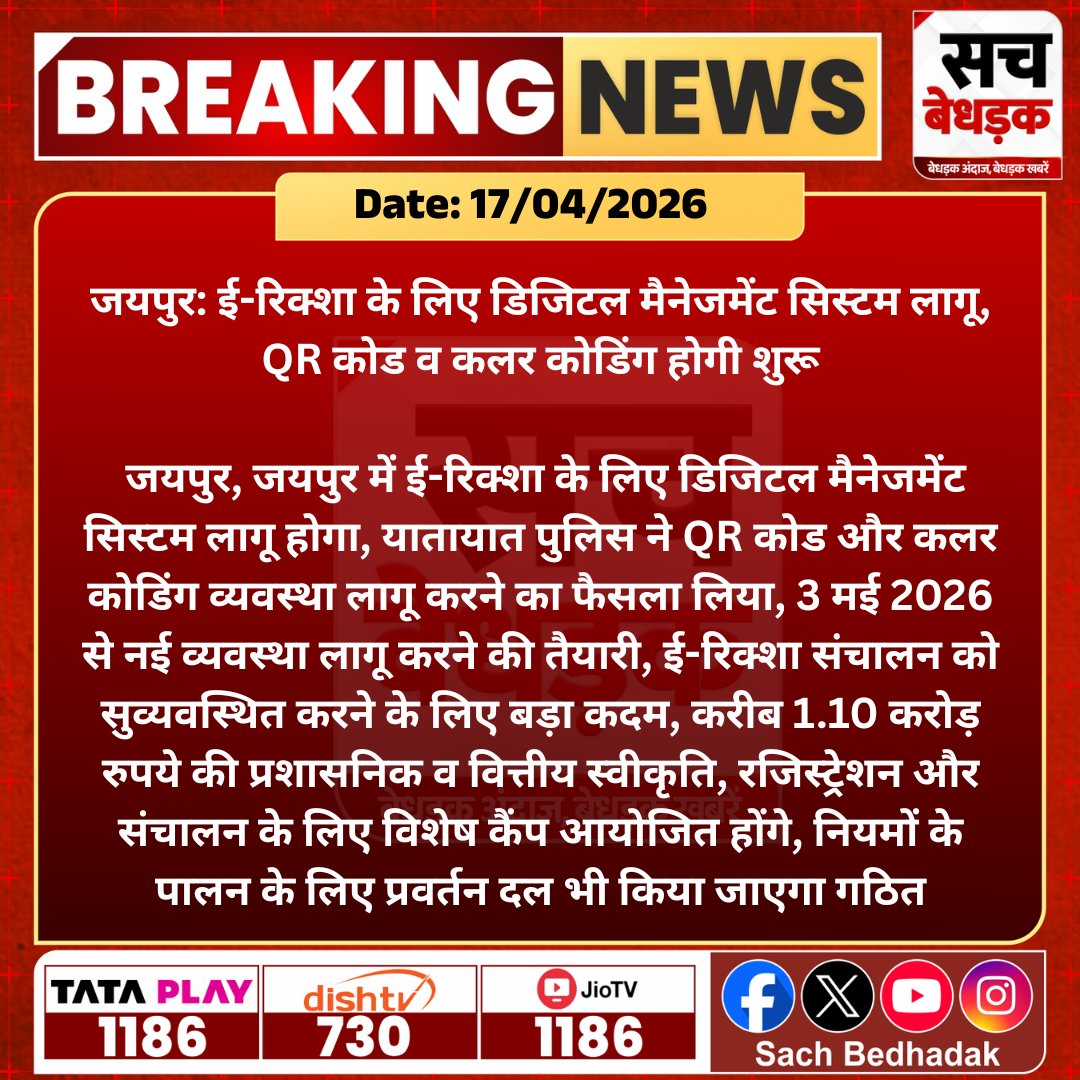
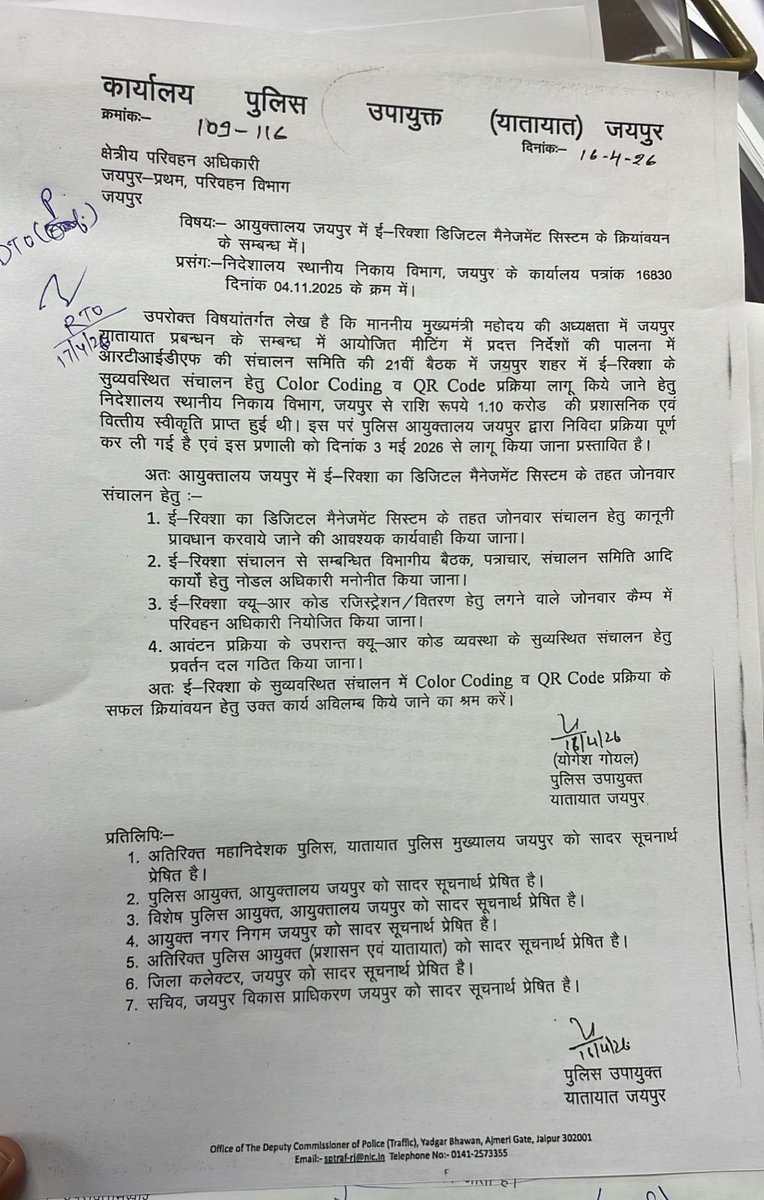
जयपुर में ई-रिक्शा के लिए डिजिटल मैनेजमेंट सिस्टम लागू होगा, QR कोड व कलर कोडिंग से संचालन होगा व्यवस्थित...
@jpr_traffic #SachBedhadak #RajasthanNews #News #LatestNews #SBNews #Jaipur #TrafficSystem
1
2
98

حد رفتار 120 کیمرے میں 160۔۔آخر معمہ کیا؟ پبلک ٹرانسپورٹ بس کا چالان عدالت میں چیلنج!
E چالان سسٹم کا عدالت میں بھانڈا پھوٹ گیا Speed Limit 120, Camera Shows 160 — E-Challan System Challenged in Court
#EChallan #TrafficSystem #CourtChallenge #RoadSafety #DiscoverPakistan
2
4
197

Mar 12
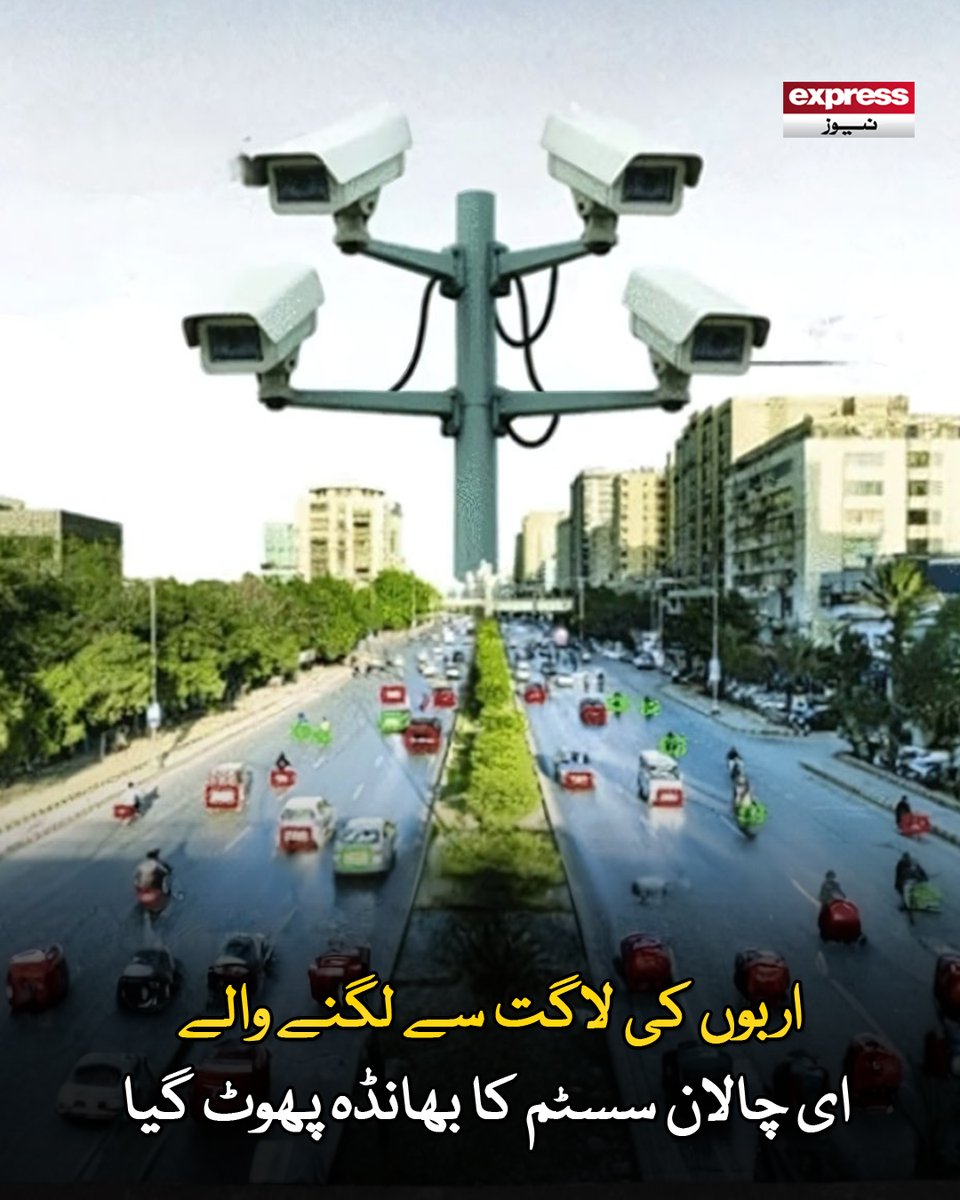
ای چالان میں بہت بڑی خامی سامنے آگئی جسے عدالت میں چیلنج کردیا گیا
مزید پڑھیں : express.pk/story/2804108/
#ExpressNews #BreakingNews #EChallan #TrafficSystem #PakistanNews #Corruption #LatestNews
1
783

Feb 20
Pretty sure I nailed what I was going for - runs better than decent and honestly pretty great imo 😄 Setting waypoints all over now and creating routes. 🚗💡
#IndieGameDev #TrafficSystem #WorkInProgress
1
2
23
542

दरभंगा शहर में लागू वन-वे ट्रैफिक सिस्टम के दौरान विवाद का मामला सामने आया है। सड़क के दाहिने ओर बाइक चलाने पर हुए विवाद में ड्यूटी पर तैनात पुलिसकर्मी ने दी गाली । पुलिसकर्मी ने कहा-“तुम्हारे जैसे कितने आए और गए, मेरा कोई कुछ नहीं बिगाड़ पाया।”
#Darbhanga #TrafficSystem #PoliceMisconduct #BiharNews #BreakingNews
21
112
402
16,903

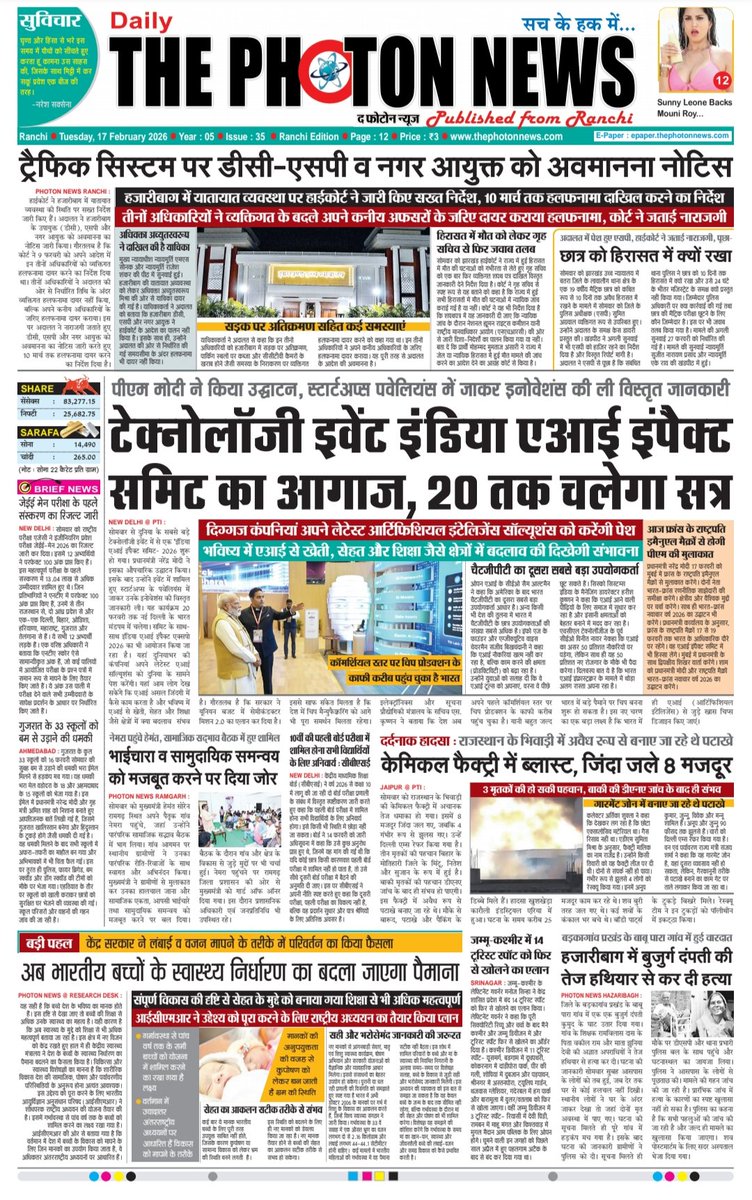
Today's Front Page..!! 17.02.2026
#JharkhandUpdate
#globalupdate
#JharkhandNews
#TrafficSystem
#contemptnotice
#AIImpactSummit
#PMModi
#ArtificialIntelligenceSolutions
#CMHemantSoren
#BhiwadiBlast
#jeemain2026Result
#BombThreat
#thephotonnews
3
4
18

Feb 7
قانع: میخواهیم تمام سیستم ترافیک افغانستان دیجیتلی شود
عبدالمتین قانع، سخنگوی وزارت امور داخله، در مراسم تحویلدهی ۲۸ عراده موتر جدید به ریاست عمومی پولیس ترافیک گفته که این وزارت به رهبری امارت اسلامی پیشنهاد داده است تا بهمنظور جلوگیری از حوادث، تمام سیستم ترافیک افغانستان دیجیتلی شود.
وی افزود که با رویدستگرفتن اقدامات اخیر، آمار تلفات ناشی از حوادث ترافیکی که پیش از این روزانه بین ۲۸ تا ۳۰ مورد بوده، اکنون به گفته او تقریباً به ۲۸ مورد در طول یک ماه کاهش یافته است.
قانع همچنان تأکید کرد که تحویلدهی ۲۸ عراده موتر جدید به ریاست ترافیک، نخستین مرحله از این روند بوده و در آینده ۶۰ عراده موتر دیگر نیز به این ریاست تسلیم داده خواهد شد.
#ArianaNews #TrafficSystem #DigitalSystem #Afghanistan #Accidents
3
8
103
5,347