
Feb 3
@LeoNatan
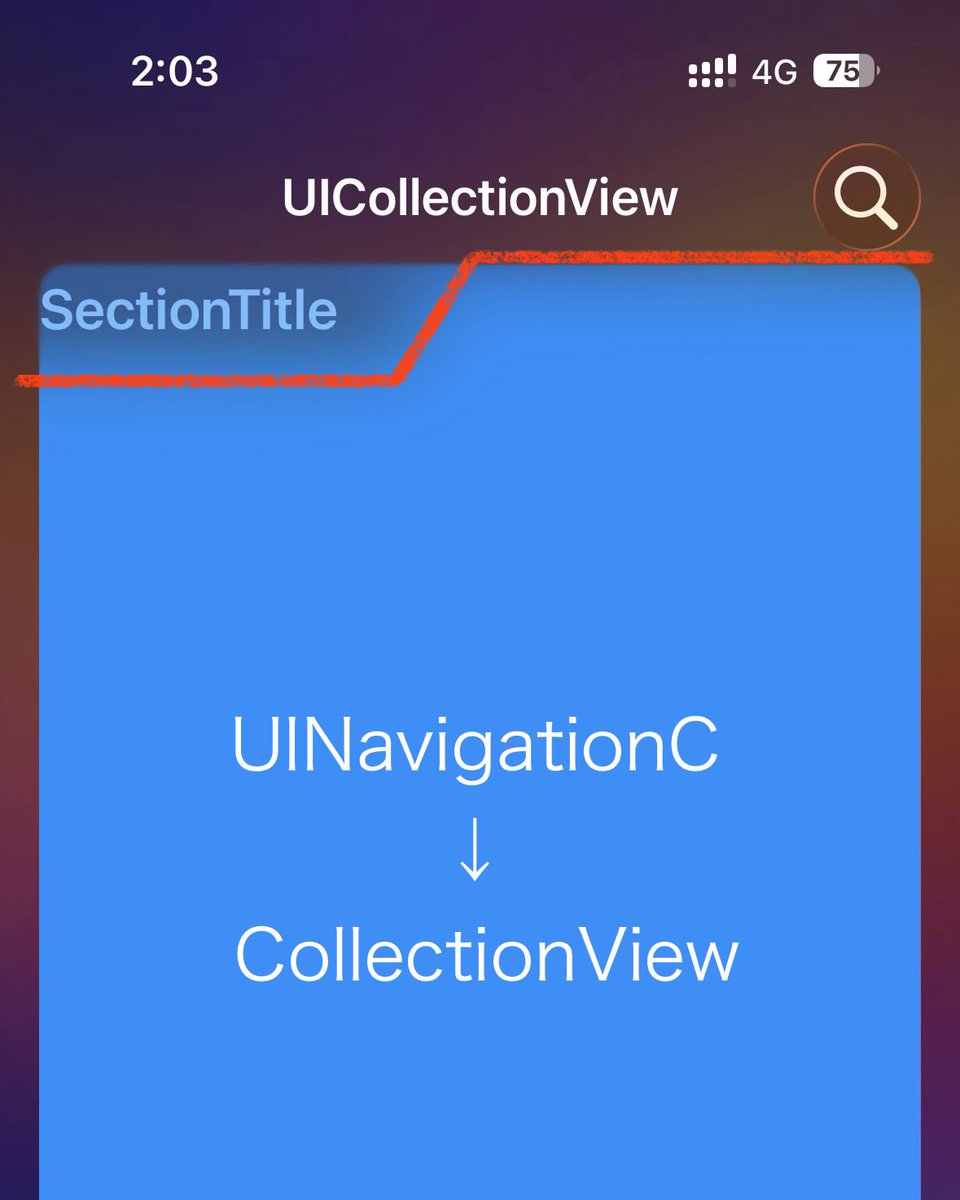
iOS 26 ScrollPocket adapts its effect to the width of a pinned UICollectionView header.
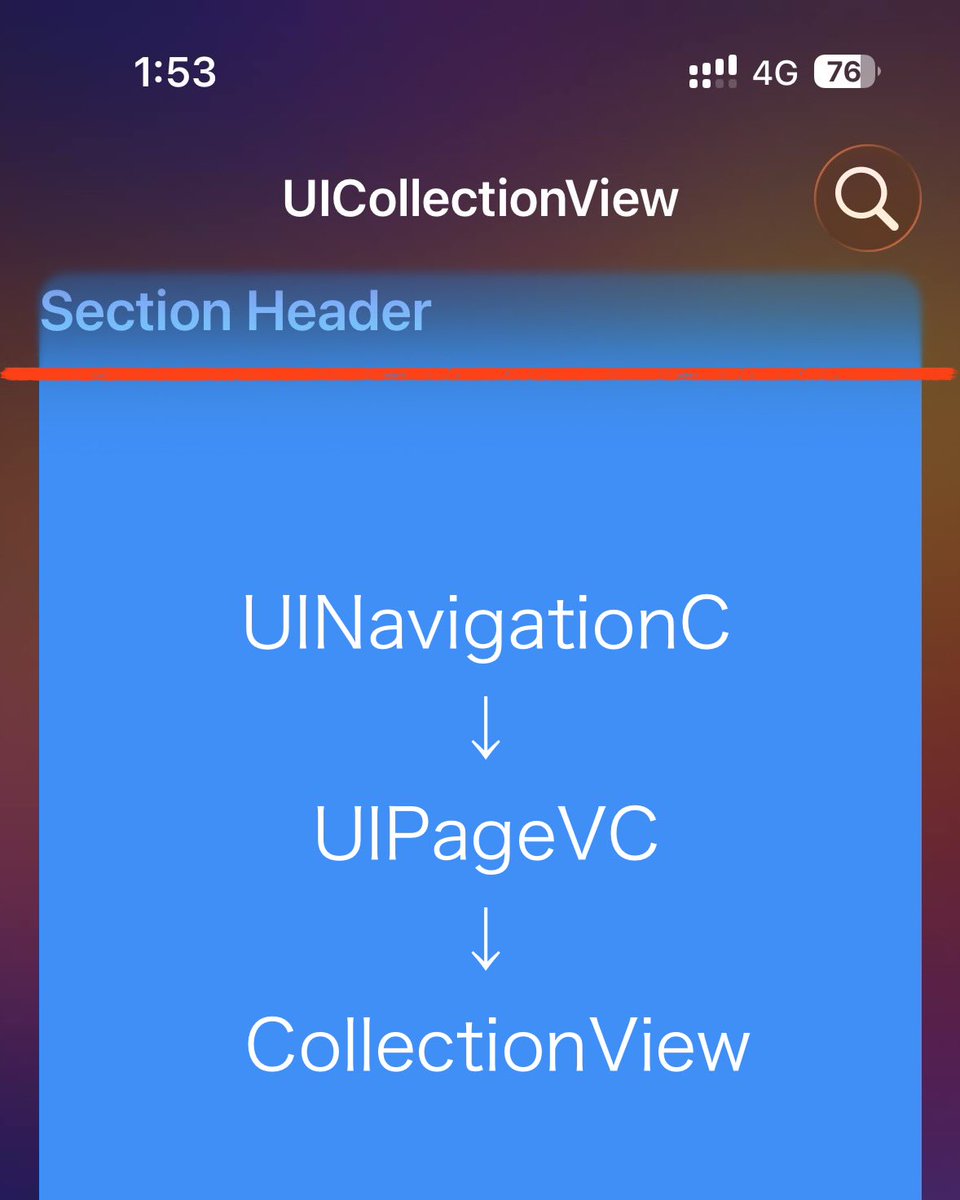
Wrap it in a UIPageViewController for horizontal paging, and that logic is gone—full-width effect only.
Any clues on how this is controlled internally? UIInteraction maybe?
2
12
851

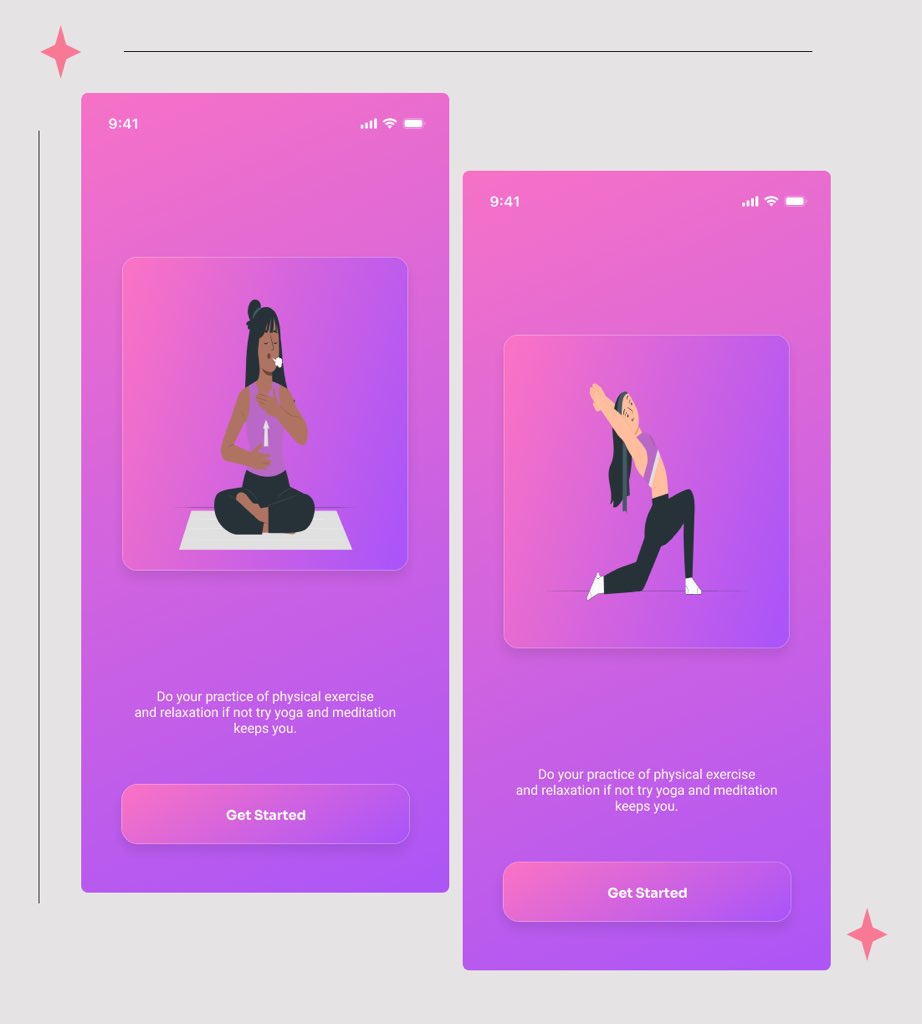
Day 27 of my 30 Days UI Design Challenge✨✨
#FinnMannyUIChallenge #30DayUIChallenge
#UIDesign #DesignChallenge
#UIDesign #UXDesign #ProductDesign #DesignProcess #UIInteraction
1
6
61

1 Nov 2025
実際のビューを隠したいのは分かるんだけど、それってInteractionか?ってものまでUIInteractionにどんどんなっていて、うーんって感じだ
2
474

12 Aug 2025
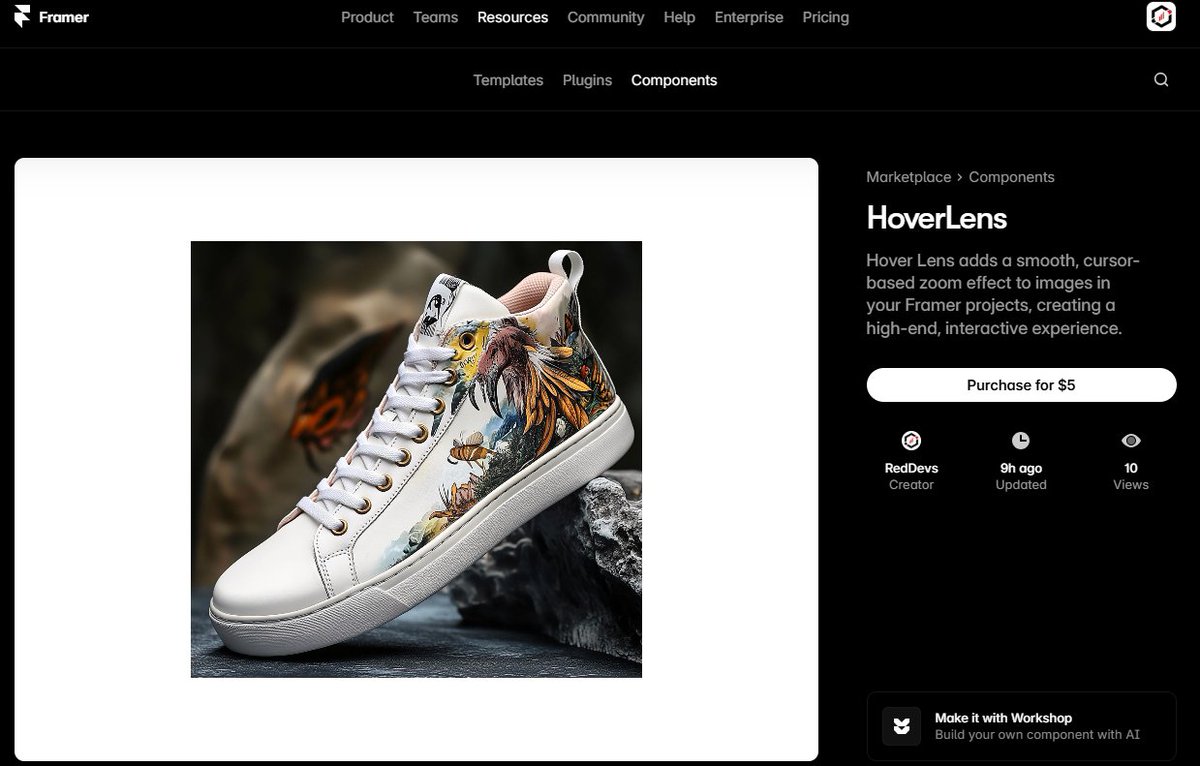
🔍 HoverLens — Elevate your visuals with dynamic, cursor-based zoom in Framer.
Add a refined and immersive image zoom that follows the cursor, perfect for product showcases, galleries, and portfolios.
We love to build with @Framer, @Webflow, and @Figma 🚀
✨ Interactive zoom on hover — mirrors cursor movement for precise detail viewing
✨ Smooth animations — elegant easing and timing
✨ Elegant reset — returns seamlessly to the original image on hover end
✨ Fully responsive — works beautifully on all devices
✨ Customizable — adjust zoom factor and transition timing
🌐 Try HoverLens: framer.com/marketplace/compo…
🏢 Visit our website: reddevs.com/
🛍️ Framer Store: framer.com/@reddevs/
🛍️ Webflow Store: webflow.com/templates/design…
📧 Contact: hello.reddevs@gmail.com
#Framer #Webflow #Figma #FramerComponents #ImageZoom #UIInteraction #UXDesign #WebDesign #DesignTools #FramerMarketplace #NoCodeTools #RedDevs
2
151

30 May 2025
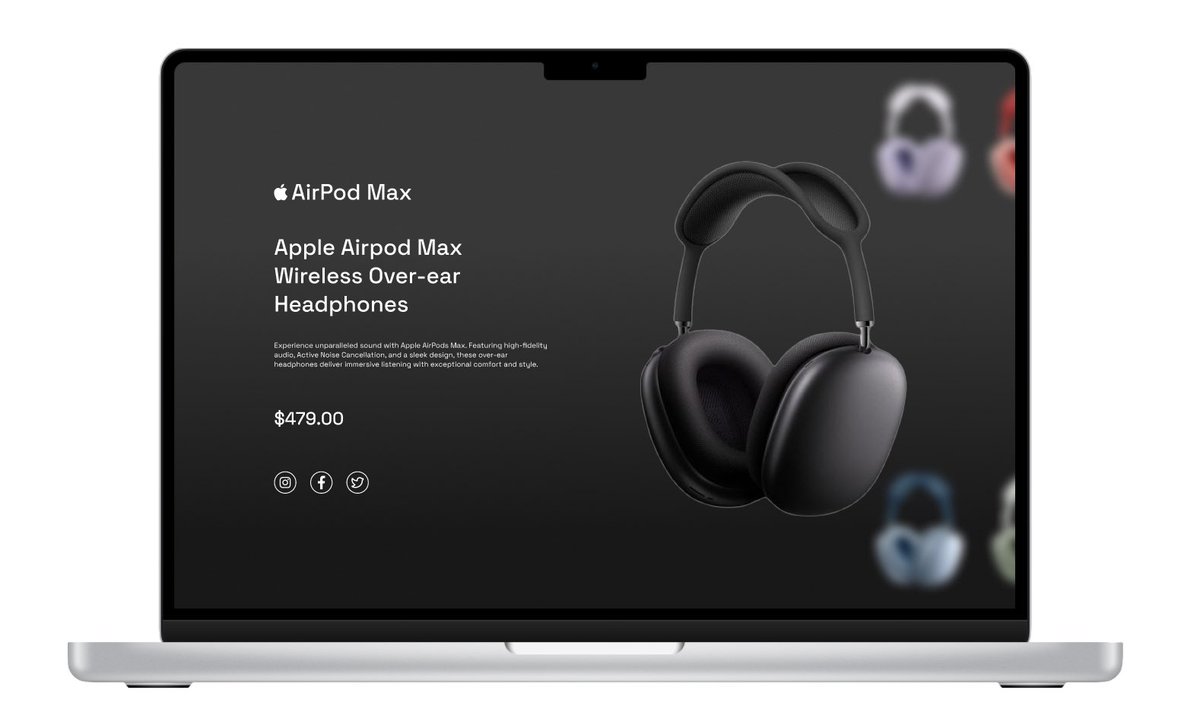
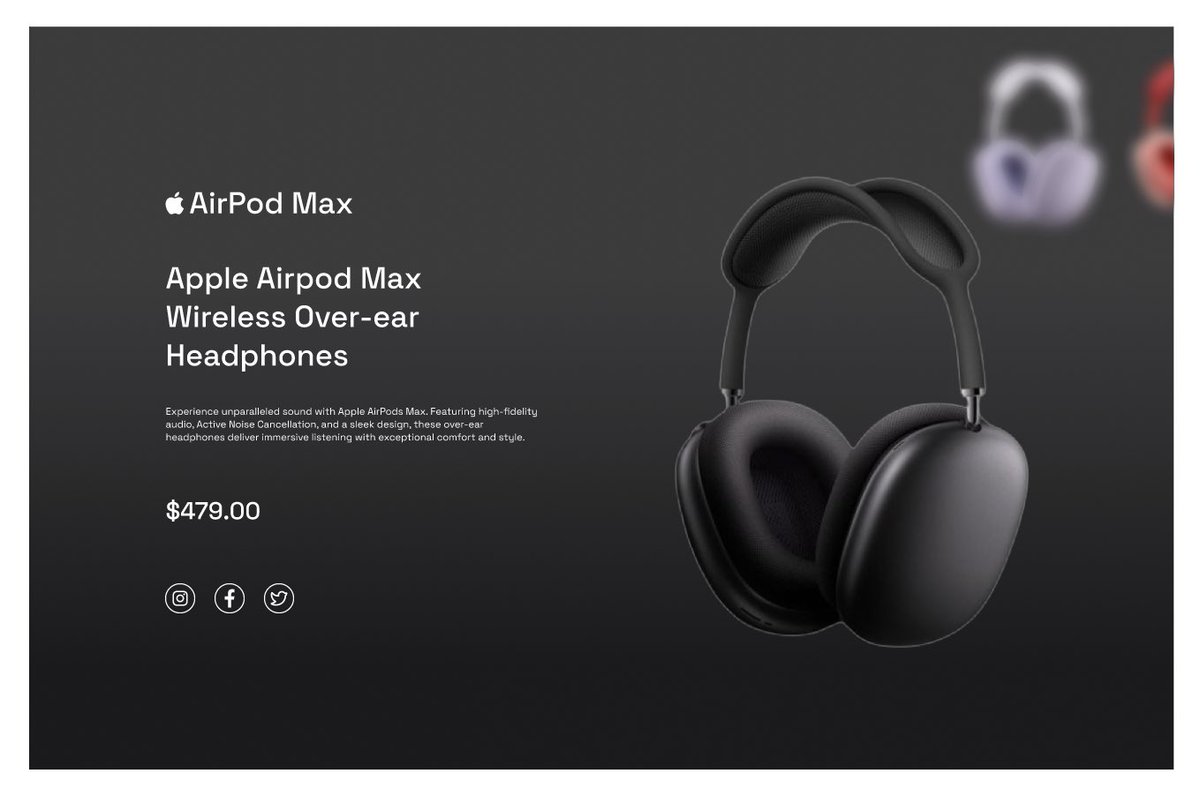
This is what I do, using Figma for all interactions, no edits #UI #UX #animation #uianimation #nigeria #nigerian #nationwide #figma #design #designers #uiinteraction #uiinteractions
3
3
14
1,248

25 Apr 2025
Yesterday, I started Day 1 of my 10-Day Microinteraction Challenge, and it’s already reshaping how I think about motion in UI.
#figma #uiinteraction #uxinteraction #designcommunity
1
2
44

14 Apr 2025
UIInteraction Private APIs
- `-_viewTraitCollectionDidChange:`
- `-_willMoveFromWindow:toWindow:`
- `-_didMoveFromWindow:toWindow:`
4
529
14 Apr 2025
UIBarButtonItem에서 Menu를 programmatically하게 띄우기
github.com/pookjw/Miscellane…
1. `-[UIBarButtonItem view]` (_UIButtonBarButton)를 가져온다. nil이라면 KVO으로 기다린다.
2. 1번에서 구한 View에 Window가 있어야 한다. 없다면 있을 때까지 옵저빙한다. `-[id<UIInteraction _didMoveFromWindow:toWindow:]`가 적합하다.
3. 1번에서 구한 View에서 `_UIClickPresentationInteraction`을 가져온다. `-[_UIClickPresentationInteraction delegate]`로 UIContextMenuInteraction를 가져올 수 있다.
4. `-[UIContextMenuInteraction outgoingPresentation]`이 없어야 한다 (nil이어야 한다.) 만약 nil이 아니라면 nil일 때까지 옵저빙한다.
15
596
7 Dec 2024
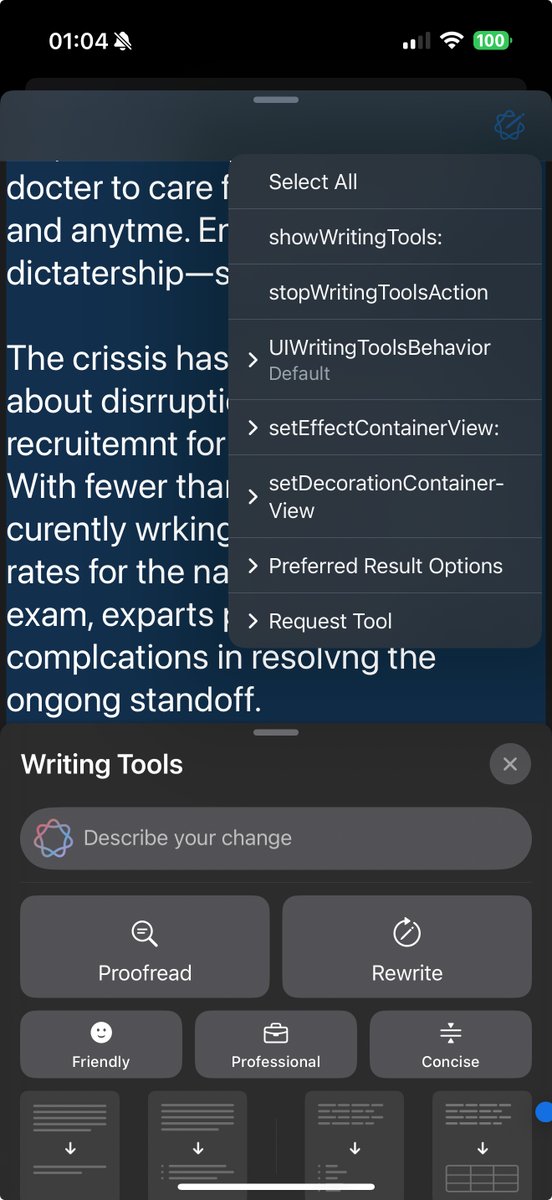
iOS 18.2 부터 추가된 UIWritingToolsCoordinator에 대해
- decorationContainerView : Proofreading에서 Original을 누르면 어떤 단어가 교정되었는지 Highlight를 해준다. 이 Highlight가 표시되는 Rect는 UITextInput을 통해 추출하고 Highlight View를 생성하여 decorationContainerView에 추가될 것이며, 이 모든 과정은 내부적으로 자동으로 처리된다. 개발자는 decorationContainerView와 UITextInput만 잘 구현하면 된다.
- effectContainerView : 처리 중에 파도가 쓸어 넘기는 듯한 효과가 보여질 View를 정할 수 있다.
- decorationContainerView와 effectContainerView는 모두 내부적으로 null_resettable attribute 갖고 있다고 봐야 한다. 기본값 및 nil을 주입하면 `-[id<UIInteraction> view]`가 설정된다.
- 일반적인 방법으로 decorationContainerView와 effectContainerView의 기능을 끌 수 없다. nil을 넣어도 기본값이 적용되지 때문. 이때는 window가 존재하지 않는 View를 주입해주면 되지만 정상적인 방법은 아니다.
- state는 KVO 할 수 없다. 대신 delegate로 변화를 감지할 수 있다.
- `-stopWritingTools`은 작동하지 않는다. x.com/_silgen_name/status/18…
- PreviewForTextAnimation에 대해 x.com/_silgen_name/status/18…
7 Dec 2024

`-[id<UIWritingToolsCoordinatorDelegate> writingToolsCoordinator:requestsPreviewForTextAnimation:ofRange:inContext:completion:]` developer.apple.com/document…
이 Preview는 언제 뜨는 것인지 실험해보니
- 일단 저 method는 Request가 발생할 때 맨 처음에 불림
- finishTextAnimation의 completion이 불렸는데 prepareForTextAnimation의 completion이 아직 안 불렸다면 뜨는 것 같다.
UITextView의 경우 자기가 가진 Text를 Image로 만들어서 UIImageView를 가진 UITargetedPreview를 반환한다.
4
379
4 Dec 2024
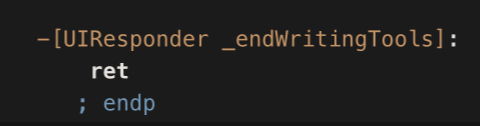
`-[UIWritingToolsCoordinator stopWritingTools]`로 Writing Tools을 중단할 수 있어야 한다. developer.apple.com/document…
하지만 이는 동작하지 않는다. 내부적으로 자기 (id<UIInteraction>)가 가진 view에 `-[UIResponder _endWritingTools]`를 실행하는데, 이거는 아무것도 안하기 때문이다.
대신 `-[UIResponder _endWritingToolsIfNecessaryForResignFirstResponder]`을 쓰면 작동한다.
3
378
28 Oct 2024
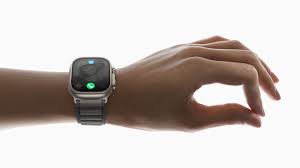
Another beauty: Apple Watch Series 9 / Apple Watch Ultra Double Tap Gesture internally uses UIInteraction (WAGUIPrimaryGestureViewInteraction).
4 Oct 2024
watchOS 11에 Double Tap Gesture API가 추가되었다. developer.apple.com/document…
SwiftUI API인 handGestureShortcut(_:isEnabled:)을 쓰면 된다.
---
내부적으로 WatchGesturesUI라는 Private Framework로 작동하며, WAGUIPrimaryGestureViewInteraction로 UIKit에서 사용할 수 있다. github.com/pookjw/Miscellane…
원리를 적자면
- Double Tap을 인식하는 WAGUIGestureInteraction은 view에 _UIExternalTapGestureRecognizer를 추가한다.
- Double Tap이 인식되면 Responder Chain을 통해 Event가 전송되며 _UIExternalTapGestureRecognizer이 수신한다. 이를 통해 App은 Double Tap에 따른 Action을 수행할 수 있다.
만약 App이 Double Tap을 지원하지 않는다면 Carousel은 WAGUIHighlightingEffectHostView를 통해 Guide를 띄우는데 이 원리는
- WAGUIPrimaryGestureInteraction에는 priority라는 개념이 있다. Double Tap이 인식될 때 어떤 Interaction을 수행할지 정할 수 있다. 이는 `-gestureRecognizer:shouldRequireFailureOfGestureRecognizer:`에서 수행한다.
(`-[WAGUIPrimaryGestureInteraction priority]`에서 breakpoint 걸면 해당 작업이 수행되는 과정을 볼 수 있다.)
- UIWindow는 기본적으로 WAGUIPrimaryGestureNegativeInteraction를 가진다. priority (100)가 가장 낮기 때문에, App이 Double Tap을 지원하지 않는다면 이 Interaction이 발동될 것이다.
- WAGUIPrimaryGestureNegativeInteraction이 발동되면 FBS를 통해 Carousel에 WAGUINegativeAction을 전송한다. Carousel은 이 Action이 수신되면 WAGUIHighlightingEffectHostView를 통해 Guide를 보여준다.
1
3
222

Now it's time for the bottom navigation of my wallet tracker app design concept.
#uiinteraction #mobiledesign #buildinpublic
2
79

22 Jul 2024
Today's interaction design exploration. This was designed and prototyped on @figma
This was inspired by @Lucas_Eniola_ design post..
#uiinteraction #animation #figma
23
1
35
1,188
23 Jun 2024
UIUpdateLink는 크게 세 가지로 나뉘는데
- View 기반 (_UIUpdateLinkTrackingView)
- Window 기반 (_UIUpdateLinkTrackingWindow)
- Scene 기반 (_UIUpdateLinkTrackingScene)
UIUpdateLink은 UIScene의 업데이트 주기에 따라 작동한다. 따라서, View 기반일 경우 Window 및 Scene의 변화, Window 기반일 경우 Scene이 변화할 때마다 옵저빙을 내부적으로 갱신해준다.
View의 경우 -[id<UIInteraction> _willMoveFromWindow:toWindow:]를 이용하여 Window의 변화를 감지하고
Window의 경우 _UIWindowWillMoveToSceneNotification 및 _UIWindowDidMoveToSceneNotification로 Scene의 변화를 감지한다.
---
이는 UIView에서 UIWindow 및 UIWindowScene의 변화를 어떻게 감지하는지를 보여주는 예시다.
만약 Private API 없이 이를 구현하고 싶다면, -[UIView willMoveToWindow:] 및 -[UIWindow setWindowScene:]를 override하면 될 것 같다.
2
295

28 Sep 2022
Made this interaction some days ago
One of my numerous explorations.
Comments are welcomed.
#UIUXDesigner #uiux #uiinteraction #interactive
#productdesign
5

31 Aug 2022
Created this simple menu interaction in @figma using the @motionplugin. Check out the Figma file here👇
buff.ly/3C2Ft7Q
-
#uiinteraction #appuianimation #motiondesign #microinteraction #filemanagerapp #menuanimation #animation #motionplugin #uianimation #madewithfigma
3
5


5 Aug 2021
The "hold my beer" of iOS APIs, NSUserActivity can do it all.
Closely rivaled by UIInteraction.
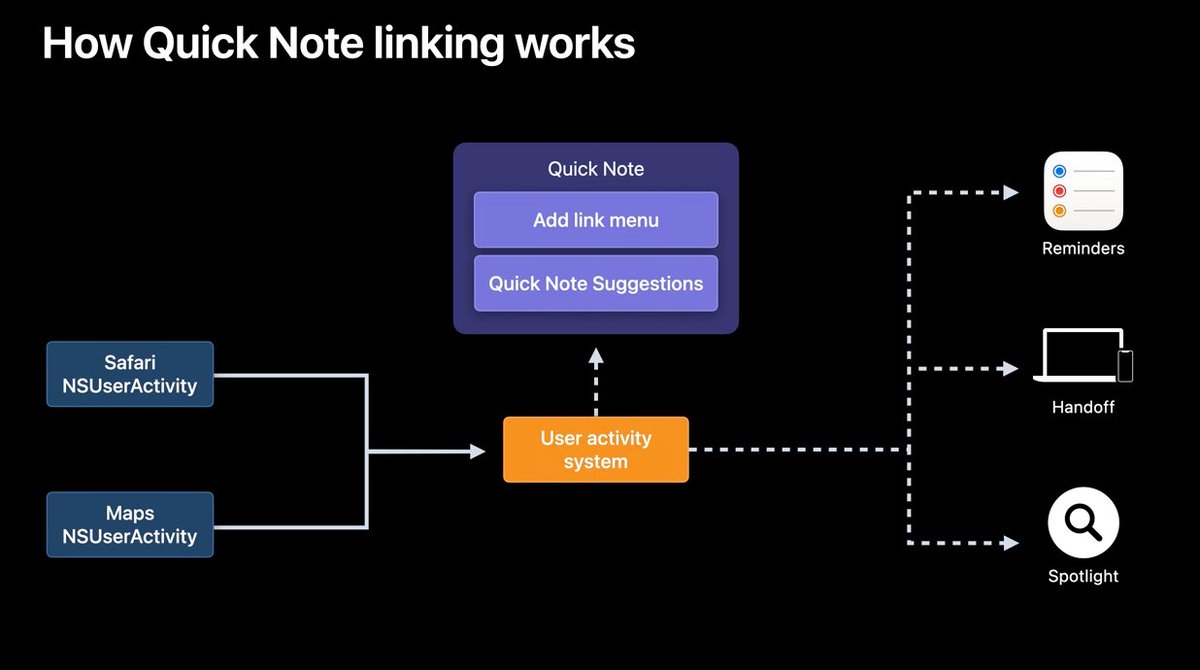
ALT API design of Quick Notes
1
54

2 Mar 2021
This? Or That? is back! As this week’s feature, we’re asking you to take your pick between these two options of Send/Undo. So, let us know which is the one that appeals to you and why.
#minimal #uiuxdesigner #uidesigner #thisorthat #userinterface #uipath #uiinteraction #ux #ui
1
1