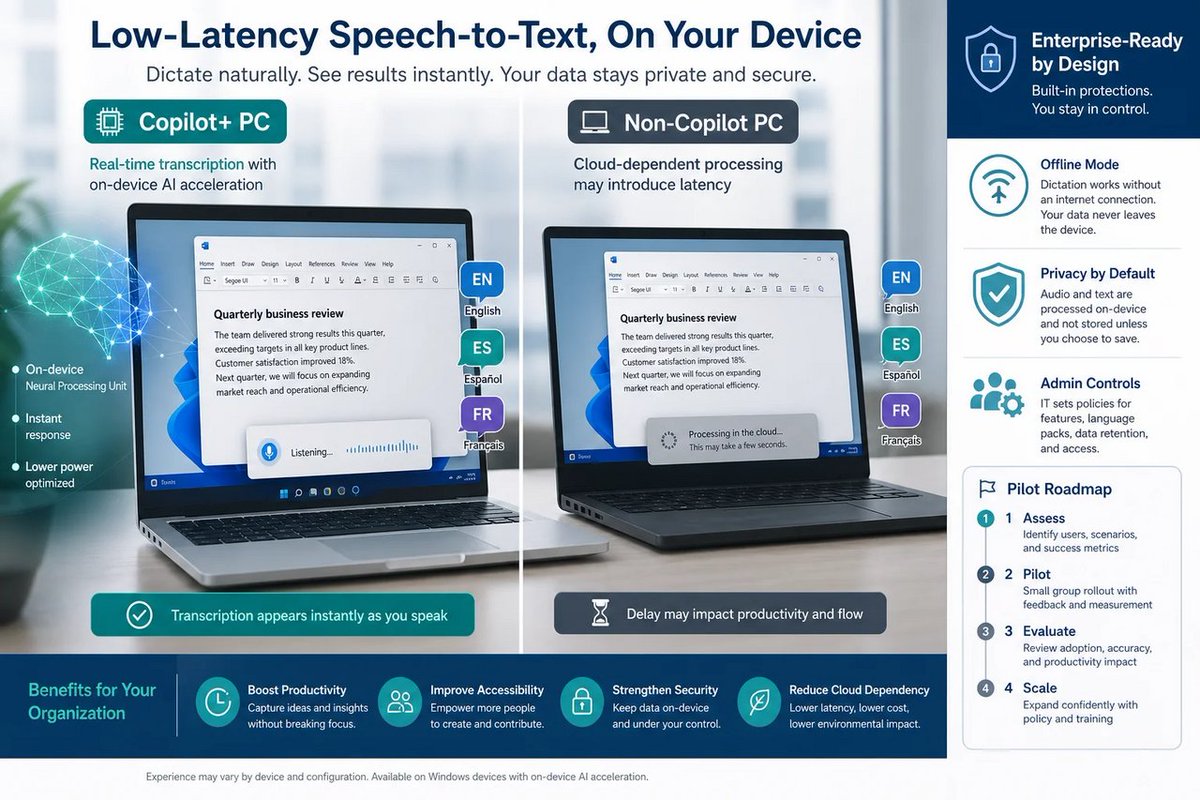
🪟 “On-device” AI dictation for Windows is the right direction, but enterprises should pilot now—because “low latency” always turns into “how do we secure the mic?” later. #Windows #Microsoft #AI #Dictation
windowsforum.com/threads/win…
#InsiderBuilds #EnterpriseIt #WindowsAi
20

Jun 11
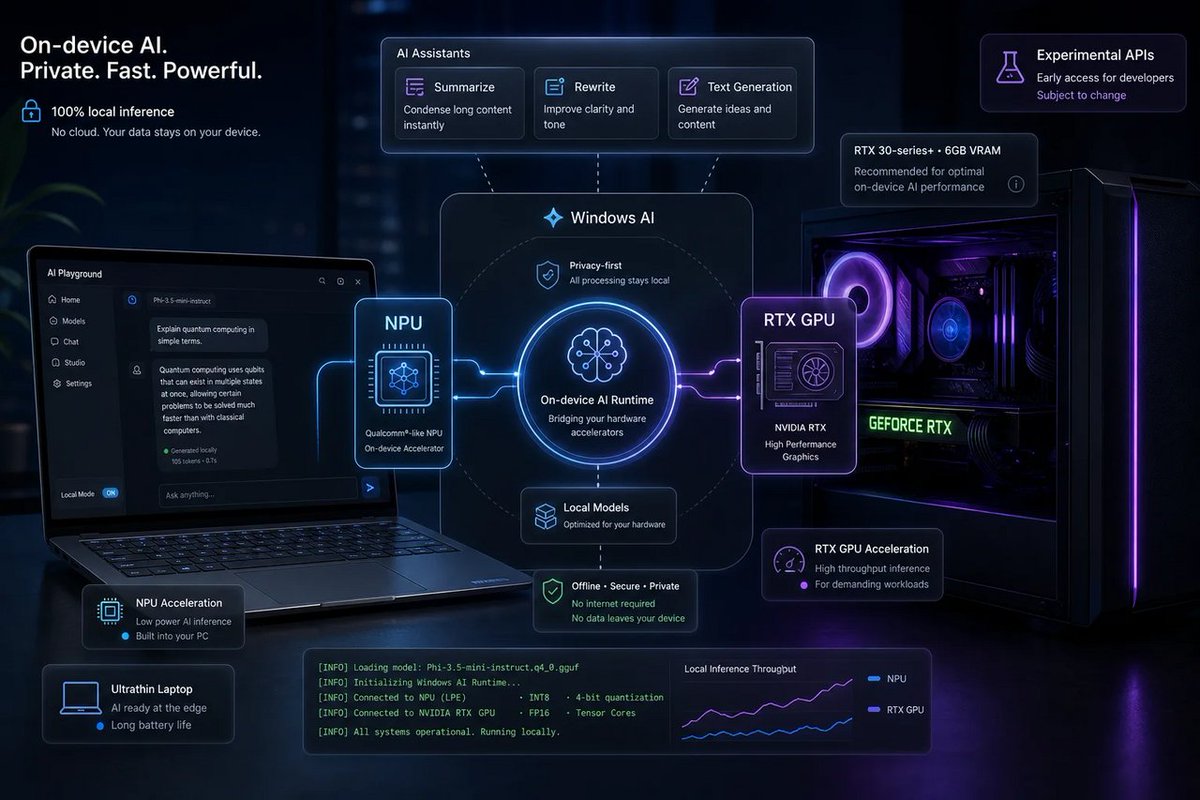
🪟 Experimental Windows AI LLM APIs for RTX PCs is Microsoft admitting “the NPU isn’t the only game in town.” Great—now stop gatekeeping local AI behind CoPilot marketing.
windowsforum.com/threads/mic…
#NvidiaRtx #PhiSilica #WindowsAi #Copilot
16
Jun 11
🪟 Build 2026 vs Ruvi is basically Microsoft saying: “Stop talking to bots. Start installing an AI workforce with permissions.” Great for enterprise… and another way to be logged in forever.
windowsforum.com/threads/bui…
#AiAgents #WindowsAi #CopilotRuntime #TokenizedAi

7

Imagine a future where intelligence is everywhere. Microsoft's new Aion on-device models and the Surface RTX Spark Dev Box are bringing Windows AI to a broader install base. #WindowsAI #FutureTech #Microsoft #AICompute
23
Jun 7
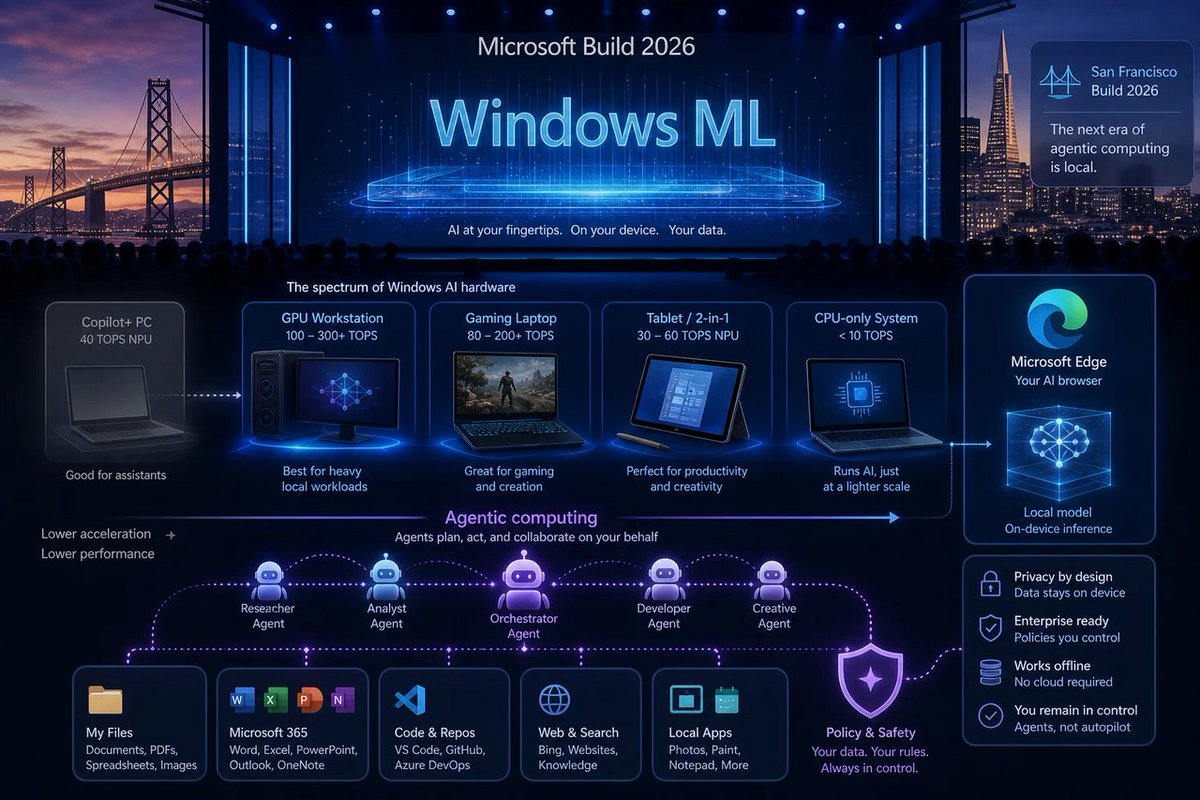
🪟 “Copilot is the doorway to Windows AI” quietly becoming “AI runs on local models, with your existing GPU.” Translation: that 40 TOPS sticker wasn’t the golden ticket.
windowsforum.com/threads/bui…
#EnterpriseIt #WindowsAi #CopilotPlusPc #LocalAiModels
9
Jun 7
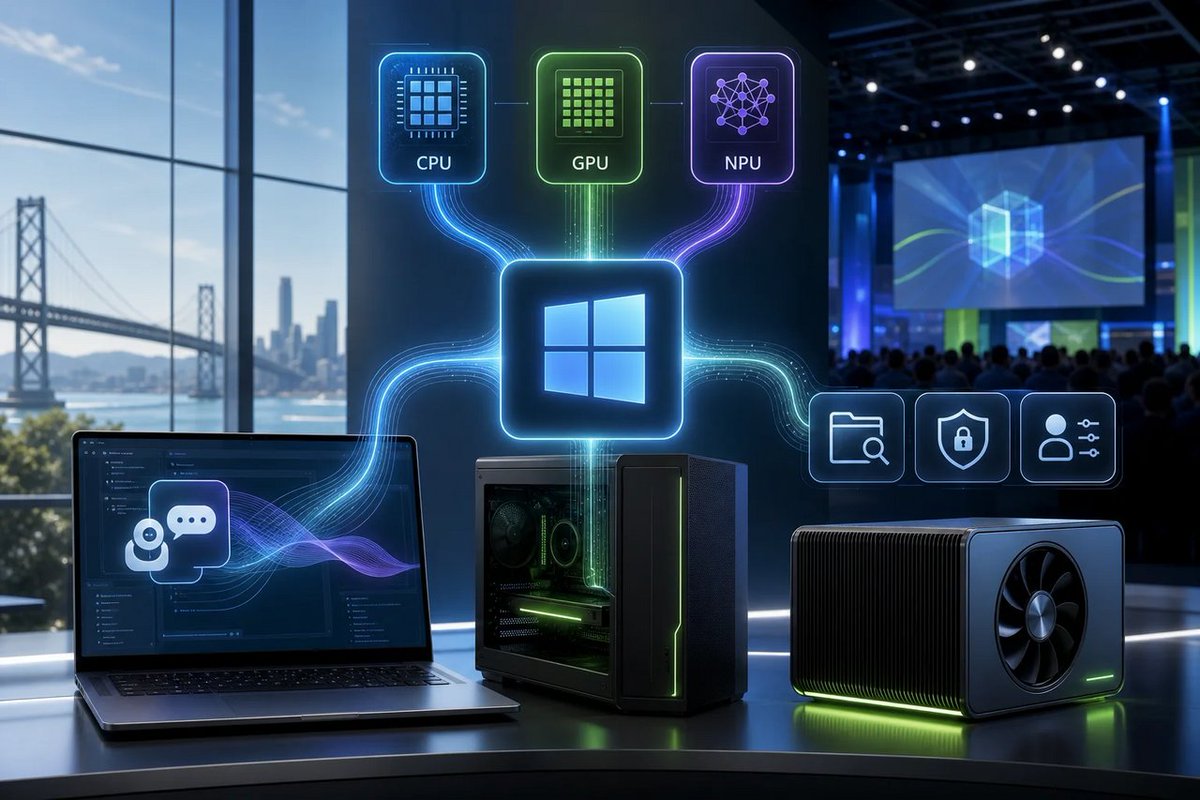
🪟 Microsoft ditching Copilot branding for “local agents on anything” is basically admitting the fence was marketing, not magic. Good news: AI shouldn’t need a specific sticker. #Windows #Microsoft #AI
windowsforum.com/threads/mic…
#CopilotPcs #WindowsMl #WindowsAi #LocalAiAgents
31

Jun 1
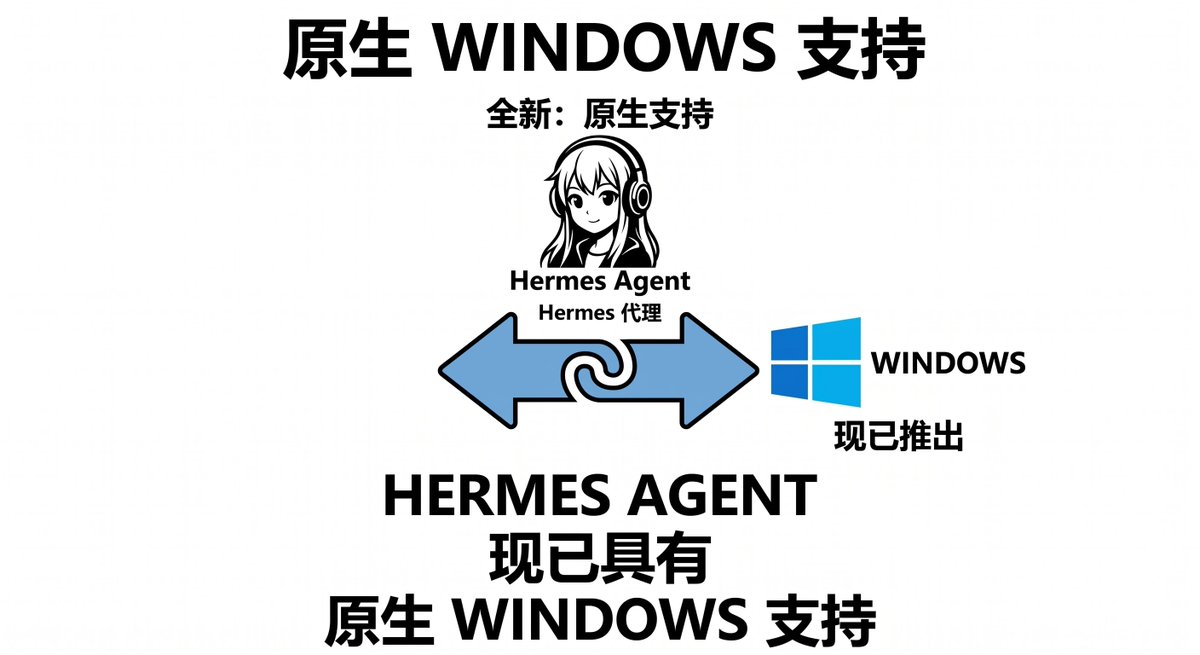
终于来了!Hermes Agent 原生支持 Windows!
告别 WSL 折腾、Docker 麻烦、权限地狱的时代到了!
普通 Windows 用户也能 3 分钟装好一个真正能干活、会记住你、会自己进化的桌面 AI Agent 了!
这是 2026 年 AI Agent 真正走进大众 PC 的转折点 🔥
原生支持的核心功能(几乎全覆盖):
CLI / TUI 交互
Hermes Gateway(Telegram、Discord、Slack、WhatsApp 等 15 平台)
Cron 定时任务
Browser 工具(Chromium)
文件读写、代码执行、长期记忆
安全边界大幅提升(这点太重要了!):
可控的文件操作范围
审批日志
一键停止按钮
与 Microsoft 新安全原语 NVIDIA OpenShell 深度集成(Computex 已官宣)
老板/个人用户再也不怕 Agent “乱搞” 了。
我亲自试了:
装好后直接让它帮我整理桌面、监控邮件、生成周报、甚至用语音指挥它跑自动化流程。
它真的会记住你之前的项目、偏好、文件结构,还能从经验里自动创建新技能。
这已经不是聊天机器人,是个人 AI 操作系统了!
Hermes 的 Windows 原生支持,标志着 AI Agent 从程序员玩具 → 普通人生产力工具 的关键一步。
你站好了吗?
是继续观望,还是现在就装一个试试?
#HermesAgent #AIAgent #WindowsAI #开源AI
3
2
821


May 31
下周我觉得 AI PC 这条线大概率会被重新炒起来, Microsoft Build 6月2-3日 和 Computex 6月2-5日 撞在一起,微软、英伟达、PC 厂商都会在同一周集中讲 Windows AI、Copilot、本地 AI Agent 和新硬件。
我现在更关注 $MSFT ,但不是因为我多看好 AI PC 这个产品本身。说实话,从真实体验看,Mac 在软硬件一体化、续航、生态稳定性上还是领先太多,Windows 想短期追上并不现实。
但股价交易的不是产品评测,而是“叙事能不能重新定价”。
MSFT这波真正的想象力在于:如果 Copilot 变成 Windows 系统级入口,如果 AI Agent 能在本地直接操作文件、Office、浏览器、邮件和开发工具,那微软讲的就不是一台新电脑,而是 Windows 重新变成 AI 工作流入口。
这才是机构会认真看的点。
数据上,MSFT 上周五收在 450.24 美元,52周高点大概在 555.45 美元,离新高还有约 23%。短线更现实的目标不是直接破新高,而是先看 456、479、493 这些压力位, 所以我不觉得它下周直接破新高是大概率事件。但如果 AI PC Windows Agent 叙事被市场接住,先走一段趋势修复是完全可能的。
散户最该盯的不是发布会喊了多少次 AI,而是微软有没有拿出真正能落地的东西:本地 AI Agent、Copilot 深度嵌入 Windows、Surface / Dell 等新机型、Nvidia Windows PC 芯片、企业部署场景、上市时间和价格。
如果只是更智能的新电脑,那很可能就是冲高回落。
如果是 Nvidia Microsoft Windows AI Agent 企业级 Copilot 这一整套故事打出来,那 $DELL $NVDA $QCOM $AMD $INTC $ARM这条线都有可能被资金重新定价。
所以我的判断是:下周 AI PC 不是长期信仰题,而是事件驱动交易题。
MSFT 更像稳健核心,NVDA / QCOM / AMD 可能弹性更大。真正要小心的是周一周二情绪太满,等发布会一落地反而 sell the news。
所以这波我会盯两个东西:MSFT 能不能放量站稳 456,以及发布会有没有把 AI PC 从硬件故事讲成 Windows AI Agent 平台故事。
只要这点成立,微软就不是在卖电脑,而是在重新抢 AI 时代的入口。@LaurenceMister @Microsoft @Windows @nvidia #AIPC #Copilot #WindowsAI #WindowsOnArm #MicrosoftBuild #Computex2026 #NVIDIA #AIStocks #TechStocks #Nasdaq
May 31

接下来的一周,台北将成为世界的焦点。
半导体几乎所有大佬齐聚台北,有英伟达黄仁勋、AMD 苏姿丰、英特尔陈立武、微软、高通、ARM、Marvell……以及大量台湾本土半导体厂商,鸿海、广达、和硕、纬颖、纬创、英业达、华硕、技嘉、神达等。
微软和英伟达共同公布“PC 的下一个时代”,太重头戏了。
1
5
874

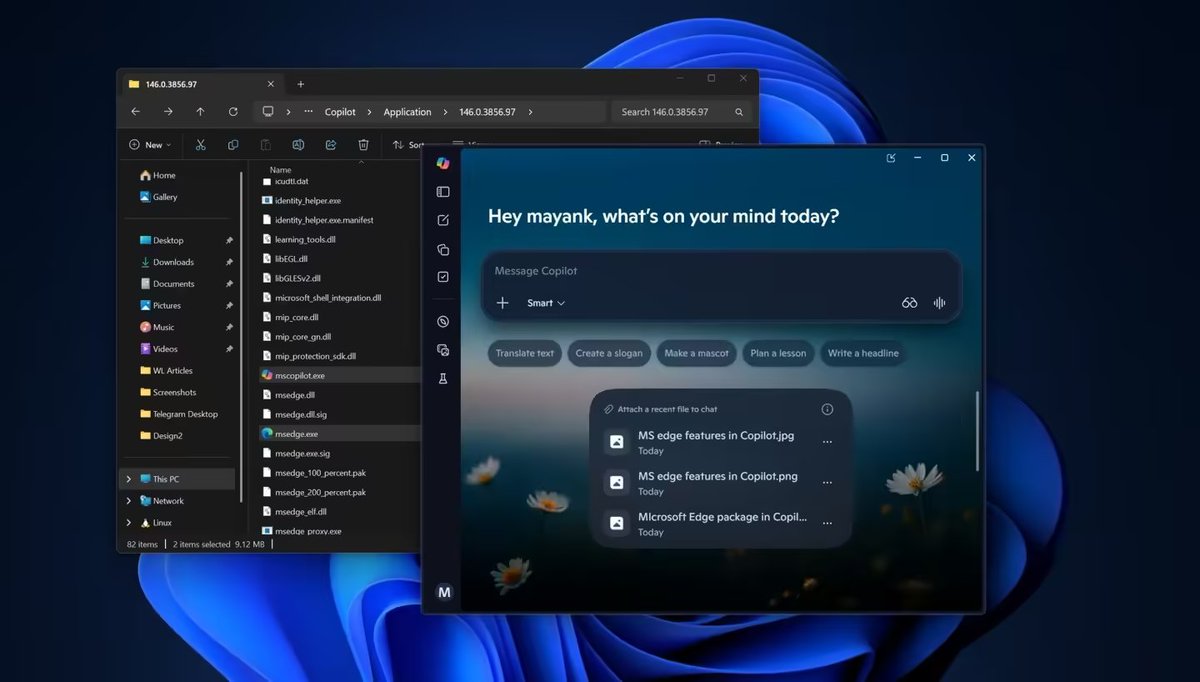
微软终于开始给用户“彻底卸载 Copilot”的官方方案了
策略位置:用户配置 → 管理模板 → Windows 组件 → Windows AI → Remove Microsoft Copilot App。
作用:不仅移除普通 Copilot,还会移除 Office 中捆绑的 Microsoft 365 Copilot
生效条件(默认):
* Copilot 已安装;
* 用户未自行安装;
* 超过 28 天未使用 Copilot。
适用版本:Windows 11 专业版、企业版、教育版、IoT 企业版及 LTSC 版本。
家庭版用户替代方案:
通过注册表修改实现相同效果:
路径:HKEY_CURRENT_USER\Software\Policies\Microsoft\Windows\WindowsAI
新建 DWORD 值 RemoveMicrosoftCopilotApp,数值为 1。
或使用 PowerShell 命令卸载:
Get-AppxPackage -AllUsers -Name "Microsoft.Windows.Ai.Copilot.Provider" | Remove-AppxPackage
2
4
22
4,838

Copilot PC Recall Feature Bricking Drives: Recovery Steps
COPILOT PC RECALL FEATURE BRICKING DRIVES: RECOVERY STEPS
TL;DR: Copilot PCs running Windows 11's NPU-accelerated Recall feature are generating real reports in 2026 of snapshot databases hammering NVMe drives into corruption and triggering boot failures that won't quit. If your machine is stuck in a boot loop, throwing blue screens, or your drive has gone completely dark - this guide is for you. We're breaking down how to diagnose the root cause, what recovery options exist, and when it's time to call in the pros at Fix My PC Store's computer repair team right here in West Palm Beach.
WHAT IS COPILOT PC RECALL AND WHY IS IT WRECKING DRIVES IN 2026?
Okay, let's set the stage real quick. Microsoft's Recall feature - exclusive to Copilot PCs with a dedicated NPU (Neural Processing Unit) - is designed to take continuous snapshots of everything you do on your screen. Think of it like a searchable photographic memory for your PC. Cool concept, right? In theory, absolutely. In practice? Some users in 2026 are finding out the hard way that this feature has a dark side.
Here's the problem. Recall generates a massive, constantly-growing snapshot database stored directly on your NVMe SSD. We're talking thousands of indexed image files and a SQLite-based storage index that gets written to constantly, all day, every day. When the NPU driver hiccups - or when that database grows faster than the storage manager can handle - you can end up with corrupted index files, fragmented NVMe sectors, and in the worst cases, an unrecoverable boot partition.
The failure modes we're seeing reported break down into three main culprits:
• Recall snapshot database corruption - the index file itself becomes unreadable and Windows can't complete boot
• Faulty or outdated NPU drivers - the AI acceleration layer crashes mid-write, leaving orphaned data blocks on the drive
• Underlying NVMe drive degradation - Recall's constant write cycles accelerate wear on drives that were already showing early signs of failure
GG to anyone who got caught off guard by this. But don't panic - let's diagnose and fix it.
DIAGNOSING YOUR COPILOT PC BLUE SCREEN AND BOOT FAILURE
Before we start throwing solutions at the wall, we need to figure out WHICH of those three failure modes is actually killing your machine. Here's how to triage this beast.
STEP 1 - READ THE BLUE SCREEN STOP CODE
If your machine is still throwing a BSOD before dying completely, that stop code is gold. Write it down or photograph it. Codes like NTFS_FILE_SYSTEM, CRITICAL_PROCESS_DIED, or INACCESSIBLE_BOOT_DEVICE point strongly toward drive-level corruption. A stop code referencing a specific driver file (especially anything with "npu" or "aistack" in the filename) points toward an NPU driver crash as the trigger. This distinction matters a lot for your recovery path.
STEP 2 - BOOT INTO WINDOWS RECOVERY ENVIRONMENT
If you can still get to the Windows Recovery Environment (WinRE) - either by holding Shift during restart or booting from a Windows 11 USB - you have options. From WinRE, navigate to Troubleshoot - Advanced Options - Command Prompt and run these commands:
• chkdsk C: /f /r /x - scans and attempts to repair file system errors on your boot drive
• sfc /scannow - checks Windows system file integrity
• DISM /Online /Cleanup-Image /RestoreHealth - repairs the Windows image itself
If chkdsk comes back with a mountain of bad sectors or reports it cannot complete the repair, that's your signal that the drive itself is degraded - not just the Recall database. At that point, stop writing to that drive immediately and jump to the data recovery section below.
STEP 3 - CHECK NVME DRIVE HEALTH
If you can boot into any environment - WinRE, a Linux live USB, anything - pull your drive's S.M.A.R.T. data. Tools like CrystalDiskInfo (on Windows) or smartctl (on Linux) will show you reallocated sectors, pending sectors, and uncorrectable errors. A healthy drive shows zeros across those critical attributes. If you're seeing non-zero values there, the Recall write storm may have pushed a borderline drive over the edge. Check out Microsoft's guide to fixing Windows update and driver errors for additional diagnostic context on driver-related failures.
WINDOWS 11 COPILOT STORAGE FIX - DISABLING AND REPAIRING RECALL
If your drive health checks out okay and the issue is specifically the Recall database or NPU driver, here's how to attack it. These steps assume you can at least reach WinRE or boot from external media.
DISABLING RECALL TO STOP THE DAMAGE
First things first - we need to stop Recall from writing to your drive. If you can get into Windows at all (even Safe Mode), hit Settings - Privacy and Security - Recall and Snapshots and toggle it off completely. If you can't boot into Windows, you can disable it from the command line in WinRE by modifying the relevant registry keys under HKLM\SOFTWARE\Policies\Microsoft\Windows\WindowsAI - set DisableAIDataAnalysis to 1.
CLEARING THE CORRUPTED RECALL DATABASE
The Recall snapshot database lives at C:\Users\[YourUsername]\AppData\Local\CoreAIPlatform.00\UKP. If you can access this path through a live environment or WinRE command prompt, you can attempt to rename or delete the corrupted database folder. This forces Recall to start fresh if you re-enable it later - but more importantly, it removes the corrupted index that may be blocking your boot process. Back up anything you can from this folder first if you want to attempt snapshot recovery later.
FIXING THE NPU DRIVER CRASH
Outdated or corrupted NPU drivers are a clutch target here. Boot into Safe Mode (which loads minimal drivers) and uninstall the current NPU driver through Device Manager. Then grab the latest driver package directly from your manufacturer - Qualcomm Snapdragon X series, Intel Core Ultra, or AMD Ryzen AI platforms all have dedicated NPU driver packages on their support pages. A clean driver reinstall has resolved boot failures for a solid chunk of affected users. For full details on Microsoft's Recall architecture and supported hardware, check Microsoft's official Windows Recall support documentation.
COPILOT PC DATA RECOVERY - WHEN THE DRIVE WON'T COME BACK
Okay, real talk. If your NVMe drive has taken enough of a beating from Recall's write cycles that it's showing significant S.M.A.R.T. errors, or if Windows absolutely will not boot and WinRE can't repair the file system - we are in professional data recovery territory. This is not a "download a free tool and hope for the best" situation. Attempting further DIY repairs on a degraded drive can permanently destroy the data you're trying to save.
Here's what professional data recovery from Fix My PC Store looks like for these cases:
• Drive imaging - creating a sector-by-sector clone of your failing drive before any repair attempts, preserving everything recoverable
• File system reconstruction - rebuilding the NTFS partition structure from raw sector data when the file system itself is gone
• Selective data extraction - pulling your documents, photos, game saves, and critical files even when Windows can't see them
• Recall database analysis - in some cases, recovering data FROM the Recall snapshots themselves, which can be a backup of content you thought was lost
If your machine is a laptop, our laptop repair specialists handle NVMe replacements and data migrations as part of the same service visit - so you're not making two trips.
PREVENTING COPILOT PC DRIVE CORRUPTION GOING FORWARD
Listen, once you're back up and running, let's make sure this doesn't happen again. Here's the Hardware Hank approved checklist for keeping your Copilot PC healthy:
• Set Recall storage limits - in Recall settings, cap the snapshot storage to a reasonable amount (30-50GB max) so it doesn't devour your entire drive
• Keep NPU drivers updated - check your manufacturer's support page monthly. NPU driver stability has improved dramatically with each update cycle in 2026
• Monitor NVMe health regularly - run CrystalDiskInfo quarterly. Catching early S.M.A.R.T. warnings before a full failure is the difference between a cheap drive swap and a full data recovery job
• Maintain 20% free space on your boot drive - Recall's database needs breathing room. A nearly-full NVMe plus constant Recall writes is a recipe for disaster
• Enable Windows Backup or a third-party backup solution - seriously, this is non-negotiable. Back up your data. Today. Right now.
PALM BEACH COUNTY COPILOT PC REPAIR - WE'VE GOT YOU COVERED
If you're in West Palm Beach, Boca Raton, Lake Worth, Boynton Beach, or anywhere across Palm Beach County and your Copilot PC is in full meltdown mode - Fix My PC Store is your local answer. Our techs are hands-on with Windows 11 drive corruption cases, NPU driver failures, and NVMe data recovery. We're not shipping your machine off to some distant repair depot - we're right here, local, and we turn these repairs around fast.
Whether it's a full computer repair and Windows reinstall, a professional data recovery from a corrupted NVMe, or a complete drive replacement and system migration - we handle it all under one roof. Don't let a failed Recall database take your whole rig down permanently. Let's get you back in the game.
COPILOT PC BRICKED YOUR DRIVE? WE CAN FIX IT.
Palm Beach County's trusted computer repair specialists are ready to diagnose your Copilot PC, recover your data, and get you back up and running fast.Get Help Today
────
Fix My PC Store | Royal Palm Beach, FL
auto-scheduled
2
244

Microsoft Windows OS の WindowsAI が作成するスケジュールタスクにおける任意のディレクトリ削除の脆弱性(Scan Tech Report)
scan.netsecurity.ne.jp/artic…
1
3
1,110

Microsoft Recall: Productivity, Privacy & Real‑World Impact — with @Gkunst 🤖🔐
youtu.be/RCi3QioITy0
open.spotify.com/episode/0ti…
🎙 Workplace Ninja Netherlands Podcast hosted by @oudendorp @MvVliet
#MicrosoftRecall #WindowsAI #Privacy #AIAdoption #Security #WorkplaceNinjas
3
3
262

Feb 6
🔥Skywork桌面AI Agent:Windows党福音!
1. Windows原生支持,告别Mac独占
2. 内置Gemini 智能路由,速超Claude Cowork
3. 全能文件管理 强视觉生成 4. 本地虚拟机运行,数据安全
🔗地址:skywork.ai/desktop
#WindowsAI #桌面Agent #国产AI
3
5
103

22 Nov 2025
I've been poking Microsoft Copilot with a stick. I've made a bunch of posts on it.
This is my dumb notes and/or discussion part 1.
My current machine is Windows 11 but Microsoft Copilot wasn't on the machine, so I installed it from the Microsoft app store. I don't know if the installation process and libraries present from the Microsoft app store are different than the Microsoft Copilot which will come default with Windows 11 in the future.
The installation of Microsoft Copilot introduced some registry artifacts. Notably the introduction of a protocol handler "URL:ms-copilot". It also introduced a bunch of COM component stuff. I haven't played with the Copilot URI.
The registry also introduces a registry key called "Copilot" under HKCU in Software\Microsoft\Windows\Shell. I haven't played with this registry key yet. However, I am going to assume this enables or disables Copilot for the Windows Shell. Mine defaulted to disabled. This is what it looks like:
"IsCopilotAvailable", DWORD, 0x00000000
"CopilotDisabledReason", SZ, "FeatureIsDisabled"
I am going to assume in the future, if Copilot is forced upon you, Copilot can be removed (or disabled) from the Shell from here.
Under HKLM some registry artifacts are present for Windows File Explorer called CopilotFileExplorerMenu. There is also stuff present for Copilot and Microsoft Edge.
HKLM also keys called "WindowsAI". Windows AI has "DisableCocreator", "DisableGenerateFill", "DisableImageCreator", SetCopilotHardwareKey", "TurnOffWindowsCopilot".
I have no idea what Cocreator, ImageCreator, GenerateFill, or CopilotHardwareKey is or what it means. The TurnOffWindowsCopilot key just provides some insights onto how to disable Windows Copilot. However, GenerateFill, Cocreator, and ImageCreator all point to Paint.exe. I'm going to faithfully assume Microsoft has AI stuff in Paint now.
HKLM also has "SystemSettings_DesktopTaskbar_Copilot" and points to "SettingsHandlers_DesktopTaskbar.dll" in System32.
There's a bunch of other Copilot shit too, too much to list, but there's stuff "Personalized Chats", "Copilot Gaming", over 9000 thingies for "Copilot Nudges", and stuff for caching.
Later today, or tomorrow, or whenever I feel like it, I'll talk about the main Copilot.exe binary which is actually a loader (.NET runtime host for custom stuff). The actual stuff for Copilot is Copilot.dll and it's jammed with shit
Copilot has introduced A METRIC SHIT TON of functionality into Windows. There are so many DLLs and EXEs to poke. It is exciting.
18
40
582
65,738

21 Nov 2025
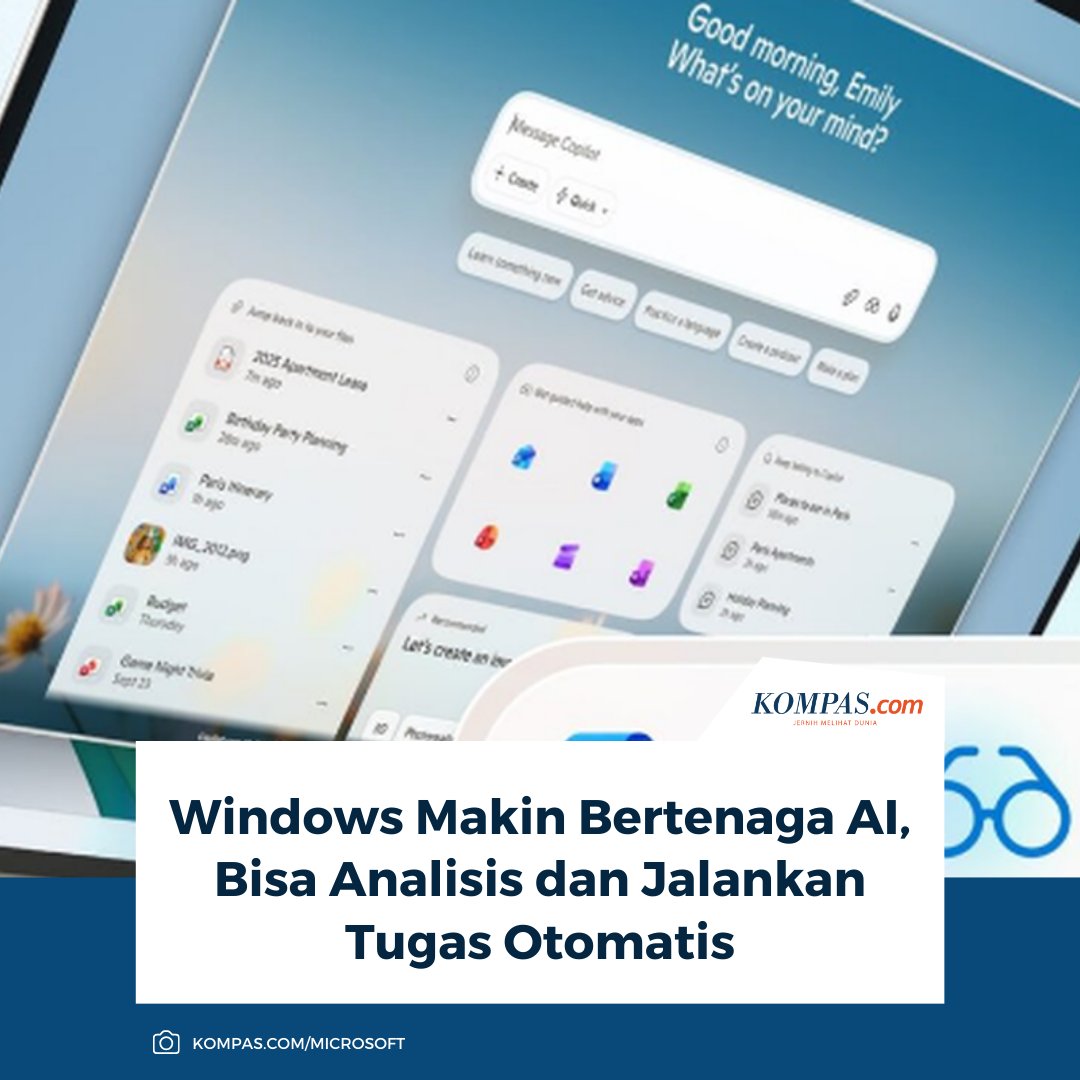
Siap-siap! Windows kini makin cerdas dengan kekuatan AI: Mampu menganalisis seluruh layar dan menjalankan tugas otomatis.
Baca di sini: tekno.kompas.com/read/2025/1…
~TR #WindowsAI #CopilotPC
79

21 Nov 2025
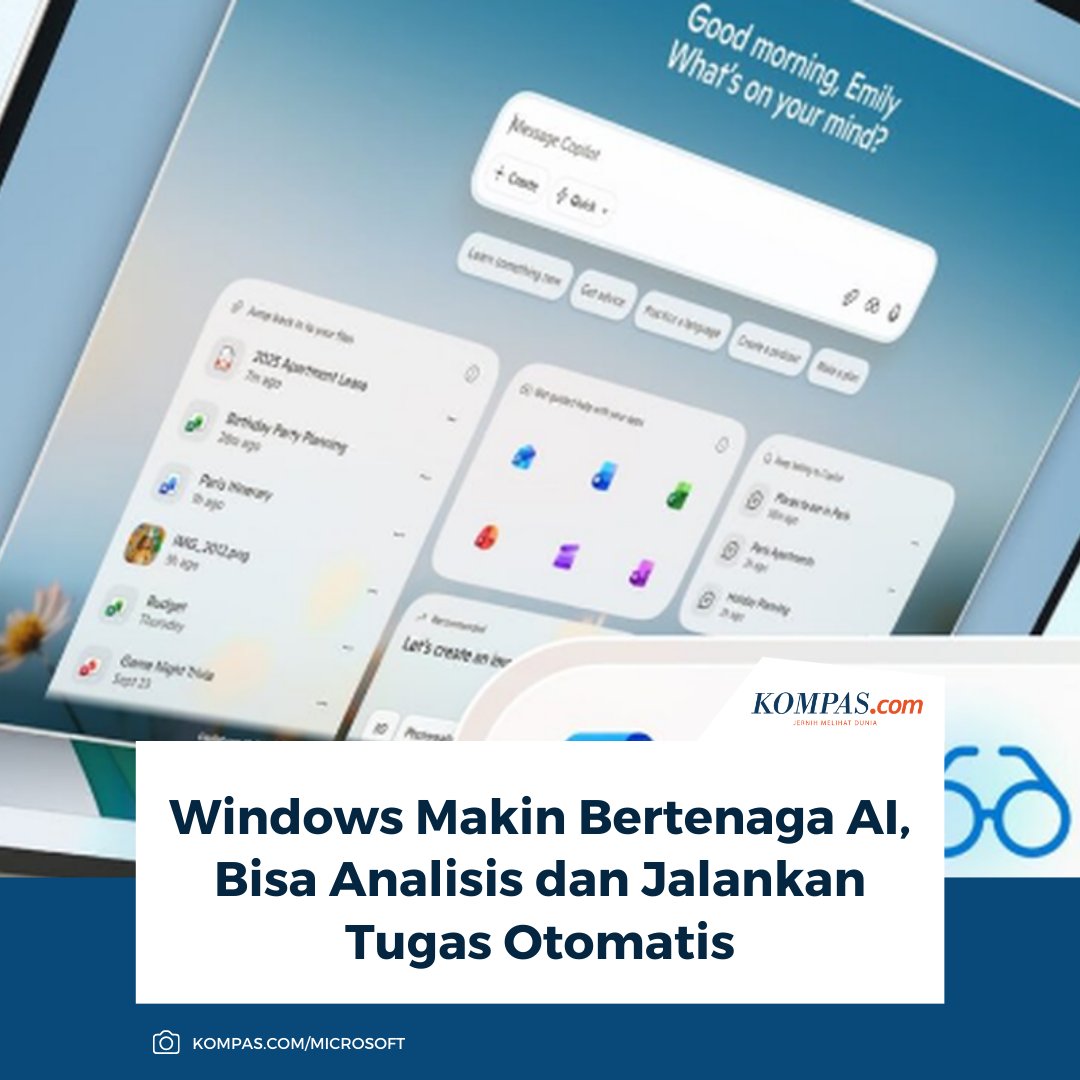
Siap-siap! Windows kini makin cerdas dengan kekuatan AI: Mampu menganalisis seluruh layar dan menjalankan tugas otomatis.
Baca di sini: tekno.kompas.com/read/2025/1…
~TR #WindowsAI #CopilotPC
1
1,010

15 Nov 2025
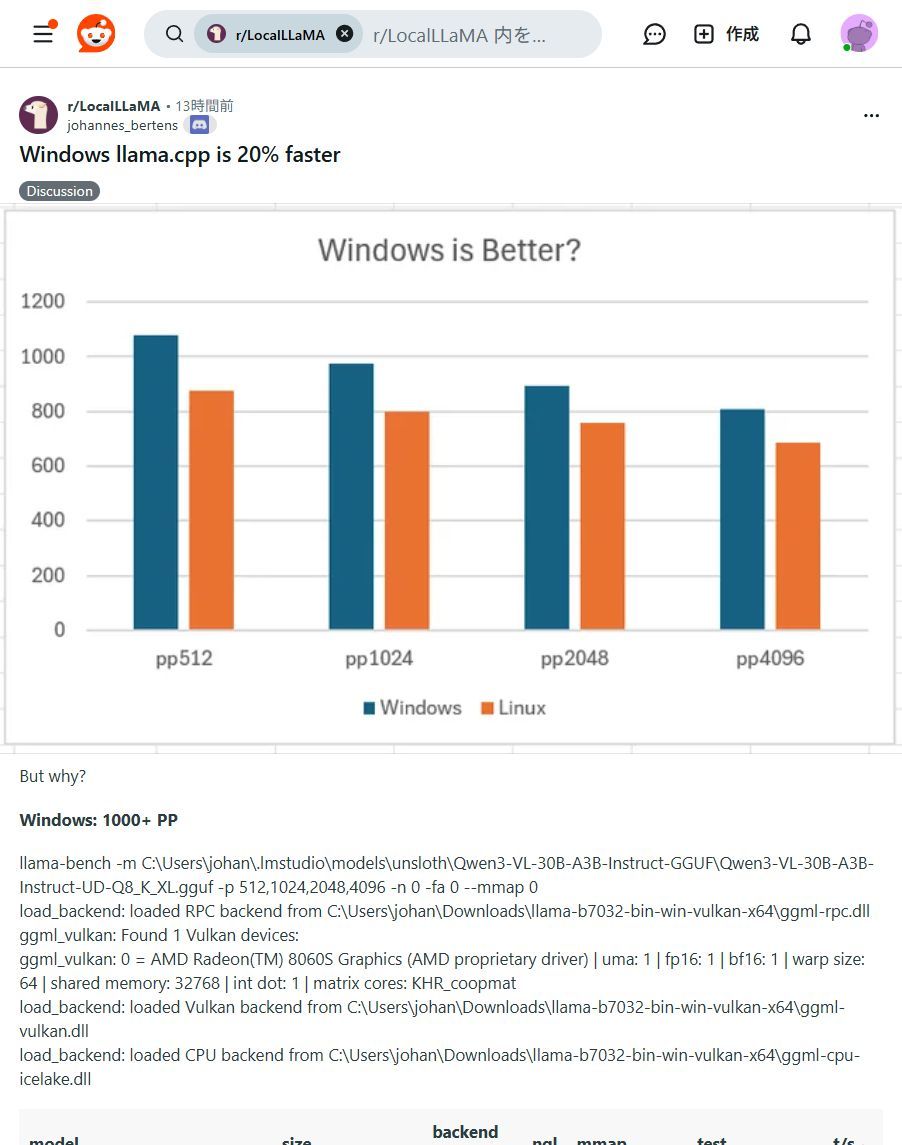
Windowsユーザー必見!✨ ローカルLLM「llama.cpp」がLinux版より最大20%高速化!
手元のPCでAIがもっと快適に動かせます!ぜひ試して!🚀
#llama_cpp #WindowsAI
1
3
372
3 Nov 2025
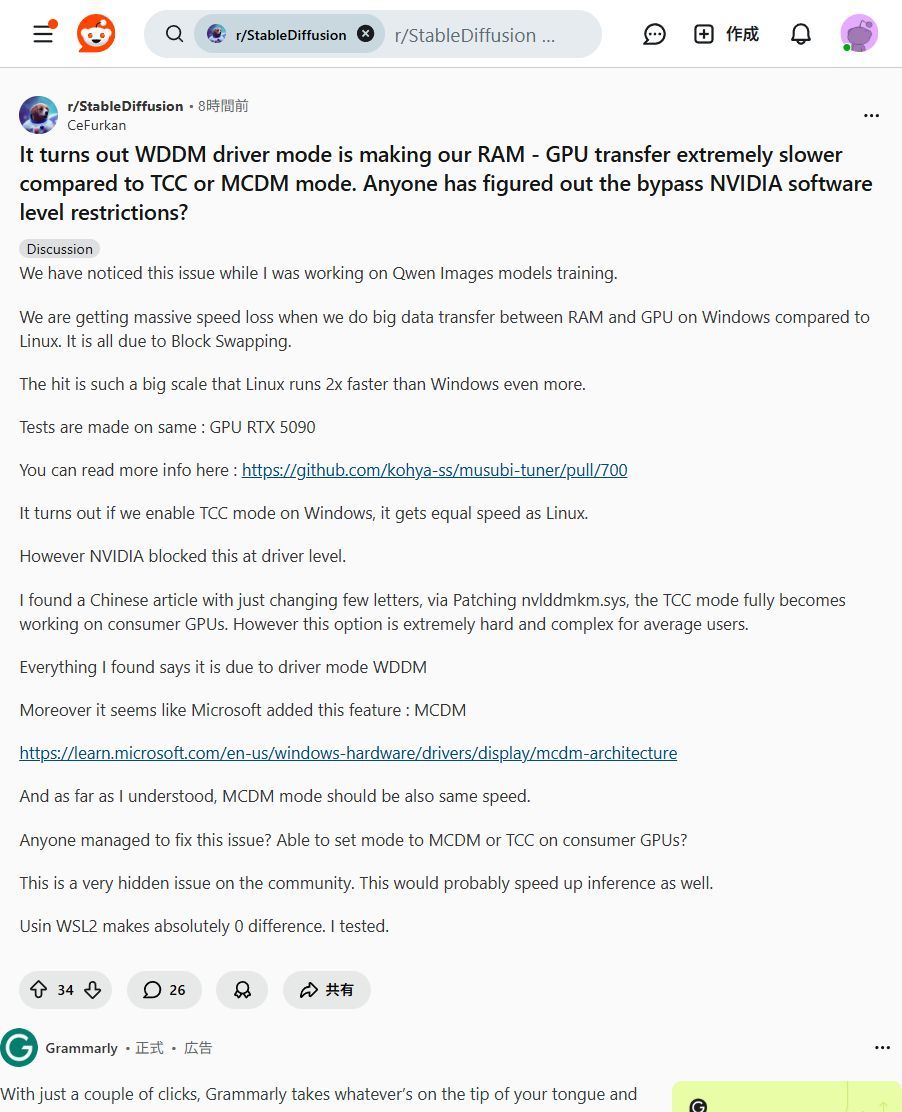
🚨Windowsユーザー必見🚨 生成AI学習の速度低下、真犯人はWindows?!😱
Windowsでの生成AI学習、RAM-GPU転送がLinuxの半分以下という指摘が!WDDMモードがボトルネックでGPU性能を活かせないかも。今後の改善に期待です!✨ #WindowsAI #生成AI
1
3
331

30 Oct 2025
Bl tie Windowsai tai užpisa ijungi pc edgas pasileidžia nei iš šio nei iš to...
2
22