
claude.ai/share/bd757b59-240… subprocess
result = subprocess.run(
["nmcli", "-f", "SSID,BSSID,SIGNAL,SECURITY", "device", "wifi", "list"],
capture_output=True, text=True
)
if result.returncode == 0:
print(result.stdout)
else:
print("Erreur :", result.stderr)
7

I refused to wipe and reinstall. I went into the GRUB rescue terminal.
But I couldn't use LAN—the campus network required a GUI login portal. I had to learn how to connect to Wi-Fi entirely via CLI (nmcli) on the fly just to run diagnostics.
1
9

Jun 12
Oh I'm sure there's a group getting pwn'd for sure.
Question? How did those AI scripters get internet... that used to be the initial gate keeper lol. nmcli has stopped 20 years of people installing Arch
19


✅ネットワークインターフェースを確認するコマンドが知りたい
✅UbuntuやKali LinuxでNIC情報を確認したい
✅最新のLinux環境で使用できるコマンドを知りたい
Linux環境で利用できる確認コマンドをまとめました。
・ip addr
・ip link
・ip route
・nmcli
・networkctl
dflabo-jp.tech/network-inter…
16

Jun 9
Built a real-time Wi-Fi scanner for Linux because sometimes I want to see nearby networks and channel congestion without memorizing another collection of nmcli incantations.
MIT licensed, free, and open source:
github.com/Guido-DiPilla/wif…
#Python #Linux #OpenSource #FOSS
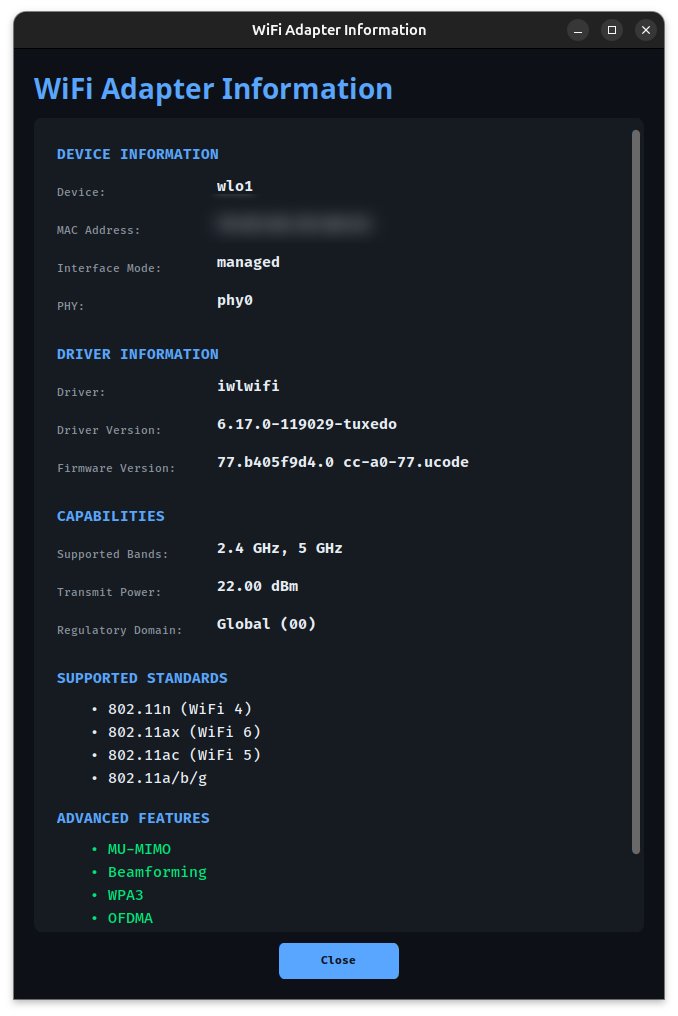
ALT Screenshot of the Wi-Fi Scanner adapter information panel showing wireless hardware capabilities, driver details, supported Wi-Fi standards, frequency bands, and advanced features including WPA3 and Wi-Fi 6 support.
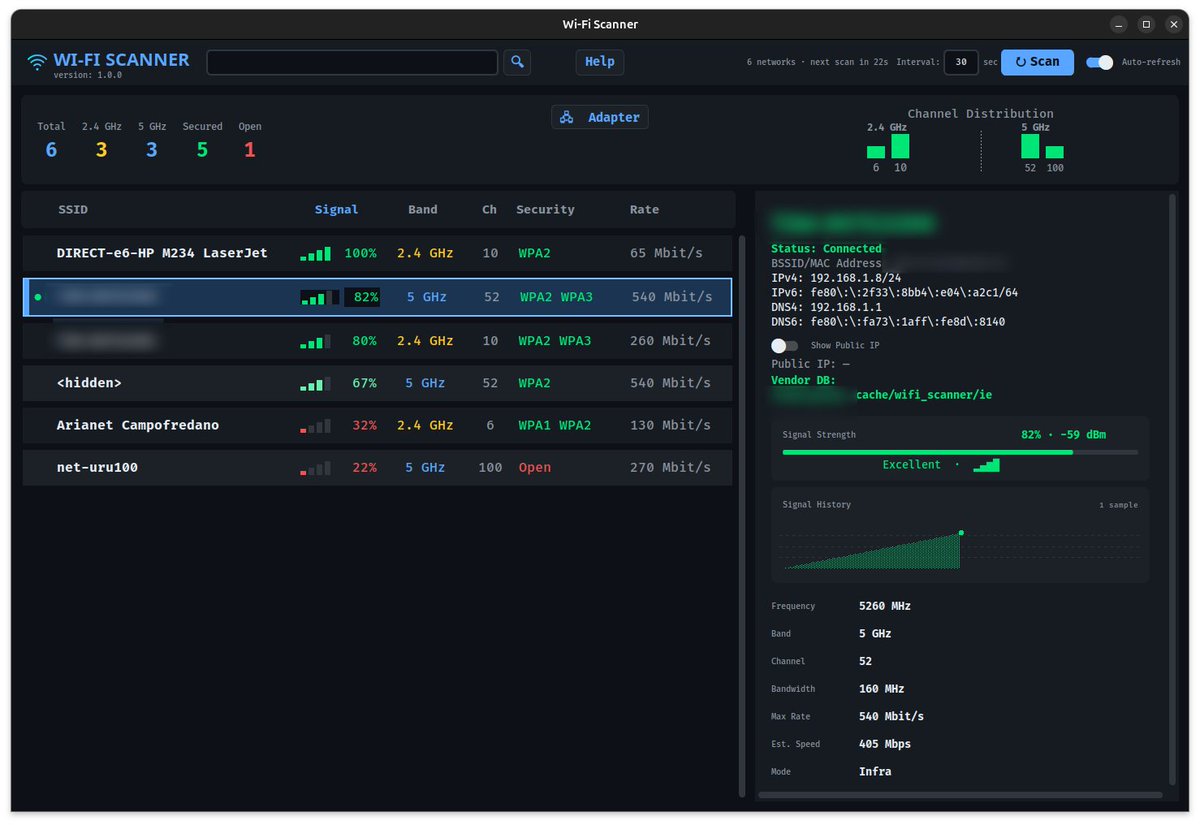
ALT Screenshot of the Wi-Fi Scanner main interface showing nearby Wi-Fi networks, channel congestion, signal strength, security information, and detailed performance metrics for the selected network.
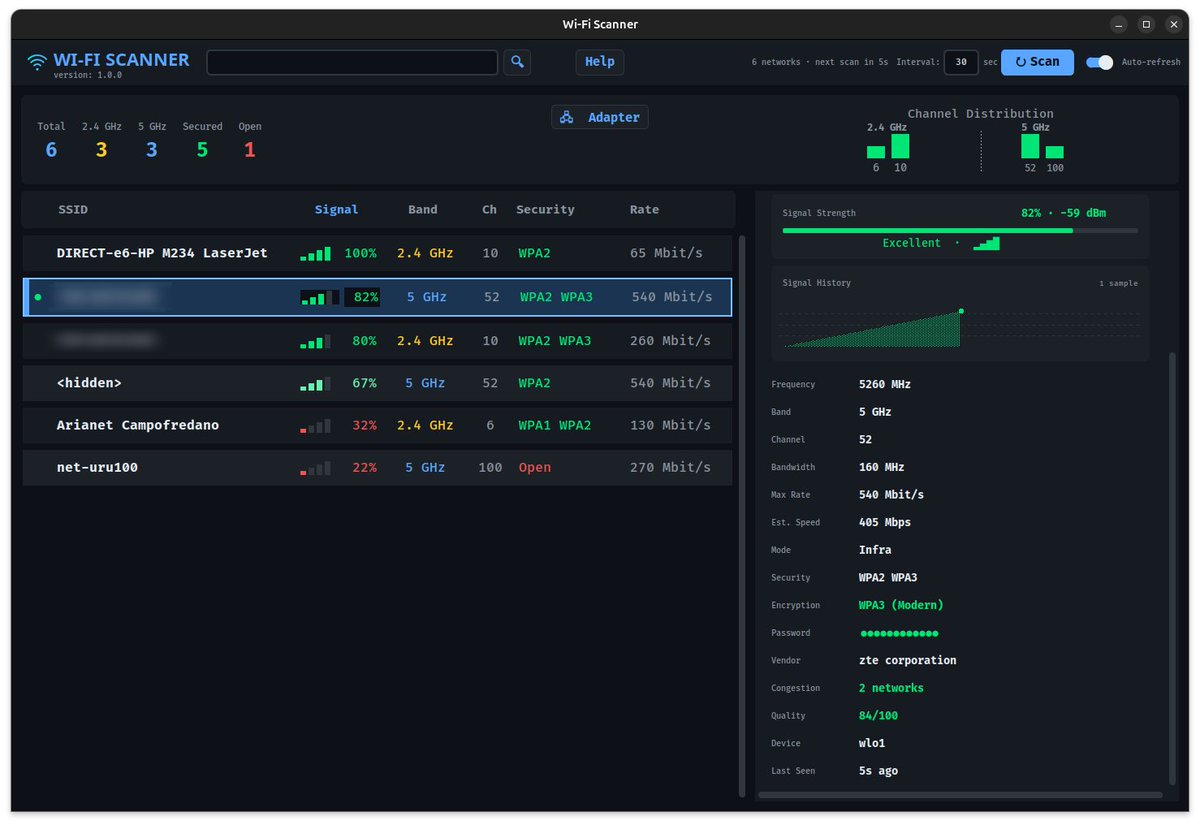
ALT Screenshot of the Wi-Fi Scanner application displaying real-time wireless network discovery, signal analysis, channel distribution, and connection quality information on Linux.
1
1
29

Jun 8
🔧 nmcli أم nmtui؟ اختيار الأداة المناسبة يوفر وقتك ويزيد كفاءتك في إدارة الشبكات على Linux
📋 nmcli
• سطر أوامر (CLI)
• مثالي للأتمتة والـ Scripts
• مناسب للخوادم وبيئات DevOps
• أسرع للمهام المتكررة
📋 nmtui
• واجهة نصية تفاعلية (TUI)
• سهل للمبتدئين
• مناسب للإعدادات السريعة
• لا يحتاج لحفظ الكثير من الأوام
➡️ تريد أتمتة وإدارة احترافية؟ nmcli
➡️ تريد إعدادًا سريعًا وسهلًا؟ nmtui
💡 المعلومة الأهم: nmtui ليس أداة مستقلة، بل واجهة تفاعلية تعمل فوق NetworkManager لتسهيل ما يمكنك تنفيذه عبر nmcli.
13
532


TEST YOUR LINUX KNOWLEDGE
Which tool is used to query DNS records directly?
A) dig
B) iptables
C) scp
D) nmcli
7
39
5,038

NetworkManager 1.56.1 adds GENEVE interface support, persistent managed state handling, and updated nmcli and D-Bus device controls.
linuxiac.com/networkmanager-…
#Linux #OpenSource #Networking
9
41
1,306

May 14
NetworkManager 1.56.1 is out now with support for the GENEVE interface, the ability to change the device's administrative state in the kernel at the same time, and persistence of the managed state across reboots from nmcli and the D-Bus API.
#Linux #OpenSource
5
36
2,818
Correct answer: B) traceroute
traceroute is the standard Linux utility used to map the full hop-by-hop path that packets take from your machine to a remote destination. It shows each router (hop) along the route and the latency to each one, which makes it ideal for diagnosing routing issues.
Quick breakdown of the options:
A) ip addr → Shows IP addresses and interfaces on your local machine only.
B) traceroute → Displays the path packets take across the network (correct).
C) ip route add → Used to manually add routes to the routing table.
D) nmcli → NetworkManager tool for configuring network connections, not tracing paths.
If you're debugging connectivity, traceroute (or tracepath on some systems) is the go-to tool.

TEST YOUR LINUX NETWORKING KNOWLEDGE
You suspect a routing issue and want to view the full hop-by-hop path packets take from your Linux machine to a remote server.
Which command should you use?
A) ip addr
B) traceroute
C) ip route add
D) nmcli
11
855

ifconfig
ip link show
nmcli dev show
ip link set dev enp0s3 down
ip link set dev enp0s3 address <MAC>
ip link set dev enp0s3 up
#linux #cyber #cybersecurity #aws
3
49
TEST YOUR LINUX NETWORKING KNOWLEDGE
You suspect a routing issue and want to view the full hop-by-hop path packets take from your Linux machine to a remote server.
Which command should you use?
A) ip addr
B) traceroute
C) ip route add
D) nmcli
10
1
31
2,931

May 8
#!/bin/bash
LOGDIR="$HOME/ransomware_response"
mkdir -p "$LOGDIR"
echo "[*] Starting ransomware containment..."
# Save current connections
ss -tunap > "$LOGDIR/network_connections.txt"
# Save running processes
ps aux > "$LOGDIR/processes.txt"
# Common ransomware extensions
EXTENSIONS=(
"*.locked"
"*.encrypted"
"*.crypt"
"*.cry"
"*.wncry"
)
echo "[*] Searching for encrypted files..."
for ext in "${EXTENSIONS[@]}"; do
find /home -type f -name "$ext" 2>/dev/null >> "$LOGDIR/encrypted_files.txt"
done
echo "[*] Backing up ransom notes..."
find /home -type f \( -iname "*readme*" -o -iname "*decrypt*" \) \
-exec cp --parents {} "$LOGDIR/" \; 2>/dev/null
echo "[*] Disabling network interfaces..."
sudo nmcli networking off 2>/dev/null
echo "[*] Listing high CPU processes..."
ps -eo pid,ppid,cmd,%mem,%cpu --sort=-%cpu | head > "$LOGDIR/high_cpu.txt"
echo "[*] Response data stored in:"
echo "$LOGDIR"
1
2
9,890


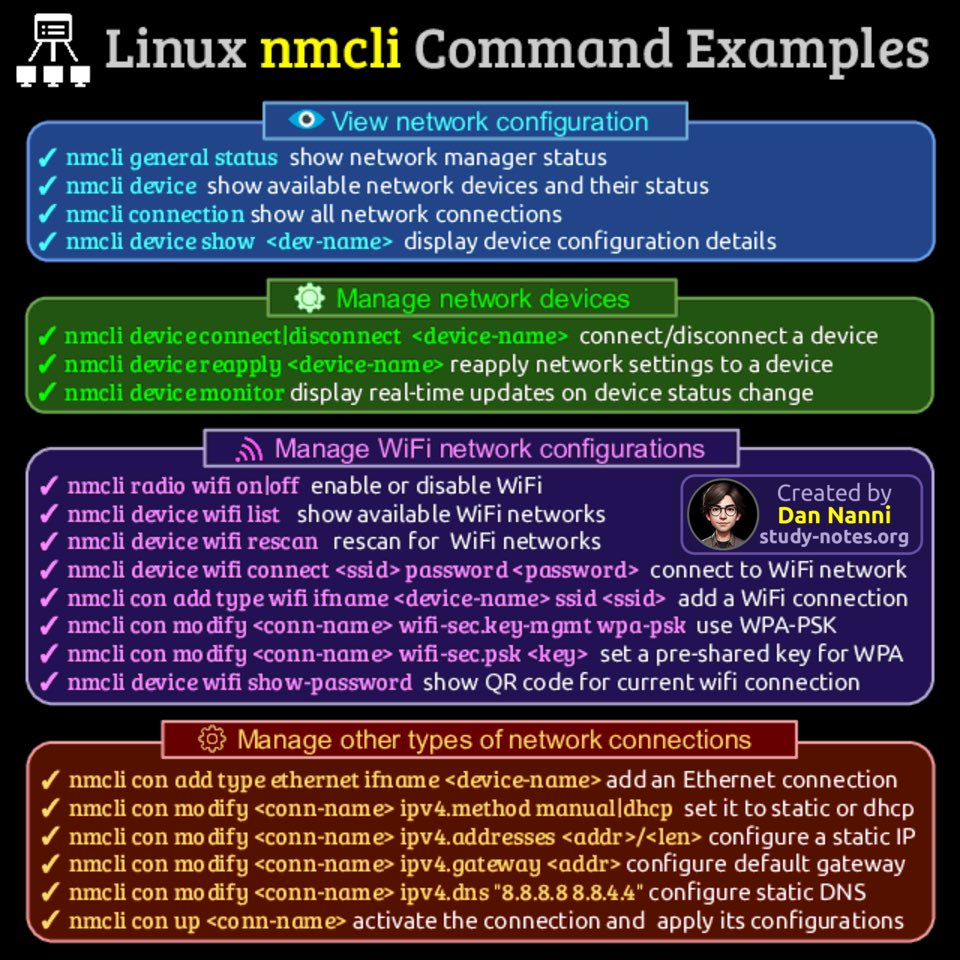
nmcli is a CLI tool that lets you create and manage connections, check status & run basic network diagnostics right from the terminal
Here are useful nmcli command examples 😎👇
Find pdf ebooks with all my #Linux related infographics at study-notes.org/linux-ebook.…
#sysadmin
17
74
2,010

